Skip to content
Word Made Easy Shop
Home Word Tutorials Word Templates Resources Google Docs PowerPoint Tutorials YouTube Videos
Home Word Tutorials Word Templates Resources Google Docs PowerPoint Tutorials YouTube Videos Shop
Maths

Maths

Comparing Numbers Worksheets: 10 Free Greater Than Less Than Printables

Preview every worksheet, choose colour or black and white and your paper size, then download your comparing numbers worksheets in one small ZIP file.

Made by a teacherA4 and US Letter10 worksheetsFree
Published 20 November 2026 · By Patrick Elliott

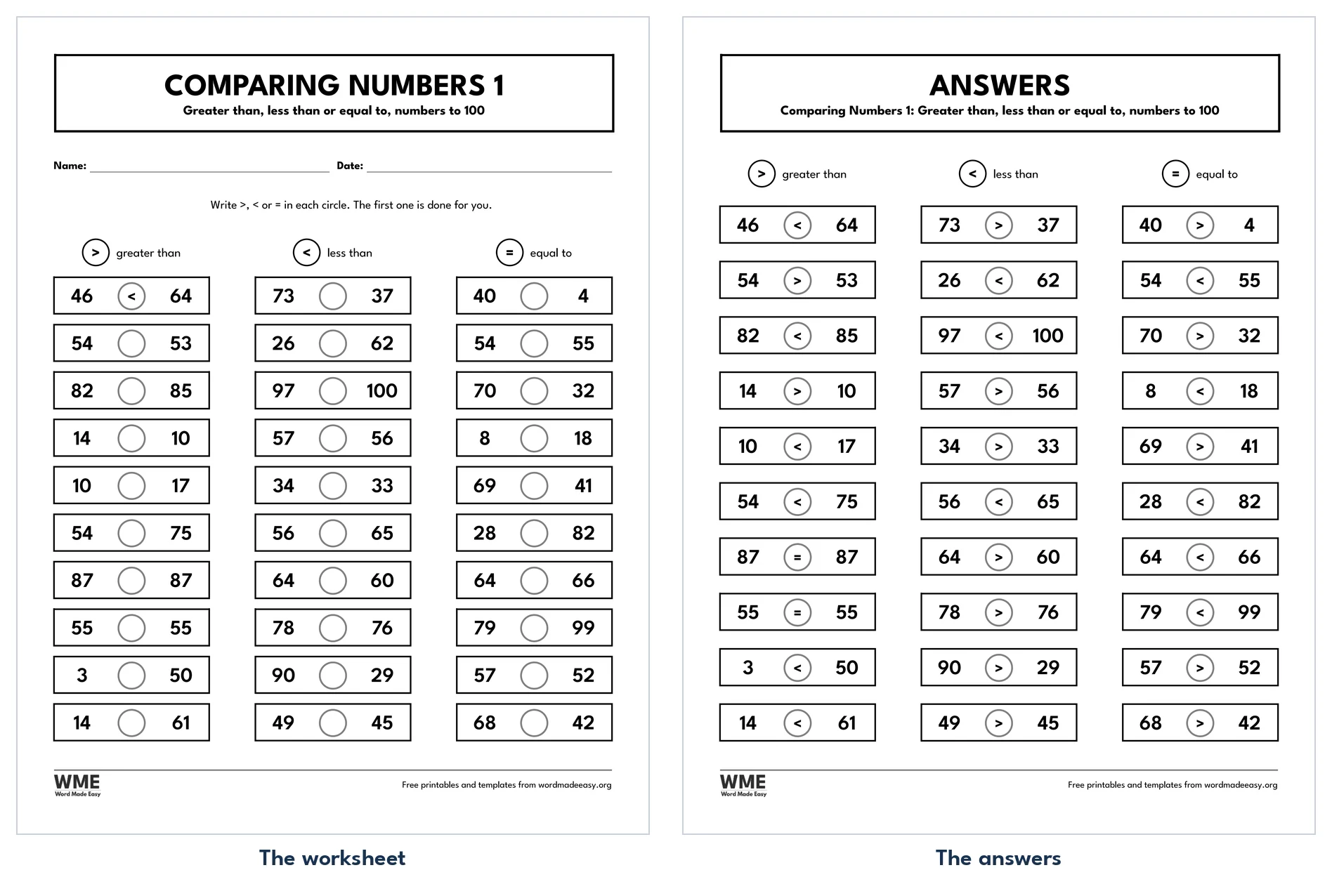
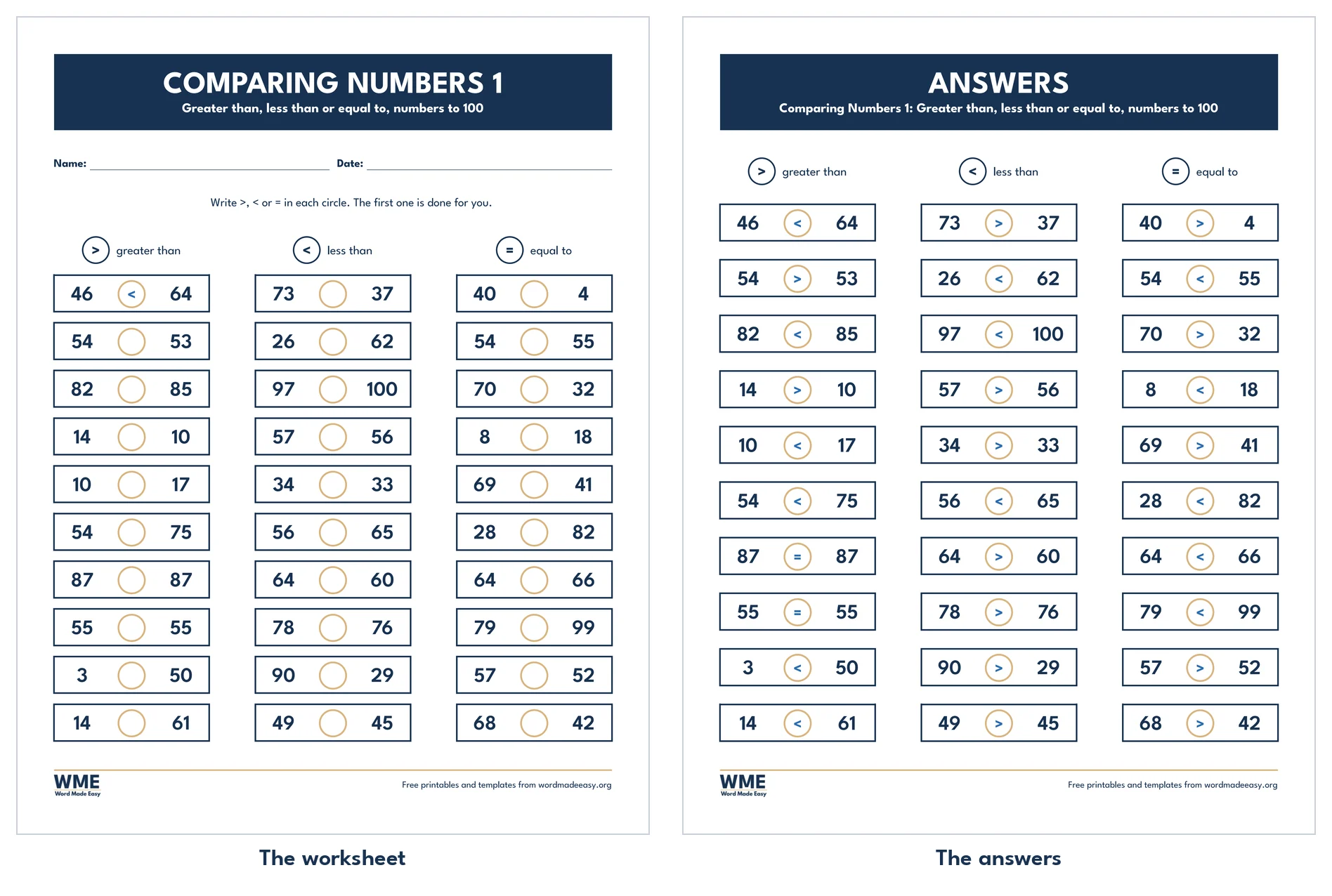
Comparing numbers worksheets: Comparing Numbers 1, a key showing the greater than, less than and equal signs above 30 pairs of numbers to 100 with an empty circle between each pair, on US Letter
Comparing Numbers 1 · Comparing numbers to 100, with answers. Click to enlarge.
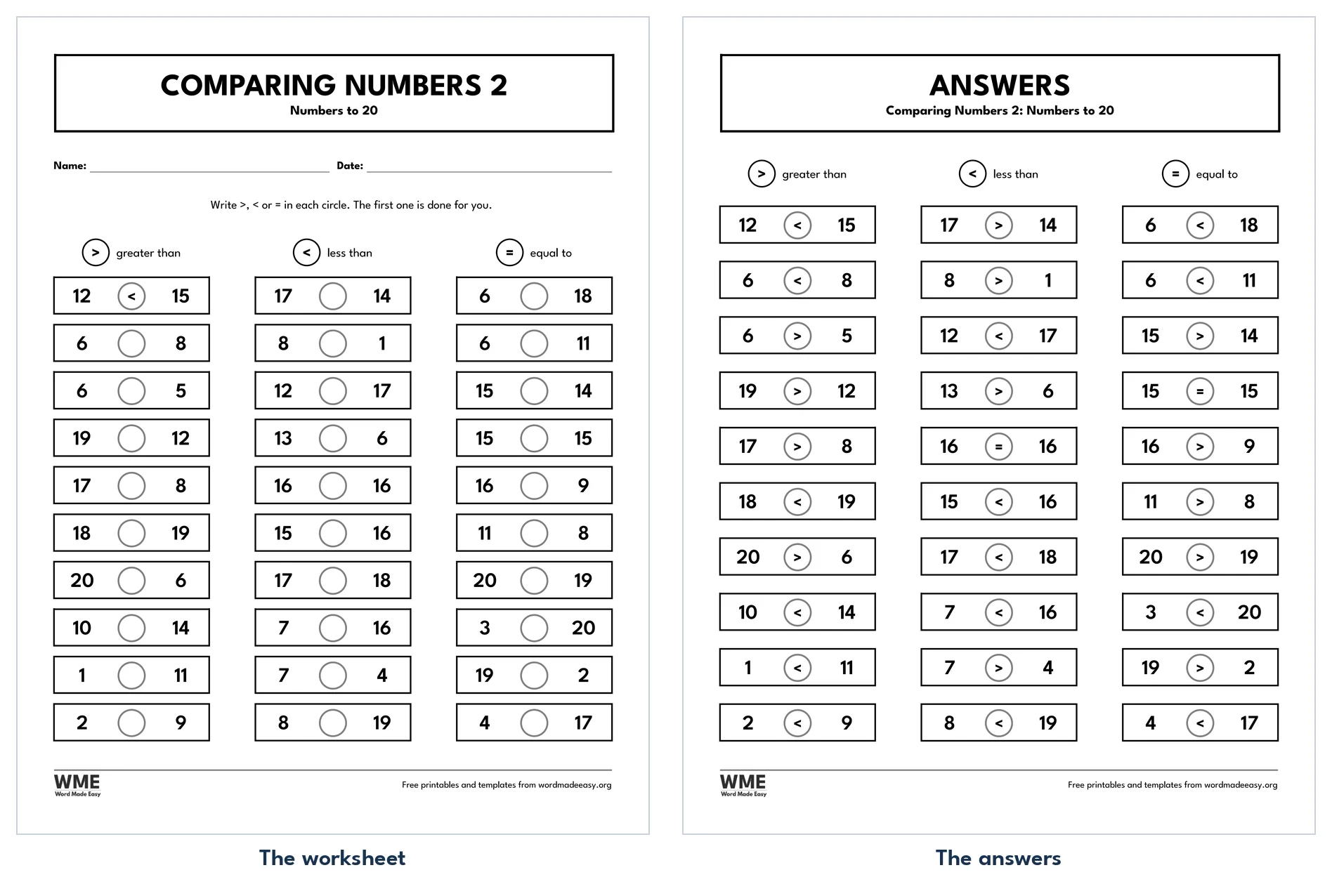
Comparing numbers worksheet for Word: Comparing Numbers 2, US Letter
Comparing Numbers 2 · Comparing numbers to 20, with answers. Click to enlarge.
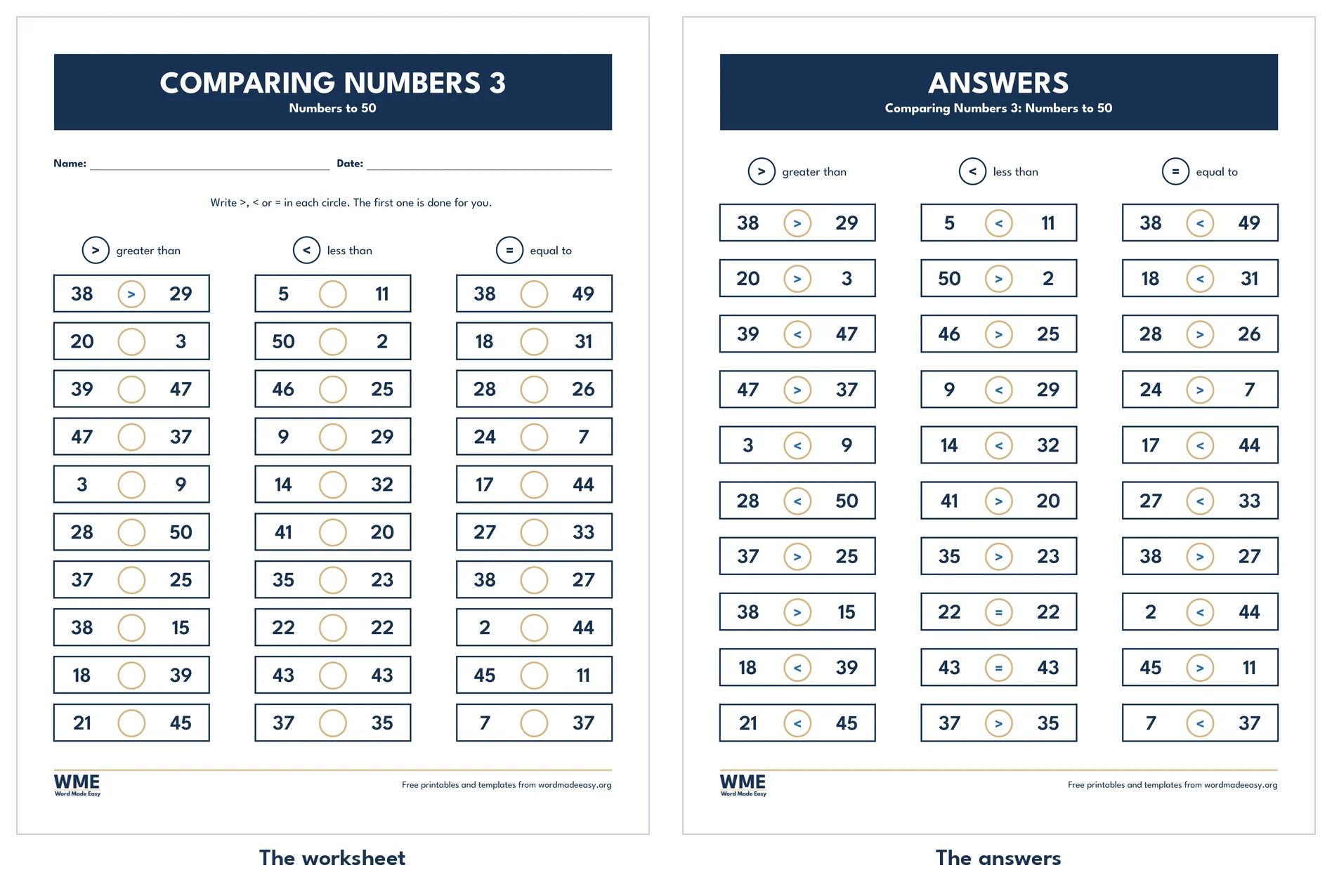
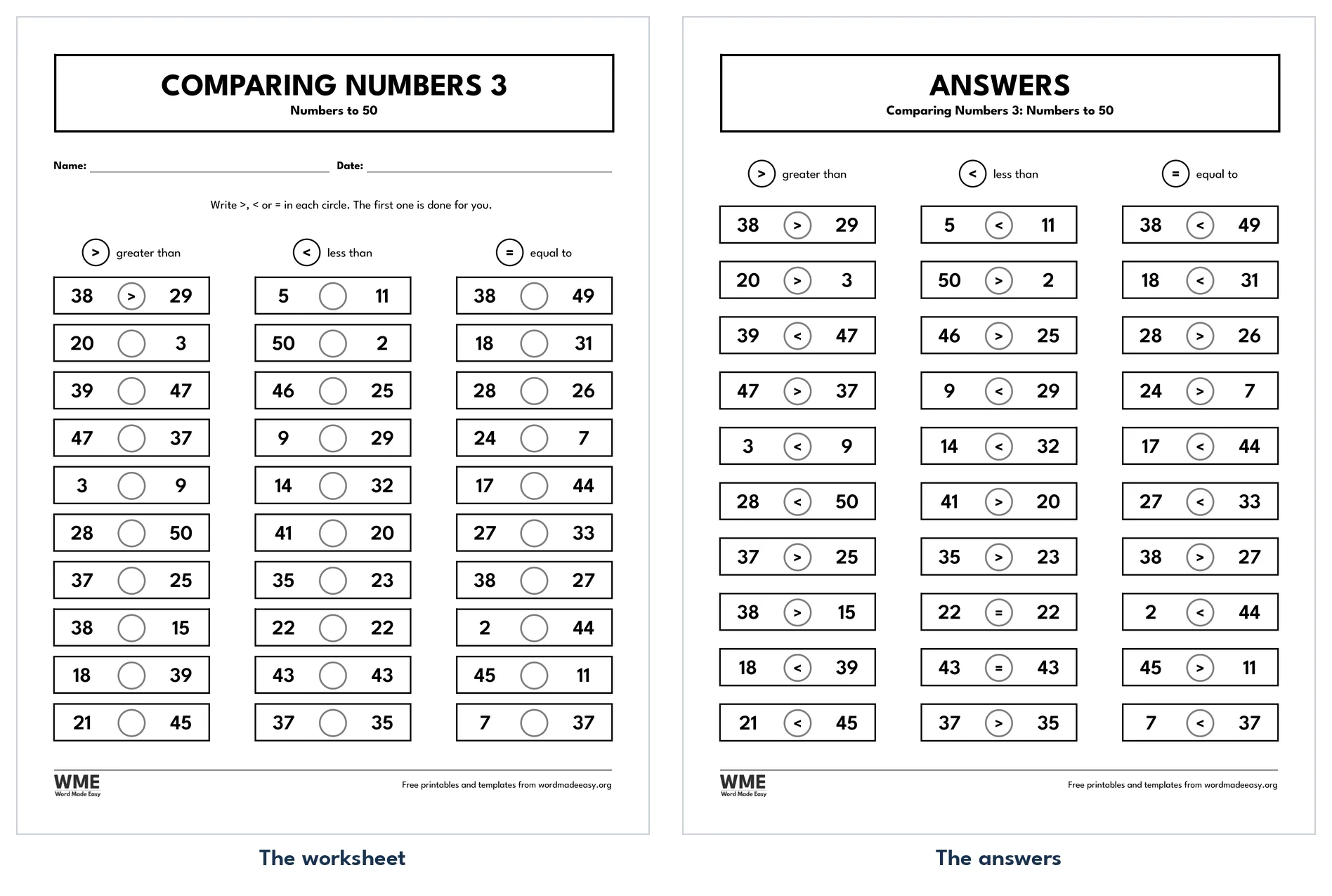
Comparing numbers worksheet for Word: Comparing Numbers 3, US Letter
Comparing Numbers 3 · Comparing numbers to 50, with answers. Click to enlarge.
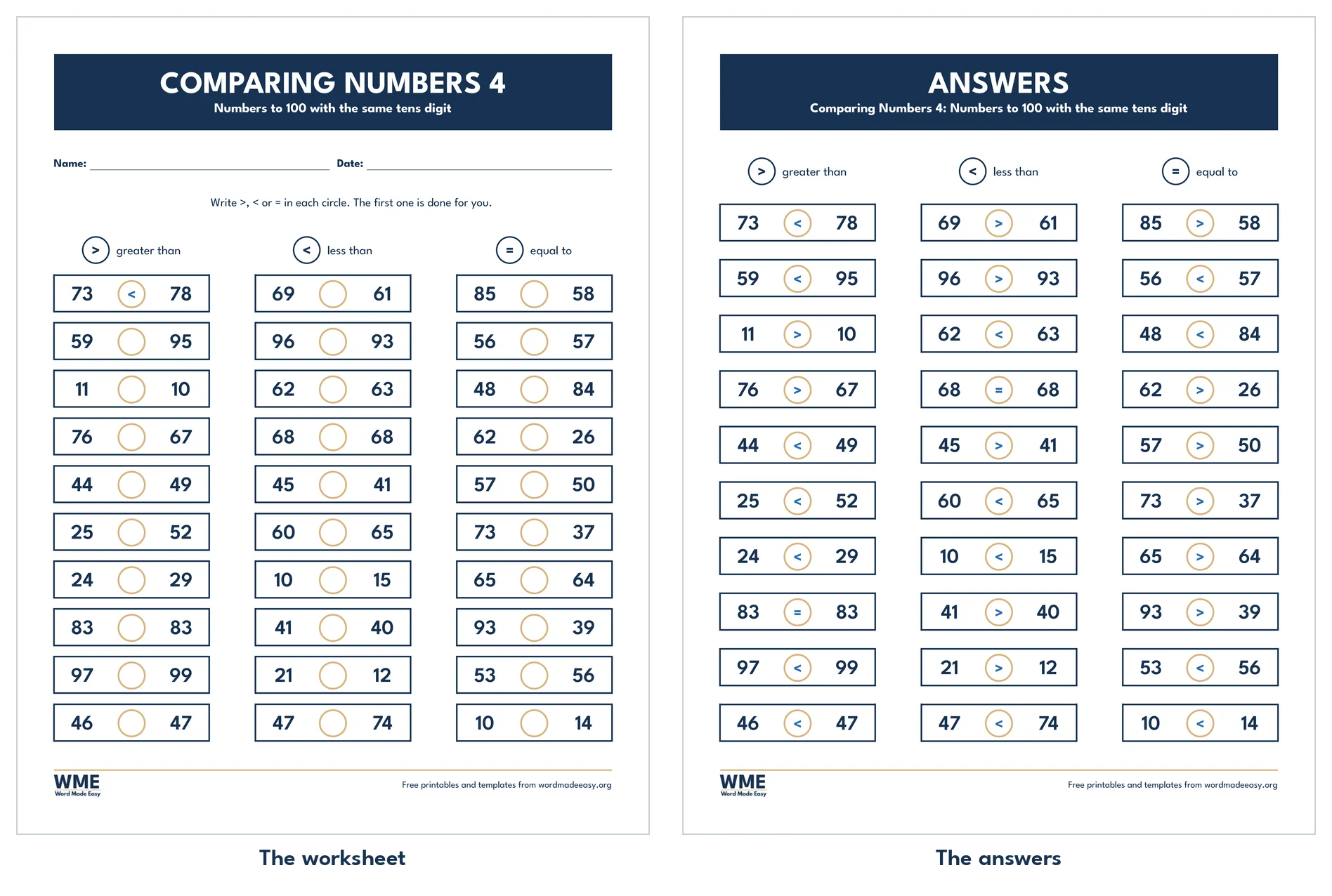
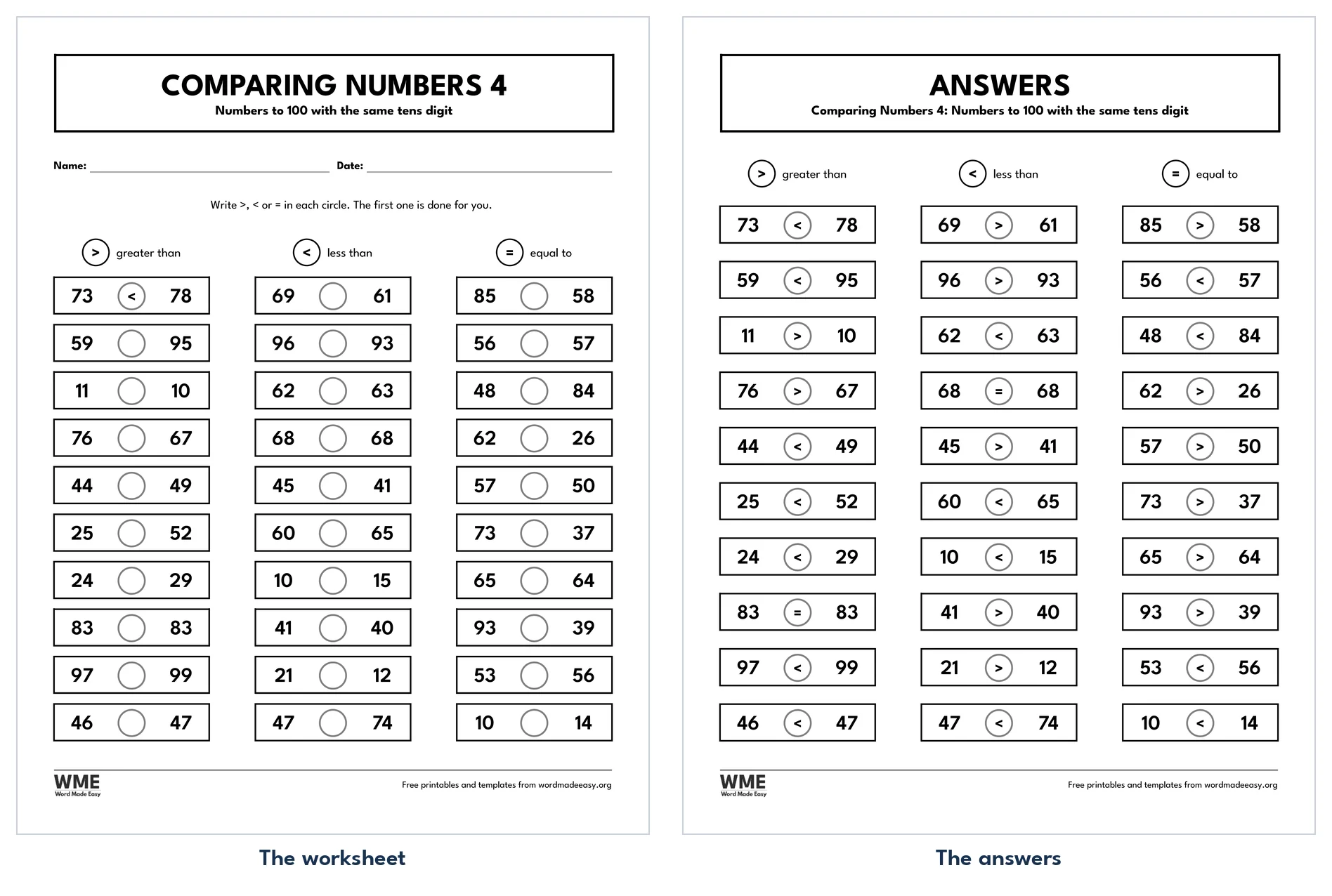
Comparing numbers worksheet for Word: Comparing Numbers 4, US Letter
Comparing Numbers 4 · Comparing numbers with the same tens digit. Click to enlarge.
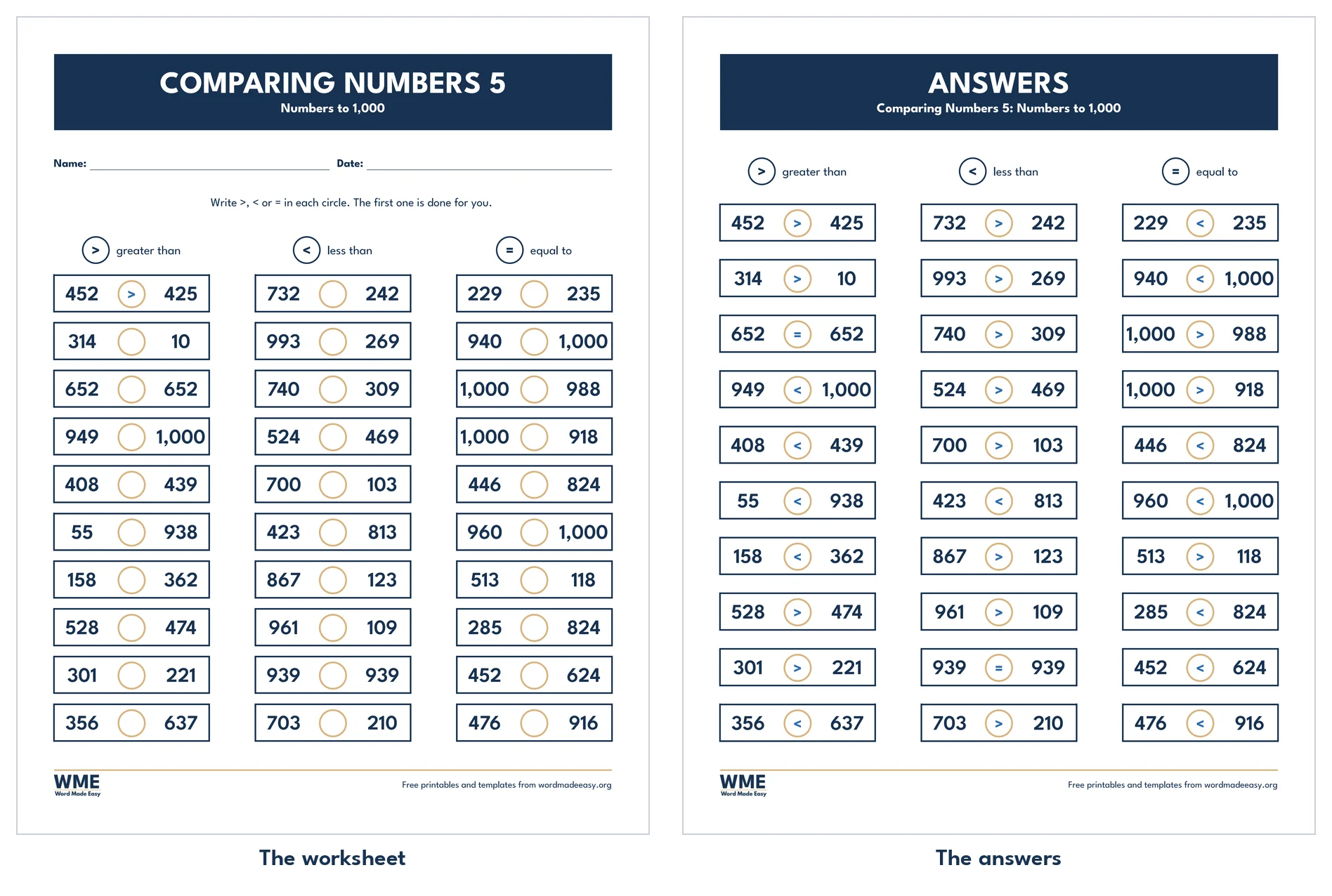
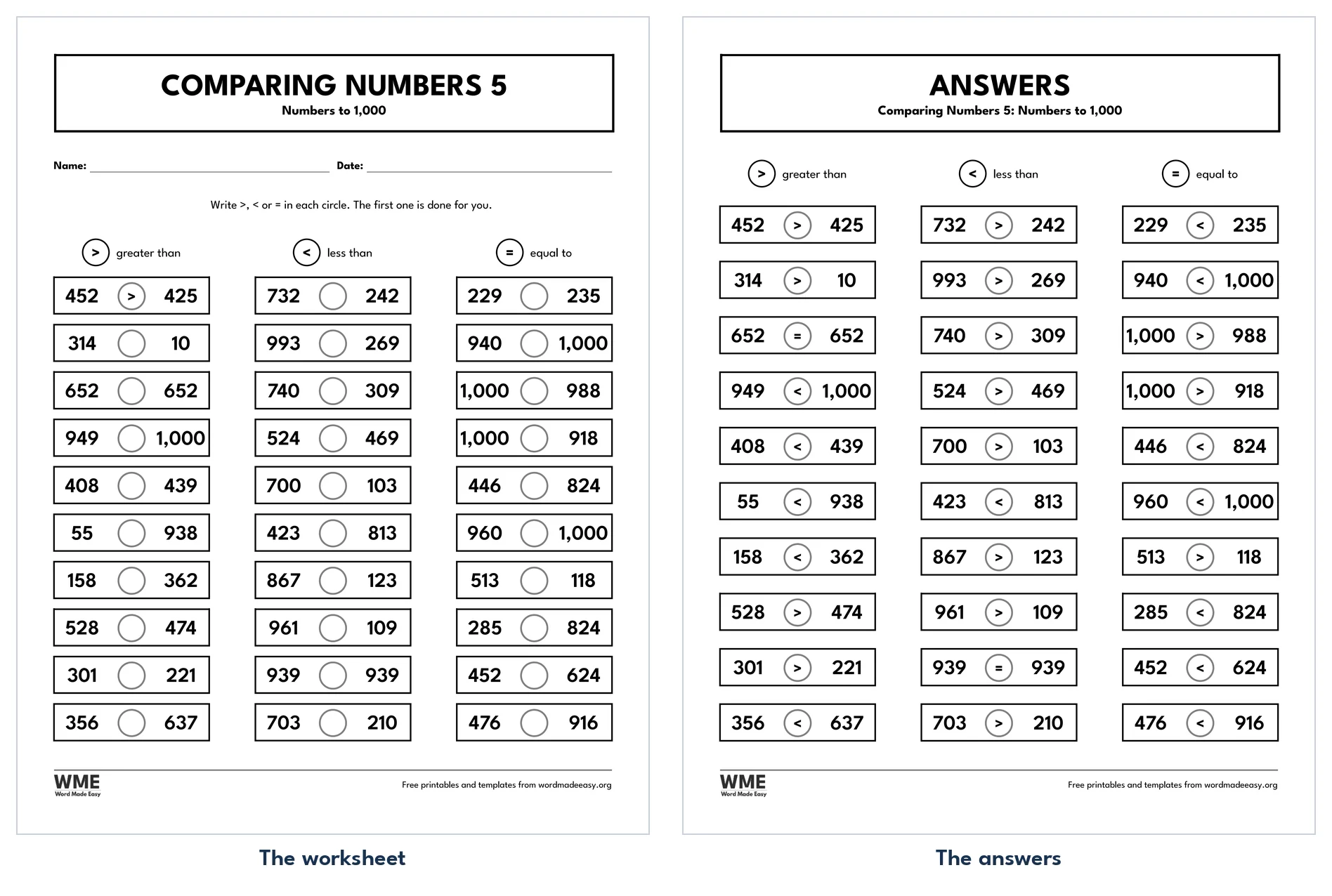
Comparing numbers worksheet for Word: Comparing Numbers 5, US Letter
Comparing Numbers 5 · Comparing three-digit numbers to 1,000. Click to enlarge.
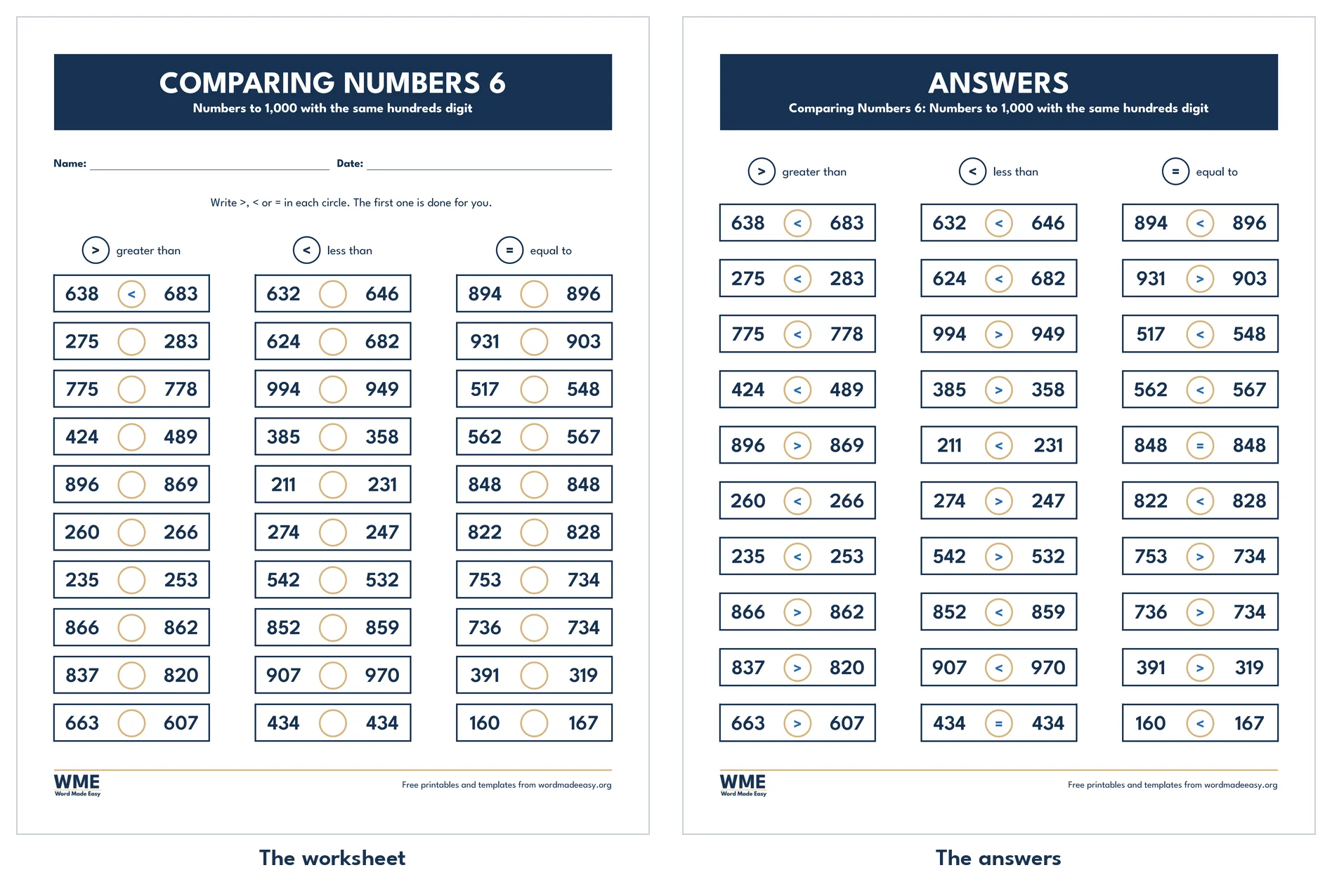
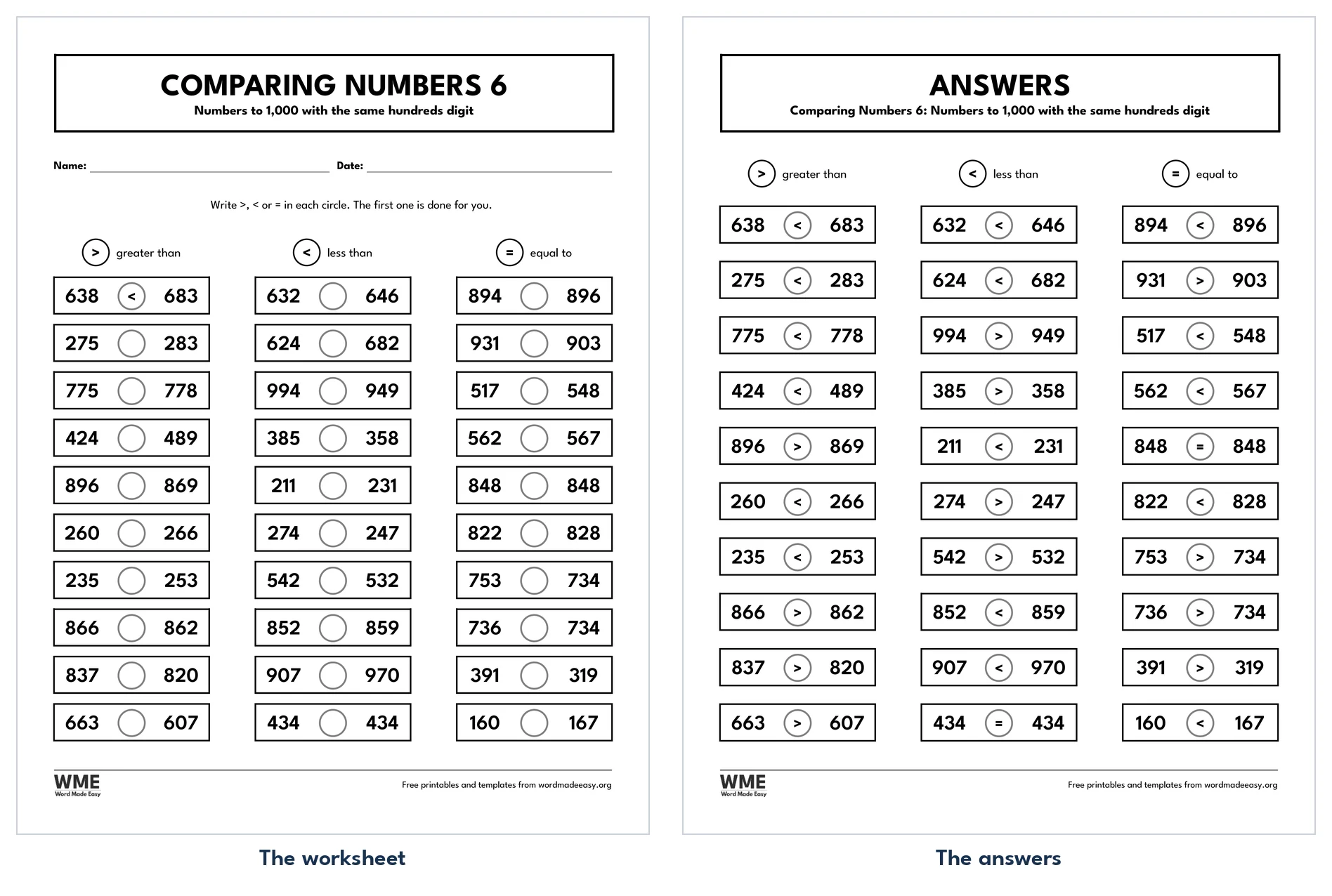
Comparing numbers worksheet for Word: Comparing Numbers 6, US Letter
Comparing Numbers 6 · Comparing numbers with the same hundreds digit. Click to enlarge.
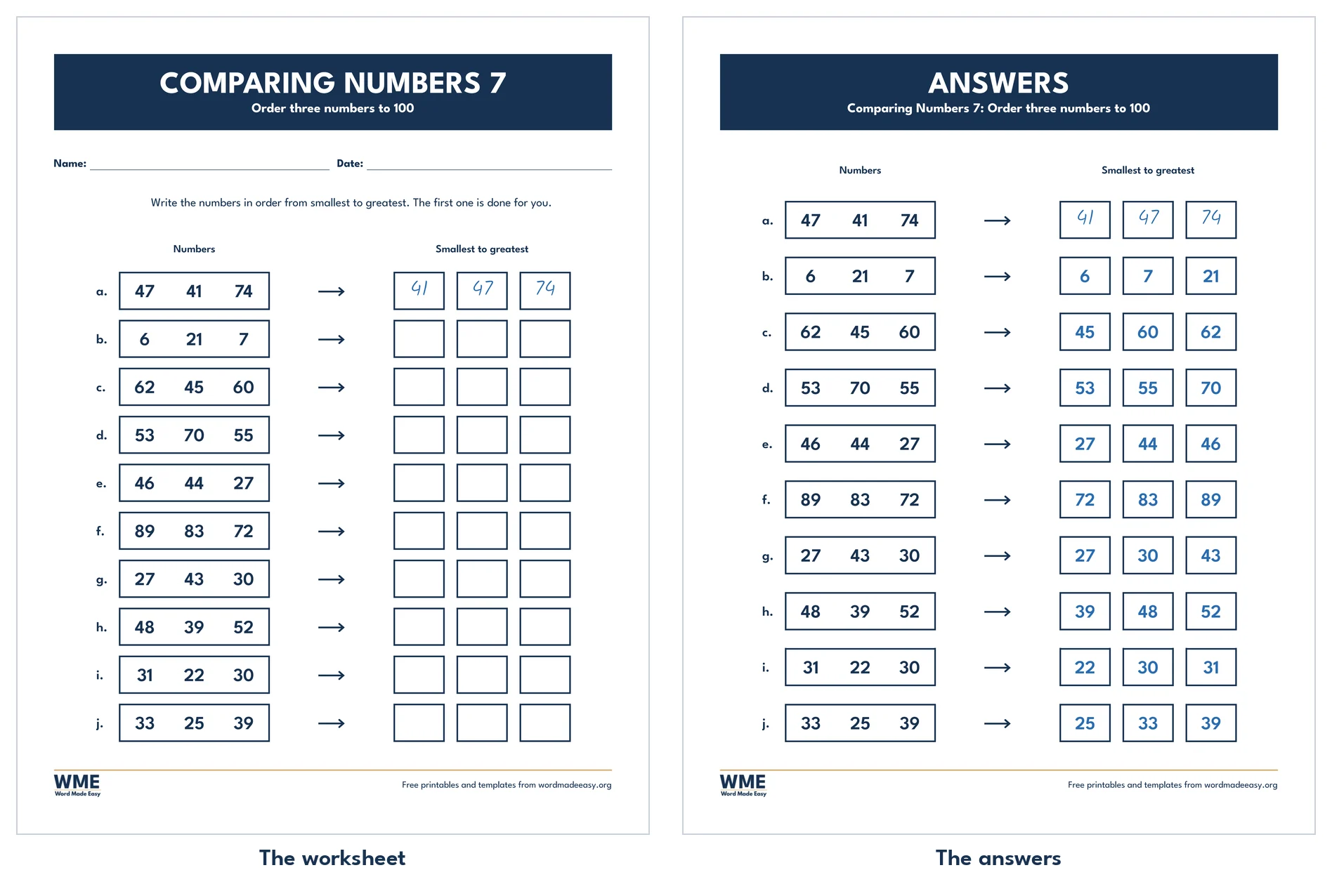
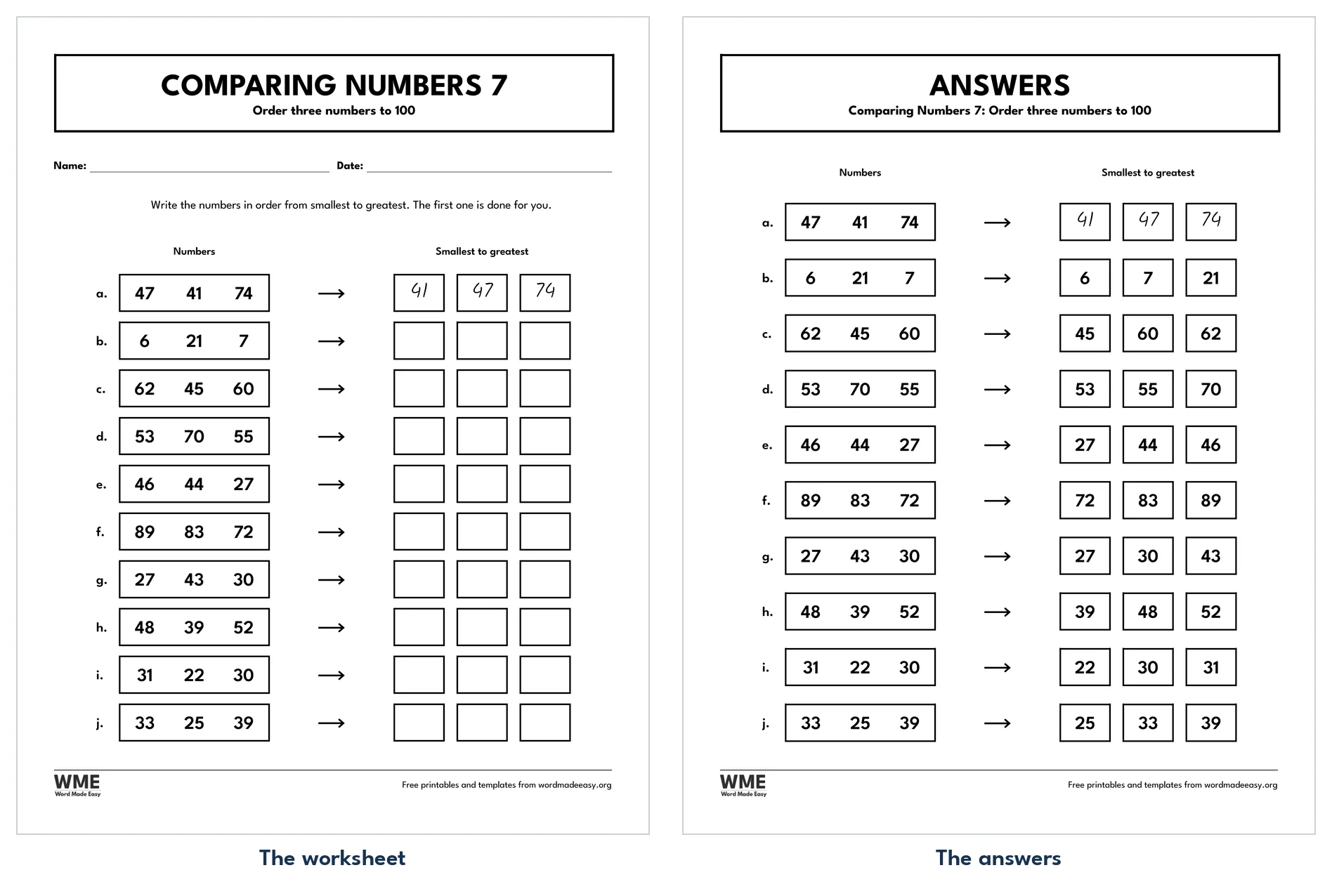
Comparing numbers worksheet for Word: Comparing Numbers 7, US Letter
Comparing Numbers 7 · Ordering three numbers to 100, with answers. Click to enlarge.
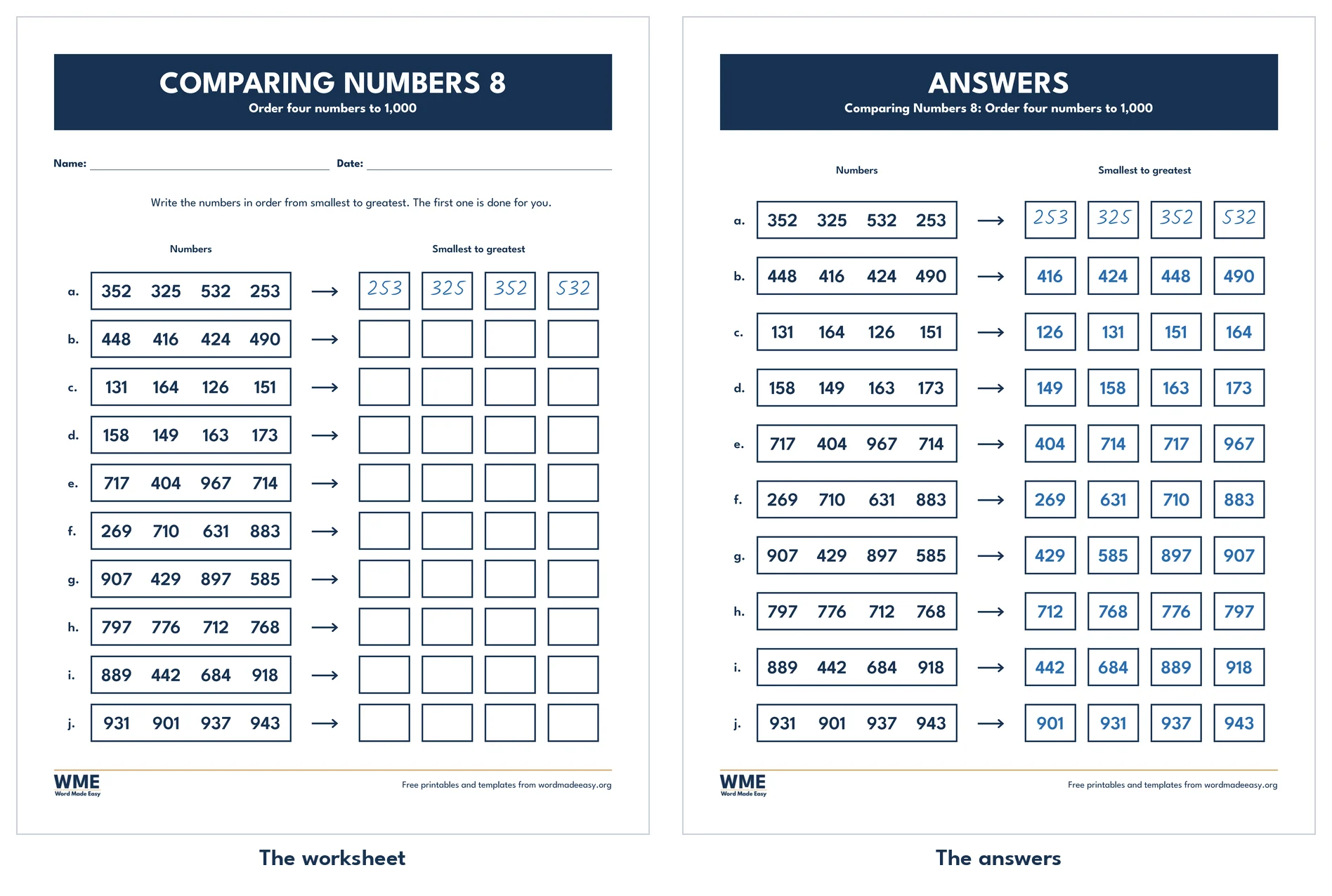
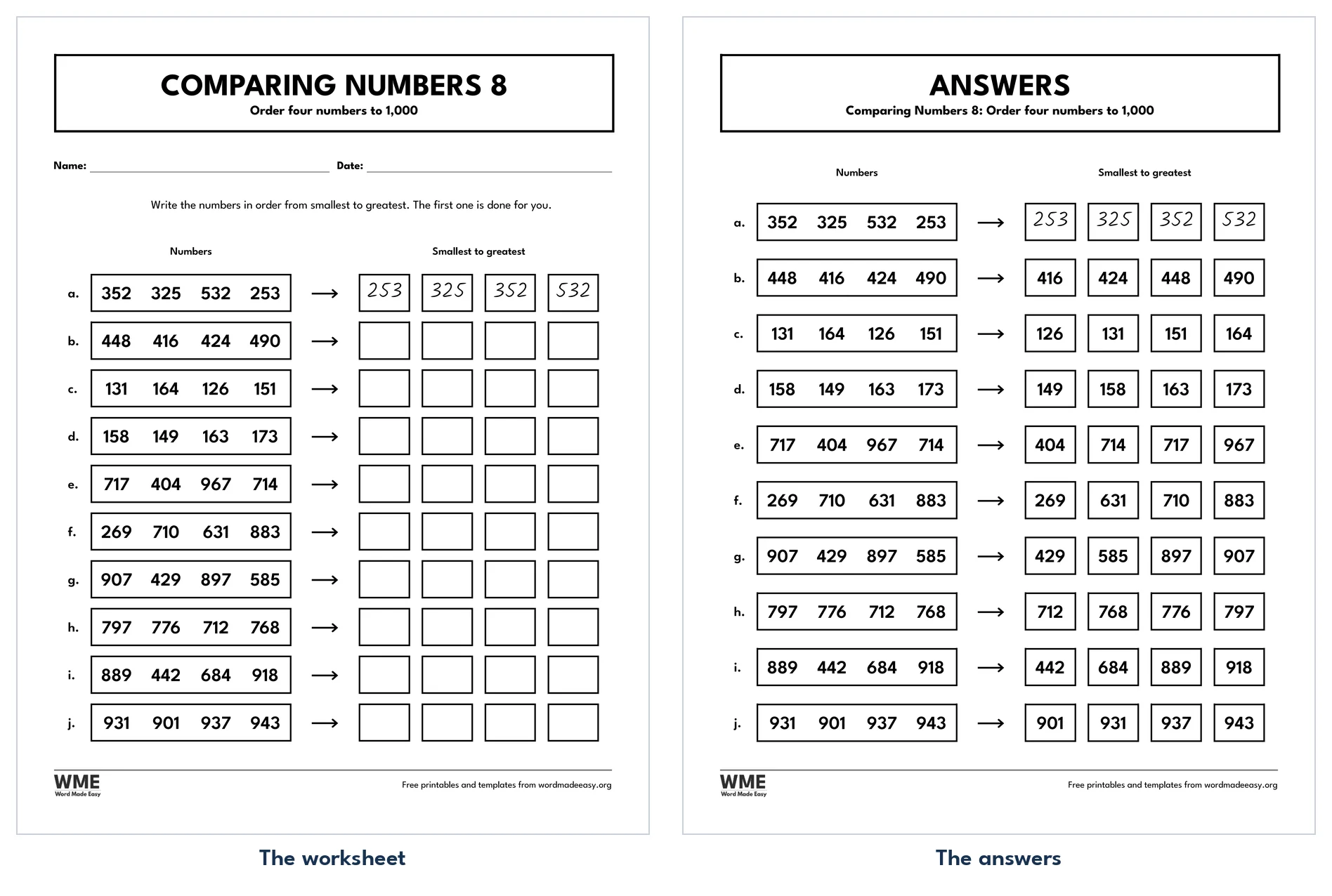
Comparing numbers worksheet for Word: Comparing Numbers 8, US Letter
Comparing Numbers 8 · Ordering four numbers to 1,000, with answers. Click to enlarge.
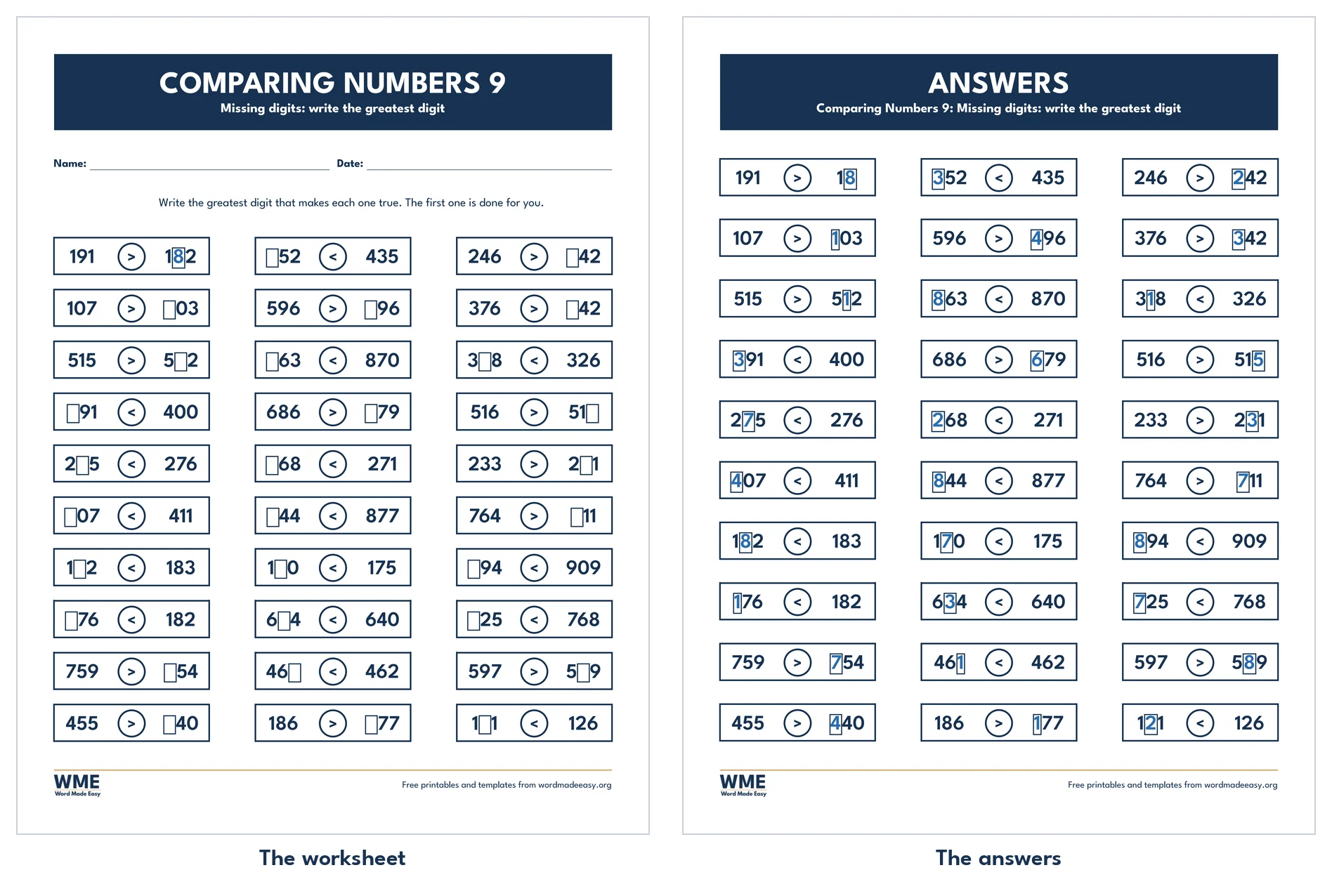
Comparing numbers worksheet for Word: Comparing Numbers 9, US Letter
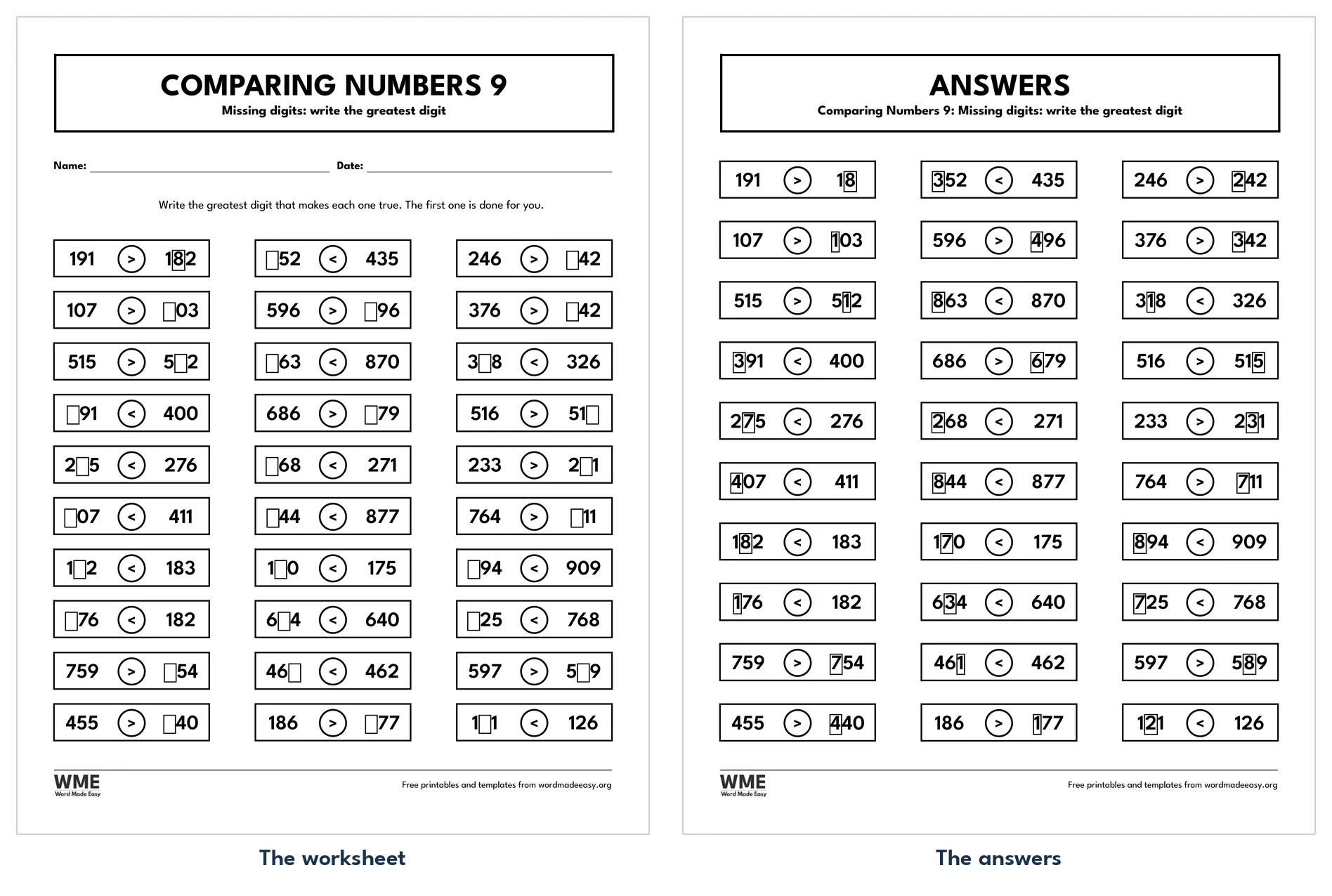
Comparing Numbers 9 · Comparing numbers with missing digits. Click to enlarge.
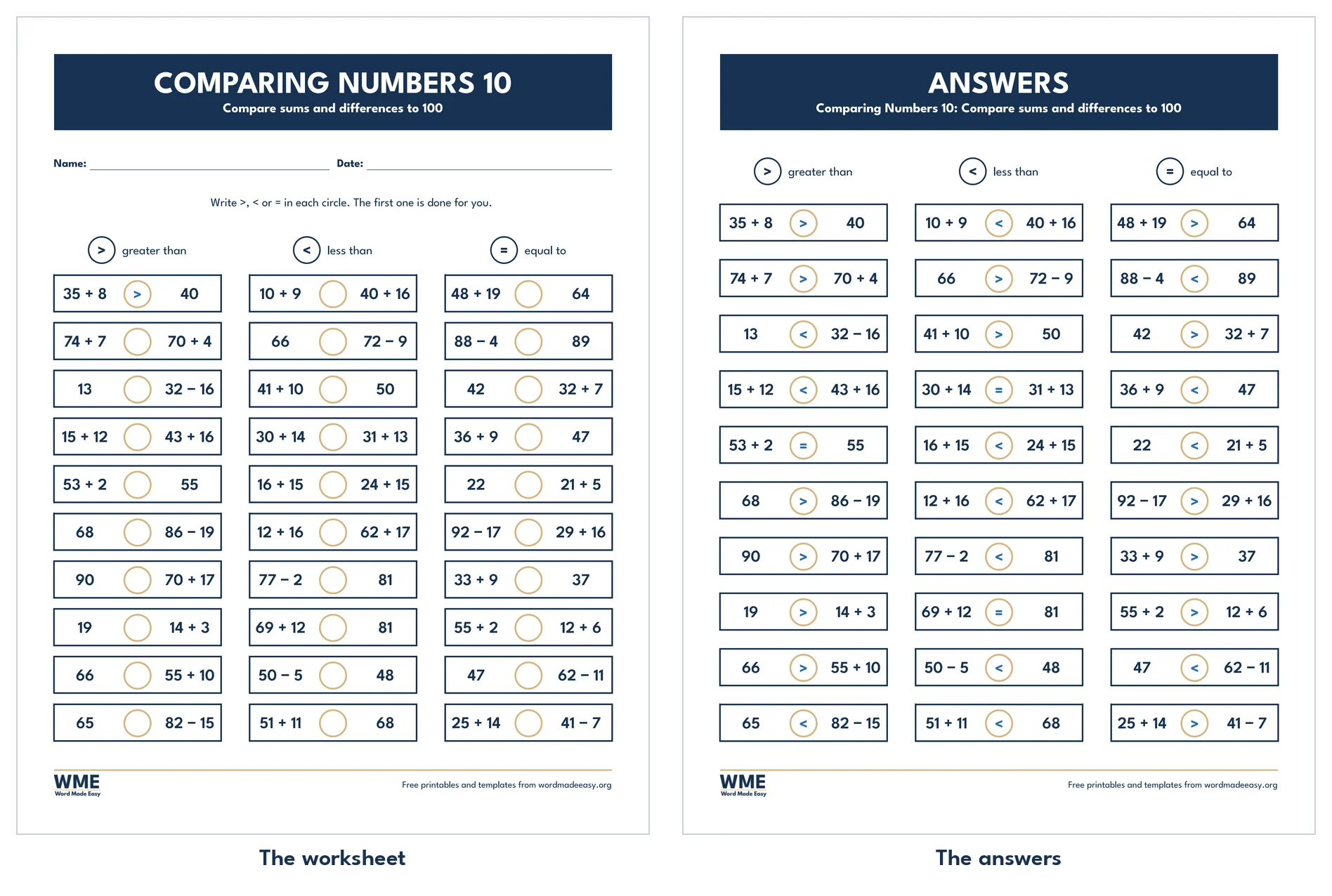
Comparing numbers worksheet for Word: Comparing Numbers 10, US Letter
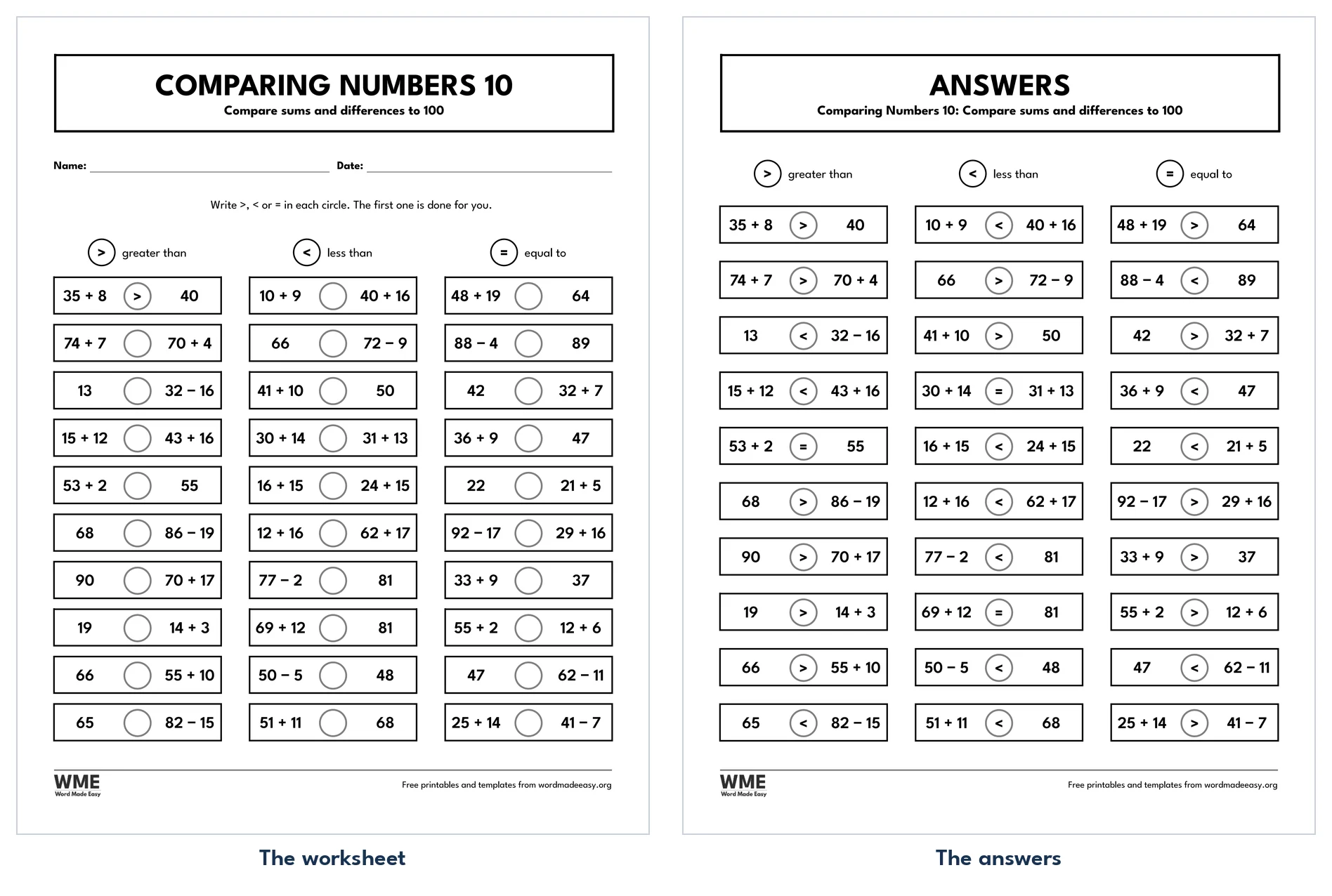
Comparing Numbers 10 · Comparing sums and differences to 100. Click to enlarge.
Comparing numbers worksheet for Word: Comparing Numbers 1, black and white, US Letter
Comparing Numbers 1, Black and White · Comparing numbers to 100. Click to enlarge.
Comparing numbers worksheet for Word: Comparing Numbers 2, black and white, US Letter
Comparing Numbers 2, Black and White · Comparing numbers to 20. Click to enlarge.
Comparing numbers worksheet for Word: Comparing Numbers 3, black and white, US Letter
Comparing Numbers 3, Black and White · Comparing numbers to 50. Click to enlarge.
Comparing numbers worksheet for Word: Comparing Numbers 4, black and white, US Letter
Comparing Numbers 4, Black and White · Comparing numbers. Click to enlarge.
Comparing numbers worksheet for Word: Comparing Numbers 5, black and white, US Letter
Comparing Numbers 5, Black and White. Click to enlarge.
Comparing numbers worksheet for Word: Comparing Numbers 6, black and white, US Letter
Comparing Numbers 6, Black and White · Comparing numbers. Click to enlarge.
Comparing numbers worksheet for Word: Comparing Numbers 7, black and white, US Letter
Comparing Numbers 7, Black and White · Ordering three numbers to 100. Click to enlarge.
Comparing numbers worksheet for Word: Comparing Numbers 8, black and white, US Letter
Comparing Numbers 8, Black and White · Ordering four numbers to 1,000. Click to enlarge.
Comparing numbers worksheet for Word: Comparing Numbers 9, black and white, US Letter
Comparing Numbers 9, Black and White · Comparing numbers. Click to enlarge.
Comparing numbers worksheet for Word: Comparing Numbers 10, black and white, US Letter
Comparing Numbers 10, Black and White. Click to enlarge.

More free templates

  • Multiplication Arrays Worksheets: 10 Free Printables to 12 × 12 with Answers for Word Multiplication Arrays Worksheets: 10 Free Printables to 12 × 12 with Answers 10 Word files
  • Equivalent Fractions Worksheets: 10 Free Printables with Strips and Answers for Word Equivalent Fractions Worksheets: 10 Free Printables with Strips and Answers 10 Word files
  • Tally Marks Worksheets: 10 Free Printables with Tally Charts and Answers for Word Tally Marks Worksheets: 10 Free Printables with Tally Charts and Answers 10 Word files
  • Comparing Fractions Worksheets: 10 Free Fraction Strip Printables with Answers for Word Comparing Fractions Worksheets: 10 Free Fraction Strip Printables with Answers 10 Word files
  • Base Ten Blocks Worksheets: 10 Free Place Value Blocks Printables for Word Base Ten Blocks Worksheets: 10 Free Place Value Blocks Printables 10 Word files
  • Adding Fractions Worksheets: 10 Free Printables with Pies, Strips and Answers for Word Adding Fractions Worksheets: 10 Free Printables with Pies, Strips and Answers 10 Word files
  • Number Cross Puzzles: 10 Free Printables with Sum Boxes and Answers for Word Number Cross Puzzles: 10 Free Printables with Sum Boxes and Answers 10 Word files
  • Magic Square Worksheets: 10 Free Printables with Triangles and a Star for Word Magic Square Worksheets: 10 Free Printables with Triangles and a Star 10 Word files

Download your free worksheets

Enter your email address to download. We will also send you new free templates and printables now and then, unless you choose to just download.

Choose colour or black and white
Choose your paper size

I agree that Word Made Easy may email me a weekly newsletter with new free templates, printables and Word tips, and occasional offers of paid templates. I can unsubscribe at any time. Choose "No thanks, just download" if you do not want these emails.

Read the Privacy Policy for details about storage, retention and your rights.

Can’t find the template you need? Request a template and I’ll make it in Word, free.

Get new free printables first: follow Word Made Easy on Pinterest

These free comparing numbers worksheets ask one question again and again: which number is bigger? Children write >, < or = in the circle between two numbers, with a key at the top of the sheet. Most sheets have 30 pairs, going from numbers to 20 up to numbers to 1,000, and the later sheets ask children to order numbers, find missing digits and compare sums. Every sheet has an answer page. Every pair was checked so the signs on the answer page are right, and the sheets with the same tens or hundreds digit really do keep that digit the same. All the numbers are editable Word text.

In this guide, you’ll find how to compare two numbers digit by digit, which sheet fits which child, and a way to remember which sign is which.


Contents hide
1 What’s in the Comparing Numbers Worksheets
2 How Do You Compare Two Numbers?
3 Which Comparing Numbers Worksheet Should You Choose?
4 How to Use the Comparing Numbers Worksheets
5 Black and White Versions
6 How to Print the Comparing Numbers Worksheets
7 FAQs
8 Conclusion
9 Related Tutorials
10 Maths Resources

What’s in the Comparing Numbers Worksheets

WorksheetWhat is on it
Comparing Numbers 1Comparing numbers to 100, with answers
Comparing Numbers 2Comparing numbers to 20, with answers
Comparing Numbers 3Comparing numbers to 50, with answers
Comparing Numbers 4Comparing numbers with the same tens digit, with answers
Comparing Numbers 5Comparing three-digit numbers to 1,000, with answers
Comparing Numbers 6Comparing numbers with the same hundreds digit, with answers
Comparing Numbers 7Ordering three numbers to 100, with answers
Comparing Numbers 8Ordering four numbers to 1,000, with answers
Comparing Numbers 9Comparing numbers with missing digits, with answers
Comparing Numbers 10Comparing sums and differences to 100, with answers
Comparing numbers worksheets: Comparing Numbers 1, a key showing the greater than, less than and equal signs above 30 pairs of numbers to 100 with an empty circle between each pair, on US Letter

👉 Every number is typed into a Word table, so you can change any pair. The circles are left empty for the sign, and page 2 fills each one in blue.


How Do You Compare Two Numbers?

To compare two whole numbers, first count the digits: a three-digit number is always bigger than a two-digit one. If they have the same number of digits, look at the first digit on the left, the biggest place value. The number with the bigger first digit is greater. If those digits match, as in 47 and 43, move one place to the right and compare again. The sign > means greater than and < means less than; the open side always faces the bigger number. Sheets 4 and 6 keep the first digit the same on purpose, so children have to look at the next place.


Which Comparing Numbers Worksheet Should You Choose?

  • Comparing Numbers 2 and 3: numbers to 20, then to 50, for children meeting the signs for the first time.
  • Comparing Numbers 1: numbers to 100, the main sheet for second graders and Year 2.
  • Comparing Numbers 4: numbers to 100 with the same tens digit, so the ones decide.
  • Comparing Numbers 5 and 6: numbers to 1,000, then with the same hundreds digit.
  • Comparing Numbers 7 and 8: order three numbers to 100, then four numbers to 1,000, smallest to greatest.
  • Comparing Numbers 9: missing digits: write the greatest digit that keeps each statement true.
  • Comparing Numbers 10: compare sums and differences to 100, such as 35 + 8 and 43.
  • To see why one number is bigger, build both with the base ten blocks worksheets, or find them on the number line worksheets.

How to Use the Comparing Numbers Worksheets

  1. Pick a sheet in the preview, download your paper size and print page 1 of each file.
  2. Read the key at the top together: > greater than, < less than, = equal to.
  3. For each pair, compare the digits from the left until one is bigger.
  4. Write the sign so its open side faces the bigger number, then read the whole line aloud: “62 is greater than 26”.
  5. Mark with page 2; most sheets start with a worked example children can copy.
  6. Don’t want our footer? Open the Word file and double-click the footer at the bottom of the page. Click the logo and press Delete, then do the same with the thin line above it. For the web address, click the edge of its box rather than the words, and press Delete. Double-click the page to finish. This only works in the Word file, not in a PDF.

Watch for pairs like 62 and 26, where the same digits swap places: they show quickly whether a child is looking at place value or just at the digits. Reading every answer aloud as a sentence fixes the meaning of each sign far better than a crocodile picture alone. For data children can compare, the tally marks worksheets end with tally charts to read, and the before and after numbers worksheets practise number order.


Black and White Versions

All ten comparing numbers worksheets also come in black and white: black numbers, grey circles and black answers, ready for the school photocopier. Select Black and white when you download, or All for both versions, on A4, US Letter or both.


How to Print the Comparing Numbers Worksheets

Want to print without editing? Every download has three folders: the editable Word files, the same sheets as PDFs, and every page as a print-ready image (JPEG), so you can print straight away without opening Word.

Print at 100% (Actual size) on A4 or US Letter, to match the file. The worksheet is on page 1 and the answers on page 2.


FAQs

Are these comparing numbers worksheets free?

Yes. Choose A4 or US Letter, colour or black and white, and download all ten comparing numbers worksheets in one ZIP file at no cost.

Do the worksheets have answers?

Yes. Page 2 of each Word file is the answer page, with every sign, ordered list and missing digit typed in blue.

How do I teach greater than and less than?

Compare the digits from the left, starting with the biggest place value. Then write the sign so its open side faces the bigger number, and read the answer as a sentence.

What numbers do the sheets use?

Numbers to 20 and 50 on sheets 2 and 3, numbers to 100 on sheets 1, 4, 7 and 10, and numbers to 1,000 on sheets 5, 6 and 8.

What grade are these comparing numbers worksheets for?

Numbers to 20 and 50 suit kindergarten and grade 1 (Year 1). Numbers to 100 suit grade 1 and grade 2 (Year 2), and numbers to 1,000 suit grade 2 and grade 3 (Year 3).

Can I change the numbers?

Yes. Every number sits in a Word table cell, so type your own pairs. Remember to change the signs on the answer page too.


Conclusion

Ten comparing numbers worksheets, from numbers to 20 to ordering numbers to 1,000, each with an answer page and editable in Microsoft Word.

Choose your paper size above, and to practise which number comes next, try the before and after numbers worksheets.


Related Tutorials

  • Before and After Numbers Worksheets
  • Free Place Value Worksheets for Word
  • Free Addition and Subtraction Worksheets for Word

Maths Resources

Recently Added Maths Resources

  • Multiplication Arrays Worksheets: 10 Free Printables to 12 × 12 with Answers

    November 20, 2026
  • Equivalent Fractions Worksheets: 10 Free Printables with Strips and Answers

    November 20, 2026
  • Tally Marks Worksheets: 10 Free Printables with Tally Charts and Answers

    November 20, 2026

Browse all free maths resources for home and school, all made by a teacher.

View all Maths Resources
Watch on YouTube
← PreviousBase Ten Blocks Worksheets: 10 Free Place Value Blocks Printables
Next →Comparing Fractions Worksheets: 10 Free Fraction Strip Printables with Answers

Leave a comment Cancel reply

Have a question about these resources, or an idea for a new one? Ask below.

Meet the Author

Patrick Elliott standing outdoors holding his dog.

I’m Patrick Elliott, the creator of Word Made Easy. I’ve worked in schools for over 10 years and I’m now an Inclusion Lead in the UAE. I use Microsoft Word and PowerPoint every day for planning, documentation and classroom resources.

Every guide is tested step by step before publishing (usually in Microsoft 365), and every free template is one I made myself in Word. You’ll also find practical walkthroughs on my YouTube channel.

Browse

  • Word TutorialsStep-by-step guides for every feature
  • Word Beginners HubFree 12-chapter Word course
  • Word TemplatesFree, editable downloads
  • ResourcesWorksheets, posters and puzzles
  • Word Shortcut Cheat SheetsFree printable PDFs
  • Google Docs TutorialsStep-by-step Docs guides
  • PowerPoint TutorialsClear, simple slide guides
  • YouTube VideosWatch the video walkthroughs

Watch on YouTube

Prefer to watch? Most guides have a short video walkthrough on the Word Made Easy channel.

  • 147videos
  • 1.88Mviews
  • 8,000+subscribers
Subscribe on YouTube

In this section: Maths

  • Multiplication Arrays Worksheets: 10 Free Printables to 12 × 12 with AnswersNovember 20, 2026
  • Equivalent Fractions Worksheets: 10 Free Printables with Strips and AnswersNovember 20, 2026
  • Tally Marks Worksheets: 10 Free Printables with Tally Charts and AnswersNovember 20, 2026
  • Comparing Fractions Worksheets: 10 Free Fraction Strip Printables with AnswersNovember 20, 2026
  • Base Ten Blocks Worksheets: 10 Free Place Value Blocks PrintablesNovember 20, 2026

See all →

Recently Added Resources

  • Multiplication Arrays Worksheets: 10 Free Printables to 12 × 12 with AnswersNovember 20, 2026
  • Equivalent Fractions Worksheets: 10 Free Printables with Strips and AnswersNovember 20, 2026
  • Tally Marks Worksheets: 10 Free Printables with Tally Charts and AnswersNovember 20, 2026
  • Comparing Fractions Worksheets: 10 Free Fraction Strip Printables with AnswersNovember 20, 2026
  • Base Ten Blocks Worksheets: 10 Free Place Value Blocks PrintablesNovember 20, 2026

See all →

Most Downloaded

  • Free Microsoft Word Keyboard Shortcuts Bundle: 14 Cheat Sheets (PDF)78 downloads in the last 30 days
  • Microsoft Word for Beginners: Free Guide and PDF76 downloads in the last 30 days
  • Free ILAW Lesson Plan Templates for Word: English and Filipino (DO 16, s. 2026)67 downloads in the last 30 days
  • Free Fillable Form Templates for Word: 4 Easy Forms63 downloads in the last 30 days
  • Free Printable Alphabet Charts for Word: 5 Easy Designs52 downloads in the last 30 days

About

  • About Me
  • Contact
  • Shop

Microsoft Word

  • All Word Tutorials
  • Page Layout & Sections
  • Tables, Images & Media
  • Formatting Basics
  • Productivity & Automation
  • Beginners Hub
  • Shortcut Cheat Sheets

Word Templates

  • Business
  • Calendars and Planners
  • Home, Health and Money
  • School and Teacher Forms
  • Cards, Invitations and Labels
  • Paper and Grids
  • Holidays and Seasonal

Resources

  • Phonics and Reading
  • Handwriting
  • Writing
  • Maths
  • Puzzles and Activities
  • Classroom Display
  • Study Packs
  • Seasonal
  • Collections

More Tutorials

  • Google Docs Tutorials
  • PowerPoint Tutorials
  • YouTube Videos

Follow Us

  • YouTube
  • Facebook
  • Pinterest
Privacy Policy Cookie Policy Terms of Use
© 2012–2026 Word Made Easy. All rights reserved.
Manage your privacy

To provide the best experiences, we and our partners use technologies like cookies to store and/or access device information. Consenting to these technologies will allow us and our partners to process personal data such as browsing behavior or unique IDs on this site and show (non-) personalized ads. Not consenting or withdrawing consent, may adversely affect certain features and functions.

Click below to consent to the above or make granular choices. Your choices will be applied to this site only. You can change your settings at any time, including withdrawing your consent, by using the toggles on the Cookie Policy, or by clicking on the manage consent button at the bottom of the screen.

Functional Always active
The technical storage or access is strictly necessary for the legitimate purpose of enabling the use of a specific service explicitly requested by the subscriber or user, or for the sole purpose of carrying out the transmission of a communication over an electronic communications network.
Preferences
The technical storage or access is necessary for the legitimate purpose of storing preferences that are not requested by the subscriber or user.
Statistics
The technical storage or access that is used exclusively for statistical purposes. The technical storage or access that is used exclusively for anonymous statistical purposes. Without a subpoena, voluntary compliance on the part of your Internet Service Provider, or additional records from a third party, information stored or retrieved for this purpose alone cannot usually be used to identify you.
Marketing
The technical storage or access is required to create user profiles to send advertising, or to track the user on a website or across several websites for similar marketing purposes.
Statistics

Marketing

Features
Always active

Special features

Special purposes
Always active

  • Manage options
  • Manage services
  • Manage {vendor_count} vendors
  • Read more about these purposes
Manage options
  • {title}
  • {title}
  • {title}
Manage your privacy
To provide the best experiences, we use technologies like cookies to store and/or access device information. Consenting to these technologies will allow us to process data such as browsing behavior or unique IDs on this site. Not consenting or withdrawing consent, may adversely affect certain features and functions.
Functional Always active
The technical storage or access is strictly necessary for the legitimate purpose of enabling the use of a specific service explicitly requested by the subscriber or user, or for the sole purpose of carrying out the transmission of a communication over an electronic communications network.
Preferences
The technical storage or access is necessary for the legitimate purpose of storing preferences that are not requested by the subscriber or user.
Statistics
The technical storage or access that is used exclusively for statistical purposes. The technical storage or access that is used exclusively for anonymous statistical purposes. Without a subpoena, voluntary compliance on the part of your Internet Service Provider, or additional records from a third party, information stored or retrieved for this purpose alone cannot usually be used to identify you.
Marketing
The technical storage or access is required to create user profiles to send advertising, or to track the user on a website or across several websites for similar marketing purposes.
Statistics

Marketing

Features
Always active

Special features

Special purposes
Always active

  • Manage options
  • Manage services
  • Manage {vendor_count} vendors
  • Read more about these purposes
Manage options
  • {title}
  • {title}
  • {title}