Skip to content
Word Made Easy
Home Word Tutorials Word Templates Google Docs PowerPoint Tutorials YouTube Videos
Classroom, Microsoft Word, Word Templates

Word Templates

Free Bookmark Templates for Word: 16 Printable Bookmarks

Choose your country, preview every template, then download your Word templates in one small ZIP file.

Made by a teacherA4 and US Letter16 Word documentsFree

Published 30 October 2026 · By Patrick Elliott

Bookmark template for Word: Bookmark Template, Blank Bookmarks, US Letter
Blank Bookmarks · Four bookmarks to decorate, with name and book lines. Click to enlarge.
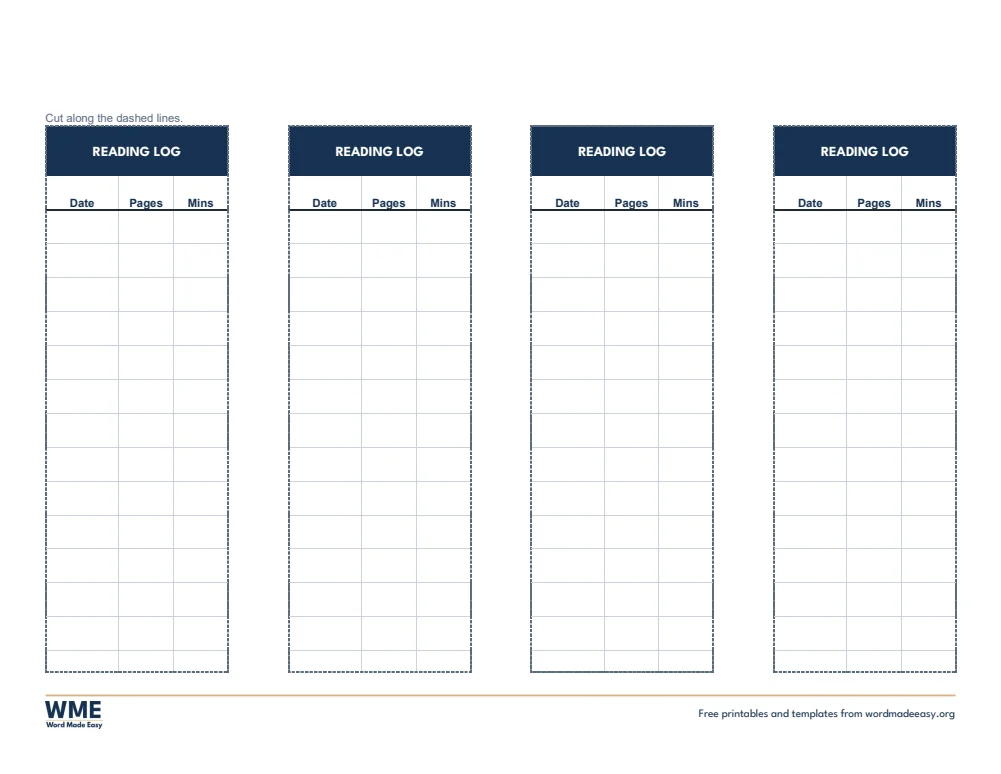
Reading log bookmark template for Word: four bookmarks with date, pages and minutes columns and dashed cut lines on US Letter
Reading Log Bookmarks · Date, pages and minutes read. Click to enlarge.
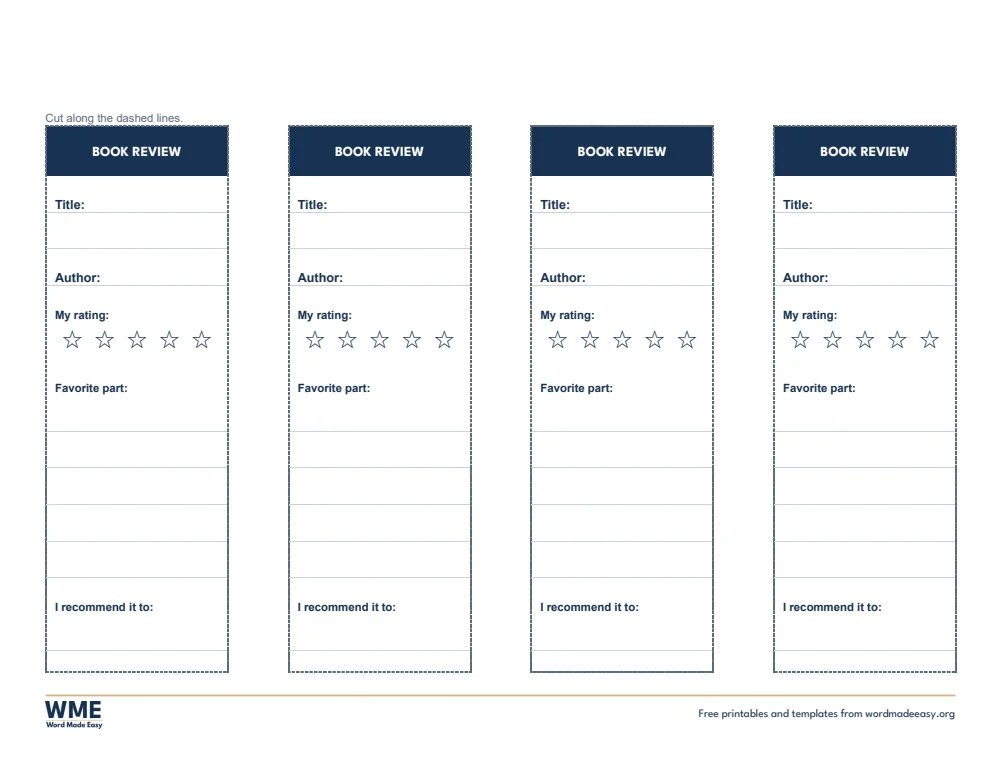
Bookmark template for Word: Bookmark Template, Book Review Bookmarks, US Letter
Book Review Bookmarks · Title, author, star rating and favourite part. Click to enlarge.
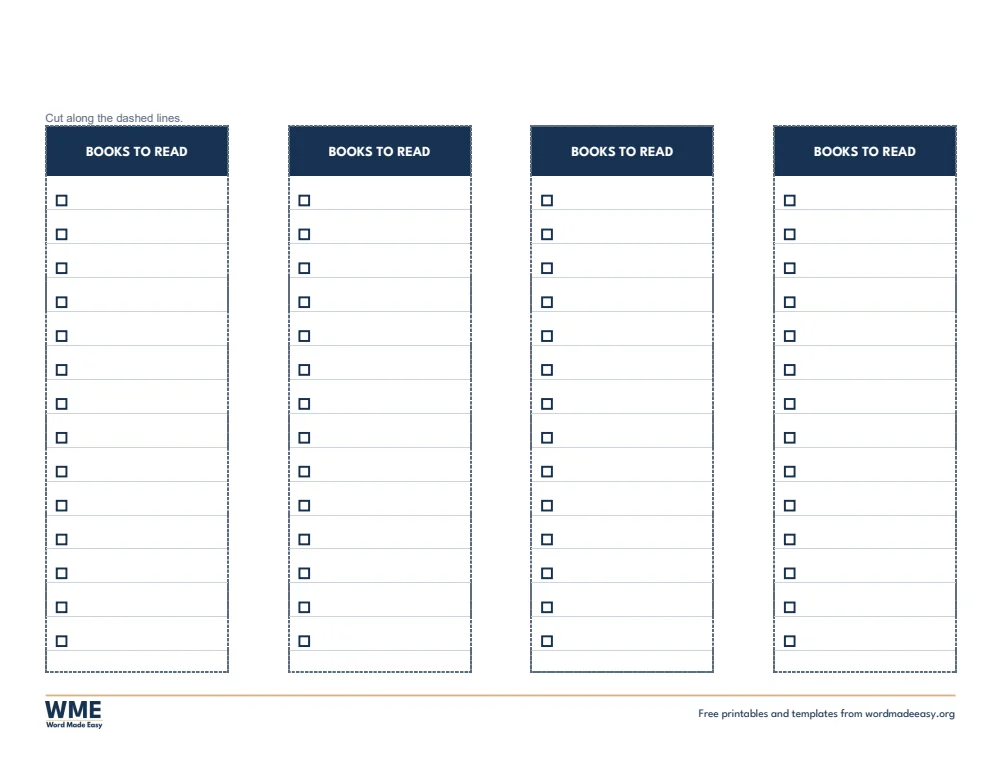
Bookmark template for Word: Bookmark Template, Books to Read Bookmarks, US Letter
Books to Read Bookmarks · A tick list of books to read next. Click to enlarge.
Bookmark template for Word: Bookmark Template, Blank Bookmarks, US Letter, US Letter
Blank Bookmarks, Black and White · Four bookmarks to decorate, with name and book lines. Click to enlarge.
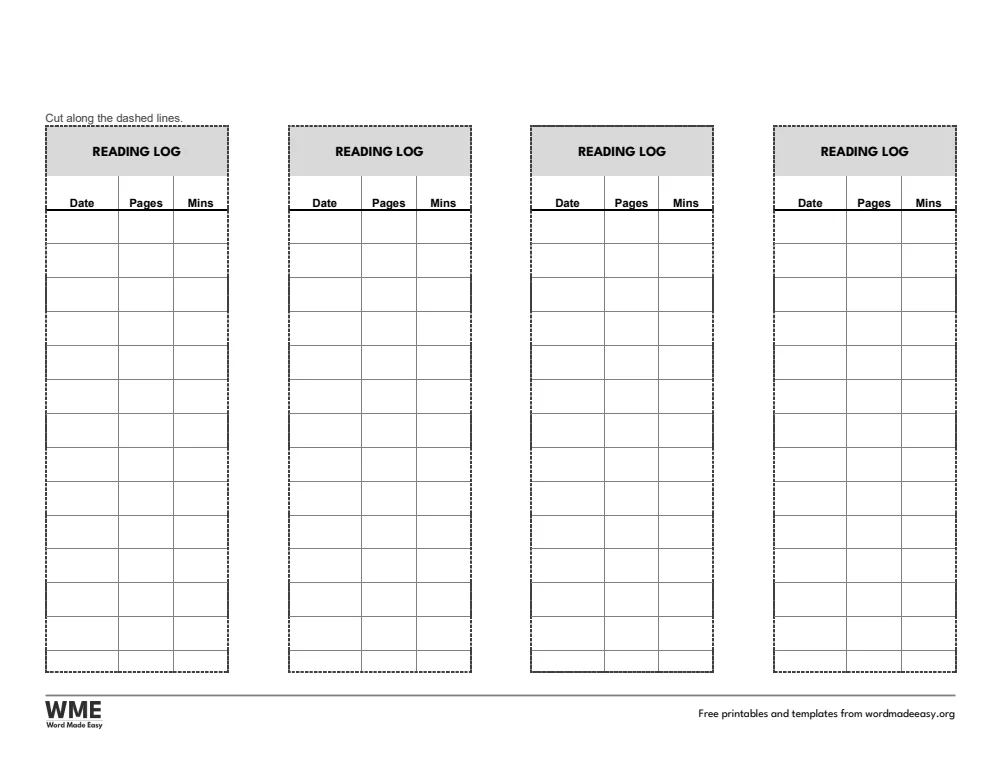
Bookmark template for Word: Bookmark Template, Reading Log Bookmarks, US Letter, US Letter
Reading Log Bookmarks, Black and White · Date, pages and minutes read. Click to enlarge.
Bookmark template for Word: Bookmark Template, Book Review Bookmarks, US Letter, US Letter
Book Review Bookmarks, Black and White · Title, author, star rating and favourite part. Click to enlarge.
Bookmark template for Word: Bookmark Template, Books to Read Bookmarks, US Letter, US Letter
Books to Read Bookmarks, Black and White · A tick list of books to read next. Click to enlarge.

More free templates

  • Goal Setting Worksheets for Word Goal Setting Worksheets 16 Word files
  • Reading Comprehension Templates for Word Reading Comprehension Templates 16 Word files
  • Newspaper Templates for Word Newspaper Templates 16 Word files
  • Printable Periodic Table for Word Printable Periodic Table Free Word files
  • Binder Cover Templates for Word Binder Cover Templates 16 Word files
  • Cornell Notes Templates for Word Cornell Notes Templates Free Word files
  • Teacher Planner 2026–27 for Word Teacher Planner 2026–27 Free Word files
  • Behavior Chart Templates for Word Behavior Chart Templates Free Word files

Download your free Word templates

Enter your email address, then choose whether you would also like occasional emails about new Word Made Easy Word Templates.

Choose colour or black and white
Choose your paper size
Choose your email preference

I agree that Word Made Easy may email me occasional updates about new Word Templates. I can unsubscribe at any time. Choose Download only if you do not want marketing emails.

Read the Privacy Policy for details about storage, retention and your rights.

Can’t find the template you need? Request a template and I’ll make it in Word, free.

These free bookmark templates give you 16 Word documents on US Letter and A4, four bookmarks to a page: blank bookmarks, reading log bookmarks, book review bookmarks and books to read bookmarks, each in colour and in black and white. Every template is human-made by a teacher: I’m Patrick Elliott, a teacher and Inclusion Lead, and I designed and built each one myself in Microsoft Word, then printed and measured them to check the sizes on the label.

In this guide, you’ll find which bookmark suits each reader, how to print and cut them neatly, and how to use them to keep reading going.


Contents hide
1 What’s in the Bookmark Templates
2 What Size Is a Bookmark?
3 Which Bookmark Should You Use?
4 How to Print and Cut Bookmarks
5 How to Print at the Right Size
6 FAQs
7 Conclusion
8 Related Tutorials
9 Word Templates

What’s in the Bookmark Templates

CountryRow sizeAge guide
A4Blank BookmarksFour bookmarks to decorate, with name and book lines
A4Reading Log BookmarksDate, pages and minutes read
A4Book Review BookmarksTitle, author, star rating and favourite part
A4Books to Read BookmarksA tick list of books to read next
US LetterBlank BookmarksFour bookmarks to decorate, with name and book lines
US LetterReading Log BookmarksDate, pages and minutes read
US LetterBook Review BookmarksTitle, author, star rating and favourite part
US LetterBooks to Read BookmarksA tick list of books to read next
Reading log bookmark template for Word: four bookmarks with date, pages and minutes columns and dashed cut lines on US Letter

👉 Every bookmark is a Word table, so you can type in names or book titles before you print a set for the whole class.


What Size Is a Bookmark?

A standard bookmark is 2 by 6 inches. The US Letter versions use exactly that size, and the A4 versions use 50 by 150 millimetres. Four bookmarks fit across one landscape page, with dashed lines to cut along, so a class set of 32 takes just eight sheets.


Which Bookmark Should You Use?

  • Blank bookmarks: a name line, a book line and a large space to draw or decorate.
  • Reading log bookmarks: date, pages and minutes columns to record each reading session.
  • Book review bookmarks: title, author, a five-star rating, a favorite part and who you would recommend it to.
  • Books to read bookmarks: a tick list of fourteen books to read next.
  • Black and white versions: every template also comes in a printer-friendly black and white version with grey headings, to save ink.

How to Print and Cut Bookmarks

  1. Choose your bookmark and type in any names or titles in Word.
  2. Print on card or thick paper at 100%, so the bookmarks stay the right size.
  3. Cut along the dashed lines with a guillotine or scissors.
  4. For a longer-lasting bookmark, laminate it and punch a hole at the top for a ribbon.

Card of 160 to 200 gsm makes bookmarks that last. Reading log bookmarks make a simple home reading record: the bookmark stays in the book, so it comes back to school. The A4 versions use UK spelling, such as favourite.


How to Print at the Right Size

  1. Open the template in Word and press Ctrl + P (Cmd + P on a Mac).
  2. Choose the paper size in the file name: A4 for UK and Australian sheets, US Letter for US sheets.
  3. Set scaling to 100% or Actual size, not Fit to page.
  4. Print one sheet and measure a row with a ruler before you print a class set.

Every sheet keeps a 1/2 inch (12.7 mm) margin on all sides, so nothing is cut off on home inkjets, school laser printers or older printers with a wide edge.


FAQs

Are these bookmark templates free?

Yes. Choose A4 or US Letter and download all the Word templates in one ZIP file at no cost.

Who made these bookmark templates?

Patrick Elliott, a teacher and Inclusion Lead, designed and built every bookmark by hand in Microsoft Word.

What size are the bookmarks?

The US Letter versions are 2 by 6 inches and the A4 versions are 50 by 150 millimetres, four to a landscape page.

What paper should I print bookmarks on?

Card of 160 to 200 gsm works best. Print at 100% (Actual size) so the cut lines stay in the right place.

Is there a black and white version?

Yes. Every template comes in colour and in black and white, on US Letter and A4. Choose Black and white, or All, in the download box.

Can I remove the Word Made Easy footer?

Yes. Double-click the bottom of the page, click the logo and the web address, and press Delete.


Conclusion

These bookmark templates make reading easy to track and fun to share, human-made by a teacher and ready to type into or print from Word.

Choose your paper size above, download the ZIP, and to record a whole term of reading, try the reading log templates.


Related Tutorials

  • Free Reading Log Templates for Word
  • Free Book Report Templates for Word
  • Free Name Tags for Word

Word Templates

Recently Added Word Templates

  • Free Christmas Coordinate Graphing Mystery Pictures for Word: 10 Printables

    October 30, 2026
  • Free Thanksgiving Coordinate Graphing Mystery Pictures for Word: 10 Printables

    October 30, 2026
  • Free Halloween Coordinate Graphing Mystery Pictures for Word: 10 Printables

    October 30, 2026

Browse the complete collection of free printable Word templates for home and school, all made by a teacher.

View all Word templates
Watch on YouTube

New to Word? Our Word tutorials show you how to edit and print your templates.
Like this:

Like Loading…
←Free Daily Planner Templates for Word: 16 Printable Planners
Free Printable Periodic Table for Word: 16 Tables and Quizzes→

Comments

Leave a Reply Cancel reply

Meet the Author

Patrick Elliott standing outdoors holding his dog.

I’m Patrick Elliott, the creator of Word Made Easy. I’ve worked in schools for over 10 years and I’m now an Inclusion Lead in the UAE. I use Microsoft Word and PowerPoint every day for planning, documentation and classroom resources.

Every guide is tested step by step before publishing (usually in Microsoft 365), and every free template is one I made myself in Word. You’ll also find practical walkthroughs on my YouTube channel.

Browse

  • Word TutorialsStep-by-step guides for every feature
  • Word Beginners HubFree 12-chapter Word course
  • Word TemplatesFree, editable downloads
  • Word Shortcut Cheat SheetsFree printable PDFs
  • Google Docs TutorialsStep-by-step Docs guides
  • PowerPoint TutorialsClear, simple slide guides
  • YouTube VideosWatch the video walkthroughs

Watch on YouTube

Prefer to watch? Most guides have a short video walkthrough on the Word Made Easy channel.

  • 147videos
  • 1.88Mviews
  • 8,000+subscribers
Subscribe on YouTube

Recently Added

  • Free Christmas Coordinate Graphing Mystery Pictures for Word: 10 PrintablesOctober 30, 2026
  • Free Thanksgiving Coordinate Graphing Mystery Pictures for Word: 10 PrintablesOctober 30, 2026
  • Free Halloween Coordinate Graphing Mystery Pictures for Word: 10 PrintablesOctober 30, 2026
  • Free Coordinate Graphing Mystery Pictures for Word: 50 PrintablesOctober 30, 2026
  • Free Telling Time Worksheets for Word: 16 Printables with AnswersOctober 30, 2026
Word Made Easy

Free, step-by-step Microsoft Word tutorials, written and tested by teacher Patrick Elliott.

Subscribe on YouTube Follow on Facebook Follow on Pinterest

Explore

  • Home
  • Word Tutorials
  • Word Templates
  • Google Docs Tutorials
  • PowerPoint Tutorials
  • YouTube Videos

Microsoft Word

  • Page Layout & Sections
  • Tables, Images & Media
  • Formatting Basics
  • Productivity & Automation
  • Beginners Hub
  • Templates
  • Shortcut Cheat Sheets

Google Docs

  • Basics
  • Formatting
  • Page Layout
  • Tables & Images
  • Files & PDFs
  • Sharing & Signing
  • Writing & Research
  • Templates

About

  • About Me
  • Contact
Privacy Policy Terms of Use
© 2012–2026 Word Made Easy. All rights reserved.
%d

    Free download

    All 14 Word shortcut cheat sheets in one PDF

    Printable A4 sheets with a cover and contents page, made by a teacher. Enter your email and the bundle downloads straight away.

    Choose your email preference

    I agree that Word Made Easy may email me occasional updates about new free Word cheat sheets, templates and tutorials. I can unsubscribe at any time. Choose Download only if you do not want marketing emails. Privacy Policy