
Free Daily Planner Templates for Word: 16 Printable Planners
Choose your country, preview every template, then download your Word templates in one small ZIP file.
Made by a teacherA4 and US Letter16 Word documentsFree


Can’t find the template you need? Request a template and I’ll make it in Word, free.
These free daily planner templates give you 16 Word documents on US Letter and A4: a daily planner, an hourly planner, a daily to do list and a daily planner with meals and water, each in colour and in black and white. Every template is human-made by a teacher: I’m Patrick Elliott, a teacher and Inclusion Lead, and I designed and built each one myself in Microsoft Word, then printed and measured them to check the sizes on the label.
In this guide, you’ll find which daily planner suits your day, how to choose your top three priorities, and how to plan your hours so the important things get done.
What’s in the Daily Planner Templates
| Country | Row size | Age guide |
|---|---|---|
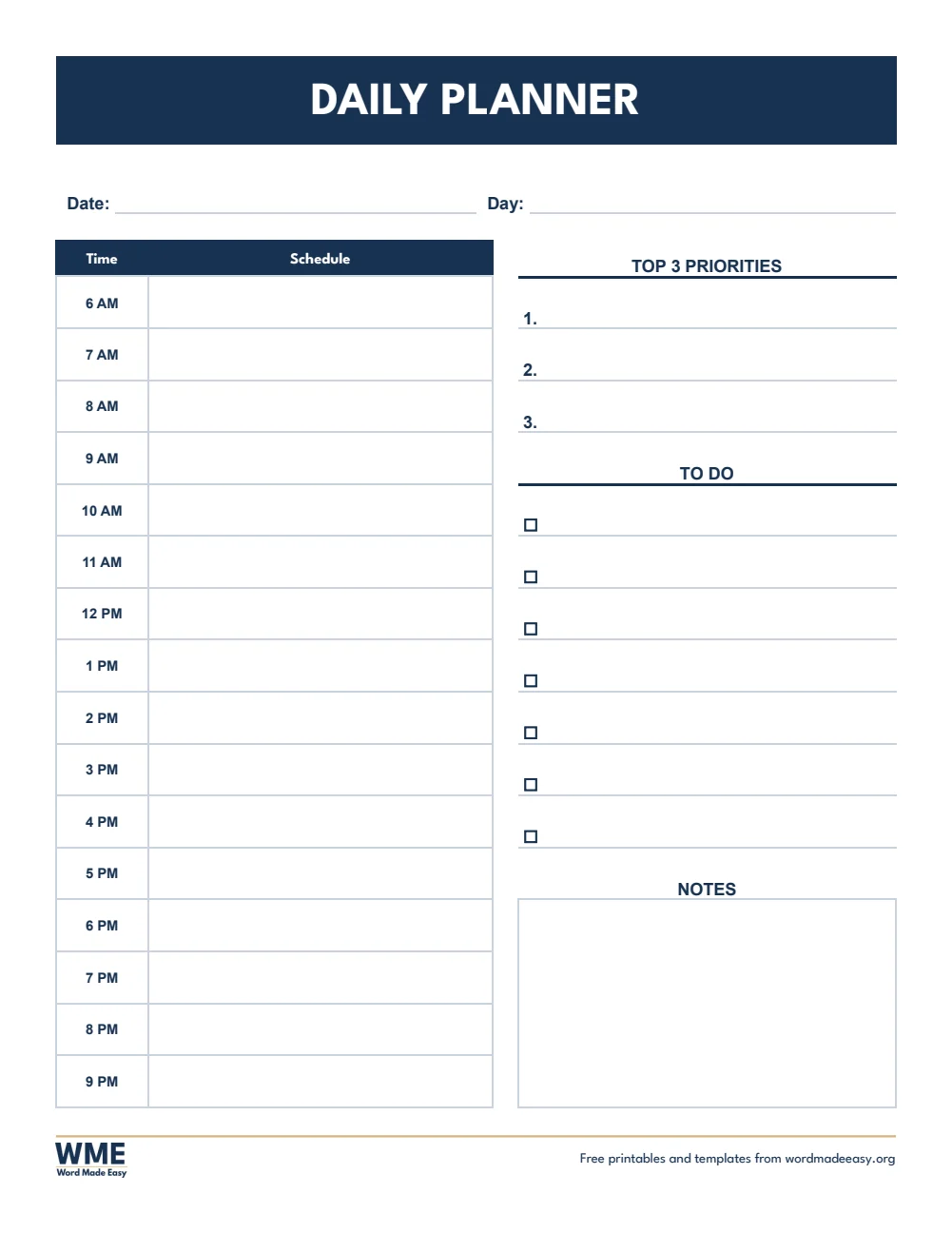
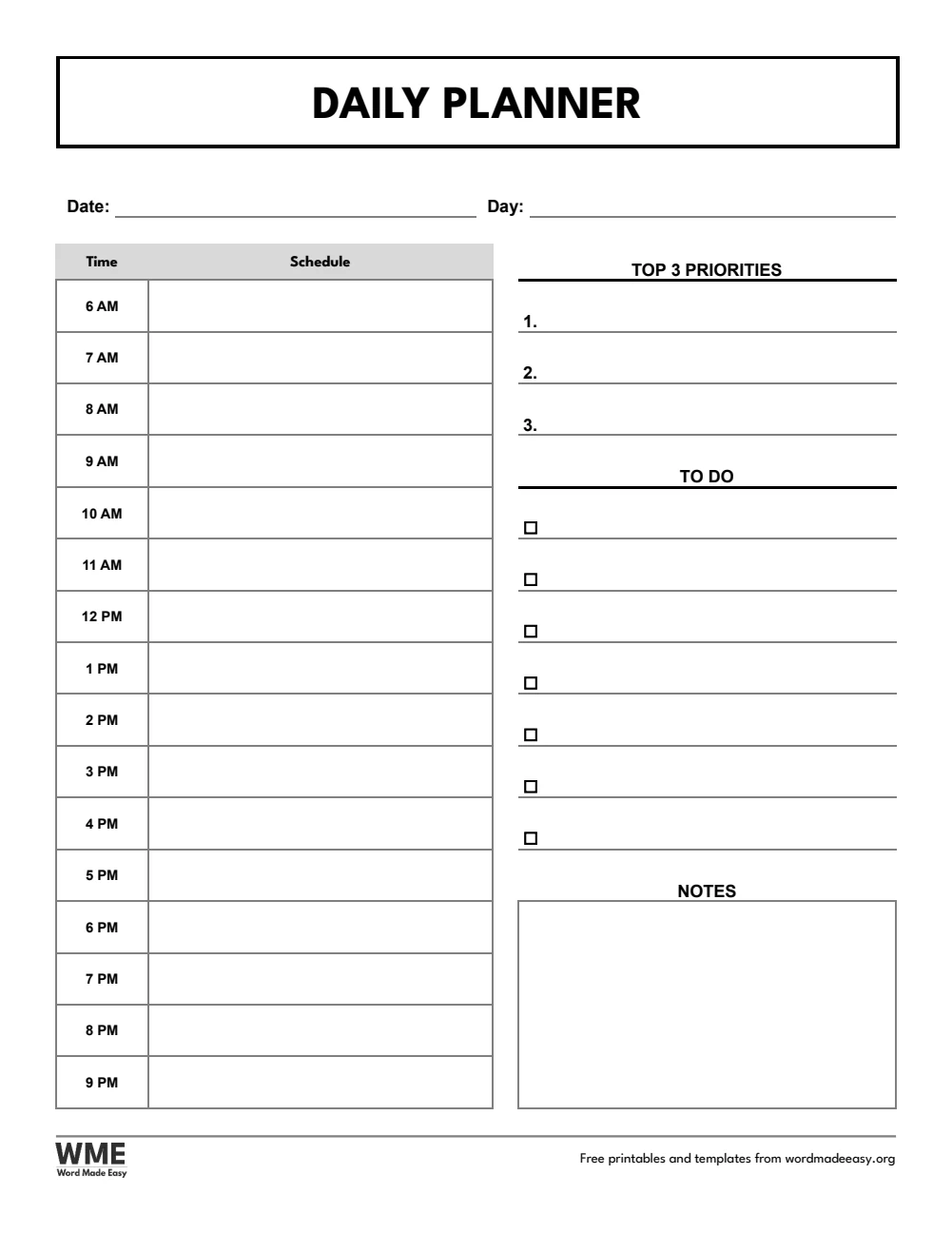
| A4 | Daily Planner | Hourly schedule, top 3 priorities, to do list and notes |
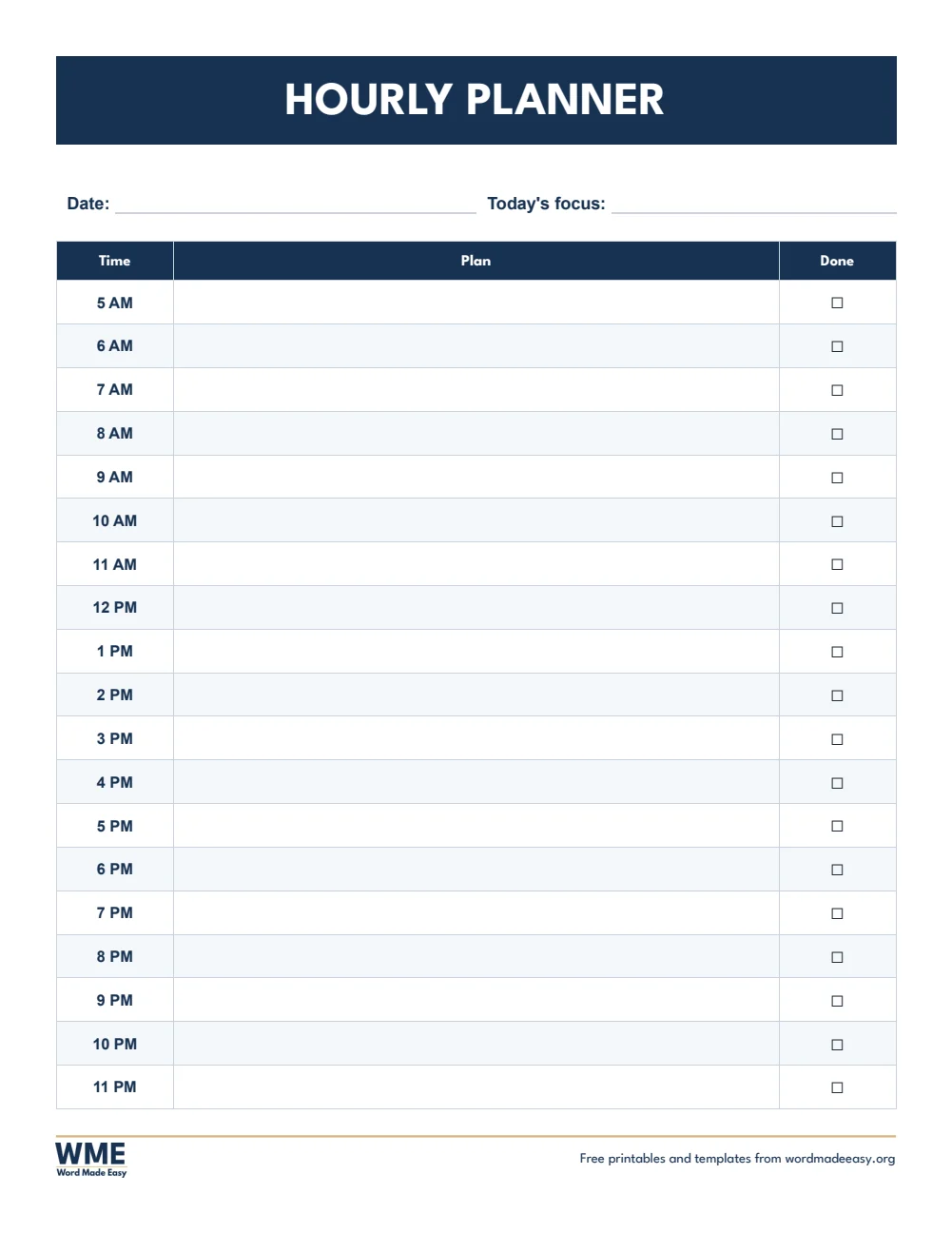
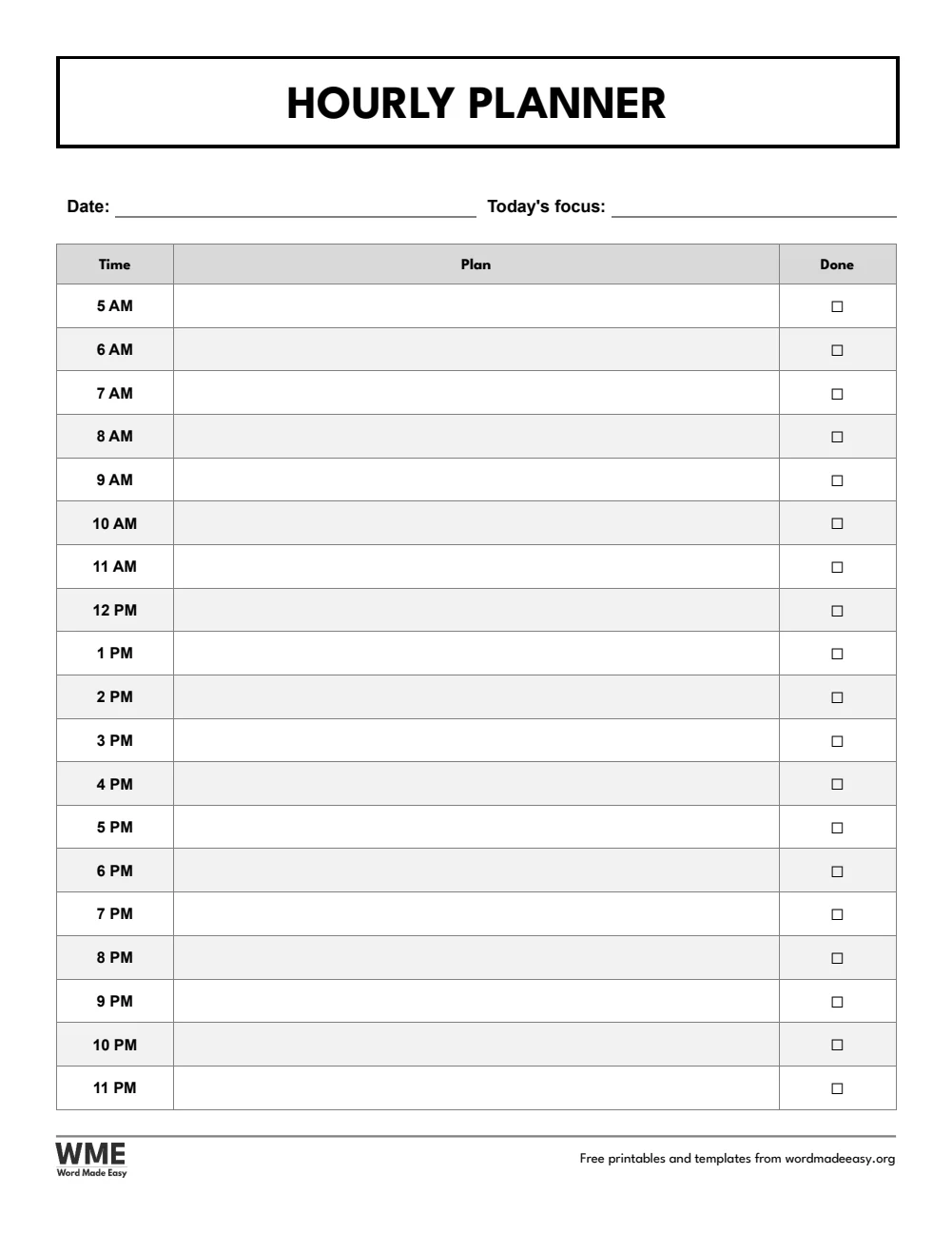
| A4 | Hourly Planner | Every hour from early morning to late evening, with a done box |
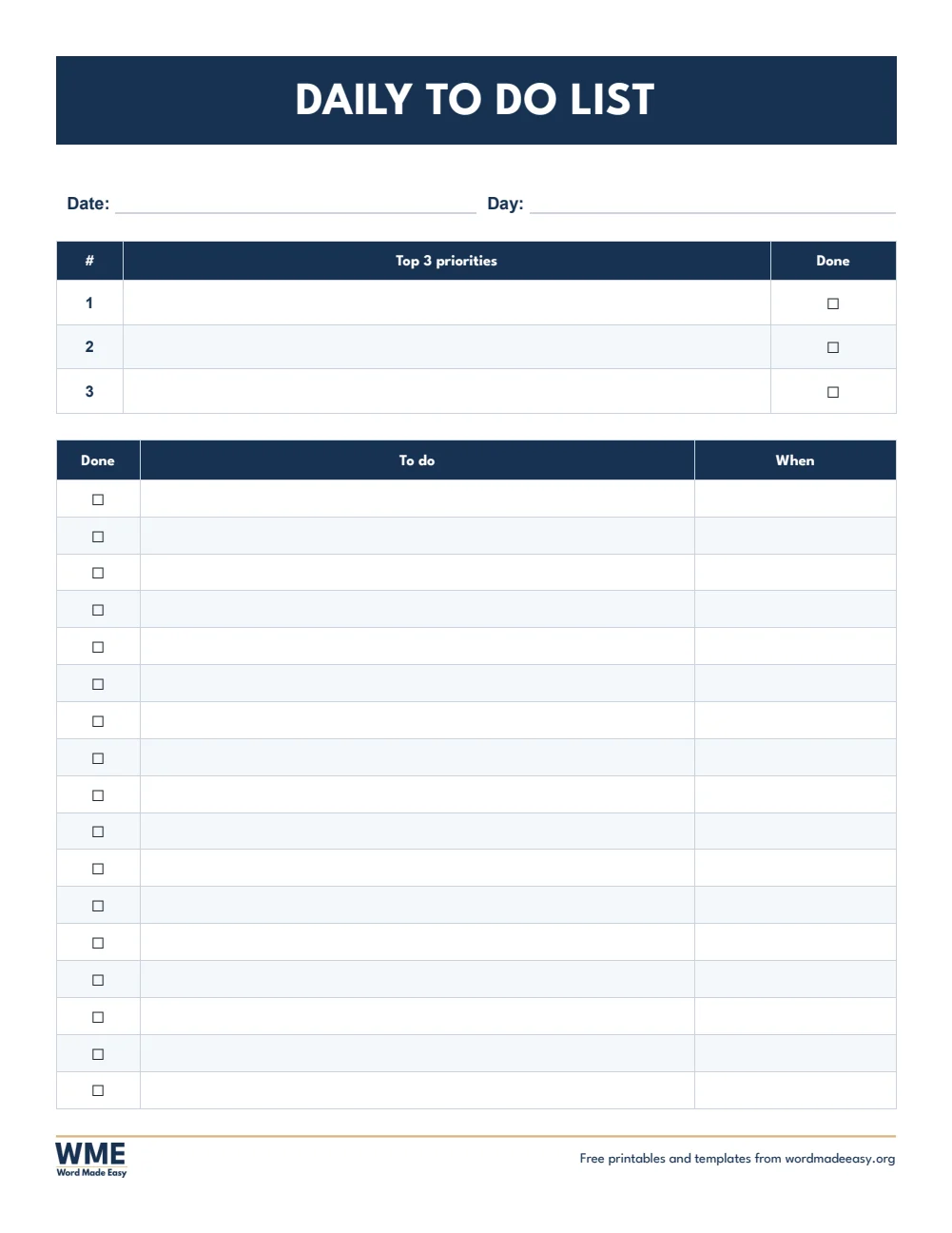
| A4 | Daily To Do List | Top 3 priorities and a full to do list |
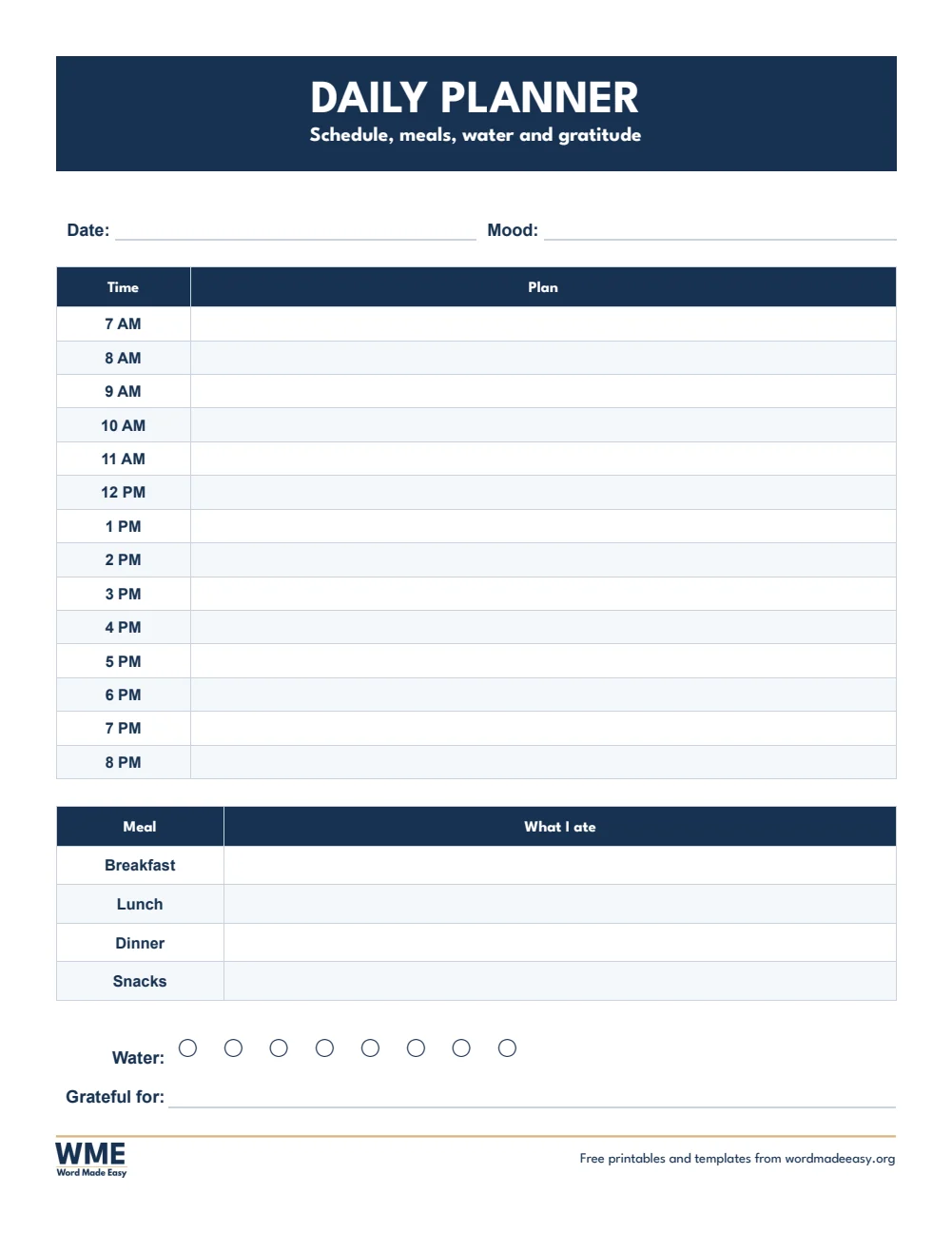
| A4 | Daily Planner with Meals and Water | Schedule, meals, water and something you are grateful for |
| US Letter | Daily Planner | Hourly schedule, top 3 priorities, to do list and notes |
| US Letter | Hourly Planner | Every hour from early morning to late evening, with a done box |
| US Letter | Daily To Do List | Top 3 priorities and a full to do list |
| US Letter | Daily Planner with Meals and Water | Schedule, meals, water and something you are grateful for |
👉 Every box is a click-and-type box, so you can plan on screen each morning or print a fresh page for your desk.
What Is a Daily Planner?
A daily planner sets out one day on one page: what happens at each hour, the few things that matter most, and the smaller jobs to fit around them. Writing the day down in the morning makes it easier to see what is realistic and to notice what can wait.
Which Daily Planner Should You Use?
- Daily planner: an hourly schedule from 6 AM to 9 PM beside your top 3 priorities, a to do list and space for notes.
- Hourly planner: every hour from 5 AM to 11 PM with a plan and a done box, for busy, fully scheduled days.
- Daily to do list: three priorities at the top, then a full to do list with a done box and a time for each task.
- Daily planner with meals and water: a schedule from 7 AM to 8 PM, meals and snacks, eight glasses of water to tick, and one thing you are grateful for.
- Black and white versions: every template also comes in a printer-friendly black and white version with grey headings, to save ink.
How to Plan Your Day
- Write the date, then the three things that would make today a success.
- Put fixed times, such as meetings, lessons and appointments, into the schedule first.
- Block time for your three priorities in the gaps, ideally early in the day.
- List everything else in the to do list and tick each job off as you finish it.
Keep the priorities to three: a short list gets finished, a long one gets moved to tomorrow. Plan the next day the evening before, so you start with a clear page. The A4 versions use a 24-hour clock.
How to Print at the Right Size
- Open the template in Word and press Ctrl + P (Cmd + P on a Mac).
- Choose the paper size in the file name: A4 for UK and Australian sheets, US Letter for US sheets.
- Set scaling to 100% or Actual size, not Fit to page.
- Print one sheet and measure a row with a ruler before you print a class set.
Every sheet keeps a 1/2 inch (12.7 mm) margin on all sides, so nothing is cut off on home inkjets, school laser printers or older printers with a wide edge.
FAQs
Are these daily planner templates free?
Yes. Choose A4 or US Letter and download all the Word templates in one ZIP file at no cost.
Who made these daily planner templates?
Patrick Elliott, a teacher and Inclusion Lead, designed and built every daily planner by hand in Microsoft Word.
What hours does the daily planner cover?
The daily planner runs from 6 AM to 9 PM, and the hourly planner from 5 AM to 11 PM. You can change any time in Word to match your own day.
Can I use it as a to do list only?
Yes. The daily to do list has three priorities and a full list with done boxes, without an hourly schedule.
Is there a black and white version?
Yes. Every template comes in colour and in black and white, on US Letter and A4. Choose Black and white, or All, in the download box.
Can I remove the Word Made Easy footer?
Yes. Double-click the bottom of the page, click the logo and the web address, and press Delete.
Conclusion
These daily planner templates put your schedule, priorities and to do list on one page, human-made by a teacher and ready to type into or print from Word.
Choose your paper size above, download the ZIP, and to plan the whole week ahead, try the weekly planner templates.
Related Tutorials
- Free Weekly Planner Templates for Word
- Free Checklist Templates for Word
- Free Habit Tracker Templates for Word
Word Templates
Recently Added Word Templates
Browse the complete collection of free printable Word templates for home and school, all made by a teacher.
New to Word? Our Word tutorials show you how to edit and print your templates.
Leave a Reply