
Free Meal Planner Templates for Word: 8 Weekly and Monthly Planners
Choose your paper size, preview every template, then download your Word templates in one small ZIP file.
Made by a teacherA4 and US Letter8 Word documentsFree




Can’t find the template you need? Request a template and I’ll make it in Word, free.
These free meal planner templates give you 8 Word documents on A4 and US Letter: a weekly meal planner, a meal planner with a shopping list, a monthly meal planner and a packed lunch or lunch box planner. I’m Patrick Elliott, a teacher and Inclusion Lead. I plan family meals and school lunches every week, so I built these to plan the meals and the shopping together in a few minutes.
In this guide, you’ll find which planner suits your household, and how to plan a week of meals in ten minutes.
What’s in the Meal Planner Templates
| Paper | Version | Best for |
|---|---|---|
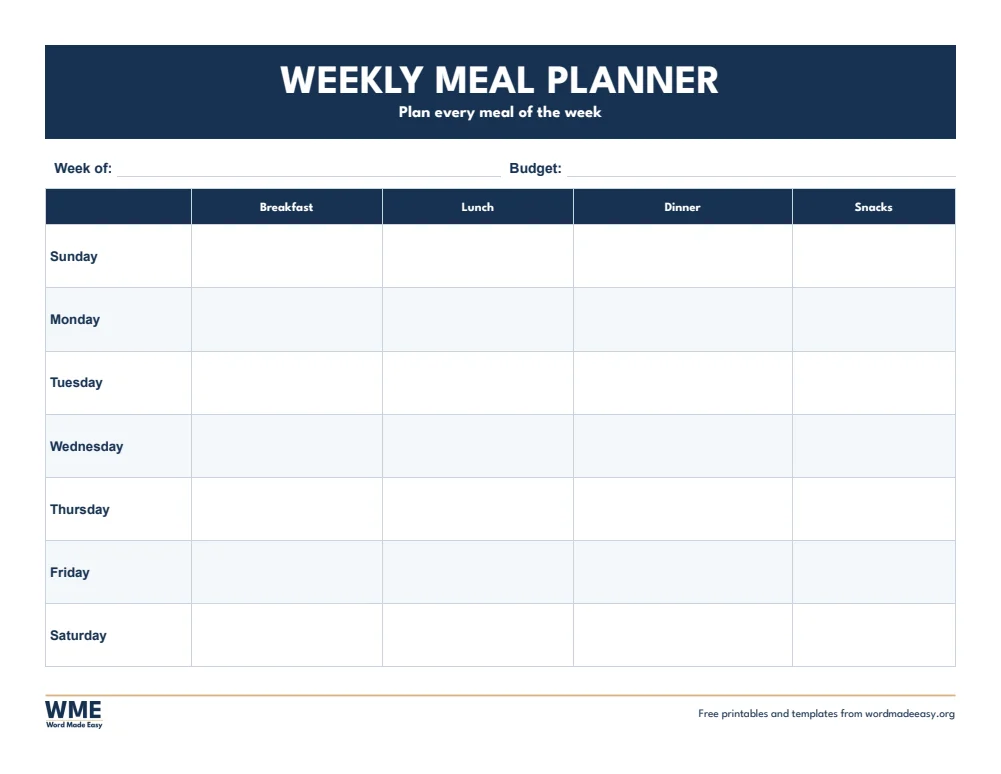
| A4 | Weekly Meal Planner | Breakfast, lunch, dinner and snacks |
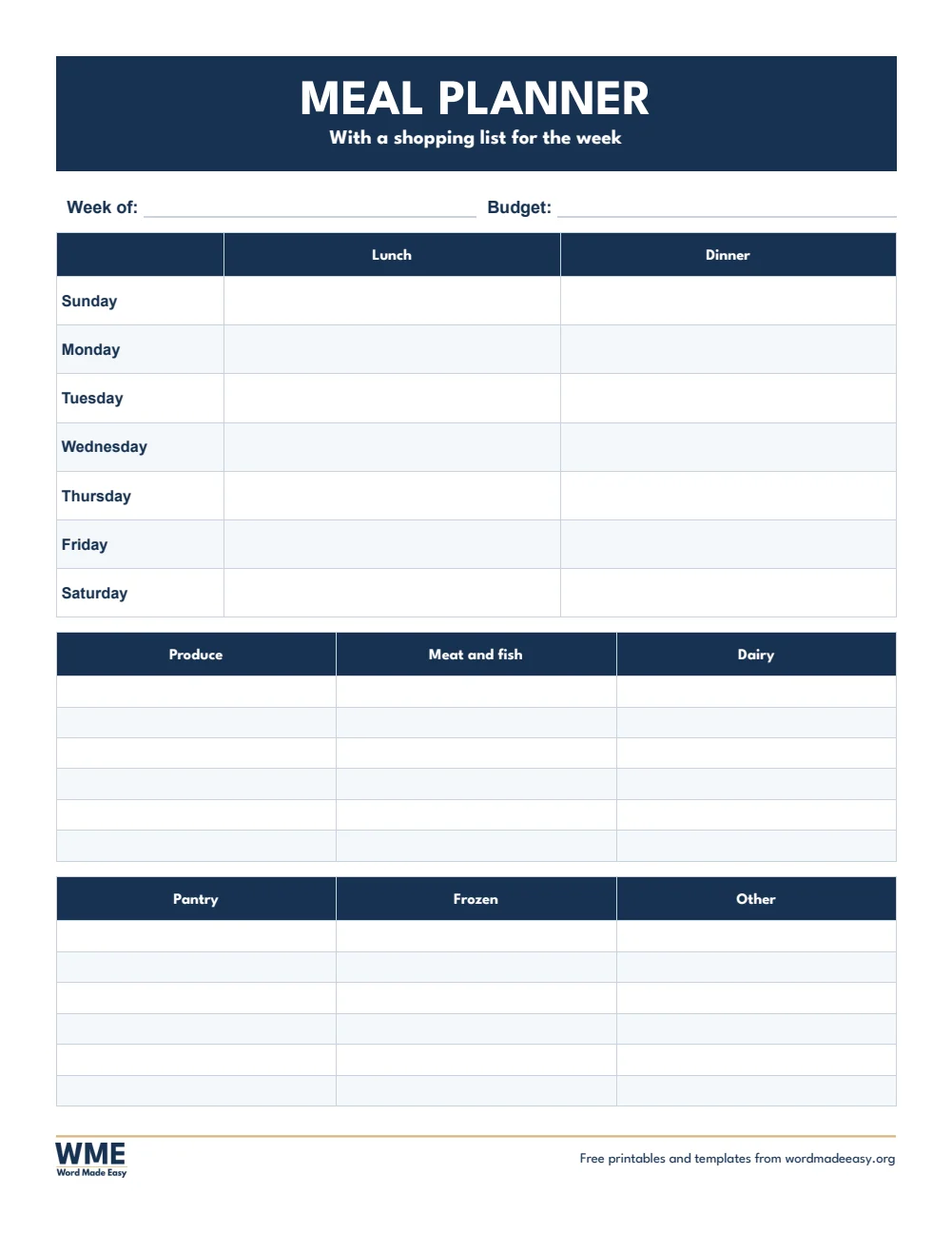
| A4 | Meal Planner with Shopping List | Plan the week and the shop together |
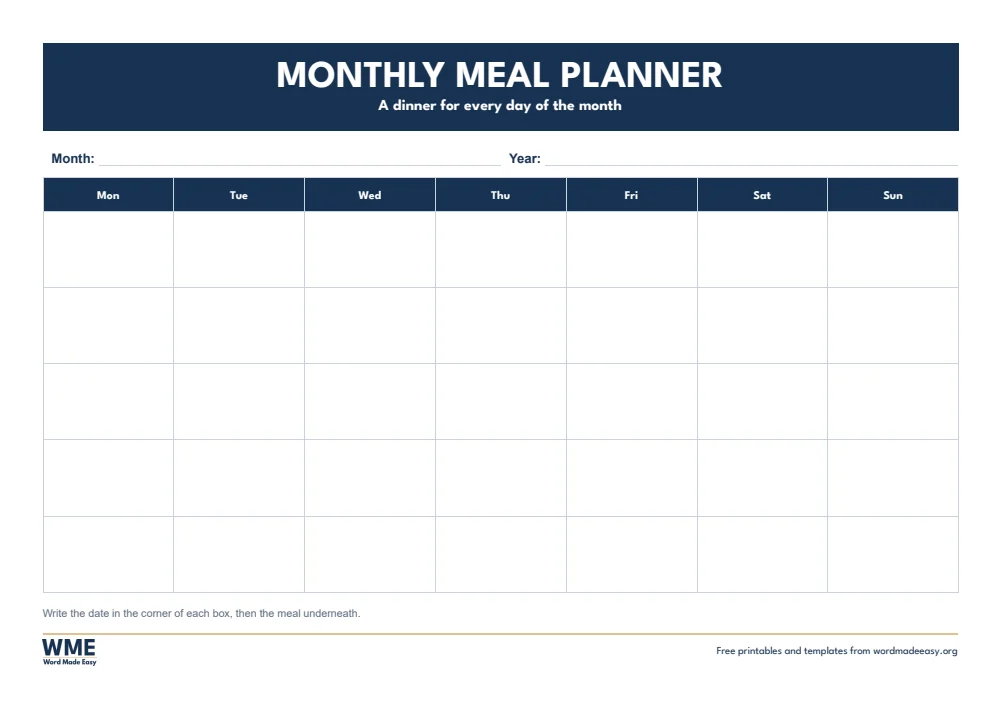
| A4 | Monthly Meal Planner | A dinner for every day of the month |
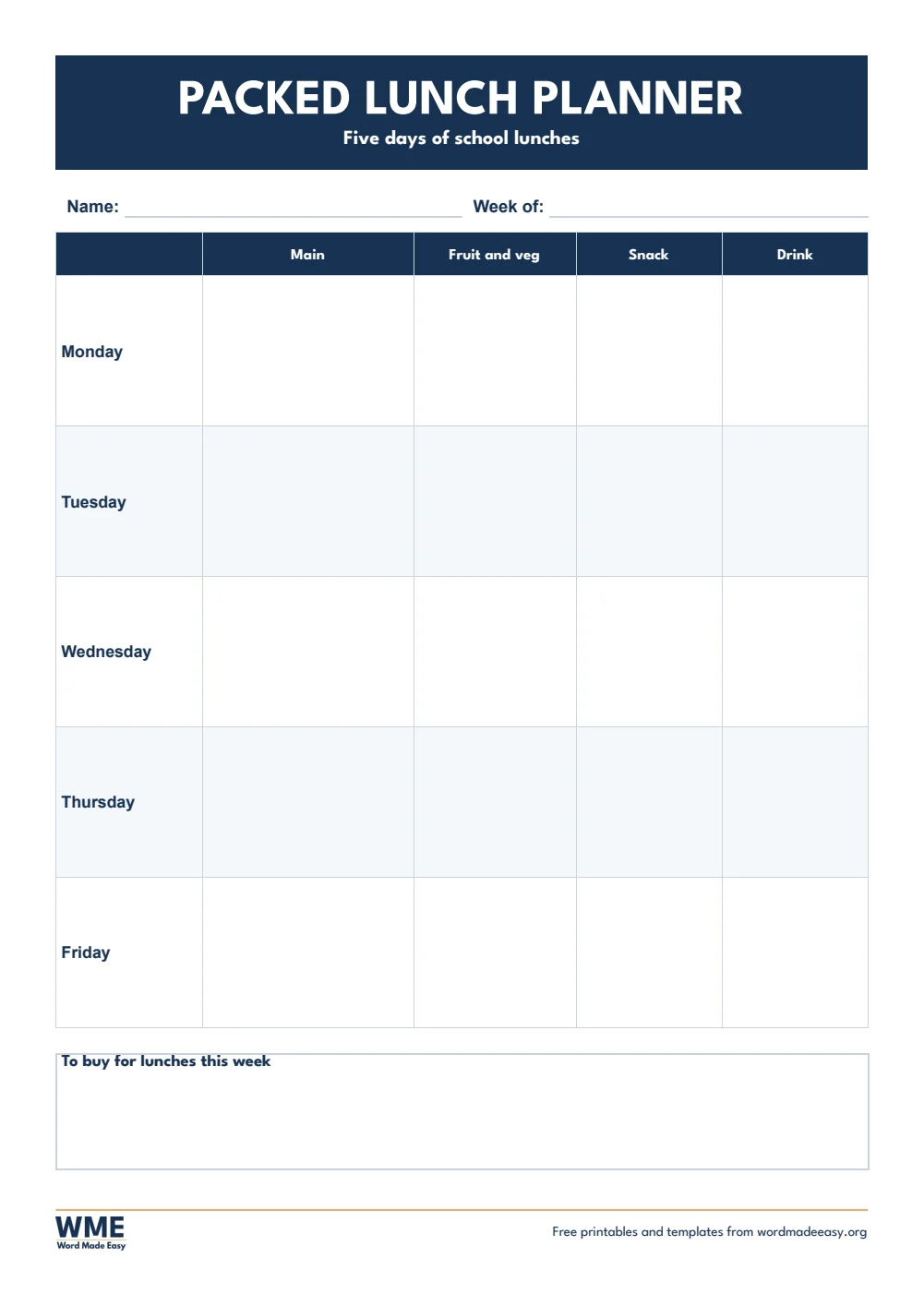
| A4 | Packed Lunch Planner | Five days of school lunches |
| US Letter | Weekly Meal Planner | Breakfast, lunch, dinner and snacks |
| US Letter | Meal Planner with Shopping List | Plan the week and the shop together |
| US Letter | Monthly Meal Planner | A dinner for every day of the month |
| US Letter | Lunch Box Planner | Five days of school lunches |
👉 Every box is a Word table cell, so you can type your meals and save the plan to reuse next month.
What Is a Meal Planner?
A meal planner is a page where you decide the week’s meals in advance. It saves money and time, cuts food waste, and ends the daily what’s for dinner question, because the shopping list comes straight from the plan.
Which Meal Planner Should You Use?
- Weekly meal planner: breakfast, lunch, dinner and snacks for seven days, in landscape.
- Meal planner with shopping list: lunch and dinner for the week and a shopping list in six sections.
- Monthly meal planner: a dinner for every day of the month, laid out like a calendar.
- Packed lunch or lunch box planner: main, fruit and vegetables, snack and drink for each school day.
How to Plan a Week of Meals
- Check what you already have in the fridge and cupboards.
- Plan dinners first, then fill in lunches and breakfasts.
- Use leftovers: cook extra one night for the next day’s lunch.
- Write the shopping list from the plan, then shop once.
Save a few weekly plans you like and rotate them: after a month you have a ready-made set of plans to reuse.
How to Print at the Right Size
Print at 100% on plain paper. The weekly and monthly planners print in landscape; stick one on the fridge for the week.
FAQs
Are these meal planner templates free?
Yes. Choose A4 or US Letter and download all the Word templates in one ZIP file at no cost.
Who made these meal planner templates?
Patrick Elliott, a teacher and Inclusion Lead, designed and built every meal planner by hand in Microsoft Word.
Is there a meal planner with a shopping list?
Yes. It has the week’s lunches and dinners at the top and a shopping list in six sections below.
Can I type my meal plan in Word?
Yes. Click any box and type, then save the file to reuse or print.
Is there a lunch box planner?
Yes. The packed lunch planner (lunch box planner in the US version) covers five school days.
Can I remove the Word Made Easy footer?
Yes. Double-click the bottom of the page, click the logo and the web address, and press Delete.
Conclusion
These meal planner templates make the week’s food simple to plan and shop for, human-made by a teacher and ready to print or fill in from Word.
Choose your paper size above, download the ZIP, and for a full shopping list, try the shopping list templates.
Related Tutorials
- Free Shopping List Templates for Word
- Free Budget Templates for Word
- Free Weekly Planner Templates for Word
Word Templates
Recently Added Word Templates
Browse the complete collection of free printable Word templates for home and school, all made by a teacher.
New to Word? Our Word tutorials show you how to edit and print your templates.
Leave a Reply