
Free Budget Templates for Word: 12 Printable Planners
Choose your paper size, preview every budget, then download your Word templates in one small ZIP file.
Made by a teacherA4 and US Letter12 Word documentsFree
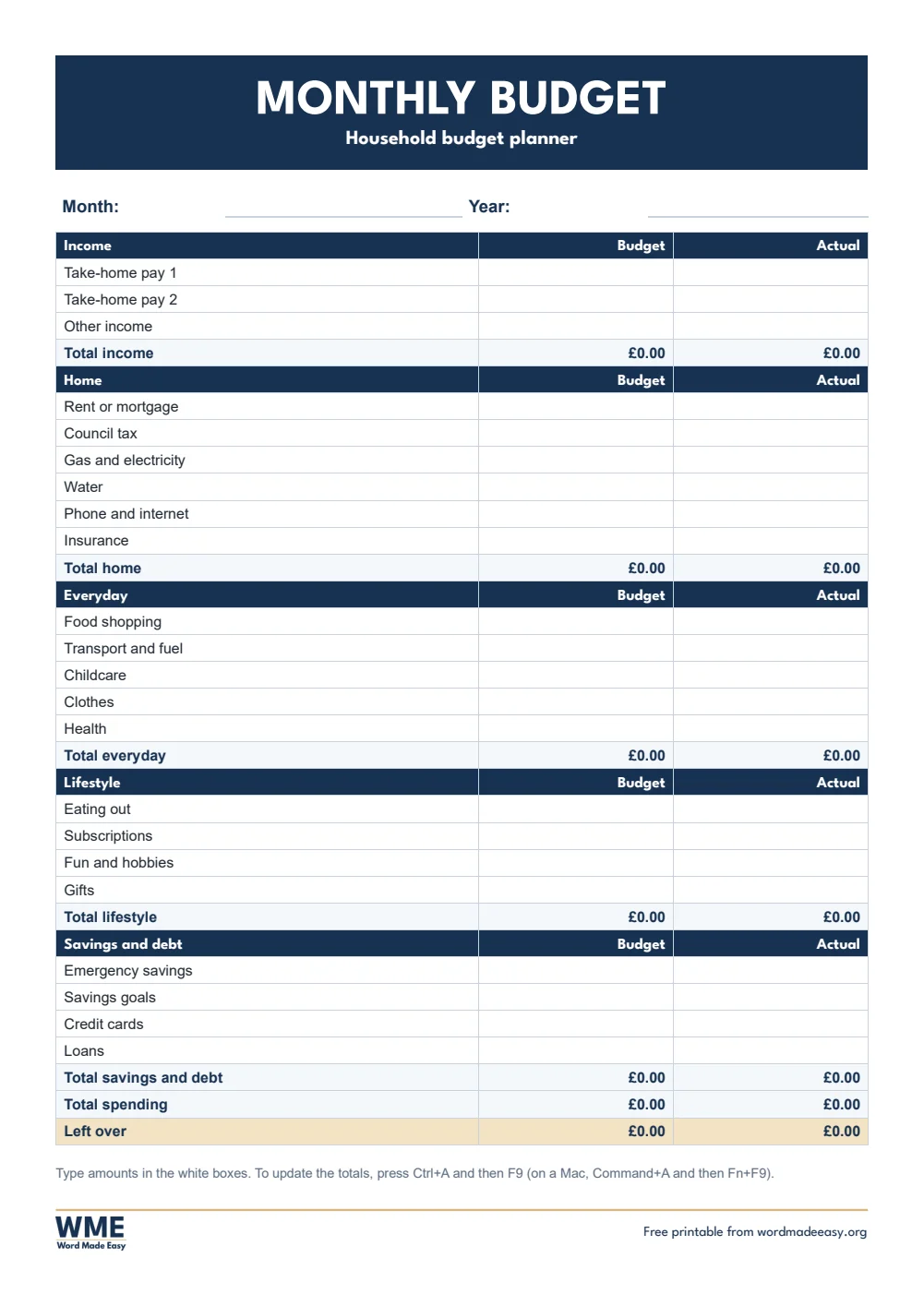
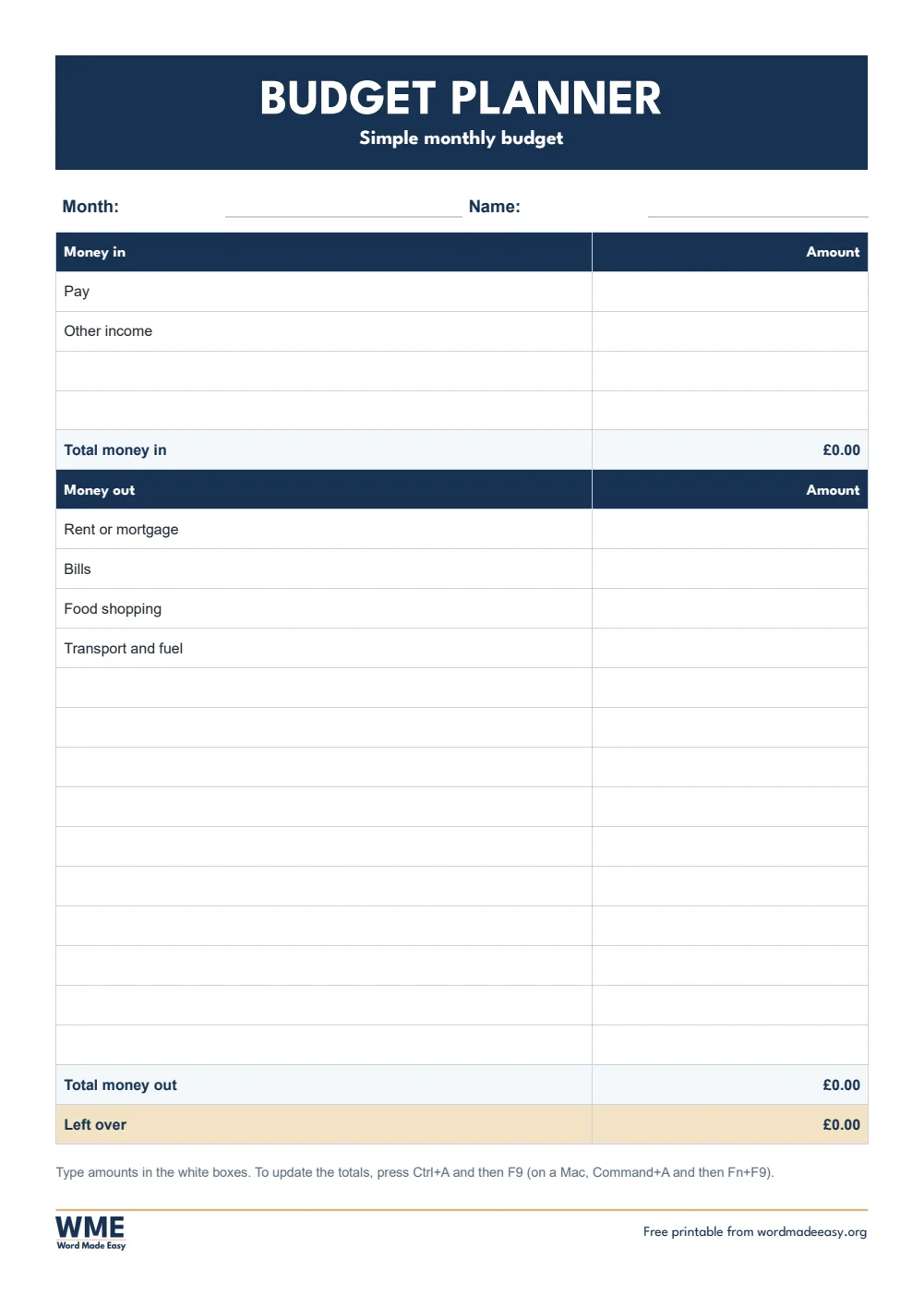

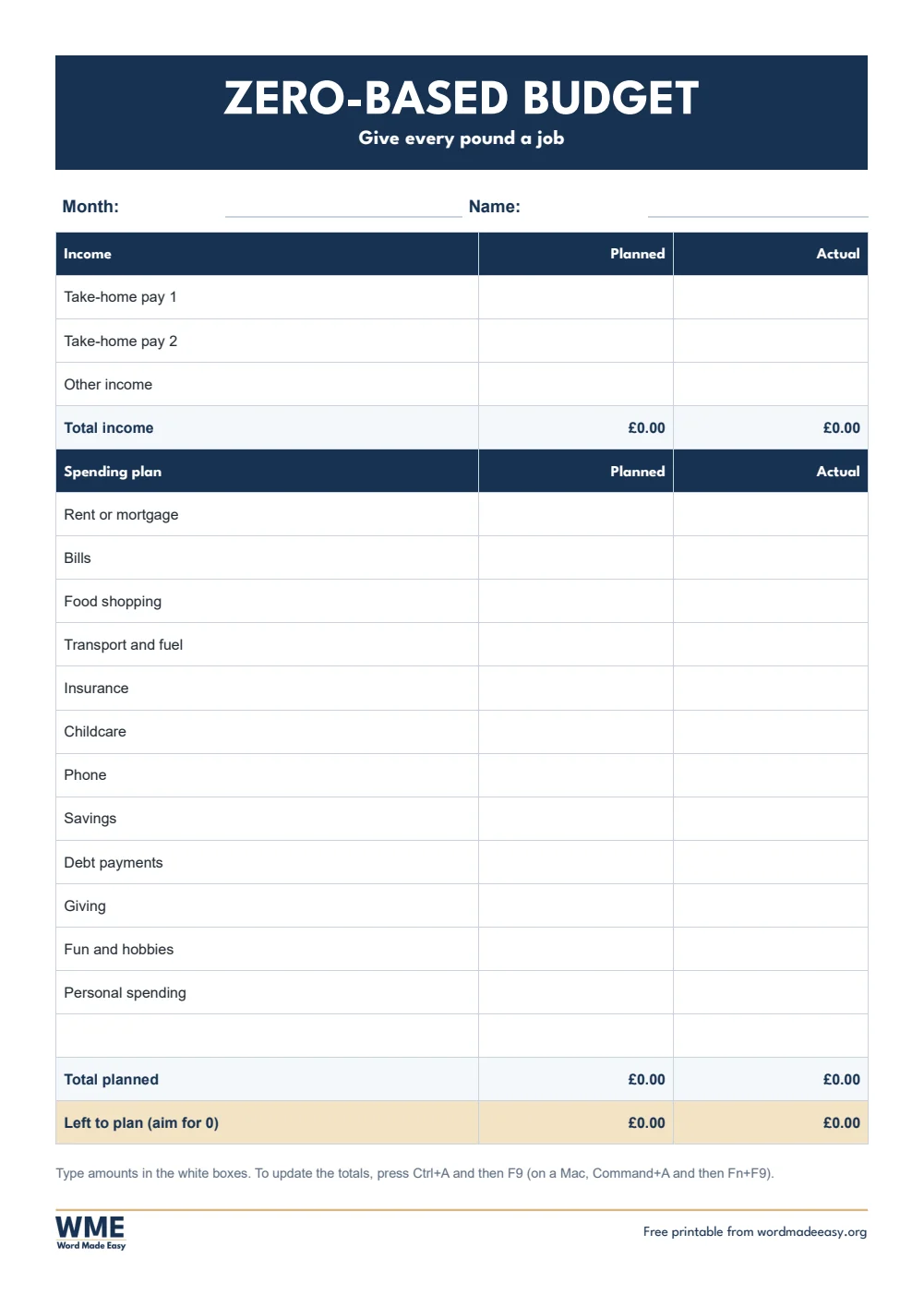

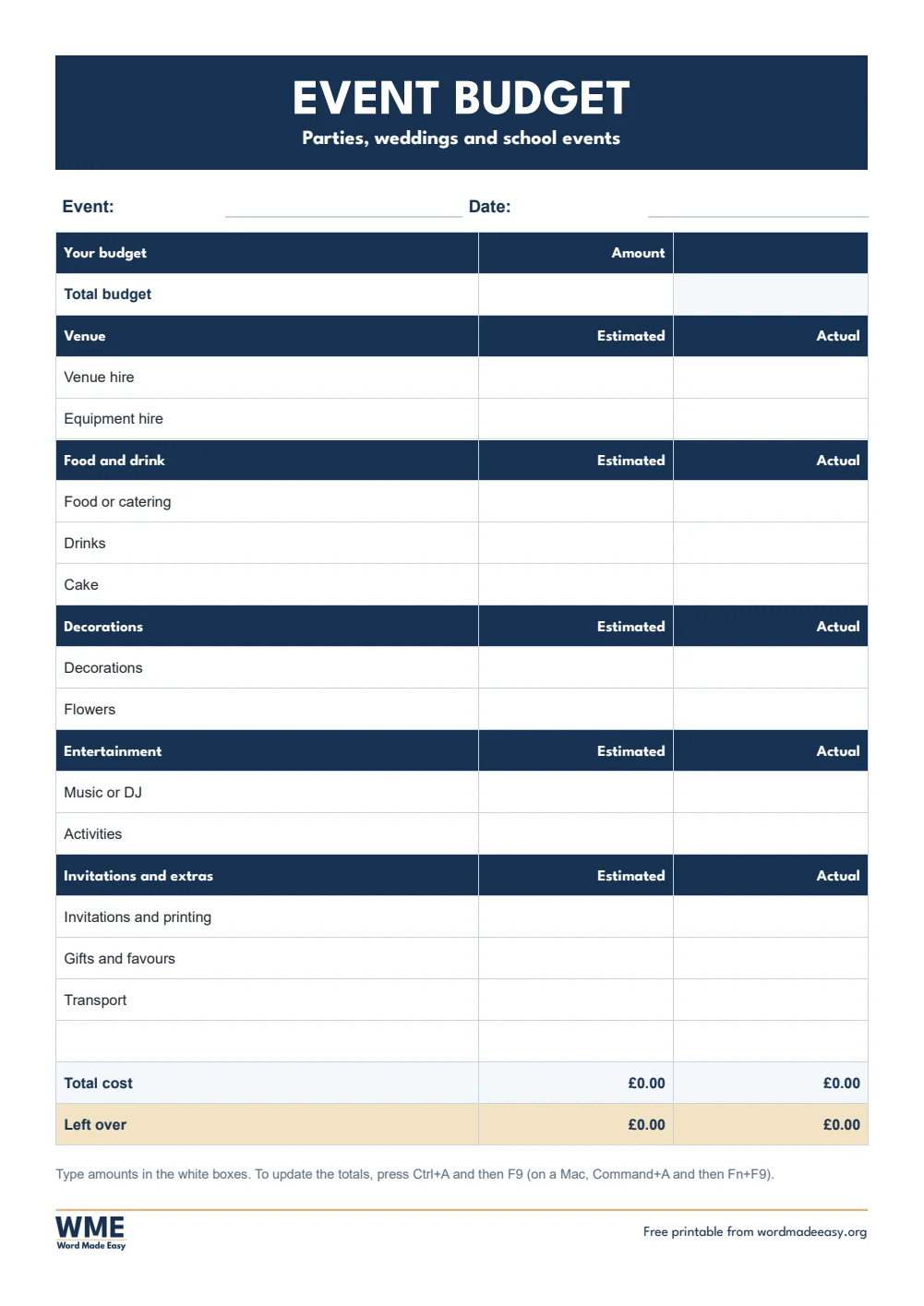


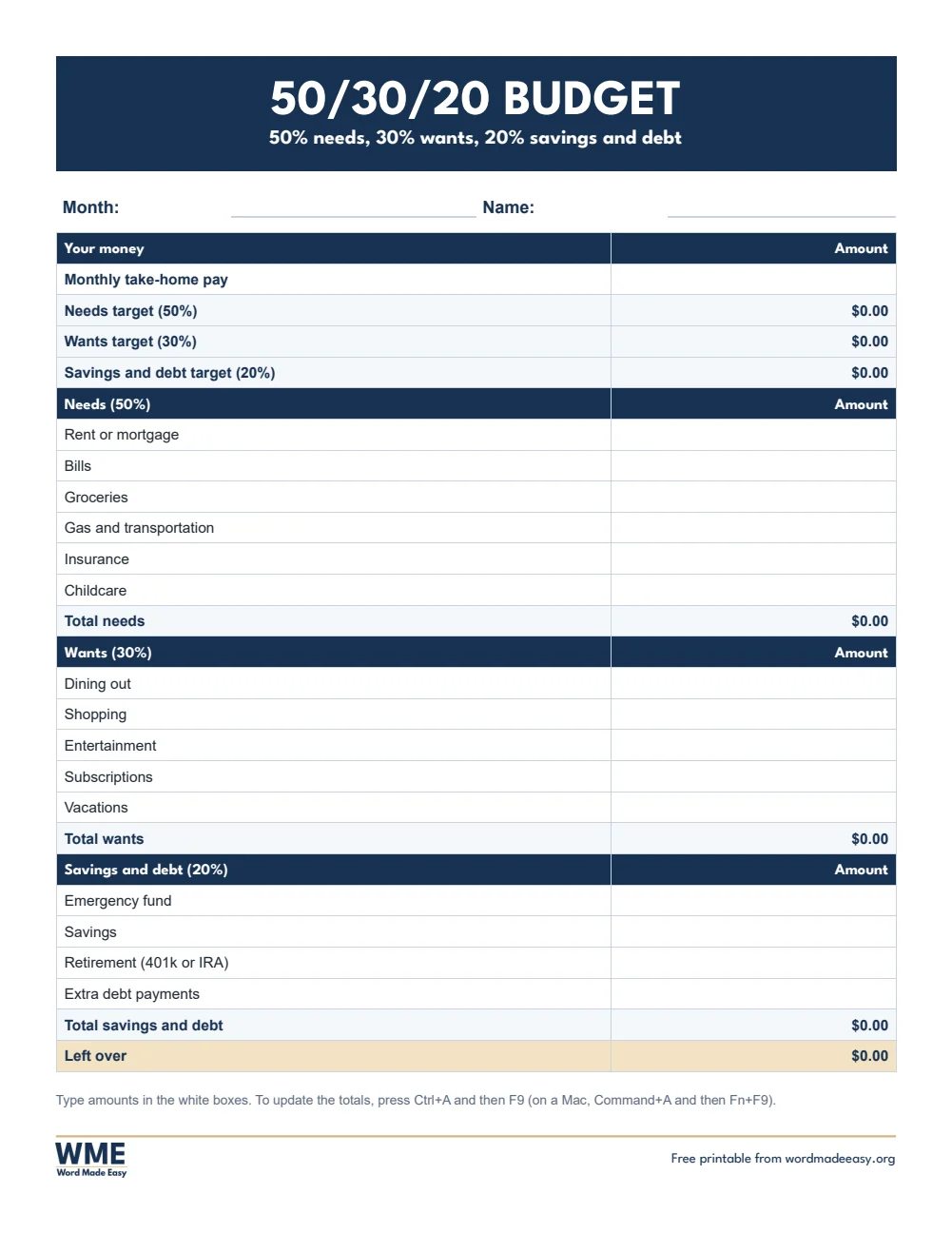

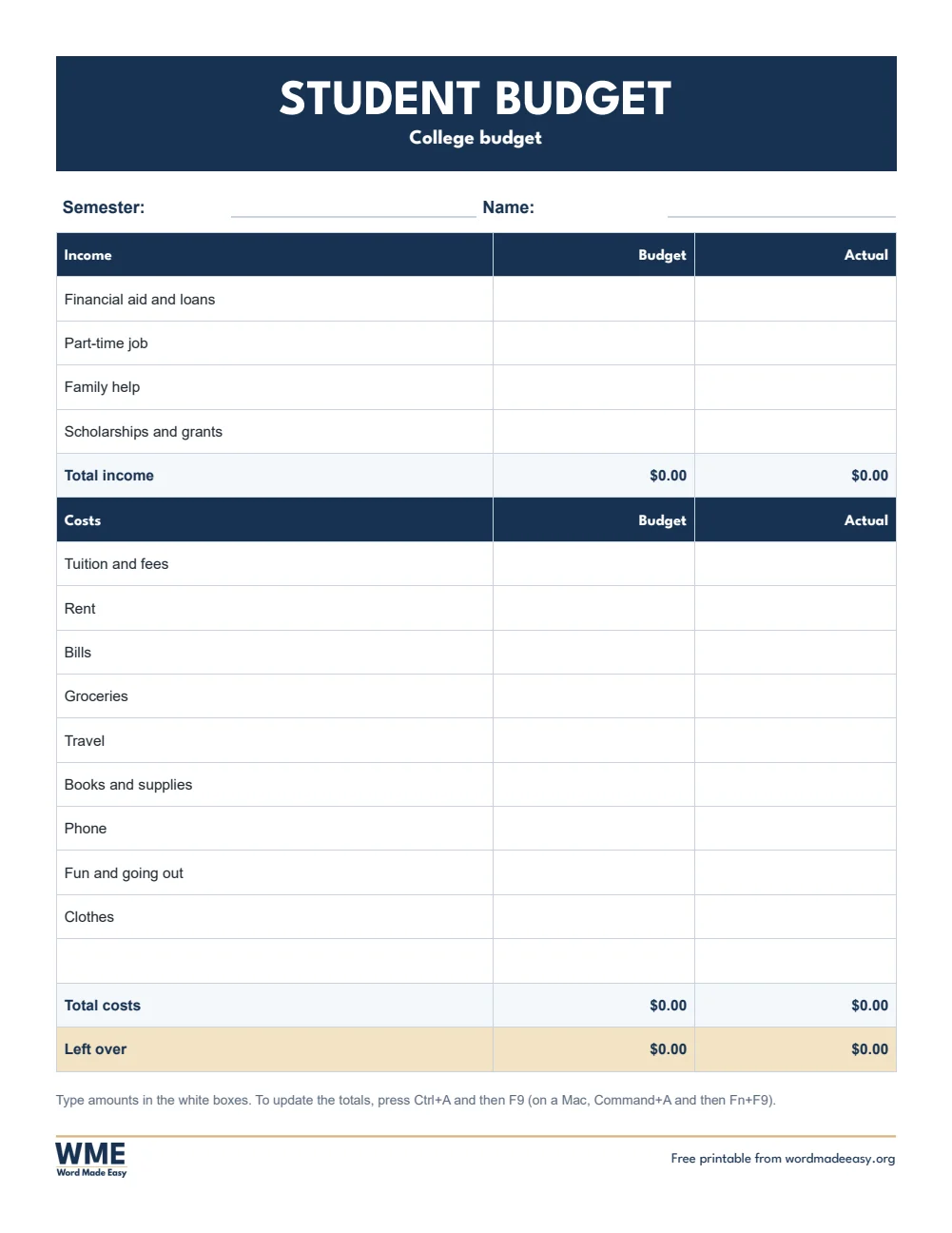

These free budget templates give you 12 Word documents on A4 in pounds and US Letter in dollars: a monthly household budget, a simple budget planner, a 50/30/20 budget, a zero-based budget, a student budget and an event budget. I’m Patrick Elliott, a teacher and Inclusion Lead. I plan a classroom budget every year and my own at home, so I built these budgets to add themselves up in Word, with the categories most households really use.
In this guide, you’ll find which budget suits you, how to fill one in so the totals add up by themselves, and how the 50/30/20 and zero-based methods work.
What’s in the Budget Templates
| Paper | Version | Best for |
|---|---|---|
| A4 | Monthly Household | Budget and actual for income, home, everyday, lifestyle, savings and debt |
| A4 | Simple Planner | Money in, money out and what is left, with blank lines |
| A4 | 50-30-20 | Needs, wants and savings targets worked out from your pay |
| A4 | Zero-Based | Plan every pound or dollar until nothing is left to plan |
| A4 | Student | Loans, part–time work and term or semester costs |
| A4 | Event | Estimated and actual costs against a total budget |
| US Letter | Monthly Household | Budget and actual for income, home, everyday, lifestyle, savings and debt |
| US Letter | Simple Planner | Money in, money out and what is left, with blank lines |
| US Letter | 50-30-20 | Needs, wants and savings targets worked out from your pay |
| US Letter | Zero-Based | Plan every pound or dollar until nothing is left to plan |
| US Letter | Student | Loans, part–time work and term or semester costs |
| US Letter | Event | Estimated and actual costs against a total budget |
👉 Every total is a Word formula, so you type the amounts and Word adds them up: section totals, total spending and what is left over.
👉 The A4 versions use pounds and UK words, such as council tax and food shopping, and the US Letter versions use dollars and US words, such as property tax and groceries.
Which Budget Template Should You Use?
- Monthly household budget: budget and actual columns for income, home, everyday costs, lifestyle, and savings and debt.
- Simple budget planner: money in, money out and what is left, with blank lines for your own bills.
- 50/30/20 budget: type your take-home pay and Word works out your targets: half for needs, 30% for wants and 20% for savings and debt.
- Zero-based budget: plan every pound or dollar until the left to plan line reaches zero.
- Student budget: loans, part-time work and family help against rent, food, travel and course costs for a term or semester.
- Event budget: estimated and actual costs for a party, wedding or school event against one total budget.
How to Fill In a Budget Template in Word
- Open the budget and click the line next to Month to type the month.
- Click the white box next to each item and type the amount, for example 1250 or 1,250.00. Leave a box empty if it does not apply.
- Change any item name by clicking it and typing, for example Pet care instead of Gifts.
- Press Ctrl + A and then F9 to update every total. On a Mac, press Command + A and then Fn + F9.
- Save a copy for each month with File > Save As, so you can compare months.
👉 If you add a row inside a section, right-click the total, choose Edit Field and include the new row in the range, for example B7:B13.
The 50/30/20 and Zero-Based Budget Methods
The 50/30/20 rule splits your take-home pay into three pots: 50% for needs such as rent, bills and food, 30% for wants such as eating out and holidays, and 20% for savings and paying off debt. For example, on 2,000 a month that is 1,000 for needs, 600 for wants and 400 for savings.
A zero-based budget gives every pound or dollar a job before the month starts. You list your income, then plan bills, food, savings and fun until the left to plan line shows zero, so nothing is spent without a plan.
How to Print at the Right Size
Print a blank budget at 100% to fill in by hand, or type your amounts in Word first, press Ctrl+A and F9 to update the totals, and then print it.
FAQs
Are these budget templates free?
Yes. Choose A4 or US Letter and download all the Word templates in one ZIP file at no cost.
Who made these budget templates?
Patrick Elliott, a teacher and Inclusion Lead, designed and built every budget by hand in Microsoft Word.
Why are my totals not changing?
Word formulas update when you ask. Press Ctrl+A and then F9, or right-click a total and choose Update Field.
Can I use a different currency?
Yes. Right-click a total, choose Toggle Field Codes, and change the pound or dollar sign in the code, then press F9.
Can I print the budget and fill it in by hand?
Yes. Print it blank and write the amounts in the boxes. The totals show 0.00 until you type amounts in Word.
Can I remove the Word Made Easy footer?
Yes. Double-click the bottom of the page, click the logo and the web address, and press Delete.
Conclusion
These budget templates cover monthly bills, the 50/30/20 and zero-based methods, students and events, human-made by a teacher and ready to fill in from Word.
Choose your paper size above, download the ZIP, and to plan the month ahead try the weekly planner templates.
Related Tutorials
- Free Weekly Planner Templates for Word
- Free Checklist Templates for Word
- Free 2027 Calendar Templates for Word
Word Templates
Recently Added Word Templates
Browse the complete collection of free printable Word templates for home and school, all made by a teacher.
New to Word? Our Word tutorials show you how to edit and print your templates.
Leave a Reply