Skip to content
Word Made Easy
Home Word Tutorials Word Templates Google Docs PowerPoint Tutorials YouTube Videos
Business, Microsoft Word, Word Templates

Word Templates

Free CV Templates for Word: 8 ATS-Friendly CVs

Choose your paper size, preview every CV, then download your Word templates in one small ZIP file.

Made by a teacherA4 and US Letter8 Word documentsFree
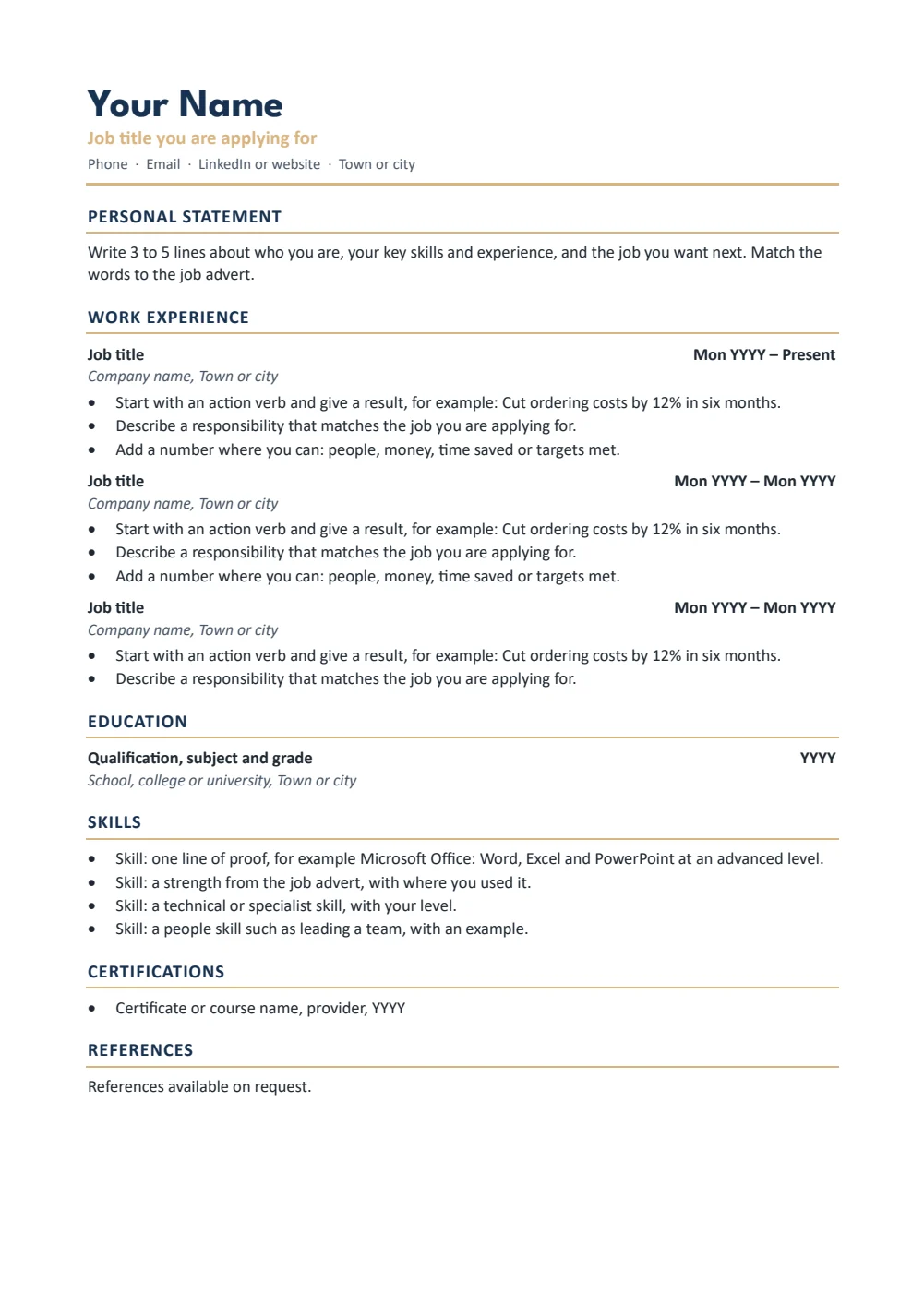
CV template for Word: classic UK CV on A4 with personal statement, work experience and skills
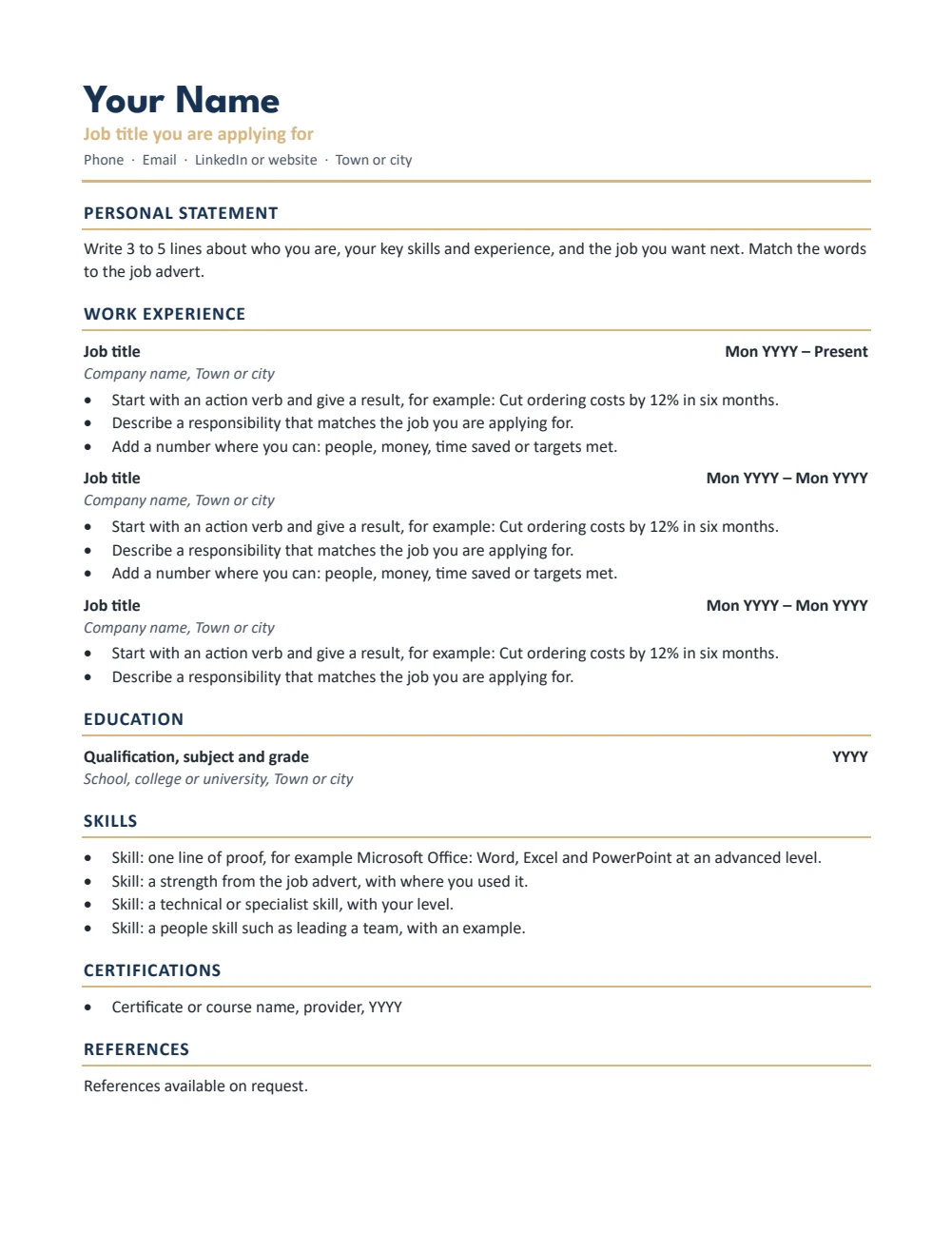
A4 — Classic · Clean single column with gold rules; suits any job. Click to enlarge.
CV template for Word: CV, Modern, A4
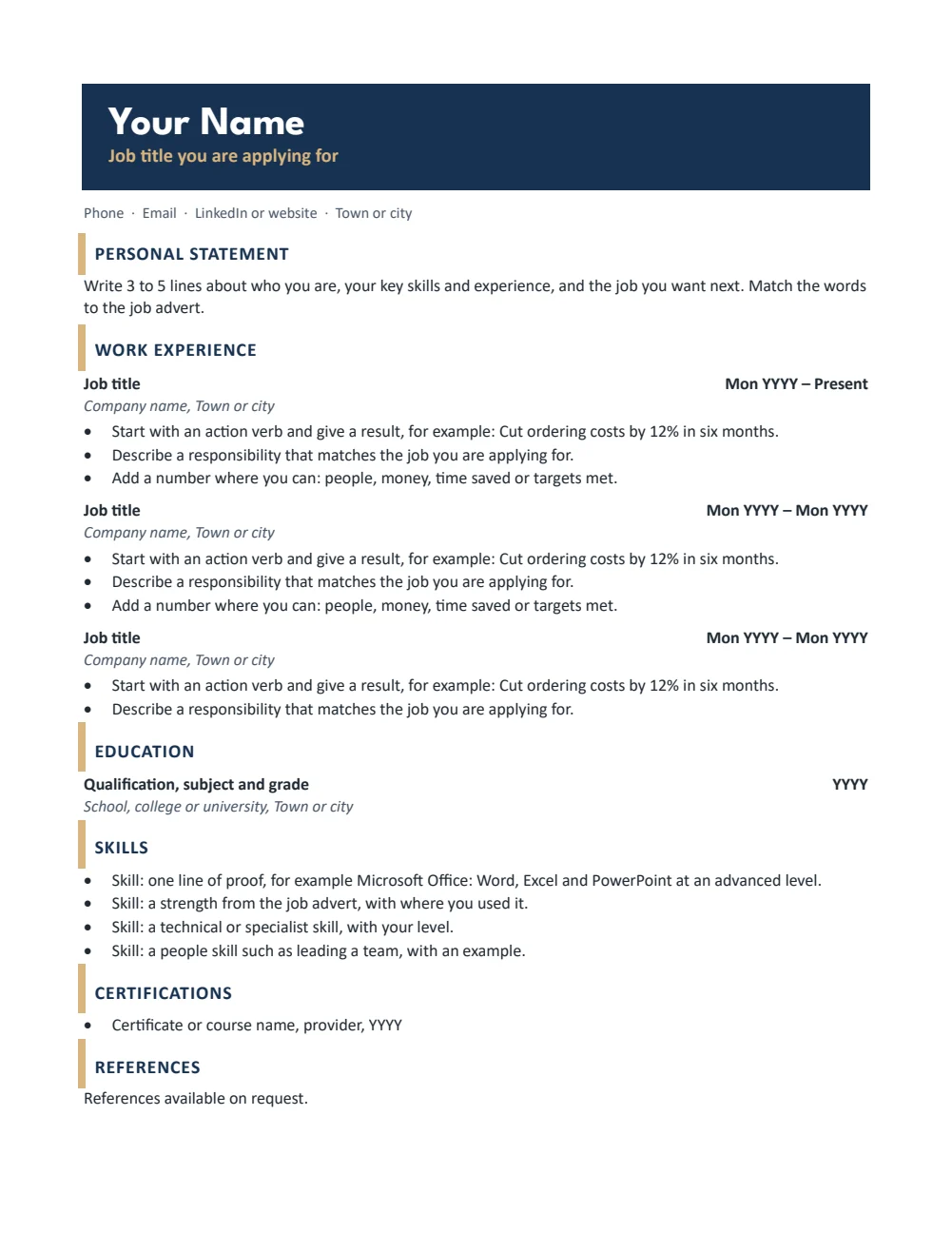
A4 — Modern · Navy name band and gold section markers. Click to enlarge.
CV template for Word: CV, Graduate, A4
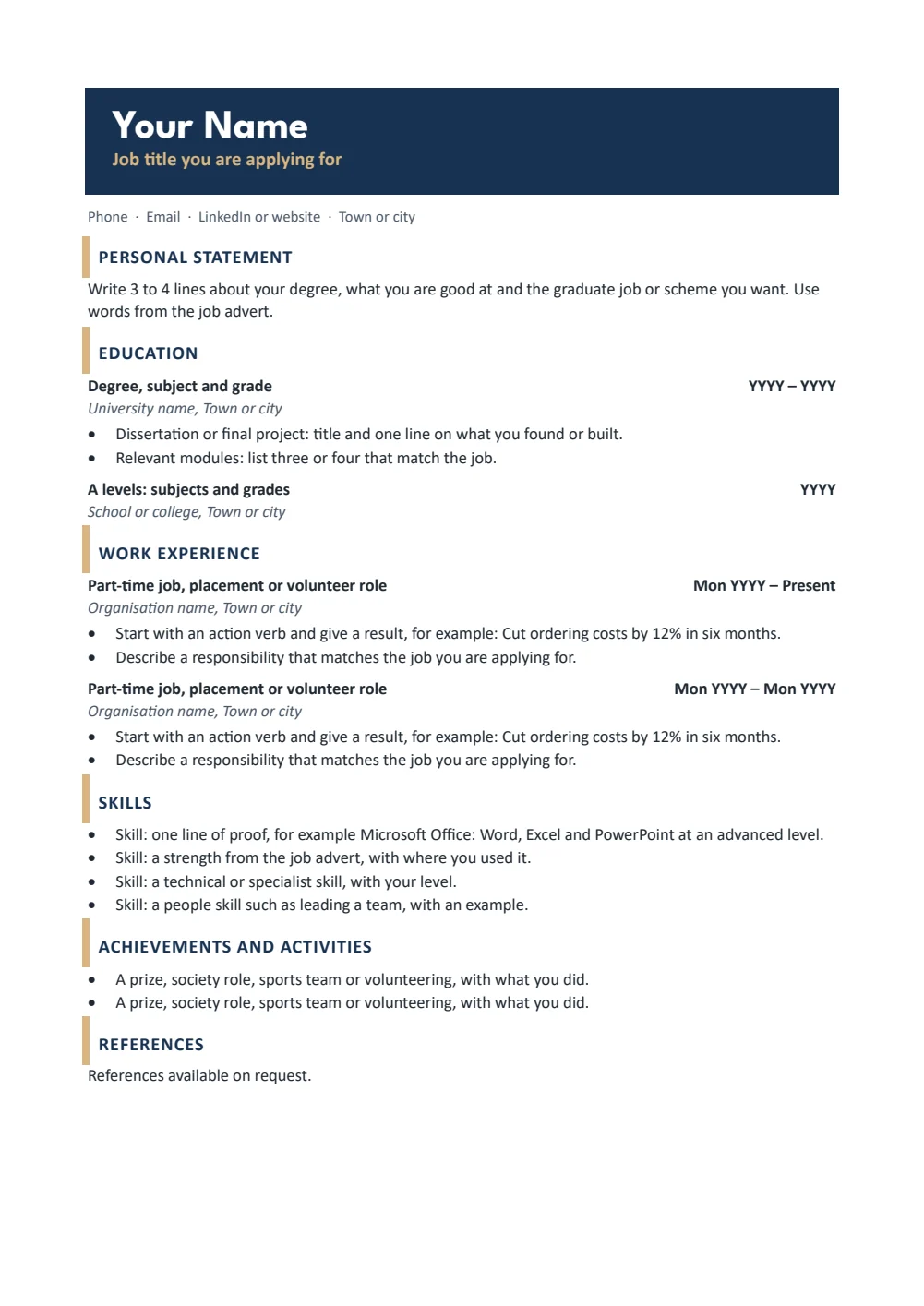
A4 — Graduate · Education first, for students, school leavers and graduates. Click to enlarge.
CV template for Word: CV, Teacher, A4
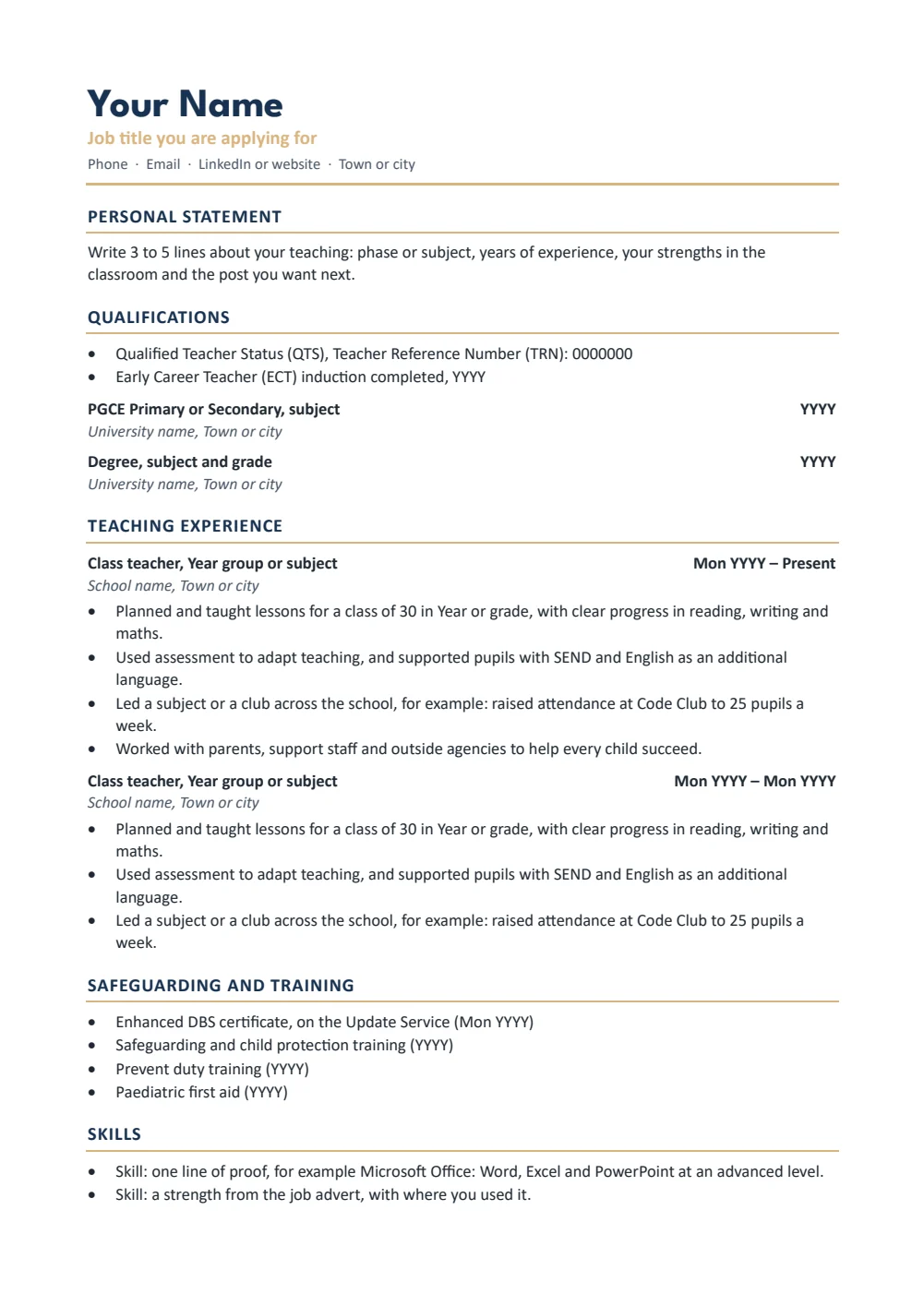
A4 — Teacher · Qualifications, teaching experience and checks for teachers. Click to enlarge.
CV template for Word: CV, Classic, US Letter
US Letter — Classic · Clean single column with gold rules; suits any job. Click to enlarge.
CV template for Word: CV, Modern, US Letter
US Letter — Modern · Navy name band and gold section markers. Click to enlarge.
CV template for Word: CV, Graduate, US Letter
US Letter — Graduate · Education first, for students, school leavers and graduates. Click to enlarge.
CV template for Word: CV, Teacher, US Letter
US Letter — Teacher · Qualifications, teaching experience and checks for teachers. Click to enlarge.

More free templates

  • Cover Letter Templates for Word Cover Letter Templates Free Word files
  • Resume Templates for Word Resume Templates Free Word files
  • Business Card Templates for Word Business Card Templates Free Word files
  • Fillable Form Templates for Word Fillable Form Templates Free Word files
  • Resignation Letter Templates for Word Resignation Letter Templates Free Word files
  • Meeting Minutes Templates for Word Meeting Minutes Templates 8 Word files
  • Timesheet Templates for Word Timesheet Templates 8 Word files
  • Letterhead Templates for Word Letterhead Templates 8 Word files

Download your free Word templates

Enter your email address, then choose whether you would also like occasional emails about new Word Made Easy Word Templates.

Choose your paper size
Choose your email preference

I agree that Word Made Easy may email me occasional updates about new Word Templates. I can unsubscribe at any time. Choose Download only if you do not want marketing emails.

Read the Privacy Policy for details about storage, retention and your rights.

These free CV templates give you 8 CVs as Word documents on A4 and US Letter: a classic CV, a modern CV with a navy name band, a graduate CV with education first, and a teacher CV with QTS, safeguarding training and references. I’m Patrick Elliott, a teacher and Inclusion Lead. I have read hundreds of CVs when hiring at school, so I built these in one clear column with the headings recruiters and ATS software expect, and grey guides you simply type over.

In this guide, you’ll find which CV template suits you, how to fill one in quickly in Word, and how to keep your CV readable by the software many employers use to sort applications.


Contents hide
1 What’s in the CV Templates
2 Which CV Template Should You Use?
3 How to Fill In a CV Template in Word
4 How to Make Your CV ATS-Friendly
5 How to Print at the Right Size
6 FAQs
7 Conclusion
8 Related Tutorials
9 Word Templates

What’s in the CV Templates

PaperVersionBest for
A4ClassicClean single column with gold rules; suits any job
A4ModernNavy name band and gold section markers
A4GraduateEducation first, for students, school leavers and graduates
A4TeacherQualifications, teaching experience and checks for teachers
US LetterClassicClean single column with gold rules; suits any job
US LetterModernNavy name band and gold section markers
US LetterGraduateEducation first, for students, school leavers and graduates
US LetterTeacherQualifications, teaching experience and checks for teachers
CV template for Word: classic UK CV on A4 with personal statement, work experience and skills

👉 Every CV is a single column with standard headings, with no tables, text boxes, icons or photos, so applicant tracking systems (ATS) can read it.

👉 Grey guide text sits in every space. Click it and start typing: the guide disappears and your words take its place.


Which CV Template Should You Use?

  • Classic CV: a clean layout with gold rules under each heading. It suits almost any job and keeps the focus on your experience.
  • Modern CV: the same order with your name on a navy band and gold section markers, for a bit more personality without hurting ATS reading.
  • Graduate CV: education first, with your dissertation, modules and A levels, then part-time work, volunteering and activities.
  • Teacher CV: QTS and your Teacher Reference Number, ECT induction, teaching experience, DBS and safeguarding training, and references from your headteacher.

How to Fill In a CV Template in Word

  1. Click the grey text under your name and type your target job title, phone, email and town.
  2. Write a personal statement of 3 to 5 lines that uses words from the job advert.
  3. For each job, keep the title, employer and dates on their own lines, then add 3 to 5 bullets that start with a verb and show a result.
  4. Delete any section you do not need, then check spelling and save a copy as a PDF if the employer asks for one.

Each heading is a Word style, so changing the colour or font of one heading in Styles changes them all. See the guides on bulleted lists in Word and saving a Word document as a PDF.


How to Make Your CV ATS-Friendly

  • Keep one column. Tables, text boxes and two-column layouts can scramble the order when software reads your CV.
  • Keep your name and contact details in the body of the page, not in the header or footer.
  • Use standard headings such as Work Experience, Education and Skills, and one date format, such as Sep 2024 – Present.
  • Spell out short forms once, such as Qualified Teacher Status (QTS).

How to Print at the Right Size

Most employers want your CV by email, so save it as a PDF unless they ask for Word. If you print it, use plain white A4 at 100% and print both sides of a two-page CV.


FAQs

Can I change the colours?

Yes. Each heading is a Word style, so change Heading 1 in the Styles pane and every heading updates at once.

What goes in a personal statement?

Three to five lines on who you are, your key skills and experience, and the job you want, using words from the advert.

Will the grey guide text print?

Only if you leave it. Click each guide and type over it, and delete any you do not need before saving.

How long should a UK CV be?

Two sides of A4 at most. A graduate or school leaver CV usually fits on one page.

Should I put a photo on my CV?

No. In the UK a photo, date of birth or marital status is not expected, and it can confuse ATS software.

Do I need to list references on my CV?

No. References available on request is enough. Teachers often name their current headteacher instead.


Conclusion

These CV templates give you a clear, ATS-friendly CV in minutes, human-made by a teacher and ready to fill in from Word.

Choose your paper size above, download the ZIP, and to send it with a matching letter try the cover letter templates.


Related Tutorials

  • Free Cover Letter Templates for Word
  • Free Resume Templates for Word
  • Free Resignation Letter Templates for Word

Word Templates

Recently Added Word Templates

  • Free CV Templates for Word: 8 ATS-Friendly CVs

    October 21, 2026
  • Free Cover Letter Templates for Word: 8 Easy Letters

    October 21, 2026
  • Free Resume Templates for Word: 8 ATS-Friendly Resumes

    October 21, 2026

Browse the complete collection of free printable Word templates for home and school, all made by a teacher.

View all Word templates
Watch on YouTube

New to Word? Our Word tutorials show you how to edit and print your templates.

Like this:

Like Loading…
curriculum vitae cv template cv template word graduate cv microsoft word teacher cv Word templates
←Free Cover Letter Templates for Word: 8 Easy Letters

Comments

Leave a Reply Cancel reply

Meet the Author

Patrick Elliott standing outdoors holding his dog.

I’m Patrick Elliott, the creator of Word Made Easy. I’ve worked in schools for over 10 years and I’m now an Inclusion Lead in the UAE. I use Microsoft Word and PowerPoint every day for planning, documentation and classroom resources.

Every guide is tested step by step before publishing (usually in Microsoft 365), and every free template is one I made myself in Word. You’ll also find practical walkthroughs on my YouTube channel.

Browse

  • Word TutorialsStep-by-step guides for every feature
  • Word Beginners HubFree 12-chapter Word course
  • Word TemplatesFree, editable downloads
  • Word Shortcut Cheat SheetsFree printable PDFs
  • Google Docs TutorialsStep-by-step Docs guides
  • PowerPoint TutorialsClear, simple slide guides
  • YouTube VideosWatch the video walkthroughs

Watch on YouTube

Prefer to watch? Most guides have a short video walkthrough on the Word Made Easy channel.

  • 147videos
  • 1.88Mviews
  • 8,000+subscribers
Subscribe on YouTube

Recently Added

  • Free CV Templates for Word: 8 ATS-Friendly CVsOctober 21, 2026
  • Free Cover Letter Templates for Word: 8 Easy LettersOctober 21, 2026
  • Free Resume Templates for Word: 8 ATS-Friendly ResumesOctober 21, 2026
  • Free Letter to Santa Templates for Word: 8 Easy PrintablesOctober 21, 2026
  • Free Christmas List Templates for Word: 8 Easy PrintablesOctober 21, 2026
Word Made Easy

Free, step-by-step Microsoft Word tutorials, written and tested by teacher Patrick Elliott.

Subscribe on YouTube Follow on Facebook Follow on Pinterest

Explore

  • Home
  • Word Tutorials
  • Word Templates
  • Google Docs Tutorials
  • PowerPoint Tutorials
  • YouTube Videos

Microsoft Word

  • Page Layout & Sections
  • Tables, Images & Media
  • Formatting Basics
  • Productivity & Automation
  • Beginners Hub
  • Templates
  • Shortcut Cheat Sheets

Google Docs

  • Basics
  • Formatting
  • Page Layout
  • Tables & Images
  • Files & PDFs
  • Sharing & Signing
  • Writing & Research
  • Templates

About

  • About Me
  • Contact
Privacy Policy Cookie Policy Terms of Use
© 2012–2026 Word Made Easy. All rights reserved.
Manage your privacy

To provide the best experiences, we and our partners use technologies like cookies to store and/or access device information. Consenting to these technologies will allow us and our partners to process personal data such as browsing behavior or unique IDs on this site and show (non-) personalized ads. Not consenting or withdrawing consent, may adversely affect certain features and functions.

Click below to consent to the above or make granular choices. Your choices will be applied to this site only. You can change your settings at any time, including withdrawing your consent, by using the toggles on the Cookie Policy, or by clicking on the manage consent button at the bottom of the screen.

Functional Always active
The technical storage or access is strictly necessary for the legitimate purpose of enabling the use of a specific service explicitly requested by the subscriber or user, or for the sole purpose of carrying out the transmission of a communication over an electronic communications network.
Preferences
The technical storage or access is necessary for the legitimate purpose of storing preferences that are not requested by the subscriber or user.
Statistics
The technical storage or access that is used exclusively for statistical purposes. The technical storage or access that is used exclusively for anonymous statistical purposes. Without a subpoena, voluntary compliance on the part of your Internet Service Provider, or additional records from a third party, information stored or retrieved for this purpose alone cannot usually be used to identify you.
Marketing
The technical storage or access is required to create user profiles to send advertising, or to track the user on a website or across several websites for similar marketing purposes.
Statistics

Marketing

Features
Always active

Special features

Special purposes
Always active

  • Manage options
  • Manage services
  • Manage {vendor_count} vendors
  • Read more about these purposes
Manage options
  • {title}
  • {title}
  • {title}
Manage your privacy
To provide the best experiences, we use technologies like cookies to store and/or access device information. Consenting to these technologies will allow us to process data such as browsing behavior or unique IDs on this site. Not consenting or withdrawing consent, may adversely affect certain features and functions.
Functional Always active
The technical storage or access is strictly necessary for the legitimate purpose of enabling the use of a specific service explicitly requested by the subscriber or user, or for the sole purpose of carrying out the transmission of a communication over an electronic communications network.
Preferences
The technical storage or access is necessary for the legitimate purpose of storing preferences that are not requested by the subscriber or user.
Statistics
The technical storage or access that is used exclusively for statistical purposes. The technical storage or access that is used exclusively for anonymous statistical purposes. Without a subpoena, voluntary compliance on the part of your Internet Service Provider, or additional records from a third party, information stored or retrieved for this purpose alone cannot usually be used to identify you.
Marketing
The technical storage or access is required to create user profiles to send advertising, or to track the user on a website or across several websites for similar marketing purposes.
Statistics

Marketing

Features
Always active

Special features

Special purposes
Always active

  • Manage options
  • Manage services
  • Manage {vendor_count} vendors
  • Read more about these purposes
Manage options
  • {title}
  • {title}
  • {title}

Discover more from Word Made Easy

Subscribe now to keep reading and get access to the full archive.

Continue reading

Loading Comments...
%d