
Free Meeting Minutes Templates for Word: 8 Easy Printables
Choose your paper size, preview every template, then download your Word templates in one small ZIP file.
Made by a teacherA4 and US Letter8 Word documentsFree


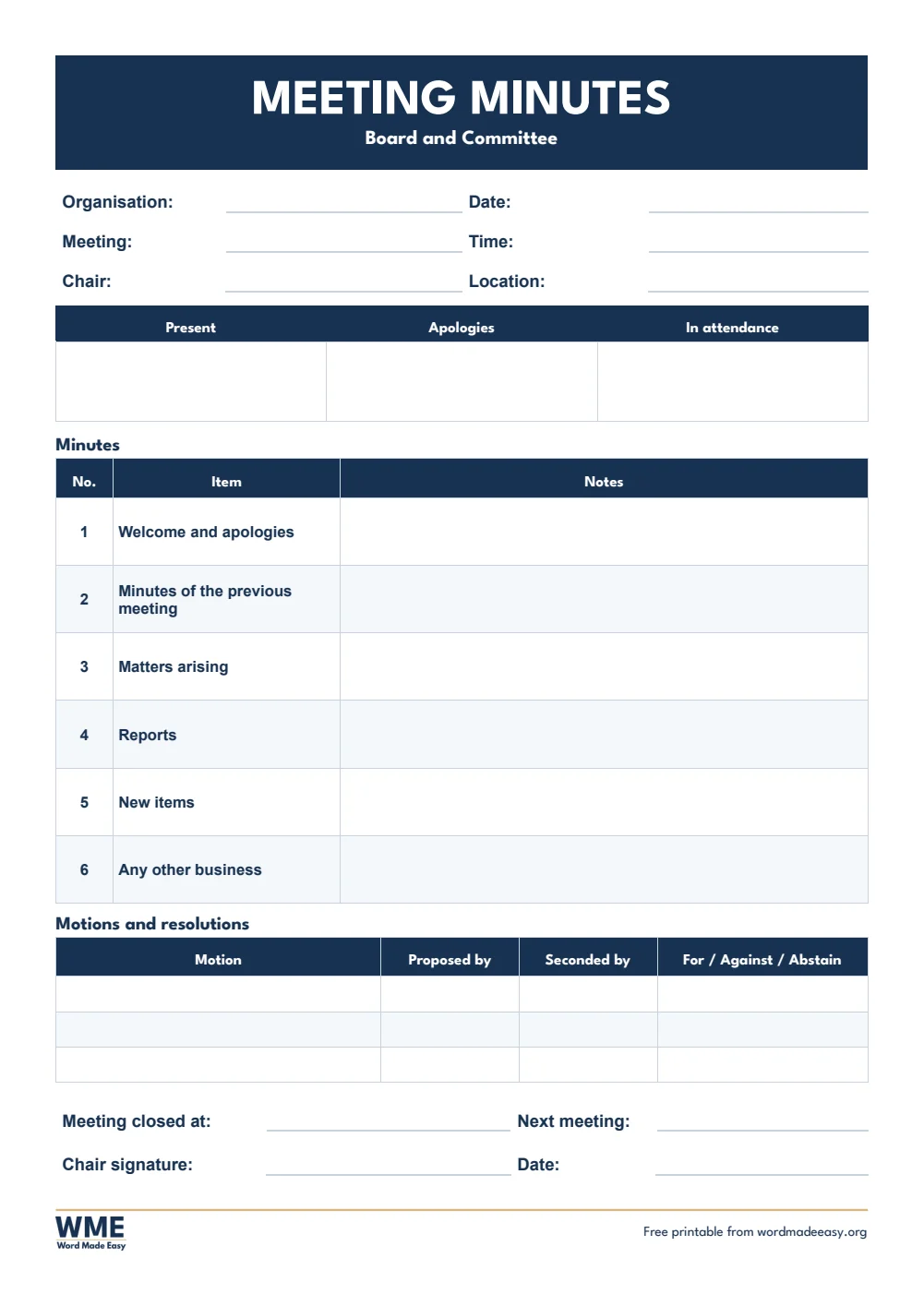
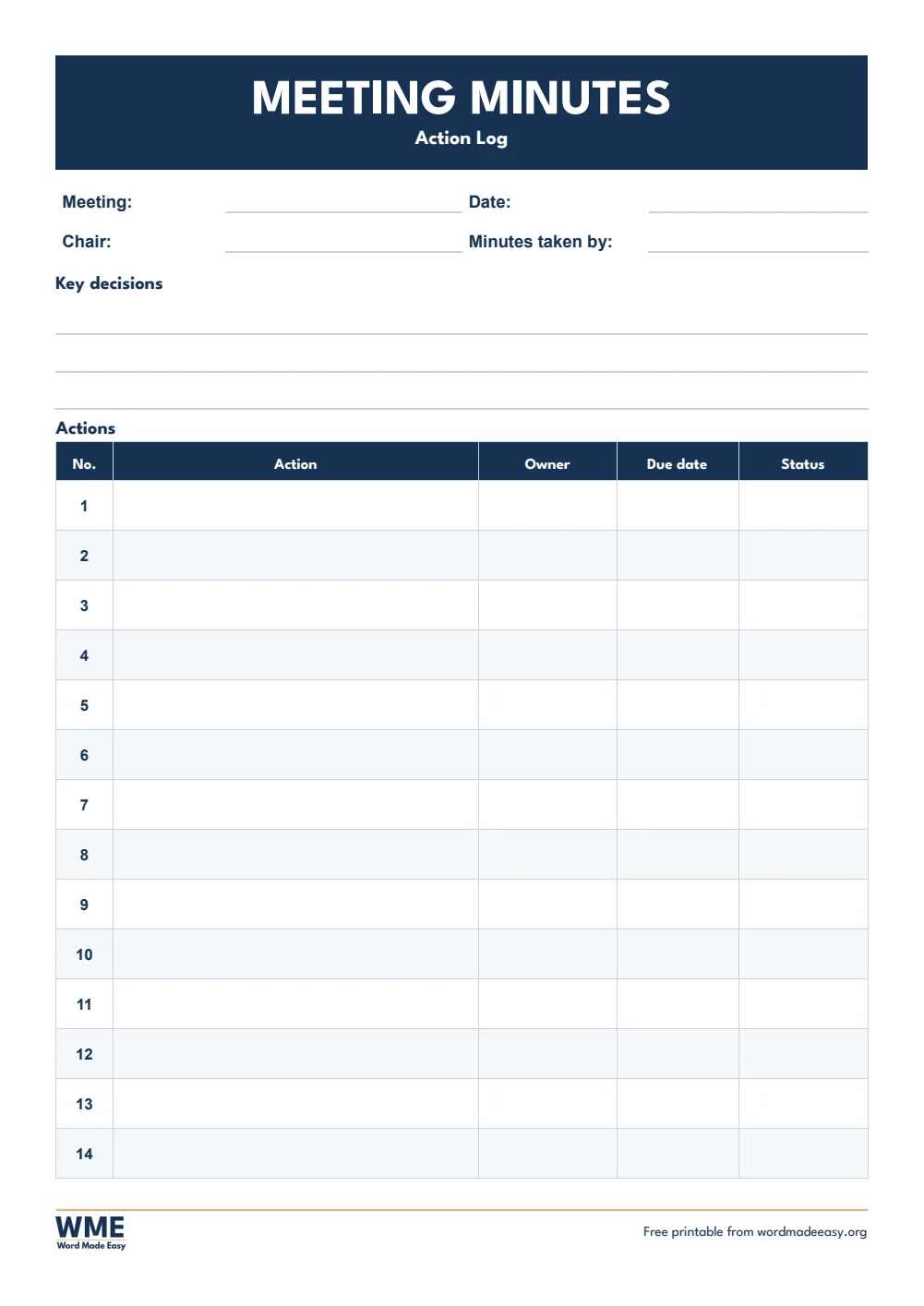
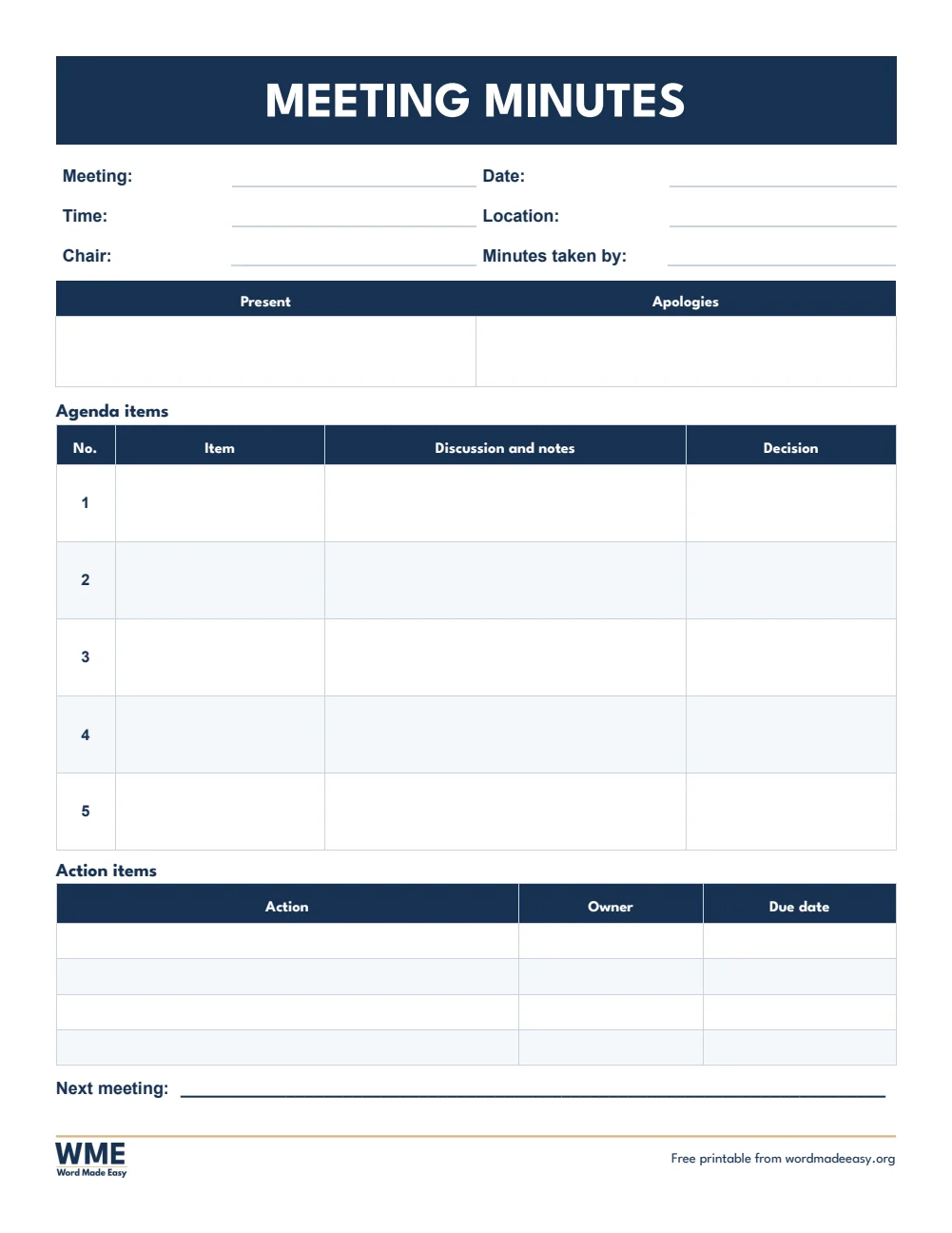
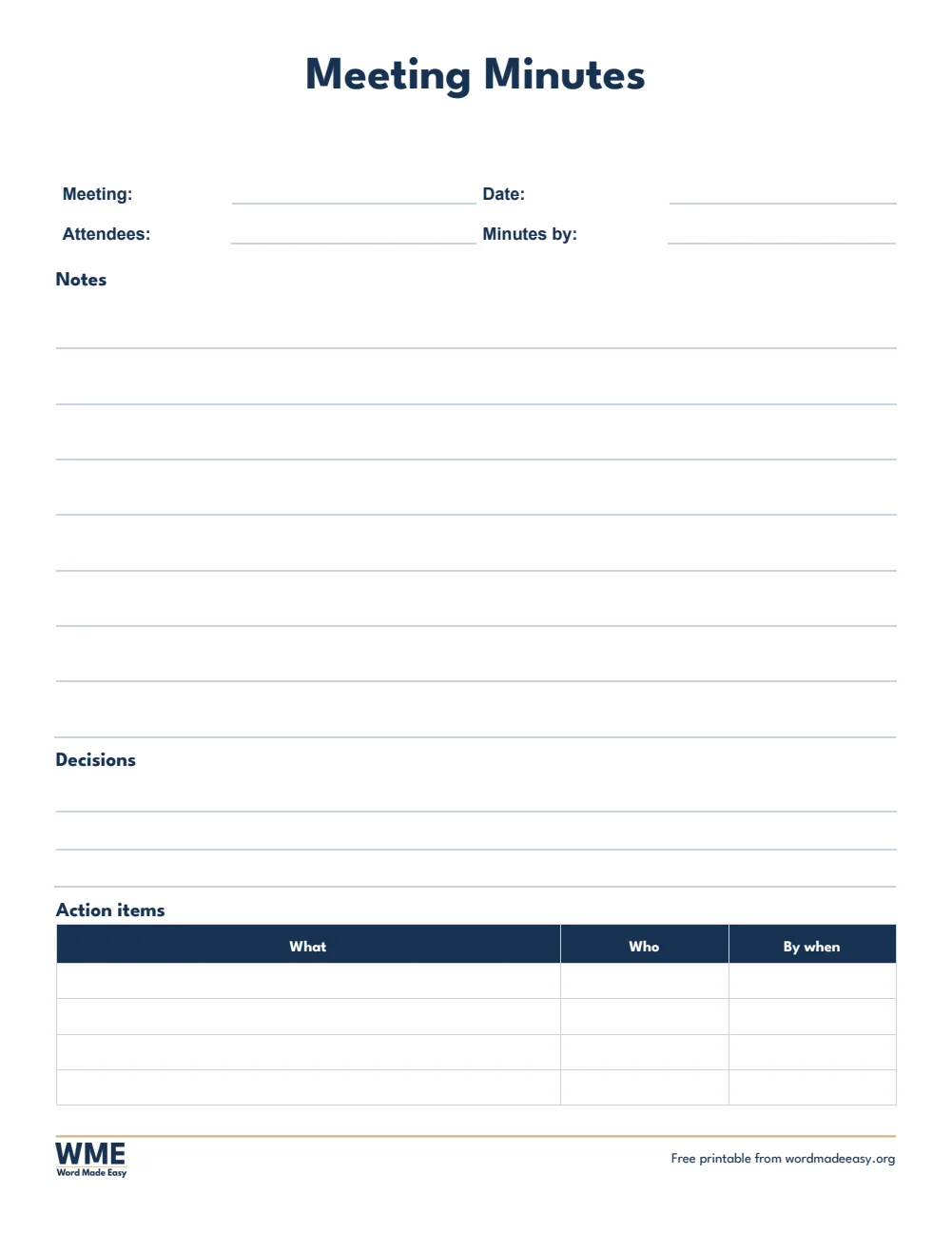
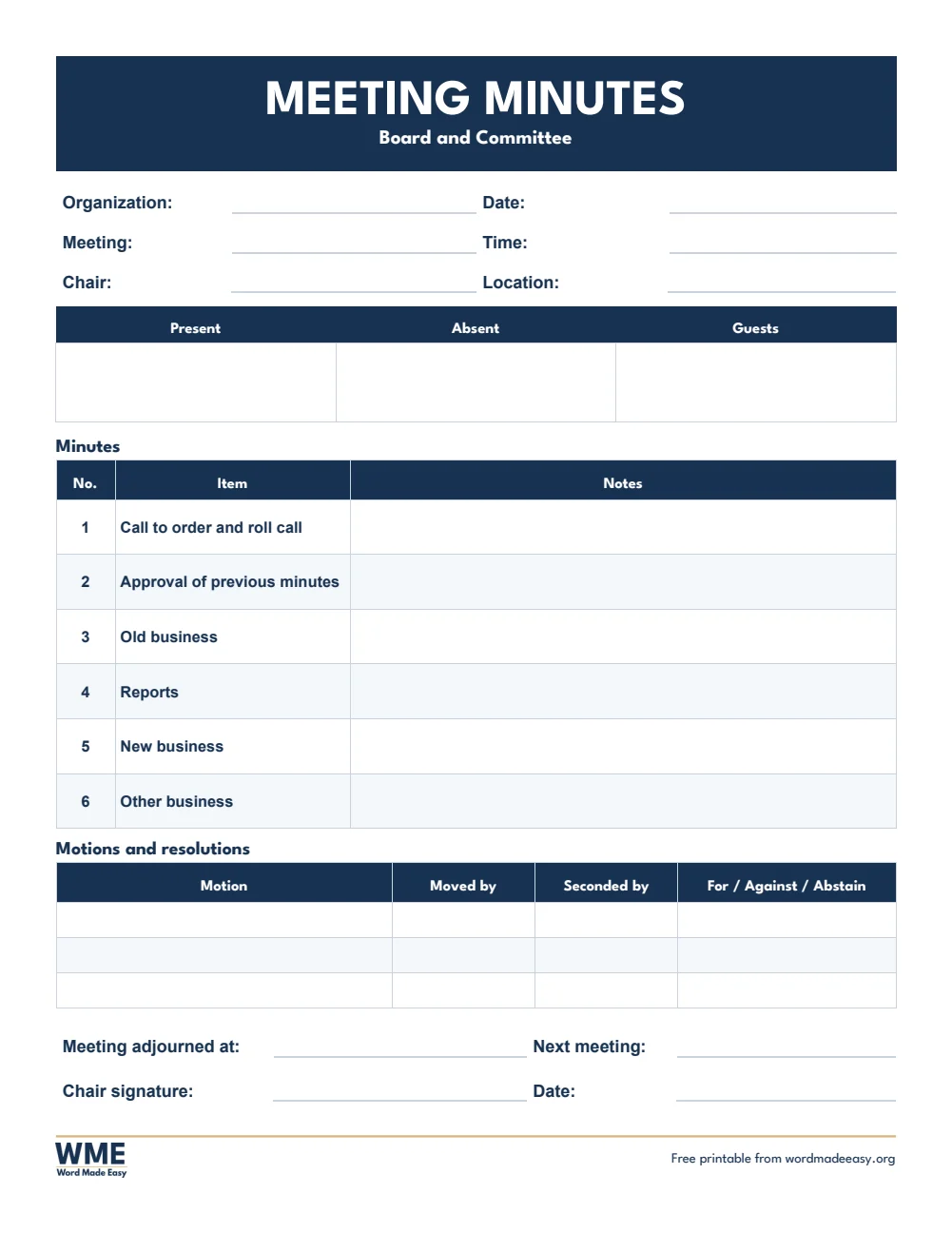
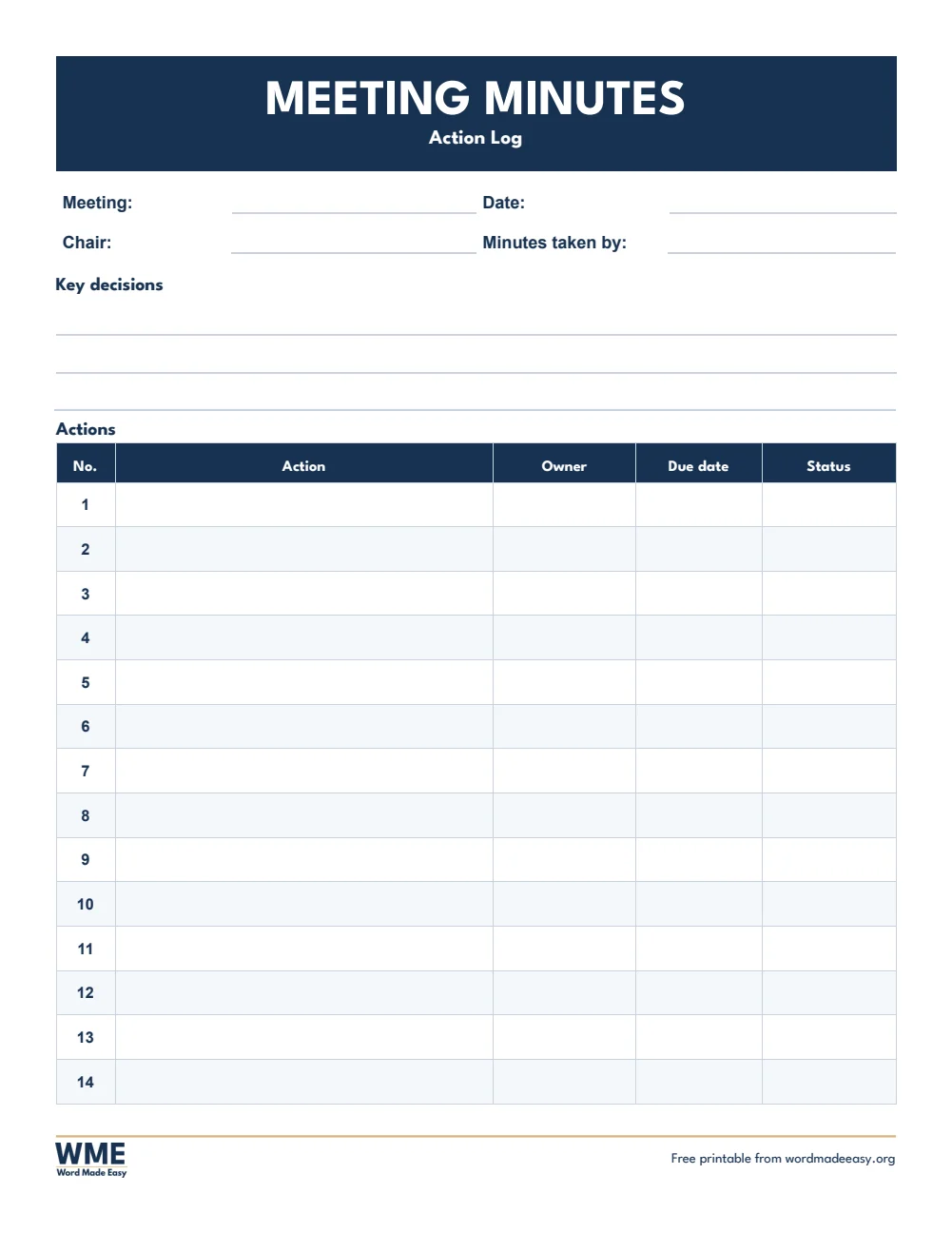
These free meeting minutes templates give you 8 Word documents on A4 and US Letter: standard minutes, simple minutes, formal board and committee minutes, and an action log. I’m Patrick Elliott, a teacher and Inclusion Lead. I take and read minutes every week in staff, SEN and governor meetings, so these templates follow the order a real meeting runs in, from apologies to actions.
In this guide, you’ll find which template suits your meeting, what to include in minutes, and how to take them without missing anything.
What’s in the Meeting Minutes Templates
| Paper | Version | Best for |
|---|---|---|
| A4 | Standard | Attendees, agenda notes, decisions and actions |
| A4 | Simple | Quick notes on lines, for short or informal meetings |
| A4 | Board and Committee | Formal minutes with standing items and motions |
| A4 | Action Log | Key decisions and a full page of actions to track |
| US Letter | Standard | Attendees, agenda notes, decisions and actions |
| US Letter | Simple | Quick notes on lines, for short or informal meetings |
| US Letter | Board and Committee | Formal minutes with standing items and motions |
| US Letter | Action Log | Key decisions and a full page of actions to track |
👉 Every template has click-and-type boxes: click beside a label such as Meeting or Chair and type, and the Date line opens a small calendar.
👉 The A4 versions use UK wording, such as Apologies and Proposed by, and the US Letter versions use US wording, such as Absent and Moved by.
Which Meeting Minutes Template Should You Use?
- Standard: meeting details, who was present and who sent apologies, a numbered table for each agenda item with notes and decisions, and an action table.
- Simple: lined spaces for notes and decisions and a short action table, for team catch-ups and informal meetings.
- Board and committee: numbered standing items such as the previous minutes and matters arising, a motions table and a space for the chair to sign.
- Action log: key decisions at the top and a full page of actions with an owner, due date and status for each.
What to Include in Meeting Minutes
Good minutes are short and clear. Include the name of the meeting, the date, time and place, who chaired it and who took the minutes, who was there and who sent apologies, a summary of each agenda item, every decision made, and each action with the person responsible and a due date.
How to Take Meeting Minutes
- Before the meeting, type the meeting details and the agenda items into the template.
- During the meeting, note the main points of each item, not every word that is said.
- Write each decision exactly as it is agreed, and check the wording with the chair if you are unsure.
- Add every action to the action table with one named owner and a due date.
- After the meeting, tidy your notes in Word, send them to the chair to check, then share them as a PDF.
How to Print at the Right Size
Print a blank copy to take notes by hand during the meeting, then type the final minutes in Word afterwards and share them as a PDF.
FAQs
How soon should minutes be sent out?
Within a few days, while everyone still remembers the meeting and has time to start their actions.
Do minutes need to record everything that was said?
No. Record the main points, the decisions and the actions, not a word-for-word script.
Who approves the minutes?
Usually the chair, and then the group agrees them as a true record at the start of the next meeting.
Can I add more agenda items?
Yes. Click in the last row of the agenda table and press Tab to add a new row.
What is the difference between minutes and an agenda?
An agenda lists what will be discussed before the meeting. Minutes record what was discussed and decided.
Which template suits a school governors or PTA meeting?
The board and committee template, because it has standing items, motions and a space for the chair to sign.
Can I remove the Word Made Easy footer?
Yes. Double-click the bottom of the page, click the logo and the web address, and press Delete.
Conclusion
These meeting minutes templates cover everyday, informal and formal meetings, human-made by a teacher and ready to type into from Word.
Choose your paper size above, download the ZIP, and to send the minutes on headed paper try the letterhead templates.
Related Tutorials
- Free Letterhead Templates for Word
- Free Attendance Sheet Templates for Word
- Free Timesheet Templates for Word
Word Templates
Recently Added Word Templates
Browse the complete collection of free printable Word templates for home and school, all made by a teacher.
New to Word? Our Word tutorials show you how to edit and print your templates.
Leave a Reply