
Free Expense Report Templates for Word: 16 Printable Forms
Preview every template, choose colour or black and white and your paper size, then download your Word templates in one small ZIP file.
Made by a teacherA4 and US Letter16 Word documentsFree




Can’t find the template you need? Request a template and I’ll make it in Word, free.
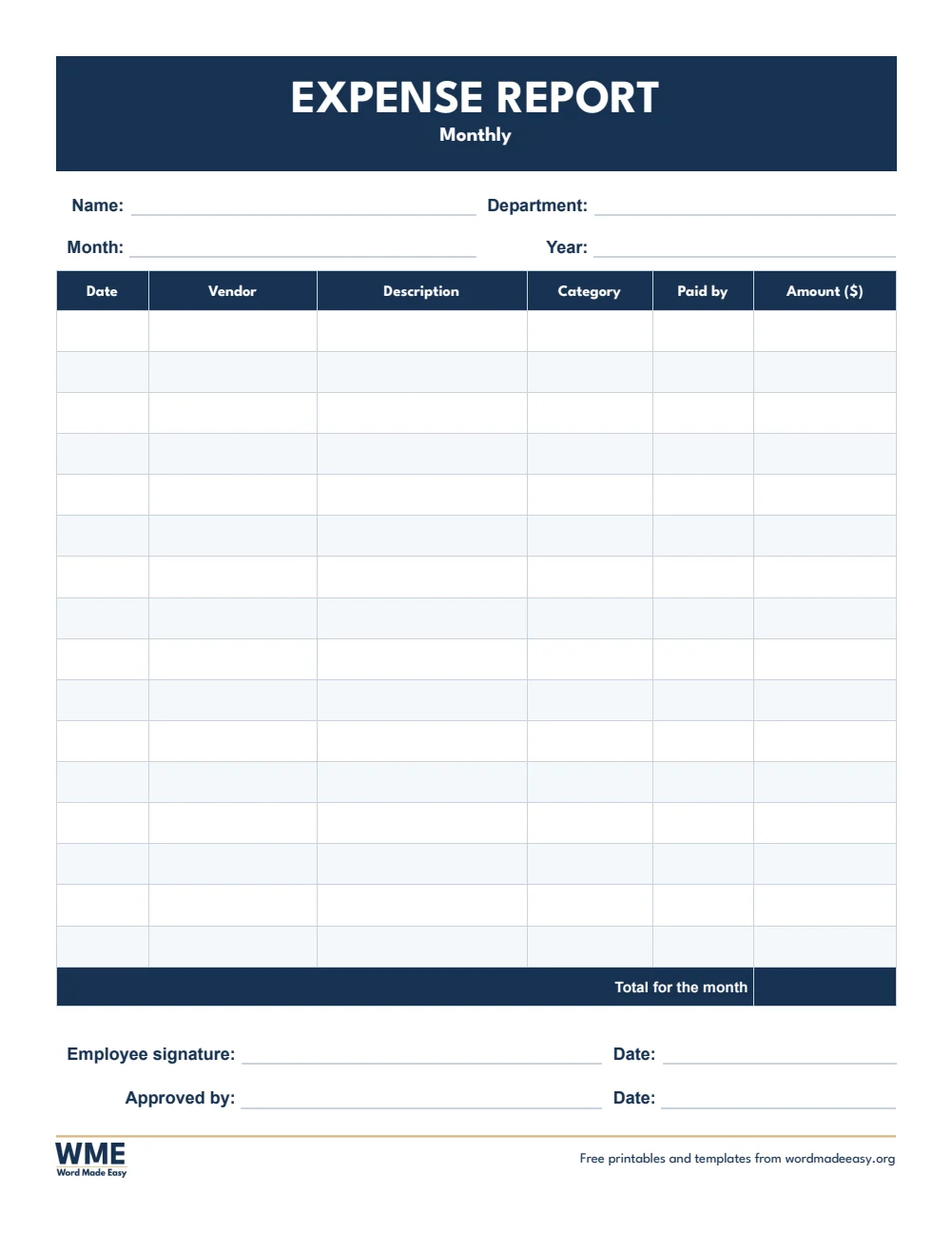
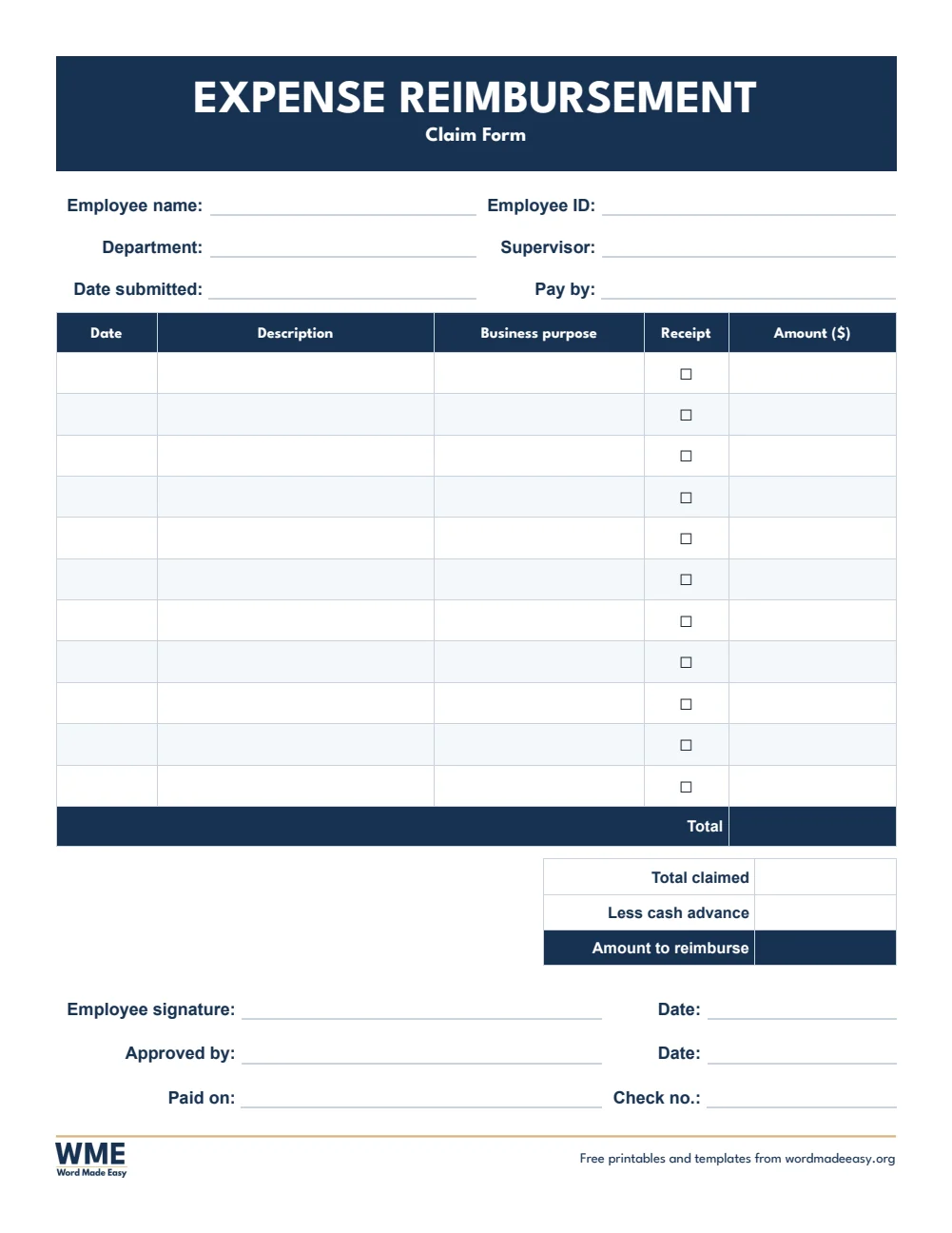
These free expense report templates give you 16 Word documents on US Letter and A4: a simple expense report, a travel expense report, a monthly expense report and an expense reimbursement form, each in color and in black and white. I’m Patrick Elliott, a teacher and Inclusion Lead. I fill in expense claims for school trips and training days, so I built these with a row for every receipt, a total that takes off any cash advance, and room for approval.
In this guide, you’ll find which expense report suits your claim, what to include, and how to fill one in so it is approved the first time.
What’s in the Expense Report Templates
| Paper | Version | Best for |
|---|---|---|
| A4 | Expense Report | Date, description, category, receipt and amount, with a total |
| A4 | Travel Expense Report | Lodging, meals, transport, mileage and other costs for a trip |
| A4 | Monthly Expense Report | Every expense for one month, with vendor and payment method |
| A4 | Expense Reimbursement Form | Claim back money spent, with receipts and approval |
| US Letter | Expense Report | Date, description, category, receipt and amount, with a total |
| US Letter | Travel Expense Report | Lodging, meals, transport, mileage and other costs for a trip |
| US Letter | Monthly Expense Report | Every expense for one month, with vendor and payment method |
| US Letter | Expense Reimbursement Form | Claim back money spent, with receipts and approval |
👉 Every box is a Word table cell, so you can type your expenses before you print, or print a blank report and fill it in by hand.
What Is an Expense Report?
An expense report lists money you spent for work, such as travel, meals and supplies, so your employer can check it and pay you back. Each line shows the date, what you bought and how much it cost, with a receipt to prove it. The total, less any cash advance you were given, is the amount you are owed.
Which Expense Report Template Should You Use?
- Expense report: date, description, category, a receipt check box and the amount, with a total.
- Travel expense report: one row per day, with columns for lodging, meals, transport, mileage and other costs.
- Monthly expense report: every expense for a month, with the vendor and how it was paid.
- Expense reimbursement form: a claim form with the business purpose, receipts and a paid-on line for the office.
- Black and white versions: every template also comes in a printer-friendly black and white version with grey headings, to save ink.
How to Fill In an Expense Report
- Collect your receipts and sort them by date.
- Write one expense per row, with what it was for and the amount.
- Add up the amounts, then take away any cash advance to find the amount due.
- Sign and date the report, attach the receipts and hand it to your manager to approve.
Keep each receipt until the claim is paid, and write the business purpose on every line: it is the first thing an approver checks. Use the travel version for trips, so lodging and meals can be checked against your company’s limits.
Black and White Versions
Every template on this page also comes in a black and white version with the same layout: grey headings and an outlined title, so it prints clearly on any printer and saves ink. In the download box, choose Colour, Black and white or All, then your paper size: A4, US Letter or both.
How to Print at the Right Size
Print at 100% on US Letter or A4. Use the black and white version to save ink when you print a stack for the office.
FAQs
Are these expense report templates free?
Yes. Choose A4 or US Letter and download all the Word templates in one ZIP file at no cost.
Who made these expense report templates?
Patrick Elliott, a teacher and Inclusion Lead, designed and built every expense report by hand in Microsoft Word.
What should an expense report include?
Your name and department, the dates, each expense with its date, description, category and amount, the receipts, the total and an approval signature.
What is the difference between an expense report and a reimbursement form?
An expense report lists everything you spent; a reimbursement form is the claim to be paid back, with approval and payment details.
Is there a black and white version?
Yes. Every template comes in colour and in black and white, on US Letter and A4. Choose Black and white, or All, in the download box.
Can I remove the Word Made Easy footer?
Yes. Double-click the bottom of the page, click the logo and the web address, and press Delete.
Conclusion
These expense report templates make claims quick to fill in and easy to approve, human-made by a teacher and ready to type into or print from Word.
Choose your paper size above, download the ZIP, and to claim car journeys, try the mileage log templates.
Related Tutorials
- Free Mileage Log Templates for Word
- Free Receipt Templates for Word
- Free Timesheet Templates for Word
Word Templates
Recently Added Word Templates
Browse the complete collection of free printable Word templates for home and school, all made by a teacher.
New to Word? Our Word tutorials show you how to edit and print your templates.
Leave a Reply