
Free Mileage Log Templates for Word: 16 Printable Logs and Forms
Preview every template, choose colour or black and white and your paper size, then download your Word templates in one small ZIP file.
Made by a teacherA4 and US Letter16 Word documentsFree




Can’t find the template you need? Request a template and I’ll make it in Word, free.
These free mileage log templates give you 16 Word documents on US Letter and A4: a business mileage log, a mileage reimbursement form, a mileage log with tolls, parking and fuel, and a vehicle maintenance log, each in color and in black and white. I’m Patrick Elliott, a teacher and Inclusion Lead. I drive between schools for my work, so I built these with the odometer and purpose columns a claim needs, and a total at the bottom of every page.
In this guide, you’ll find what a mileage log should record, which template suits a tax record or an employer claim, and how to keep it up to date.
What’s in the Mileage Log Templates
| Paper | Version | Best for |
|---|---|---|
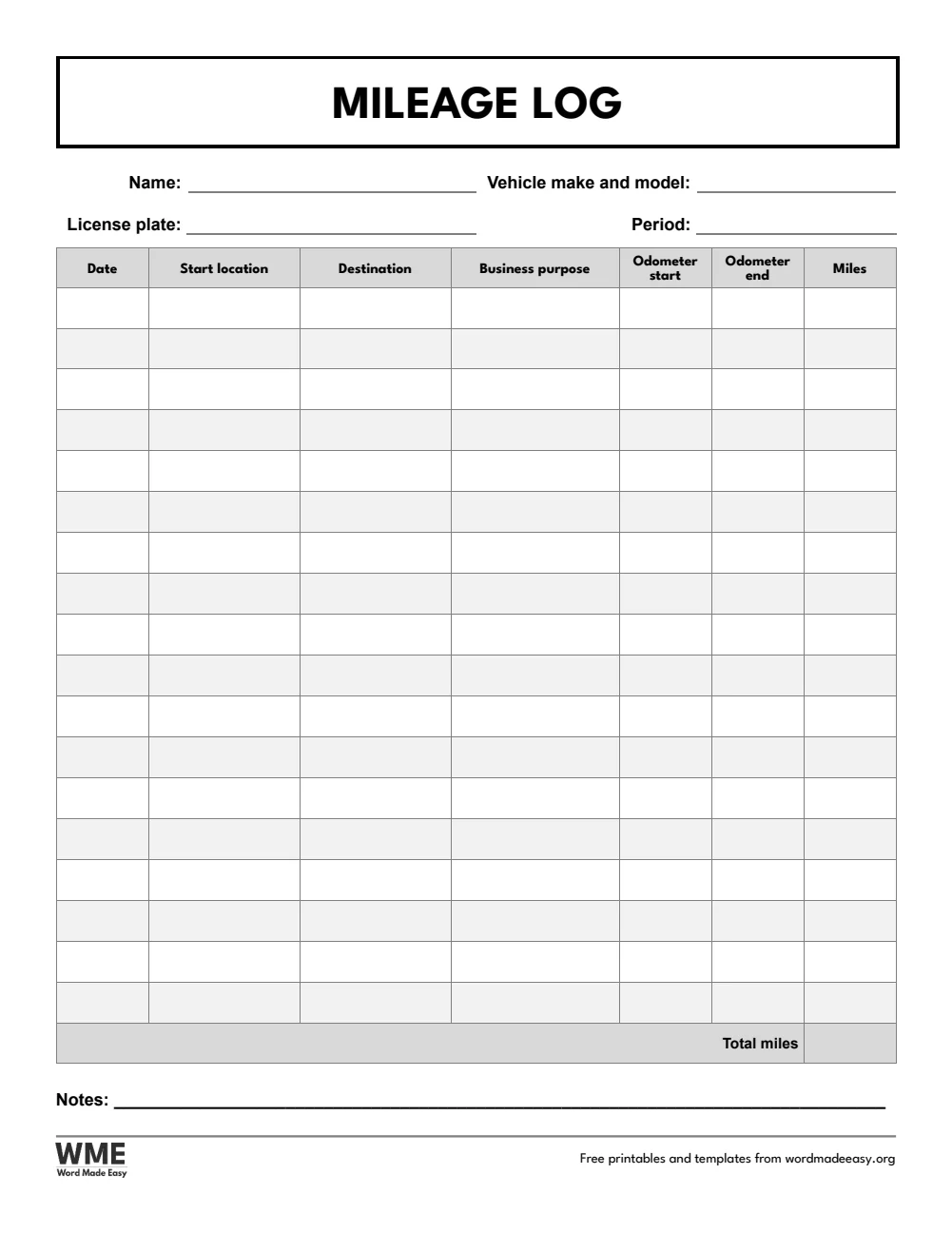
| A4 | Mileage Log | Date, start, destination, purpose and odometer readings |
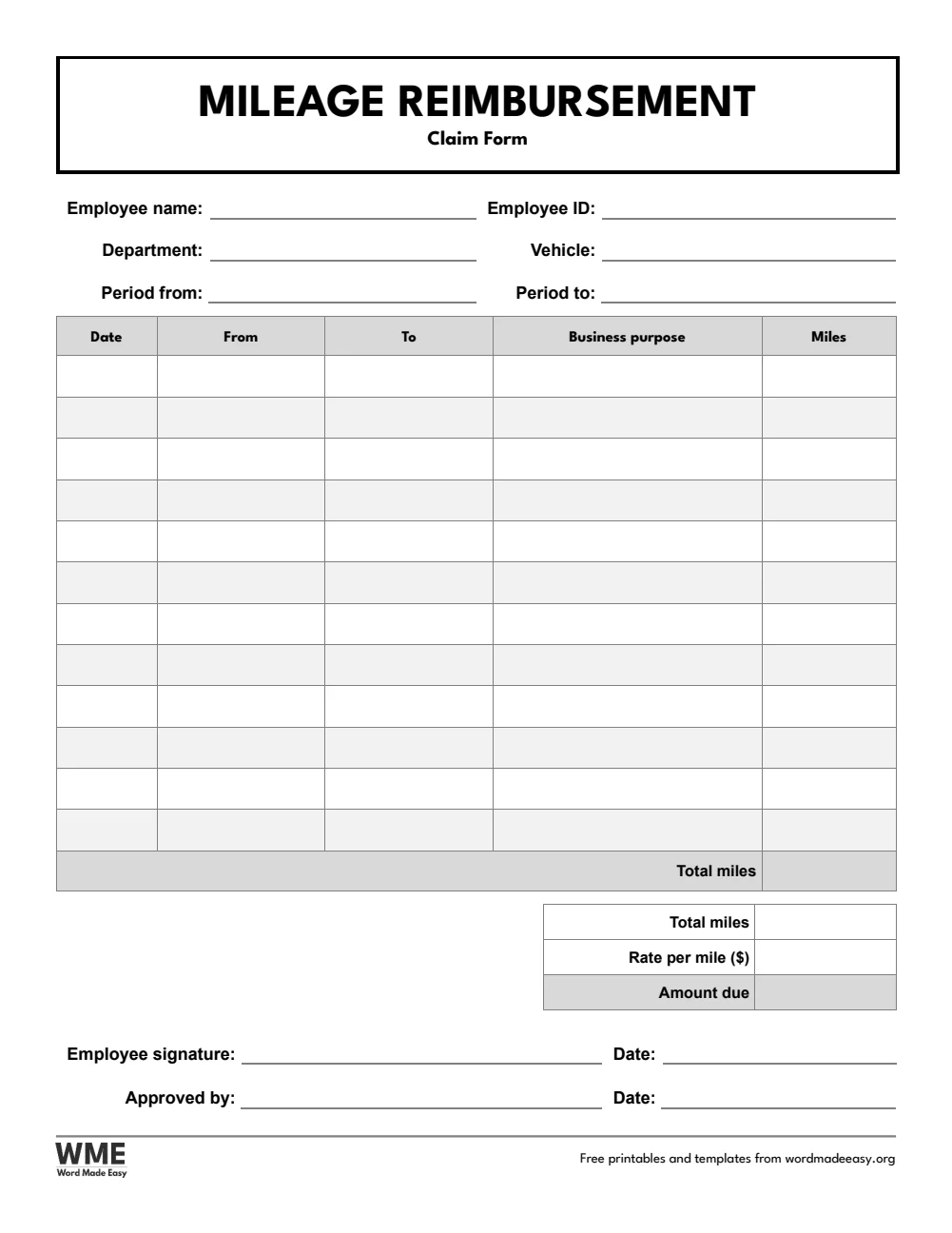
| A4 | Mileage Reimbursement Form | Miles times the rate per mile, with approval |
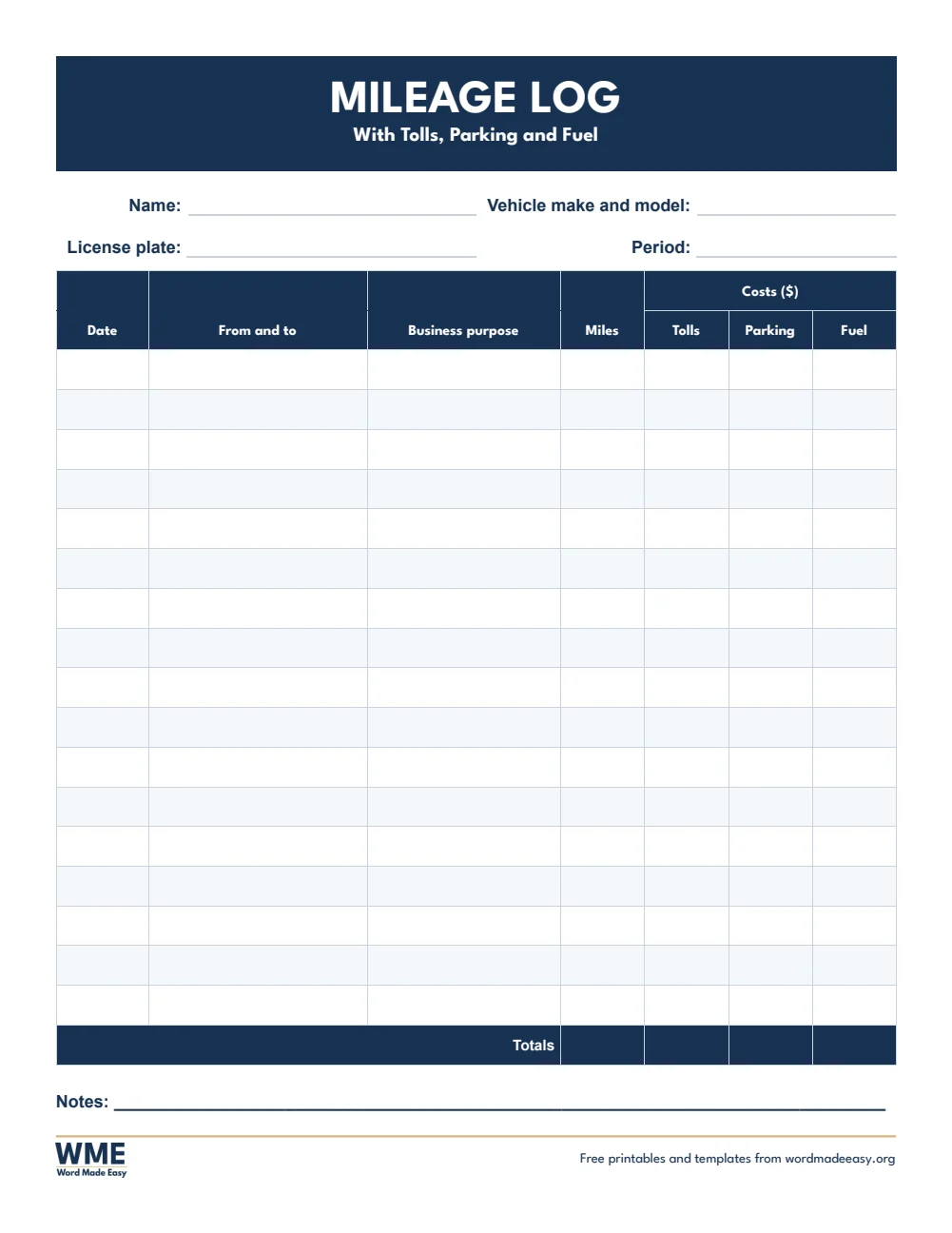
| A4 | Mileage Log with Tolls and Parking | Miles plus tolls, parking and fuel |
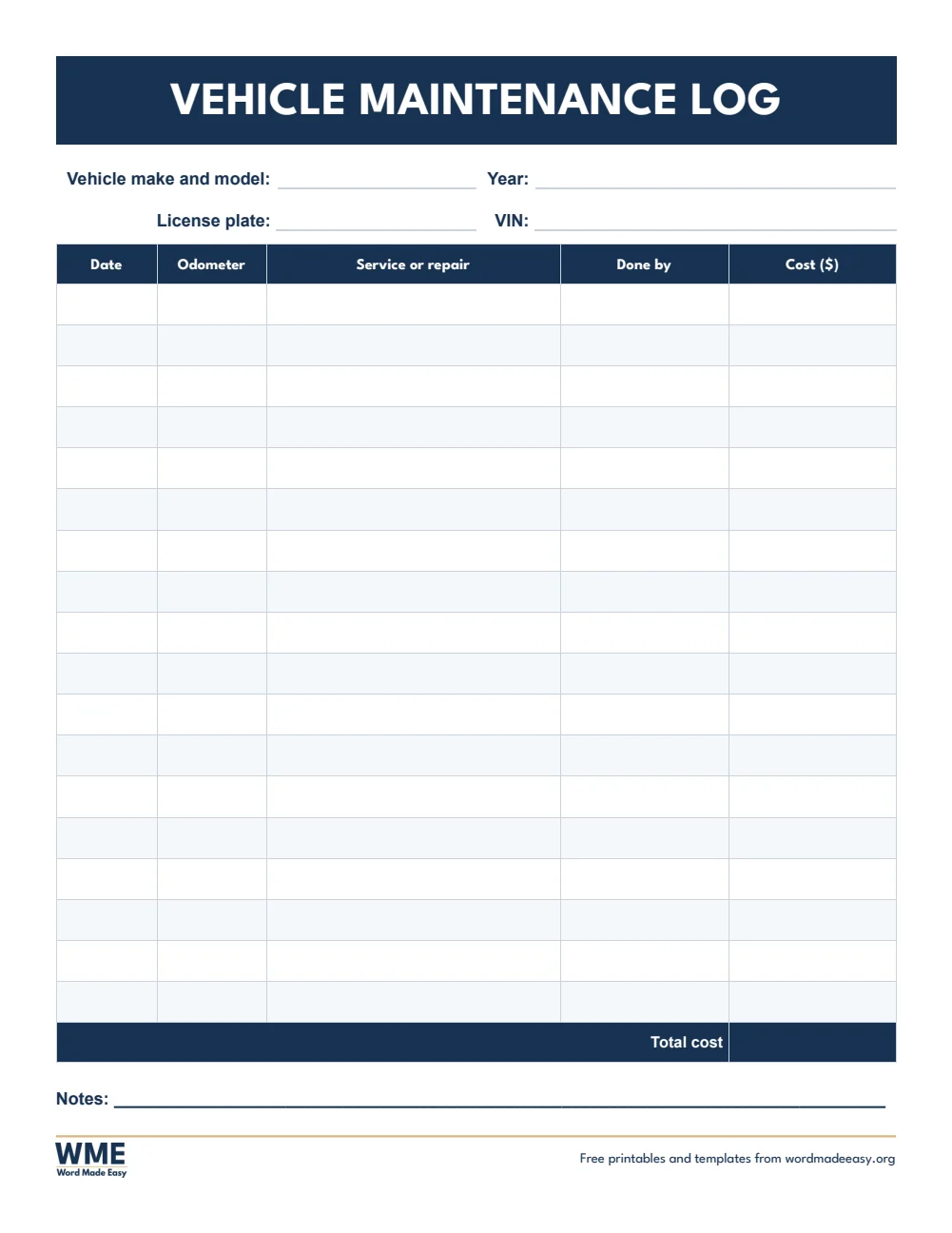
| A4 | Vehicle Maintenance Log | Services and repairs with odometer and cost |
| US Letter | Mileage Log | Date, start, destination, purpose and odometer readings |
| US Letter | Mileage Reimbursement Form | Miles times the rate per mile, with approval |
| US Letter | Mileage Log with Tolls and Parking | Miles plus tolls, parking and fuel |
| US Letter | Vehicle Maintenance Log | Services and repairs with odometer and cost |
👉 Every box is a Word table cell, so you can type trips in on screen, or print a blank log and keep it in the car.
What Is a Mileage Log?
A mileage log is a record of the trips you drive for work: the date, where you went, why, and how many miles. It is the proof you need to claim mileage from an employer or as a business expense, so write each trip down on the day you drive it, with the odometer reading at the start and end.
Which Mileage Log Should You Use?
- Mileage log: date, start location, destination, business purpose, odometer start and end, and miles, with a total.
- Mileage reimbursement form: trips and total miles, times the rate per mile, with employee and approver signatures.
- Mileage log with tolls and parking: miles plus tolls, parking and fuel costs for each trip.
- Vehicle maintenance log: services and repairs with the date, odometer reading, who did the work and the cost.
- Black and white versions: every template also comes in a printer-friendly black and white version with grey headings, to save ink.
How to Keep a Mileage Log
- Write the odometer reading when you set off and when you arrive.
- Note the date, the start and the destination of every business trip.
- Write the business purpose in a few words, such as “Client meeting” or “Site visit”.
- Add up the miles at the end of each week or month and keep the log with your records.
For a claim, type the rate per mile into the reimbursement form: use your employer’s rate or the current IRS standard mileage rate, which changes each year. Personal trips do not count, so leave them off the log.
Black and White Versions
Every template on this page also comes in a black and white version with the same layout: grey headings and an outlined title, so it prints clearly on any printer and saves ink. In the download box, choose Colour, Black and white or All, then your paper size: A4, US Letter or both.
How to Print at the Right Size
Print at 100% on US Letter or A4 and keep one in the car. The black and white version prints clearly on any office printer.
FAQs
Are these mileage log templates free?
Yes. Choose A4 or US Letter and download all the Word templates in one ZIP file at no cost.
Who made these mileage log templates?
Patrick Elliott, a teacher and Inclusion Lead, designed and built every mileage log by hand in Microsoft Word.
What should a mileage log include?
For each business trip: the date, where you went, the business purpose and the miles driven. Odometer readings at the start and end back up the miles.
Can I use this mileage log for taxes?
It records the details the IRS asks for. Check IRS Publication 463 or a tax professional for the rules that apply to you.
Is there a black and white version?
Yes. Every template comes in colour and in black and white, on US Letter and A4. Choose Black and white, or All, in the download box.
Can I remove the Word Made Easy footer?
Yes. Double-click the bottom of the page, click the logo and the web address, and press Delete.
Conclusion
These mileage log templates keep every business trip on record, human-made by a teacher and ready to type into or print from Word.
Choose your paper size above, download the ZIP, and to claim everything else from a trip, try the expense report templates.
Related Tutorials
- Free Expense Report Templates for Word
- Free Timesheet Templates for Word
- Free Receipt Templates for Word
Word Templates
Recently Added Word Templates
Browse the complete collection of free printable Word templates for home and school, all made by a teacher.
New to Word? Our Word tutorials show you how to edit and print your templates.
Leave a Reply