Skip to content
Word Made Easy
Home Word Tutorials Word Templates Google Docs PowerPoint Tutorials YouTube Videos
Classroom, Microsoft Word, Word Templates

Word Templates

Free 100th Day of School Printables for Word: 6 Activities

Preview every printable, choose your paper size, then download your Word templates in one small ZIP file.

Made by a teacherA4 and US Letter12 Word documentsFree
Updated 13 November 2026 · By Patrick Elliott

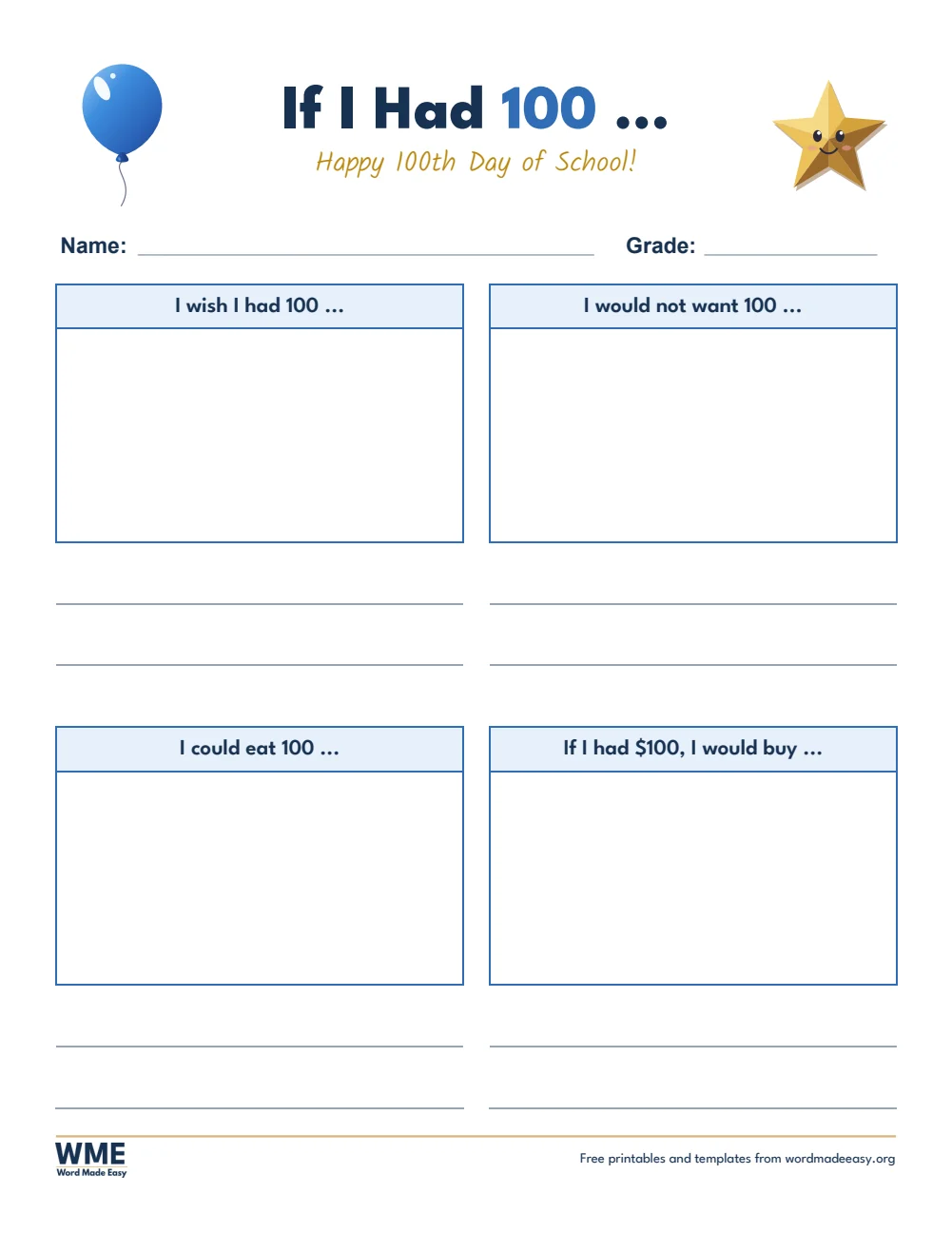
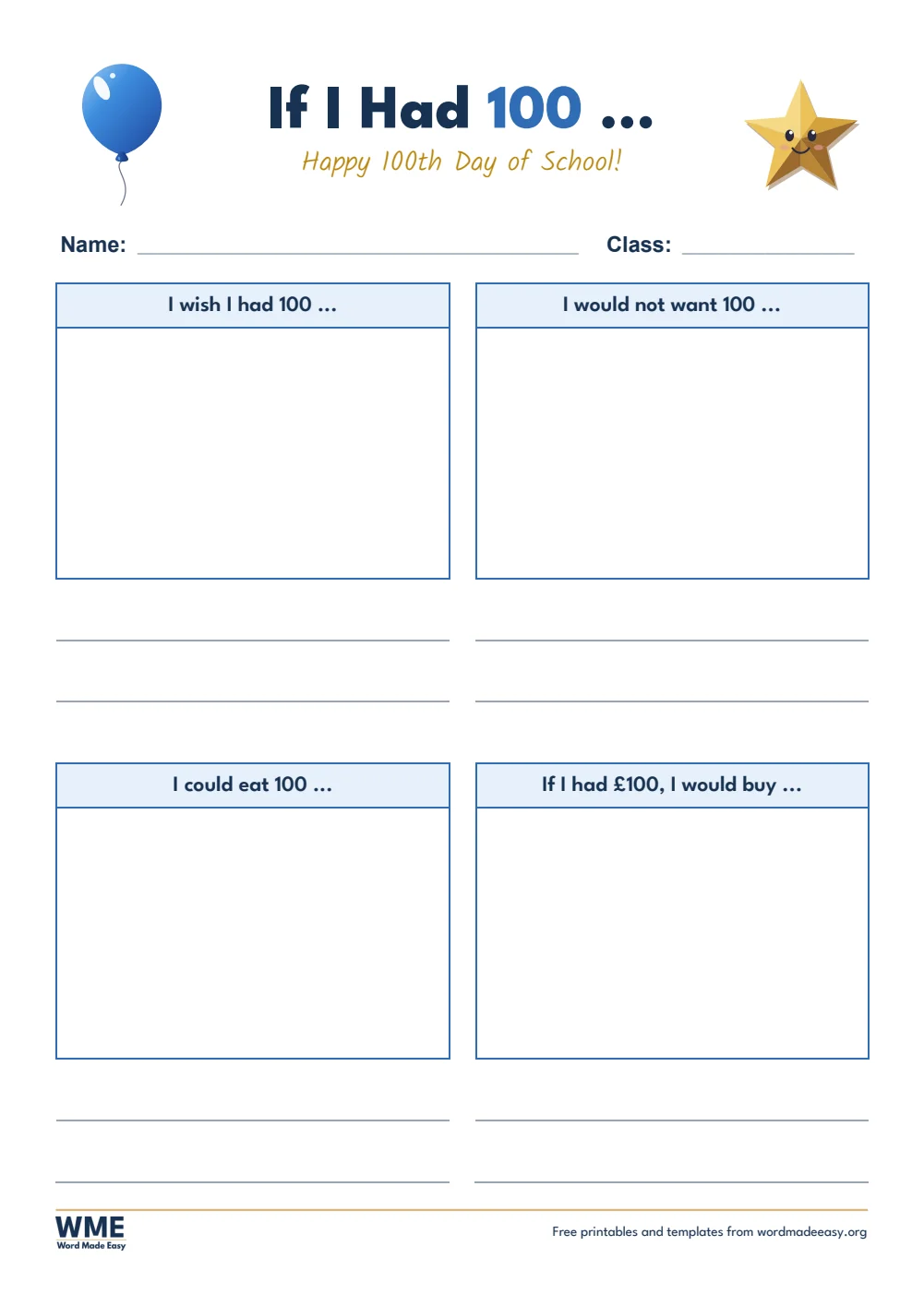
100th day of school printables template for Word: 100th Day of School Printables, If I Had 100, A4
A4 — If I Had 100 · Ages 5 to 9. Click to enlarge.
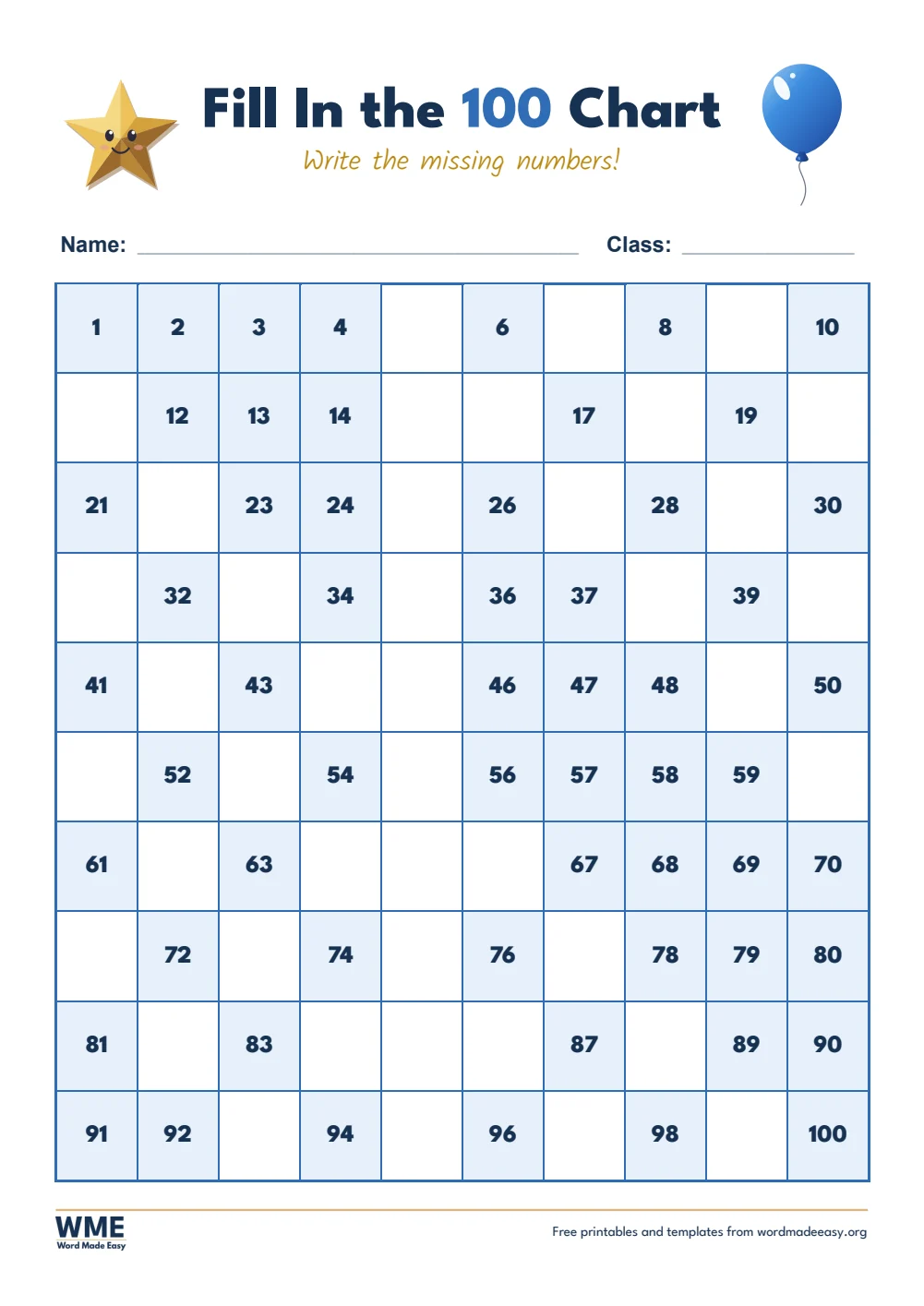
100th day of school printables template for Word: 100th Day of School Printables, Fill In the 100 Chart, A4
A4 — Fill In the 100 Chart · Ages 5 to 7. Click to enlarge.
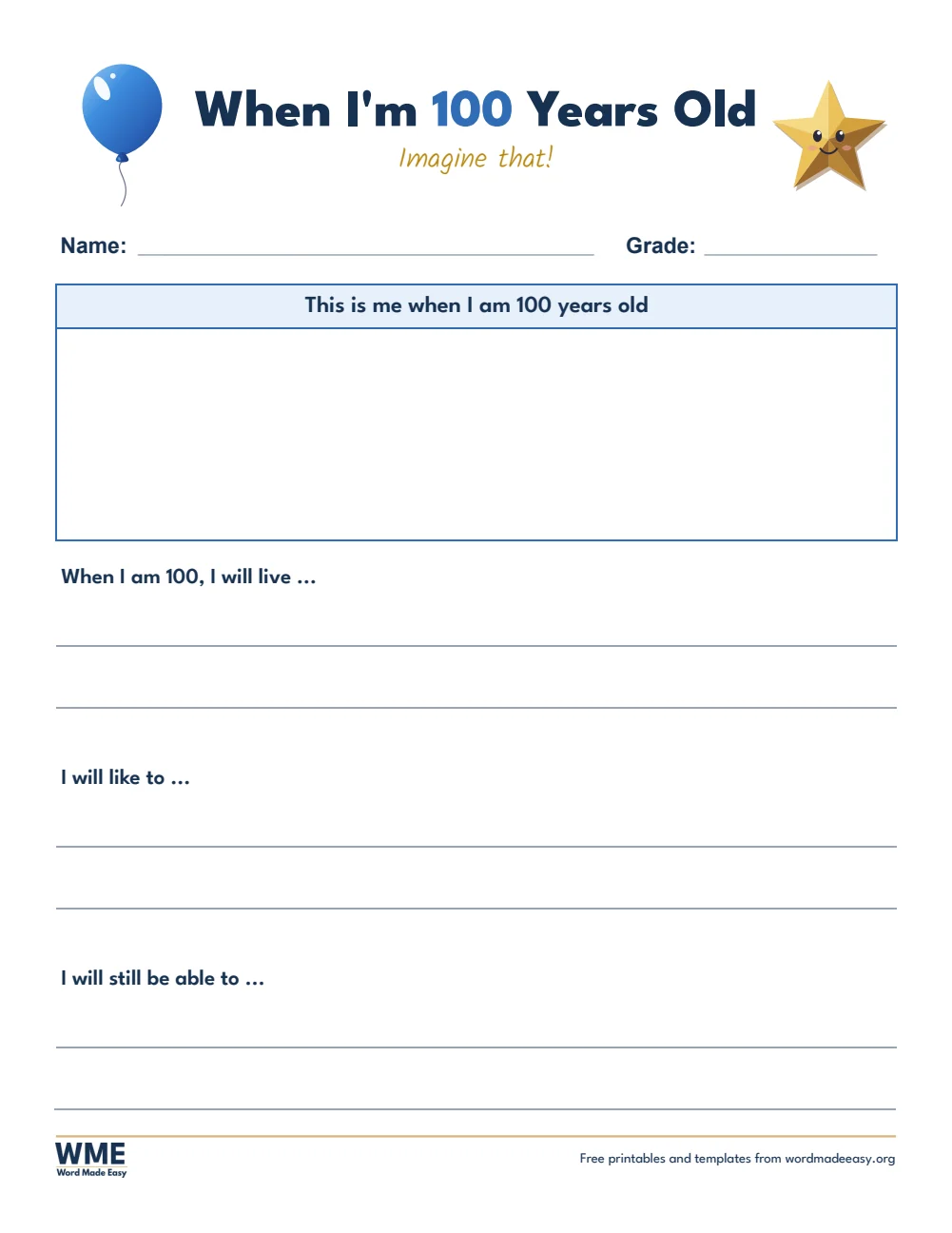
100th day of school printables template for Word: 100th Day of School Printables, When I'm 100 Years Old, A4
A4 — When I’m 100 Years Old · Ages 5 to 9. Click to enlarge.
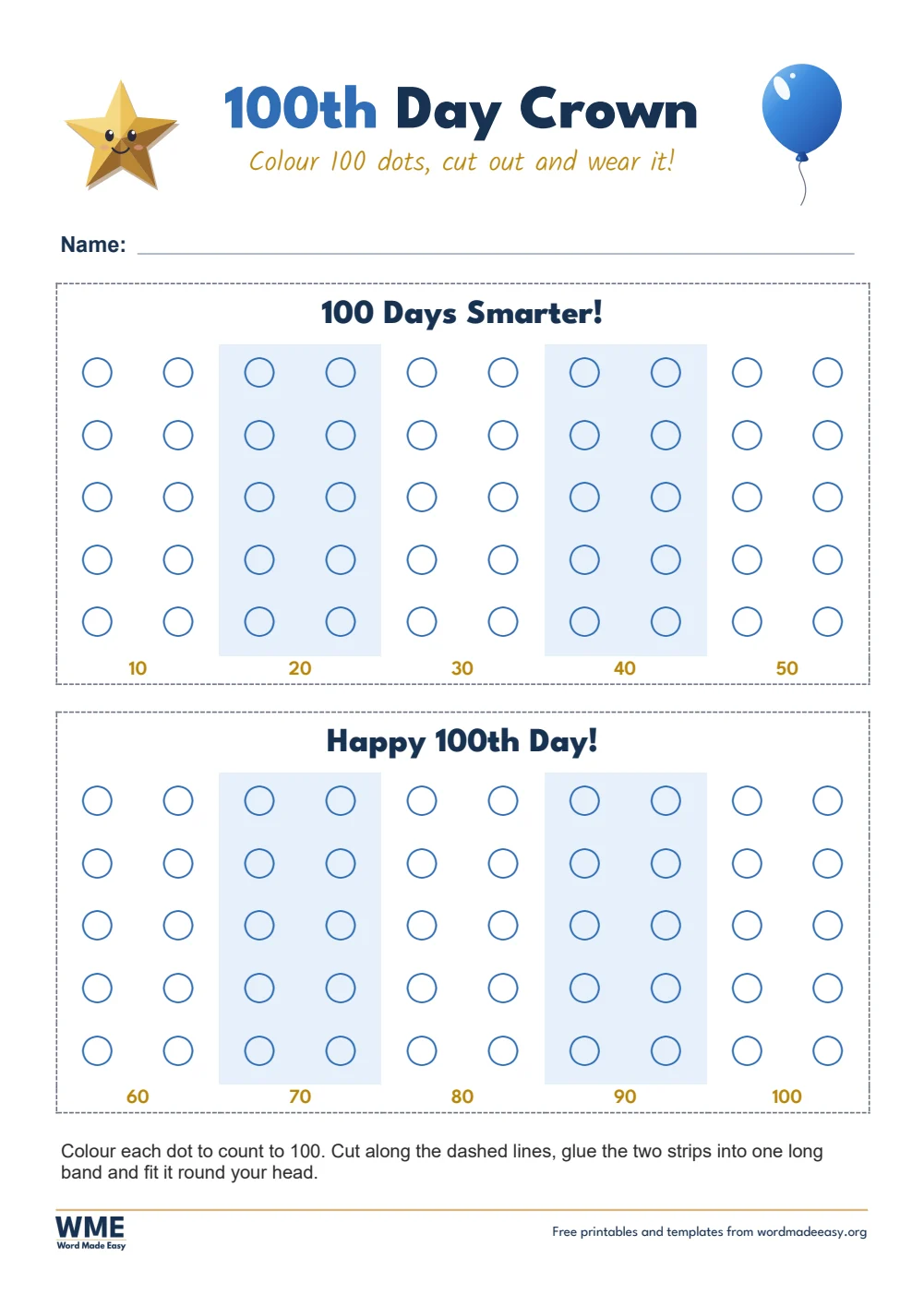
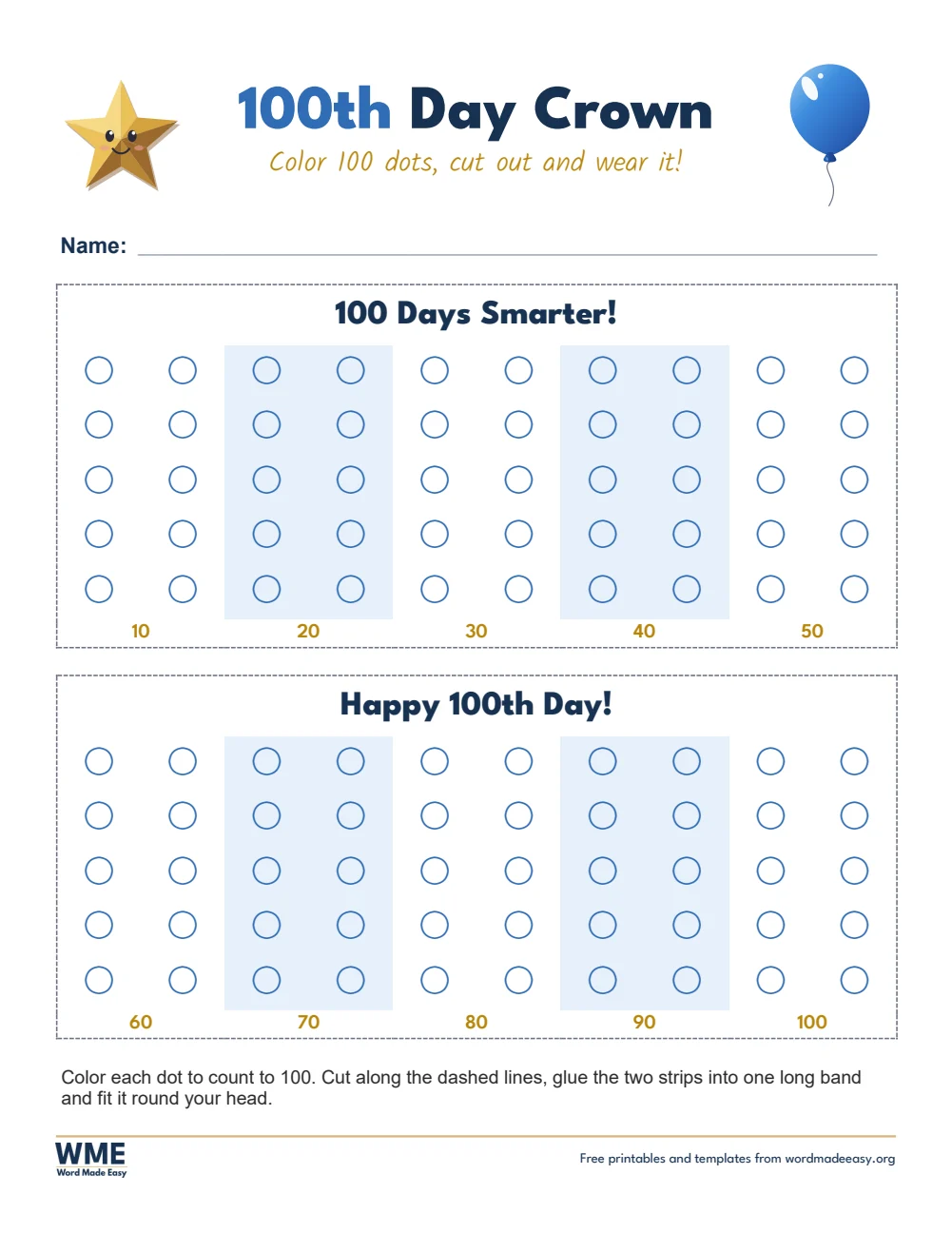
100th day of school printables template for Word: 100th Day of School Printables, 100th Day Crown, A4
A4 — 100th Day Crown · Ages 4 to 7. Click to enlarge.
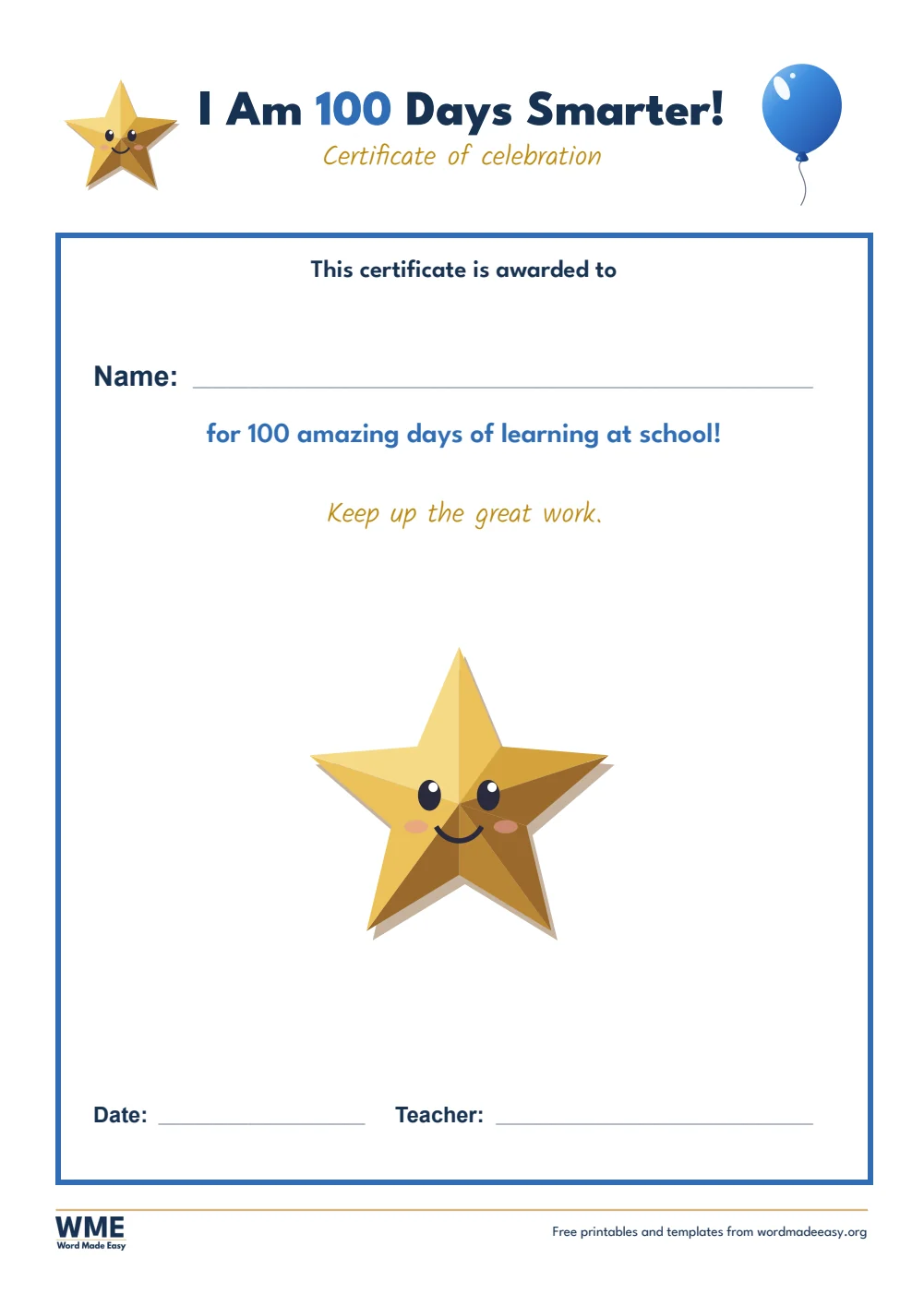
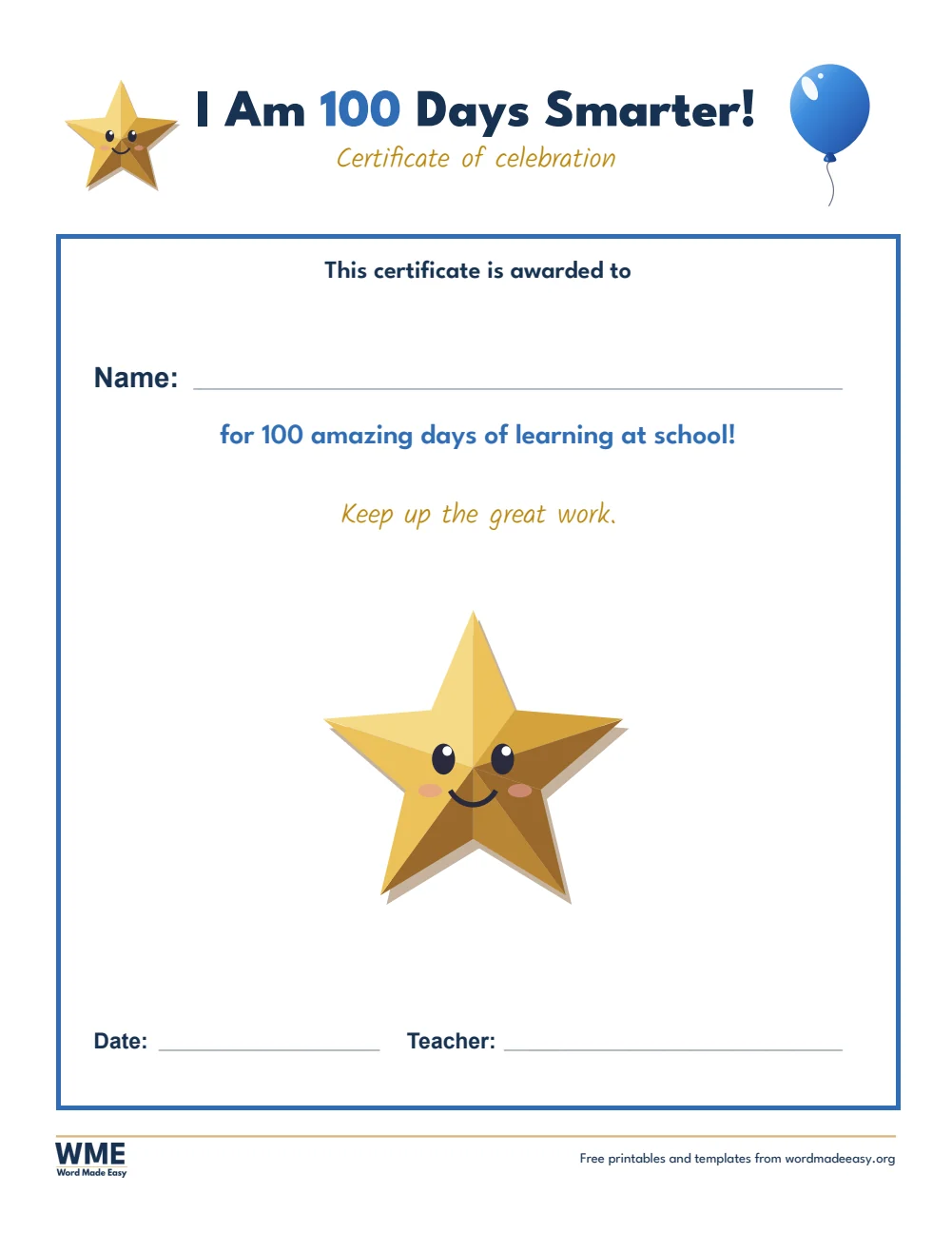
100th day of school printables template for Word: 100th Day of School Printables, 100 Days Smarter Certificate, A4
A4 — 100 Days Smarter Certificate · Teachers. Click to enlarge.
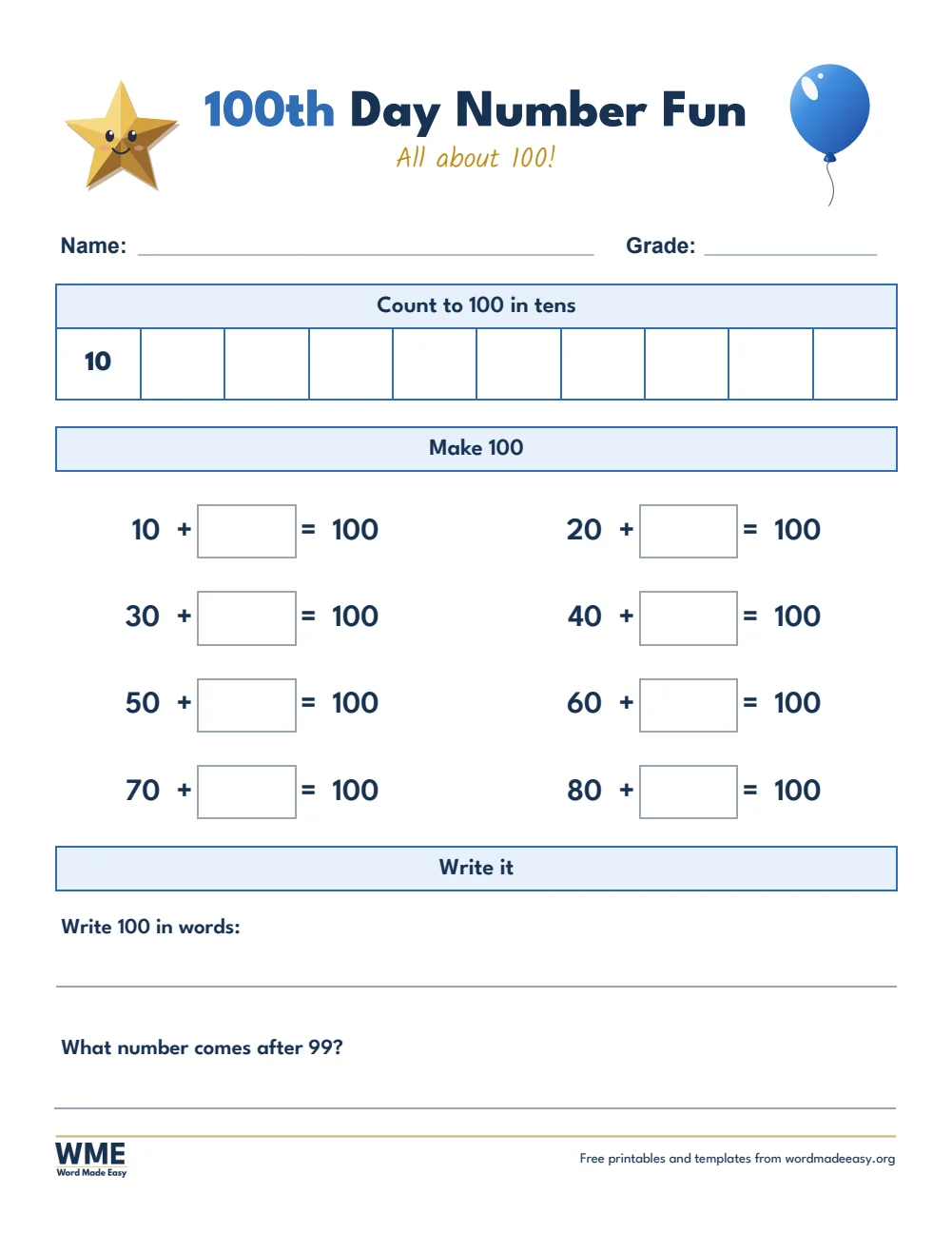
100th day of school printables template for Word: 100th Day of School Printables, 100th Day Number Fun, A4
A4 — 100th Day Number Fun · Ages 5 to 8. Click to enlarge.
100th Day of School printables for Word: the If I Had 100 sheet, four prompts, each with a drawing box and writing lines, with a balloon and a star drawn in PowerPoint
US Letter — If I Had 100 · Ages 5 to 9. Click to enlarge.
100th day of school printables template for Word: 100th Day of School Printables, Fill In the 100 Chart, US Letter
US Letter — Fill In the 100 Chart · Ages 5 to 7. Click to enlarge.
100th day of school printables template for Word: 100th Day of School Printables, When I'm 100 Years Old, US Letter
US Letter — When I’m 100 Years Old · Ages 5 to 9. Click to enlarge.
100th day of school printables template for Word: 100th Day of School Printables, 100th Day Crown, US Letter
US Letter — 100th Day Crown · Ages 4 to 7. Click to enlarge.
100th day of school printables template for Word: 100th Day of School Printables, 100 Days Smarter Certificate, US Letter
US Letter — 100 Days Smarter Certificate · Teachers. Click to enlarge.
100th day of school printables template for Word: 100th Day of School Printables, 100th Day Number Fun, US Letter
US Letter — 100th Day Number Fun · Ages 5 to 8. Click to enlarge.

More free templates

  • Directed Drawing Worksheets: 4 Free Grid Drawing Printables with Answers for Word Directed Drawing Worksheets: 4 Free Grid Drawing Printables with Answers 4 Word files
  • Find the Letter Worksheets: 2 Free A to Z Letter Hunt Booklets for Word Find the Letter Worksheets: 2 Free A to Z Letter Hunt Booklets 2 Word files
  • Color Code Worksheets: 4 Free Color by Code Puzzles for Kids for Word Color Code Worksheets: 4 Free Color by Code Puzzles for Kids 4 Word files
  • Alphabet Worksheets: 5 Free Printables for Preschool and Kindergarten for Word Alphabet Worksheets: 5 Free Printables for Preschool and Kindergarten 5 Word files
  • Class Record Template for Word Class Record Template 5 Word files
  • Learner’s Profile Templates for Word Learner’s Profile Templates 5 Word files
  • LAC Templates for Word LAC Templates 5 Word files
  • Classroom Structuring Templates for Word Classroom Structuring Templates Free Word files

Download your free Word templates

Enter your email address to download. We will also send you new free Word templates now and then, unless you choose to just download.

Choose your paper size

I agree that Word Made Easy may email me occasional updates about new Word Templates. I can unsubscribe at any time. Choose "No thanks, just download" if you do not want these emails.

Read the Privacy Policy for details about storage, retention and your rights.

Can’t find the template you need? Request a template and I’ll make it in Word, free.

Get new free printables first: follow Word Made Easy on Pinterest

These free 100th Day of School printables give you 6 activities as Word documents on US Letter and A4: If I Had 100, Fill In the 100 Chart, When I’m 100 Years Old, a 100th Day crown with 100 dots to colour, a 100 Days Smarter certificate and 100th Day Number Fun, all in full colour. I’m Patrick Elliott, a teacher and Inclusion Lead. As a teacher I have run many 100th Day celebrations, so this set covers the whole day: a crown in the morning, maths and writing, and a certificate to take home.

In this guide, you’ll find what each printable practises, a simple plan for the day, and how to fill in the certificate in Word.


Contents hide
1 What’s in the 100th Day of School Printables
2 What Is the 100th Day of School?
3 Which 100th Day Printable Should You Use?
4 How to Plan Your 100th Day
5 How to Print the Printables
6 FAQs
7 Conclusion
8 Related Tutorials
9 Word Templates

What’s in the 100th Day of School Printables

PaperWorksheetBest for
US LetterIf I Had 100Ages 5 to 9
US LetterFill In the 100 ChartAges 5 to 7
US LetterWhen I’m 100 Years OldAges 5 to 9
US Letter100th Day CrownAges 4 to 7
US Letter100 Days Smarter CertificateTeachers
US Letter100th Day Number FunAges 5 to 8
A4If I Had 100Ages 5 to 9
A4Fill In the 100 ChartAges 5 to 7
A4When I’m 100 Years OldAges 5 to 9
A4100th Day CrownAges 4 to 7
A4100 Days Smarter CertificateTeachers
A4100th Day Number FunAges 5 to 8
100th Day of School printables for Word: the If I Had 100 sheet, four prompts, each with a drawing box and writing lines, with a balloon and a star drawn in PowerPoint

👉 Every sheet prints on one page, with big boxes and lines sized for young children.


What Is the 100th Day of School?

The 100th Day of School marks the day a class has been in school for 100 days, usually in late January or February. Many schools in the US, Canada, the UK and Australia celebrate it with counting games, 100 collections, crowns and certificates. It is a great day to practise counting to 100, counting in tens, number bonds to 100 and writing about the future. The balloon and star on these sheets were drawn by Patrick Elliott in PowerPoint, using only shapes.


Which 100th Day Printable Should You Use?

  • If I Had 100: four prompts, such as I wish I had 100… and I could eat 100…, each with a drawing box and lines, for ages 5 to 9.
  • Fill In the 100 Chart: a 1 to 100 chart with missing numbers to write in, for ages 5 to 7.
  • When I’m 100 Years Old: draw yourself at 100, then finish three sentences about life at 100.
  • 100th Day crown: two strips of 50 dots to colour, counting to 100 in tens, then glue into a band to wear.
  • 100 Days Smarter certificate: type or write each child’s name, the date and your name.
  • 100th Day Number Fun: count to 100 in tens, make 100 with answer boxes, and write 100 in words. For more number practice, see the 100 chart templates.

How to Plan Your 100th Day

  1. Choose your paper size above, download the ZIP and print the printables you need.
  2. Start the day with the crown: children colour 100 dots in tens, then wear it all day.
  3. Use Fill In the 100 Chart and Number Fun as your maths lesson.
  4. Write and draw with If I Had 100 and When I’m 100 Years Old.
  5. End the day by handing out the 100 Days Smarter certificates.

To fill in the certificates in Word, click the name line and type each name before you print, or print a stack and write the names by hand. The US Letter files say $100 and Color; the A4 files say £100 and Colour.


How to Print the Printables

Print at 100% (Actual size) on the same paper as the file, US Letter or A4. Print the crown on card if you have it, and the certificates on thick paper.


FAQs

Are these 100th Day of School templates free?

Yes. Choose A4 or US Letter and download all the Word templates in one ZIP file at no cost.

Who made these 100th Day of School templates?

Patrick Elliott, a teacher and Inclusion Lead, designed and built every 100th Day of School by hand in Microsoft Word.

When is the 100th Day of School?

It depends on when your school year starts. For most schools it falls in late January or February: count 100 school days from the first day.

How does the 100th Day crown work?

Children colour 100 dots in rows of ten, cut out the two strips, glue them into one long band and fit it around their head.

Can I type names on the certificate?

Yes. Click the name, date and teacher lines in Word and type, then print. You can also print it blank and write by hand.

Is there a black and white version?

No. These 100th Day printables come in full colour only. They still print clearly on a black and white printer.


Conclusion

These 100th Day of School printables give you a full day of counting, writing and celebrating, human-made by a teacher in Microsoft Word.

Choose your paper size above, download the ZIP, and for counting practice all year, use the 100 chart and hundred square templates.


Related Tutorials

  • Free 100 Chart and Hundred Square Templates for Word
  • Free Certificate Templates for Word
  • Free Addition and Subtraction Worksheets for Word

Word Templates

Recently Added Word Templates

  • Printable Logic Puzzles: 12 Free Number Puzzles with Answers

    November 13, 2026
  • Directed Drawing Worksheets: 4 Free Grid Drawing Printables with Answers

    November 13, 2026
  • Abacus Worksheets: 3 Free Place Value Printables to 9,999

    November 13, 2026

Browse the complete collection of free printable Word templates for home and school, all made by a teacher.

View all Word templates
Watch on YouTube

New to Word? Our Word tutorials show you how to edit and print your templates.
← PreviousFree Lunar New Year Activities for Word: 6 Worksheets for 2027
Next →Free Donation Receipt Templates for Word: 5 Receipts and Logs

Leave a comment Cancel reply

Have a question about these templates, or an idea for a new one? Ask below.

Meet the Author

Patrick Elliott standing outdoors holding his dog.

I’m Patrick Elliott, the creator of Word Made Easy. I’ve worked in schools for over 10 years and I’m now an Inclusion Lead in the UAE. I use Microsoft Word and PowerPoint every day for planning, documentation and classroom resources.

Every guide is tested step by step before publishing (usually in Microsoft 365), and every free template is one I made myself in Word. You’ll also find practical walkthroughs on my YouTube channel.

Browse

  • Word TutorialsStep-by-step guides for every feature
  • Word Beginners HubFree 12-chapter Word course
  • Word TemplatesFree, editable downloads
  • Word Shortcut Cheat SheetsFree printable PDFs
  • Google Docs TutorialsStep-by-step Docs guides
  • PowerPoint TutorialsClear, simple slide guides
  • YouTube VideosWatch the video walkthroughs

Watch on YouTube

Prefer to watch? Most guides have a short video walkthrough on the Word Made Easy channel.

  • 147videos
  • 1.88Mviews
  • 8,000+subscribers
Subscribe on YouTube

Recently Added

  • Printable Logic Puzzles: 12 Free Number Puzzles with AnswersNovember 13, 2026
  • Directed Drawing Worksheets: 4 Free Grid Drawing Printables with AnswersNovember 13, 2026
  • Abacus Worksheets: 3 Free Place Value Printables to 9,999November 13, 2026
  • Find the Letter Worksheets: 2 Free A to Z Letter Hunt BookletsNovember 13, 2026
  • Color Code Worksheets: 4 Free Color by Code Puzzles for KidsNovember 13, 2026

Most Downloaded

  • Free Microsoft Word Keyboard Shortcuts Bundle: 14 Cheat Sheets (PDF)65 downloads in the last 30 days
  • Microsoft Word for Beginners: Free Guide and PDF62 downloads in the last 30 days
  • Free Fillable Form Templates for Word: 4 Easy Forms55 downloads in the last 30 days
  • Free Printable Alphabet Charts for Word: 5 Easy Designs50 downloads in the last 30 days
  • Free ILAW Lesson Plan Templates for Word: English and Filipino (DO 16, s. 2026)35 downloads in the last 30 days
Word Made Easy

Free, step-by-step Microsoft Word tutorials, written and tested by teacher Patrick Elliott.

Subscribe on YouTube Follow on Facebook Follow on Pinterest

Explore

  • Home
  • Word Tutorials
  • Word Templates
  • Google Docs Tutorials
  • PowerPoint Tutorials
  • YouTube Videos

Microsoft Word

  • Page Layout & Sections
  • Tables, Images & Media
  • Formatting Basics
  • Productivity & Automation
  • Beginners Hub
  • Templates
  • Shortcut Cheat Sheets

Google Docs

  • All Google Docs Tutorials

About

  • About Me
  • Contact
Privacy Policy Cookie Policy Terms of Use
© 2012–2026 Word Made Easy. All rights reserved.
Manage your privacy

To provide the best experiences, we and our partners use technologies like cookies to store and/or access device information. Consenting to these technologies will allow us and our partners to process personal data such as browsing behavior or unique IDs on this site and show (non-) personalized ads. Not consenting or withdrawing consent, may adversely affect certain features and functions.

Click below to consent to the above or make granular choices. Your choices will be applied to this site only. You can change your settings at any time, including withdrawing your consent, by using the toggles on the Cookie Policy, or by clicking on the manage consent button at the bottom of the screen.

Functional Always active
The technical storage or access is strictly necessary for the legitimate purpose of enabling the use of a specific service explicitly requested by the subscriber or user, or for the sole purpose of carrying out the transmission of a communication over an electronic communications network.
Preferences
The technical storage or access is necessary for the legitimate purpose of storing preferences that are not requested by the subscriber or user.
Statistics
The technical storage or access that is used exclusively for statistical purposes. The technical storage or access that is used exclusively for anonymous statistical purposes. Without a subpoena, voluntary compliance on the part of your Internet Service Provider, or additional records from a third party, information stored or retrieved for this purpose alone cannot usually be used to identify you.
Marketing
The technical storage or access is required to create user profiles to send advertising, or to track the user on a website or across several websites for similar marketing purposes.
Statistics

Marketing

Features
Always active

Special features

Special purposes
Always active

  • Manage options
  • Manage services
  • Manage {vendor_count} vendors
  • Read more about these purposes
Manage options
  • {title}
  • {title}
  • {title}
Manage your privacy
To provide the best experiences, we use technologies like cookies to store and/or access device information. Consenting to these technologies will allow us to process data such as browsing behavior or unique IDs on this site. Not consenting or withdrawing consent, may adversely affect certain features and functions.
Functional Always active
The technical storage or access is strictly necessary for the legitimate purpose of enabling the use of a specific service explicitly requested by the subscriber or user, or for the sole purpose of carrying out the transmission of a communication over an electronic communications network.
Preferences
The technical storage or access is necessary for the legitimate purpose of storing preferences that are not requested by the subscriber or user.
Statistics
The technical storage or access that is used exclusively for statistical purposes. The technical storage or access that is used exclusively for anonymous statistical purposes. Without a subpoena, voluntary compliance on the part of your Internet Service Provider, or additional records from a third party, information stored or retrieved for this purpose alone cannot usually be used to identify you.
Marketing
The technical storage or access is required to create user profiles to send advertising, or to track the user on a website or across several websites for similar marketing purposes.
Statistics

Marketing

Features
Always active

Special features

Special purposes
Always active

  • Manage options
  • Manage services
  • Manage {vendor_count} vendors
  • Read more about these purposes
Manage options
  • {title}
  • {title}
  • {title}