Skip to content
Word Made Easy
Home Word Tutorials Word Templates Google Docs PowerPoint Tutorials YouTube Videos
Classroom, Microsoft Word, Word Templates

Word Templates

Free Learner’s Profile Templates for Word: 5 Printables

Preview every template, choose colour or black and white and your paper size, then download your Word templates in one small ZIP file.

Made by a teacherLong bond and A45 Word templatesFree

Published 12 November 2026 · By Patrick Elliott

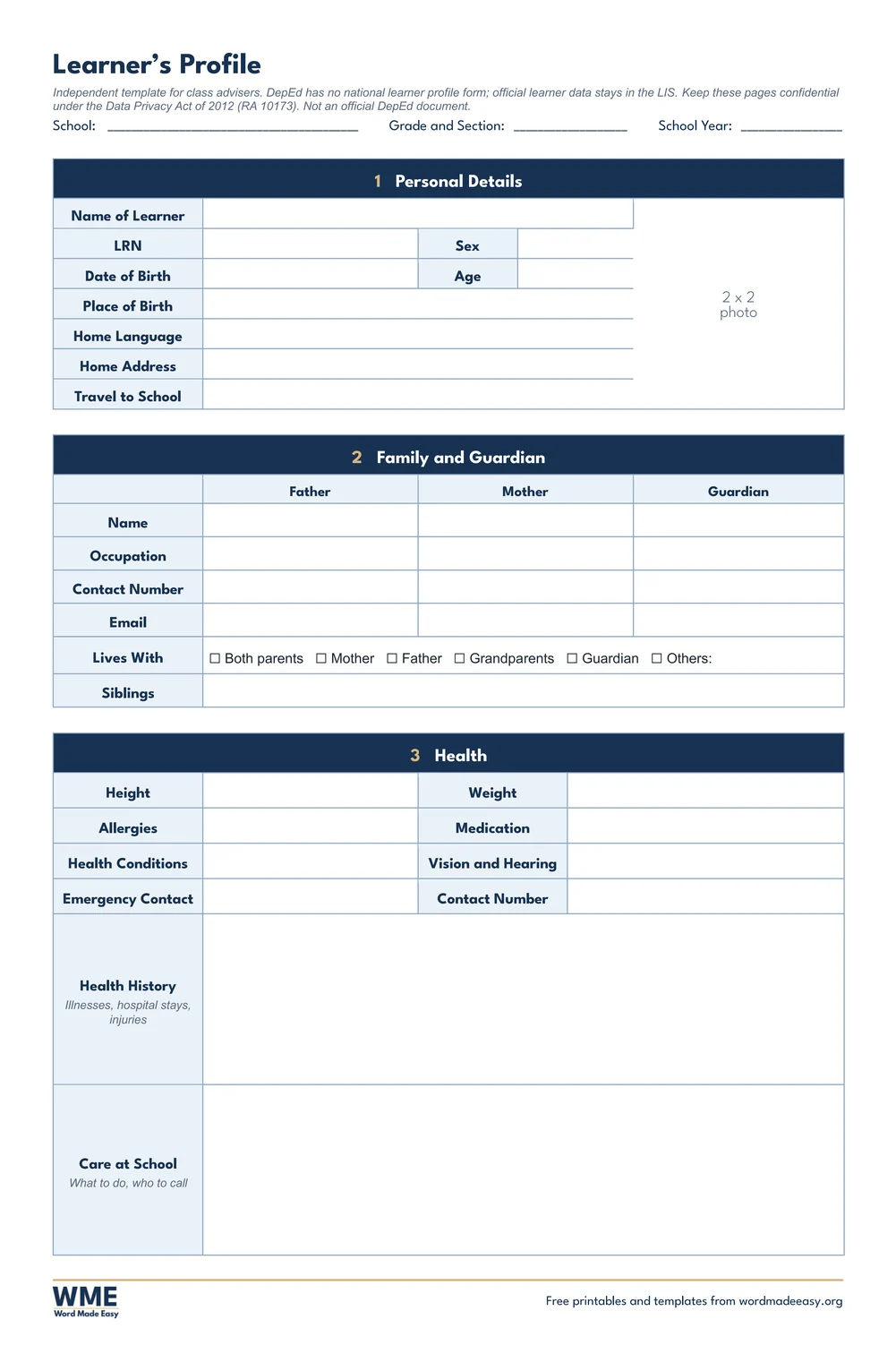
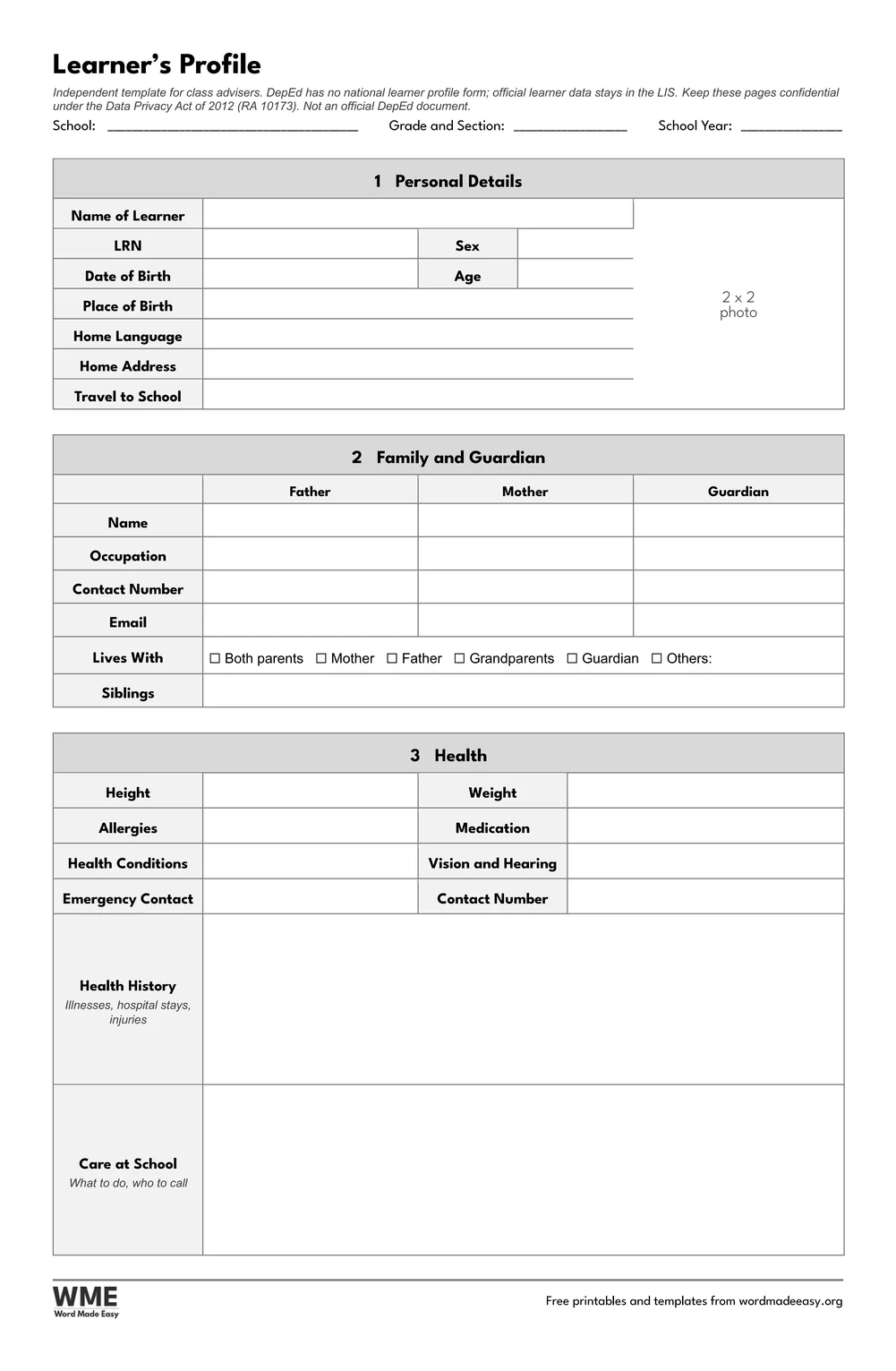
Learner’s profile template for Word on long bond: the one-page profile with personal details, a 2 x 2 photo box, family and guardian, health, learning needs and interests
Learner’s Profile, One Page · Personal details with a 2 x 2 photo box, family, health, learning needs and interests. Click to enlarge.
Learner’s profile template for Word: Learner’s Profile, Learner’s Profile, Two Pages, long bond 8.5 x 13 in
Learner’s Profile, Two Pages · More health detail and history, plus progress notes for three terms. Click to enlarge.
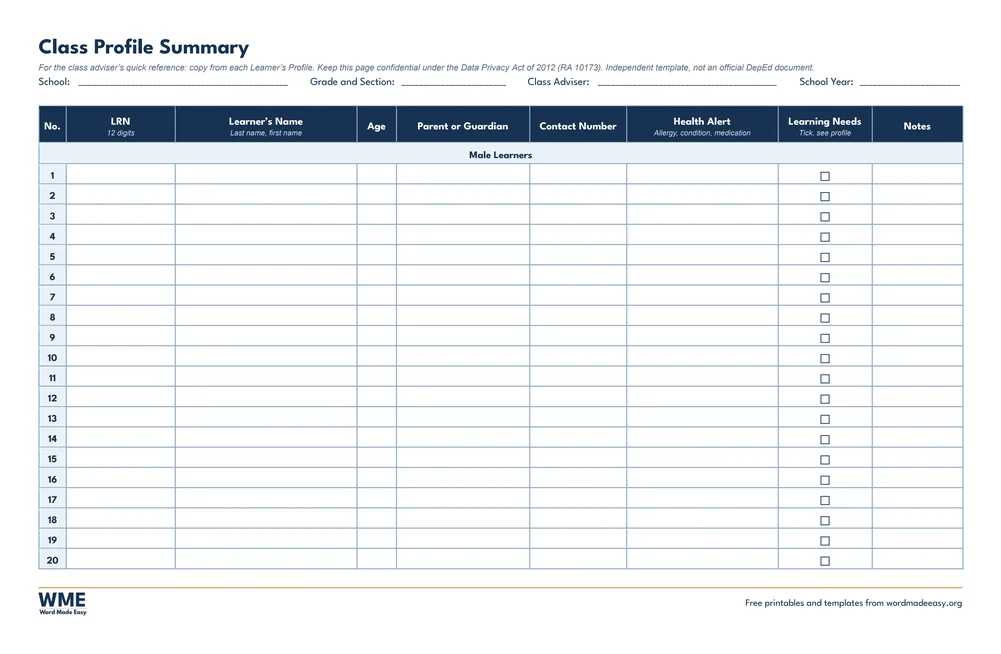
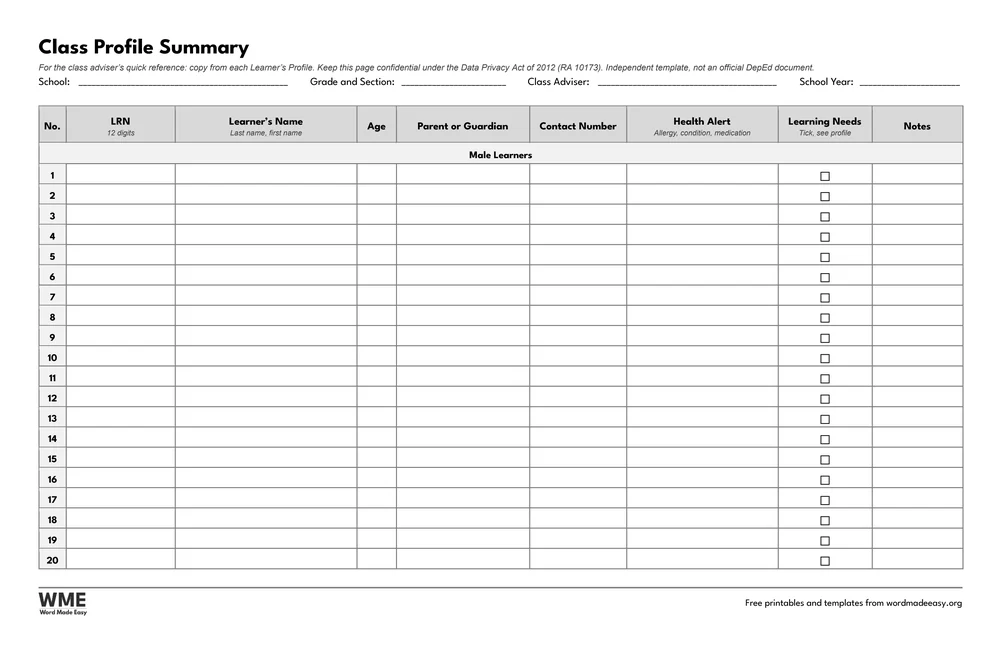
Learner’s profile template for Word: Learner’s Profile, Class Profile Summary, long bond 8.5 x 13 in
Class Profile Summary · One row per learner: LRN, age, guardian, contact, health alert, learning needs (Male and Female pages). Click to enlarge.
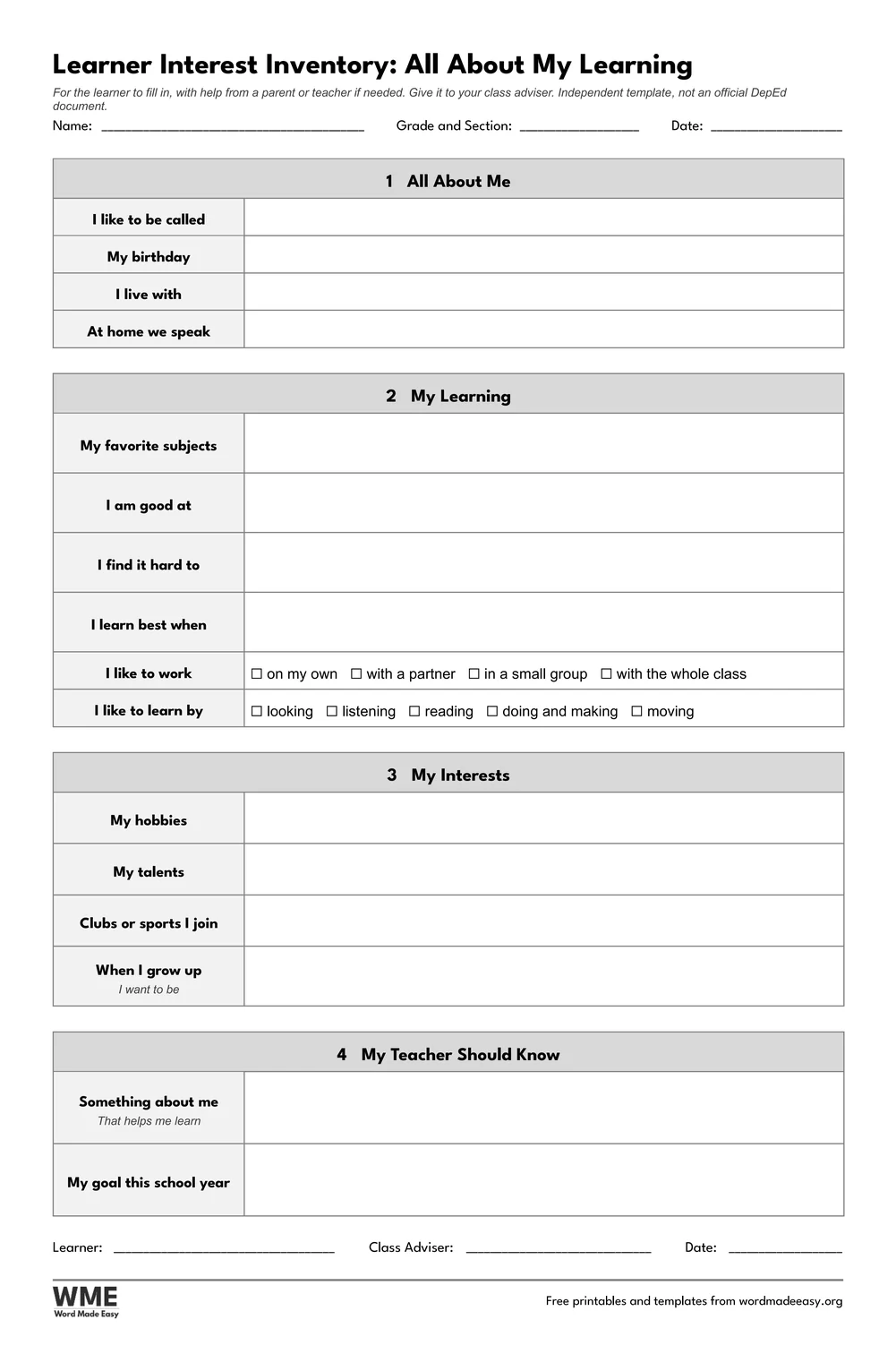
Learner’s profile template for Word: Learner’s Profile, Learner Interest Inventory, long bond 8.5 x 13 in
Learner Interest Inventory · All About My Learning: the learner fills it in. Click to enlarge.
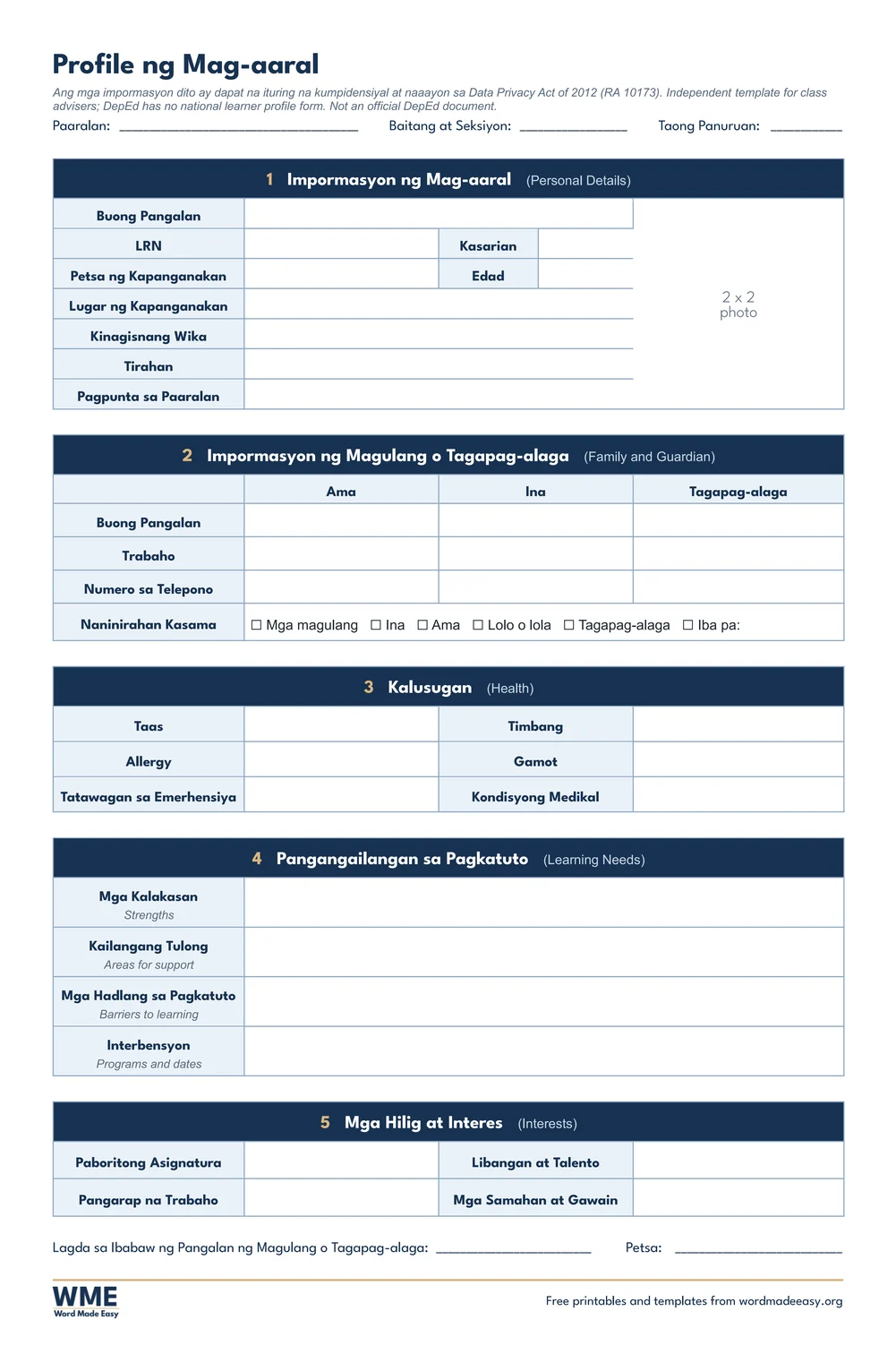
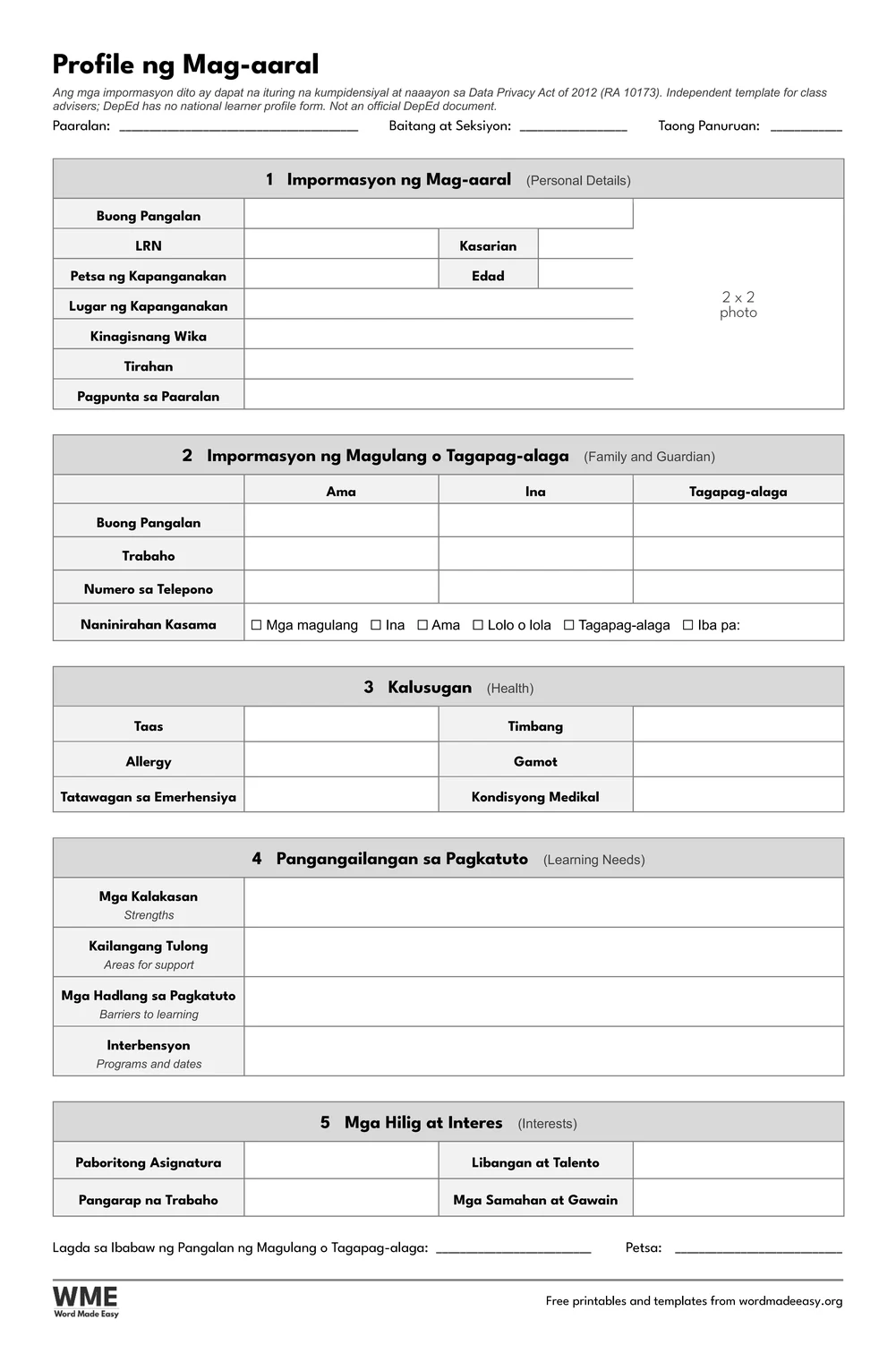
Learner’s profile template for Word: Learner’s Profile, Learner’s Profile in Filipino, long bond 8.5 x 13 in
Learner’s Profile in Filipino · Profile ng Mag-aaral: the one-page profile with Filipino labels. Click to enlarge.
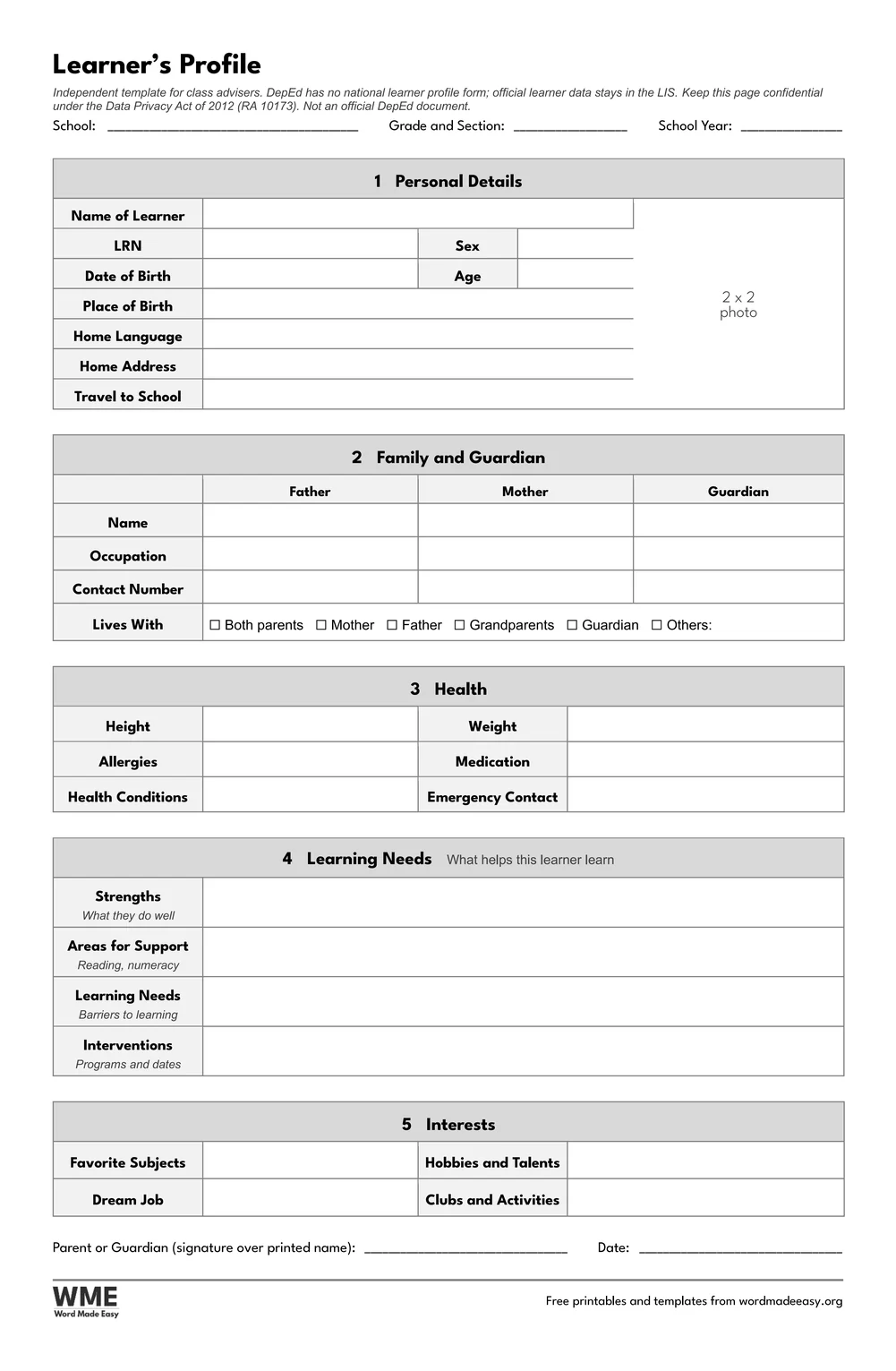
Learner’s profile template for Word: Learner’s Profile, Learner’s Profile, One Page, Long Bond (8.5 x 13), long bond 8.5 x 13 in
Learner’s Profile, One Page, Black and White · Personal details with a 2 x 2 photo box, family, health, learning needs and interests. Click to enlarge.
Learner’s profile template for Word: Learner’s Profile, Learner’s Profile, Two Pages, Long Bond (8.5 x 13), long bond 8.5 x 13 in
Learner’s Profile, Two Pages, Black and White · More health detail and history, plus progress notes for three terms. Click to enlarge.
Learner’s profile template for Word: Learner’s Profile, Class Profile Summary, Long Bond (8.5 x 13), long bond 8.5 x 13 in
Class Profile Summary, Black and White · One row per learner: LRN, age, guardian, contact, health alert, learning needs (Male and Female pages). Click to enlarge.
Learner’s profile template for Word: Learner’s Profile, Learner Interest Inventory, Long Bond (8.5 x 13), long bond 8.5 x 13 in
Learner Interest Inventory, Black and White · All About My Learning: the learner fills it in. Click to enlarge.
Learner’s profile template for Word: Learner’s Profile, Learner’s Profile in Filipino, Long Bond (8.5 x 13), long bond 8.5 x 13 in
Learner’s Profile in Filipino, Black and White · Profile ng Mag-aaral: the one-page profile with Filipino labels. Click to enlarge.

More free templates

  • Class Record Template for Word Class Record Template 5 Word files
  • LAC Templates for Word LAC Templates 5 Word files
  • Classroom Structuring Templates for Word Classroom Structuring Templates Free Word files
  • PMES Portfolio Templates for Word PMES Portfolio Templates 6 Word files
  • Printable Mazes for Kids: 30 Mazes with Answer Keys for Word Printable Mazes for Kids: 30 Mazes with Answer Keys Free Word files
  • Narrative Report and Accomplishment Report Templates for Word Narrative Report and Accomplishment Report Templates 8 Word files
  • Moving-Up and Perfect Attendance Certificates for Word Moving-Up and Perfect Attendance Certificates 5 Word files
  • Participation and Appreciation Certificates for Word Participation and Appreciation Certificates 5 Word files

Download your free Word templates

Enter your email address to download. We will also send you new free Word templates now and then, unless you choose to just download.

Choose colour or black and white
Choose your paper size

I agree that Word Made Easy may email me occasional updates about new Word Templates. I can unsubscribe at any time. Choose "No thanks, just download" if you do not want these emails.

Read the Privacy Policy for details about storage, retention and your rights.

Can’t find the template you need? Request a template and I’ll make it in Word, free.

Get new free printables first: follow Word Made Easy on Pinterest

These free learner’s profile templates give you five designs on long bond (8.5 x 13 in) and A4 for class advisers: a one-page profile with a 2 x 2 photo box, a two-page profile with more health detail and progress notes, a class profile summary, a learner interest inventory and the one-page profile in Filipino (Profile ng Mag-aaral), each in colour and in black and white. I’m Patrick Elliott, a teacher and Inclusion Lead. I designed these pages for class advisers, with no religion, income or 4Ps fields, and I took the Filipino labels from DepEd’s Filipino enrolment form wherever it has them, so the Filipino version reads the way parents already know.

In this guide, you’ll find what a learner’s profile is for, which template to use when, how to fill one in with parents, and how to keep the information confidential.


Contents hide
1 What’s in the Learner’s Profile Templates
2 What Is a Learner’s Profile?
3 Which Learner’s Profile Template Should You Use?
4 How to Fill In a Learner’s Profile
5 Black and White Versions
6 How to Print the Learner’s Profile
7 FAQs
8 Conclusion
9 Related Tutorials
10 Word Templates

What’s in the Learner’s Profile Templates

TemplateWhat it is for
Learner’s Profile, One PagePersonal details with a 2 x 2 photo box, family, health, learning needs and interests
Learner’s Profile, Two PagesMore health detail and history, plus progress notes for three terms
Class Profile SummaryOne row per learner: LRN, age, guardian, contact, health alert, learning needs (Male and Female pages)
Learner Interest InventoryAll About My Learning: the learner fills it in
Learner’s Profile in FilipinoProfile ng Mag-aaral: the one-page profile with Filipino labels
Learner’s profile template for Word on long bond: the one-page profile with personal details, a 2 x 2 photo box, family and guardian, health, learning needs and interests

👉 Every box is a Word table cell: click and type, and paste a 2 x 2 photo straight into the photo box. Print at 100% so the photo box stays exactly 2 x 2 inches.


What Is a Learner’s Profile?

A learner’s profile is a class adviser’s record of each learner: personal details, family and guardian contacts, health information, learning needs and interests. It helps you get to know a new class quickly and plan support from the first week. DepEd has no national learner profile form, and official learner data stays in the Learner Information System (LIS), so a profile is your own classroom record and never replaces the LIS or the school forms. These are independent templates from Word Made Easy, not official DepEd documents, and carry no DepEd seal.


Which Learner’s Profile Template Should You Use?

  • Learner’s Profile, One Page: personal details with a 2 x 2 photo box, family and guardian, health, learning needs, interests and a parent or guardian signature.
  • Learner’s Profile, Two Pages: everything on the one-page profile, with more health detail and health history, and a second page for learning needs, interests and progress notes for three terms.
  • Class Profile Summary: landscape Male and Female pages for 20 learners each, with LRN, name, age, guardian, contact, a health alert, a learning needs tick and notes.
  • Learner Interest Inventory: “All About My Learning”, for the learner to fill in; use it to complete the Learning Needs and Interests sections.
  • Learner’s Profile in Filipino: the one-page profile with Filipino labels (Profile ng Mag-aaral), and the English section names in brackets.
  • Setting up your class for the year? See the classroom structuring templates for classroom rules, class officers and a birthday chart, and the All About Me templates for younger learners.

How to Fill In a Learner’s Profile

  1. Choose long bond or A4 above, download the ZIP and print one profile for each learner, or fill it in on screen.
  2. In the first week, send the profile home or fill it in with the parent or guardian at a meeting, and ask them to sign it.
  3. Give older learners the interest inventory, then copy what they say into Learning Needs and Interests.
  4. Copy the key details onto the class profile summary, so health alerts and contacts for the whole class are on one page.
  5. On the two-page profile, add a progress note each term, and update contacts when they change.

A learner’s profile holds personal and health information, so treat it as confidential under the Data Privacy Act of 2012 (RA 10173). Keep completed profiles in a locked drawer or a password-protected folder, collect only what you need, and share them only with people who support the learner. Never put a profile or the class summary on the wall. For emergencies, the emergency contact forms keep the key numbers on one page. Always follow your school’s instructions; official records stay in the LIS.


Black and White Versions

Every template on this page also comes in a black and white version with the same layout: grey headings and an outlined title, so it prints clearly on any printer and saves ink. In the download box, choose Colour, Black and white or All, then your paper size: long bond, A4 or both.


How to Print the Learner’s Profile

Print at 100% (Actual size) on the same paper as the file, so the photo box stays 2 x 2 inches. For long bond, load 8.5 x 13 inch paper and choose that size in the printer settings (it may be called Folio or Long). The class profile summary prints landscape. The black and white versions use grey headings, to save ink.


FAQs

Are these learner’s profile templates free?

Yes. Choose long bond or A4 and download all the Word templates in one ZIP file at no cost.

Who made these learner’s profile templates?

Patrick Elliott, a teacher and Inclusion Lead, designed and built every page by hand in Microsoft Word.

Is there an official DepEd learner profile form?

No. DepEd has no national learner profile form, and official learner data stays in the LIS. These are independent templates for your own class records, with no DepEd seal.

Where does the Filipino wording come from?

The Filipino version follows the wording of DepEd’s Filipino enrolment form, such as Kinagisnang Wika and Tagapag-alaga, and uses the KWF spelling Baitang at Seksiyon.

How do I keep learner profiles confidential?

Treat them as personal information under the Data Privacy Act of 2012 (RA 10173): store them securely, share them only with people who support the learner, and never display them.

What size is the photo box?

It is 2 x 2 inches. Print at 100% (Actual size), not Fit to page, so it stays that size.

Is there a black and white version?

Yes. Every template comes in colour and in black and white, on long bond and A4. Choose Black and white, or All, in the download box.


Conclusion

These learner’s profile templates help Filipino class advisers get to know every learner and keep the details in one confidential place, human-made by a teacher in Microsoft Word.

Choose your paper size above, download the ZIP, and to set up your classroom this year, try the classroom structuring templates.


Related Tutorials

  • Free Classroom Structuring Templates for Word
  • Free Anecdotal Record Templates for Word
  • Free Home Visitation Form Templates for Word

Word Templates

Recently Added Word Templates

  • Free Class Record Template for Word (DO 15, s. 2026): 5 Printables

    November 12, 2026
  • Free Learner’s Profile Templates for Word: 5 Printables

    November 12, 2026
  • Free LAC Templates for Word (DO 35, s. 2016): 5 Printables

    November 12, 2026

Browse the complete collection of free printable Word templates for home and school, all made by a teacher.

View all Word templates
Watch on YouTube

New to Word? Our Word tutorials show you how to edit and print your templates.
← PreviousFree LAC Templates for Word (DO 35, s. 2016): 5 Printables
Next →Free Class Record Template for Word (DO 15, s. 2026): 5 Printables

Leave a comment Cancel reply

Have a question about these templates, or an idea for a new one? Ask below.

Meet the Author

Patrick Elliott standing outdoors holding his dog.

I’m Patrick Elliott, the creator of Word Made Easy. I’ve worked in schools for over 10 years and I’m now an Inclusion Lead in the UAE. I use Microsoft Word and PowerPoint every day for planning, documentation and classroom resources.

Every guide is tested step by step before publishing (usually in Microsoft 365), and every free template is one I made myself in Word. You’ll also find practical walkthroughs on my YouTube channel.

Browse

  • Word TutorialsStep-by-step guides for every feature
  • Word Beginners HubFree 12-chapter Word course
  • Word TemplatesFree, editable downloads
  • Word Shortcut Cheat SheetsFree printable PDFs
  • Google Docs TutorialsStep-by-step Docs guides
  • PowerPoint TutorialsClear, simple slide guides
  • YouTube VideosWatch the video walkthroughs

Watch on YouTube

Prefer to watch? Most guides have a short video walkthrough on the Word Made Easy channel.

  • 147videos
  • 1.88Mviews
  • 8,000+subscribers
Subscribe on YouTube

Recently Added

  • Free Class Record Template for Word (DO 15, s. 2026): 5 PrintablesNovember 12, 2026
  • Free Learner’s Profile Templates for Word: 5 PrintablesNovember 12, 2026
  • Free LAC Templates for Word (DO 35, s. 2016): 5 PrintablesNovember 12, 2026
  • Free Classroom Structuring Templates for Word: 7 Charts and PostersNovember 12, 2026
  • How to Mail Merge Certificates in Word: 7 Easy StepsNovember 12, 2026

Most Downloaded

  • Free Microsoft Word Keyboard Shortcuts Bundle: 14 Cheat Sheets (PDF)64 downloads in the last 30 days
  • Microsoft Word for Beginners: Free Guide and PDF62 downloads in the last 30 days
  • Free Printable Alphabet Charts for Word: 5 Easy Designs50 downloads in the last 30 days
  • Free Fillable Form Templates for Word: 4 Easy Forms45 downloads in the last 30 days
  • Free ILAW Lesson Plan Templates for Word: English and Filipino (DO 16, s. 2026)33 downloads in the last 30 days
Word Made Easy

Free, step-by-step Microsoft Word tutorials, written and tested by teacher Patrick Elliott.

Subscribe on YouTube Follow on Facebook Follow on Pinterest

Explore

  • Home
  • Word Tutorials
  • Word Templates
  • Google Docs Tutorials
  • PowerPoint Tutorials
  • YouTube Videos

Microsoft Word

  • Page Layout & Sections
  • Tables, Images & Media
  • Formatting Basics
  • Productivity & Automation
  • Beginners Hub
  • Templates
  • Shortcut Cheat Sheets

Google Docs

  • All Google Docs Tutorials

About

  • About Me
  • Contact
Privacy Policy Cookie Policy Terms of Use
© 2012–2026 Word Made Easy. All rights reserved.
Manage your privacy

To provide the best experiences, we and our partners use technologies like cookies to store and/or access device information. Consenting to these technologies will allow us and our partners to process personal data such as browsing behavior or unique IDs on this site and show (non-) personalized ads. Not consenting or withdrawing consent, may adversely affect certain features and functions.

Click below to consent to the above or make granular choices. Your choices will be applied to this site only. You can change your settings at any time, including withdrawing your consent, by using the toggles on the Cookie Policy, or by clicking on the manage consent button at the bottom of the screen.

Functional Always active
The technical storage or access is strictly necessary for the legitimate purpose of enabling the use of a specific service explicitly requested by the subscriber or user, or for the sole purpose of carrying out the transmission of a communication over an electronic communications network.
Preferences
The technical storage or access is necessary for the legitimate purpose of storing preferences that are not requested by the subscriber or user.
Statistics
The technical storage or access that is used exclusively for statistical purposes. The technical storage or access that is used exclusively for anonymous statistical purposes. Without a subpoena, voluntary compliance on the part of your Internet Service Provider, or additional records from a third party, information stored or retrieved for this purpose alone cannot usually be used to identify you.
Marketing
The technical storage or access is required to create user profiles to send advertising, or to track the user on a website or across several websites for similar marketing purposes.
Statistics

Marketing

Features
Always active

Special features

Special purposes
Always active

  • Manage options
  • Manage services
  • Manage {vendor_count} vendors
  • Read more about these purposes
Manage options
  • {title}
  • {title}
  • {title}
Manage your privacy
To provide the best experiences, we use technologies like cookies to store and/or access device information. Consenting to these technologies will allow us to process data such as browsing behavior or unique IDs on this site. Not consenting or withdrawing consent, may adversely affect certain features and functions.
Functional Always active
The technical storage or access is strictly necessary for the legitimate purpose of enabling the use of a specific service explicitly requested by the subscriber or user, or for the sole purpose of carrying out the transmission of a communication over an electronic communications network.
Preferences
The technical storage or access is necessary for the legitimate purpose of storing preferences that are not requested by the subscriber or user.
Statistics
The technical storage or access that is used exclusively for statistical purposes. The technical storage or access that is used exclusively for anonymous statistical purposes. Without a subpoena, voluntary compliance on the part of your Internet Service Provider, or additional records from a third party, information stored or retrieved for this purpose alone cannot usually be used to identify you.
Marketing
The technical storage or access is required to create user profiles to send advertising, or to track the user on a website or across several websites for similar marketing purposes.
Statistics

Marketing

Features
Always active

Special features

Special purposes
Always active

  • Manage options
  • Manage services
  • Manage {vendor_count} vendors
  • Read more about these purposes
Manage options
  • {title}
  • {title}
  • {title}