Skip to content
Word Made Easy Shop
Home Word Tutorials Word Templates Resources Google Docs PowerPoint Tutorials YouTube Videos
Home Word Tutorials Word Templates Resources Google Docs PowerPoint Tutorials YouTube Videos Shop
Microsoft Word, School and Teacher Forms, Word Templates

School and Teacher Forms

Danielson Lesson Plan Template for Word: 4 Free Observation Plans

Preview every template, choose colour or black and white and your paper size, then download your Word files in one small ZIP file.

US Letter and A44 Word templatesFree
Published 27 November 2026 · By Patrick Elliott

Part of the Lesson Plan Templates collection (20 sets)

  • Free ILAW Lesson Plan Templates for Word: English and Filipino (DO 16, s. 2026)
  • Free Lesson Plan Templates for Word: 8 Easy Printables
  • Free Sub Plan Templates for Word: 8 Substitute Teacher Printables

See all 20 sets in the collection →

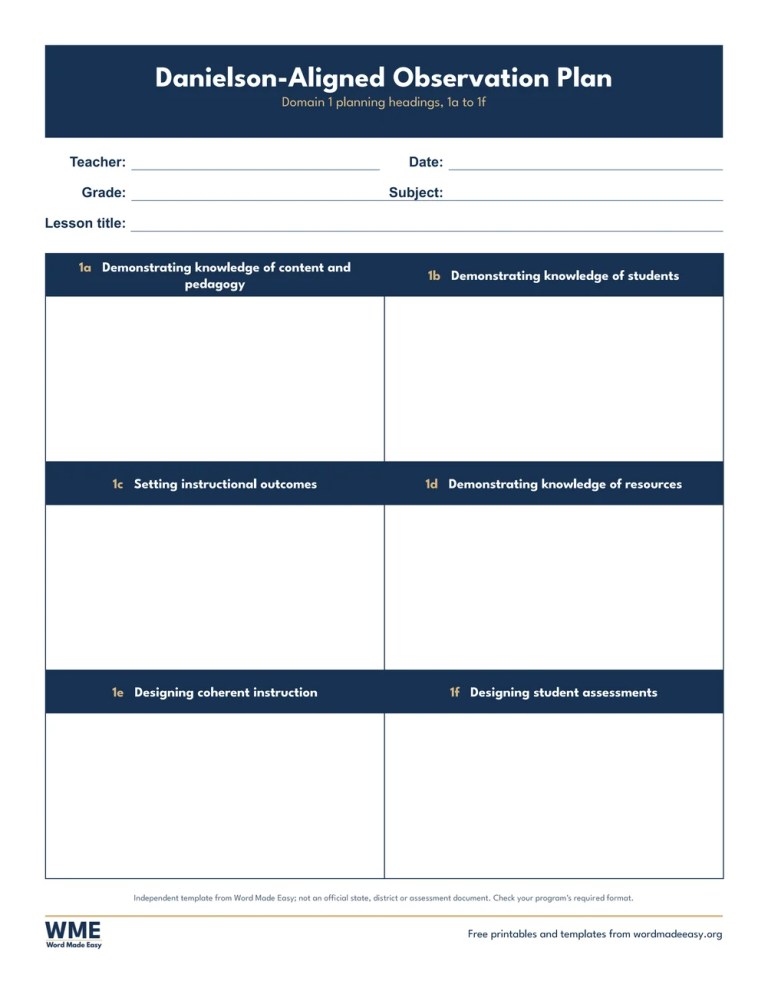
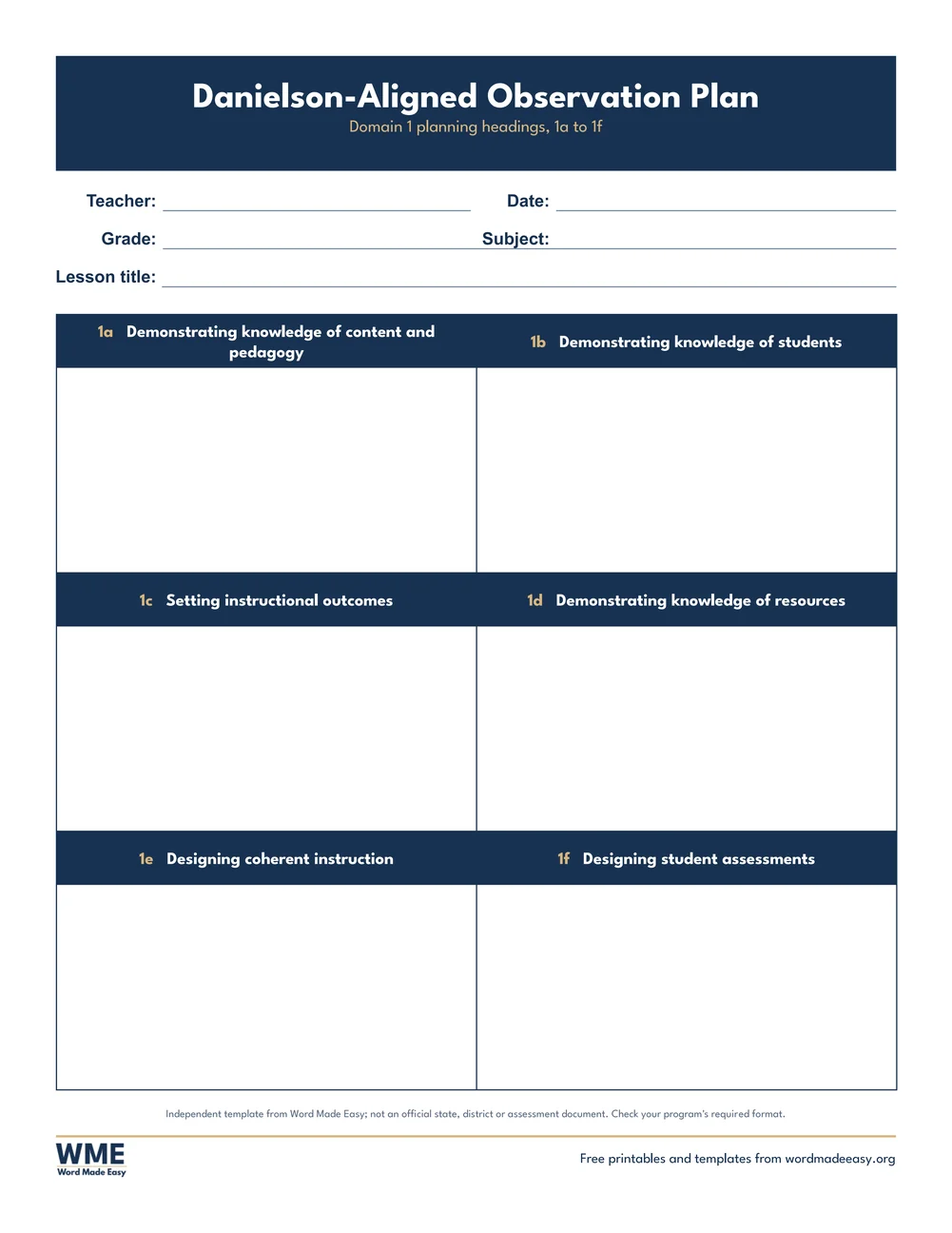
Danielson lesson plan template for Word, an observation plan, on US Letter: header rows, then the Domain 1 headings 1a to 1f as a grid of two across and three down, each with a heading bar and a blank writing box
Click the page to enlarge it.
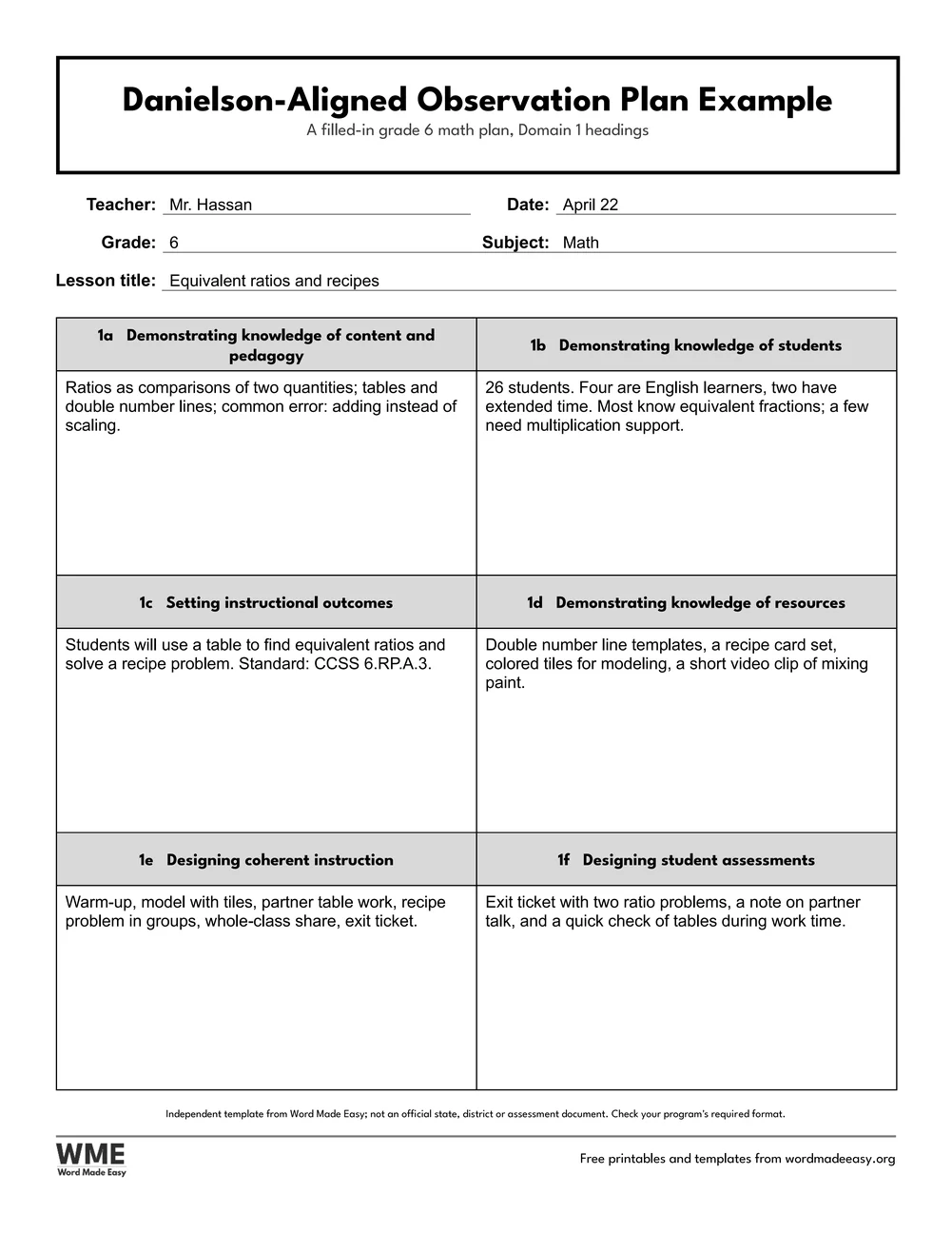
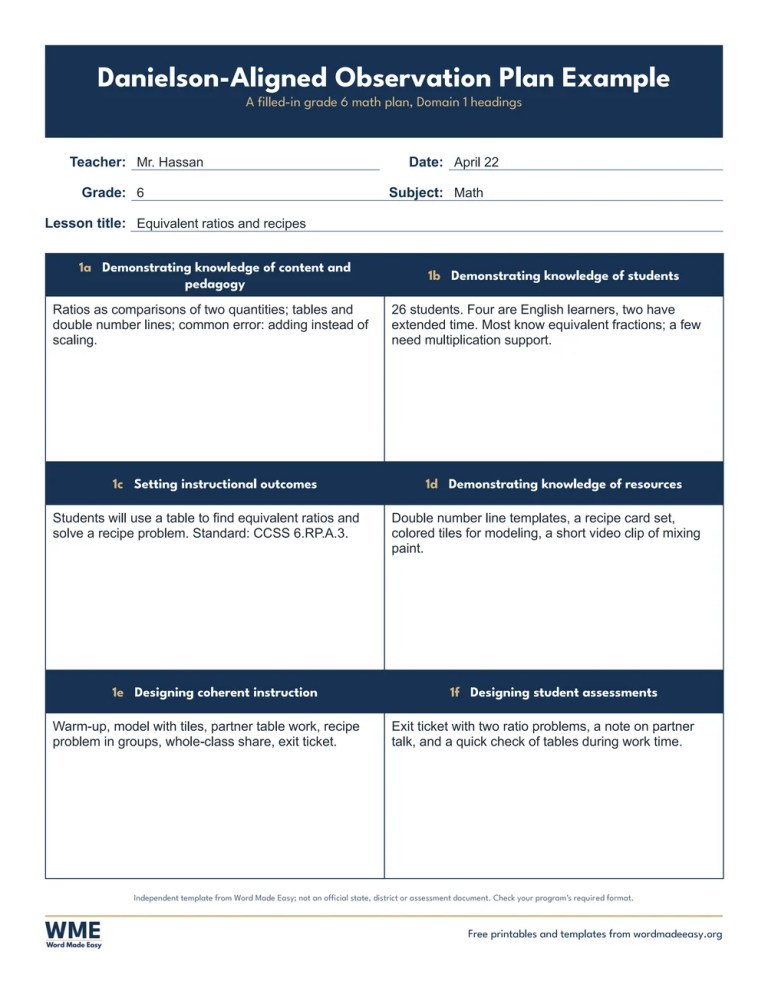
Danielson-aligned observation plan template for Word: Danielson-Aligned Observation Plan Example, US Letter
Click the page to enlarge it.
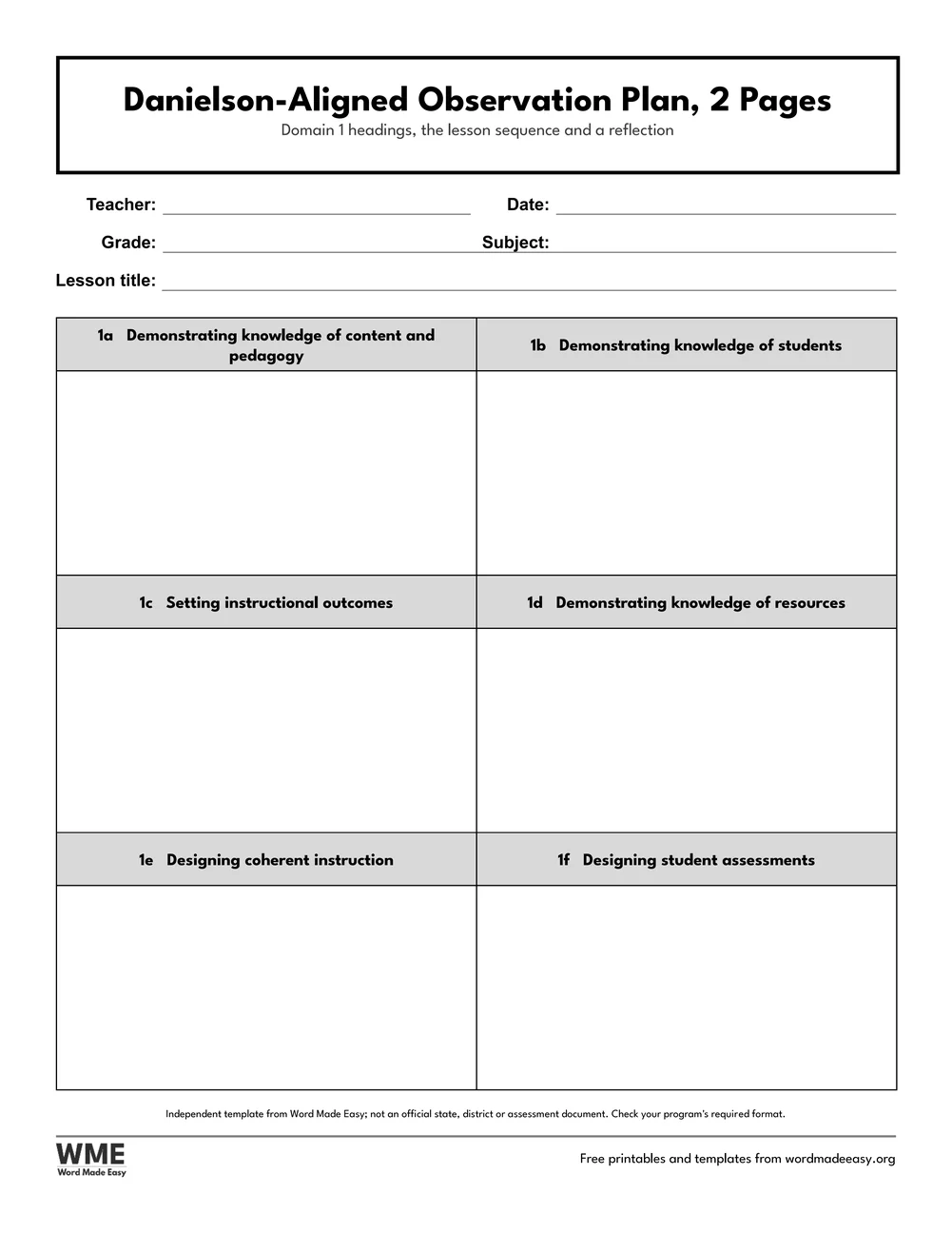
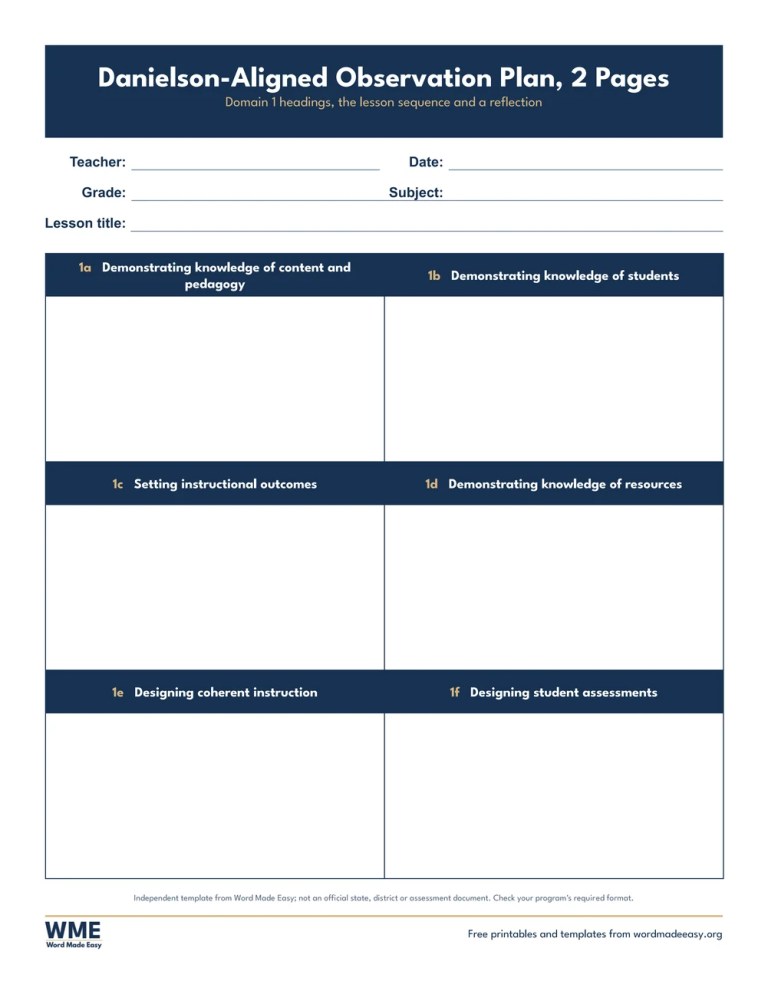
Danielson-aligned observation plan template for Word: Danielson-Aligned Observation Plan, 2 Pages, US Letter
Click the page to enlarge it.
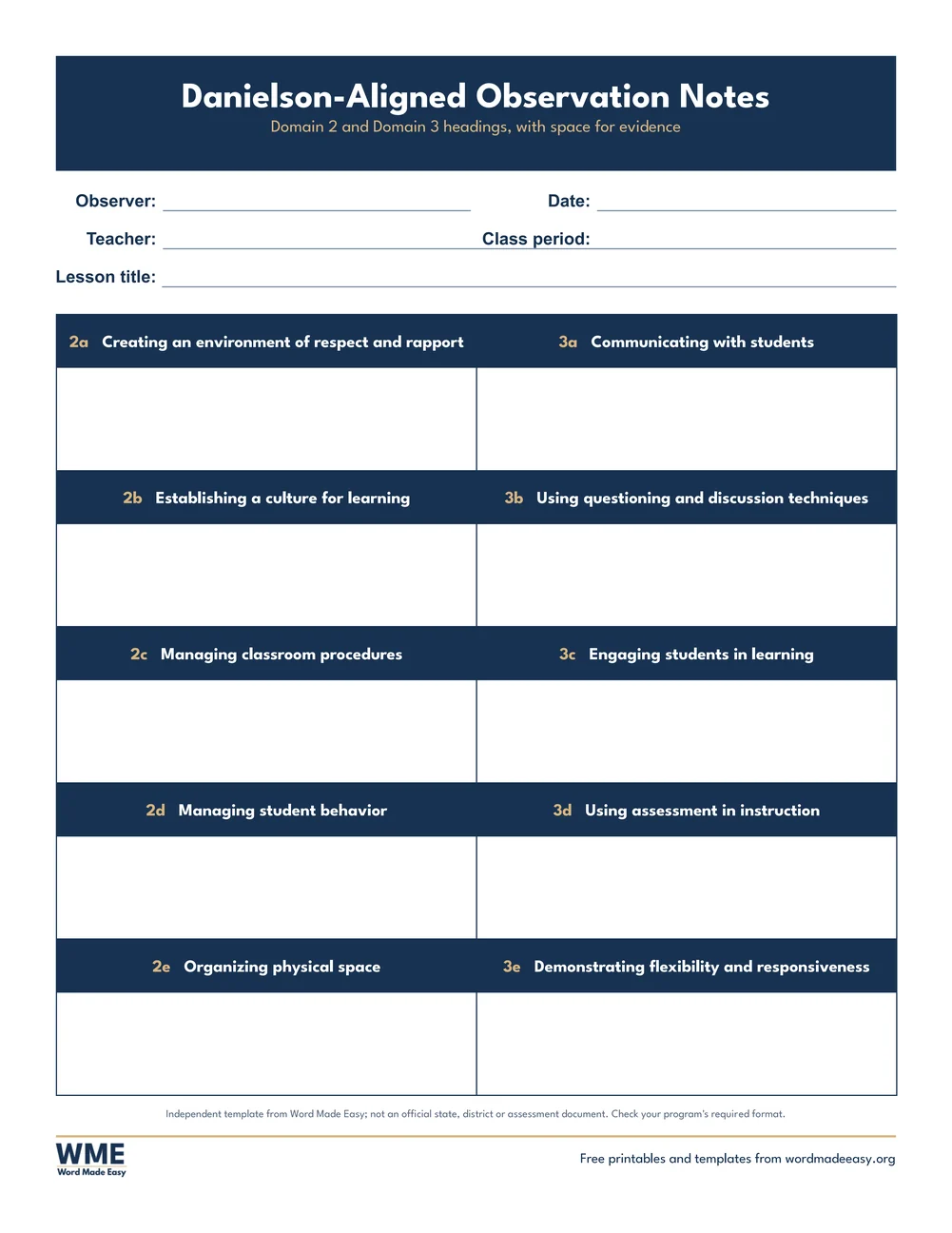
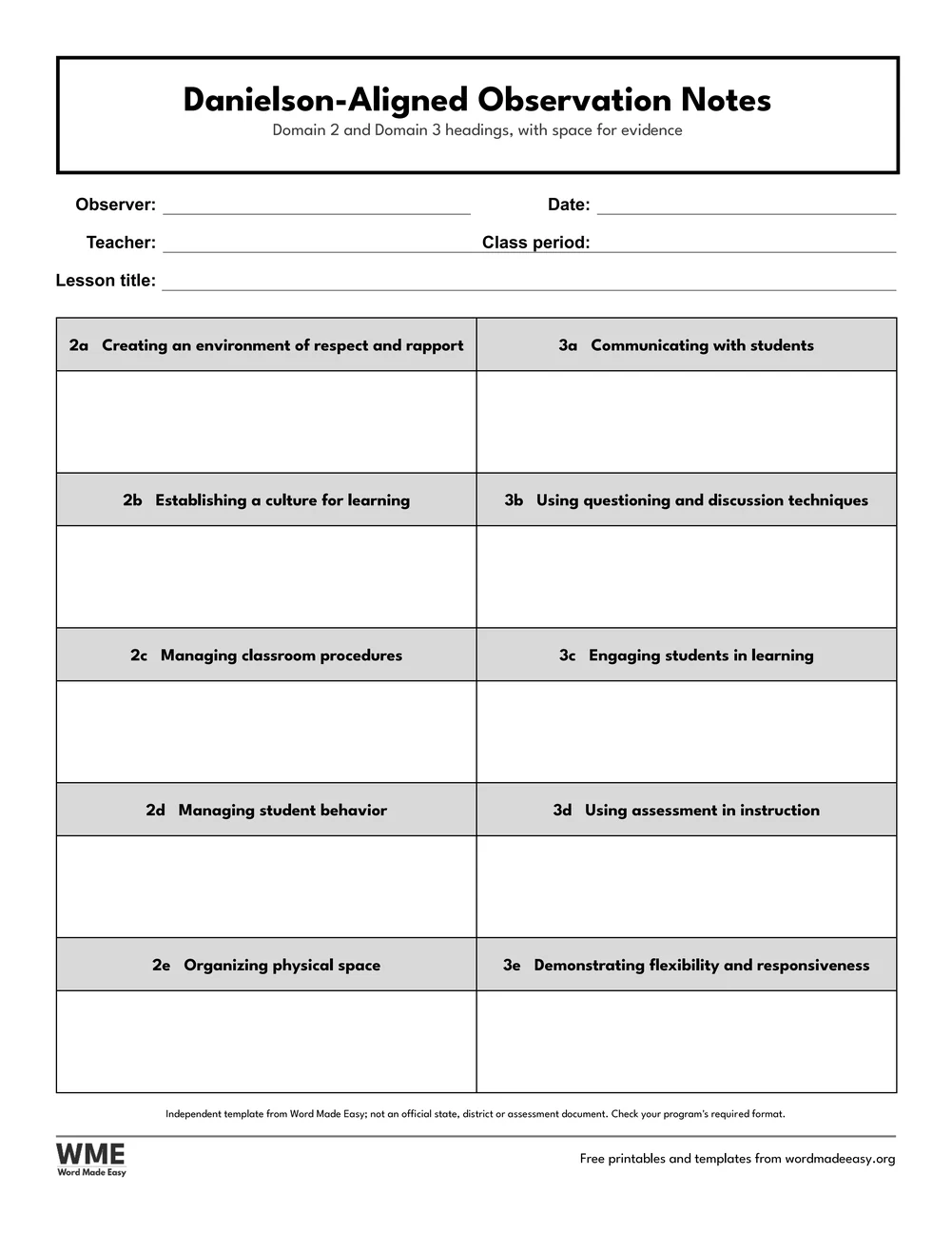
Danielson-aligned observation plan template for Word: Danielson-Aligned Observation Notes, US Letter
Click the page to enlarge it.
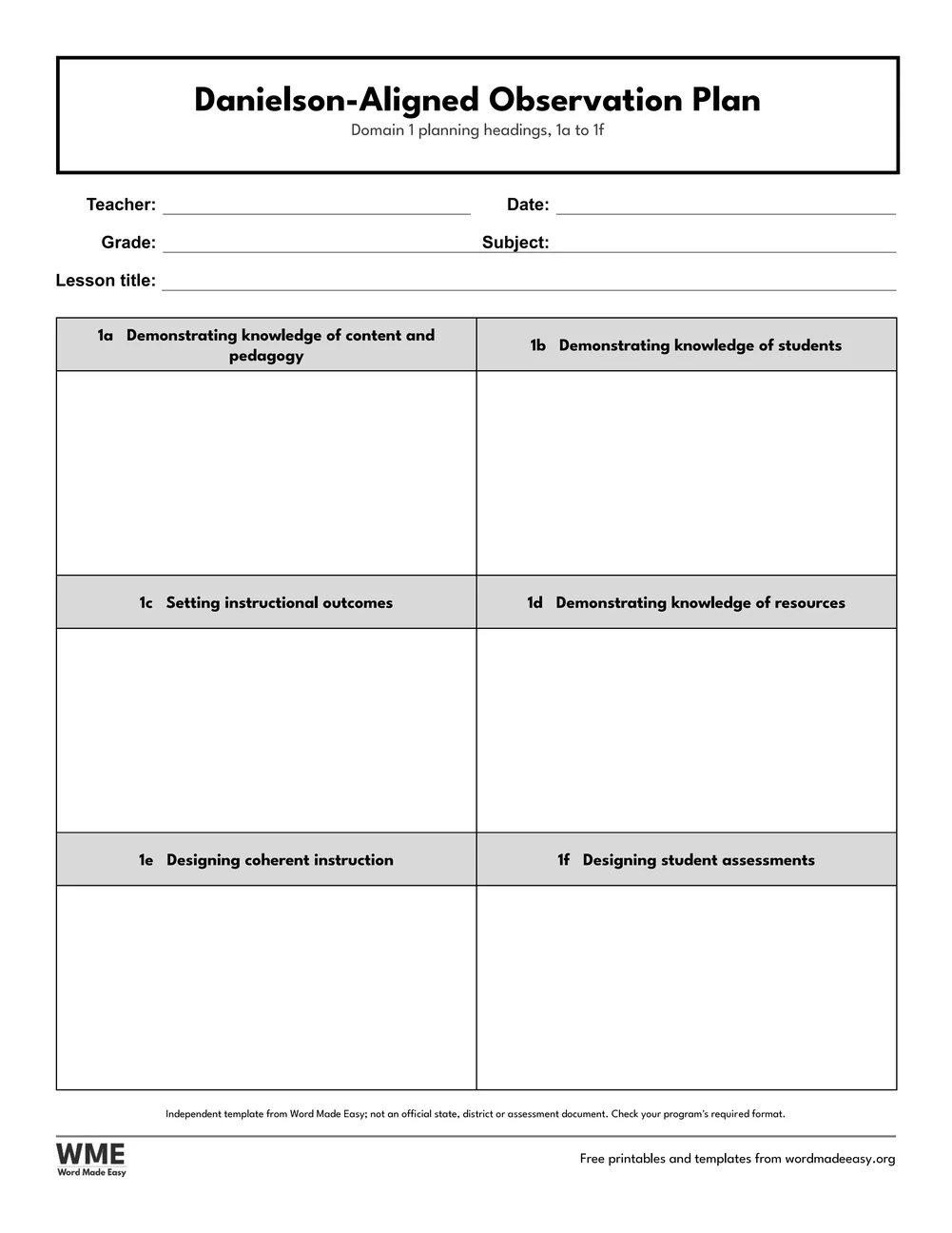
Danielson-aligned observation plan template for Word: Danielson-Aligned Observation Plan, black and white, US Letter
Click the page to enlarge it.
Danielson-aligned observation plan template for Word: Danielson-Aligned Observation Plan Example, black and white, US Letter
Click the page to enlarge it.
Danielson-aligned observation plan template for Word: Danielson-Aligned Observation Plan, 2 Pages, black and white, US Letter
Click the page to enlarge it.
Danielson-aligned observation plan template for Word: Danielson-Aligned Observation Notes, black and white, US Letter
Click the page to enlarge it.

More free templates

  • SIOP Lesson Plan Template for Word SIOP Lesson Plan Template 4 Word files
  • edTPA Lesson Plan Template for Word edTPA Lesson Plan Template 4 Word files
  • UbD Template for Word UbD Template 4 Word files
  • Madeline Hunter Lesson Plan Template for Word Madeline Hunter Lesson Plan Template 4 Word files
  • Weekly Lesson Plan Template for Word Weekly Lesson Plan Template 4 Word files
  • 5E Lesson Plan Template for Word 5E Lesson Plan Template 4 Word files
  • Lab Report Template for Word Lab Report Template 8 Word files
  • Daily Time Record Templates for Word Daily Time Record Templates 6 Word files

Download your free Word templates

Enter your email address to download. We will also send you new free templates and printables now and then, unless you choose to just download.

Choose colour or black and white
Choose your paper size

I agree that Word Made Easy may email me a weekly newsletter with new free templates, printables and Word tips, and occasional offers of paid templates. I can unsubscribe at any time. Choose "No thanks, just download" if you do not want these emails.

Read the Privacy Policy for details about storage, retention and your rights.

Can’t find the template you need? Request a template and I’ll make it in Word, free.

Get new free printables first: follow Word Made Easy on Pinterest

This free Danielson lesson plan template gives teachers four Danielson-aligned Word plans for an observed lesson: a one-page plan with the planning headings 1a to 1f, a two-page plan that adds the lesson sequence and a reflection area, a filled-in grade 6 ratios plan, and an observer notes page. They help you walk into a post-observation conversation with your planning laid out in a familiar order. They are independent templates, as the section below explains. The ratios example is invented for illustration; no school, district or framework text is used.

Below, you’ll find how the six Domain 1 headings are laid out, what the observer notes page is for, and a few habits that make an observation plan easier to talk through.


Contents hide
1 What’s in the Danielson lesson plan template
2 What is a Danielson-aligned lesson plan?
3 Which Danielson-aligned plan should you use?
4 How to prepare an observation plan
5 Independent template, not an official document
6 Black and white versions
7 How to print the Danielson-aligned plans
8 FAQs
9 Conclusion
10 Related tutorials
11 Word Templates

What’s in the Danielson lesson plan template

TemplateWhat it holds
Danielson-Aligned Observation PlanOne page: headings 1a to 1f in a grid
Danielson-Aligned Observation Plan, 2 PagesMore room, plus the lesson sequence, what to look for and reflection
Danielson-Aligned Observation Plan ExampleA filled-in grade 6 math plan on ratios
Danielson-Aligned Observation NotesAn observer page with Domain 2 and 3 headings and an evidence box each
Paper and stylesUS Letter and A4, colour and black and white
Danielson lesson plan template for Word, an observation plan, on US Letter: header rows, then the Domain 1 headings 1a to 1f as a grid of two across and three down, each with a heading bar and a blank writing box
Danielson-Aligned Observation Plan
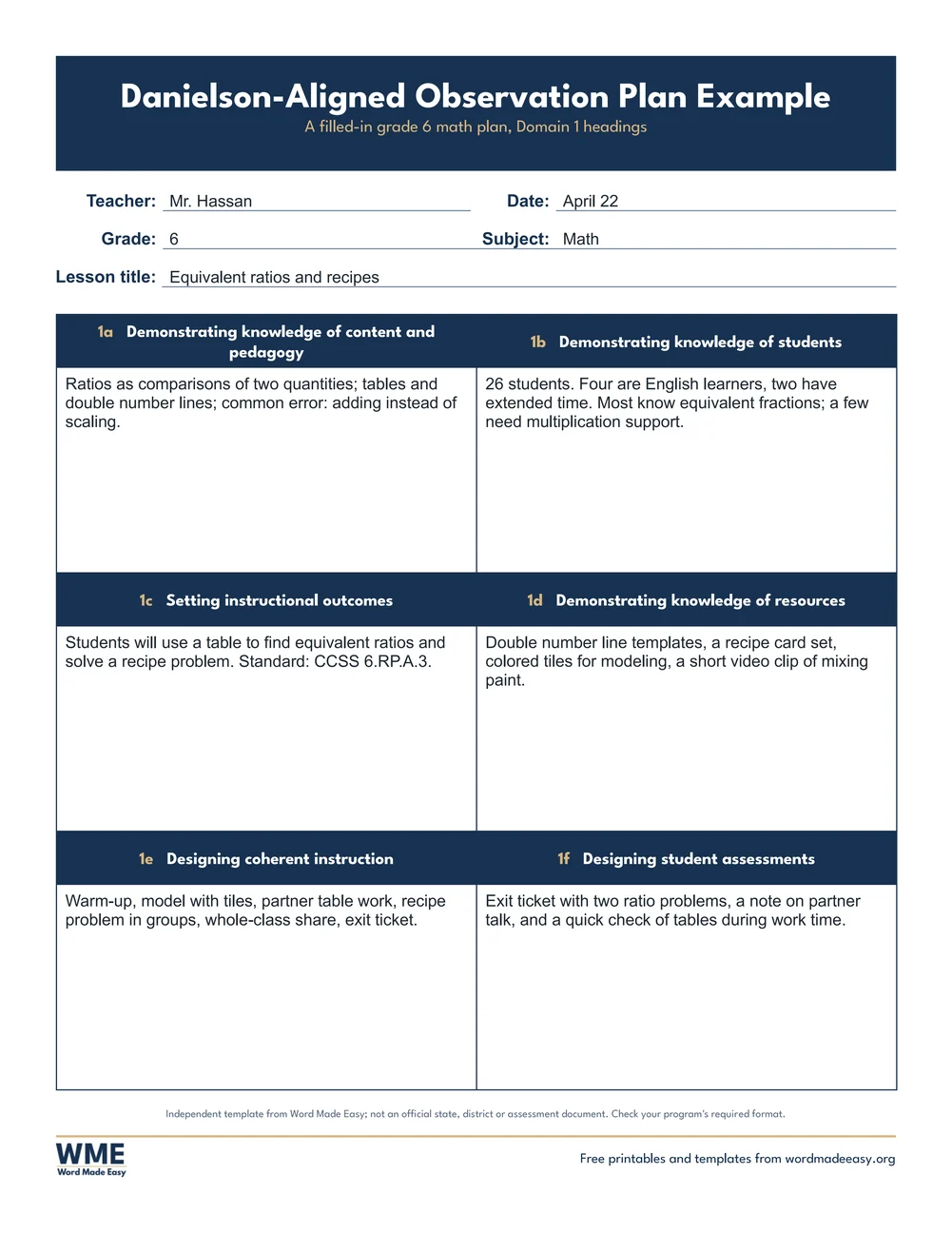
Danielson-aligned observation plan template for Word: Danielson-Aligned Observation Plan Example, US Letter
Danielson-Aligned Observation Plan Example
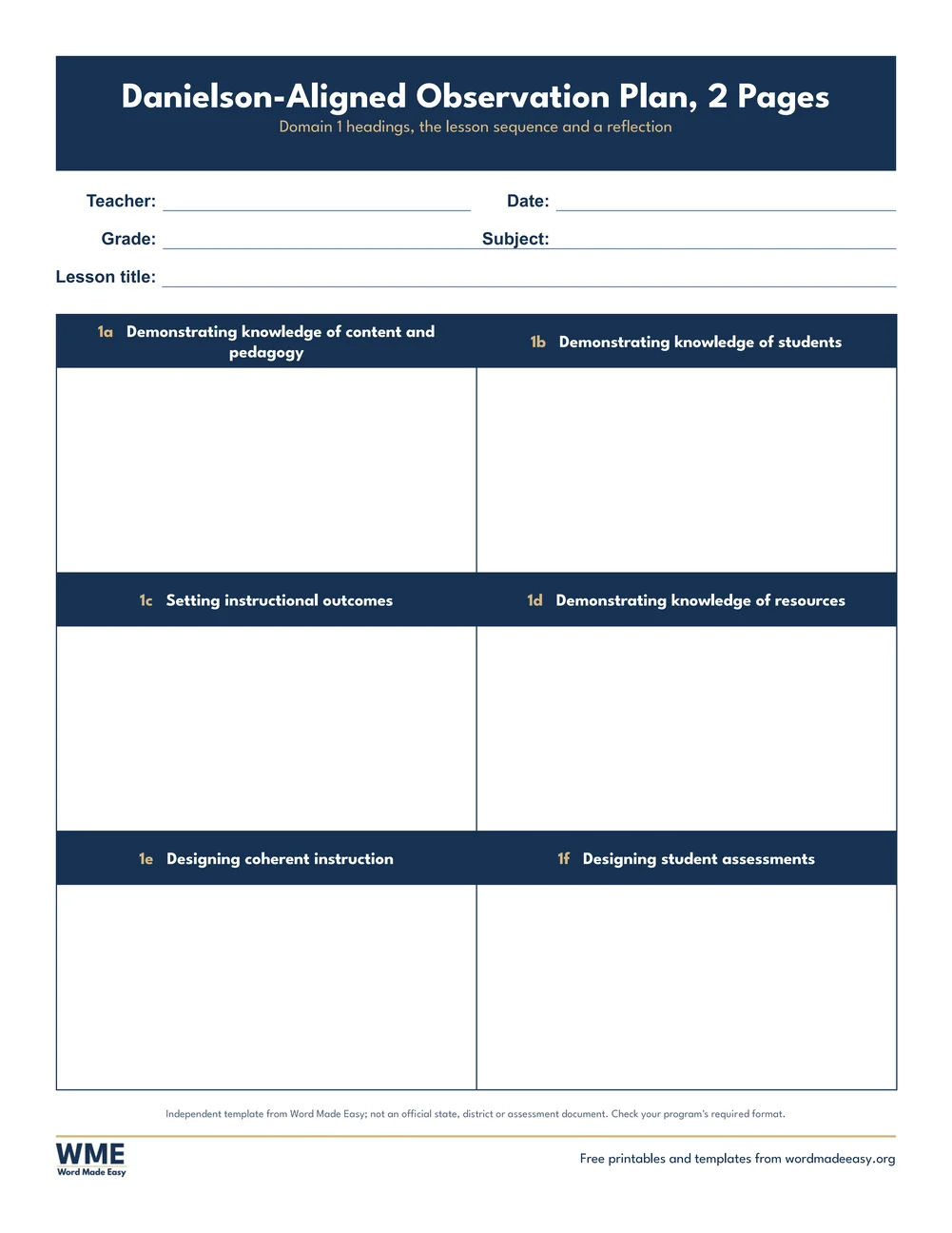
Danielson-aligned observation plan template for Word: Danielson-Aligned Observation Plan, 2 Pages, US Letter
Danielson-Aligned Observation Plan, 2 Pages

👉 The six planning headings sit in a grid of cards, each with a heading bar and a writing box that grows as you type, so the plan stays on a page or two and reads quickly for an observer.


What is a Danielson-aligned lesson plan?

The Danielson Framework for Teaching groups the work of teaching into four domains, and many districts use it to evaluate teachers. Domain 1 is planning and preparation, with six components, 1a to 1f: content and pedagogy, knowing students, setting outcomes, knowing resources, designing coherent instruction and designing assessments. Domains 2 and 3 cover the classroom environment and the instruction an observer sees. A Danielson-aligned lesson plan uses the Domain 1 headings as its sections, so the plan you hand over before an observation lines up with the language of the conversation afterwards. Not every district applies the framework in the same way, and some use other models; for a plain everyday plan see the lesson plan template.


Which Danielson-aligned plan should you use?

  • Danielson-Aligned Observation Plan: one page with headings 1a to 1f as a two-by-three grid, a quick plan to hand over before a visit.
  • Danielson-Aligned Observation Plan, 2 Pages: the six headings with more room, then the lesson sequence, what to look for, and a reflection area for afterwards.
  • Danielson-Aligned Observation Plan Example: a filled-in grade 6 math plan on ratios, covering headings 1a to 1f, to show the level of detail one lesson needs.
  • Danielson-Aligned Observation Notes: an observer page with the Domain 2 and Domain 3 component headings and an evidence box under each, for a mentor, coach or peer to complete.
  • Writing for a licensure portfolio too? Compare the edTPA lesson plan template, and for language support the SIOP lesson plan template.

How to prepare an observation plan

  1. Choose US Letter or A4 above, download the ZIP and open the plan you need.
  2. Fill in the header, then write what the lesson is meant to achieve and how it fits the unit under 1c and 1e.
  3. Describe the class and the supports under 1b, and list the materials and people you will use under 1d.
  4. Write how you will check learning during and after the lesson under 1f, and add the sequence on the two-page plan.
  5. Give your observer a copy, and after the visit use the reflection area to record what you would keep and what you would change.
  6. Don’t want our footer? Open the Word file and double-click the footer at the bottom of the page. Click the logo and press Delete, then do the same with the thin line above it. For the web address, click the edge of its box rather than the words, and press Delete. Double-click the page to finish. This only works in the Word file, not in a PDF.

Keep it one lesson: an observer wants to see how you think about one class, not a whole unit. Say why: a short reason beside each choice, such as why you grouped learners as you did, gives the post-observation talk something to start from. Share the notes page: hand it to a mentor or peer so the evidence they write is in the same order as your plan. Education programs and districts differ in their observation forms, so use these pages as a draft where yours asks for something else. If a learner has an IEP, describe the support under 1b and keep the details in the IEP templates; a clear plan is also what a cover teacher needs, so see the substitute teacher template.

Independent template, not an official document

These are independent templates from Word Made Easy. They use publicly known component headings only and are not an official document of the Danielson Group, your state or your district. Your district may use its own evaluation forms, and they take priority, so check the format you are asked to submit. The pages hold headings and empty boxes, with no descriptors, rubric levels or other framework text.


Black and white versions

The four Danielson-aligned plans also come in black and white, with black heading bars on the six cards and pale grey label cells, which photocopy well for an observer’s folder. Pick Black and white from the download box, with your own paper size, if the copier is mono.


How to print the Danielson-aligned plans

Want to print without editing? Every download has three folders: the editable Word files, the same sheets as PDFs, and every page as a print-ready image (JPEG), so you can print straight away without opening Word.

Print at 100% (Actual size) on US Letter or A4 to match the file name. The one-page plan fits a single sheet; print the two-page plan back to back and give the observer notes page to your observer on its own.


FAQs

Is this Danielson lesson plan template free?

Yes. Choose US Letter or A4, colour or black and white, and download all four plans in one ZIP file at no cost.

What are components 1a to 1f?

They are the six headings of Domain 1, planning and preparation: content and pedagogy, knowledge of students, setting instructional outcomes, knowledge of resources, coherent instruction and student assessments. They are the six boxes on the plan.

Is this a Danielson Group form?

No. It is a Danielson-aligned plan from Word Made Easy, made from publicly known headings only, and not an official document of the Danielson Group, your state or your district.

What is the observation notes page for?

It lists the Domain 2 and Domain 3 headings with an evidence box under each, so an observer can record what they saw in each area.

What does the filled-in example show?

A grade 6 math plan on ratios, written under headings 1a to 1f, as a model of how much detail one lesson needs. Replace it with your own.

Is there a black and white version?

Yes. All four plans come in black and white with the same layout. Choose Black and white, or All, in the download box.


Conclusion

Four Danielson-aligned plans, from a one-page Domain 1 grid to a two-page plan, a worked ratios lesson and an observer notes page, ready to edit in Microsoft Word.

Choose your paper size above and download the ZIP. For a lesson shape to plan within, try the 5E lesson plan template or the Madeline Hunter lesson plan template. All the formats are together in the lesson plan templates collection.

Free downloads for this topic

  • SIOP Lesson Plan Template for Word: 4 Free SIOP-Style Plans Free Word templates, ready to download
  • edTPA Lesson Plan Template for Word: 4 Free edTPA-Style Forms Free Word templates, ready to download

Related tutorials

  • Free Lesson Plan Templates for Word
  • Free Substitute Teacher Templates for Word
  • Free IEP Templates for Word

Word Templates

Recently Added Word Templates

  • SIOP Lesson Plan Template for Word: 4 Free SIOP-Style Plans

    November 27, 2026
  • edTPA Lesson Plan Template for Word: 4 Free edTPA-Style Forms

    November 27, 2026
  • UbD Template for Word: 4 Free Printable Lesson and Unit Plans

    November 27, 2026

Browse the complete collection of free printable Word templates for home and school, all made by a teacher.

View all Word templates
Watch on YouTube

New to Word? Our Word tutorials show you how to edit and print your templates.
← PreviousSIOP Lesson Plan Template for Word: 4 Free SIOP-Style Plans

Leave a comment Cancel reply

Have a question about these templates, or an idea for a new one? Ask below.

Meet the Author

Patrick Elliott standing outdoors holding his dog.

I’m Patrick Elliott, the creator of Word Made Easy. I’ve worked in schools for over 10 years and I’m now an Inclusion Lead in the UAE. I use Microsoft Word and PowerPoint every day for planning, documentation and classroom resources.

Every guide is tested step by step before publishing (usually in Microsoft 365), and every free template is one I made myself in Word. You’ll also find practical walkthroughs on my YouTube channel.

Browse

  • Word TutorialsStep-by-step guides for every feature
  • Word Beginners HubFree 12-chapter Word course
  • Word TemplatesFree, editable downloads
  • ResourcesWorksheets, posters and puzzles
  • Word Shortcut Cheat SheetsFree printable PDFs
  • Google Docs TutorialsStep-by-step Docs guides
  • PowerPoint TutorialsClear, simple slide guides
  • YouTube VideosWatch the video walkthroughs

Watch on YouTube

Prefer to watch? Most guides have a short video walkthrough on the Word Made Easy channel.

  • 147videos
  • 1.88Mviews
  • 8,000+subscribers
Subscribe on YouTube

Lesson Plan Templates

This set is part of the Lesson Plan Templates collection, with every related set side by side on one page.

See the collection →

In this section: School and Teacher Forms

  • SIOP Lesson Plan Template for Word: 4 Free SIOP-Style PlansNovember 27, 2026
  • edTPA Lesson Plan Template for Word: 4 Free edTPA-Style FormsNovember 27, 2026
  • UbD Template for Word: 4 Free Printable Lesson and Unit PlansNovember 27, 2026
  • Madeline Hunter Lesson Plan Template for Word: 4 Free PlansNovember 27, 2026
  • Weekly Lesson Plan Template for Word: 4 Free Printable PlansNovember 27, 2026

See all →

Recently Added Word Templates

  • SIOP Lesson Plan Template for Word: 4 Free SIOP-Style PlansNovember 27, 2026
  • edTPA Lesson Plan Template for Word: 4 Free edTPA-Style FormsNovember 27, 2026
  • UbD Template for Word: 4 Free Printable Lesson and Unit PlansNovember 27, 2026
  • Madeline Hunter Lesson Plan Template for Word: 4 Free PlansNovember 27, 2026
  • Weekly Lesson Plan Template for Word: 4 Free Printable PlansNovember 27, 2026

See all →

Most Downloaded

  • Microsoft Word for Beginners: Free Guide and PDF91 downloads in the last 30 days
  • Free ILAW Lesson Plan Templates for Word: English and Filipino (DO 16, s. 2026)90 downloads in the last 30 days
  • Free 1×1 and 2×2 Picture Templates for Word: 4 ID Photo Sheets76 downloads in the last 30 days
  • Free Fillable Form Templates for Word: 4 Easy Forms65 downloads in the last 30 days
  • Free Microsoft Word Keyboard Shortcuts Bundle: 18 Cheat Sheets (PDF)57 downloads in the last 30 days

About

  • About Me
  • Contact
  • Shop

Microsoft Word

  • All Word Tutorials
  • Page Layout & Sections
  • Tables, Images & Media
  • Formatting Basics
  • Productivity & Automation
  • Beginners Hub
  • Shortcut Cheat Sheets

Word Templates

  • Business
  • Calendars and Planners
  • Home, Health and Money
  • School and Teacher Forms
  • Cards, Invitations and Labels
  • Paper and Grids
  • Holidays and Seasonal

Resources

  • Phonics and Reading
  • Handwriting
  • Writing
  • Maths
  • Puzzles and Activities
  • Classroom Display
  • Study Packs
  • Seasonal
  • Collections

More Tutorials

  • Google Docs Tutorials
  • PowerPoint Tutorials
  • YouTube Videos

Follow Us

  • YouTube
  • Facebook
  • Pinterest
Privacy Policy Cookie Policy Terms of Use
© 2012–2026 Word Made Easy. All rights reserved.
Manage your privacy

To provide the best experiences, we and our partners use technologies like cookies to store and/or access device information. Consenting to these technologies will allow us and our partners to process personal data such as browsing behavior or unique IDs on this site and show (non-) personalized ads. Not consenting or withdrawing consent, may adversely affect certain features and functions.

Click below to consent to the above or make granular choices. Your choices will be applied to this site only. You can change your settings at any time, including withdrawing your consent, by using the toggles on the Cookie Policy, or by clicking on the manage consent button at the bottom of the screen.

Functional Always active
The technical storage or access is strictly necessary for the legitimate purpose of enabling the use of a specific service explicitly requested by the subscriber or user, or for the sole purpose of carrying out the transmission of a communication over an electronic communications network.
Preferences
The technical storage or access is necessary for the legitimate purpose of storing preferences that are not requested by the subscriber or user.
Statistics
The technical storage or access that is used exclusively for statistical purposes. The technical storage or access that is used exclusively for anonymous statistical purposes. Without a subpoena, voluntary compliance on the part of your Internet Service Provider, or additional records from a third party, information stored or retrieved for this purpose alone cannot usually be used to identify you.
Marketing
The technical storage or access is required to create user profiles to send advertising, or to track the user on a website or across several websites for similar marketing purposes.
Statistics

Marketing

Features
Always active

Special features

Special purposes
Always active

  • Manage options
  • Manage services
  • Manage {vendor_count} vendors
  • Read more about these purposes
Manage options
  • {title}
  • {title}
  • {title}
Manage your privacy
To provide the best experiences, we use technologies like cookies to store and/or access device information. Consenting to these technologies will allow us to process data such as browsing behavior or unique IDs on this site. Not consenting or withdrawing consent, may adversely affect certain features and functions.
Functional Always active
The technical storage or access is strictly necessary for the legitimate purpose of enabling the use of a specific service explicitly requested by the subscriber or user, or for the sole purpose of carrying out the transmission of a communication over an electronic communications network.
Preferences
The technical storage or access is necessary for the legitimate purpose of storing preferences that are not requested by the subscriber or user.
Statistics
The technical storage or access that is used exclusively for statistical purposes. The technical storage or access that is used exclusively for anonymous statistical purposes. Without a subpoena, voluntary compliance on the part of your Internet Service Provider, or additional records from a third party, information stored or retrieved for this purpose alone cannot usually be used to identify you.
Marketing
The technical storage or access is required to create user profiles to send advertising, or to track the user on a website or across several websites for similar marketing purposes.
Statistics

Marketing

Features
Always active

Special features

Special purposes
Always active

  • Manage options
  • Manage services
  • Manage {vendor_count} vendors
  • Read more about these purposes
Manage options
  • {title}
  • {title}
  • {title}
Request