Skip to content
Word Made Easy
Home Word Tutorials Word Templates Google Docs PowerPoint Tutorials YouTube Videos
Business, Microsoft Word, Word Templates

Word Templates

Free 1×1 and 2×2 Picture Templates for Word: 4 ID Photo Sheets

Choose your country, preview every template, then download your Word templates in one small ZIP file.

Made by a teacherShort bond, A4, long bond and 4R16 Word documentsFree
Updated 13 November 2026 · By Patrick Elliott

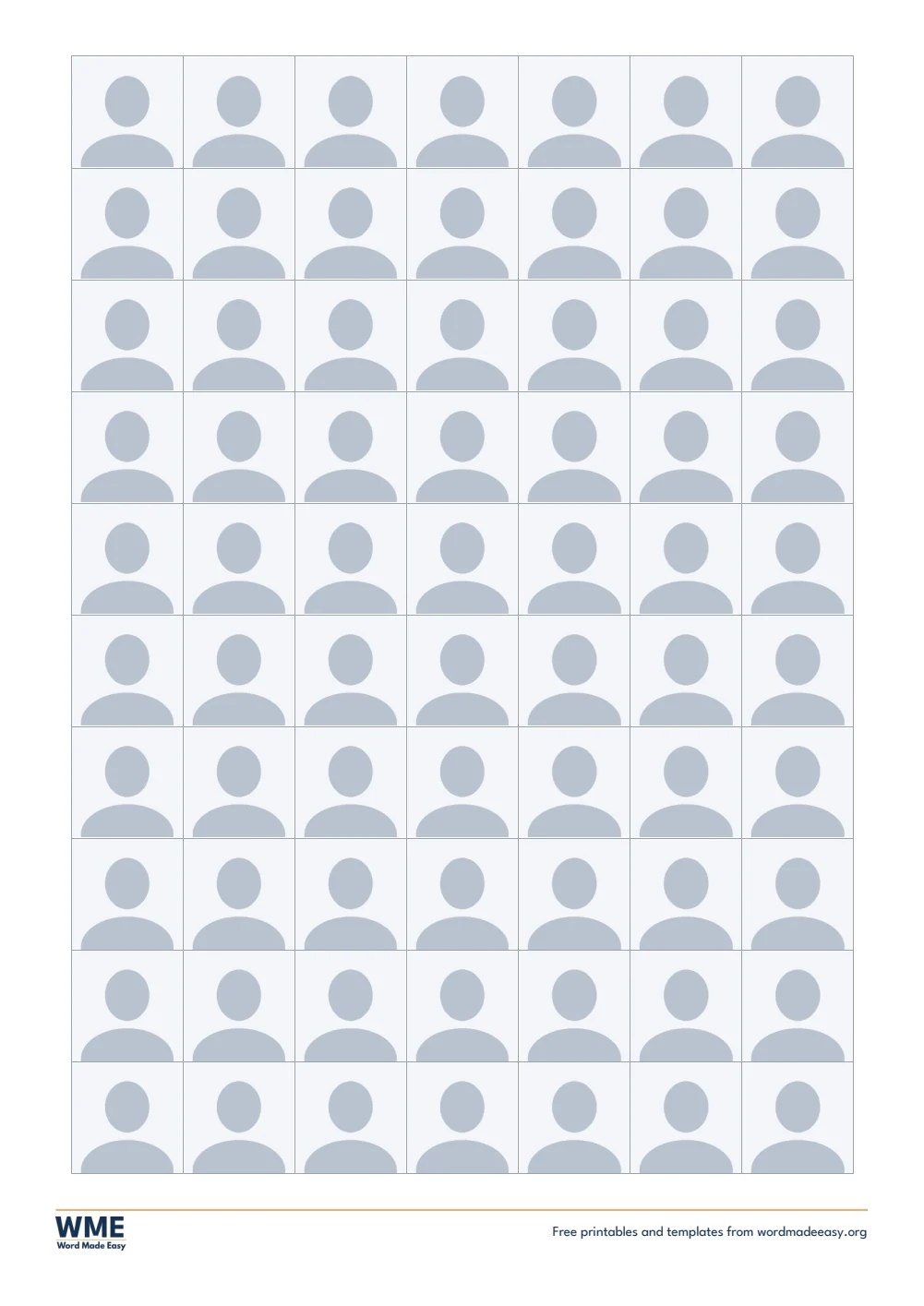
1x1 and 2x2 picture template template for Word: ID Picture Templates, 1x1 ID Picture, A4
A4 — 1×1 ID Picture · 70 photos, 1 x 1 in (2.54 cm). Click to enlarge.
1x1 and 2x2 picture template template for Word: ID Picture Templates, 2x2 ID Picture, A4
A4 — 2×2 ID Picture · 15 photos, 2 x 2 in (5.08 cm). Click to enlarge.
1x1 and 2x2 picture template template for Word: ID Picture Templates, 2x2 and 1x1 ID Picture, A4
A4 — 2×2 and 1×1 ID Picture · 9 photos 2 x 2 in and 28 photos 1 x 1 in. Click to enlarge.
1x1 and 2x2 picture template template for Word: ID Picture Templates, Passport Size Photo, A4
A4 — Passport Size Photo · 25 photos, 35 x 45 mm. Click to enlarge.
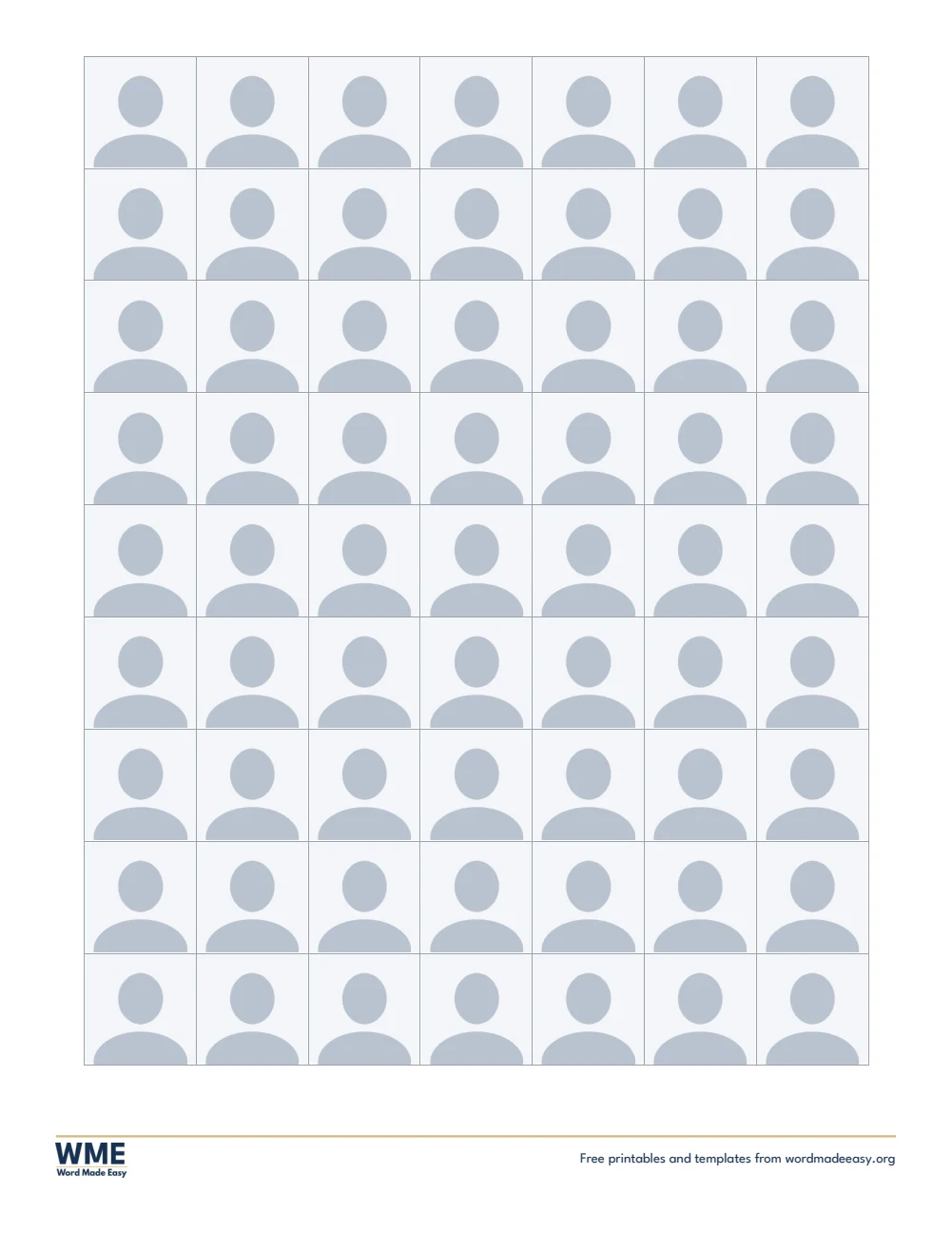
1x1 and 2x2 picture template template for Word: ID Picture Templates, 1x1 ID Picture, US Letter
US Letter — 1×1 ID Picture · 63 photos, 1 x 1 in (2.54 cm). Click to enlarge.
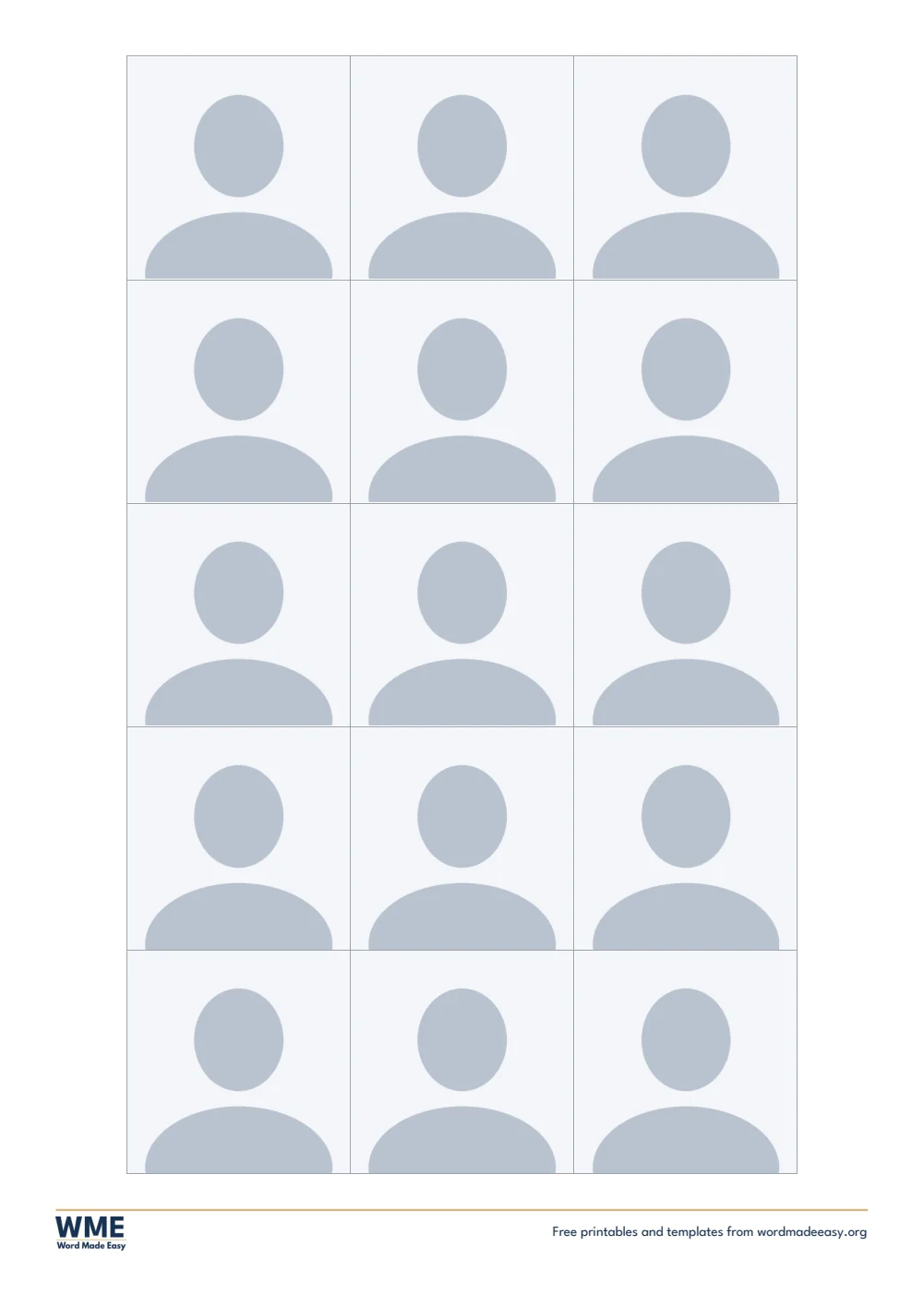
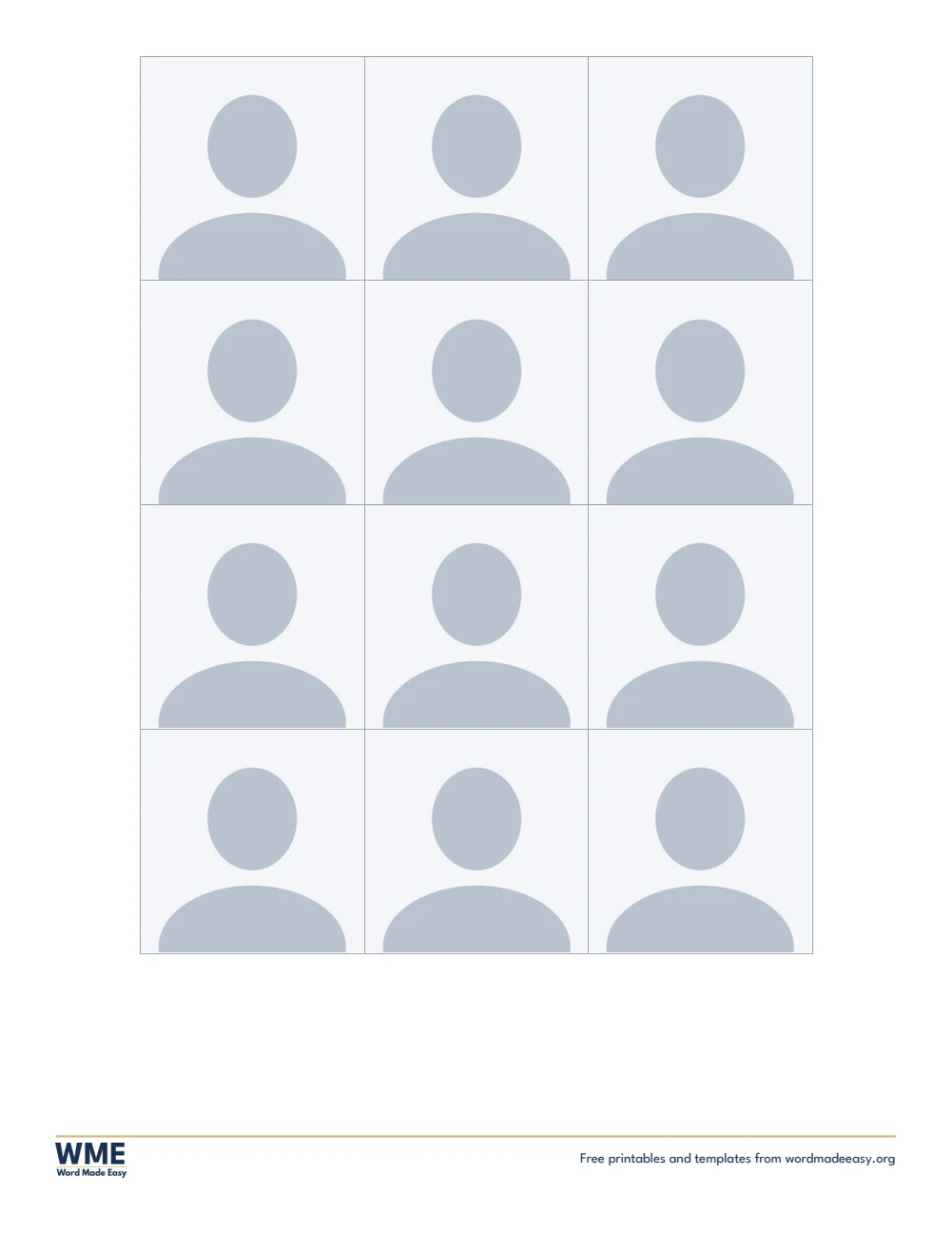
1x1 and 2x2 picture template template for Word: ID Picture Templates, 2x2 ID Picture, US Letter
US Letter — 2×2 ID Picture · 12 photos, 2 x 2 in (5.08 cm). Click to enlarge.
1x1 and 2x2 picture template for Word: a short bond sheet of 2x2 and 1x1 ID photo boxes with cut lines
US Letter — 2×2 and 1×1 ID Picture · 9 photos 2 x 2 in and 21 photos 1 x 1 in. Click to enlarge.
1x1 and 2x2 picture template template for Word: ID Picture Templates, Passport Size Photo, US Letter
US Letter — Passport Size Photo · 25 photos, 35 x 45 mm. Click to enlarge.
1x1 and 2x2 picture template template for Word: ID Picture Templates, 1x1 ID Picture, Long (A4)
Long bond and 4R — 1×1 ID Picture, Long Bond · 77 photos, 1 x 1 in (2.54 cm). Click to enlarge.
1x1 and 2x2 picture template template for Word: ID Picture Templates, 2x2 ID Picture, Long (A4)
Long bond and 4R — 2×2 ID Picture, Long Bond · 15 photos, 2 x 2 in (5.08 cm). Click to enlarge.
1x1 and 2x2 picture template template for Word: ID Picture Templates, 2x2 and 1x1 ID Picture, Long (A4)
Long bond and 4R — 2×2 and 1×1 ID Picture, Long Bond · 9 photos 2 x 2 in and 35 photos 1 x 1 in. Click to enlarge.
1x1 and 2x2 picture template template for Word: ID Picture Templates, Passport Size Photo, Long (A4)
Long bond and 4R — Passport Size Photo, Long Bond · 30 photos, 35 x 45 mm. Click to enlarge.
1x1 and 2x2 picture template template for Word: ID Picture Templates, 1x1 ID Picture, 4R Photo Paper, Long bond and 4R
Long bond and 4R — 1×1 ID Picture, 4R Photo Paper · 20 photos, 1 x 1 in (2.54 cm). Click to enlarge.
1x1 and 2x2 picture template template for Word: ID Picture Templates, 2x2 ID Picture, 4R Photo Paper, Long bond and 4R
Long bond and 4R — 2×2 ID Picture, 4R Photo Paper · 4 photos, 2 x 2 in (5.08 cm). Click to enlarge.
1x1 and 2x2 picture template template for Word: ID Picture Templates, 2x2 and 1x1 ID Picture, 4R Photo Paper, Long bond and 4R
Long bond and 4R — 2×2 and 1×1 ID Picture, 4R Photo Paper · 4 photos 2 x 2 in and 4 photos 1 x 1 in. Click to enlarge.
1x1 and 2x2 picture template template for Word: ID Picture Templates, Passport Size Photo, 4R Photo Paper, Long bond and 4R
Long bond and 4R — Passport Size Photo, 4R Photo Paper · 6 photos, 35 x 45 mm. Click to enlarge.

More free templates

  • Daycare Forms for Word Daycare Forms Free Word files
  • Super Bowl Squares Templates for Word Super Bowl Squares Templates 5 Word files
  • Donation Receipt Templates for Word Donation Receipt Templates Free Word files
  • Potluck Sign-Up Sheet Templates for Word Potluck Sign-Up Sheet Templates Free Word files
  • Raffle Ticket Templates for Word Raffle Ticket Templates Free Word files
  • Gift Certificate Templates for Word Gift Certificate Templates Free Word files
  • Cash Count Sheet Templates for Word Cash Count Sheet Templates 4 Word files
  • Maintenance Log Templates for Word Maintenance Log Templates Free Word files

Download your free Word templates

Enter your email address to download. We will also send you new free Word templates now and then, unless you choose to just download.

Choose your paper size

I agree that Word Made Easy may email me occasional updates about new Word Templates. I can unsubscribe at any time. Choose "No thanks, just download" if you do not want these emails.

Read the Privacy Policy for details about storage, retention and your rights.

Can’t find the template you need? Request a template and I’ll make it in Word, free.

Get new free printables first: follow Word Made Easy on Pinterest

These free 1×1 and 2×2 picture templates give you 4 designs as Word documents: 1×1, 2×2, mixed 2×2 and 1×1, and passport size ID photo sheets on short bond (US Letter), A4, long bond (8.5 x 13 in) and 4R photo paper. Insert your photo once and every box on the sheet fills. I’m Patrick Elliott, a teacher and Inclusion Lead. I built these so one photo becomes a full sheet of exact-size ID pictures: insert it once and Word fills every box, then measured the printed boxes.

In this guide, you’ll find the exact ID picture sizes, which sheet to choose, how to put your photo in, and how to print it so every photo comes out the right size.


Contents hide
1 What’s in the 1×1 and 2×2 Picture Templates
2 What Size Is a 1×1 and 2×2 Picture?
3 Which ID Picture Template Should You Use?
4 How to Use the ID Picture Template in Word
5 How to Print ID Pictures at the Exact Size
6 FAQs
7 Conclusion
8 Related Tutorials
9 Word Templates

What’s in the 1×1 and 2×2 Picture Templates

PaperTemplateWhat’s inside
A41×1 ID Picture70 photos, 1 x 1 in (2.54 cm)
A42×2 ID Picture15 photos, 2 x 2 in (5.08 cm)
A42×2 and 1×1 ID Picture9 photos 2 x 2 in and 28 photos 1 x 1 in
A4Passport Size Photo30 photos, 35 x 45 mm
US Letter1×1 ID Picture63 photos, 1 x 1 in (2.54 cm)
US Letter2×2 ID Picture12 photos, 2 x 2 in (5.08 cm)
US Letter2×2 and 1×1 ID Picture9 photos 2 x 2 in and 21 photos 1 x 1 in
US LetterPassport Size Photo25 photos, 35 x 45 mm
Long bond and 4R photo paper1×1 ID Picture, Long Bond77 photos, 1 x 1 in (2.54 cm)
Long bond and 4R photo paper2×2 ID Picture, Long Bond15 photos, 2 x 2 in (5.08 cm)
Long bond and 4R photo paper2×2 and 1×1 ID Picture, Long Bond12 photos 2 x 2 in and 21 photos 1 x 1 in
Long bond and 4R photo paperPassport Size Photo, Long Bond30 photos, 35 x 45 mm
Long bond and 4R photo paper1×1 ID Picture, 4R Photo Paper20 photos, 1 x 1 in (2.54 cm)
Long bond and 4R photo paper2×2 ID Picture, 4R Photo Paper4 photos, 2 x 2 in (5.08 cm)
Long bond and 4R photo paper2×2 and 1×1 ID Picture, 4R Photo Paper4 photos 2 x 2 in and 4 photos 1 x 1 in
Long bond and 4R photo paperPassport Size Photo, 4R Photo Paper6 photos, 35 x 45 mm
1x1 and 2x2 picture template for Word: a short bond sheet of 2x2 and 1x1 ID photo boxes with cut lines

👉 Select any photo box and insert your picture (Insert > Pictures): Word puts the same photo in every box on the sheet, already at the exact size.


What Size Is a 1×1 and 2×2 Picture?

A 1×1 picture is 1 x 1 inch (2.54 x 2.54 cm) and a 2×2 picture is 2 x 2 inches (5.08 x 5.08 cm). Passport size, used for Philippine passports and many visas, is 35 x 45 mm. Every box on these sheets is exactly that size from cut line to cut line, with a thin grey line to cut along. To size a single photo by hand instead, see how to make a 1×1 and 2×2 picture in Word.


Which ID Picture Template Should You Use?

  • 1×1 ID picture: a full sheet of 1 x 1 inch photos, the most common size for school, company and government IDs.
  • 2×2 ID picture: a full sheet of 2 x 2 inch photos, for visas, school and job applications.
  • 2×2 and 1×1 ID picture: two-thirds 2×2 and one-third 1×1 on one sheet, the usual photo package.
  • Passport size photo: 35 x 45 mm boxes, for passports and many visas.
  • Which paper? Short bond (US Letter) or A4 for home printers, long bond for the most photos per sheet, and 4R photo paper (4 x 6 in) for glossy prints.

How to Use the ID Picture Template in Word

  1. Choose your paper size above, download the ZIP and open the sheet you want.
  2. Crop your photo first: square for 1×1 and 2×2, and 35 by 45 for passport size. See how to crop an image in Word, or use your phone’s crop tool.
  3. Click any photo box to select it, then go to Insert > Pictures and choose your photo. Or right-click the box and choose Change Picture.
  4. Every box on the sheet fills with the same photo at once, already at the exact size.
  5. Save the file, then print it at 100% (Actual size) with no scaling.
  6. Cut along the thin grey lines between the photos.

Use a photo with a plain white or light background, taken straight on in good light. Print on photo paper or thick matte paper if you can, and measure one photo with a ruler after printing to check your printer did not scale it.

Use a Different Photo

Click any box and insert a new picture: every box on the sheet changes together. To keep two different photos, save the sheet under a new name first, then insert the second photo in the copy.

Print Borderless on 4R Photo Paper

The 4R sheets use the whole 4 x 6 inch page, like a photo-lab print. Choose 4 x 6 in or 10 x 15 cm as the paper size and turn on Borderless in your printer settings, or the outer edge of the photos may be cut off.


How to Print ID Pictures at the Exact Size

Print at 100% (Actual size) with “Fit to page” turned off, on short bond, A4, long bond or 4R photo paper to match the file. For 4R, turn on Borderless printing. Measure one printed photo with a ruler to check.


FAQs

Are these ID picture templates free?

Yes. Choose your paper size (US Letter, A4, long bond or 4R) and download all the Word templates in one ZIP file at no cost.

Who made these ID picture templates?

Patrick Elliott, a teacher and Inclusion Lead, designed and built every ID picture by hand in Microsoft Word.

Will the photos print at the exact size?

Yes, if you print at 100% (Actual size). Each box is 1 inch, 2 inches or 35 x 45 mm from cut line to cut line. Turn off “Fit to page” and “Scale to fit” in the print settings.

Do I have to insert my photo into every box?

No. Select one box, go to Insert > Pictures and choose your photo: Word fills every box on the sheet with the same photo.

Why is there white space beside my photo?

The photo is not cropped to the right shape. Crop it square for 1×1 and 2×2, or 35 by 45 for passport size, then insert it again.

Can I use these for a passport or visa?

Yes for the size, but each office has its own rules on background, head size and paper. Check what your embassy or office asks for before you print.


Conclusion

These 1×1 and 2×2 picture templates turn one photo into a full sheet of exact-size ID pictures, human-made by a teacher in Microsoft Word.

Choose your paper size above, download the ZIP, and for long bond printing try the long bond paper templates: 9 easy printables.


Related Tutorials

  • Free Long Bond Paper Templates for Word: 9 Easy Printables
  • How to Make 1×1 and 2×2 Picture in Word (Picture Size): 4 Easy Steps
  • Paper Sizes in Word: Easy Guide to 11 Sizes in Inches and mm

Word Templates

Recently Added Word Templates

  • Free Class Record Template for Word (DO 15, s. 2026): 5 Printables

    November 12, 2026
  • Free Learner’s Profile Templates for Word: 5 Printables

    November 12, 2026
  • Free LAC Templates for Word (DO 35, s. 2016): 5 Printables

    November 12, 2026

Browse the complete collection of free printable Word templates for home and school, all made by a teacher.

View all Word templates
Watch on YouTube

New to Word? Our Word tutorials show you how to edit and print your templates.

← PreviousFree MLA Format Templates for Word: MLA 9 Paper and Works Cited Page
Next →Free Anecdotal Record Templates for Word: DepEd-Style, Long Bond and A4

Leave a comment Cancel reply

Have a question about these templates, or an idea for a new one? Ask below.

Meet the Author

Patrick Elliott standing outdoors holding his dog.

I’m Patrick Elliott, the creator of Word Made Easy. I’ve worked in schools for over 10 years and I’m now an Inclusion Lead in the UAE. I use Microsoft Word and PowerPoint every day for planning, documentation and classroom resources.

Every guide is tested step by step before publishing (usually in Microsoft 365), and every free template is one I made myself in Word. You’ll also find practical walkthroughs on my YouTube channel.

Browse

  • Word TutorialsStep-by-step guides for every feature
  • Word Beginners HubFree 12-chapter Word course
  • Word TemplatesFree, editable downloads
  • Word Shortcut Cheat SheetsFree printable PDFs
  • Google Docs TutorialsStep-by-step Docs guides
  • PowerPoint TutorialsClear, simple slide guides
  • YouTube VideosWatch the video walkthroughs

Watch on YouTube

Prefer to watch? Most guides have a short video walkthrough on the Word Made Easy channel.

  • 147videos
  • 1.88Mviews
  • 8,000+subscribers
Subscribe on YouTube

Recently Added

  • Free Class Record Template for Word (DO 15, s. 2026): 5 PrintablesNovember 12, 2026
  • Free Learner’s Profile Templates for Word: 5 PrintablesNovember 12, 2026
  • Free LAC Templates for Word (DO 35, s. 2016): 5 PrintablesNovember 12, 2026
  • Free Classroom Structuring Templates for Word: 7 Charts and PostersNovember 12, 2026
  • How to Mail Merge Certificates in Word: 7 Easy StepsNovember 12, 2026

Most Downloaded

  • Free Microsoft Word Keyboard Shortcuts Bundle: 14 Cheat Sheets (PDF)64 downloads in the last 30 days
  • Microsoft Word for Beginners: Free Guide and PDF62 downloads in the last 30 days
  • Free Printable Alphabet Charts for Word: 5 Easy Designs50 downloads in the last 30 days
  • Free Fillable Form Templates for Word: 4 Easy Forms45 downloads in the last 30 days
  • Free ILAW Lesson Plan Templates for Word: English and Filipino (DO 16, s. 2026)33 downloads in the last 30 days
Word Made Easy

Free, step-by-step Microsoft Word tutorials, written and tested by teacher Patrick Elliott.

Subscribe on YouTube Follow on Facebook Follow on Pinterest

Explore

  • Home
  • Word Tutorials
  • Word Templates
  • Google Docs Tutorials
  • PowerPoint Tutorials
  • YouTube Videos

Microsoft Word

  • Page Layout & Sections
  • Tables, Images & Media
  • Formatting Basics
  • Productivity & Automation
  • Beginners Hub
  • Templates
  • Shortcut Cheat Sheets

Google Docs

  • All Google Docs Tutorials

About

  • About Me
  • Contact
Privacy Policy Cookie Policy Terms of Use
© 2012–2026 Word Made Easy. All rights reserved.
Manage your privacy

To provide the best experiences, we and our partners use technologies like cookies to store and/or access device information. Consenting to these technologies will allow us and our partners to process personal data such as browsing behavior or unique IDs on this site and show (non-) personalized ads. Not consenting or withdrawing consent, may adversely affect certain features and functions.

Click below to consent to the above or make granular choices. Your choices will be applied to this site only. You can change your settings at any time, including withdrawing your consent, by using the toggles on the Cookie Policy, or by clicking on the manage consent button at the bottom of the screen.

Functional Always active
The technical storage or access is strictly necessary for the legitimate purpose of enabling the use of a specific service explicitly requested by the subscriber or user, or for the sole purpose of carrying out the transmission of a communication over an electronic communications network.
Preferences
The technical storage or access is necessary for the legitimate purpose of storing preferences that are not requested by the subscriber or user.
Statistics
The technical storage or access that is used exclusively for statistical purposes. The technical storage or access that is used exclusively for anonymous statistical purposes. Without a subpoena, voluntary compliance on the part of your Internet Service Provider, or additional records from a third party, information stored or retrieved for this purpose alone cannot usually be used to identify you.
Marketing
The technical storage or access is required to create user profiles to send advertising, or to track the user on a website or across several websites for similar marketing purposes.
Statistics

Marketing

Features
Always active

Special features

Special purposes
Always active

  • Manage options
  • Manage services
  • Manage {vendor_count} vendors
  • Read more about these purposes
Manage options
  • {title}
  • {title}
  • {title}
Manage your privacy
To provide the best experiences, we use technologies like cookies to store and/or access device information. Consenting to these technologies will allow us to process data such as browsing behavior or unique IDs on this site. Not consenting or withdrawing consent, may adversely affect certain features and functions.
Functional Always active
The technical storage or access is strictly necessary for the legitimate purpose of enabling the use of a specific service explicitly requested by the subscriber or user, or for the sole purpose of carrying out the transmission of a communication over an electronic communications network.
Preferences
The technical storage or access is necessary for the legitimate purpose of storing preferences that are not requested by the subscriber or user.
Statistics
The technical storage or access that is used exclusively for statistical purposes. The technical storage or access that is used exclusively for anonymous statistical purposes. Without a subpoena, voluntary compliance on the part of your Internet Service Provider, or additional records from a third party, information stored or retrieved for this purpose alone cannot usually be used to identify you.
Marketing
The technical storage or access is required to create user profiles to send advertising, or to track the user on a website or across several websites for similar marketing purposes.
Statistics

Marketing

Features
Always active

Special features

Special purposes
Always active

  • Manage options
  • Manage services
  • Manage {vendor_count} vendors
  • Read more about these purposes
Manage options
  • {title}
  • {title}
  • {title}