
Daily Time Record Templates for Word: 6 Free DTR and Leave Forms
Preview every template, choose colour or black and white and your paper size, then download your Word templates in one small ZIP file.
Long bond and A46 templatesFree
Can’t find the template you need? Request a template and I’ll make it in Word, free.
Get new free printables first: follow Word Made Easy on Pinterest
These free daily time record templates give DepEd teachers, school staff and other government employees a clean, typed DTR for every month. Four versions follow the CS Form No. 48 layout: one copy per page or two side by side, each with or without the undertime columns. The pack also has an application for leave in the CS Form No. 6 (Revised 2020) layout and a leave card for tracking credits, so the forms you file most often sit in one download. Every label is fixed and every writing space is editable, in the field order of the CS forms.
Below you’ll find what each form holds, which DTR version to print, and how to fill them in Word before you sign by hand.
What’s in the Daily Time Record Templates
| Template | What it holds |
|---|---|
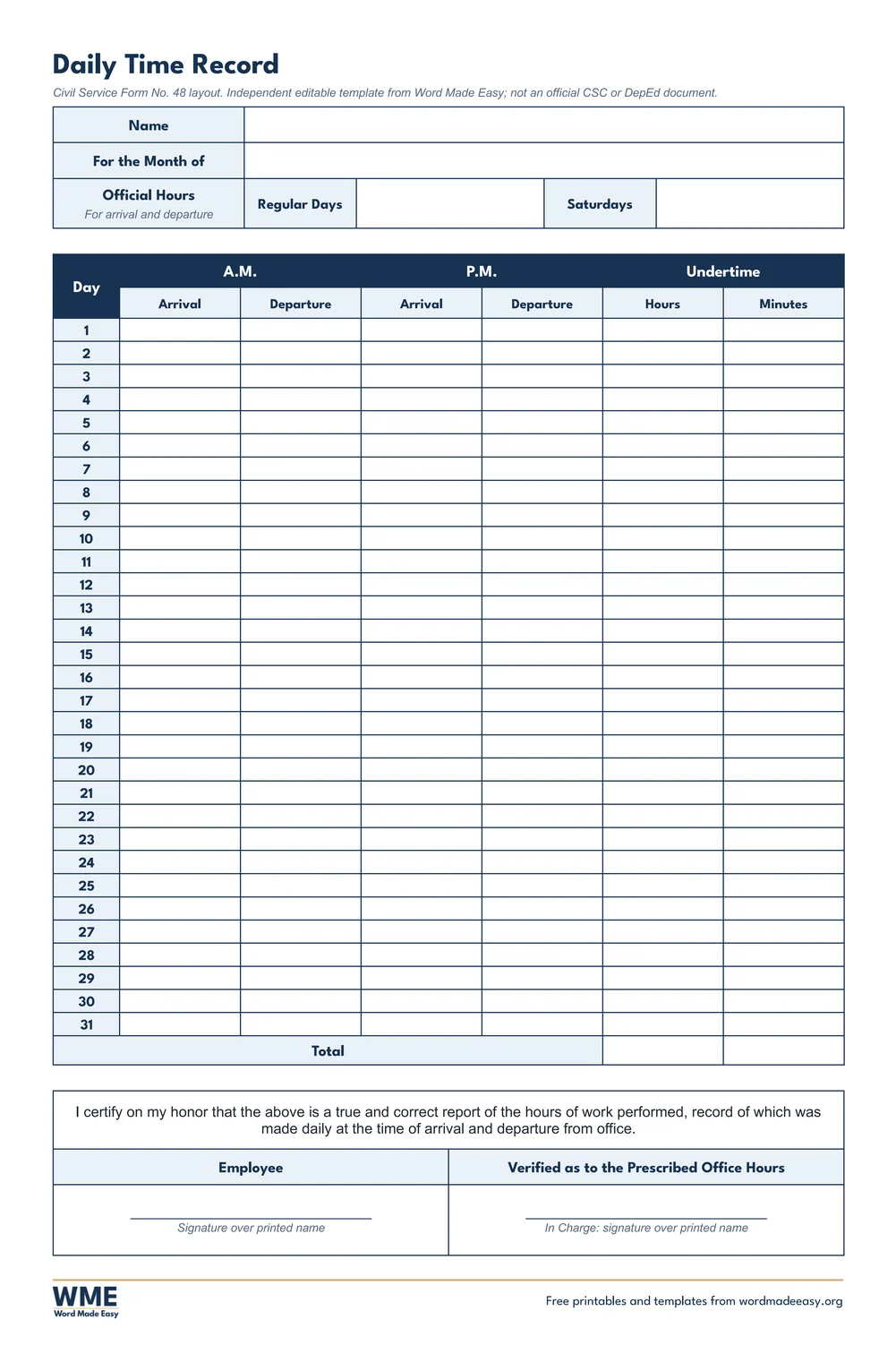
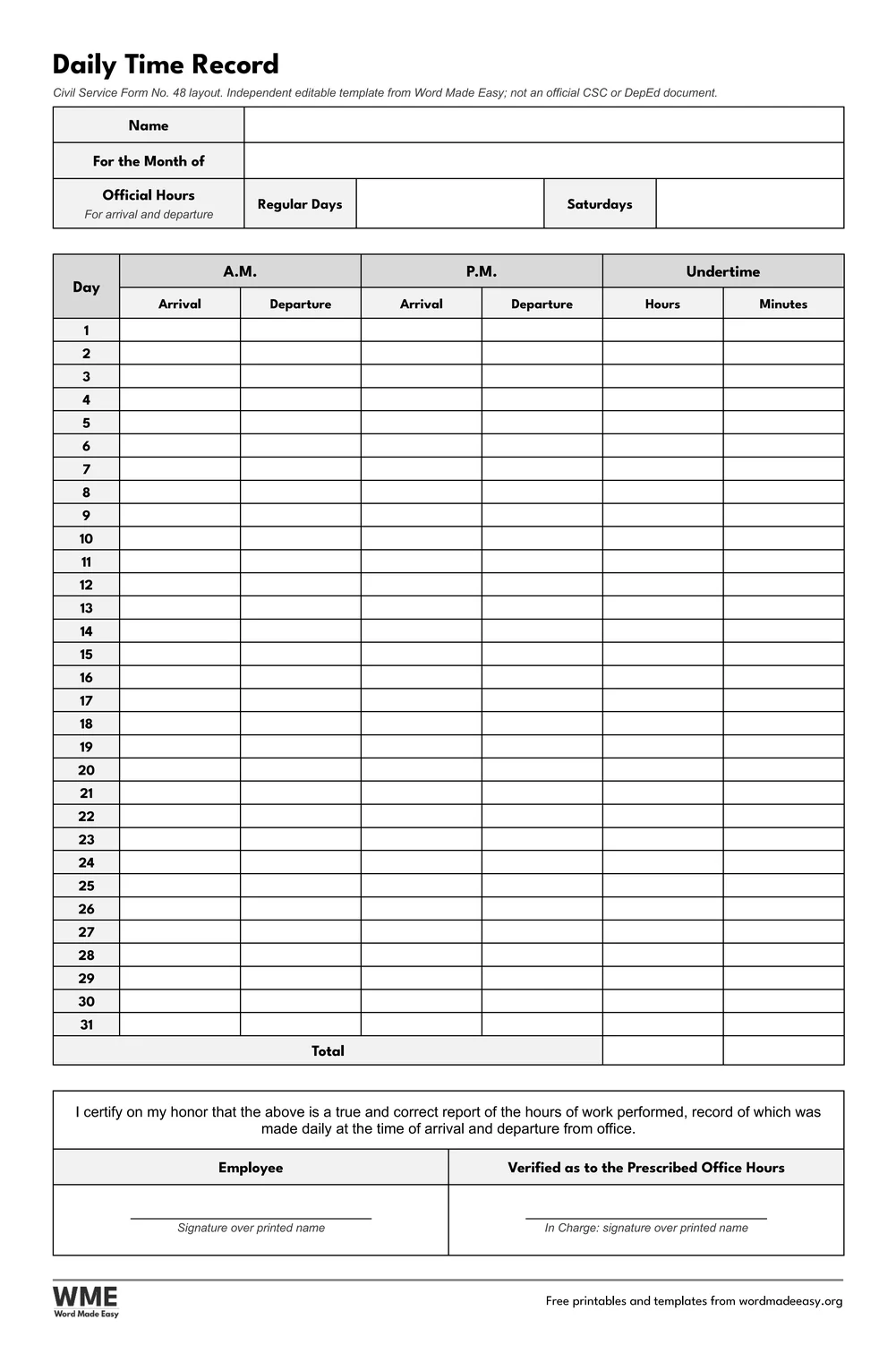
| Daily Time Record | CS Form No. 48 layout, one per page: A.M. and P.M. arrival and departure, undertime, certification |
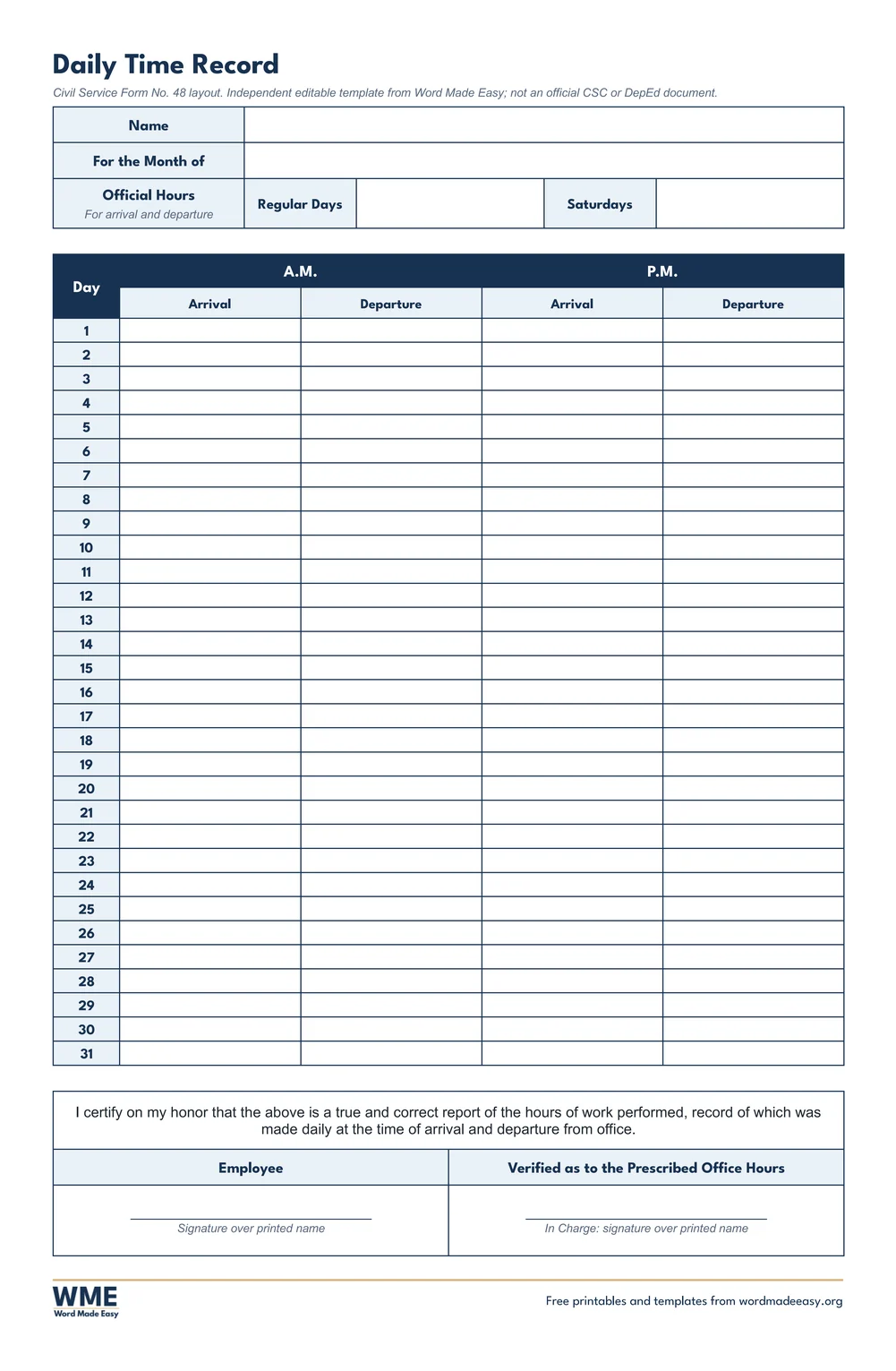
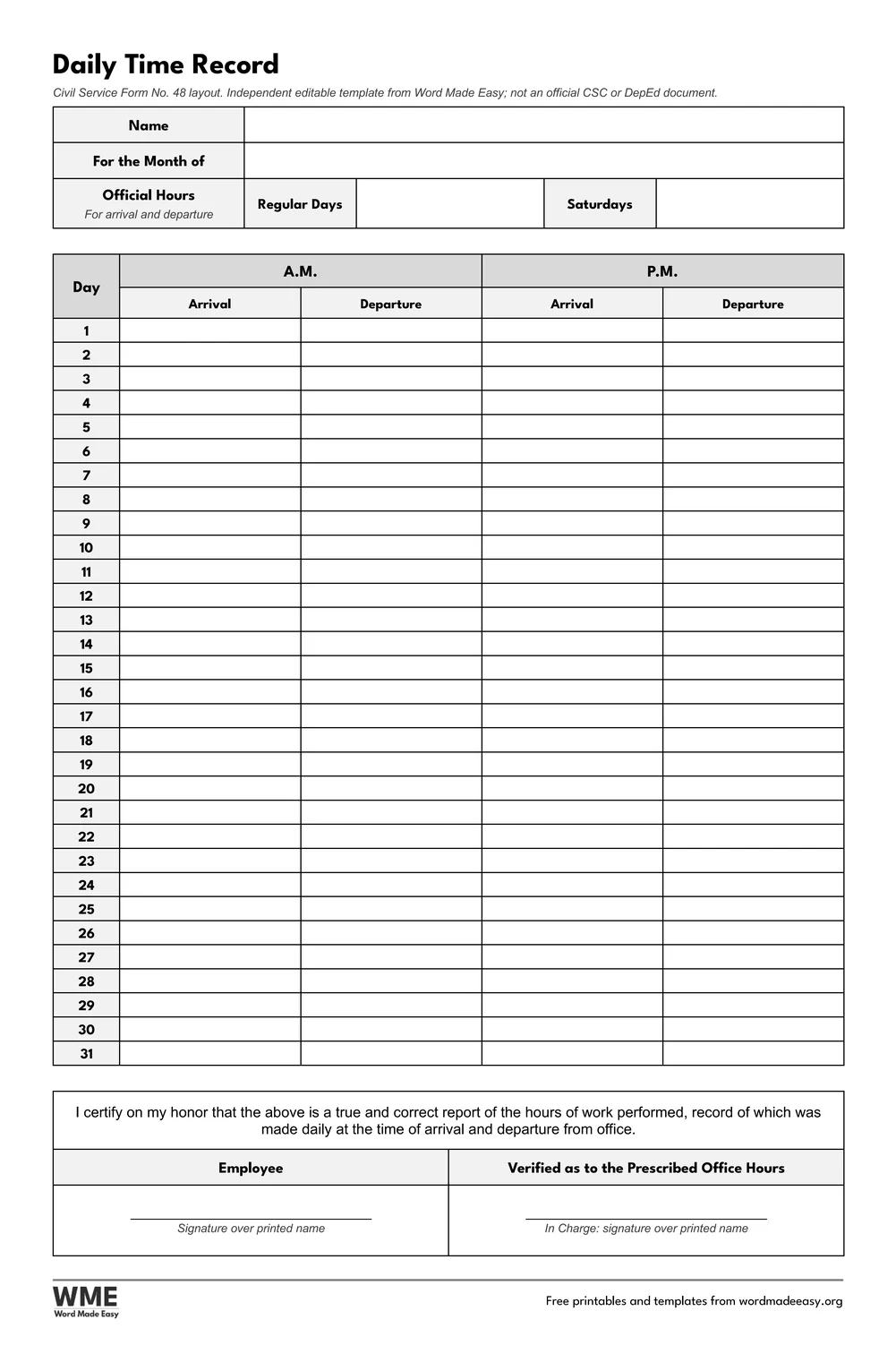
| Daily Time Record without Undertime | One per page, arrival and departure only, certification and In Charge |
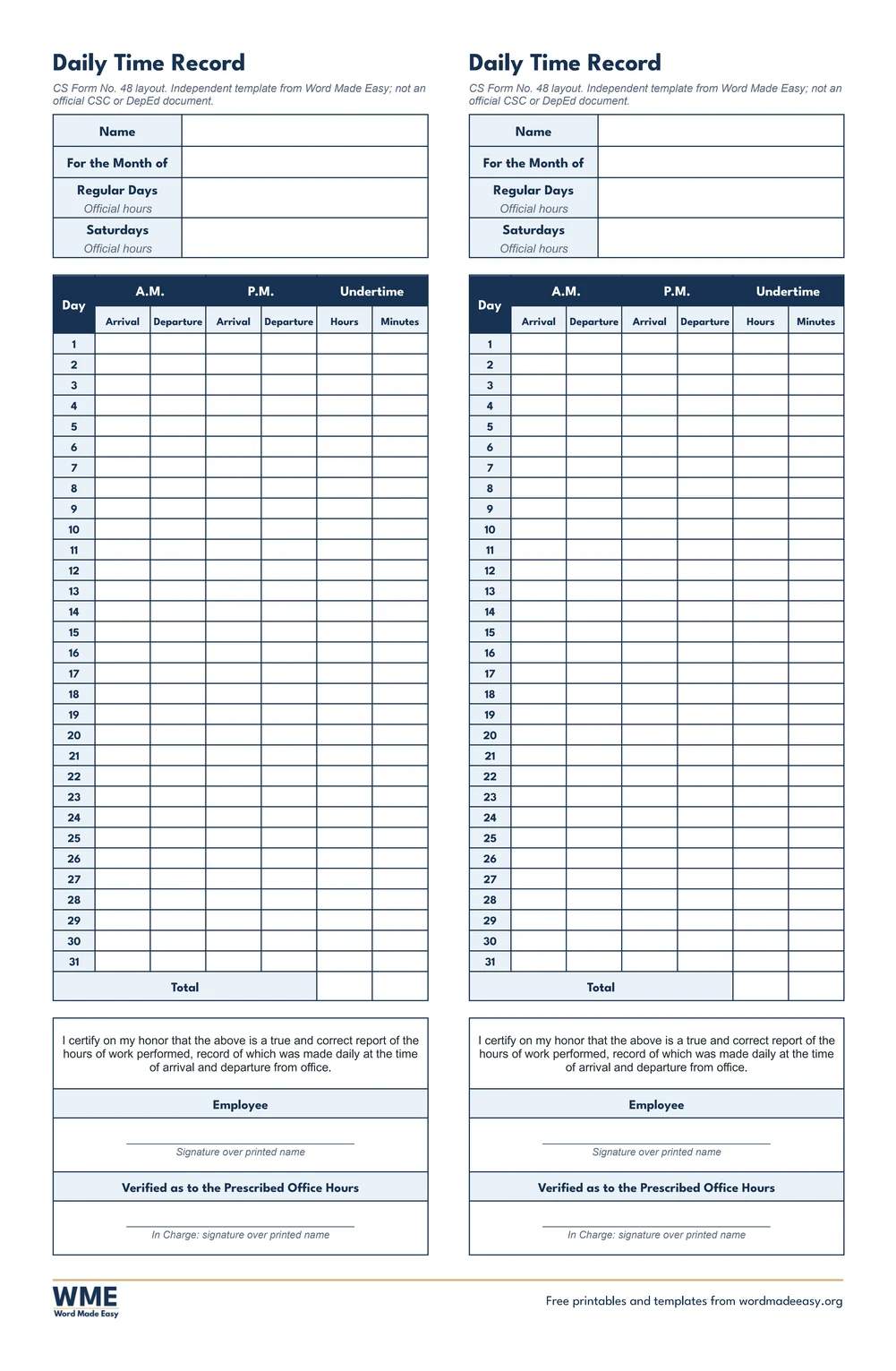
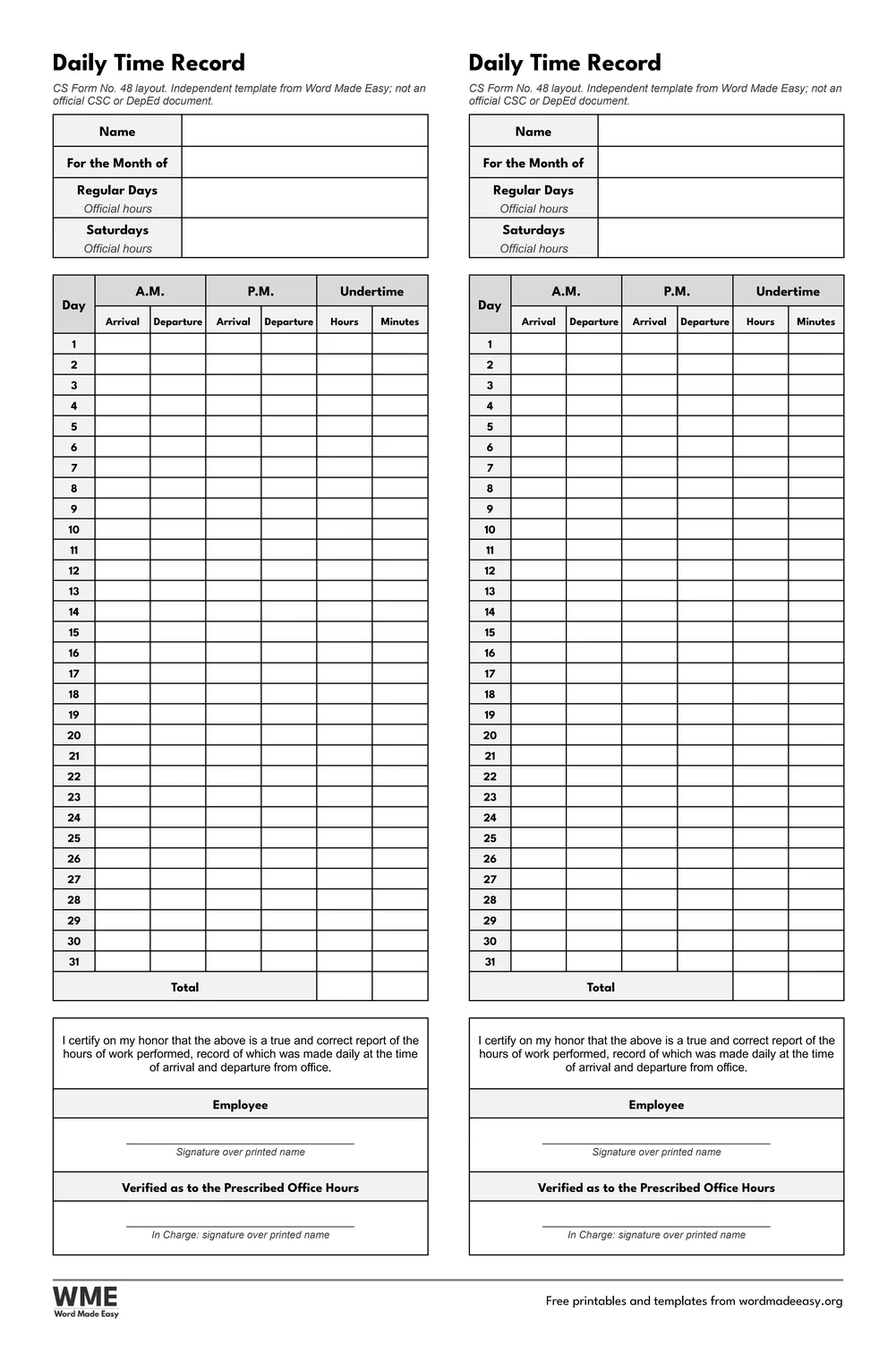
| Daily Time Record, Two per Page | Two copies side by side to cut down the middle, with undertime |
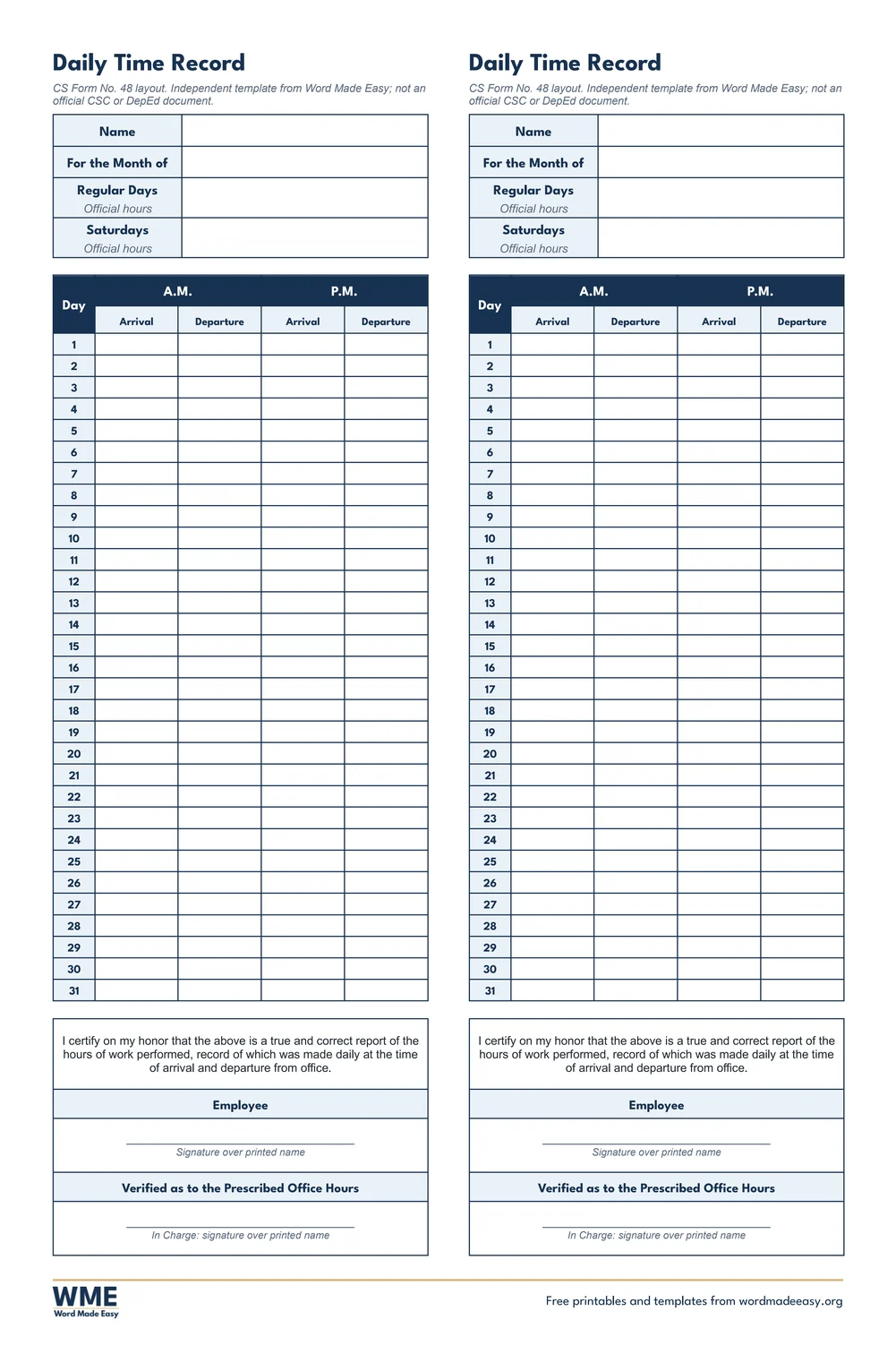
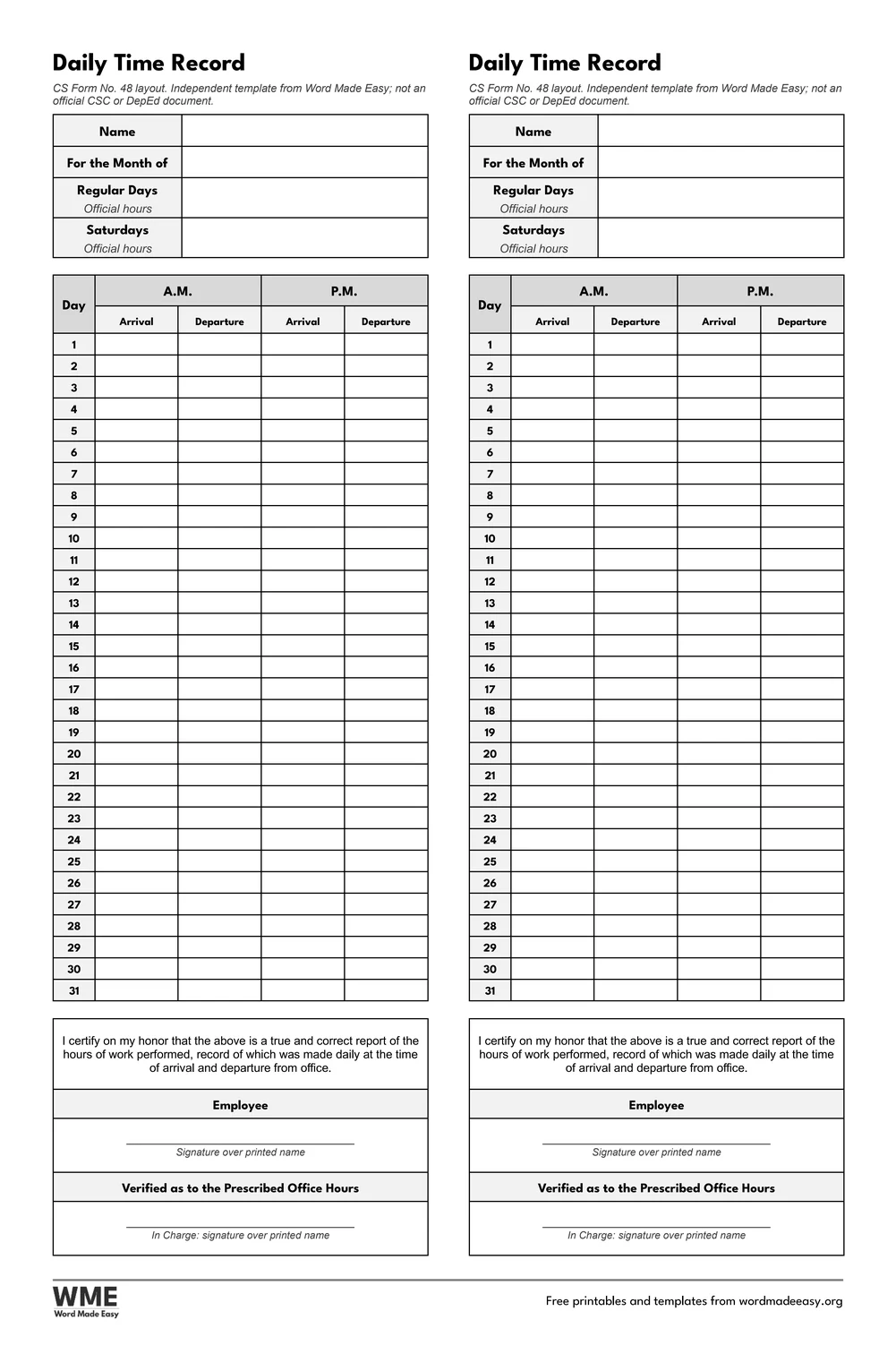
| Daily Time Record, Two per Page without Undertime | Two copies side by side, arrival and departure only |
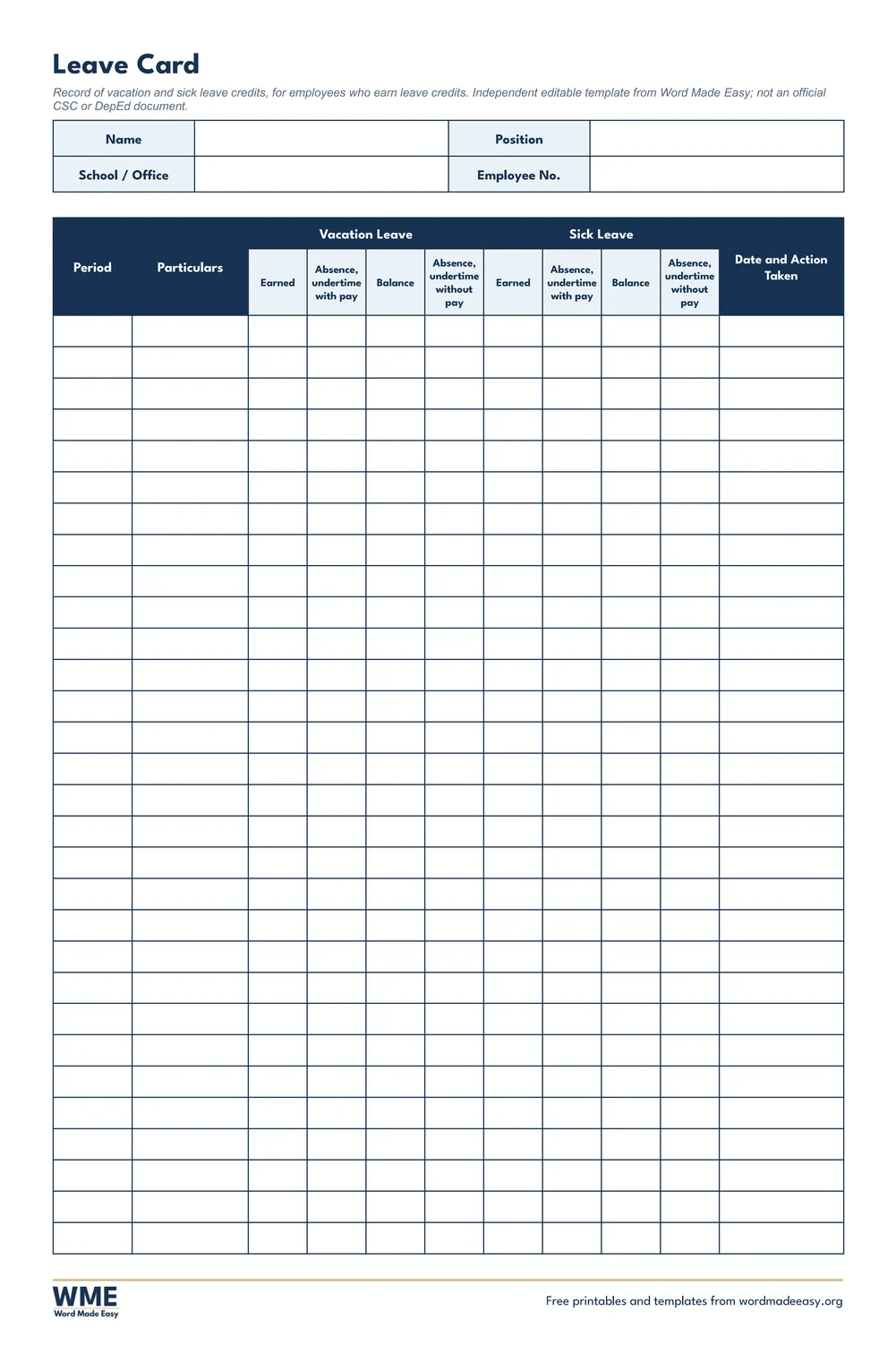
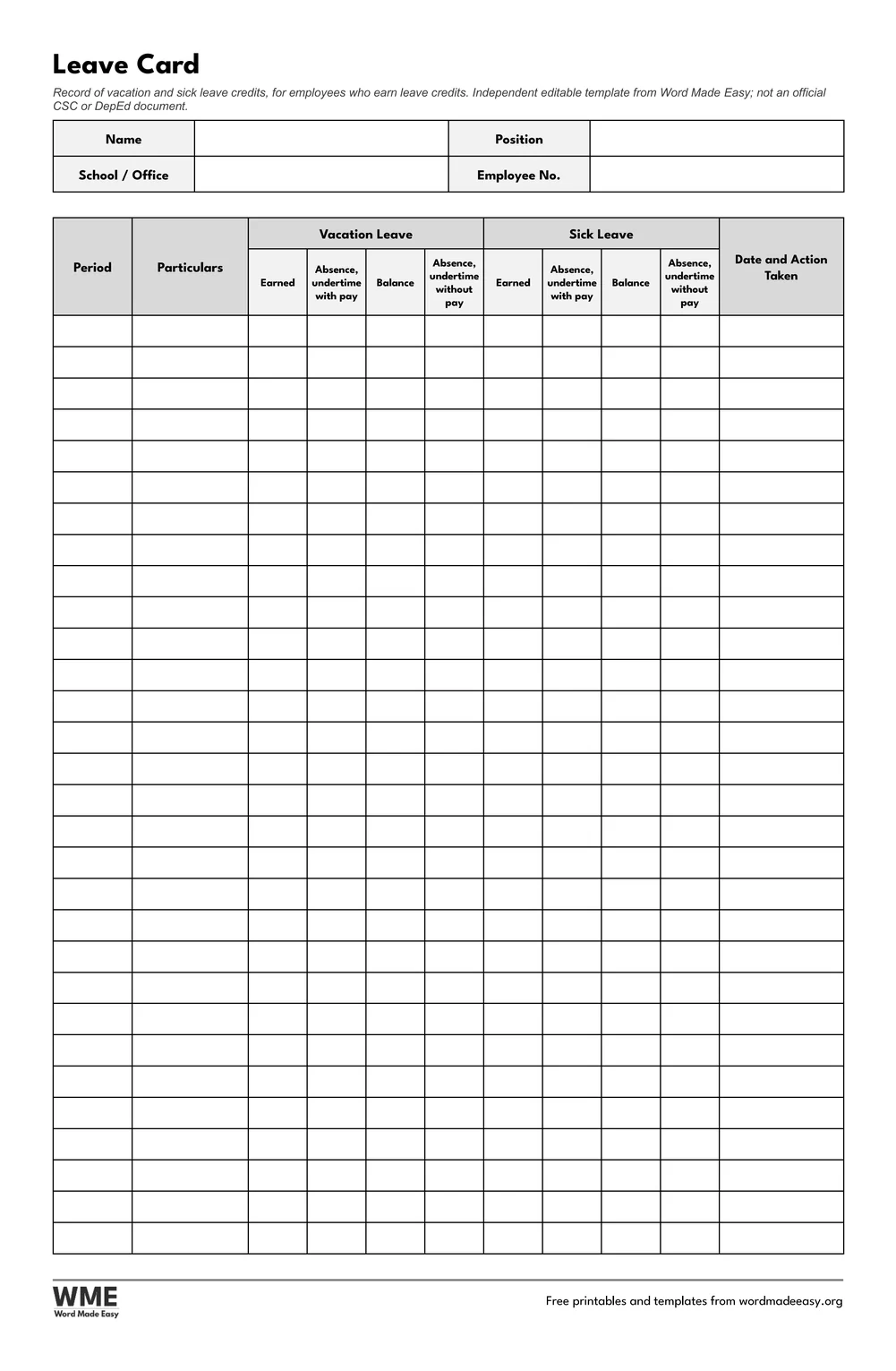
| Leave Card | Vacation and sick leave credits month by month: earned, used, balance |
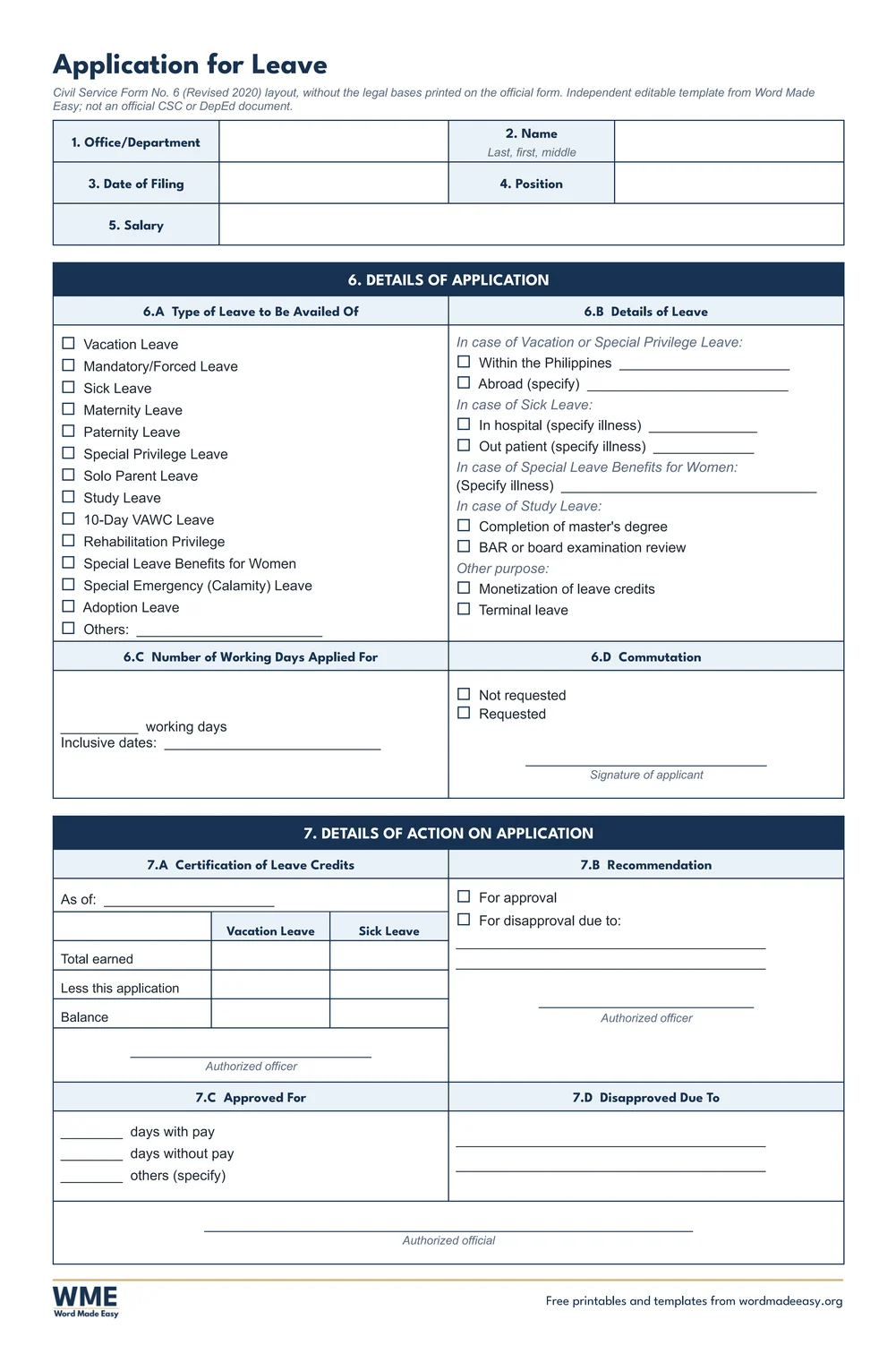
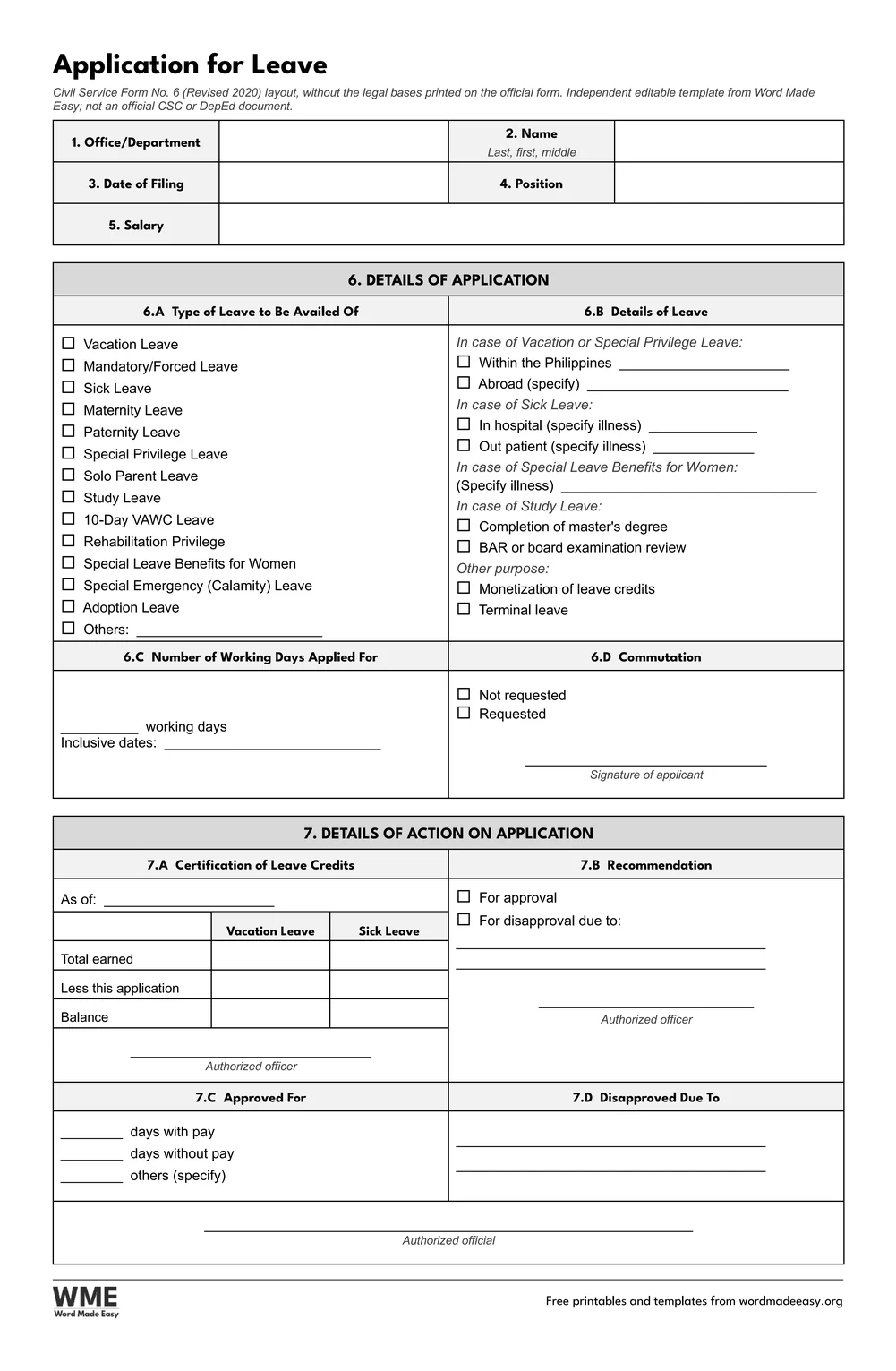
| Application for Leave | CS Form No. 6 (Revised 2020) layout: items 1 to 7, leave types, credits and action |
| Papers and styles | Every form on long bond (8.5 x 13 in) and A4, in colour and in black and white |
👉 Every label is fixed and every writing space is a Word table cell or a click-and-type box, so the name, month and hours can be typed once and printed for each month. Each page carries a short note that it is an independent template, not an official CSC or DepEd document.
What Is a Daily Time Record (CS Form No. 48)?
A daily time record is the monthly log of when an employee arrives and leaves, in the morning and the afternoon, for every day of the month. Government offices use the Civil Service Form No. 48 layout: the name, the month, the official hours for regular days and Saturdays, then one row for each day from 1 to 31 with A.M. arrival and departure, P.M. arrival and departure and, where the office counts it, undertime in hours and minutes. Under the table, the employee certifies on their honour that the record is true and signs, and the head or the person in charge signs to verify it against the prescribed office hours.
Which Daily Time Record Template Should You Use?
- Daily Time Record: one full-page DTR with the undertime columns and a total row, the version most offices ask for.
- Daily Time Record without Undertime: the same page with only the arrival and departure times, for offices that compute undertime elsewhere.
- Daily Time Record, Two per Page: two identical copies side by side on one sheet, the classic way to file one copy and keep the other; cut down the middle.
- Daily Time Record, Two per Page without Undertime: the two-copy sheet with arrival and departure only.
- Application for Leave: the CS Form No. 6 items 1 to 7, from the type of leave and the inclusive dates to the certification of leave credits and the action taken.
- Leave Card: a month-by-month record of vacation and sick leave earned, used and remaining, for employees who earn leave credits.
- For lesson planning on the same long bond paper, the detailed lesson plan templates sit in the same set of DepEd forms.
How to Fill In the Daily Time Record in Word
- Choose long bond or A4 and colour or black and white above, download the ZIP and open the form you need.
- Click into the Name box and type your name, then the month and your official hours.
- Save a copy for each month, so next month you only change the month.
- Print at 100% on 8.5 x 13 paper for long bond, then write the daily times by hand as your office requires.
- Sign the certification at the end of the month and pass the form to your head or the person in charge.
Most offices want the times written as they happen, so print the form blank at the start of the month and fill the days by hand; only the name, month and hours are worth typing. Keep the two-per-page sheet for offices that collect one copy and return the other. Before the Christmas break, file the Application for Leave early and attach it to your DTR for the month.
Black and White Versions
Every template on this page also comes in a black and white version with the same layout: grey headings and an outlined title, so it prints clearly on any printer and saves ink. In the download box, choose Colour, Black and white or All, then your paper size: long bond, A4 or both.
How to Print the Daily Time Record
Print at 100% (Actual size). For long bond, load 8.5 x 13 inch paper and pick that size in the printer settings, where it may be listed as Folio or Long; A4 files print on A4. The two-per-page DTRs print both copies on one sheet: cut along the middle gap.
FAQs
Are these daily time record templates free?
Yes. All six forms are free: choose long bond or A4, colour or black and white, and download them in one ZIP file with Word, PDF and image versions.
Is this the official CS Form No. 48?
No. It is an independent template that follows the CS Form No. 48 field layout, made by Word Made Easy. Check with your school or office whether they accept it or require their own printed form.
What is undertime on a DTR?
Undertime is time worked short of the official hours, such as arriving late or leaving early. The undertime columns record it in hours and minutes for each day, with a total at the bottom.
Why are there two DTRs on one page?
Many offices keep one copy and give one back, so the form is printed twice on one sheet. Cut down the middle to separate them.
Is the Application for Leave the CS Form No. 6?
It follows the CS Form No. 6 (Revised 2020) layout, items 1 to 7, but leaves out the legal bases printed beside each leave type. It is an independent template, not the official form.
Can I print on long bond paper?
Yes. The long bond files are 8.5 x 13 inches. In the printer settings choose that size, which some printers call Folio or Long, and print at 100%.
Conclusion
Six daily time record and leave forms in the CS Form No. 48 and No. 6 layouts, on long bond and A4, ready to type in Microsoft Word and sign by hand.
Download your paper size above, and for the rest of your school paperwork, open the detailed lesson plan templates.
Related Tutorials
- Detailed Lesson Plan Templates for Word
- Class Record Templates for Word
- Timesheet Templates for Word
Word Templates
Recently Added Word Templates
Browse the complete collection of free printable Word templates for home and school, all made by a teacher.
New to Word? Our Word tutorials show you how to edit and print your templates.


Leave a comment
Have a question about these templates, or an idea for a new one? Ask below.