
Travel Itinerary Templates: 8 Free Printable Trip Planners for Word
Preview every template, choose colour or black and white and your paper size, then download your Word templates in one small ZIP file.
A4 and US Letter8 templatesFree


Can’t find the template you need? Request a template and I’ll make it in Word, free.
Get new free printables first: follow Word Made Easy on Pinterest
A good travel itinerary template puts every time, address and booking number for a trip on one page, so nobody is scrolling through emails at the check-in desk. This pack has eight designs, each laid out for a different kind of trip: a classic day-by-day itinerary with flights and hotels, a single day hour by hour, road trip day cards, a family plan with the children’s choices, a business trip with meetings, a weekend getaway, a city break with sights to book, and an international itinerary with a travel documents block. A4 files use UK wording (travellers, holiday, booking ref.) and US Letter files US wording (travelers, vacation, confirmation no.).
Below you’ll find what to put on an itinerary, which design suits your trip, and how to share it with the people travelling with you.
What’s in the Travel Itinerary Templates
| Template | What’s on it | Paper |
|---|---|---|
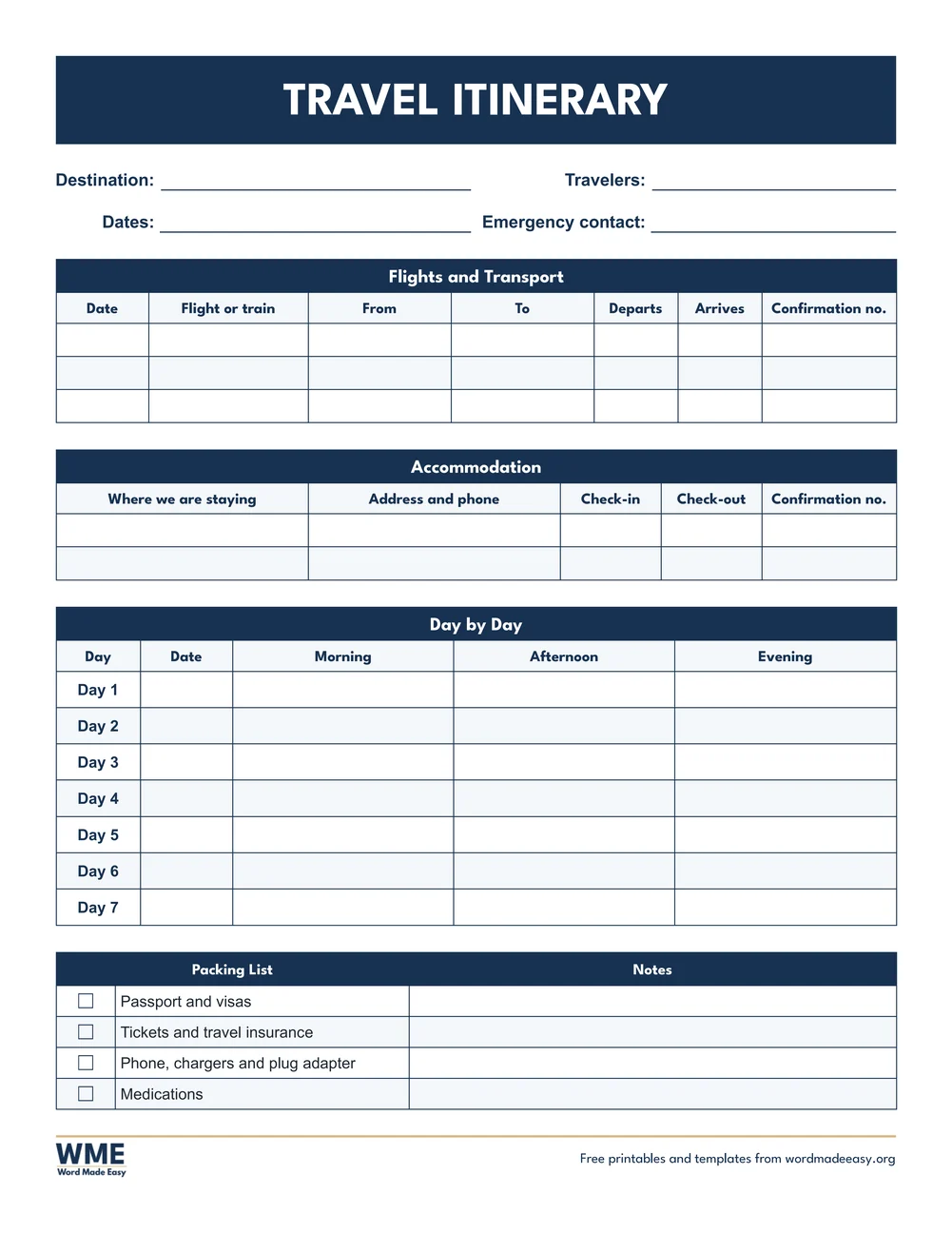
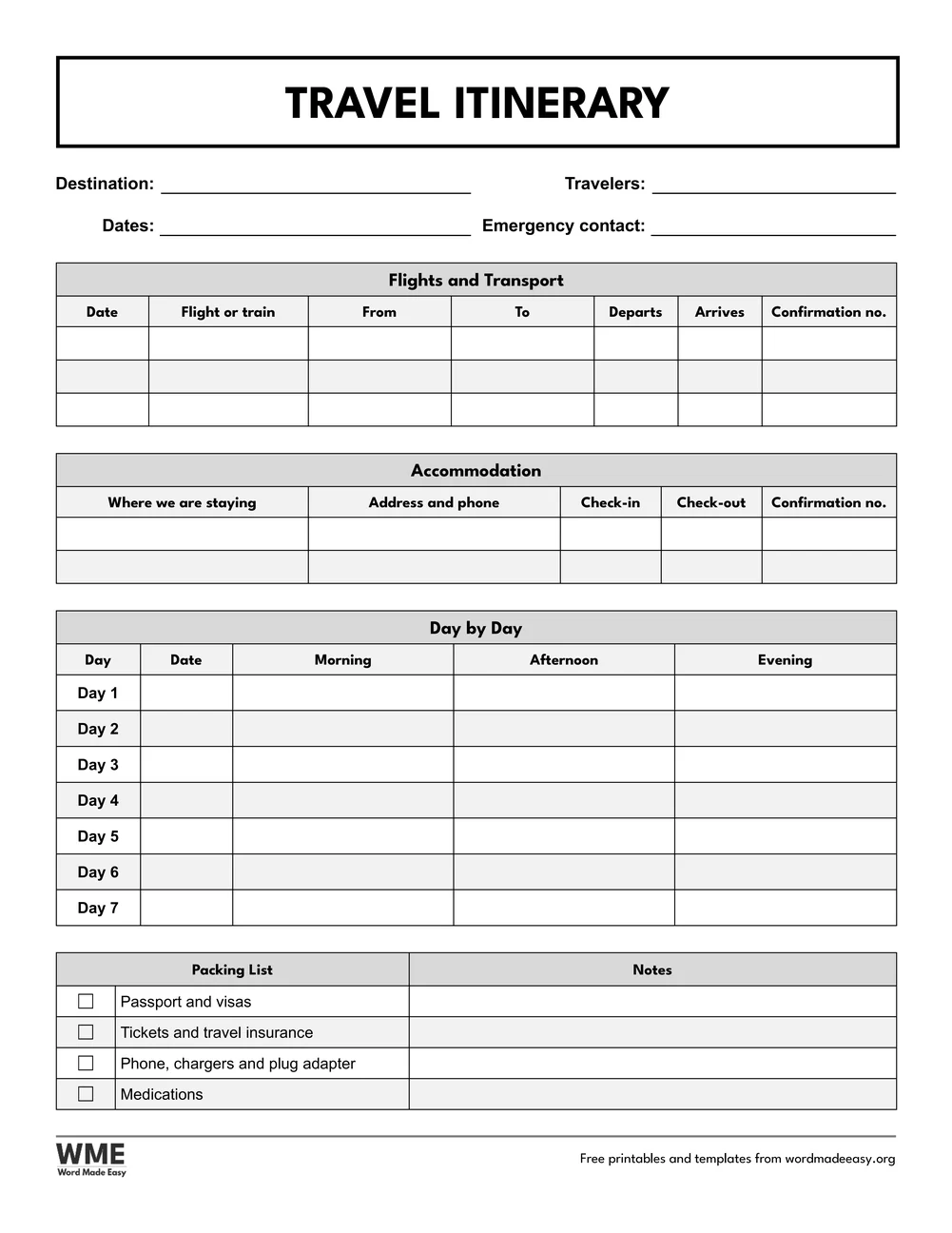
| Travel Itinerary | Flights, accommodation, a seven-day plan by morning, afternoon and evening, and a packing list | US Letter and A4, colour and black and white |
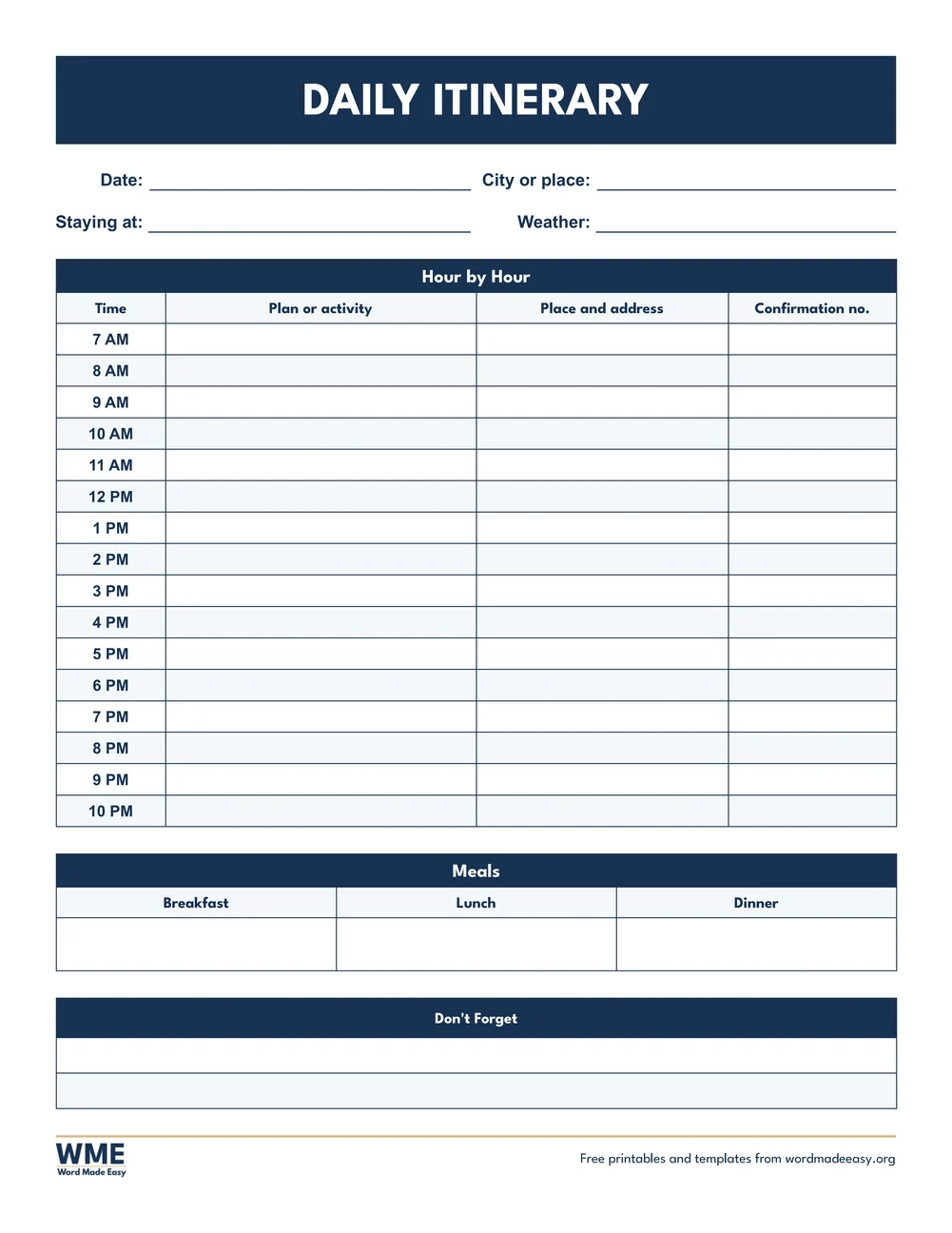
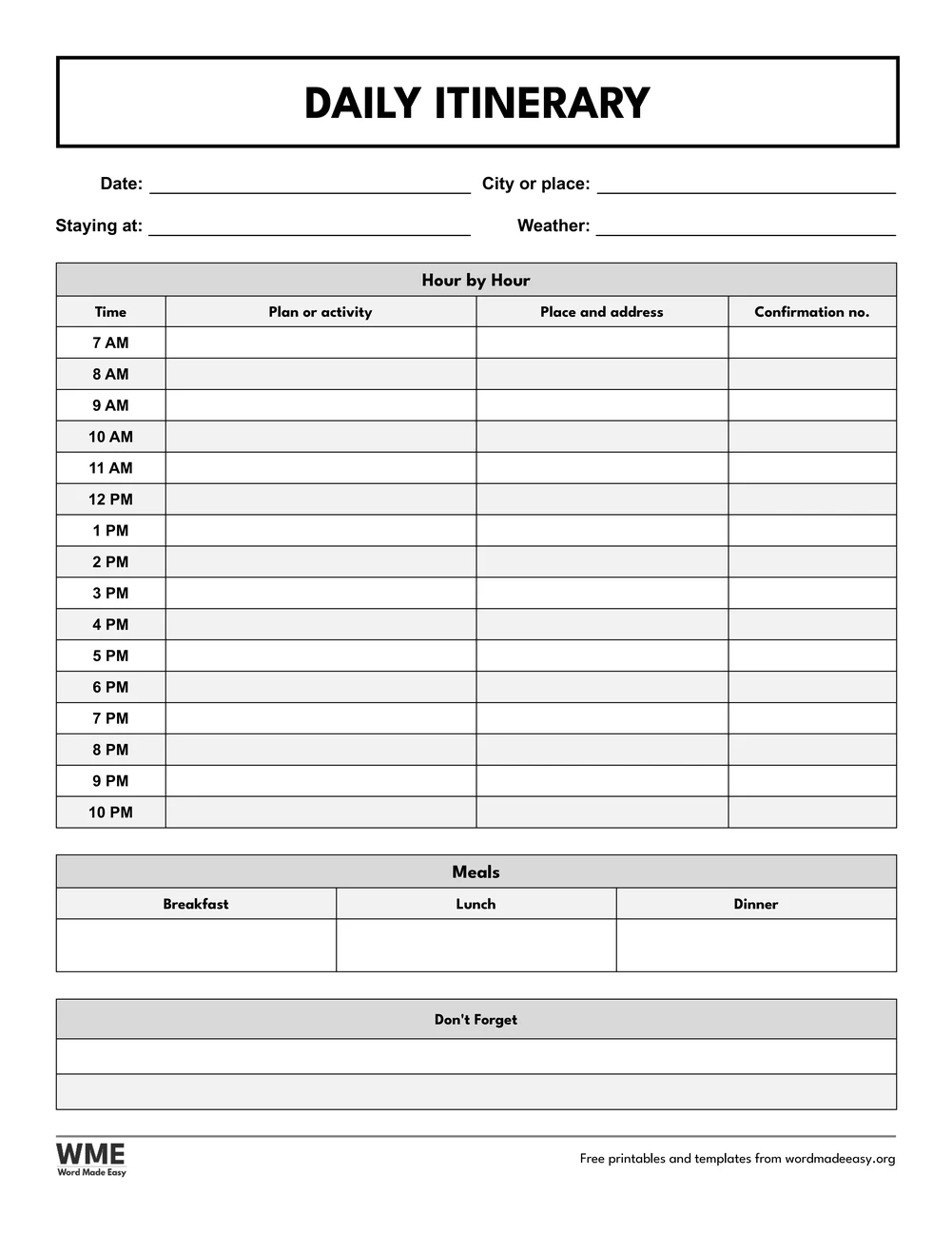
| Daily Itinerary | One day on a page, hour by hour from early morning to late evening, with meals | US Letter and A4, colour and black and white |
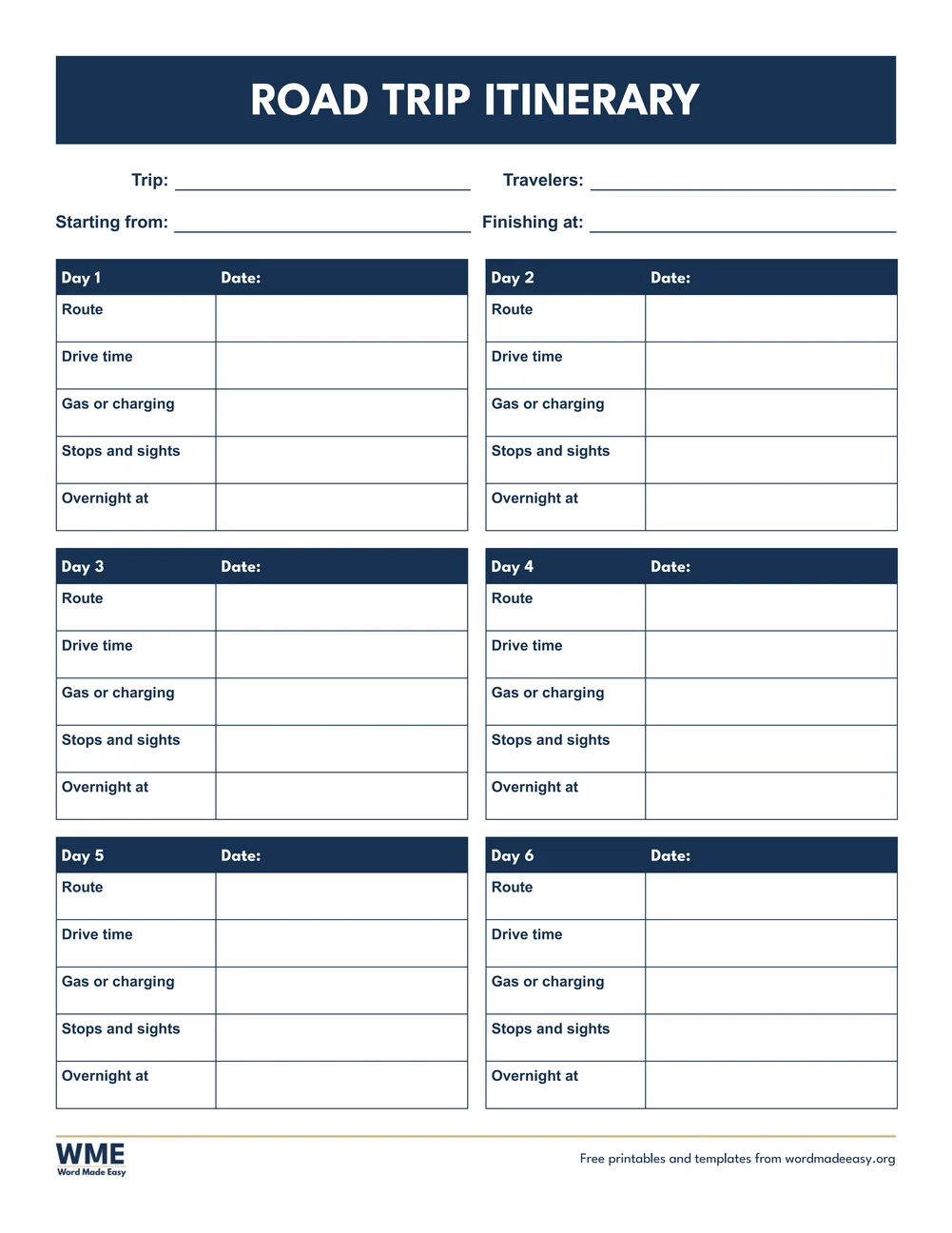
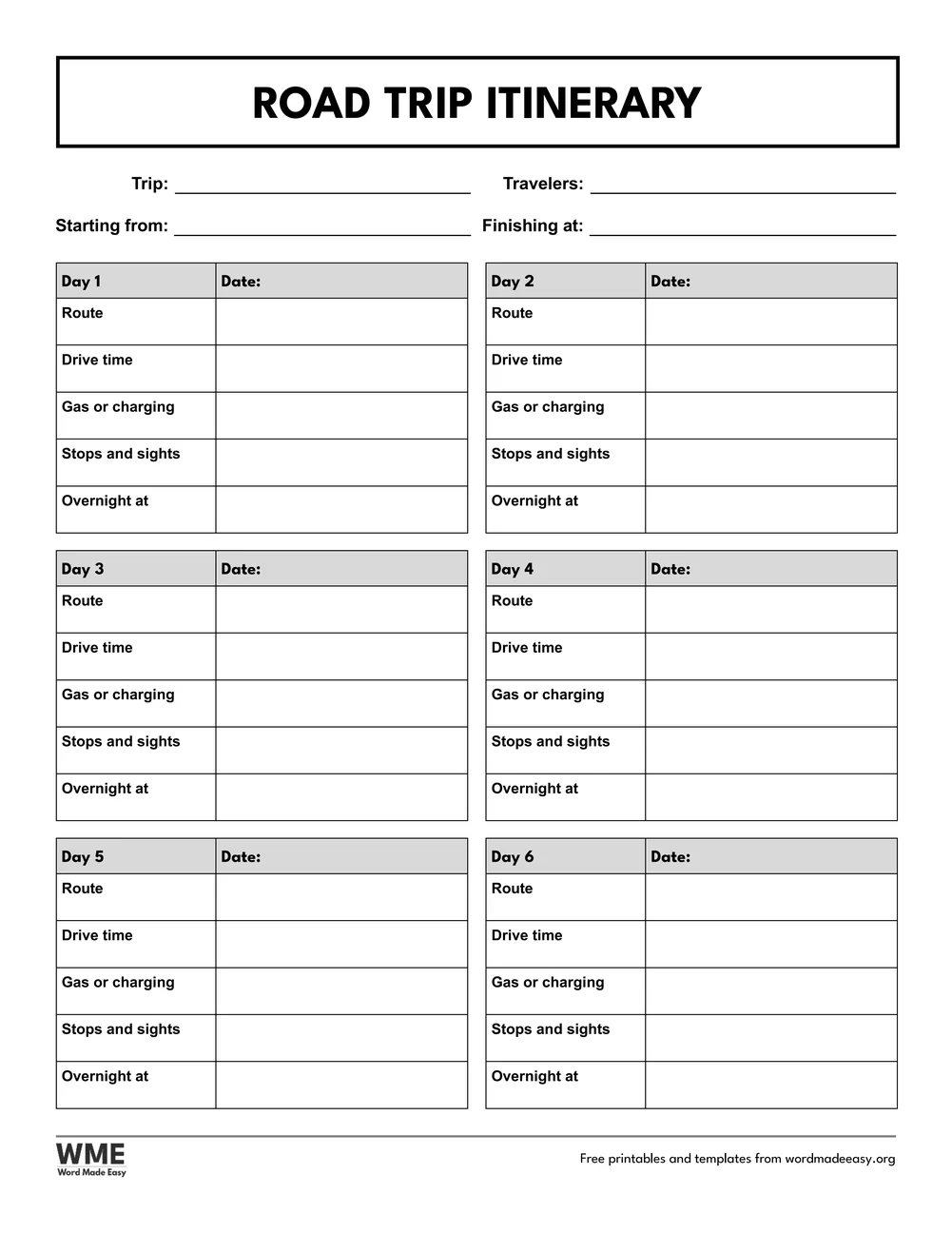
| Road Trip Itinerary | Six day cards with the route, drive time, fuel stops, sights and where you sleep | US Letter and A4, colour and black and white |
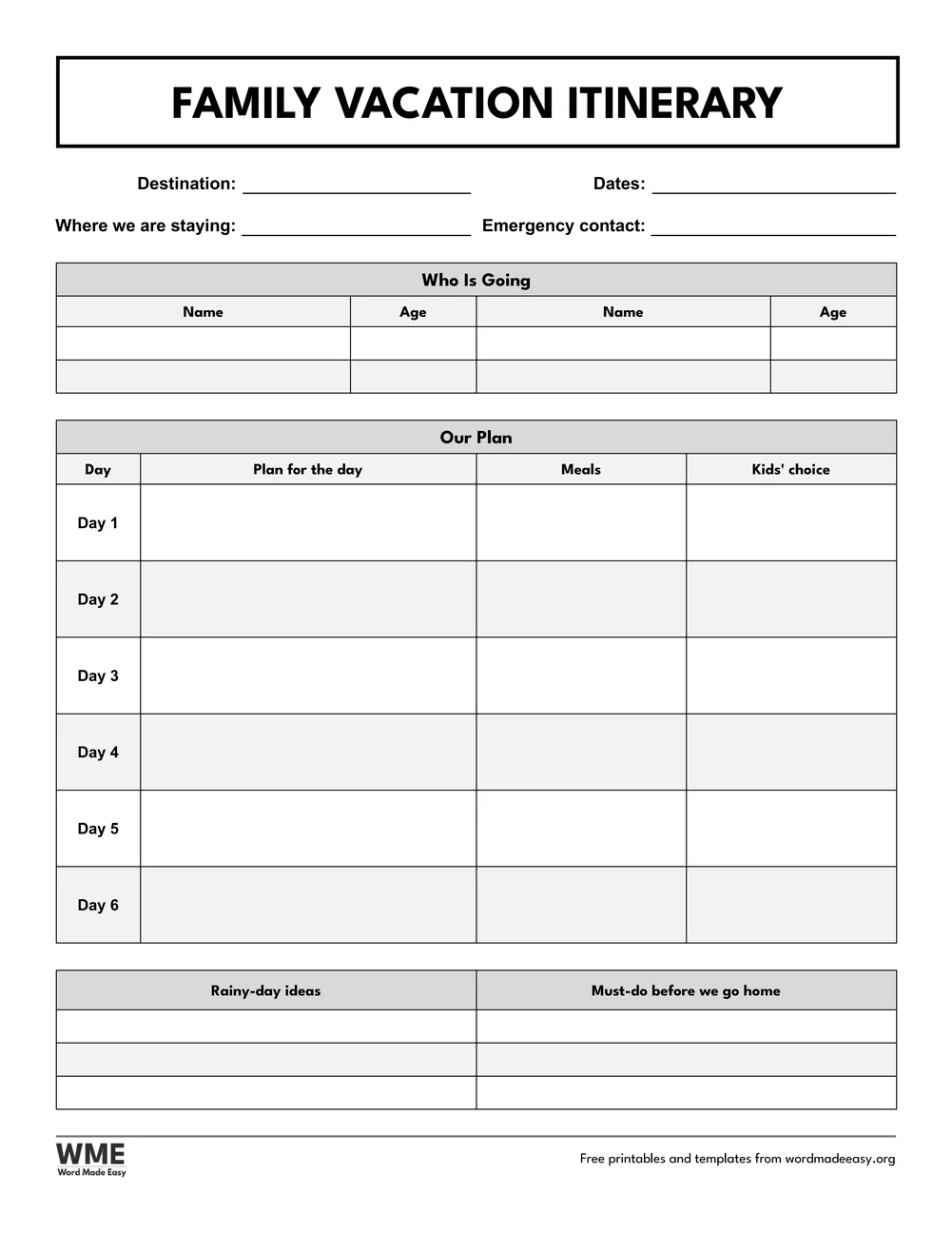
| Family Trip Itinerary | Who is going with ages, a six-day plan with meals and a kids’ choice, rainy-day ideas | US Letter and A4, colour and black and white |
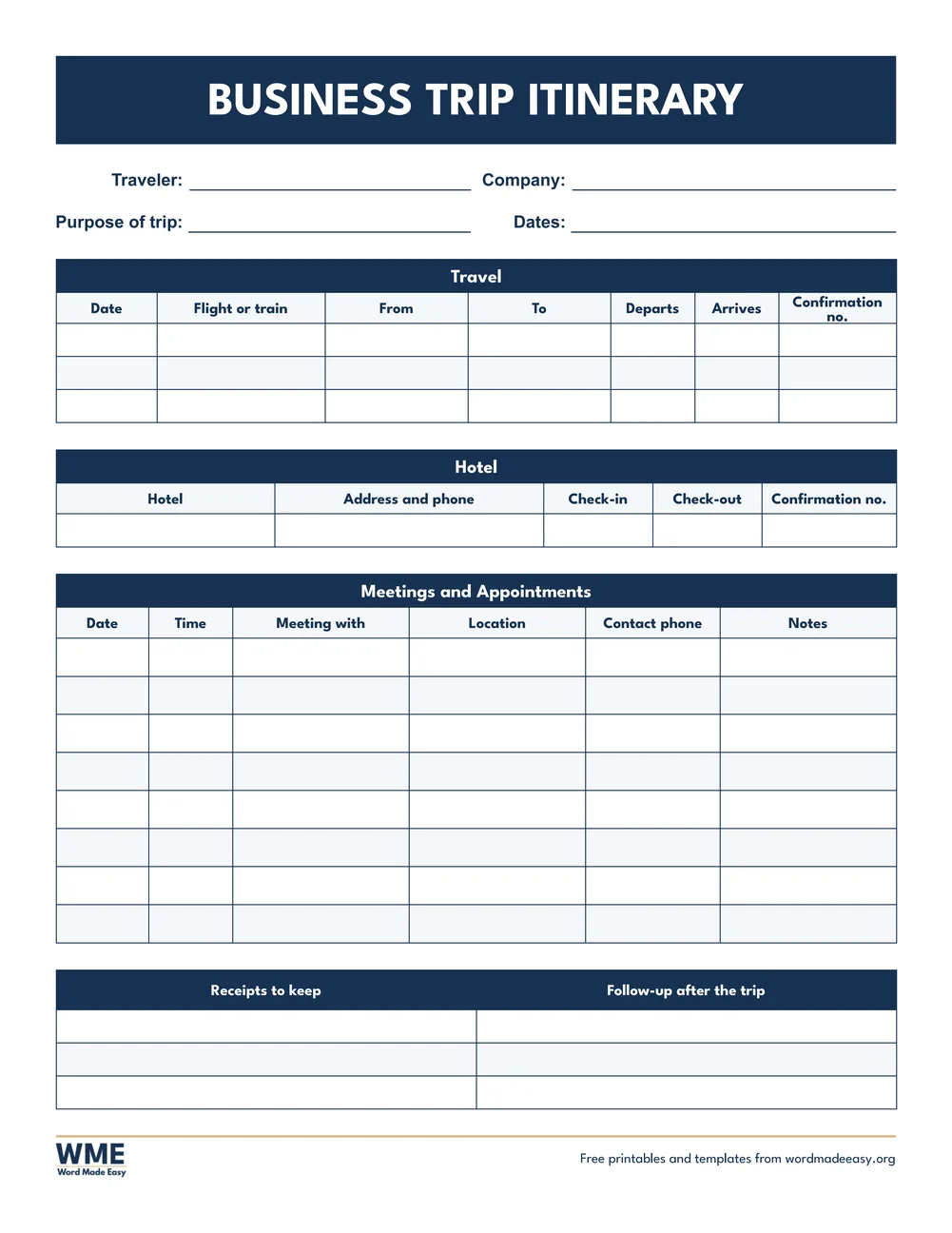
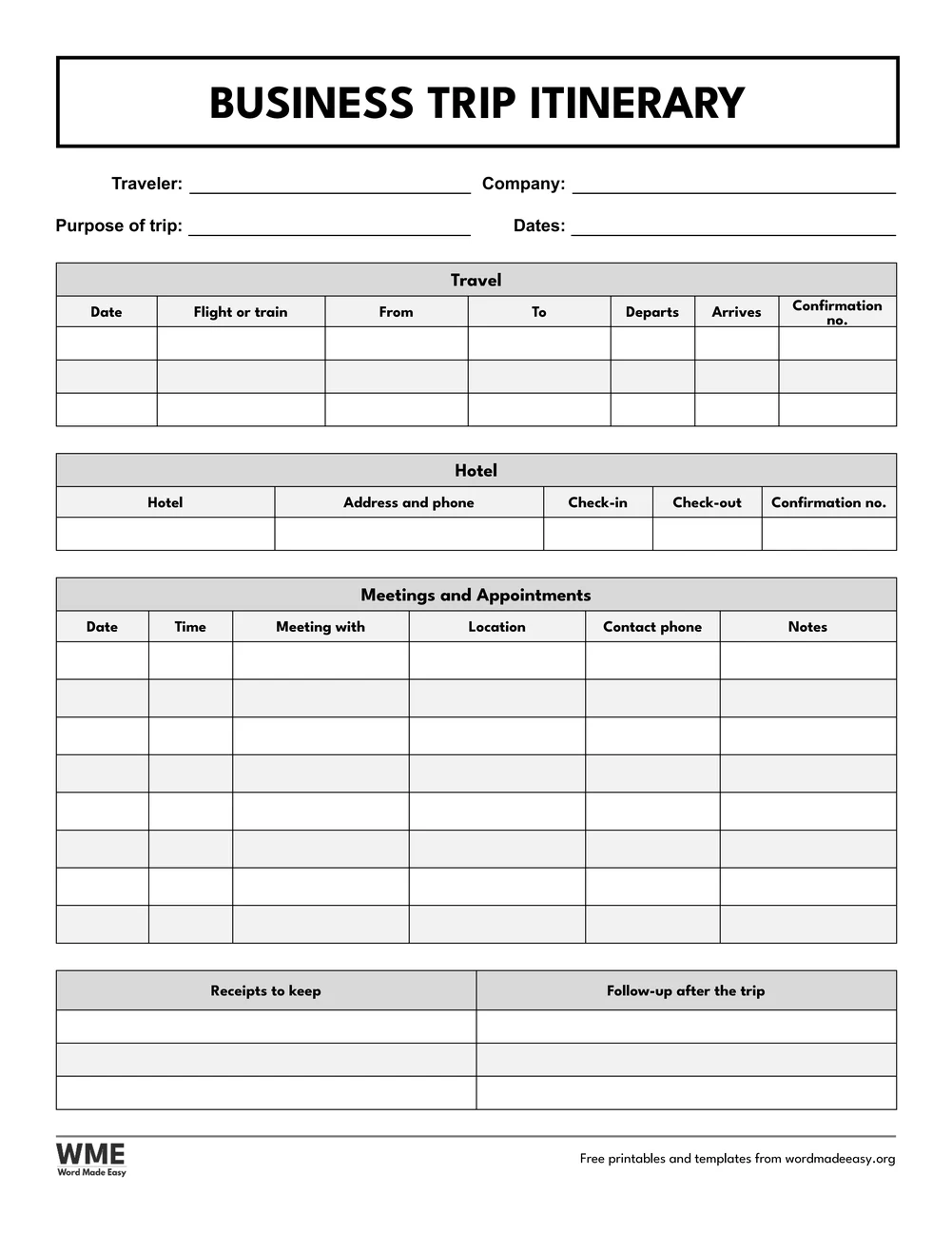
| Business Trip Itinerary | Travel, hotel, meetings and appointments with contacts, receipts to keep | US Letter and A4, colour and black and white |
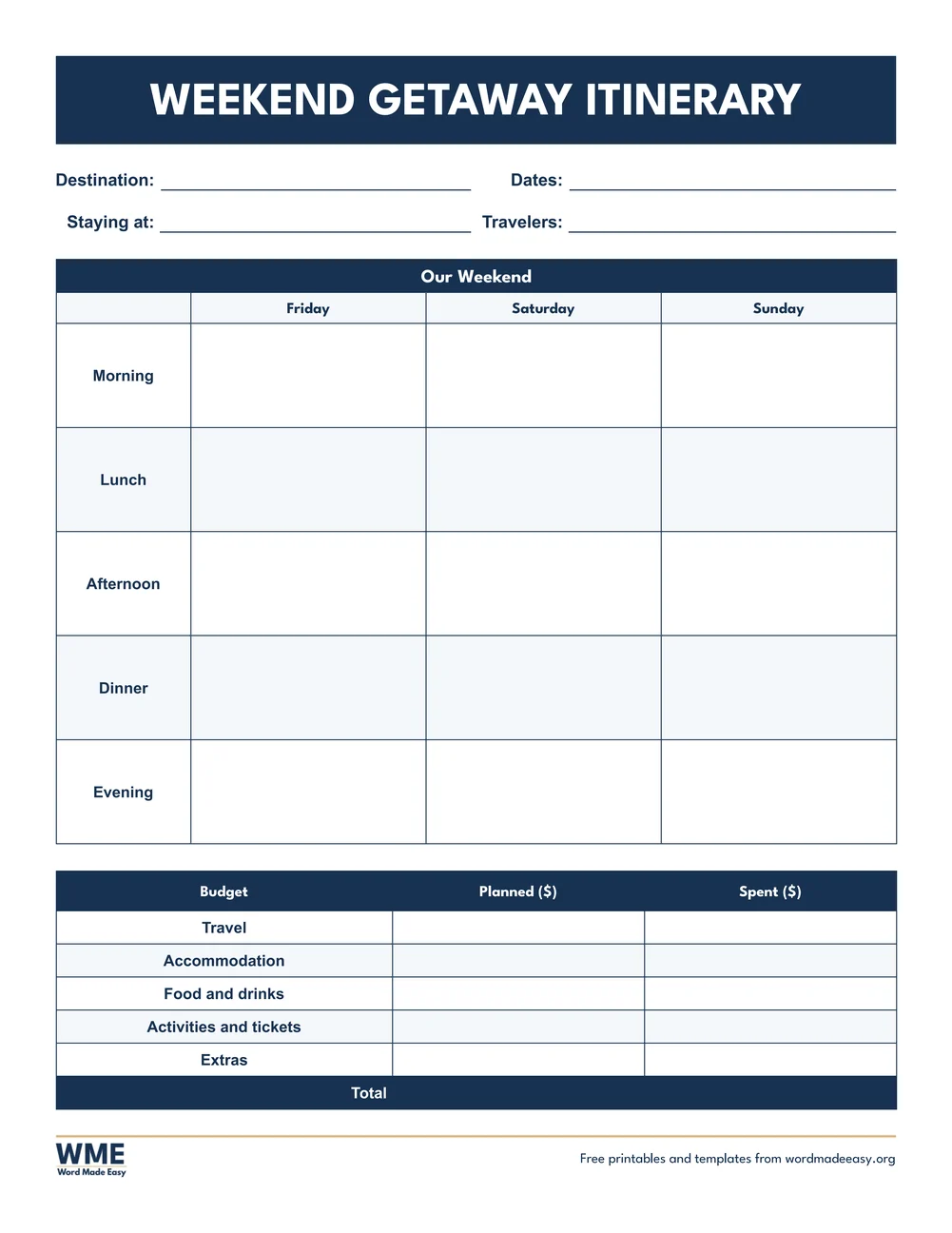
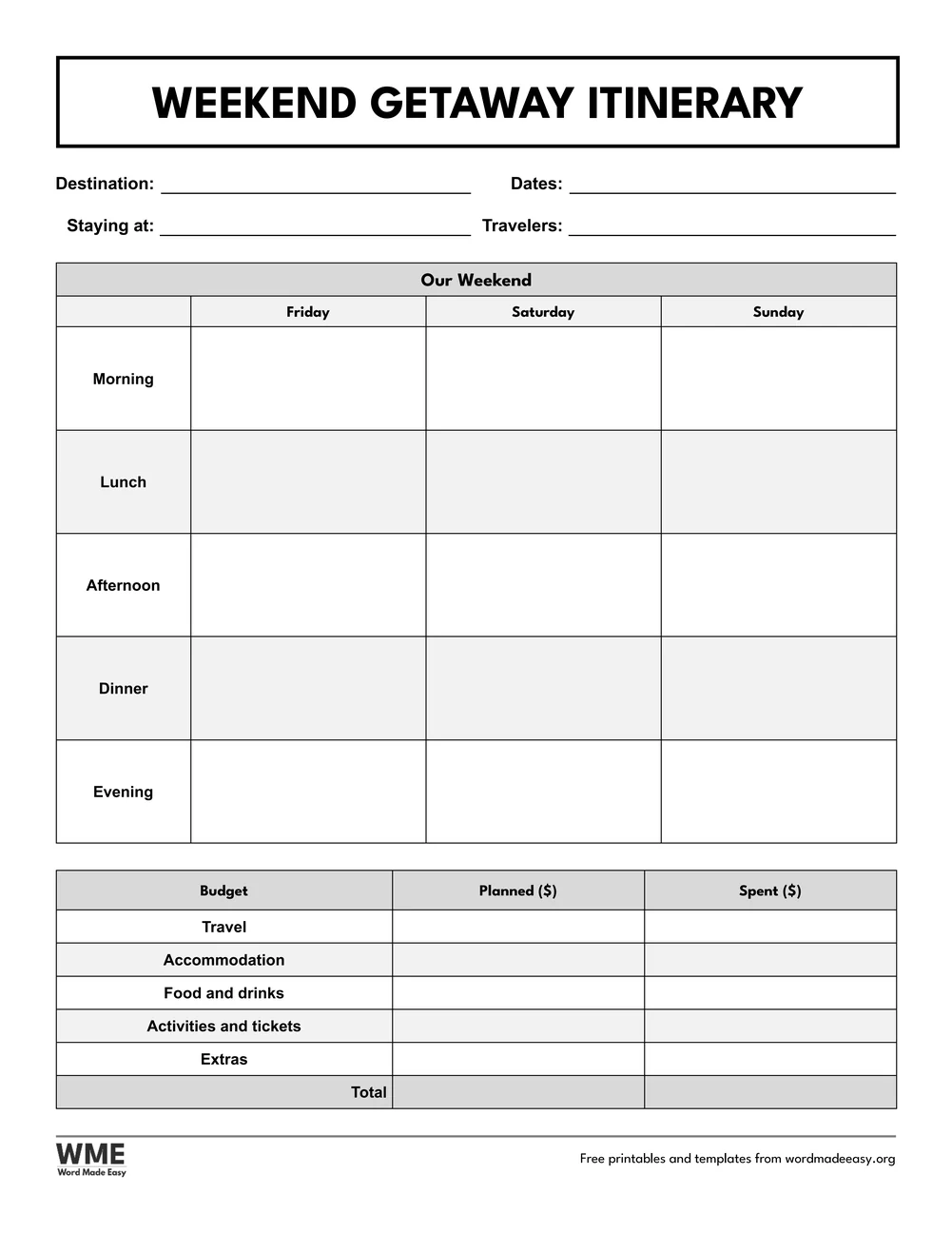
| Weekend Getaway Itinerary | Friday to Sunday by time of day, with a small trip budget | US Letter and A4, colour and black and white |
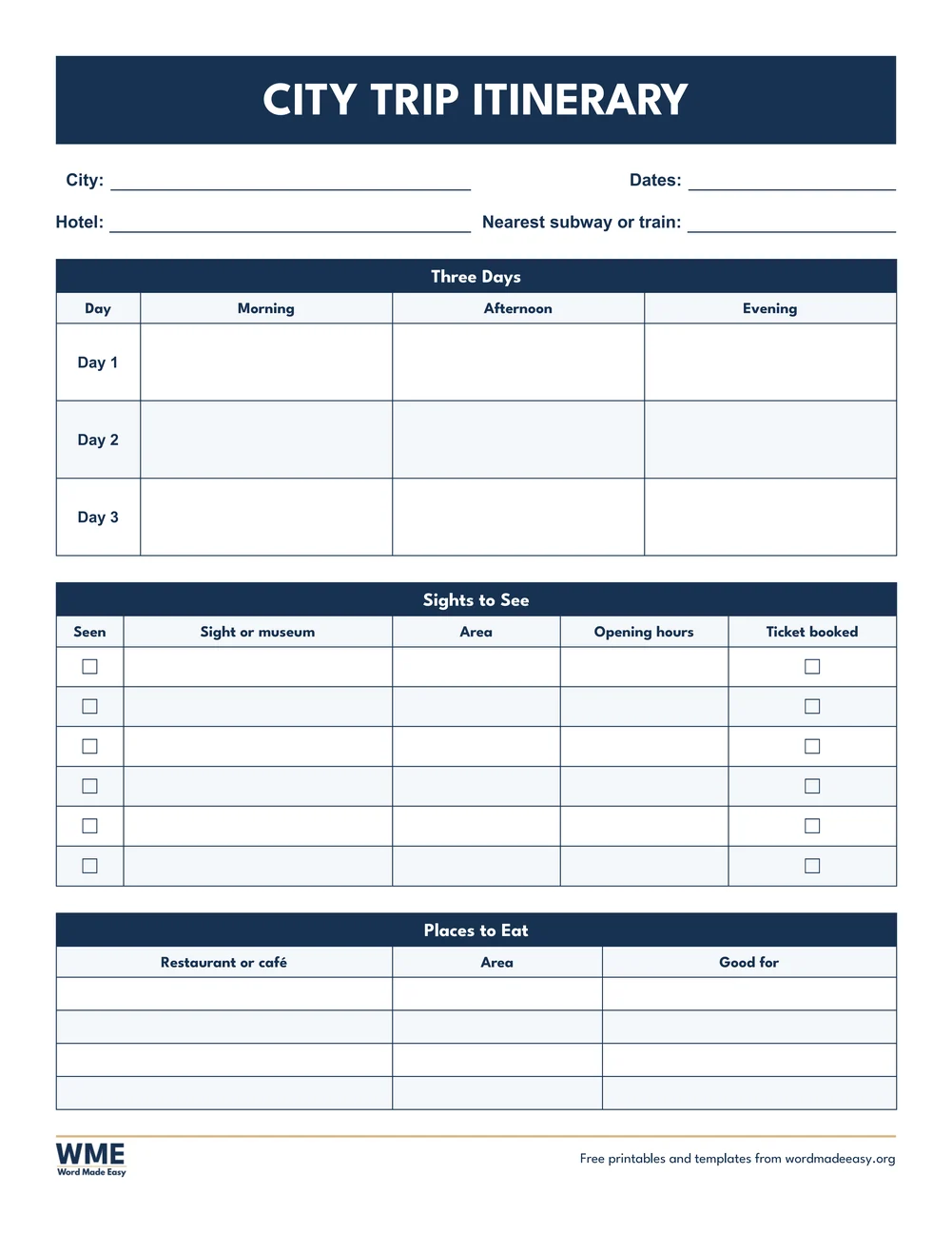
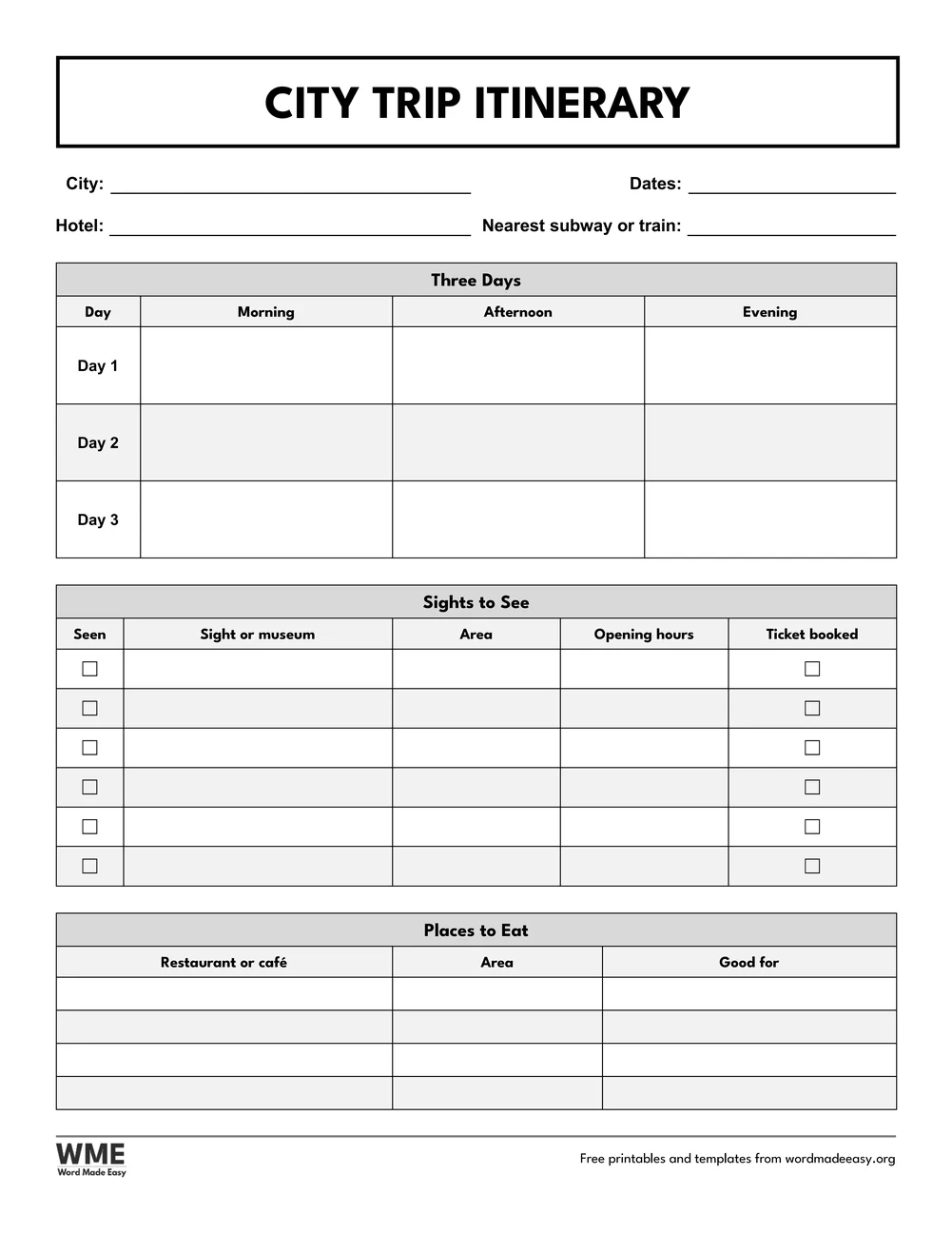
| City Break Itinerary | Three days in a city, sights with opening hours and tickets, places to eat | US Letter and A4, colour and black and white |
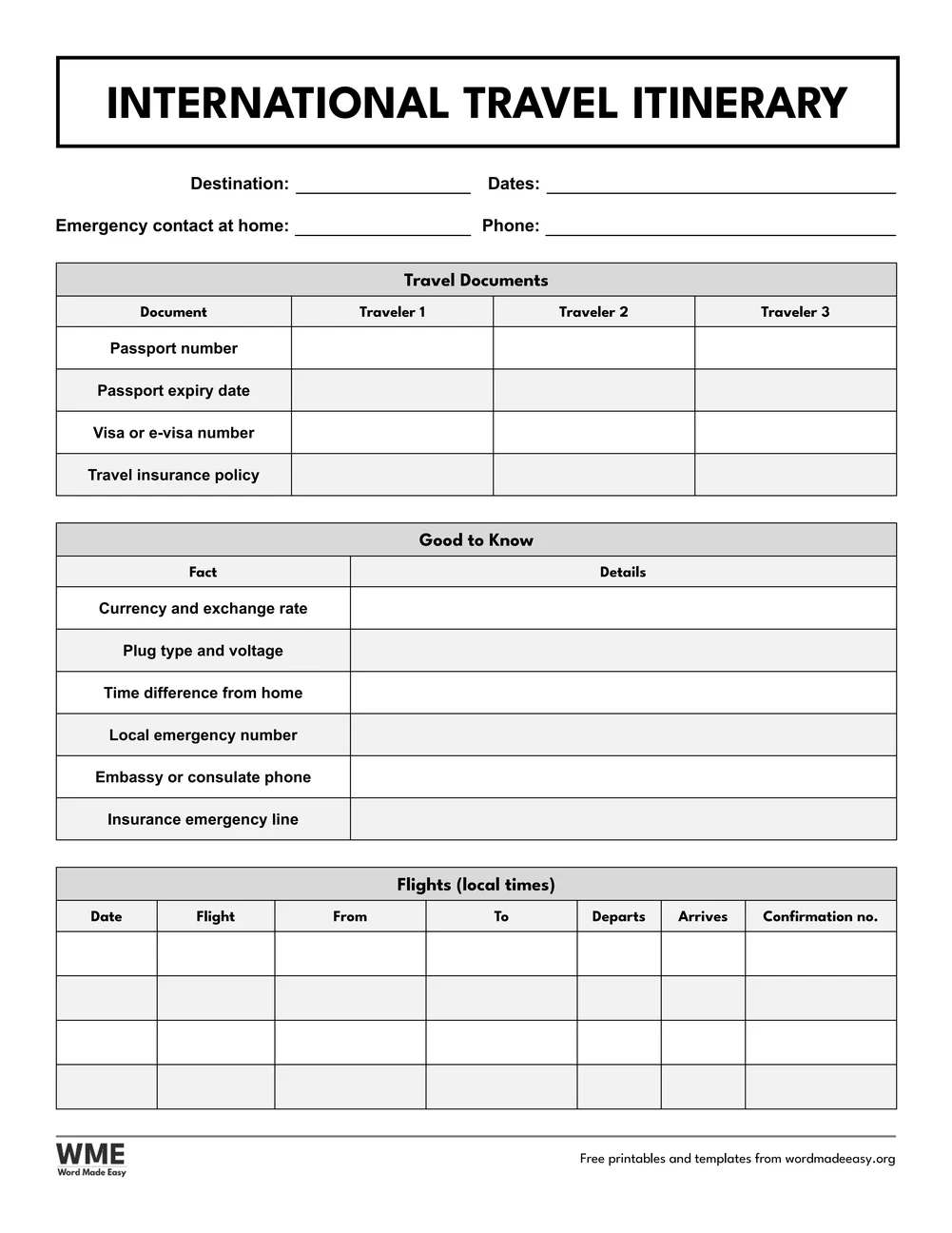
| International Travel Itinerary | Passports, visas and insurance for three travellers, local facts and flights | US Letter and A4, colour and black and white |
👉 Every heading and label is Word text in a table, so you can type your plans straight in or print the page and write by hand. The tick boxes click on and off in Word.
What Should a Travel Itinerary Include?
A travel itinerary is a timetable for a trip. The top of the page holds what everyone needs at a glance: where you are going, the dates, who is travelling and an emergency contact. Next come the fixed bookings, in time order: flights or trains with departure and arrival times, and each place you stay with its address, check-in day and booking reference. The plan for each day comes last and stays loose, split into morning, afternoon and evening so there is room for rest and changes. For trips abroad, add passport and visa numbers, travel insurance details and the local emergency number, and leave a copy with someone at home.
Which Travel Itinerary Template Should You Use?
- Travel Itinerary: the all-in-one page: flights and transport, accommodation, a seven-day plan by morning, afternoon and evening, and a short packing list.
- Daily Itinerary: one day per page, hour by hour from early morning to late evening, with booking references and meals. Print one for each busy day.
- Road Trip Itinerary: six day cards, each with the route, drive time, fuel or charging stop, sights on the way and where you sleep.
- Family Trip Itinerary: who is going and their ages, a six-day plan with meals and a kids’ choice each day, and rainy-day ideas.
- Business Trip Itinerary: travel and hotel bookings, a table of meetings with times, places and contact numbers, and the receipts to keep.
- Weekend Getaway Itinerary: Friday to Sunday by morning, lunch, afternoon, dinner and evening, with a small budget that adds up the total.
- City Break Itinerary: three days in a city, a list of sights with opening hours and a ticket-booked box, and places to eat.
- International Travel Itinerary: passport, visa and insurance numbers for three travellers, currency, plug type, time difference and emergency numbers, and flights in local time.
- Planning a long drive? The sister page of road trip planner templates adds a mileage log, a fuel budget and a road trip packing list.
How to Fill In a Travel Itinerary in Word
- Choose colour or black and white and your paper size above, download the ZIP and open the design for your trip.
- Fill in the trip details at the top first: destination, dates, travellers and an emergency contact.
- Add every fixed booking in date order, copying the booking reference or confirmation number from each email.
- Plan the days last, leaving at least one empty part of each day for rest or the unexpected.
- Save a copy as a PDF on your phone, print one for your bag and send one to someone at home.
Put times in the local time of the place, and write the time zone next to any flight that crosses one. Keep the itinerary in the same folder as tickets and passport photocopies. For the packing itself, the checklist templates make a fuller list, and the budget templates help keep the spending on track.
Black and White Versions
Every travel itinerary also comes in black and white: grey heading rows, black lines and an outlined title bar, so it prints clearly on any home or office printer. In the download box, choose Colour, Black and white or All, then US Letter, A4 or both.
How to Print the Travel Itinerary Templates
Print at 100% (Actual size) on the paper in the file name, US Letter or A4. Print the daily itinerary once for each day you need, and keep a PDF copy on your phone as a backup.
FAQs
Are these travel itinerary templates free?
Yes. All eight designs are free: choose US Letter or A4, colour or black and white, and download them in one ZIP file with Word, PDF and image versions.
How do I make a travel itinerary?
Start with the trip details, then list every booking in date order with times, addresses and booking references, then plan each day by morning, afternoon and evening. A template keeps it all on one page.
What is the difference between an itinerary and a travel plan?
An itinerary is the timetable: dates, times, places and bookings. A travel plan can also include the budget, packing and research, which the road trip planner and checklist templates cover.
Can I edit the templates in Word?
Yes. Click any box and type; add rows with Layout, Insert Below. The tick boxes click on and off.
Which template is best for a trip abroad?
The International Travel Itinerary, which has room for passport, visa and insurance numbers for three people, the local emergency number and flights in local time.
Is there a black and white version?
Yes. Every design also comes in black and white with black lines and grey headings, so it prints well on any printer.
Conclusion
Eight travel itinerary templates, from a single busy day to a trip abroad, ready to type into Word or print and fill in by hand.
Choose your paper size above and download the ZIP. For a long drive, add the road trip planner templates.
Related Tutorials
- Free Road Trip Planner Templates for Word
- Free Checklist Templates for Word
- Free Budget Templates for Word
Word Templates
Recently Added Word Templates
Browse the complete collection of free printable Word templates for home and school, all made by a teacher.
New to Word? Our Word tutorials show you how to edit and print your templates.
Leave a comment
Have a question about these templates, or an idea for a new one? Ask below.