
Free Student Planner Templates for Word: 6 Printables
Preview every template, choose colour or black and white and your paper size, then download your Word templates in one small ZIP file.
Made by a teacherA4 and US Letter28 Word documentsFree

Can’t find the template you need? Request a template and I’ll make it in Word, free.
Get new free printables first: follow Word Made Easy on Pinterest
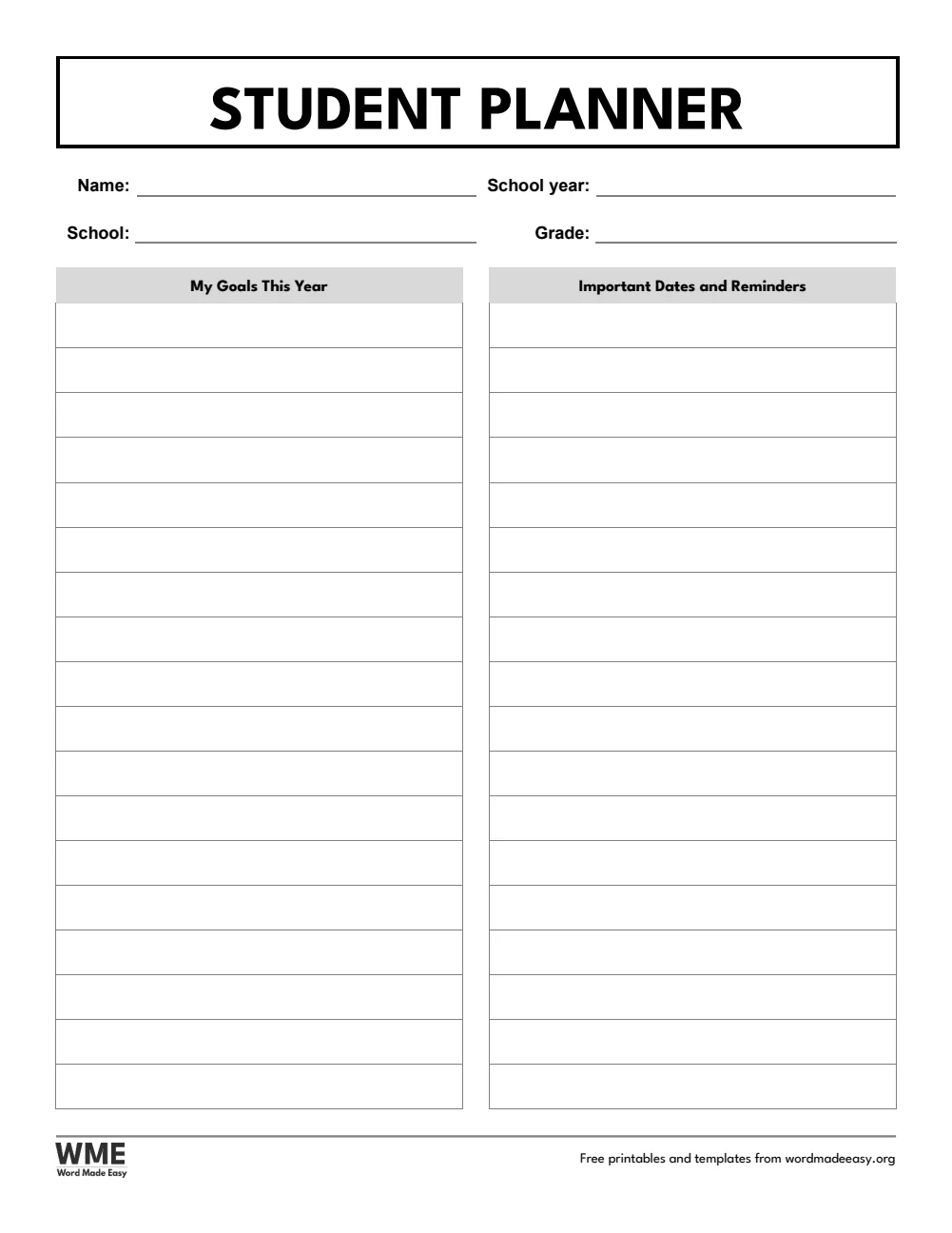
These free student planner templates give you six undated designs on US Letter and A4: a weekly student planner, a class schedule, an assignment tracker, an exam and test planner, a grade tracker and a semester overview, plus a complete planner with a cover and all six pages, each in colour and in black and white. I’m Patrick Elliott, a teacher and Inclusion Lead. I built every page with the same equal spacing and checked the US Letter and A4 wording separately, so students in the US and the UK see the words their school uses.
In this guide, you’ll find what each planner page is for, how the US Letter and A4 versions differ, and how to set the planner up at the start of a term.
What’s in the Student Planner Templates
| Template | What it is for |
|---|---|
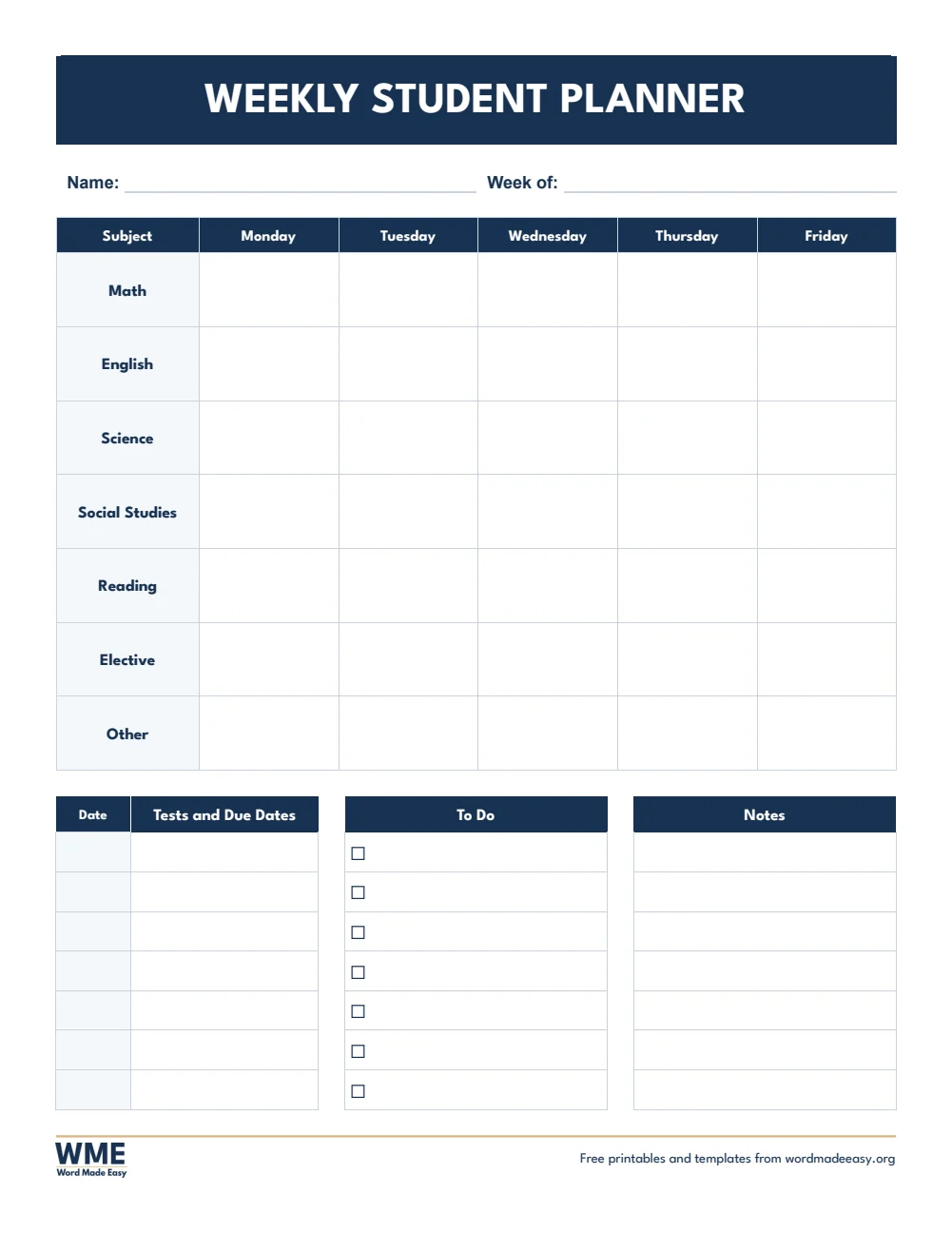
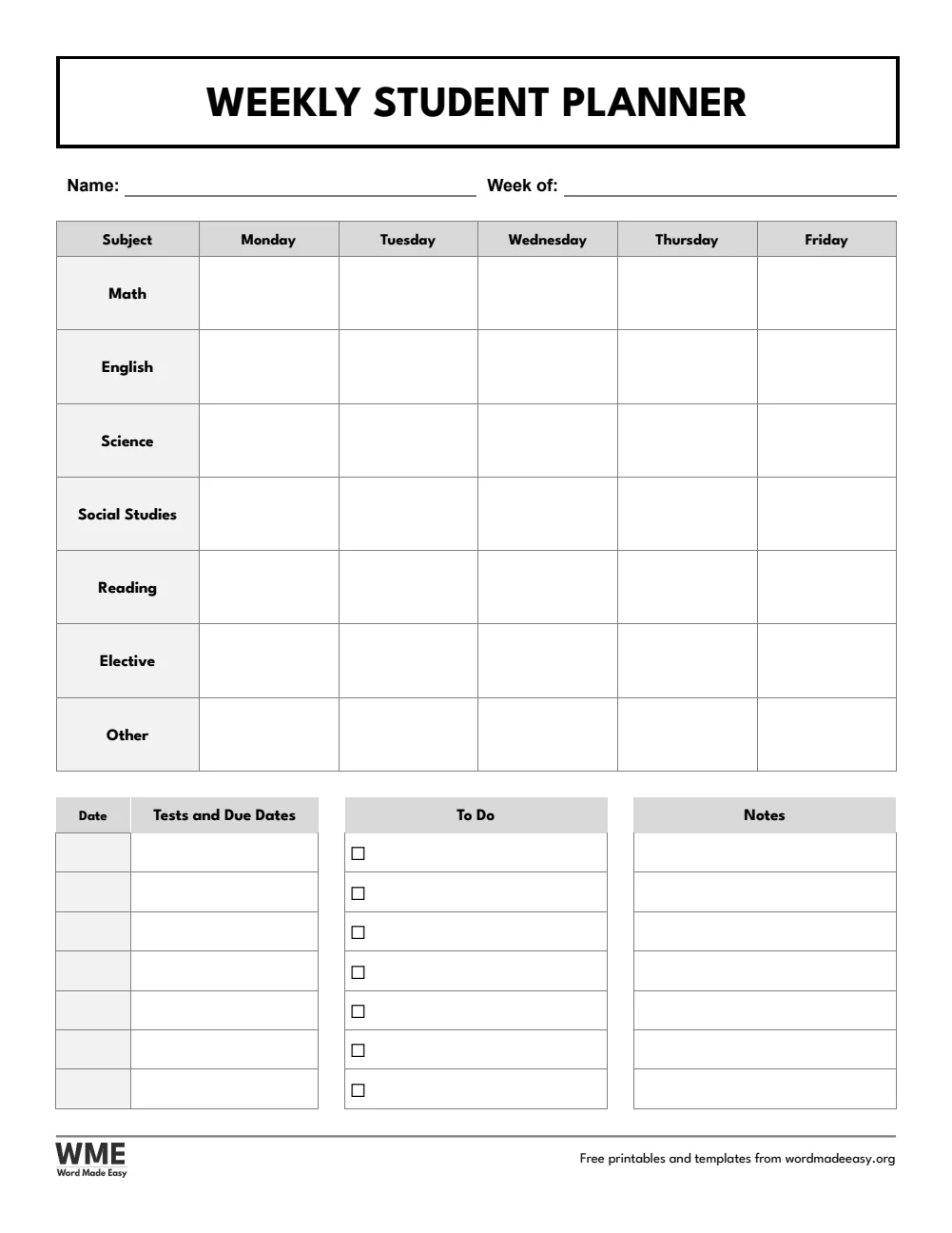
| Weekly Student Planner | Subjects for each weekday, tests and due dates, to do and notes |
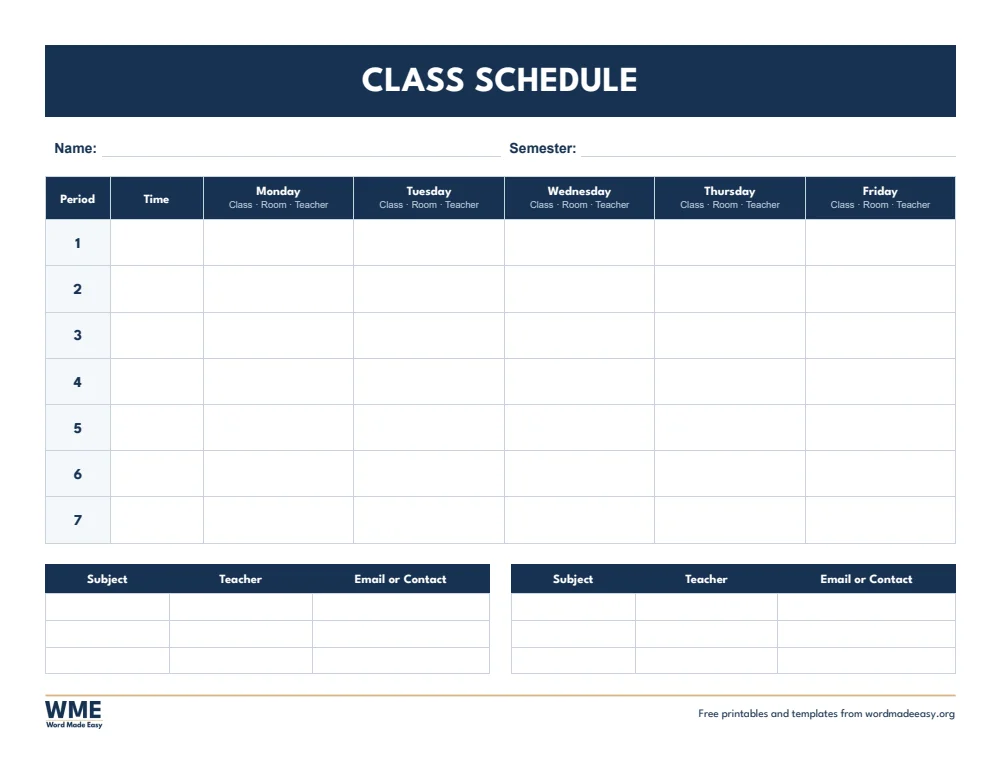
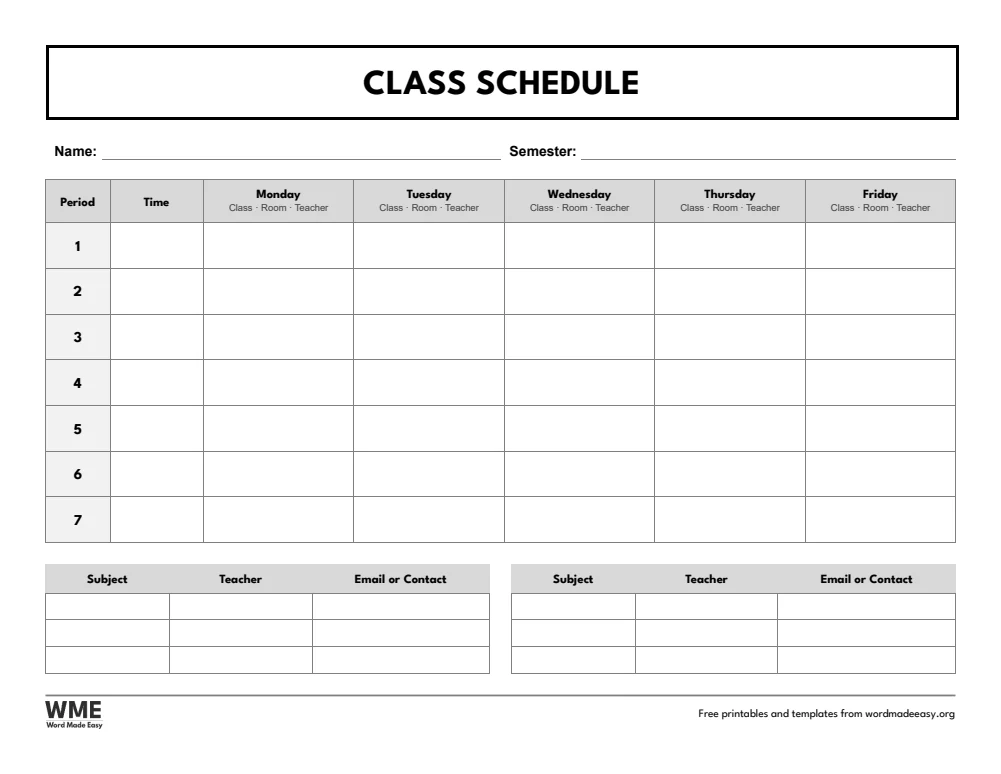
| Class Schedule (Class Timetable on A4) | Seven periods for each weekday with times, plus teacher contacts |
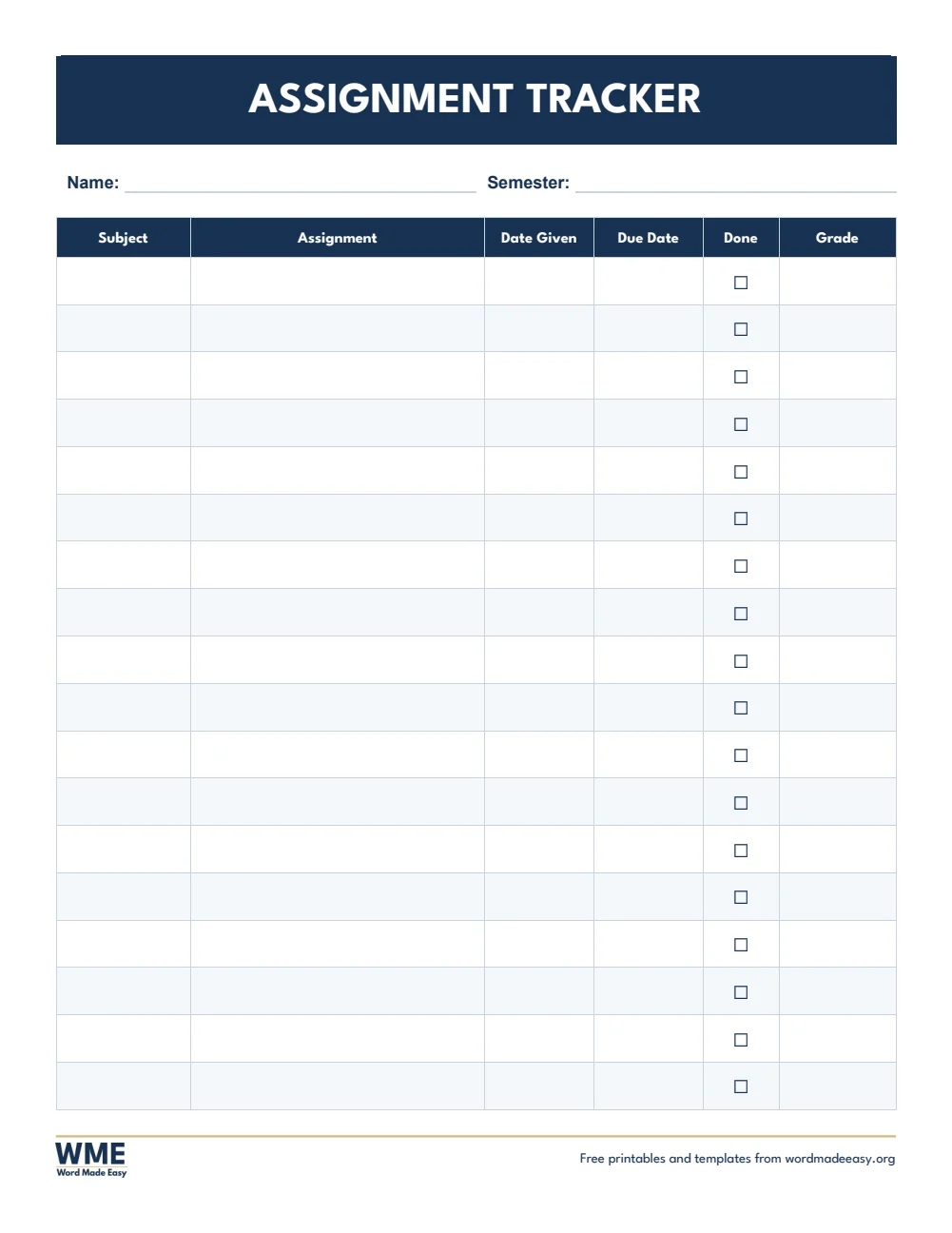
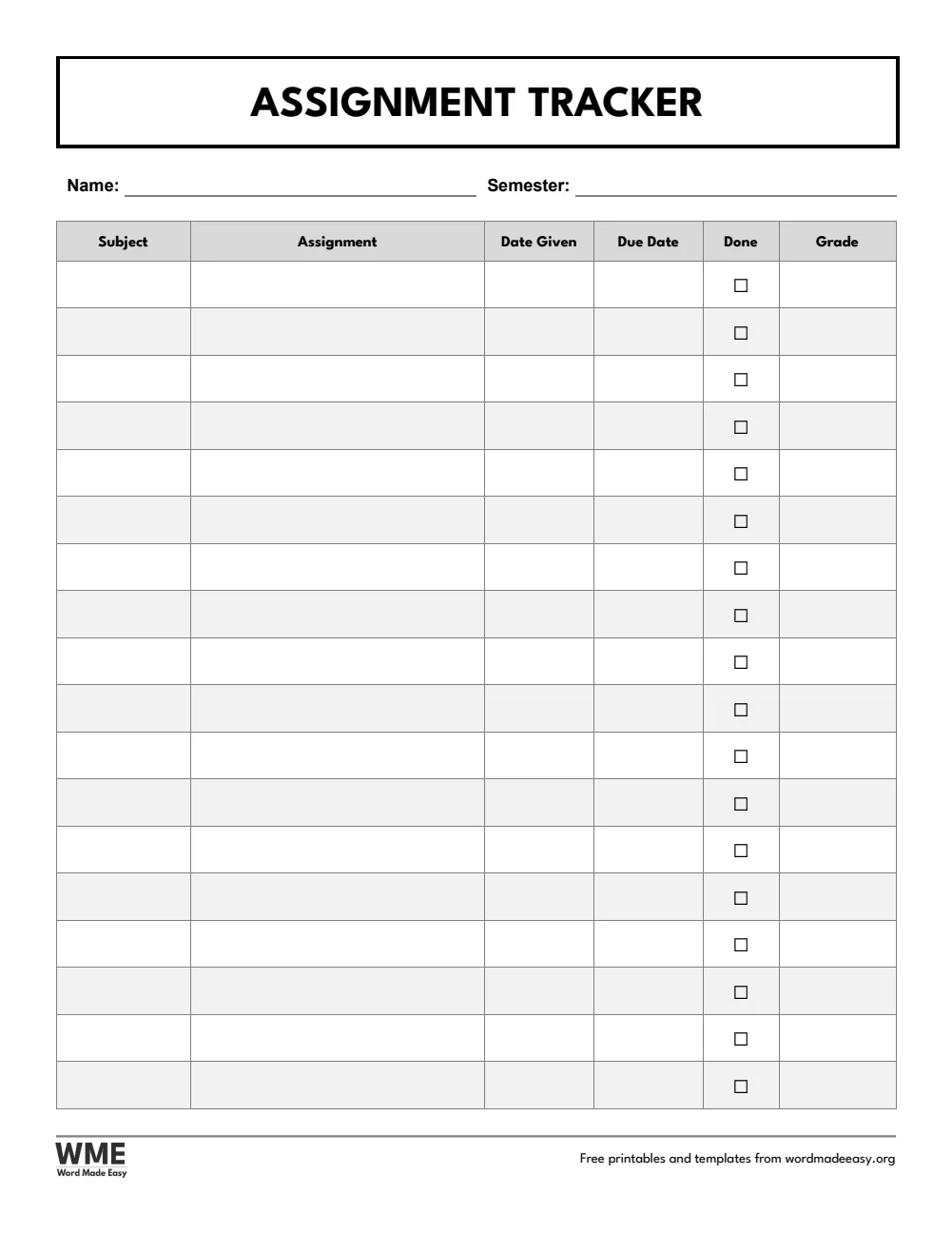
| Assignment Tracker | Subject, assignment, date given, due date, done and grade |
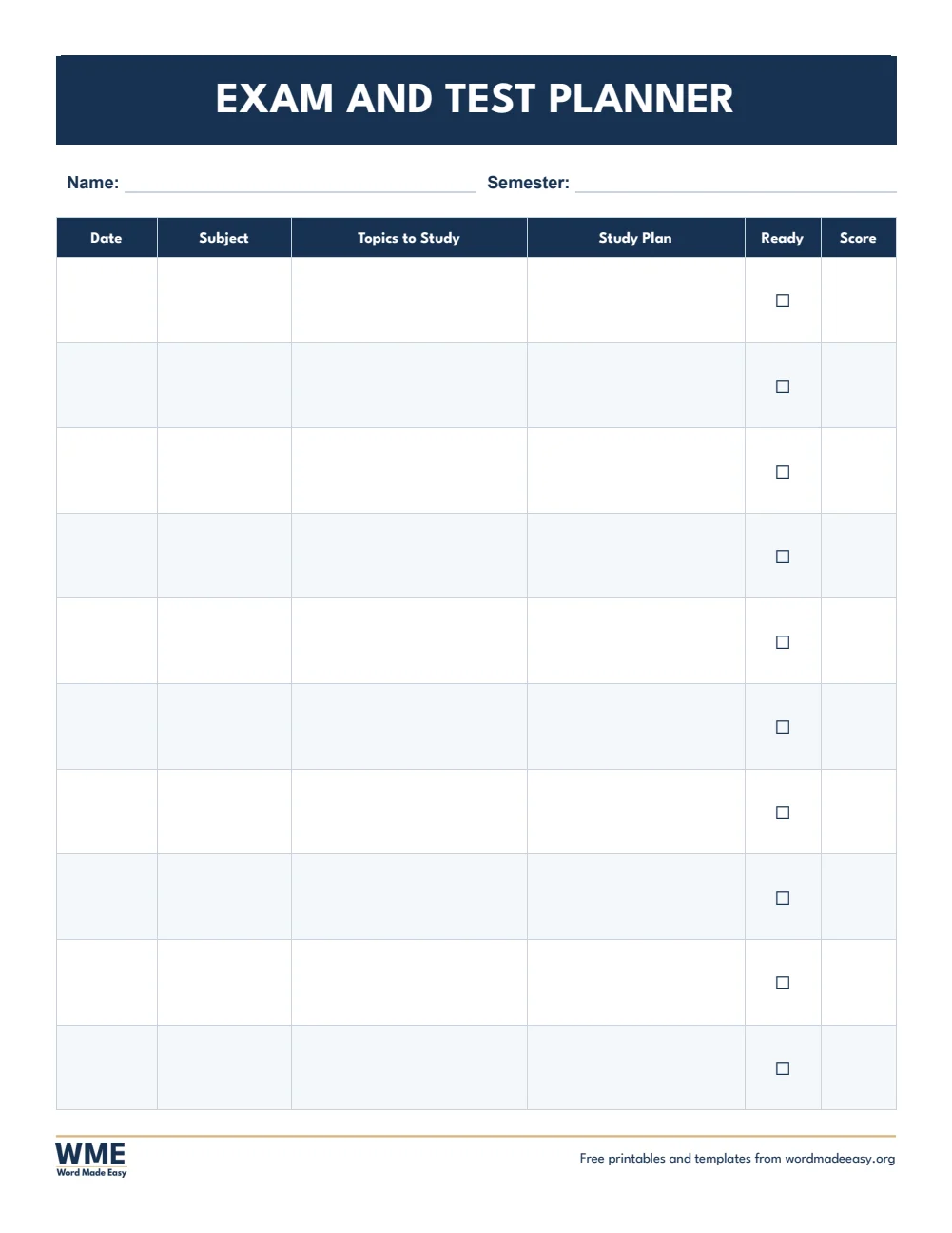
| Exam and Test Planner | Dates, topics, a study plan and scores for each test |
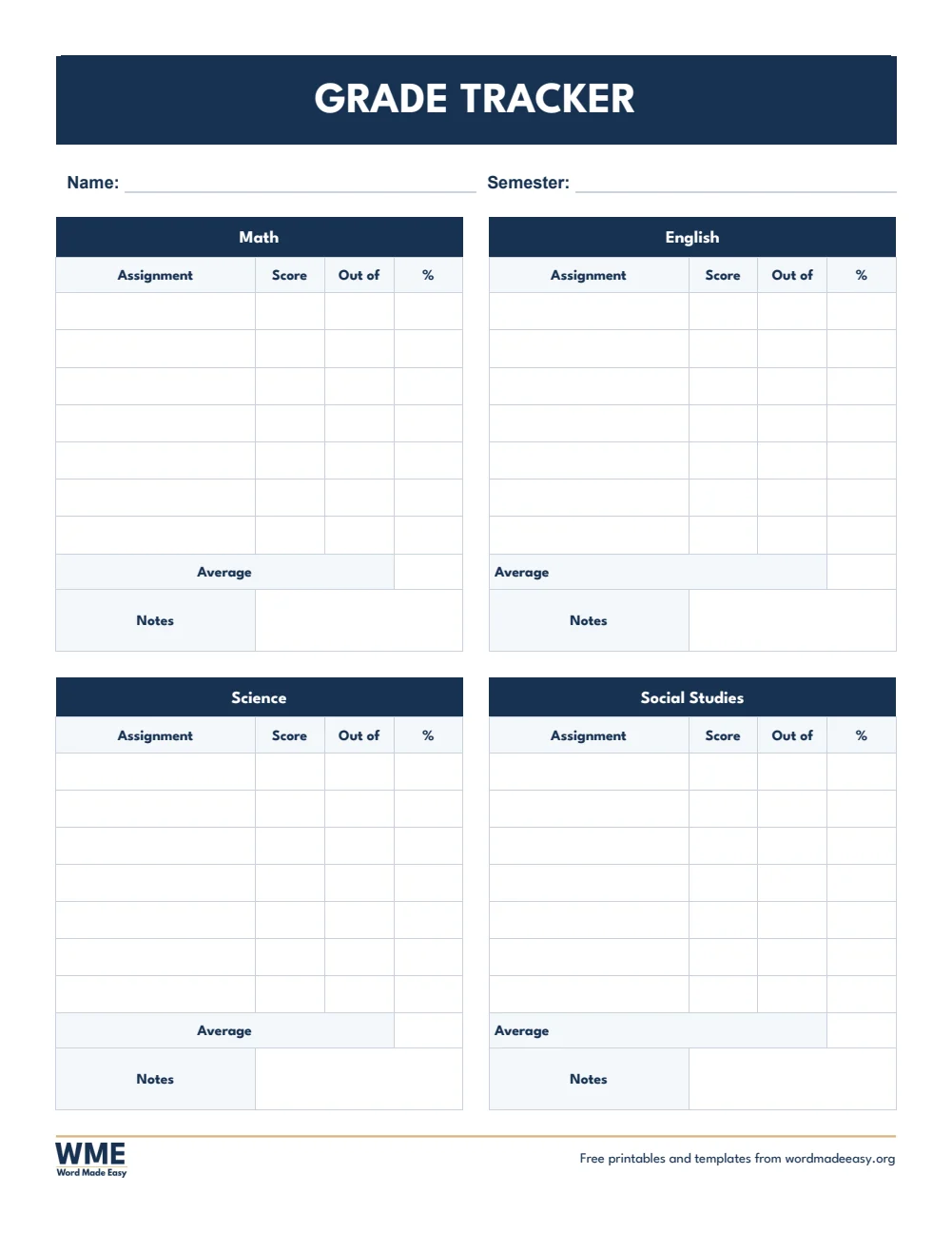
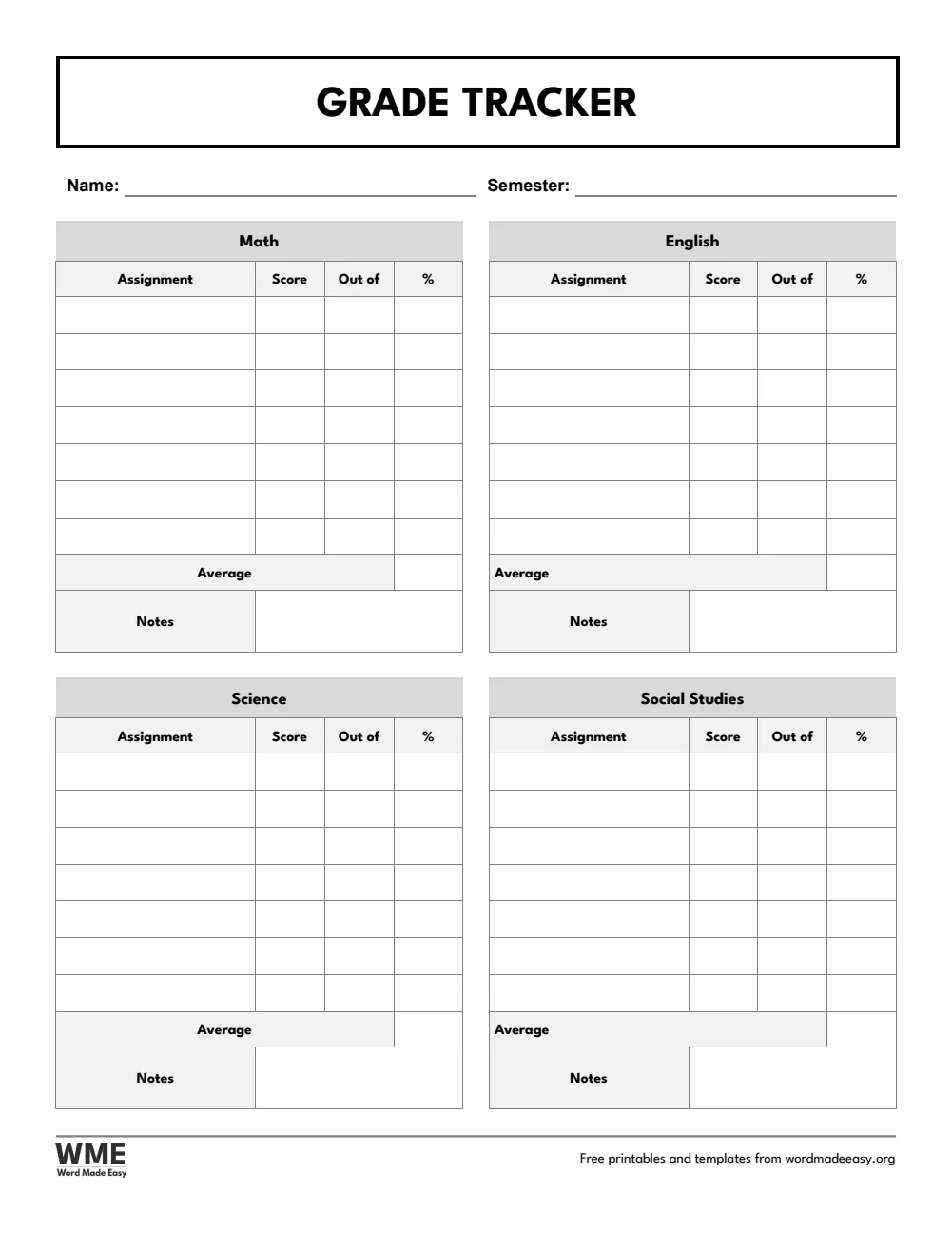
| Grade Tracker | Scores and averages for four subjects, with notes |
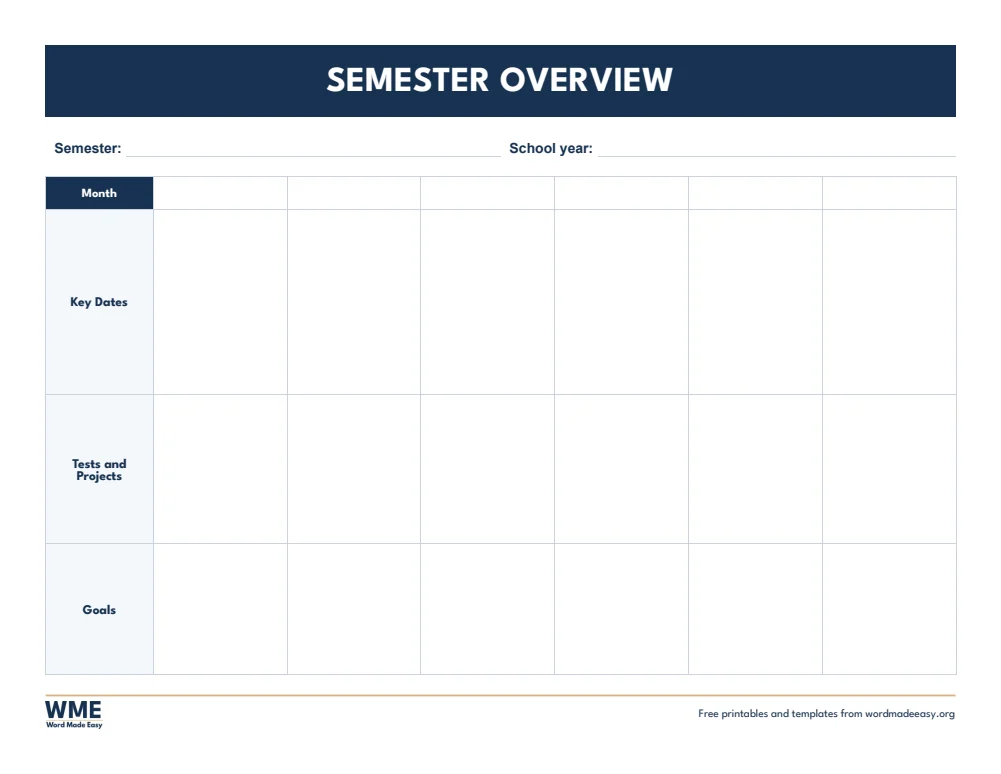
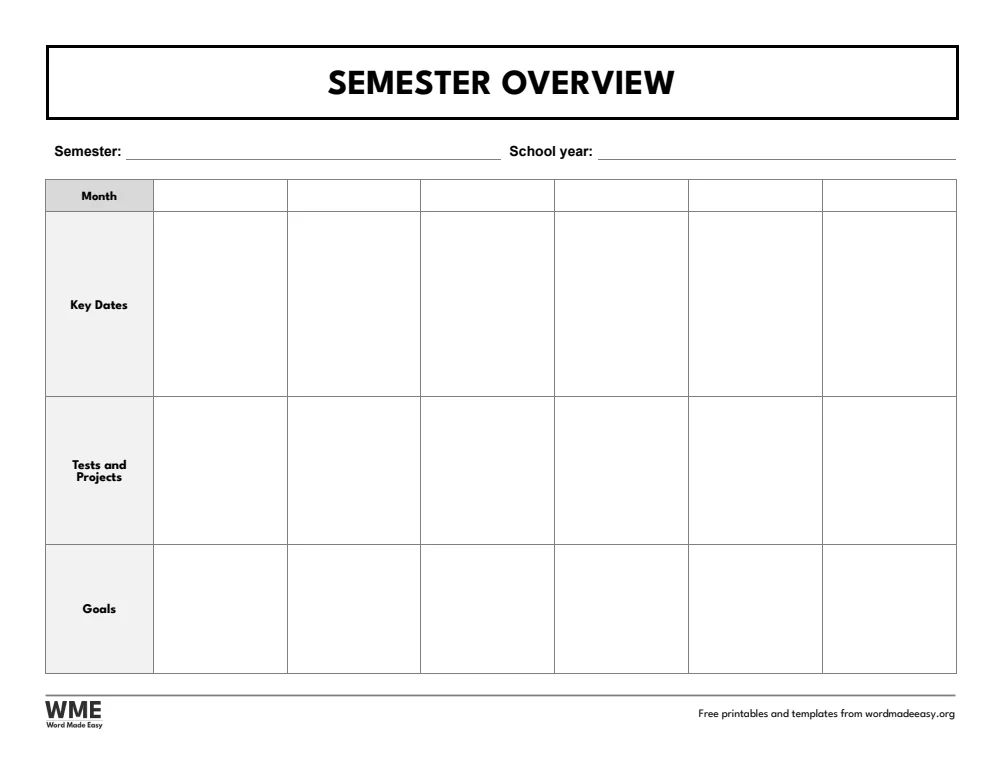
| Semester Overview | Six months at a glance: key dates, tests and projects, goals |
| Complete Student Planner | Cover and all six planner pages in one file |
👉 Every box is a Word table cell and the subject names are ordinary text, so you can type in your own subjects before you print, or print the pages and write by hand.
What Is a Student Planner?
A student planner keeps classes, homework, tests and grades in one place, so nothing is forgotten and big tasks are planned early. These pages are undated, so they work for any school year, semester or term: the semester overview has blank month boxes to fill in yourself. The US Letter version uses US wording (semester, grade, math, study plan) and the A4 version uses UK wording (term, mark, maths, revision plan), where the class schedule is called a class timetable.
Which Student Planner Page Should You Use?
- Weekly student planner: each subject down the side and Monday to Friday across, then tests and due dates, a to-do list and notes.
- Class schedule (class timetable on A4): seven periods for each weekday with a time column, plus a strip for teachers and their contacts.
- Assignment tracker: subject, assignment, date given, due date, a done tick and the grade.
- Exam and test planner: the date, subject and topics for each test, a study plan, a ready tick and your score.
- Grade tracker: four subject blocks with scores, out of, percent and an average.
- Semester overview: six blank month boxes with key dates, tests and projects, and goals, for any term.
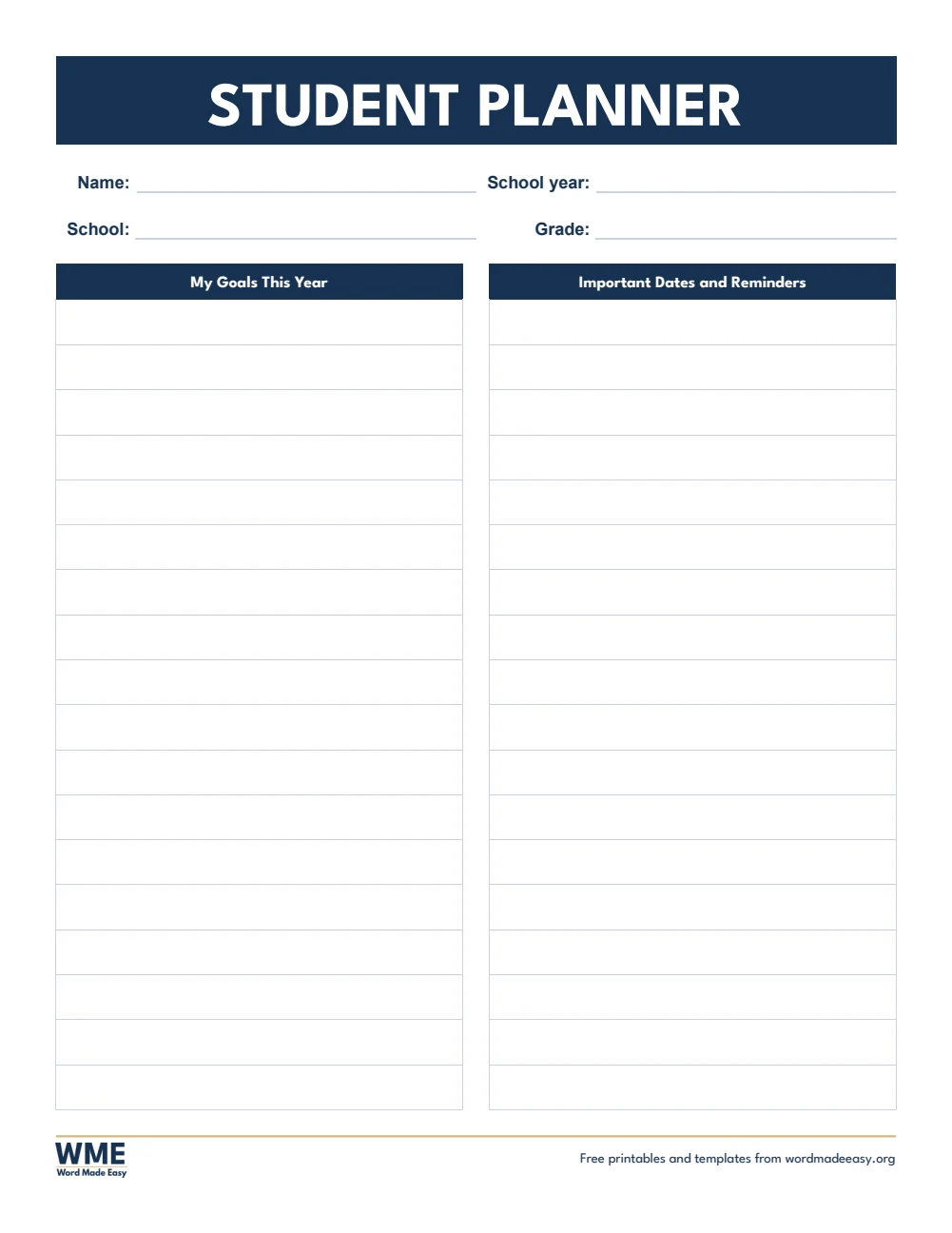
- Complete student planner (bonus): a cover with goals and important dates, then all six pages in one file.
- Black and white versions: every template also comes in a printer-friendly black and white version with grey headings, to save ink.
How to Set Up Your Student Planner
- Choose US Letter or A4 above: each uses the wording students know in that country.
- Type your own subjects into the weekly planner and grade tracker, or keep the ones printed there.
- Fill in the class schedule and the semester overview at the start of term.
- Print a weekly page each week, and add every assignment and test to the trackers as soon as it is set.
Print the complete planner double-sided and keep it in a ring binder, with extra weekly pages behind it. For a dated year planner, see the 2027 planner templates.
Black and White Versions
Every template on this page also comes in a black and white version with the same layout: grey headings and an outlined title, so it prints clearly on any printer and saves ink. In the download box, choose Colour, Black and white or All, then your paper size: A4, US Letter or both.
How to Print the Student Planner
Print at 100% (Actual size) on the same paper as the file, US Letter or A4. The class schedule and semester overview print landscape; the complete planner switches orientation for those two pages by itself. Print it double-sided to save paper. The black and white versions use grey headings, to save ink.
FAQs
Are these student planner templates free?
Yes. Choose A4 or US Letter and download all the Word templates in one ZIP file at no cost.
Who made these student planner templates?
Patrick Elliott, a teacher and Inclusion Lead, designed and built every student planner by hand in Microsoft Word.
Are the pages dated?
No. Every page is undated, so you can use the planner for any school year, semester or term. Write the months into the semester overview yourself.
What is the difference between the US Letter and A4 planners?
The layout is the same. US Letter uses US wording such as semester, grade and math; A4 uses UK wording such as term, mark and maths, and calls the class schedule a class timetable.
Can I change the subjects?
Yes. The subject names are ordinary text: click one in Word and type your own.
Is there a black and white version?
Yes. Every template comes in colour and in black and white, on US Letter and A4. Choose Black and white, or All, in the download box.
Can I remove the Word Made Easy footer?
Yes. Double-click the bottom of the page, click the logo and the web address, and press Delete.
Conclusion
These student planner templates keep classes, homework, tests and grades in one place, human-made by a teacher and ready to type into or print from Word.
Choose your paper size above, download the ZIP, and for a dated planner for the whole year, try the 2027 planner templates.
Related Tutorials
- Free 2027 Planner Templates for Word
- Free Cornell Notes Templates for Word
- Free Weekly Planner Templates for Word
Word Templates
Recently Added Word Templates
Browse the complete collection of free printable Word templates for home and school, all made by a teacher.
New to Word? Our Word tutorials show you how to edit and print your templates.
Leave a comment
Have a question about these templates, or an idea for a new one? Ask below.