Skip to content
Word Made Easy
Home Word Tutorials Word Templates Google Docs PowerPoint Tutorials YouTube Videos
Calendars and Planners, Microsoft Word, Word Templates

Word Templates

Free Savings Challenge Printables for Word: 5 Challenges and Trackers

Preview every challenge, choose colour or black and white and your paper size, then download your Word templates in one small ZIP file.

Made by a teacherA4 and US Letter20 Word documentsFree

Updated 13 November 2026 · By Patrick Elliott

52-week savings challenge printable for Word: weeks 1 to 52 in two columns with the deposit, running total and a tick box, from $1 in week 1 to $1,378 saved after 52 weeks, on US Letter
52-Week Savings Challenge · Save the week number every week: 1,378 in a year. Click to enlarge.
Savings challenge printable template for Word: Savings Challenge, 100 Envelope Challenge, US Letter
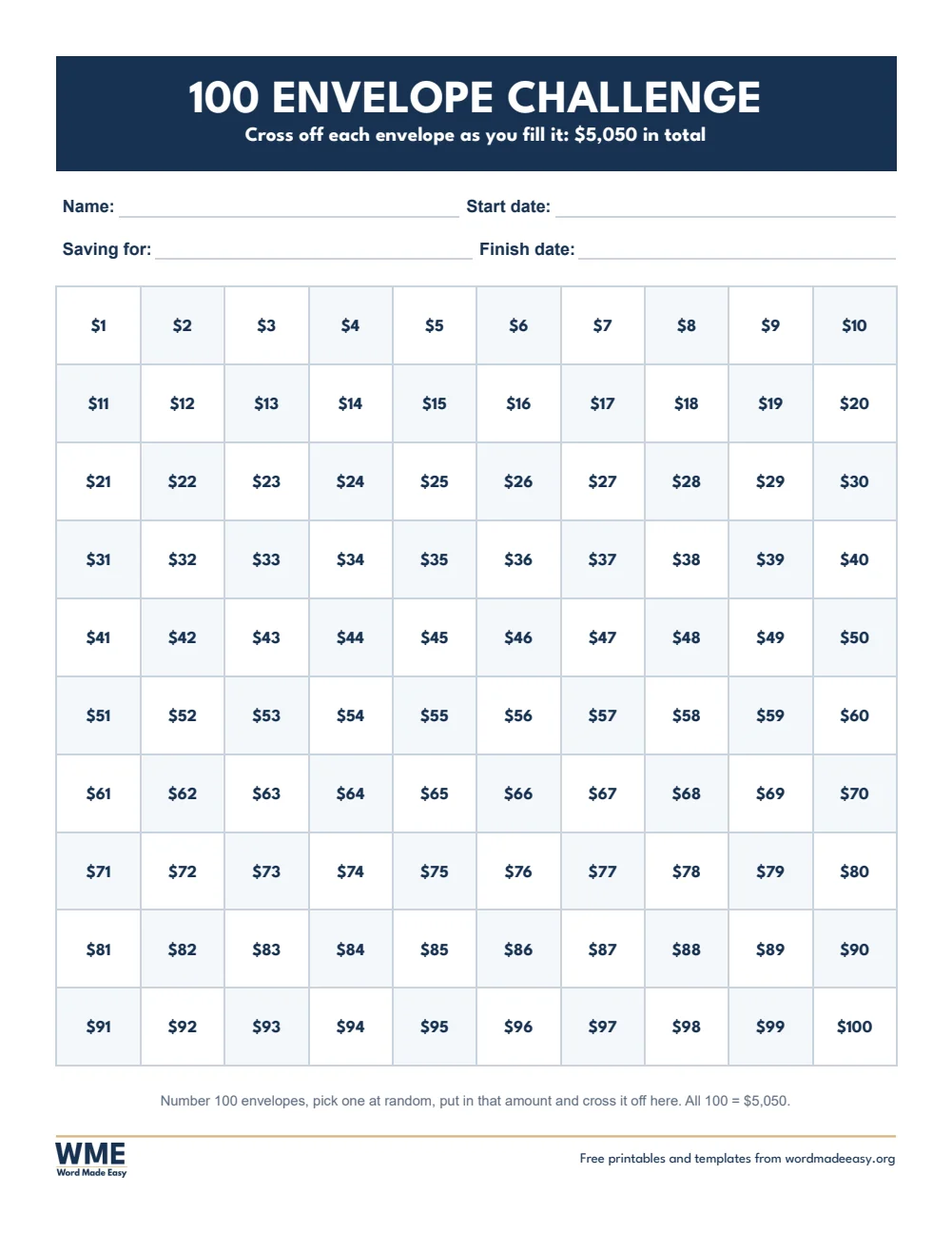
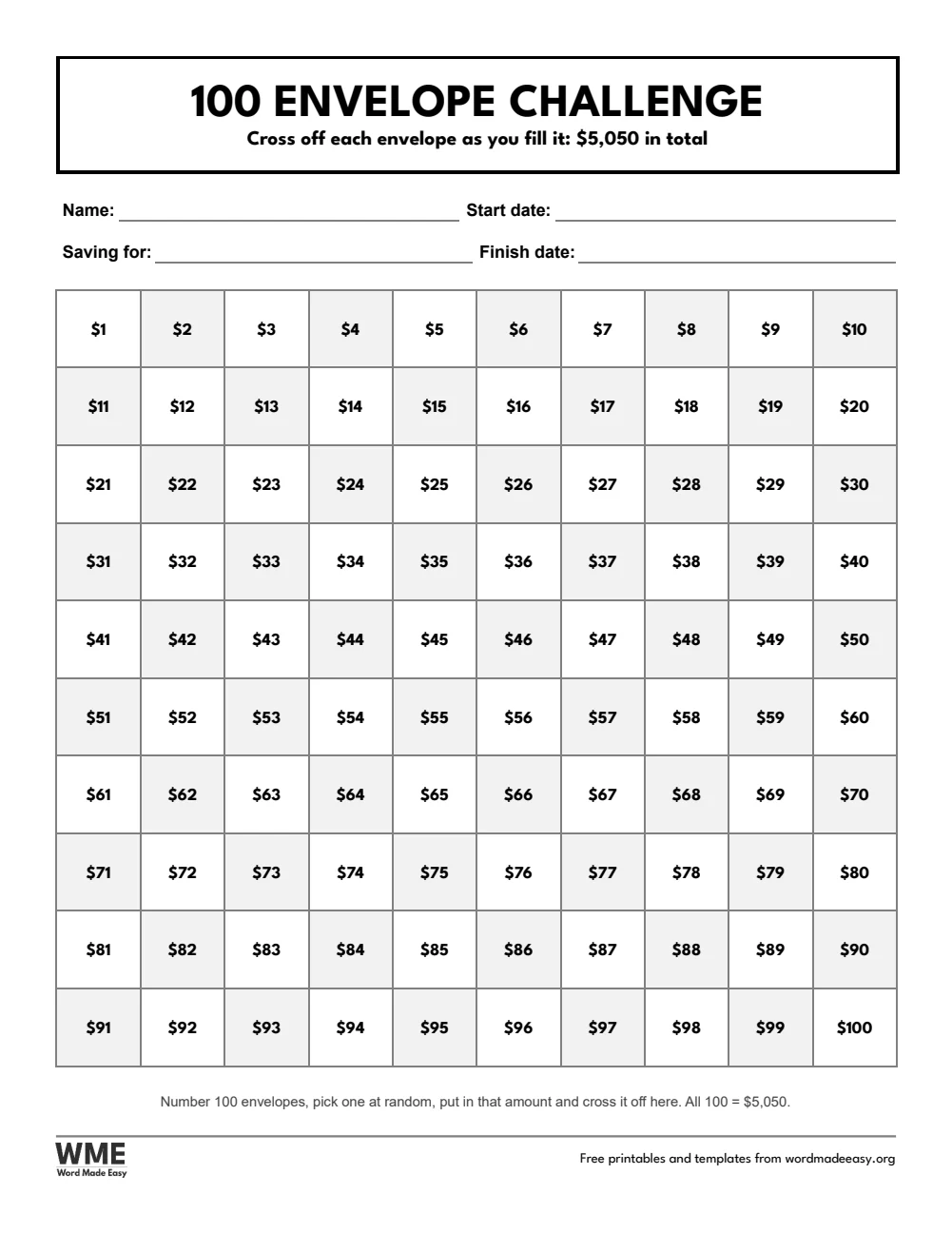
100 Envelope Challenge · Cross off 100 envelopes, 1 to 100: 5,050 in total. Click to enlarge.
Savings challenge printable template for Word: Savings Challenge, 1,000 Savings Challenge Chart, US Letter
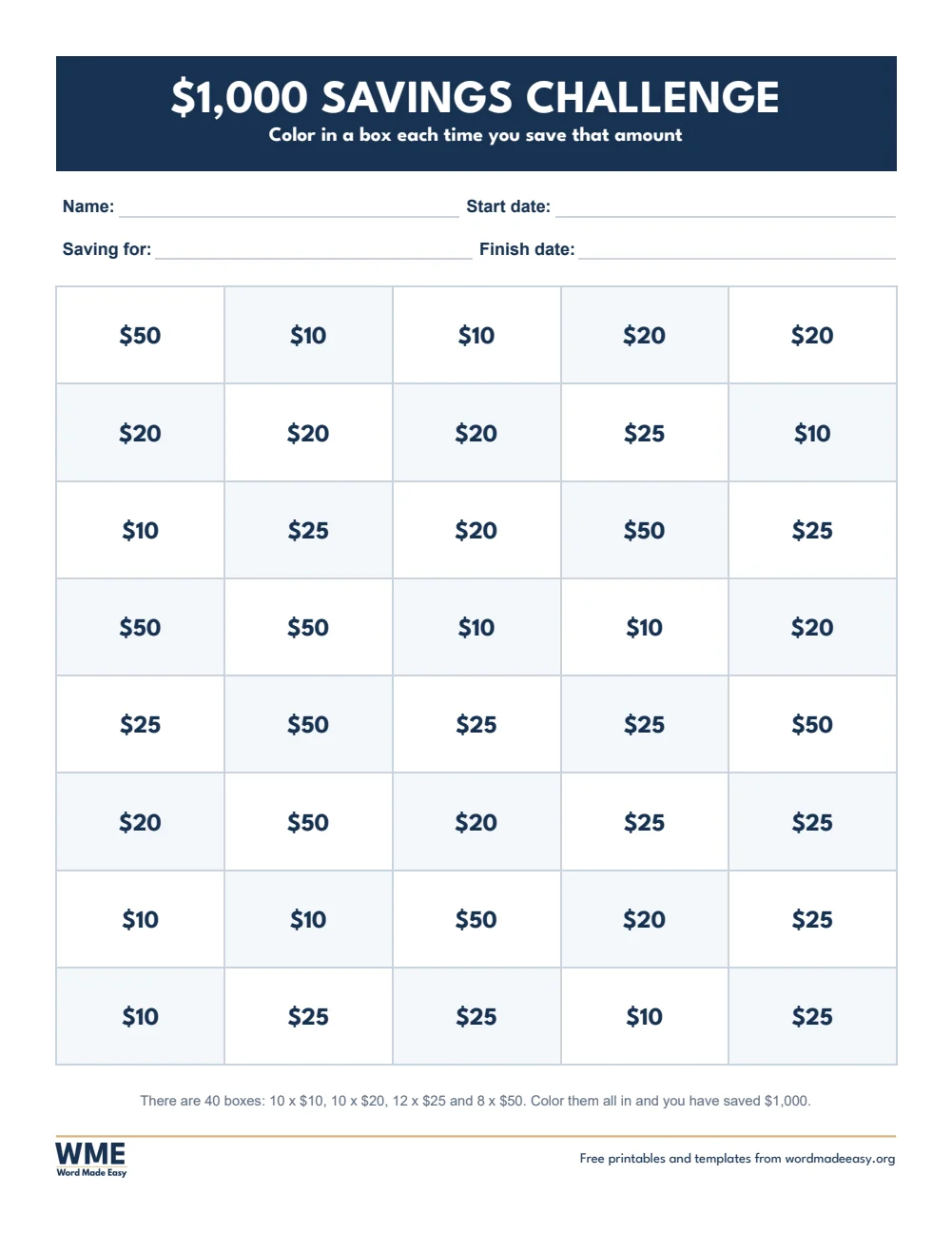
1,000 Savings Challenge Chart · 40 boxes to colour in that add up to exactly 1,000. Click to enlarge.
Savings challenge printable template for Word: Savings Challenge, No-Spend Challenge, US Letter
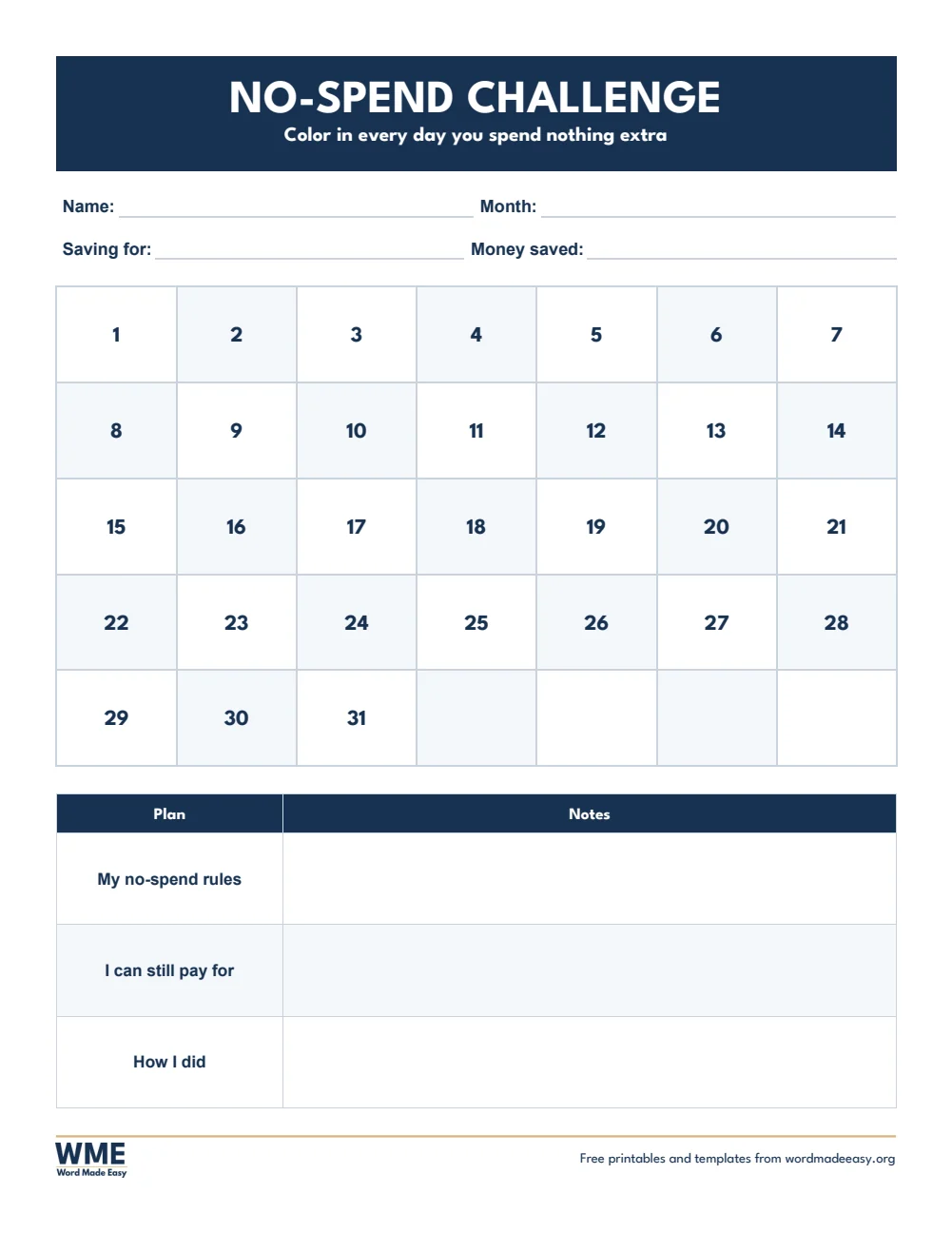
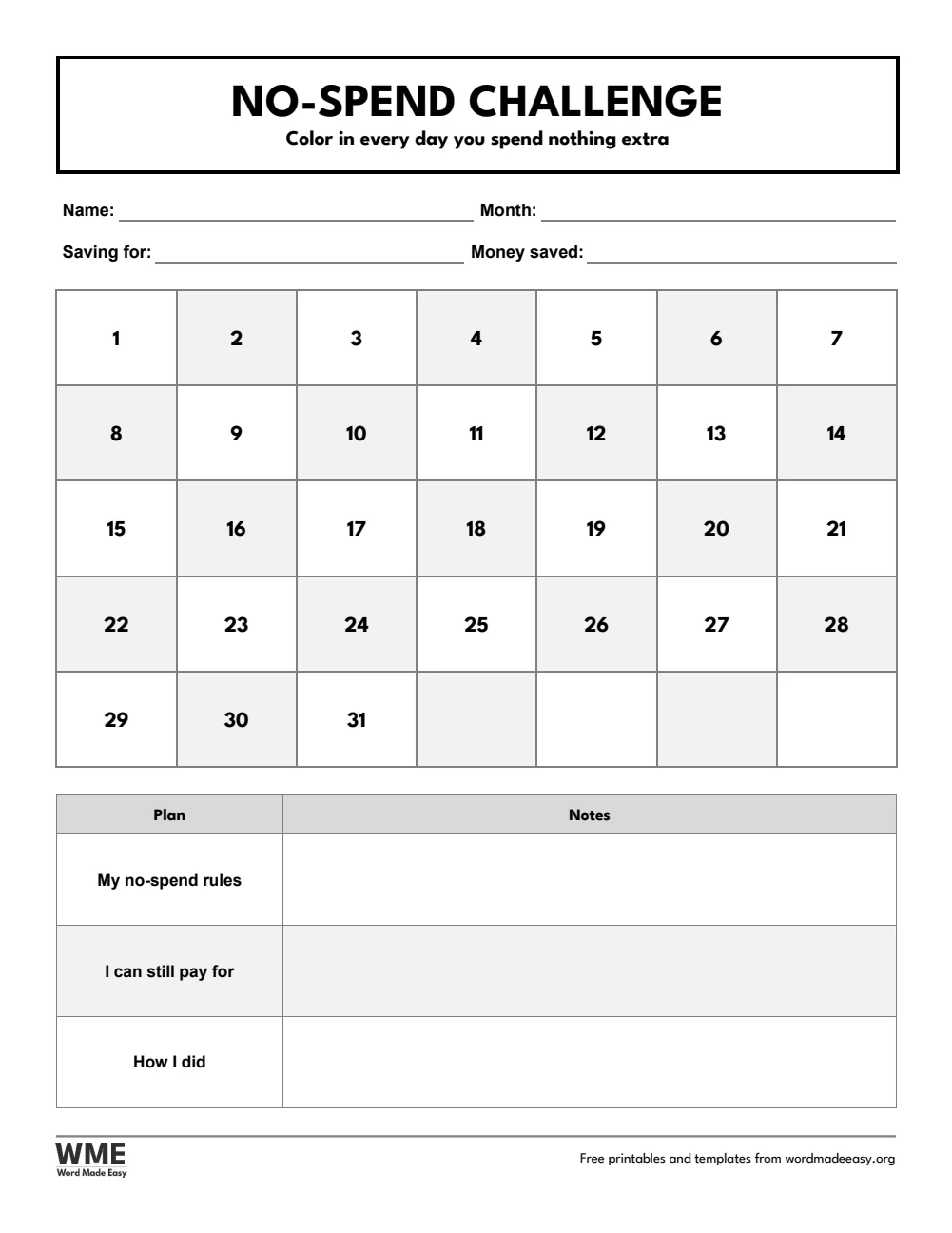
No-Spend Challenge · A month of days to colour, with your rules and money saved. Click to enlarge.
Savings challenge printable template for Word: Savings Challenge, Savings Goal Tracker, US Letter
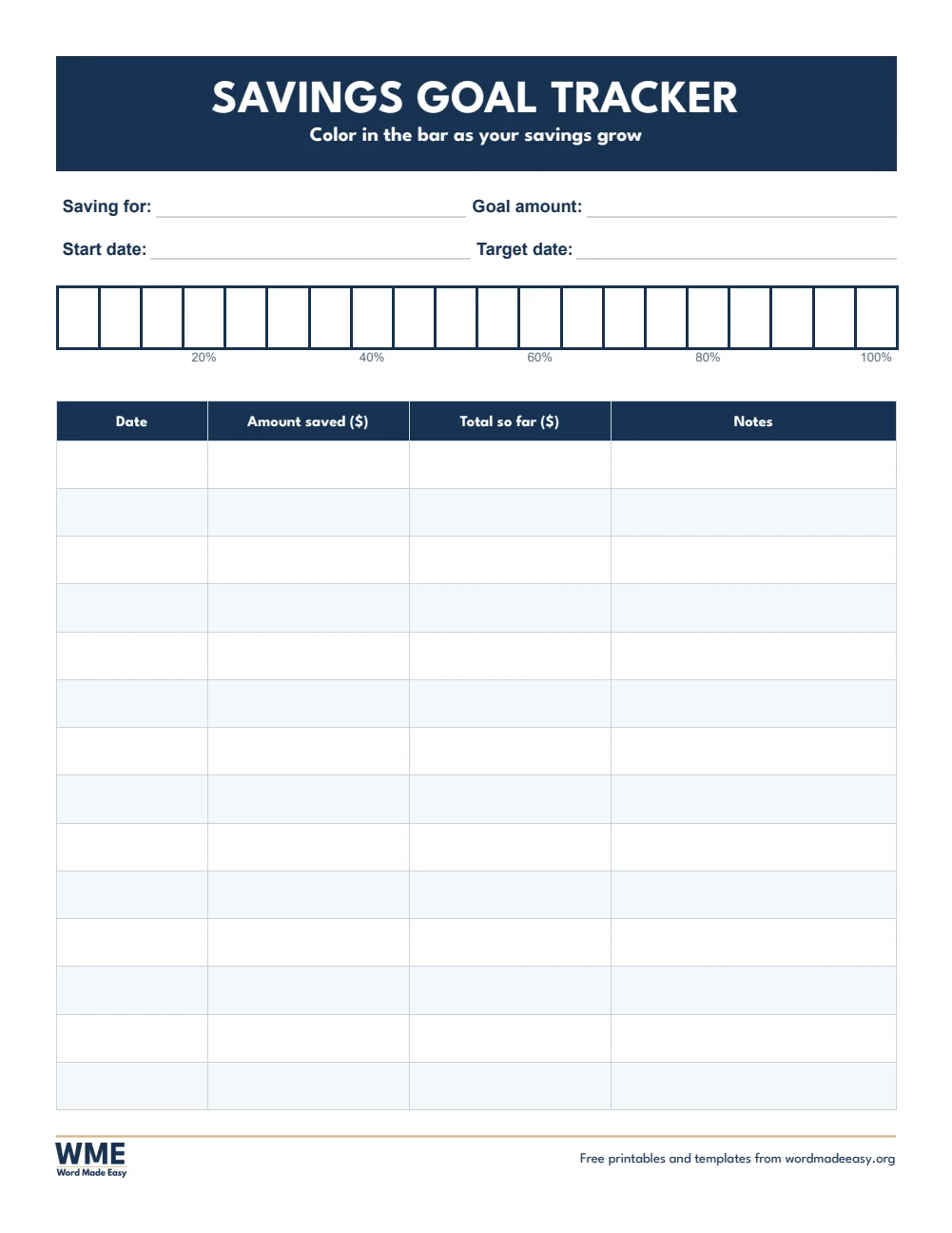
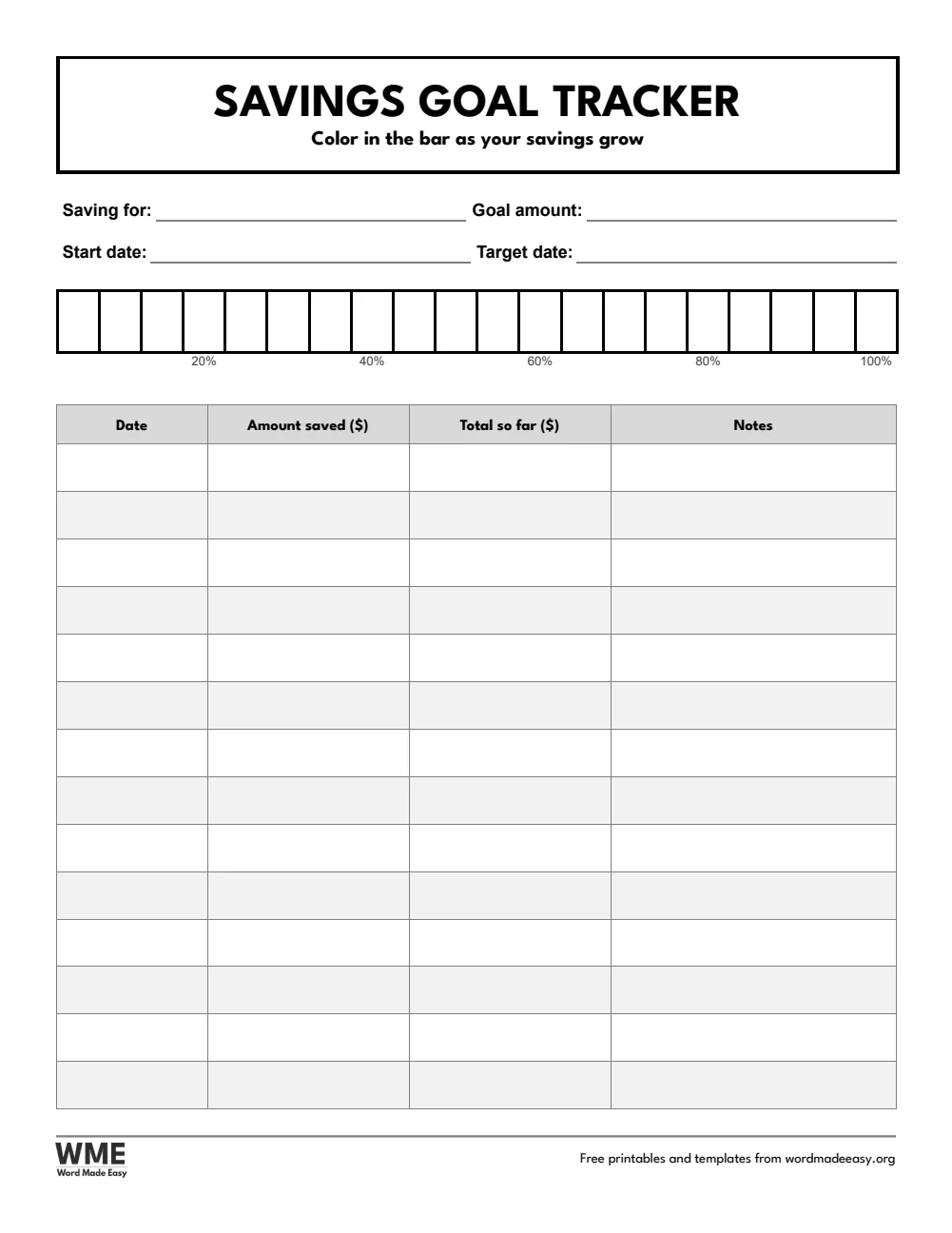
Savings Goal Tracker · A 20-step progress bar and a deposit log for any goal. Click to enlarge.
Savings challenge printable template for Word: Savings Challenge, 52-Week Savings Challenge, US Letter, US Letter
52-Week Savings Challenge, Black and White · Save the week number every week: 1,378 in a year. Click to enlarge.
Savings challenge printable template for Word: Savings Challenge, 100 Envelope Challenge, US Letter, US Letter
100 Envelope Challenge, Black and White · Cross off 100 envelopes, 1 to 100: 5,050 in total. Click to enlarge.
Savings challenge printable template for Word: Savings Challenge, 1,000 Savings Challenge Chart, US Letter, US Letter
1,000 Savings Challenge Chart, Black and White · 40 boxes to colour in that add up to exactly 1,000. Click to enlarge.
Savings challenge printable template for Word: Savings Challenge, No-Spend Challenge, US Letter, US Letter
No-Spend Challenge, Black and White · A month of days to colour, with your rules and money saved. Click to enlarge.
Savings challenge printable template for Word: Savings Challenge, Savings Goal Tracker, US Letter, US Letter
Savings Goal Tracker, Black and White · A 20-step progress bar and a deposit log for any goal. Click to enlarge.

More free templates

  • Student Planner Templates for Word Student Planner Templates 6 Word files
  • Debt Payoff Tracker Printables for Word Debt Payoff Tracker Printables Free Word files
  • Recipe Card Templates for Word Recipe Card Templates Free Word files
  • 2027 Philippine Calendar with Holidays for Word 2027 Philippine Calendar with Holidays Free Word files
  • Daily Planner Templates for Word Daily Planner Templates Free Word files
  • Road Trip Planner Templates for Word Road Trip Planner Templates 4 Word files
  • Check Register Templates for Word Check Register Templates Free Word files
  • 2027 Planner Templates for Word 2027 Planner Templates Free Word files

Download your free Word templates

Enter your email address to download. We will also send you new free Word templates now and then, unless you choose to just download.

Choose colour or black and white
Choose your paper size

I agree that Word Made Easy may email me occasional updates about new Word Templates. I can unsubscribe at any time. Choose "No thanks, just download" if you do not want these emails.

Read the Privacy Policy for details about storage, retention and your rights.

Can’t find the template you need? Request a template and I’ll make it in Word, free.

Get new free printables first: follow Word Made Easy on Pinterest

These free savings challenge printables give you 5 designs as Word documents on US Letter and A4: the 52-week savings challenge, the 100 envelope challenge, a $1,000 savings challenge chart, a no-spend challenge and a savings goal tracker, each in colour and in black and white. I’m Patrick Elliott, a teacher and Inclusion Lead. I worked out every running total in these challenges in the build, so the numbers on the page always add up.

In this guide, you’ll find how each savings challenge works, how much it saves, and how to pick the one that suits your budget.


Contents hide
1 What’s in the Savings Challenge Printables
2 How Does a Savings Challenge Work?
3 Which Savings Challenge Should You Choose?
4 How to Start a Savings Challenge
5 How to Print the Challenges
6 FAQs
7 Conclusion
8 Related Tutorials
9 Word Templates

What’s in the Savings Challenge Printables

PaperChallengeHow it works
US Letter52-Week Savings ChallengeSave the week number every week: 1,378 in a year
US Letter100 Envelope ChallengeCross off 100 envelopes, 1 to 100: 5,050 in total
US Letter1,000 Savings Challenge Chart40 boxes to colour in that add up to exactly 1,000
US LetterNo-Spend ChallengeA month of days to colour, with your rules and money saved
US LetterSavings Goal TrackerA 20-step progress bar and a deposit log for any goal
A452-Week Savings ChallengeSave the week number every week: 1,378 in a year
A4100 Envelope ChallengeCross off 100 envelopes, 1 to 100: 5,050 in total
A41,000 Savings Challenge Chart40 boxes to colour in that add up to exactly 1,000
A4No-Spend ChallengeA month of days to colour, with your rules and money saved
A4Savings Goal TrackerA 20-step progress bar and a deposit log for any goal
52-week savings challenge printable for Word: weeks 1 to 52 in two columns with the deposit, running total and a tick box, from $1 in week 1 to $1,378 saved after 52 weeks, on US Letter

👉 The amounts and running totals are already filled in. Type your name, goal and dates in Word, or print and fill in by hand.


How Does a Savings Challenge Work?

A savings challenge turns saving into a game: you put aside a set amount on a schedule and tick it off, so you can see your savings grow. In the 52-week challenge you save the week number each week, $1 in week 1 up to $52 in week 52, which adds up to $1,378. In the 100 envelope challenge you number 100 envelopes, fill a random one each time and cross it off: all 100 make $5,050. The $1,000 chart has 40 boxes of $10, $20, $25 and $50 to colour in, and the no-spend challenge counts the days you buy nothing extra. The A4 versions use pounds: £1,378, £5,050 and £1,000.


Which Savings Challenge Should You Choose?

  • 52-week savings challenge: small amounts that grow each week, with the deposit and running total printed for every week. Saves 1,378 in a year.
  • 100 envelope challenge: a 10 x 10 grid of amounts from 1 to 100 to cross off. Saves 5,050, so it suits bigger goals.
  • 1,000 savings challenge chart: 40 boxes to colour in, in any order, for an emergency fund or a holiday.
  • No-spend challenge: a month of days to colour, with your rules, what you can still pay for and how you did.
  • Savings goal tracker: a 20-step progress bar and a deposit log for any goal and amount you choose.
  • Black and white versions: every template also comes in a printer-friendly black and white version with grey headings, to save ink.

How to Start a Savings Challenge

  1. Choose your paper size above, download the ZIP and open the challenge you want in Word.
  2. Type your name, start date and what you are saving for, then print the page.
  3. Pick a day each week, such as payday, to put the money aside.
  4. Tick, cross off or colour in each amount as soon as you save it.
  5. Pin the page somewhere you see every day, and move the money into a savings account as it builds.

If the 52-week amounts feel too big near the end of the year, start with week 52 in January and work backwards while holiday spending is low. Pair a challenge with a budget planner so you know how much you can spare.


How to Print the Challenges

Print at 100% (Actual size) on the same paper as the file, US Letter or A4. The black and white versions use outlines and grey headings, so the boxes are easy to colour in and save ink.


FAQs

Are these savings challenge printables free?

Yes. Choose US Letter or A4, colour or black and white, and download all five challenges in one ZIP file at no cost.

How much does the 52-week savings challenge save?

You save $1 in week 1, $2 in week 2 and so on up to $52 in week 52, which adds up to $1,378 in a year.

How much is the 100 envelope challenge?

Envelopes 1 to 100 add up to $5,050. Many people do it over 100 days or over a year.

Can I change the amounts?

Yes. Every amount is plain text in a Word table, so you can type your own amounts or change the currency.

What is a no-spend challenge?

You choose a month and spend nothing beyond the essentials you list, such as rent, bills and food, and colour in every day you stick to it.

Is there a black and white version?

Yes. Every template comes in colour and in black and white, on US Letter and A4. Choose Black and white, or All, in the download box.


Conclusion

These savings challenge printables give you five ways to build a habit of saving, with every amount and total already worked out, ready to print from Word.

Choose your paper size above, download the ZIP, and to plan where your money goes each month, use the budget templates.


Related Tutorials

  • Free Budget Templates for Word
  • Free Check Register Templates for Word
  • Free Goal Setting Worksheets for Word

Word Templates

Recently Added Word Templates

  • Alphabet Worksheets: 5 Free Printables for Preschool and Kindergarten

    November 13, 2026
  • Christmas Directed Drawing: 4 Free Grid Drawing Worksheets with Answers

    November 13, 2026
  • Free Class Record Template for Word (DO 15, s. 2026): 5 Printables

    November 12, 2026

Browse the complete collection of free printable Word templates for home and school, all made by a teacher.

View all Word templates
Watch on YouTube

New to Word? Our Word tutorials show you how to edit and print your templates.

← PreviousFree Donation Receipt Templates for Word: 5 Receipts and Logs
Next →Free Debt Payoff Tracker Printables for Word: 5 Sheets with Debt Snowball

Leave a comment Cancel reply

Have a question about these templates, or an idea for a new one? Ask below.

Meet the Author

Patrick Elliott standing outdoors holding his dog.

I’m Patrick Elliott, the creator of Word Made Easy. I’ve worked in schools for over 10 years and I’m now an Inclusion Lead in the UAE. I use Microsoft Word and PowerPoint every day for planning, documentation and classroom resources.

Every guide is tested step by step before publishing (usually in Microsoft 365), and every free template is one I made myself in Word. You’ll also find practical walkthroughs on my YouTube channel.

Browse

  • Word TutorialsStep-by-step guides for every feature
  • Word Beginners HubFree 12-chapter Word course
  • Word TemplatesFree, editable downloads
  • Word Shortcut Cheat SheetsFree printable PDFs
  • Google Docs TutorialsStep-by-step Docs guides
  • PowerPoint TutorialsClear, simple slide guides
  • YouTube VideosWatch the video walkthroughs

Watch on YouTube

Prefer to watch? Most guides have a short video walkthrough on the Word Made Easy channel.

  • 147videos
  • 1.88Mviews
  • 8,000+subscribers
Subscribe on YouTube

Recently Added

  • Alphabet Worksheets: 5 Free Printables for Preschool and KindergartenNovember 13, 2026
  • Christmas Directed Drawing: 4 Free Grid Drawing Worksheets with AnswersNovember 13, 2026
  • Free Class Record Template for Word (DO 15, s. 2026): 5 PrintablesNovember 12, 2026
  • Free Learner’s Profile Templates for Word: 5 PrintablesNovember 12, 2026
  • Free LAC Templates for Word (DO 35, s. 2016): 5 PrintablesNovember 12, 2026

Most Downloaded

  • Free Microsoft Word Keyboard Shortcuts Bundle: 14 Cheat Sheets (PDF)64 downloads in the last 30 days
  • Microsoft Word for Beginners: Free Guide and PDF62 downloads in the last 30 days
  • Free Printable Alphabet Charts for Word: 5 Easy Designs50 downloads in the last 30 days
  • Free Fillable Form Templates for Word: 4 Easy Forms45 downloads in the last 30 days
  • Free ILAW Lesson Plan Templates for Word: English and Filipino (DO 16, s. 2026)33 downloads in the last 30 days
Word Made Easy

Free, step-by-step Microsoft Word tutorials, written and tested by teacher Patrick Elliott.

Subscribe on YouTube Follow on Facebook Follow on Pinterest

Explore

  • Home
  • Word Tutorials
  • Word Templates
  • Google Docs Tutorials
  • PowerPoint Tutorials
  • YouTube Videos

Microsoft Word

  • Page Layout & Sections
  • Tables, Images & Media
  • Formatting Basics
  • Productivity & Automation
  • Beginners Hub
  • Templates
  • Shortcut Cheat Sheets

Google Docs

  • All Google Docs Tutorials

About

  • About Me
  • Contact
Privacy Policy Cookie Policy Terms of Use
© 2012–2026 Word Made Easy. All rights reserved.
Manage your privacy

To provide the best experiences, we and our partners use technologies like cookies to store and/or access device information. Consenting to these technologies will allow us and our partners to process personal data such as browsing behavior or unique IDs on this site and show (non-) personalized ads. Not consenting or withdrawing consent, may adversely affect certain features and functions.

Click below to consent to the above or make granular choices. Your choices will be applied to this site only. You can change your settings at any time, including withdrawing your consent, by using the toggles on the Cookie Policy, or by clicking on the manage consent button at the bottom of the screen.

Functional Always active
The technical storage or access is strictly necessary for the legitimate purpose of enabling the use of a specific service explicitly requested by the subscriber or user, or for the sole purpose of carrying out the transmission of a communication over an electronic communications network.
Preferences
The technical storage or access is necessary for the legitimate purpose of storing preferences that are not requested by the subscriber or user.
Statistics
The technical storage or access that is used exclusively for statistical purposes. The technical storage or access that is used exclusively for anonymous statistical purposes. Without a subpoena, voluntary compliance on the part of your Internet Service Provider, or additional records from a third party, information stored or retrieved for this purpose alone cannot usually be used to identify you.
Marketing
The technical storage or access is required to create user profiles to send advertising, or to track the user on a website or across several websites for similar marketing purposes.
Statistics

Marketing

Features
Always active

Special features

Special purposes
Always active

  • Manage options
  • Manage services
  • Manage {vendor_count} vendors
  • Read more about these purposes
Manage options
  • {title}
  • {title}
  • {title}
Manage your privacy
To provide the best experiences, we use technologies like cookies to store and/or access device information. Consenting to these technologies will allow us to process data such as browsing behavior or unique IDs on this site. Not consenting or withdrawing consent, may adversely affect certain features and functions.
Functional Always active
The technical storage or access is strictly necessary for the legitimate purpose of enabling the use of a specific service explicitly requested by the subscriber or user, or for the sole purpose of carrying out the transmission of a communication over an electronic communications network.
Preferences
The technical storage or access is necessary for the legitimate purpose of storing preferences that are not requested by the subscriber or user.
Statistics
The technical storage or access that is used exclusively for statistical purposes. The technical storage or access that is used exclusively for anonymous statistical purposes. Without a subpoena, voluntary compliance on the part of your Internet Service Provider, or additional records from a third party, information stored or retrieved for this purpose alone cannot usually be used to identify you.
Marketing
The technical storage or access is required to create user profiles to send advertising, or to track the user on a website or across several websites for similar marketing purposes.
Statistics

Marketing

Features
Always active

Special features

Special purposes
Always active

  • Manage options
  • Manage services
  • Manage {vendor_count} vendors
  • Read more about these purposes
Manage options
  • {title}
  • {title}
  • {title}