Skip to content
Word Made Easy
Home Word Tutorials Word Templates Google Docs PowerPoint Tutorials YouTube Videos
Business, Microsoft Word, Word Templates

Word Templates

Free Incident Report Form Templates for Word: 16 Accident Forms

Choose your paper size, preview every template, then download your Word templates in one small ZIP file.

Made by a teacherA4 and US Letter16 Word documentsFree
Published 25 October 2026 · By Patrick Elliott

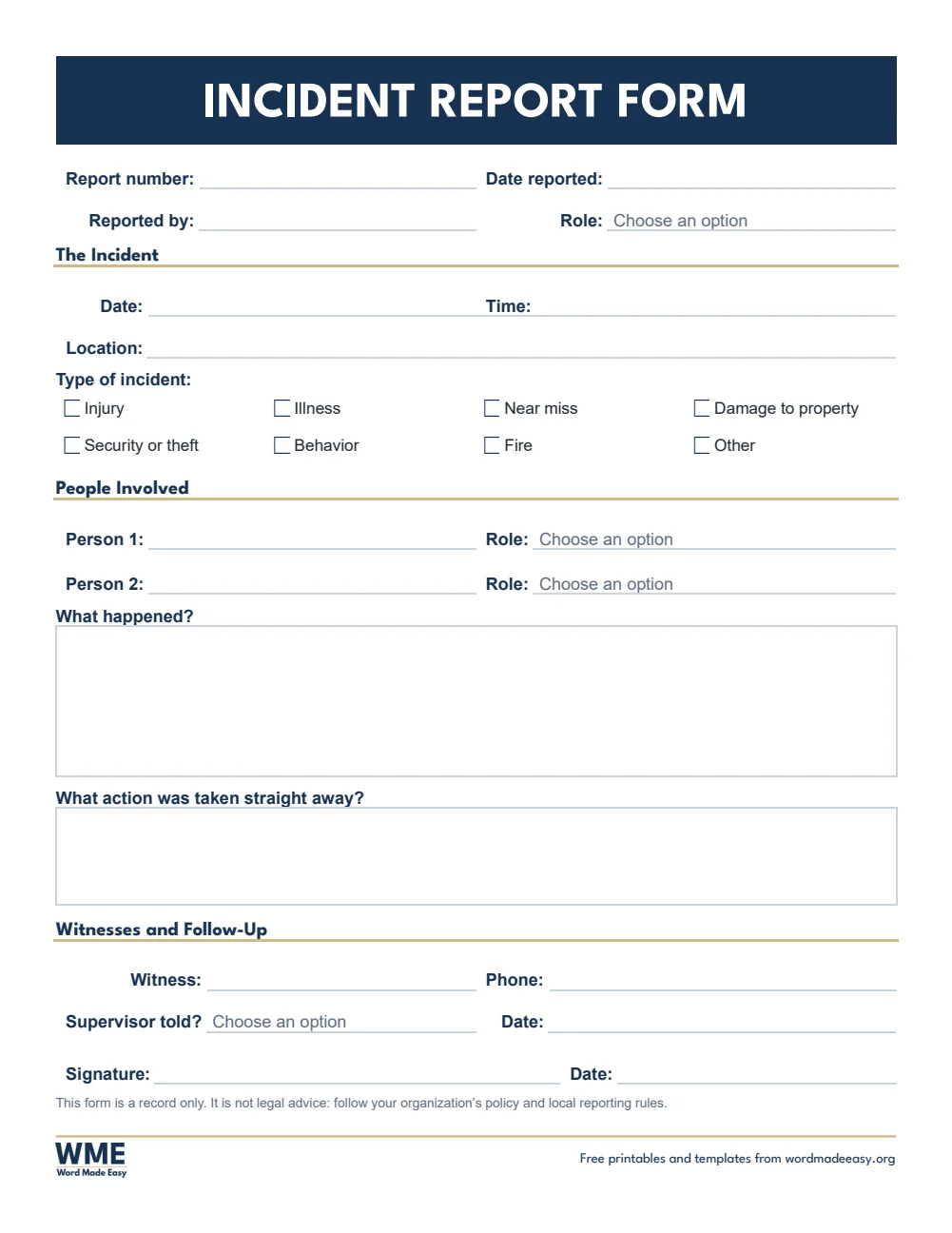
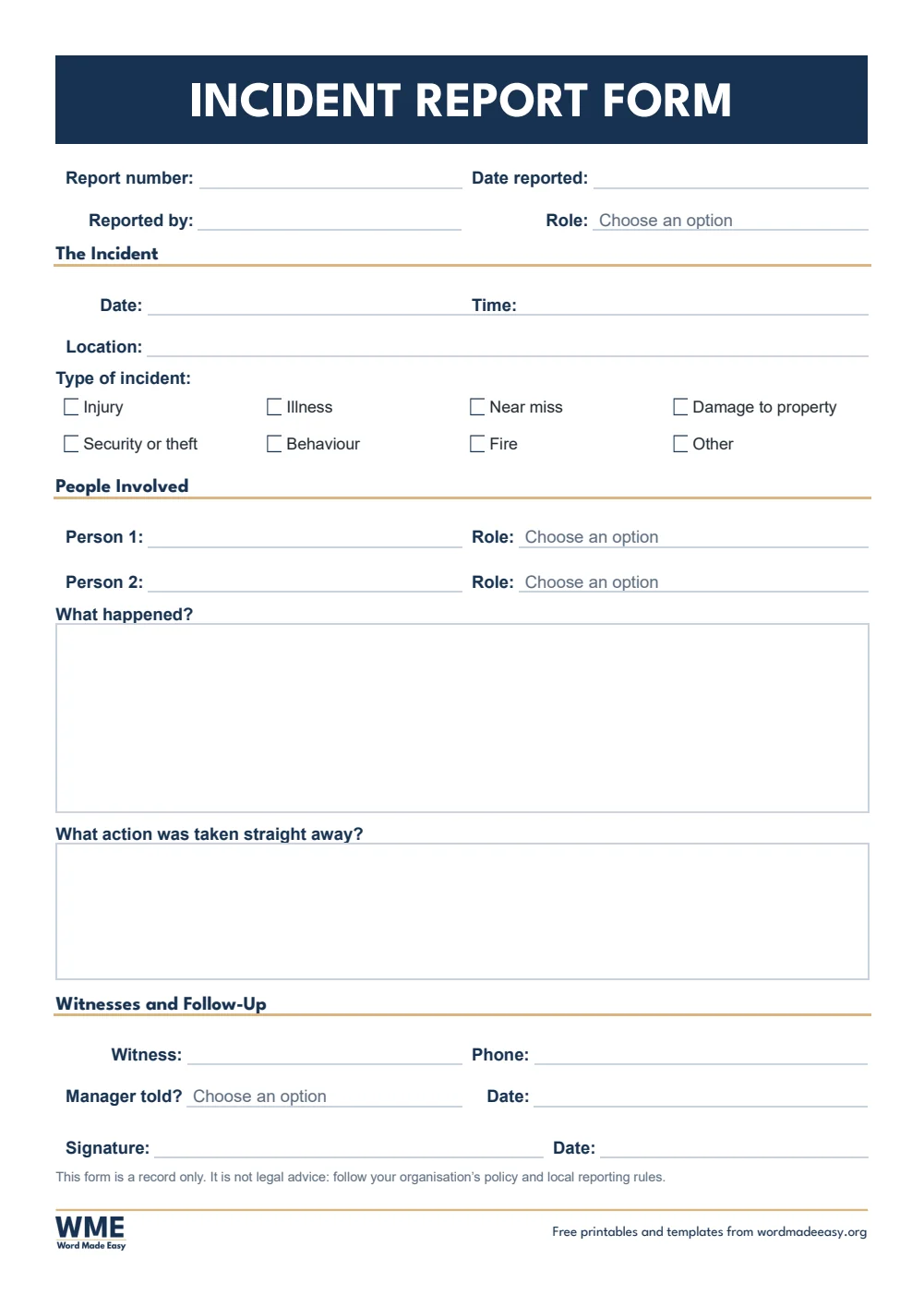
Incident report form for Word: incident details, people involved, what happened and witnesses on A4
A4 — Incident Report Form · Any incident: what happened, people, witnesses. Click to enlarge.
Incident report form template for Word: Incident Report, Accident Report Form, A4
A4 — Accident Report Form · Workplace accidents, injury and first aid. Click to enlarge.
Incident report form template for Word: Incident Report, Pupil Accident Form, A4
A4 — Pupil Accident Form · School accidents, first aid and parents told. Click to enlarge.
Incident report form template for Word: Incident Report, Head Bump Note, A4
A4 — Head Bump Note · A note home after a bumped head. Click to enlarge.
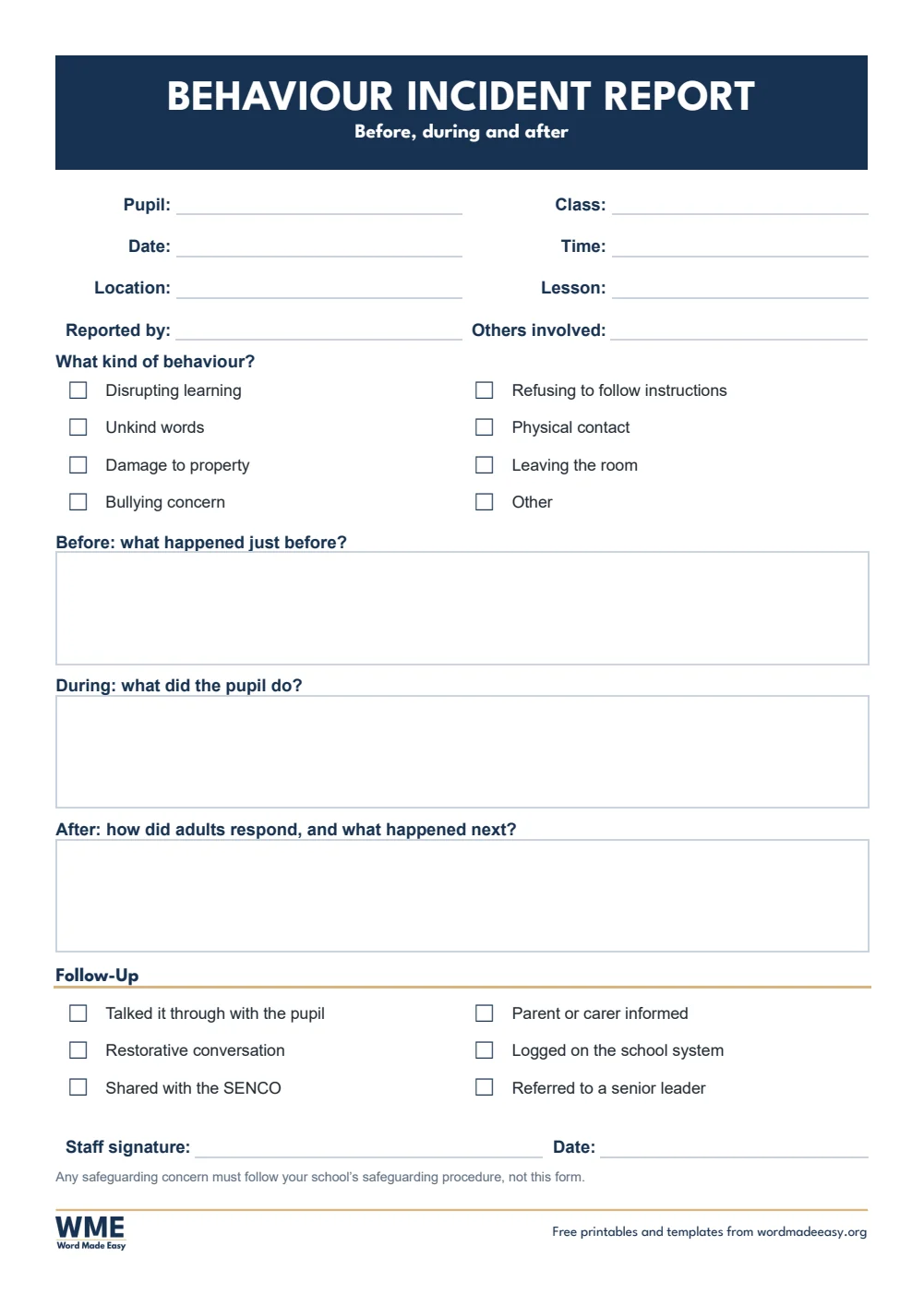
Incident report form template for Word: Incident Report, Behaviour Incident Report, A4
A4 — Behaviour Incident Report · Before, during and after, with follow-up. Click to enlarge.
Incident report form template for Word: Incident Report, Near Miss Report, A4
A4 — Near Miss Report · Something that could have caused harm. Click to enlarge.
Incident report form template for Word: Incident Report, Witness Statement, A4
A4 — Witness Statement · A witness’s own account, signed. Click to enlarge.
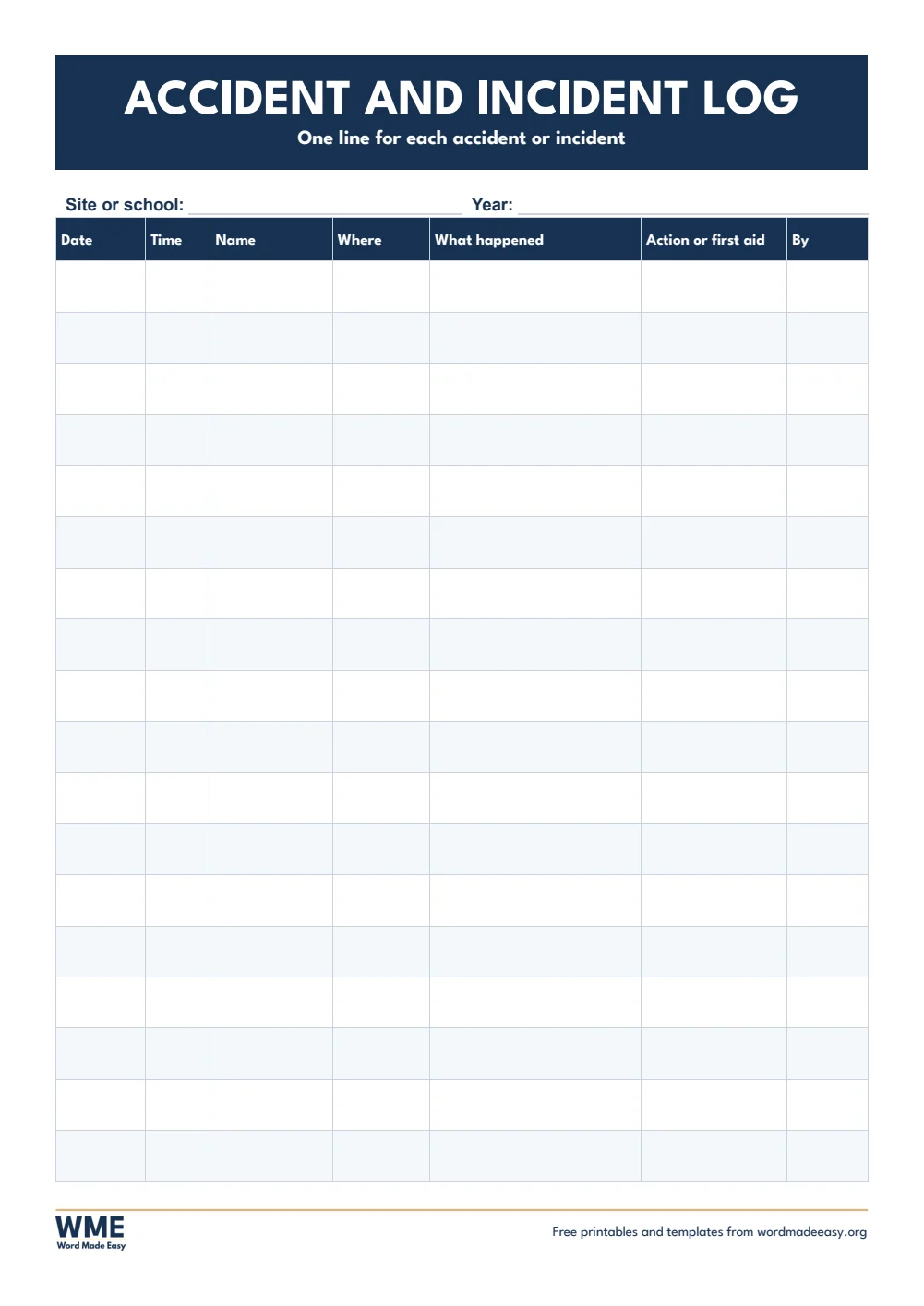
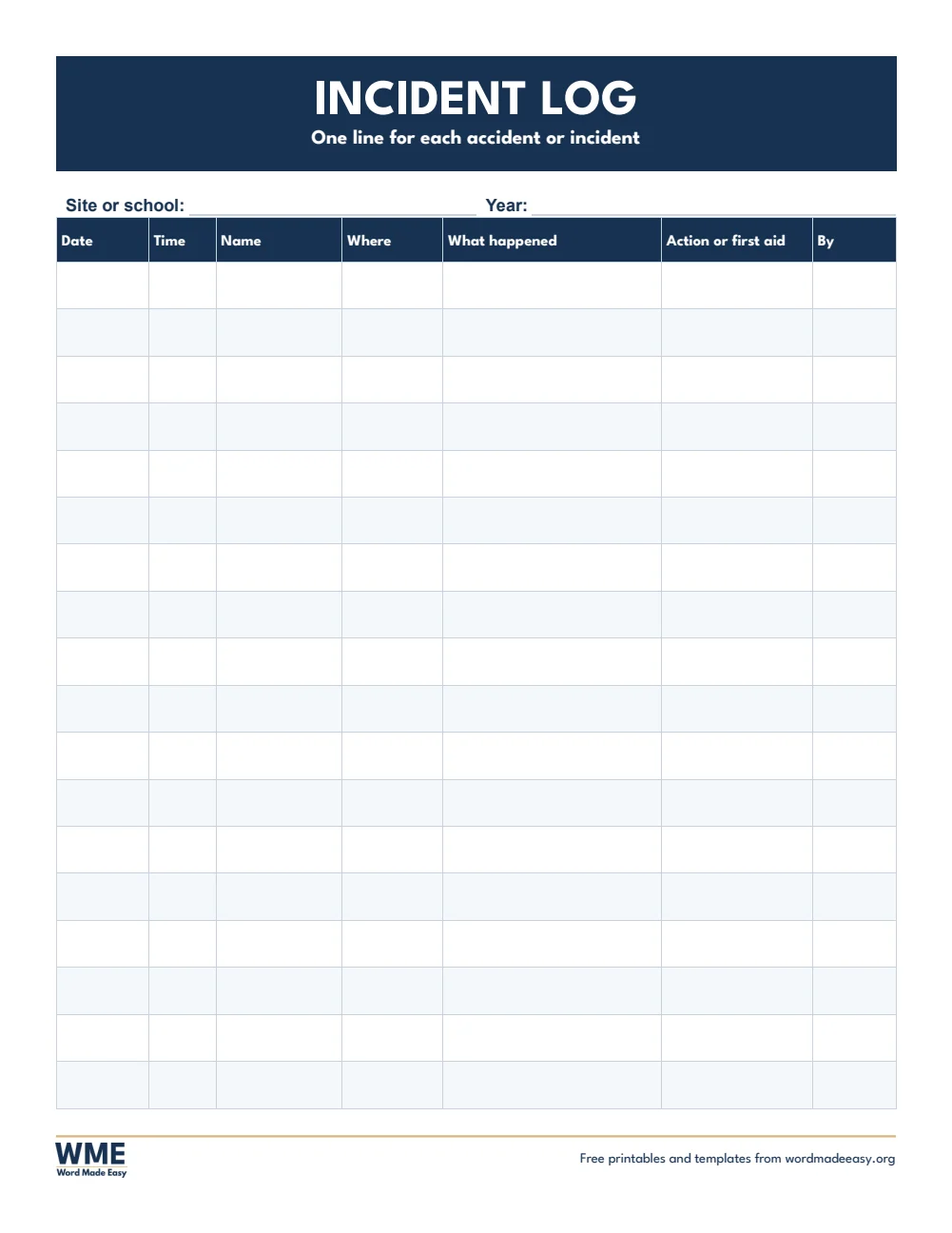
Incident report form template for Word: Incident Report, Accident and Incident Log, A4
A4 — Accident and Incident Log · One line per incident, for the year. Click to enlarge.
Incident report form template for Word: Incident Report, Incident Report Form, US Letter
US Letter — Incident Report Form · Any incident: what happened, people, witnesses. Click to enlarge.
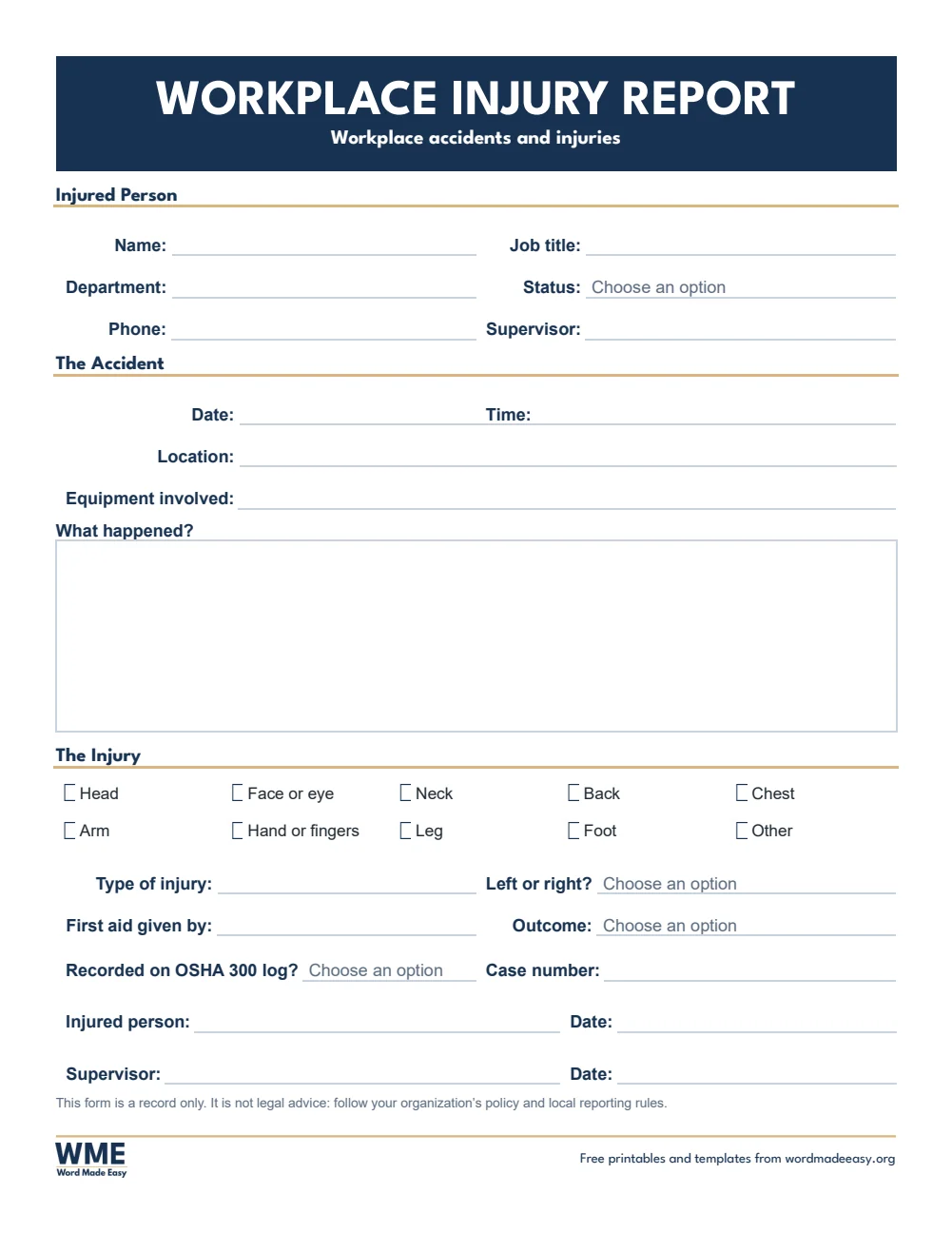
Incident report form template for Word: Incident Report, Workplace Injury Report, US Letter
US Letter — Workplace Injury Report · Workplace accidents, injury and first aid. Click to enlarge.
Incident report form template for Word: Incident Report, Student Injury Report, US Letter
US Letter — Student Injury Report · School injuries, first aid and parents told. Click to enlarge.
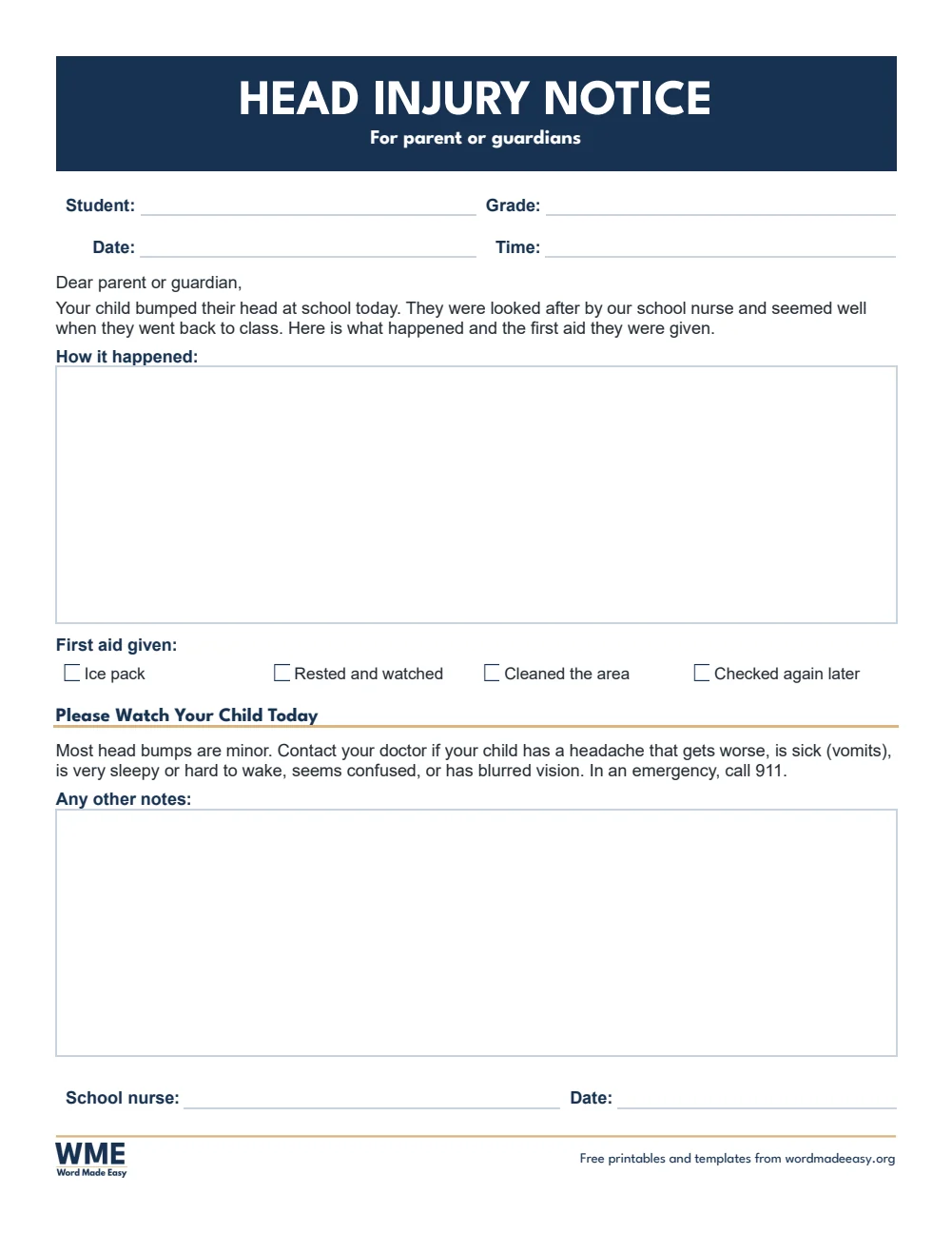
Incident report form template for Word: Incident Report, Head Injury Notice, US Letter
US Letter — Head Injury Notice · A notice home after a head bump. Click to enlarge.
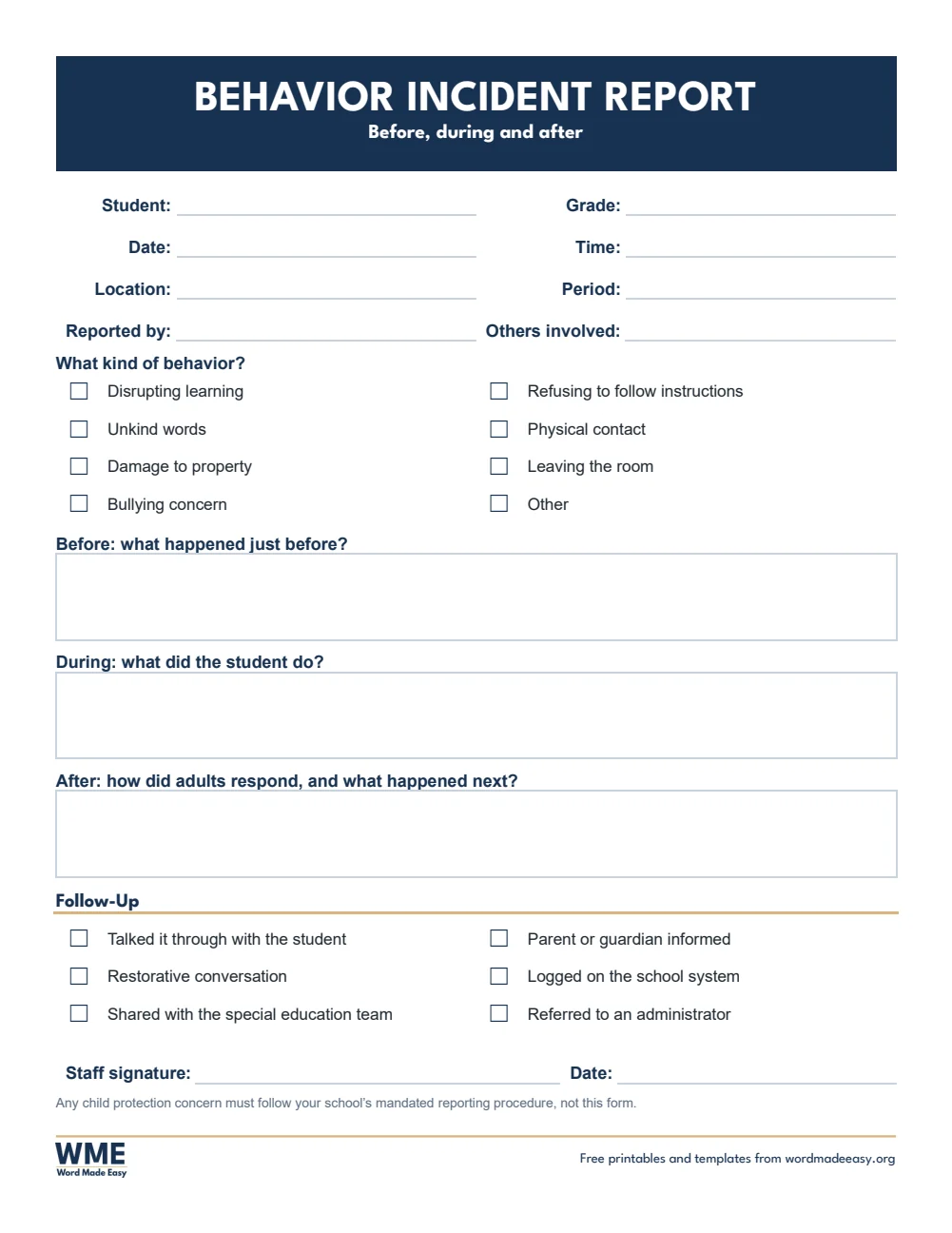
Incident report form template for Word: Incident Report, Behavior Incident Report, US Letter
US Letter — Behavior Incident Report · Before, during and after, with follow-up. Click to enlarge.
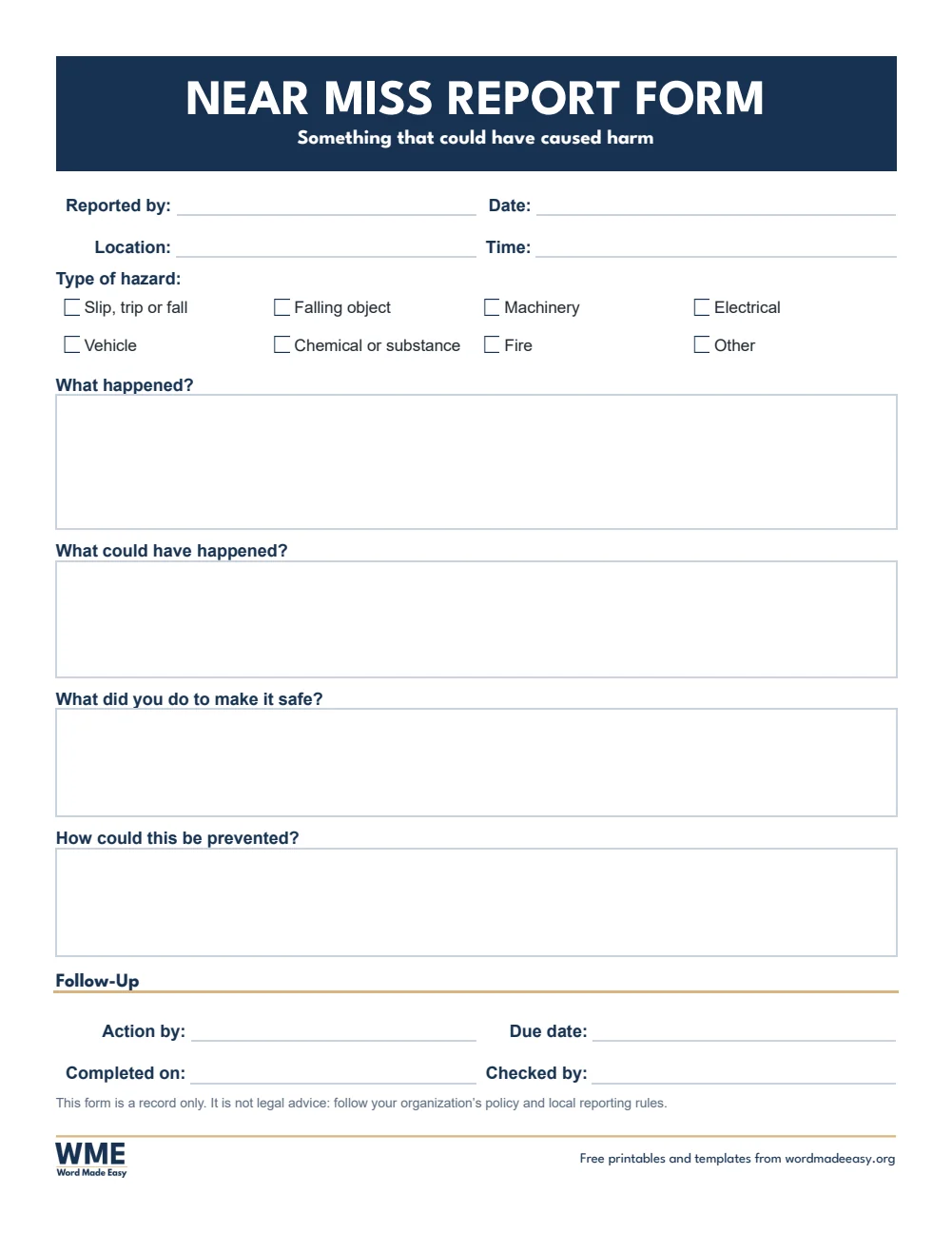
Incident report form template for Word: Incident Report, Near Miss Report, US Letter
US Letter — Near Miss Report · Something that could have caused harm. Click to enlarge.
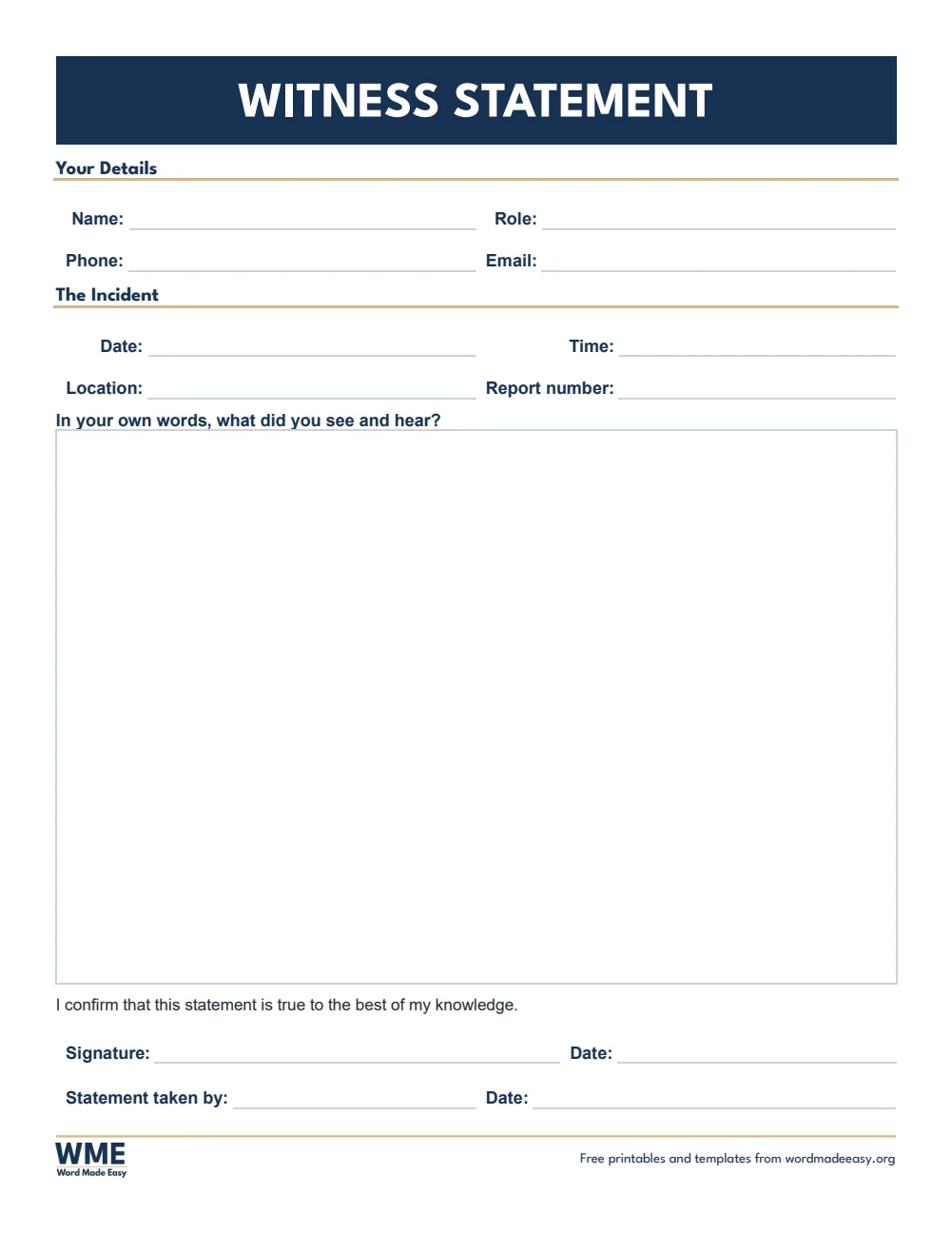
Incident report form template for Word: Incident Report, Witness Statement, US Letter
US Letter — Witness Statement · A witness’s own account, signed. Click to enlarge.
Incident report form template for Word: Incident Report, Incident Log, US Letter
US Letter — Incident Log · One line per incident, for the year. Click to enlarge.

More free templates

  • Performance Review Templates for Word Performance Review Templates Free Word files
  • Inventory Sheet Templates for Word Inventory Sheet Templates Free Word files
  • Mileage Log Templates for Word Mileage Log Templates Free Word files
  • Expense Report Templates for Word Expense Report Templates Free Word files
  • Label Templates for Word Label Templates Free Word files
  • Memo Templates for Word Memo Templates Free Word files
  • SWOT Analysis Templates for Word SWOT Analysis Templates Free Word files
  • Job Application Form Templates for Word Job Application Form Templates Free Word files

Download your free Word templates

Enter your email address, then choose whether you would also like occasional emails about new Word Made Easy Word Templates.

Choose your paper size
Choose your email preference

I agree that Word Made Easy may email me occasional updates about new Word Templates. I can unsubscribe at any time. Choose Download only if you do not want marketing emails.

Read the Privacy Policy for details about storage, retention and your rights.

Can’t find the template you need? Request a template and I’ll make it in Word, free.

These free incident report form templates give you 16 fillable Word documents on A4 and US Letter, for workplaces and schools: incident and accident reports, a pupil or student accident form, a head bump note for parents, a behaviour incident report, a near miss form, a witness statement and a log. I’m Patrick Elliott, a teacher and Inclusion Lead. I write accident and behaviour reports in school, so I built these to record the facts quickly, with a head bump note and a before, during and after behaviour form.

In this guide, you’ll find which form to use for each kind of incident, what a good report includes, and how to fill it in quickly and accurately.


Contents hide
1 What’s in the Incident Report Form Templates
2 What Is an Incident Report Form?
3 Which Incident Report Should You Use?
4 How to Fill In an Incident Report Form
5 How to Print at the Right Size
6 FAQs
7 Conclusion
8 Related Tutorials
9 Word Templates

What’s in the Incident Report Form Templates

PaperVersionBest for
A4Incident Report FormAny incident: what happened, people, witnesses
A4Accident Report FormWorkplace accidents, injury and first aid
A4Pupil Accident FormSchool accidents, first aid and parents told
A4Head Bump NoteA note home after a bumped head
A4Behaviour Incident ReportBefore, during and after, with follow–up
A4Near Miss ReportSomething that could have caused harm
A4Witness StatementA witness’s own account, signed
A4Accident and Incident LogOne line per incident, for the year
US LetterIncident Report FormAny incident: what happened, people, witnesses
US LetterWorkplace Injury ReportWorkplace accidents, injury and first aid
US LetterStudent Injury ReportSchool injuries, first aid and parents told
US LetterHead Injury NoticeA notice home after a head bump
US LetterBehavior Incident ReportBefore, during and after, with follow–up
US LetterNear Miss ReportSomething that could have caused harm
US LetterWitness StatementA witness’s own account, signed
US LetterIncident LogOne line per incident, for the year
Incident report form for Word: incident details, people involved, what happened and witnesses on A4

👉 Every answer is a click-and-type box, with date pickers, drop-down lists and check boxes, and the labels are locked so the form stays neat.


What Is an Incident Report Form?

An incident report form is a written record of something that happened: an accident, an injury, a near miss, damage or a behaviour incident. It records when and where it happened, who was involved, what happened and what was done straight away, while the details are fresh. An accident report form is the same idea for injuries, with the part of the body hurt and the first aid given.


Which Incident Report Should You Use?

  • Incident report form: any incident, with people involved, what happened, action taken and witnesses.
  • Accident report or workplace injury report: the injured person, the injury, first aid and the outcome.
  • Pupil accident or student injury report: school accidents, first aid and how parents were told.
  • Head bump note or head injury notice: a note home after a bumped head, with signs to watch for.
  • Behaviour incident report: before, during and after, with follow-up, which suits SEN and pastoral teams.
  • Near miss report: something that could have caused harm, and how to stop it happening again.
  • Witness statement: a witness’s own account, signed and dated.
  • Accident and incident log: one line per incident, so you can spot patterns over the year.

How to Fill In an Incident Report Form

  1. Fill it in as soon as possible, while everyone remembers clearly.
  2. Write what happened in plain, factual words: what you saw and heard, not opinions or blame.
  3. Record first aid and the action taken straight away, and add any witnesses.
  4. Sign it, pass it to your manager or headteacher, and add a line to the log.

Keep reports somewhere secure, because they contain personal details. These forms are records only and not legal advice: follow your organisation’s policy and local rules on reporting serious injuries, such as RIDDOR in the UK or the OSHA log in the US, and follow your safeguarding procedure for any concern about a child.


How to Print at the Right Size

Print at 100% on plain paper and keep a few copies in your first aid kit, or fill them in on screen and save them as PDFs in a secure folder.


FAQs

Are these incident report form templates free?

Yes. Choose A4 or US Letter and download all the Word templates in one ZIP file at no cost.

Who made these incident report form templates?

Patrick Elliott, a teacher and Inclusion Lead, designed and built every incident report form by hand in Microsoft Word.

What is the difference between an incident report and an accident report?

An accident report is for injuries. An incident report covers anything that happened, including near misses, damage and behaviour.

What should an incident report include?

The date, time and place, the people involved, a factual account of what happened, the action taken, any witnesses and a signature.

How do I fill in the form in Word?

Click a box and type, click a date to pick it from the calendar, and click a check box to tick it. The labels are locked so they stay neat.

Can I change the questions or add my logo?

Yes. Go to Review > Restrict Editing > Stop Protection (there is no password), make your changes, then turn protection back on.

Can I remove the Word Made Easy footer?

Yes. Double-click the bottom of the page, click the logo and the web address, and press Delete.


Conclusion

These incident report forms help you record accidents and incidents clearly and consistently, human-made by a teacher and ready to fill in from Word.

Choose your paper size above, download the ZIP, and for consent and contact forms, try the fillable form templates.


Related Tutorials

  • Free Fillable Form Templates for Word
  • Free Sign-In Sheet Templates for Word
  • Free Meeting Minutes Templates for Word

Word Templates

Recently Added Word Templates

  • Free 2027 Planner Templates for Word: 20 Printable Planners

    October 27, 2026
  • Free Performance Review Templates for Word: 16 Printable Forms

    October 27, 2026
  • Free Medication List and Health Log Templates for Word: 16 Printables

    October 27, 2026

Browse the complete collection of free printable Word templates for home and school, all made by a teacher.

View all Word templates
Watch on YouTube

New to Word? Our Word tutorials show you how to edit and print your templates.
Like this:

Like Loading…
accident report form business templates incident report form incident report template near miss report school forms Word templates
←Free Time Off Request Form Templates for Word: 11 Leave Forms
Free Purchase Order Templates for Word: 9 Easy Printables→

Comments

Leave a Reply Cancel reply

Meet the Author

Patrick Elliott standing outdoors holding his dog.

I’m Patrick Elliott, the creator of Word Made Easy. I’ve worked in schools for over 10 years and I’m now an Inclusion Lead in the UAE. I use Microsoft Word and PowerPoint every day for planning, documentation and classroom resources.

Every guide is tested step by step before publishing (usually in Microsoft 365), and every free template is one I made myself in Word. You’ll also find practical walkthroughs on my YouTube channel.

Browse

  • Word TutorialsStep-by-step guides for every feature
  • Word Beginners HubFree 12-chapter Word course
  • Word TemplatesFree, editable downloads
  • Word Shortcut Cheat SheetsFree printable PDFs
  • Google Docs TutorialsStep-by-step Docs guides
  • PowerPoint TutorialsClear, simple slide guides
  • YouTube VideosWatch the video walkthroughs

Watch on YouTube

Prefer to watch? Most guides have a short video walkthrough on the Word Made Easy channel.

  • 147videos
  • 1.88Mviews
  • 8,000+subscribers
Subscribe on YouTube

Recently Added

  • Free 2027 Planner Templates for Word: 20 Printable PlannersOctober 27, 2026
  • Free Performance Review Templates for Word: 16 Printable FormsOctober 27, 2026
  • Free Microsoft Word Visual Guide: 11 Printable Infographics (PDF)October 27, 2026
  • Free Medication List and Health Log Templates for Word: 16 PrintablesOctober 27, 2026
  • Free Blood Pressure Log Templates for Word: 8 Printable LogsOctober 27, 2026
Word Made Easy

Free, step-by-step Microsoft Word tutorials, written and tested by teacher Patrick Elliott.

Subscribe on YouTube Follow on Facebook Follow on Pinterest

Explore

  • Home
  • Word Tutorials
  • Word Templates
  • Google Docs Tutorials
  • PowerPoint Tutorials
  • YouTube Videos

Microsoft Word

  • Page Layout & Sections
  • Tables, Images & Media
  • Formatting Basics
  • Productivity & Automation
  • Beginners Hub
  • Templates
  • Shortcut Cheat Sheets

Google Docs

  • Basics
  • Formatting
  • Page Layout
  • Tables & Images
  • Files & PDFs
  • Sharing & Signing
  • Writing & Research
  • Templates

About

  • About Me
  • Contact
Privacy Policy Terms of Use
© 2012–2026 Word Made Easy. All rights reserved.
%d

    Free download

    All 14 Word shortcut cheat sheets in one PDF

    Printable A4 sheets with a cover and contents page, made by a teacher. Enter your email and the bundle downloads straight away.

    Choose your email preference

    I agree that Word Made Easy may email me occasional updates about new free Word cheat sheets, templates and tutorials. I can unsubscribe at any time. Choose Download only if you do not want marketing emails. Privacy Policy