
Free Homeschool Report Card Templates for Word: 5 Printables
Preview every template, choose colour or black and white and your paper size, then download your Word templates in one small ZIP file.
Made by a teacherA4 and US Letter20 Word documentsFree
Can’t find the template you need? Request a template and I’ll make it in Word, free.
Get new free printables first: follow Word Made Easy on Pinterest
These free homeschool report card templates give you 5 designs as Word documents on US Letter and A4: an elementary report card, a middle and high school report card, a kindergarten progress report, a written progress report and an attendance log, each in colour and in black and white. I’m Patrick Elliott, a teacher and Inclusion Lead. I kept each report card to one page, with room for comments, because a sentence about what went well says more than a letter grade.
In this guide, you’ll find which report card suits each age, how to grade fairly at home, and how to keep a simple record of your school year.
What’s in the Homeschool Report Card Templates
| Paper | Template | What it’s for |
|---|---|---|
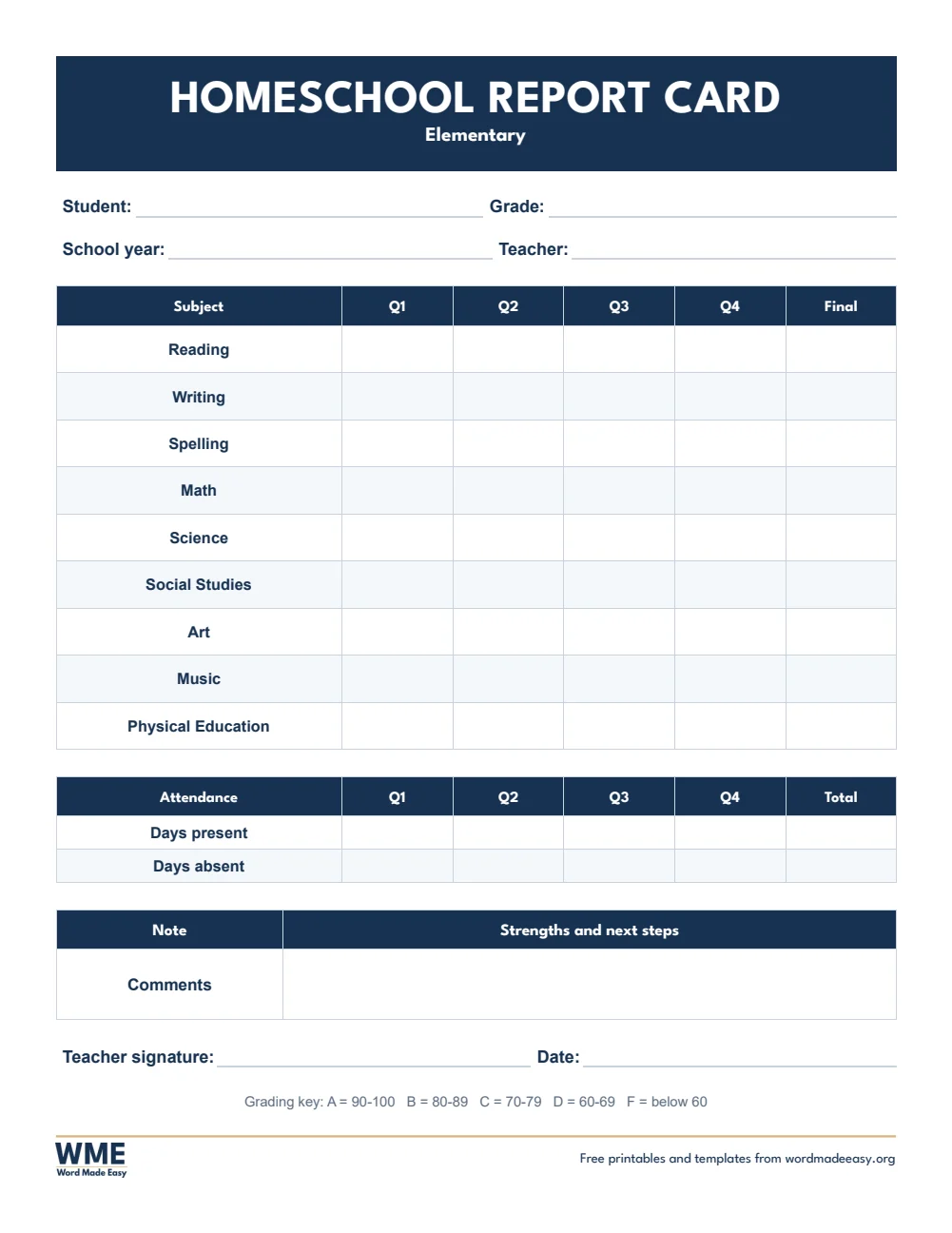
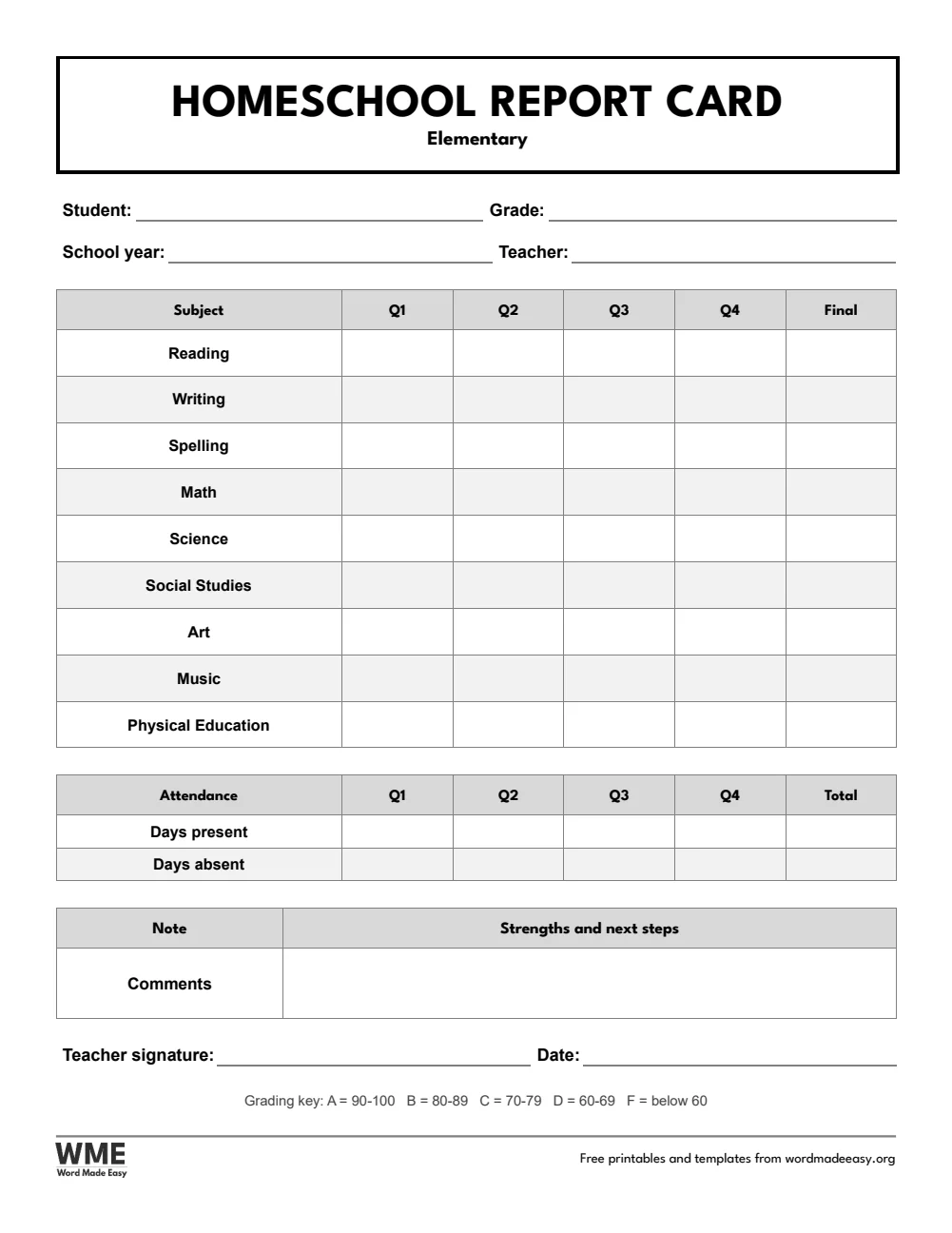
| US Letter | Homeschool Report Card, Elementary | Subjects by quarter, attendance, comments and a grading key |
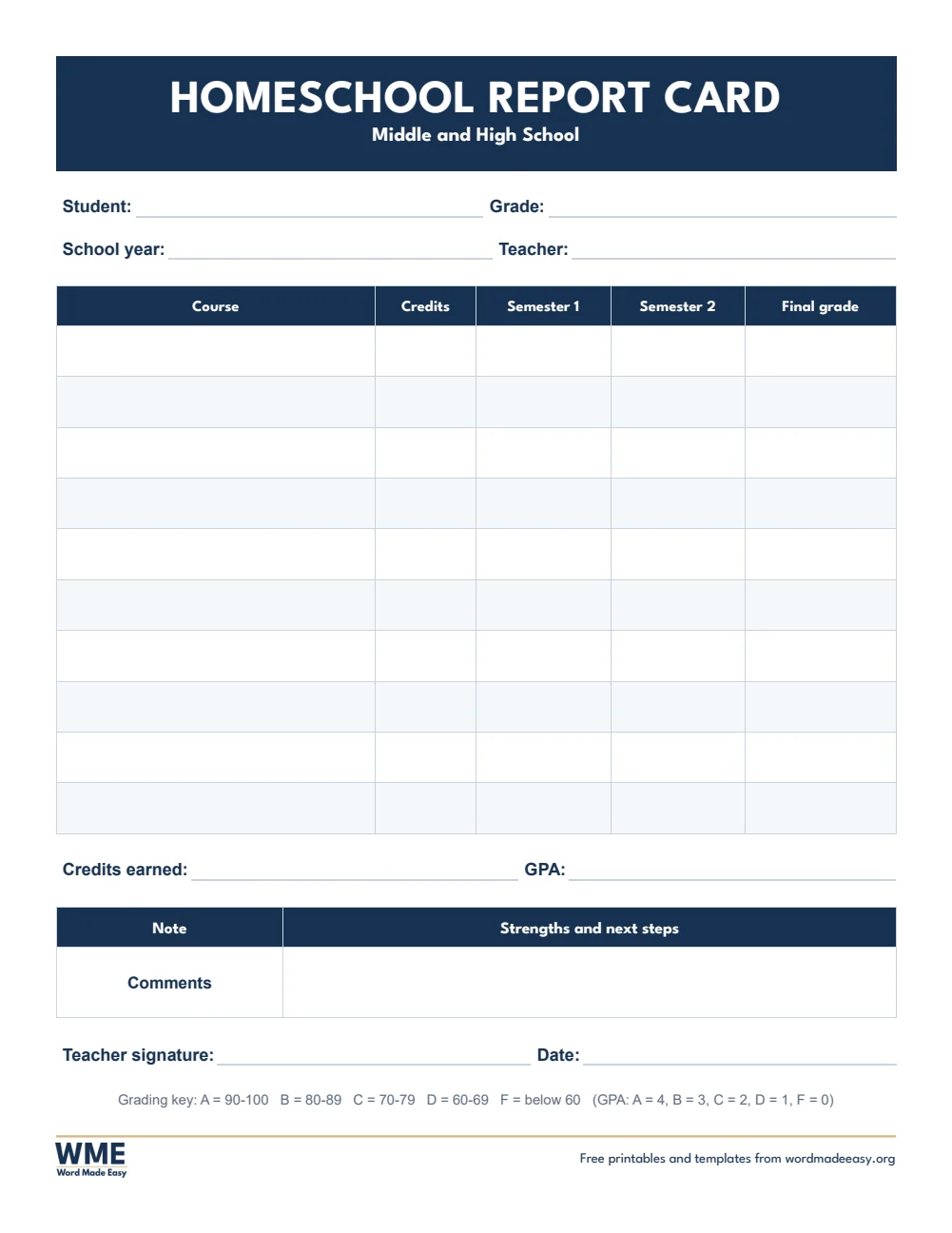
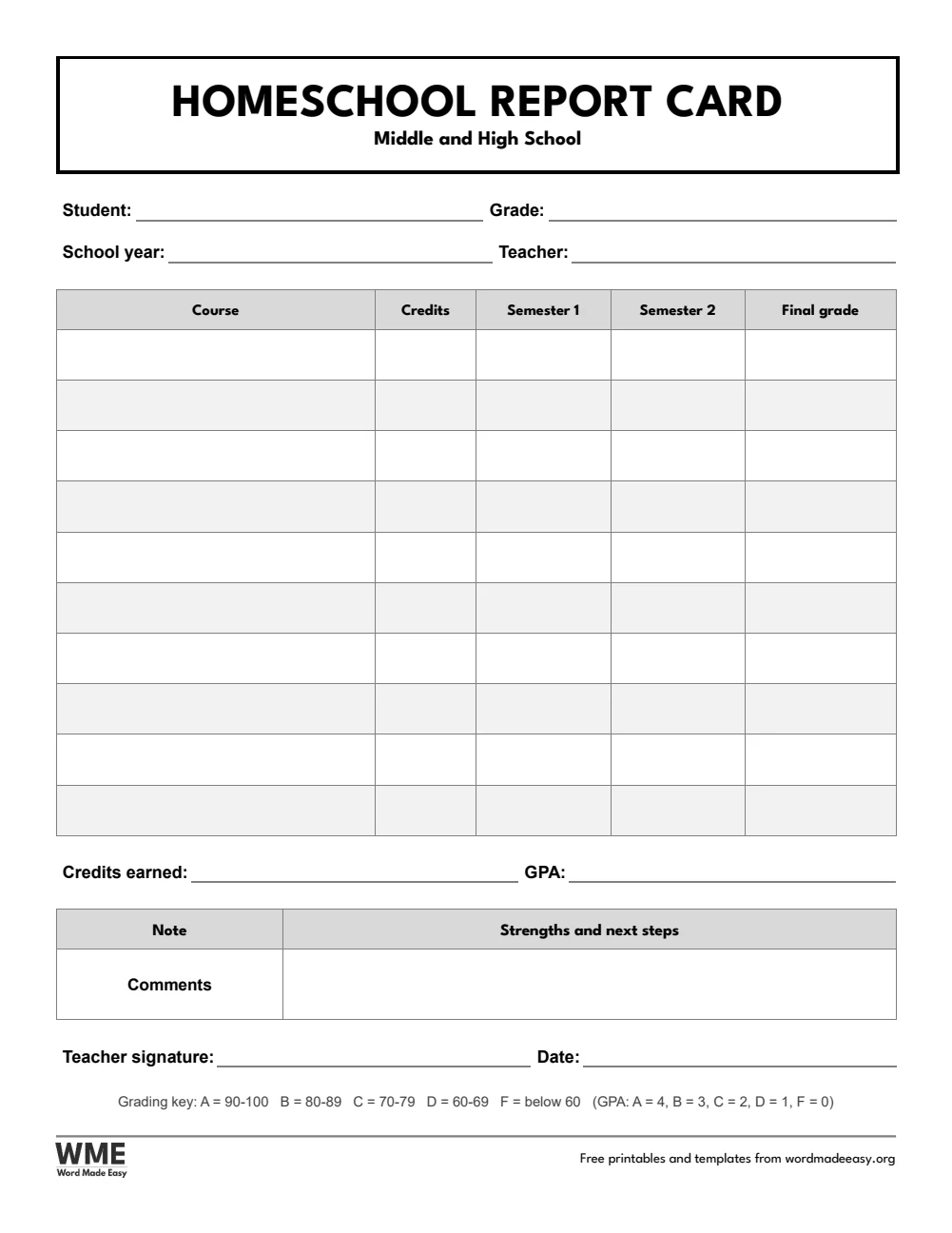
| US Letter | Homeschool Report Card, Middle and High School | Courses with credits, semester grades and GPA |
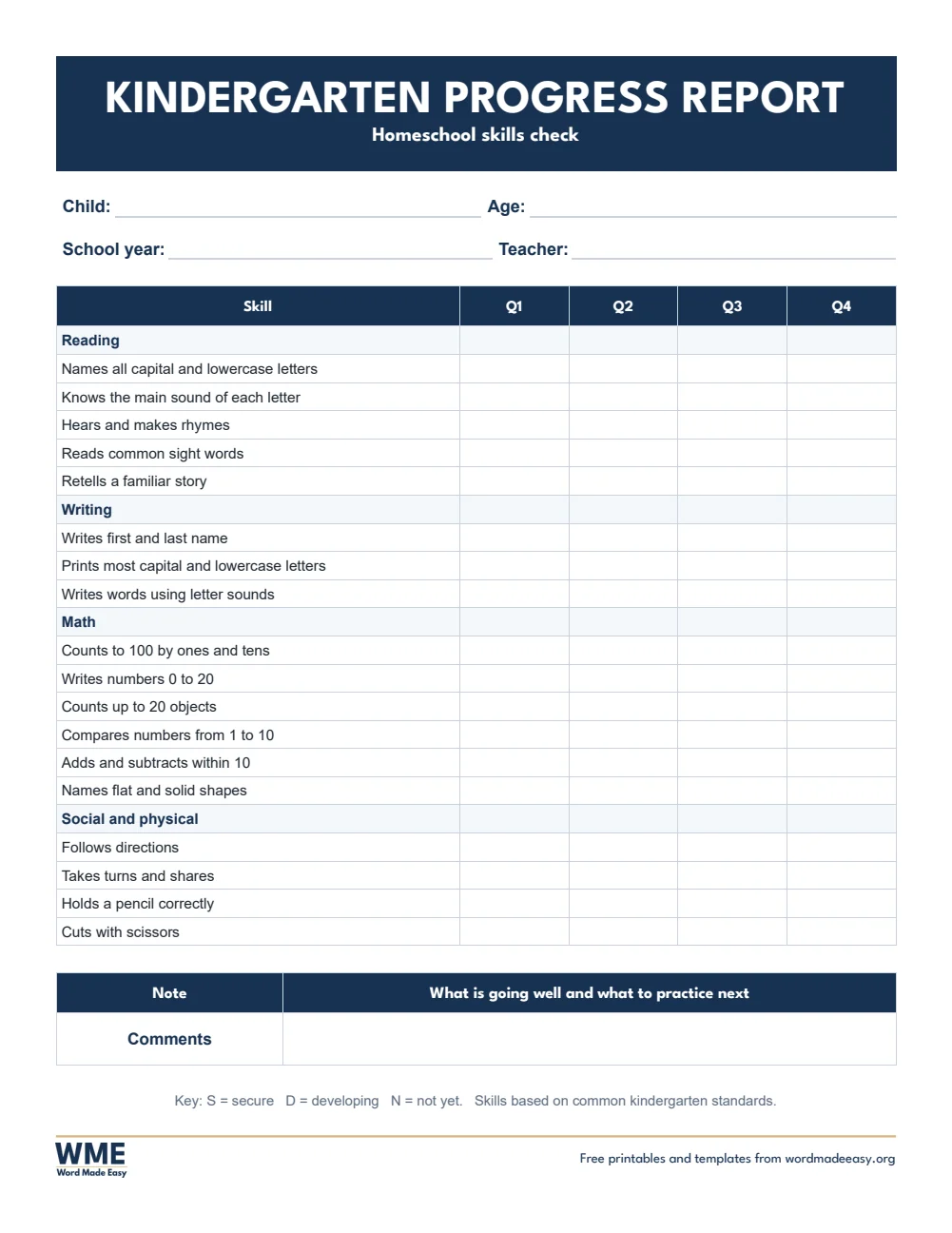
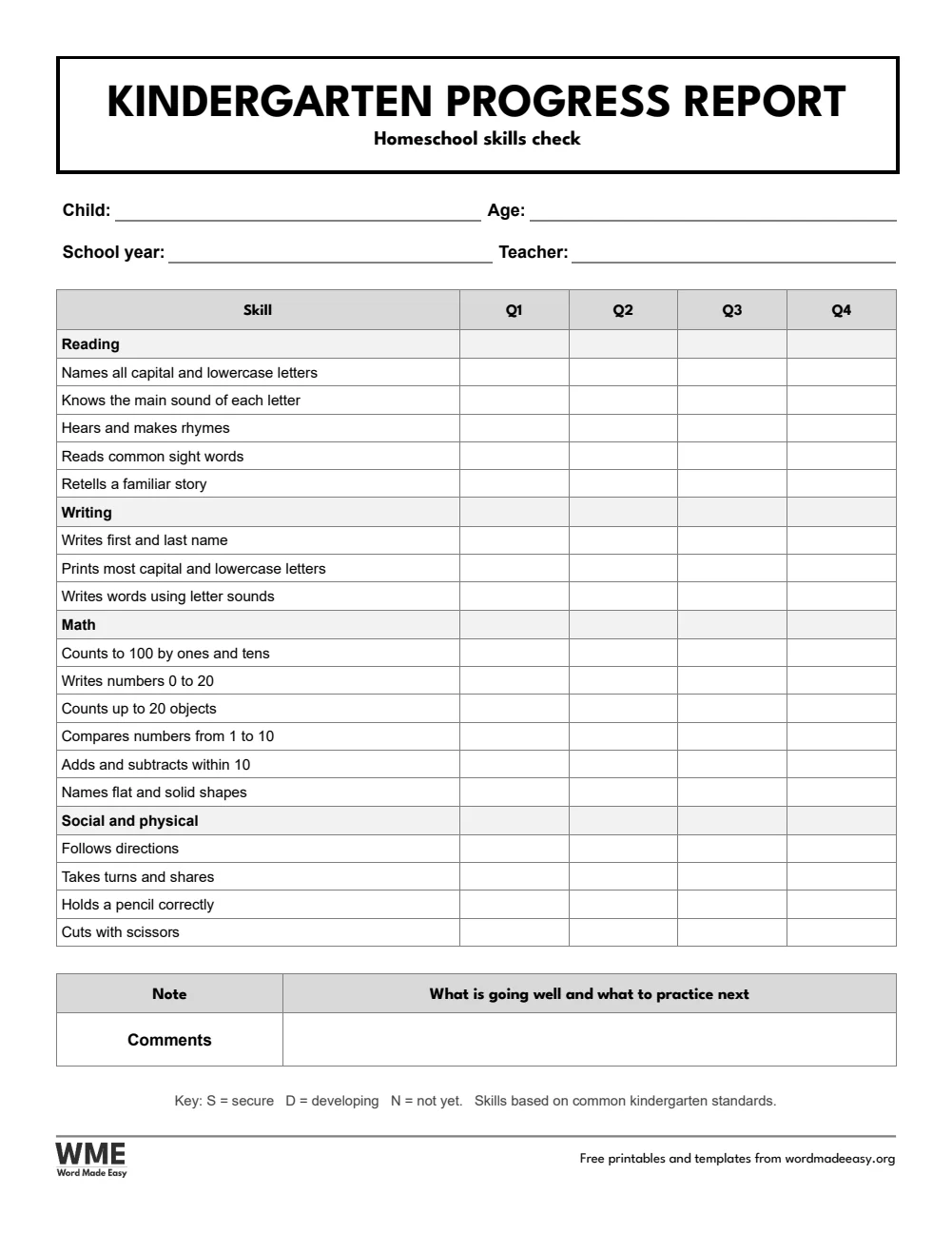
| US Letter | Kindergarten Progress Report | Early skills from the standards, rated secure, developing or not yet |
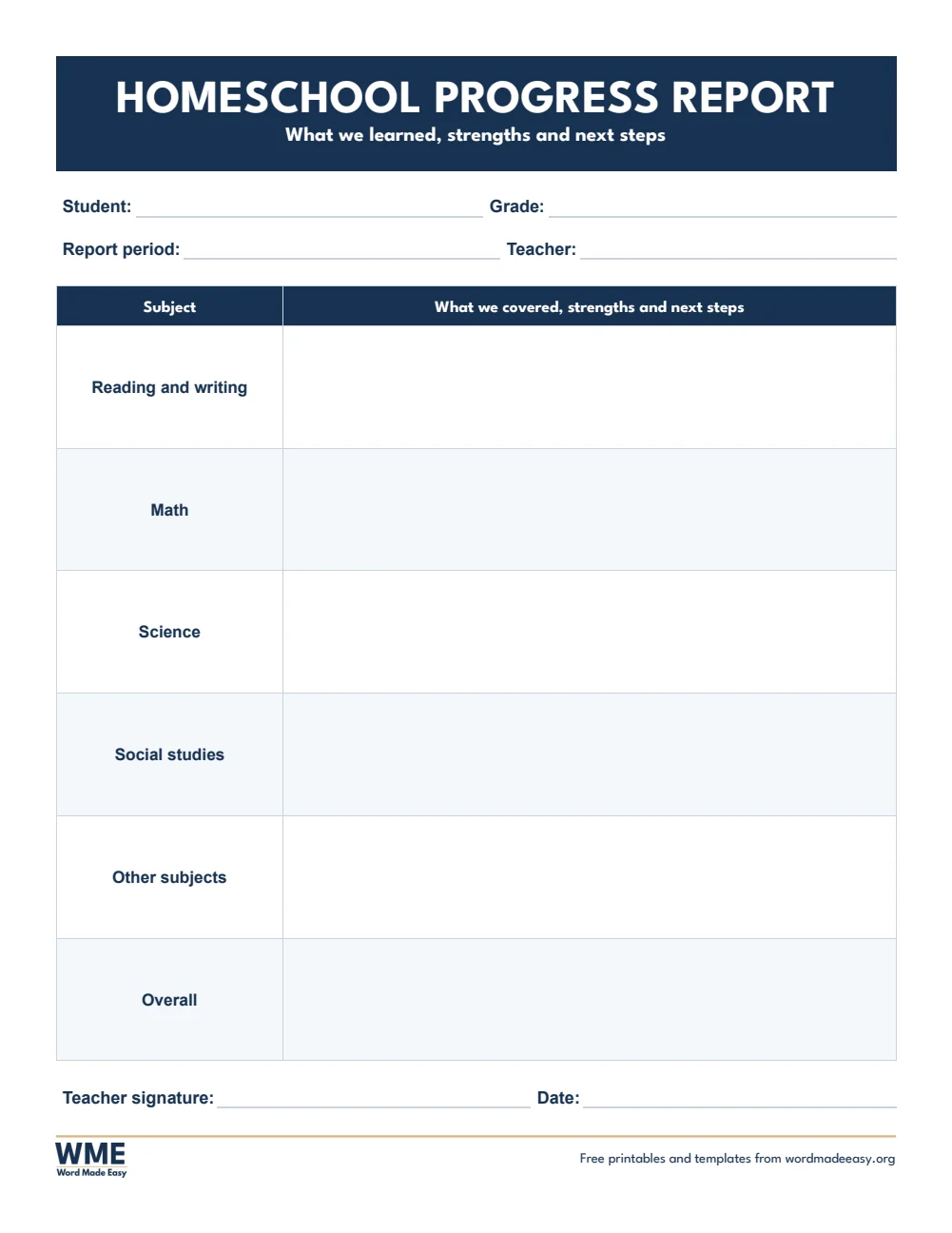
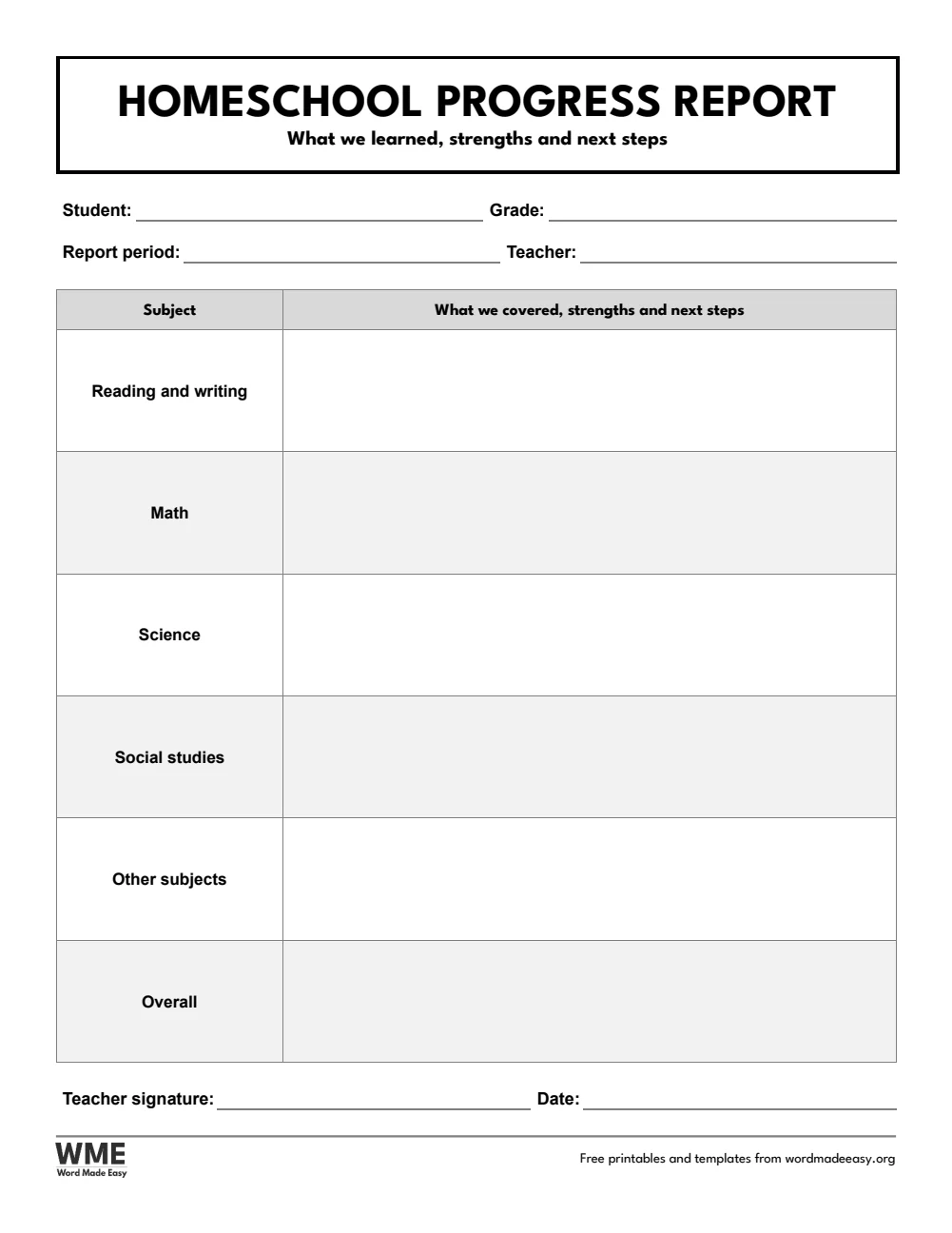
| US Letter | Homeschool Progress Report | A written report: what we covered, strengths and next steps |
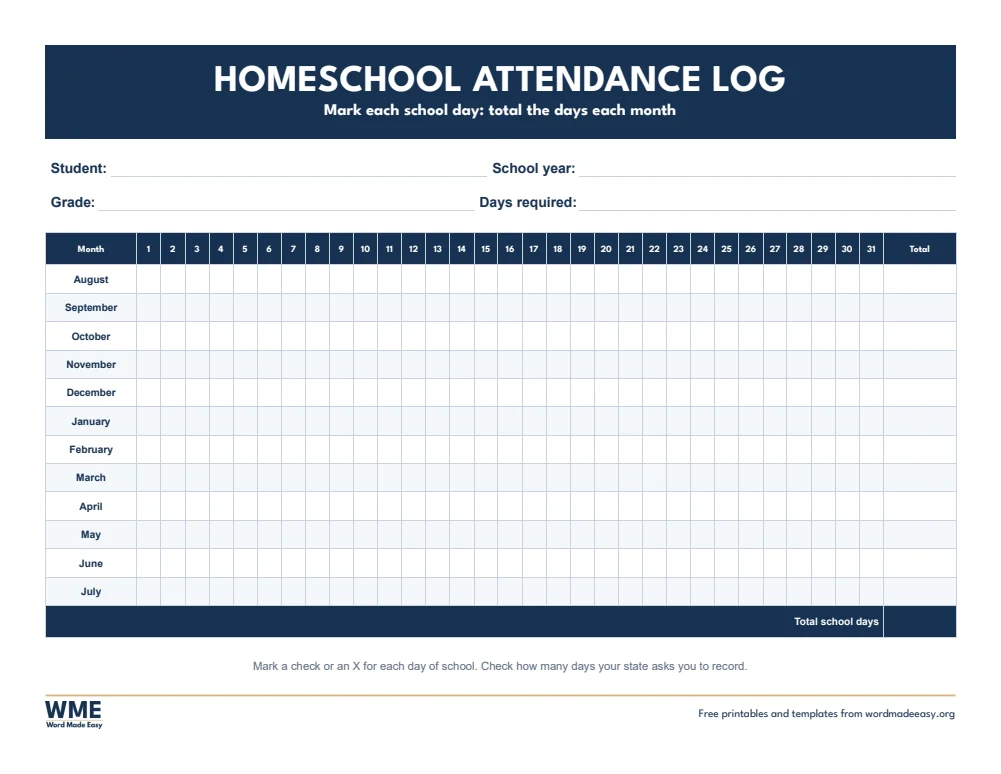
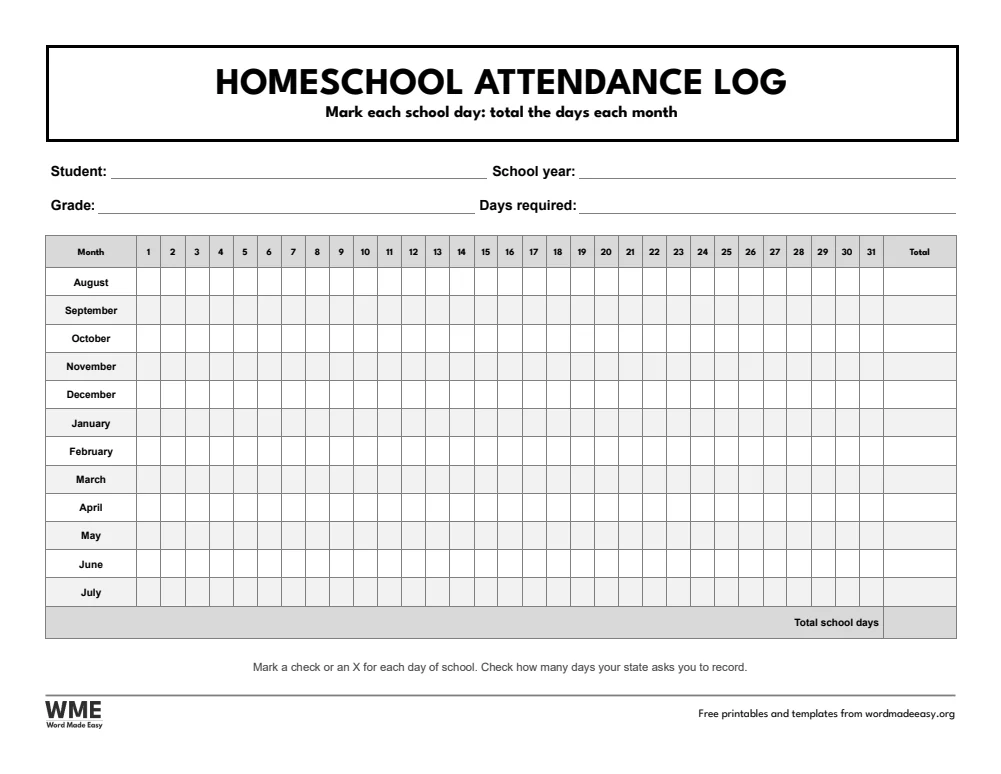
| US Letter | Homeschool Attendance Log | A landscape year of school days to mark, with monthly totals |
| A4 | Homeschool Report Card, Elementary | Subjects by quarter, attendance, comments and a grading key |
| A4 | Homeschool Report Card, Middle and High School | Courses with credits, semester grades and GPA |
| A4 | Kindergarten Progress Report | Early skills from the standards, rated secure, developing or not yet |
| A4 | Homeschool Progress Report | A written report: what we covered, strengths and next steps |
| A4 | Homeschool Attendance Log | A landscape year of school days to mark, with monthly totals |
👉 Every heading is fixed: type the grades and comments into Word, or print the pages and fill them in by hand.
Why Make a Homeschool Report Card?
A homeschool report card is a short record of what your child studied and how they did over a quarter, term or year. It gives your child a clear picture of their progress, gives you a record to look back on, and helps if you move to a new area, return to school or need to show your work to a local review. Report cards you make at home are your own record, not an official transcript: check what your state or local authority asks homeschooling families to keep.
Which Report Card Should You Use?
- Elementary report card: nine subjects with a grade for each quarter (three terms on A4), a final grade, attendance, comments and a grading key.
- Middle and high school report card: ten courses with credits, semester grades and a final grade, plus credits earned and GPA (terms and effort on A4).
- Kindergarten progress report: early skills rated secure, developing or not yet, from the Common Core kindergarten standards on US Letter and the Early Learning Goals on A4.
- Homeschool progress report: a written report with room for what you covered, strengths and next steps in each subject.
- Homeschool attendance log: a landscape year with a box for every school day and a total for each month.
- Black and white versions: every template also comes in a printer-friendly black and white version with grey headings, to save ink.
How to Fill In a Homeschool Report Card
- Choose your paper size above, download the ZIP and open the report card for your child’s age in Word.
- Type your child’s name, grade and the school year at the top.
- At the end of each quarter or term, add a grade for every subject, using the grading key at the bottom.
- Write one or two strengths and one next step in the comments, so the report card says more than a letter.
- Mark school days on the attendance log through the year, and copy the totals onto the report card.
Keep a few work samples from each subject with the report card, so the grades are easy to explain later. Plan the year with a teacher planner and reward progress with a certificate.
How to Print the Report Cards
Print at 100% (Actual size) on the same paper as the file, US Letter or A4. Print the attendance log in landscape.
FAQs
Are these homeschool report cards free?
Yes. Choose US Letter or A4, colour or black and white, and download all five templates in one ZIP file at no cost.
Is a homeschool report card an official transcript?
No. It is your own record of your child’s progress. Check what your state or local authority asks homeschooling families to keep.
How do I grade my homeschooled child?
Use the grading key on the report card and base each grade on finished work, tests and how well your child understands the topic, not on effort alone.
Which skills are on the kindergarten progress report?
US Letter lists skills from the Common Core kindergarten standards. A4 lists skills from the Early Learning Goals in the 2026 EYFS framework.
Can I type into the report cards?
Yes. Click into any cell in Word and type, or print the pages and fill them in by hand.
Is there a black and white version?
Yes. Every template comes in colour and in black and white, on US Letter and A4. Choose Black and white, or All, in the download box.
Conclusion
These homeschool report cards give you a clear, simple record of every quarter or term, ready to print from Word.
Choose your paper size above, download the ZIP, and to plan your lessons, use the teacher planner templates.
Related Tutorials
- Free Teacher Planner Templates for Word
- Free Certificate Templates for Word
- Free Parent-Teacher Conference Forms for Word
Word Templates
Recently Added Word Templates
Browse the complete collection of free printable Word templates for home and school, all made by a teacher.
New to Word? Our Word tutorials show you how to edit and print your templates.
Leave a comment
Have a question about these templates, or an idea for a new one? Ask below.