
Free Google Docs Resume Templates: 4 Resumes to Copy and Edit
Preview every resume and choose your paper size to download the Word versions. To edit in Google Docs, use the Make a copy links below.
Made by a teacherUS Letter and A44 resume templatesFree
Can’t find the template you need? Request a template and I’ll make it in Word, free.
Get new free printables first: follow Word Made Easy on Pinterest
These free Google Docs resume templates give you four one-page designs, Classic, Modern, Graduate and Teacher, as US Letter resumes and as A4 CVs. Click Make a copy and Google Docs opens your own editable copy straight away, so there is nothing to download or install. I’m Patrick Elliott, a teacher and Inclusion Lead: I designed each resume myself, then ran every file through Google Docs to check that the fonts, rules and layout come through exactly as designed.
In this guide, you’ll find a Make a copy link for every google docs resume template, which design suits your job, and how to fill it in, download it as a PDF and keep it ATS-friendly.
Make a Copy of a Google Docs Resume Template
Pick a design and a paper size. Each link opens Google Docs and asks you to Make a copy: click it and the copy is saved in your own Google Drive, ready to edit. You need to be signed in to a Google account. The originals stay untouched, so you can come back for a fresh copy at any time.
| Design | Best for | US Letter resume | A4 CV |
|---|---|---|---|
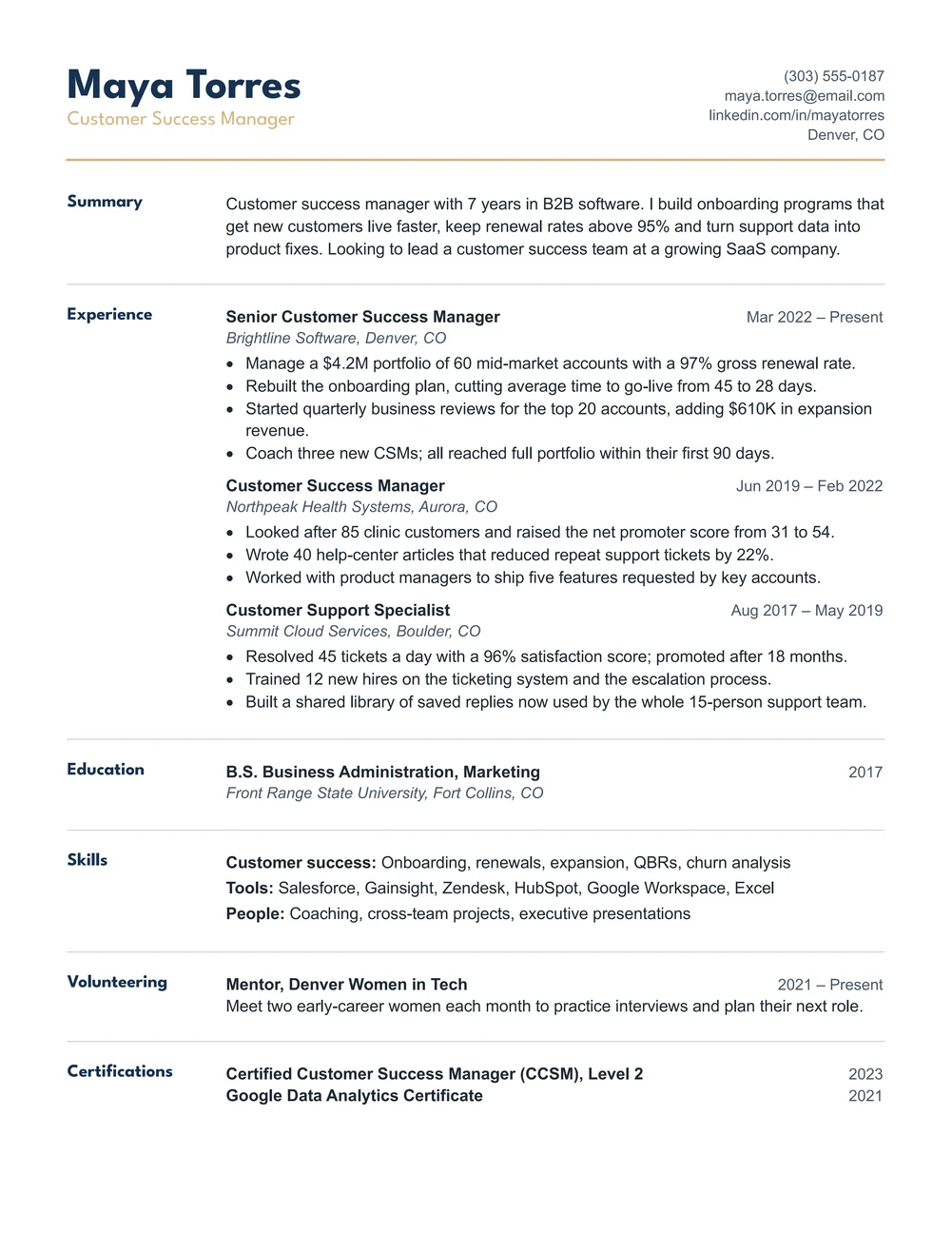
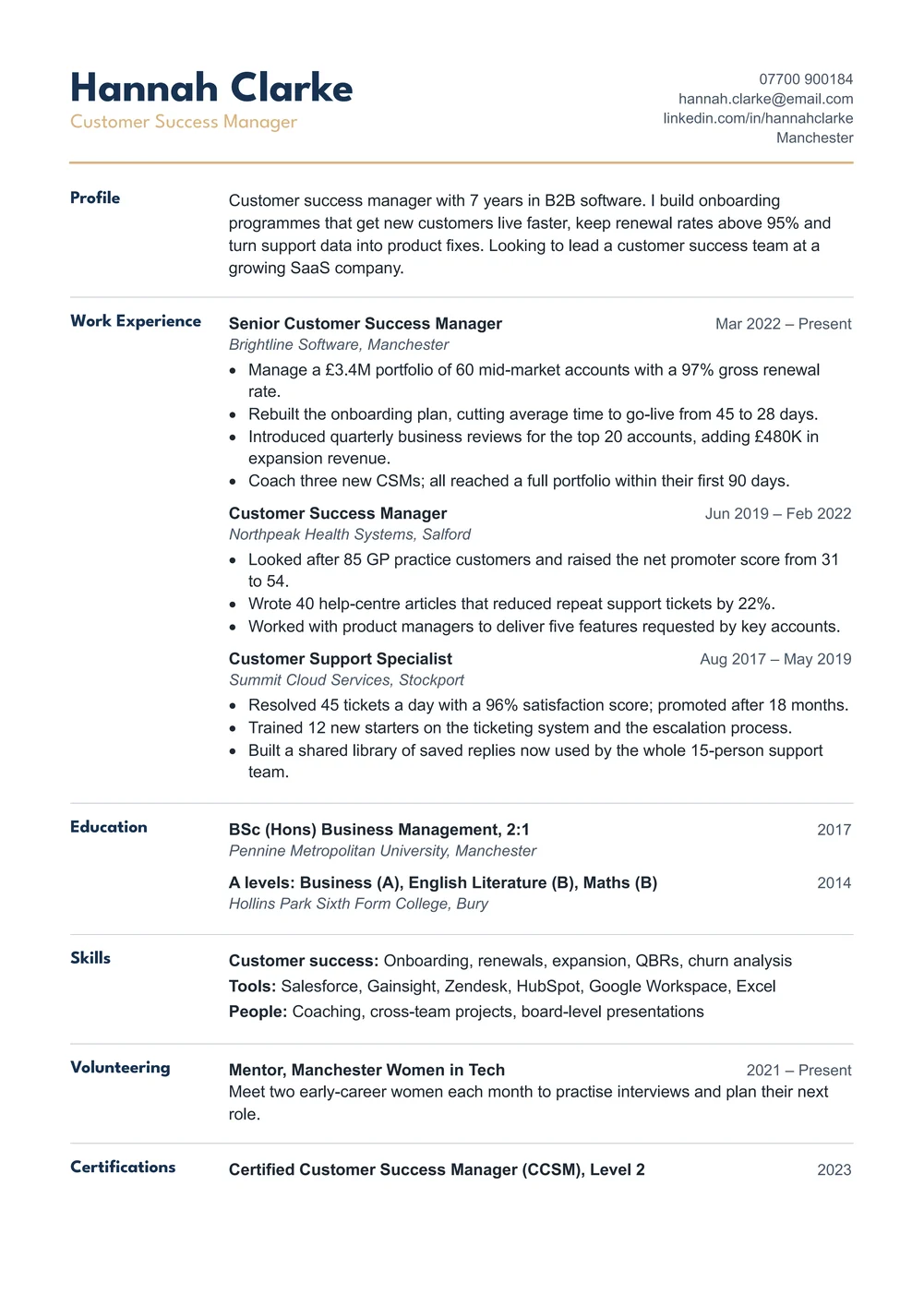
| Classic | Section names in a left column with thin gold rules; suits any job | Copy the Classic resume | Copy the Classic CV |
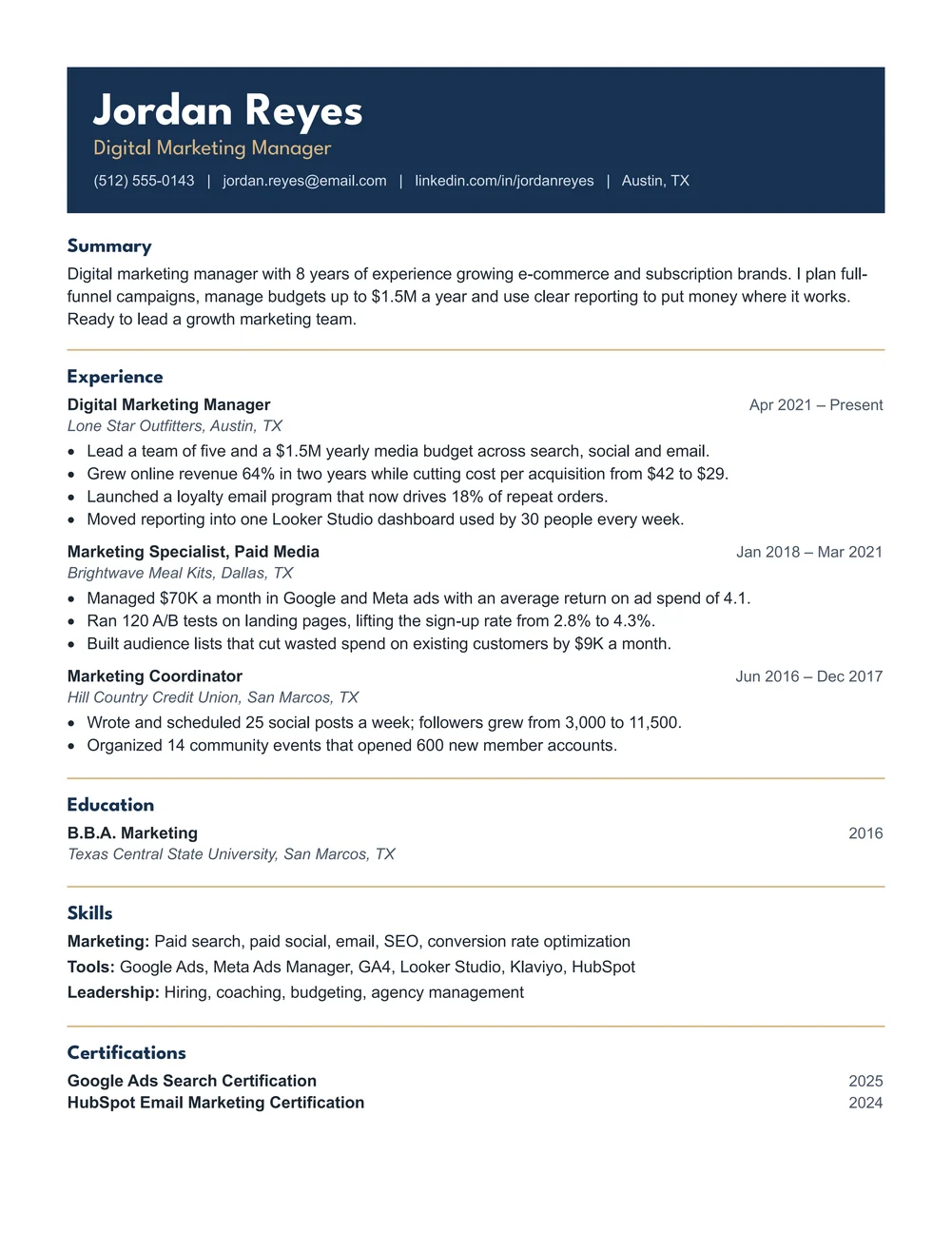
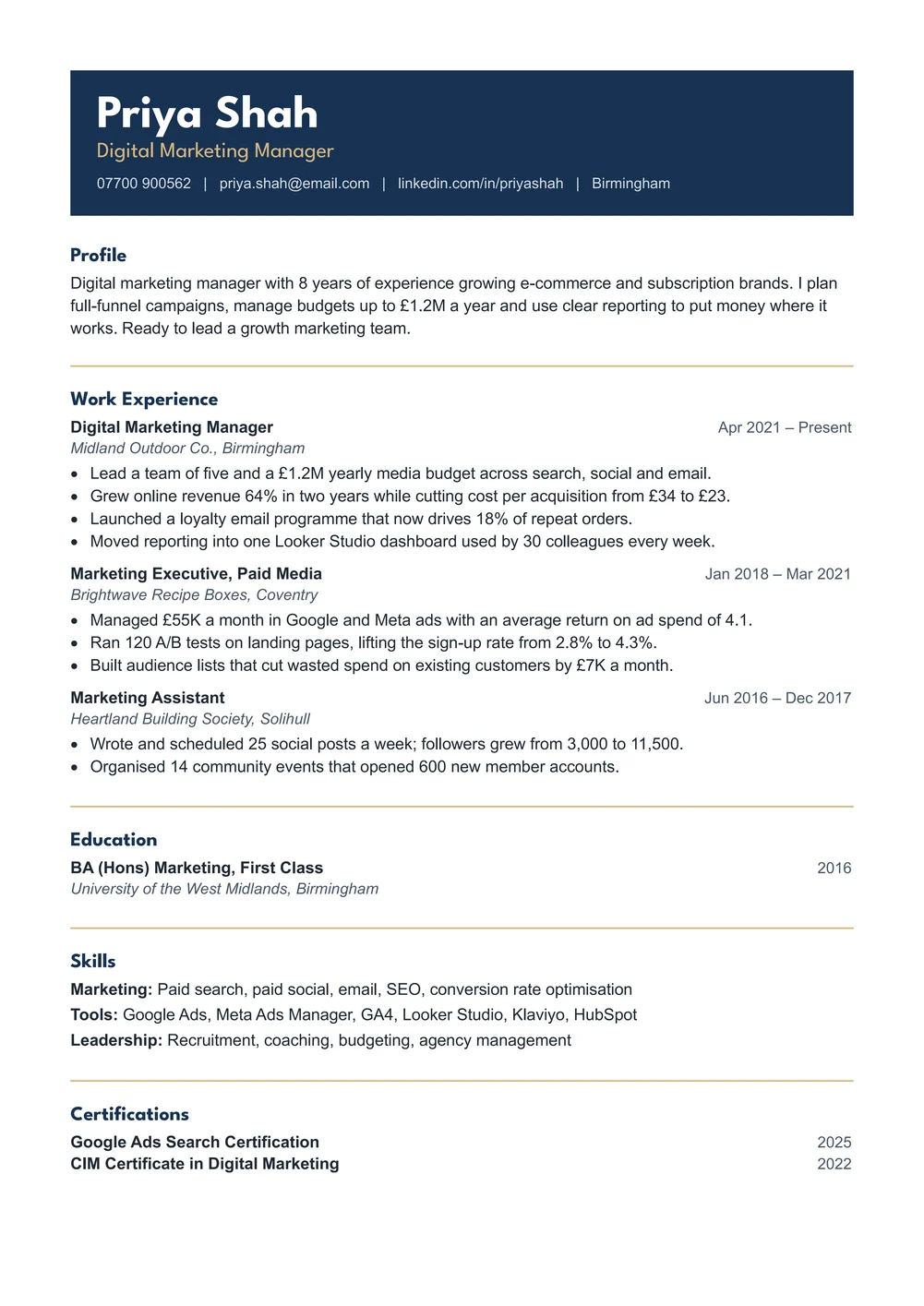
| Modern | Your name on a navy band; a bold look that still reads cleanly | Copy the Modern resume | Copy the Modern CV |
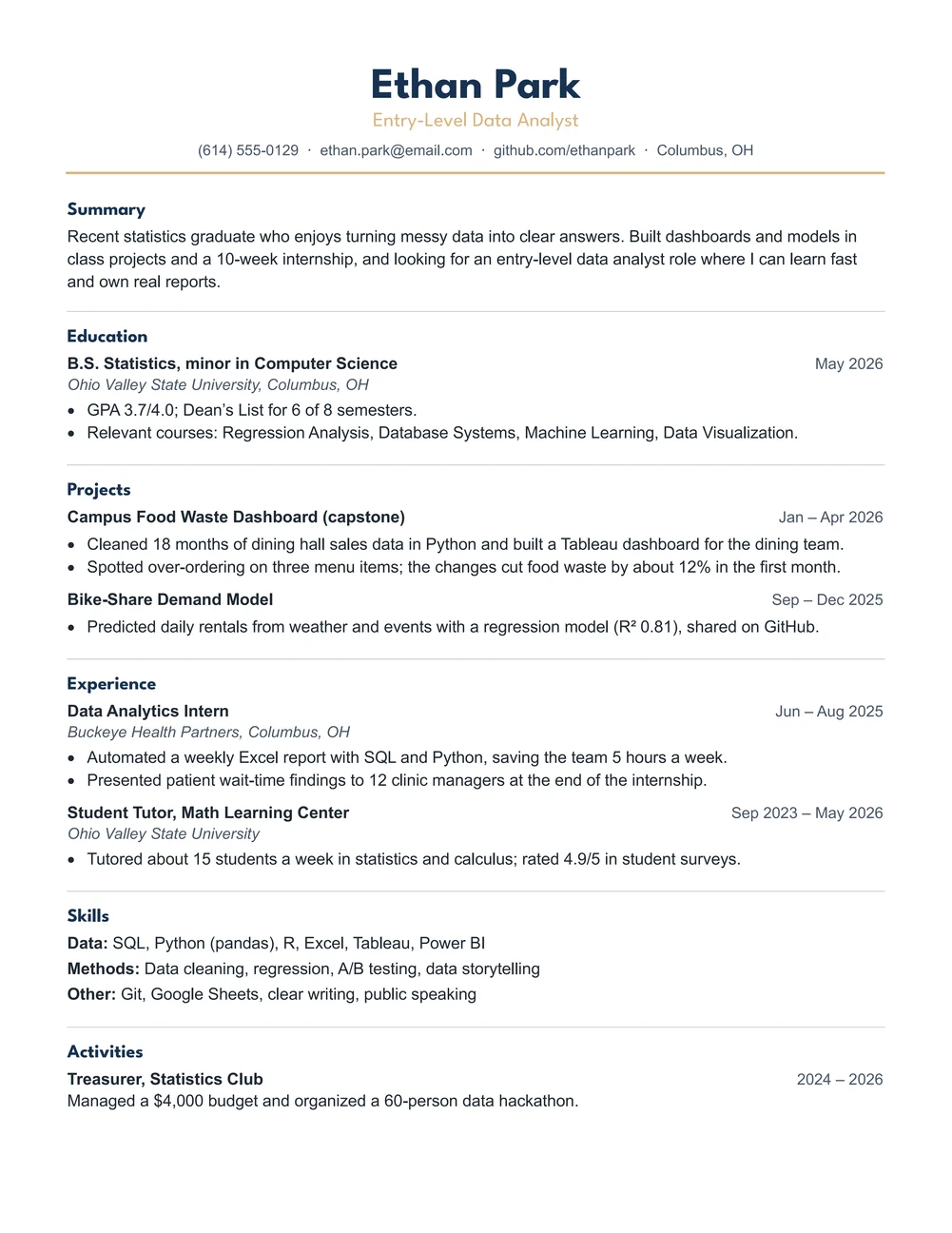
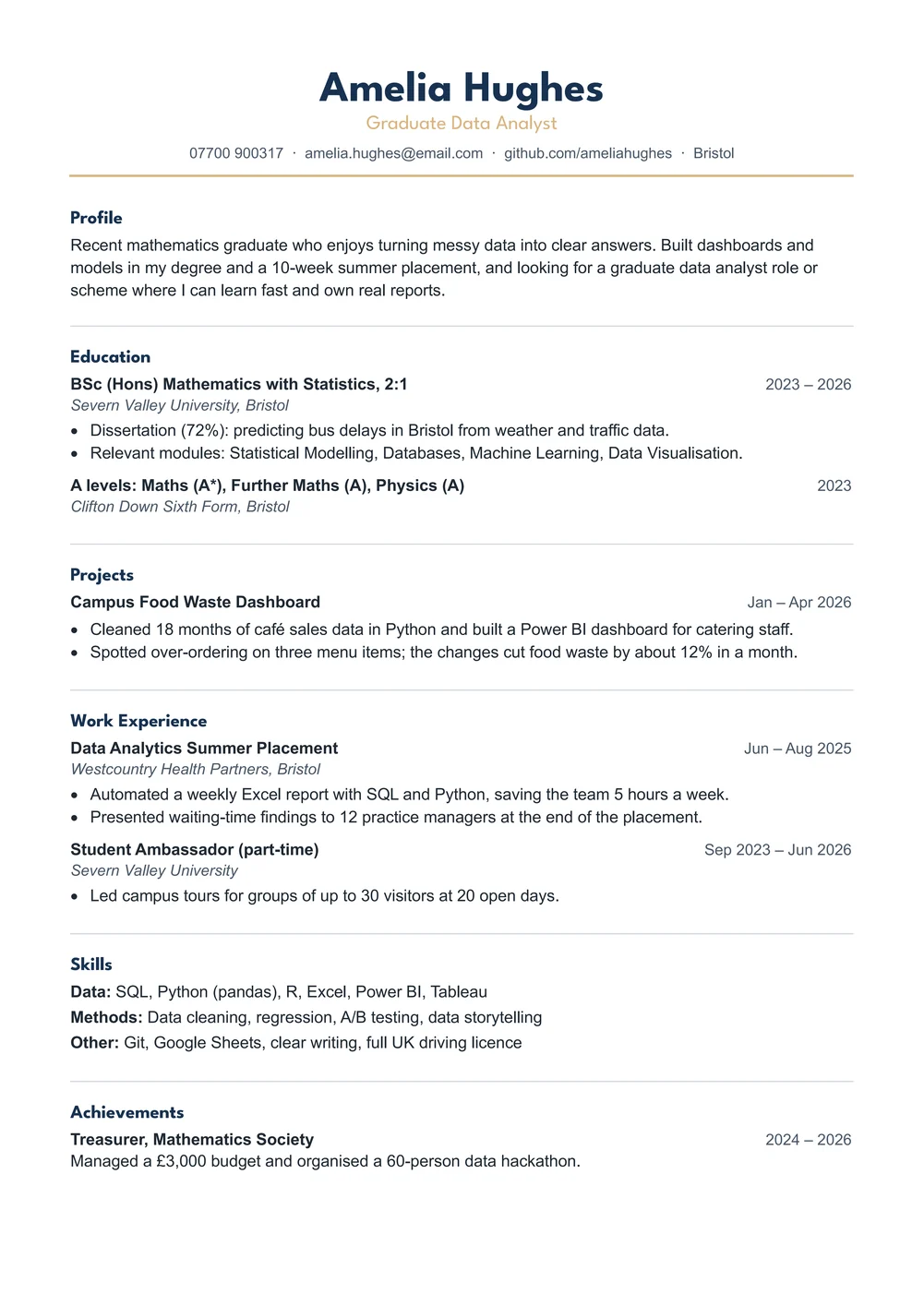
| Graduate | Education and projects first, for students and new graduates | Copy the Graduate resume | Copy the Graduate CV |
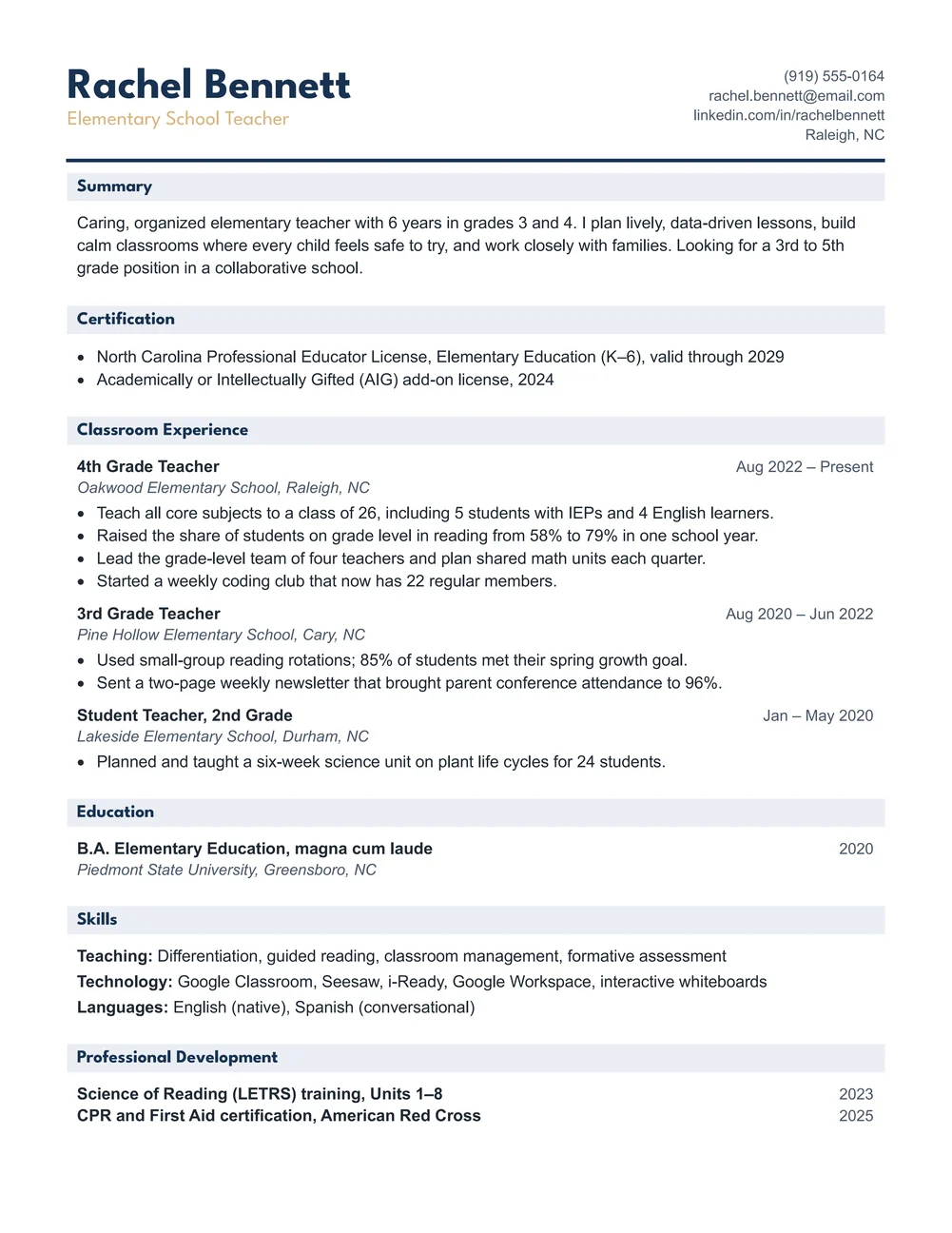
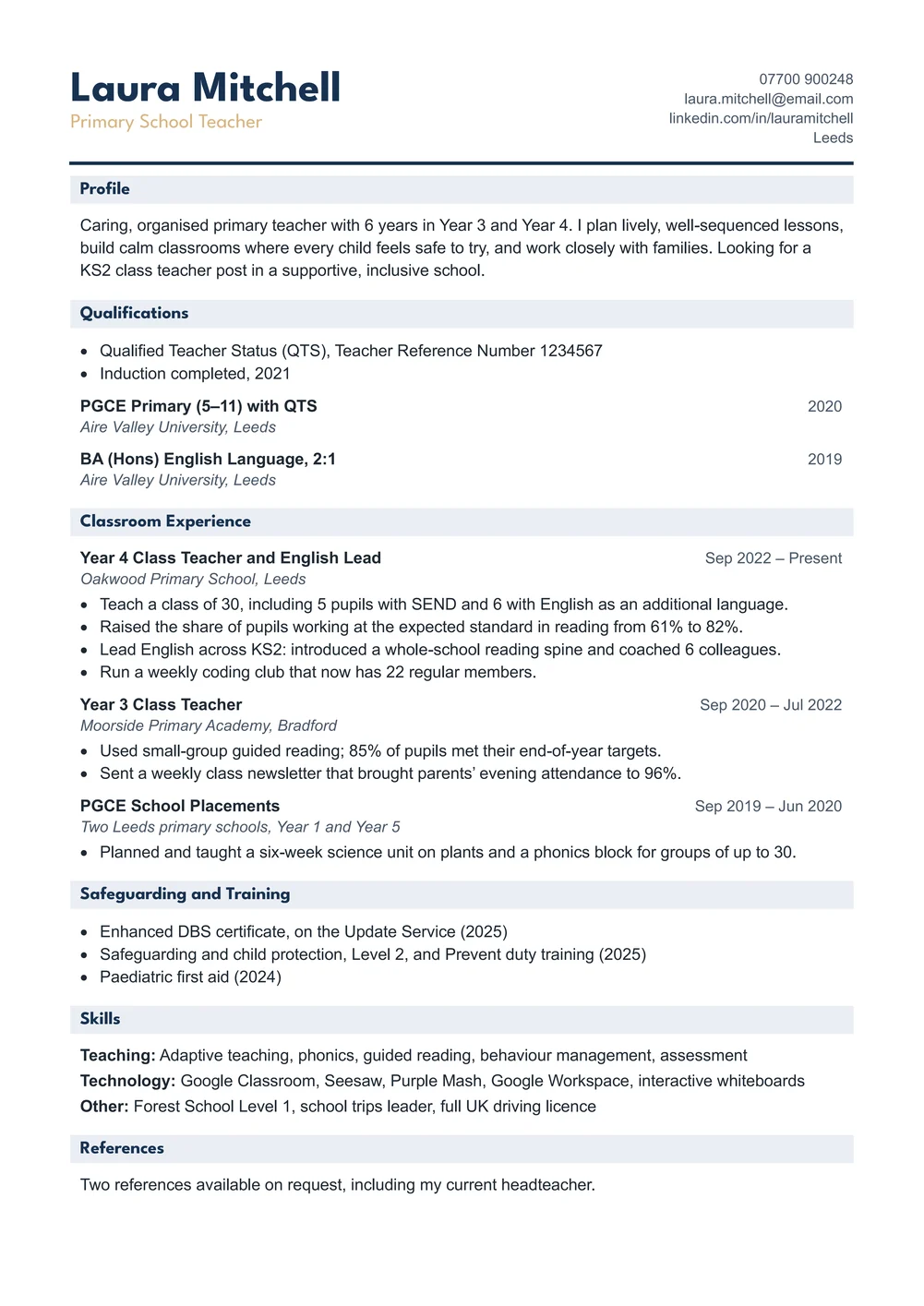
| Teacher | License or QTS, classroom experience and training, with shaded headings | Copy the Teacher resume | Copy the Teacher CV |
👉 Use US Letter in the United States and Canada. Use the A4 CV in the UK, Ireland, Australia, the Philippines and most other countries: it uses UK spelling and the word CV.
👉 Prefer Microsoft Word? The download box at the top of this page has the same eight resumes and CVs as .docx files in one small ZIP.
Which Google Docs Resume Template Should You Use?
- Classic: the section names sit in a narrow left column with thin gold rules between them. It is calm, easy to scan and suits almost any job.
- Modern: your name, job title and contact details sit on a navy band across the top. The rest of the page stays plain, so it still prints and parses well.
- Graduate: a college or high school graduate resume that puts education and projects first, then internships, part-time work and activities.
- Teacher: a google docs teacher resume template with your license (or QTS on the A4 CV), classroom experience, education, skills and professional development, under shaded headings.
Every design has a summary, experience with achievement bullets, education, skills and one extra section such as certifications or volunteering. The sample text is realistic, with real numbers, so you can see how a strong line reads before you write your own.
How to Edit a Resume Template in Google Docs
- Click a link in the table above and choose Make a copy. Your copy opens in a new tab.
- Rename it: click the title at the top left and type something like Firstname Lastname Resume.
- Select the sample name and type your own, then replace the job title, phone, email, LinkedIn and city.
- Rewrite the summary in 2 to 3 lines, using words from the job ad.
- For each job, type the title, dates and employer, then 2 to 4 bullets that start with a verb and show a result.
- Delete a section you do not need: click in its row, right-click and choose Delete row. Nothing else moves.
- Go to File > Download > PDF document (.pdf) to save a PDF for job applications.
The layout is built from a simple borderless table, so deleting or adding a row never breaks the page. To add a bullet, put the cursor at the end of one and press Enter. To reuse your finished resume as a starting point, save it as your own template: see how to make a template in Google Docs.
Are These Google Docs Resumes ATS-Friendly?
Yes. Applicant tracking systems read text from top to bottom, and these resumes keep every word as ordinary text: no text boxes, pictures, icons, skill bars or header and footer text. The headings are standard (Summary, Experience, Education, Skills), the fonts are League Spartan and Arial, and each section reads in order, row by row. Send the PDF unless the employer asks for a Word file; if they do, use File > Download > Microsoft Word (.docx) or the Word versions in the download box.
Google Docs Resume or CV: Which Paper Size?
| US Letter resume | A4 CV | |
|---|---|---|
| Where | United States, Canada | UK, Ireland, Australia, Philippines, Europe, Asia |
| Paper | 8.5 x 11 in | 210 x 297 mm |
| Spelling | US (organized, program) | UK (organised, programme) |
| Teacher design | State teaching license | QTS, DBS check and safeguarding training |
Both versions fit on one page. To change the paper size of a copy later, go to File > Page setup, choose the new size and check the page still ends where you expect.
How to Print a Google Docs Resume
Download the PDF first (File > Download > PDF document), open it and print at 100% or Actual size on plain white paper of the same size. Printing the PDF keeps the line breaks and spacing exactly as they look on screen. To send the resume by email, attach the PDF and name it with your full name.
FAQs
Are these Google Docs resume templates free?
Yes. Click Make a copy to get your own Google Doc, or download the Word versions in one ZIP file, at no cost and with no sign-up.
How do I use a Google Docs resume template?
Click a Copy link, choose Make a copy, then type over the sample text. Your copy is saved in your own Google Drive.
Why does it ask me to sign in?
Google Docs needs an account to save your copy in Drive. Sign in to any Google account, or use the Word versions instead.
Is there a Google Docs CV template?
Yes. Every design comes as an A4 CV with UK spelling, for the UK, Ireland, Australia, the Philippines and other countries that use A4.
Is there a Google Docs teacher resume template?
Yes. The Teacher design lists your license or QTS, classroom experience, education, skills and professional development.
Can I download the resume as a Word or PDF file?
Yes. In your copy go to File > Download and choose PDF or Microsoft Word, or use the Word versions in the download box.
Will the layout break when I edit it?
No. Each section is a row in a borderless table, so you can delete or add rows and bullets without moving anything else.
Conclusion
These Google Docs resume templates give you a clean, ATS-friendly one-page resume or CV that you can copy and edit in your browser in a few minutes, human-made by a teacher and tested in Google Docs.
Pick a design above and click Make a copy. Writing in Word instead? Use the resume templates for Word or the CV templates for Word, and add a matching cover letter or application letter.
Related Tutorials
Word Templates
Recently Added Word Templates
Browse the complete collection of free printable Word templates for home and school, all made by a teacher.
New to Word? Our Word tutorials show you how to edit and print your templates.
Leave a comment
Have a question about these templates, or an idea for a new one? Ask below.