Skip to content
Word Made Easy Shop
Home Word Tutorials Word Templates Google Docs PowerPoint Tutorials YouTube Videos
Home Word Tutorials Word Templates Google Docs PowerPoint Tutorials YouTube Videos Shop
Business, Microsoft Word, Word Templates

Word Templates

Free Flyer Templates for Word: 8 Editable Flyers

Preview every flyer, choose colour or black and white and your paper size, then download your Word templates in one small ZIP file.

Made by a teacherA4 and US Letter8 flyersFree
Published 15 November 2026 · By Patrick Elliott

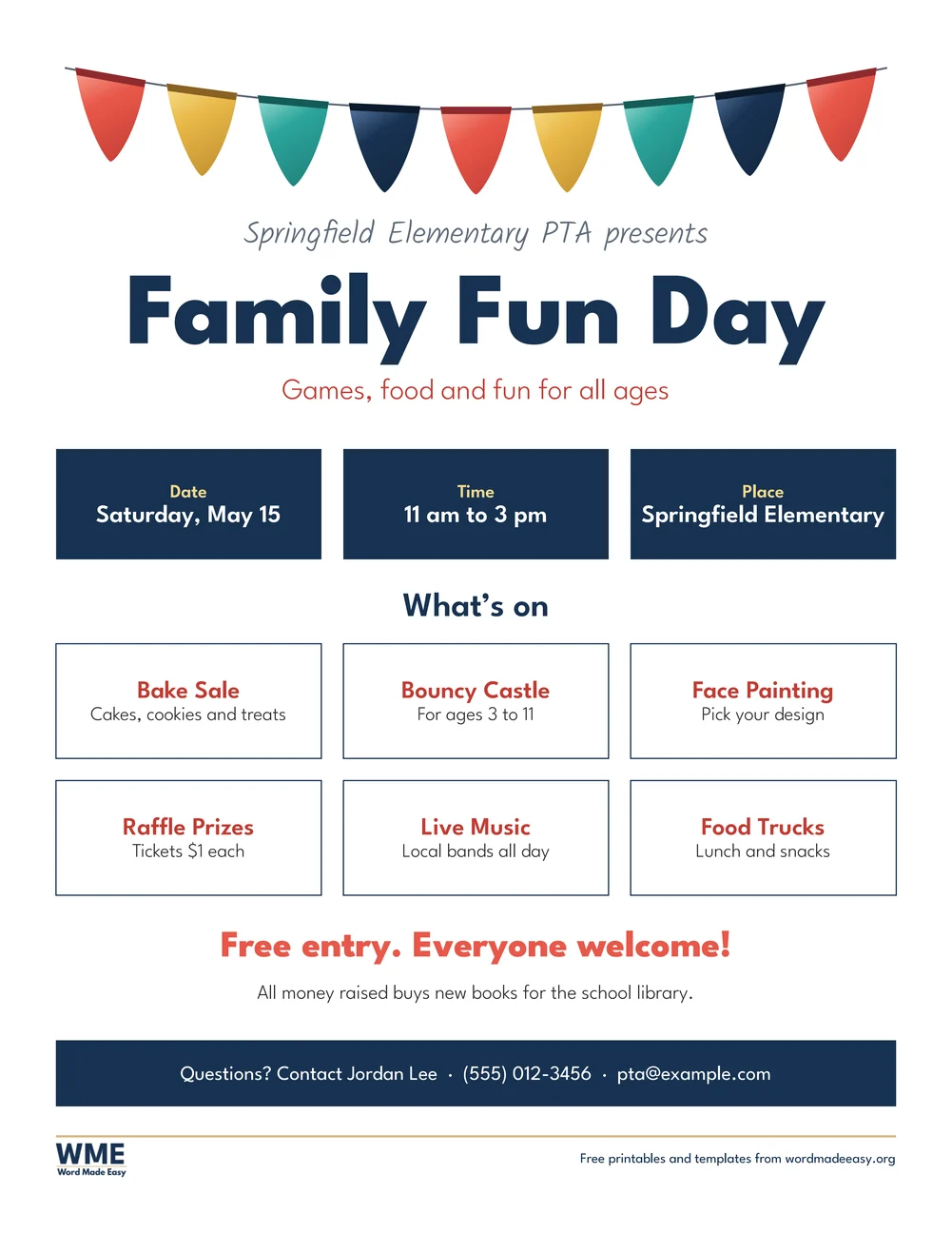
Flyer templates free for Word: the Event flyer, Family Fun Day with bunting, navy date, time and place tiles, a what’s on grid and a contact band, on US Letter
Event (Family Fun Day) · School fair or community event, with bunting and a what’s on grid. Click to enlarge.
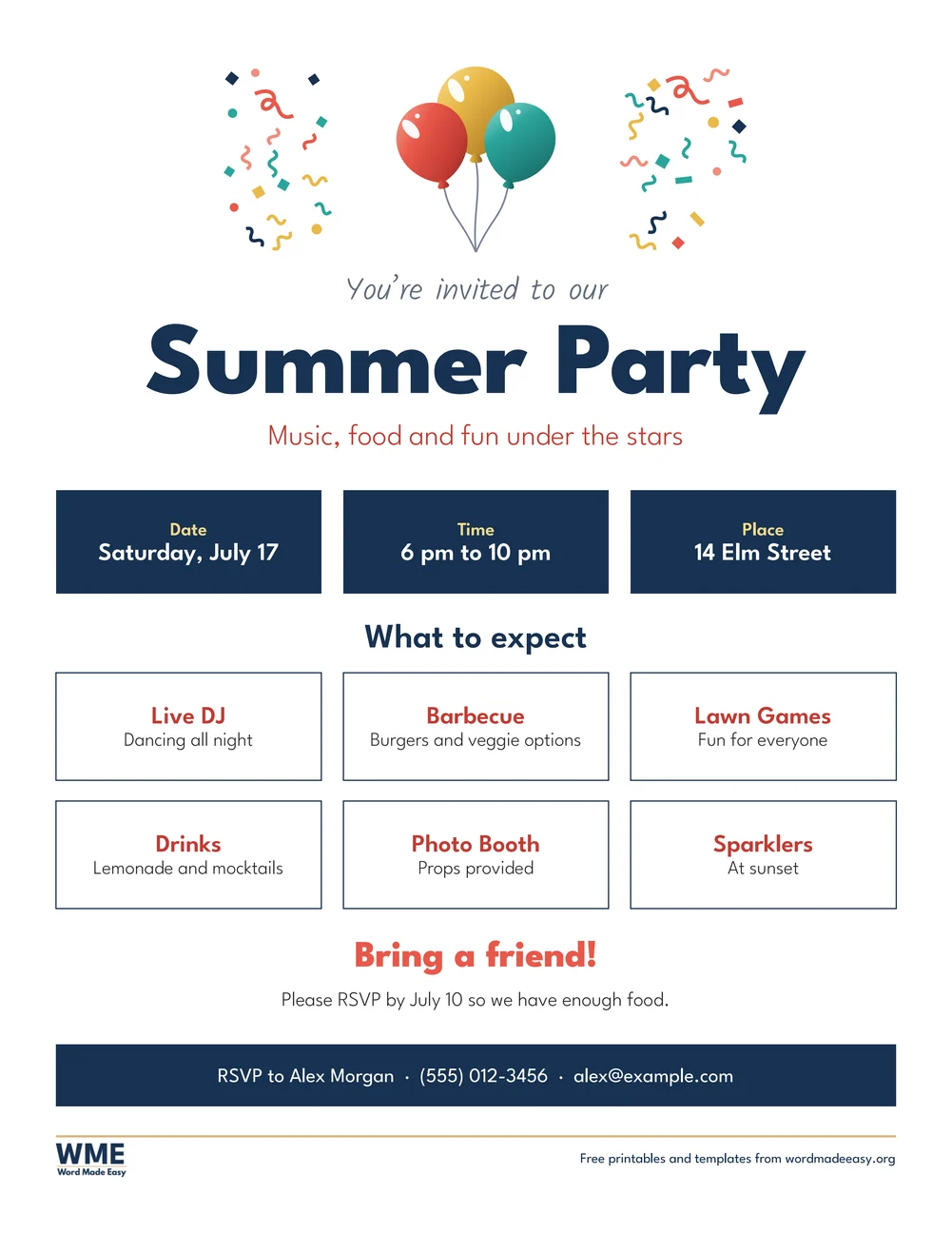
Flyer template for Word: Party, US Letter
Party · Summer or birthday party, with balloons and confetti. Click to enlarge.
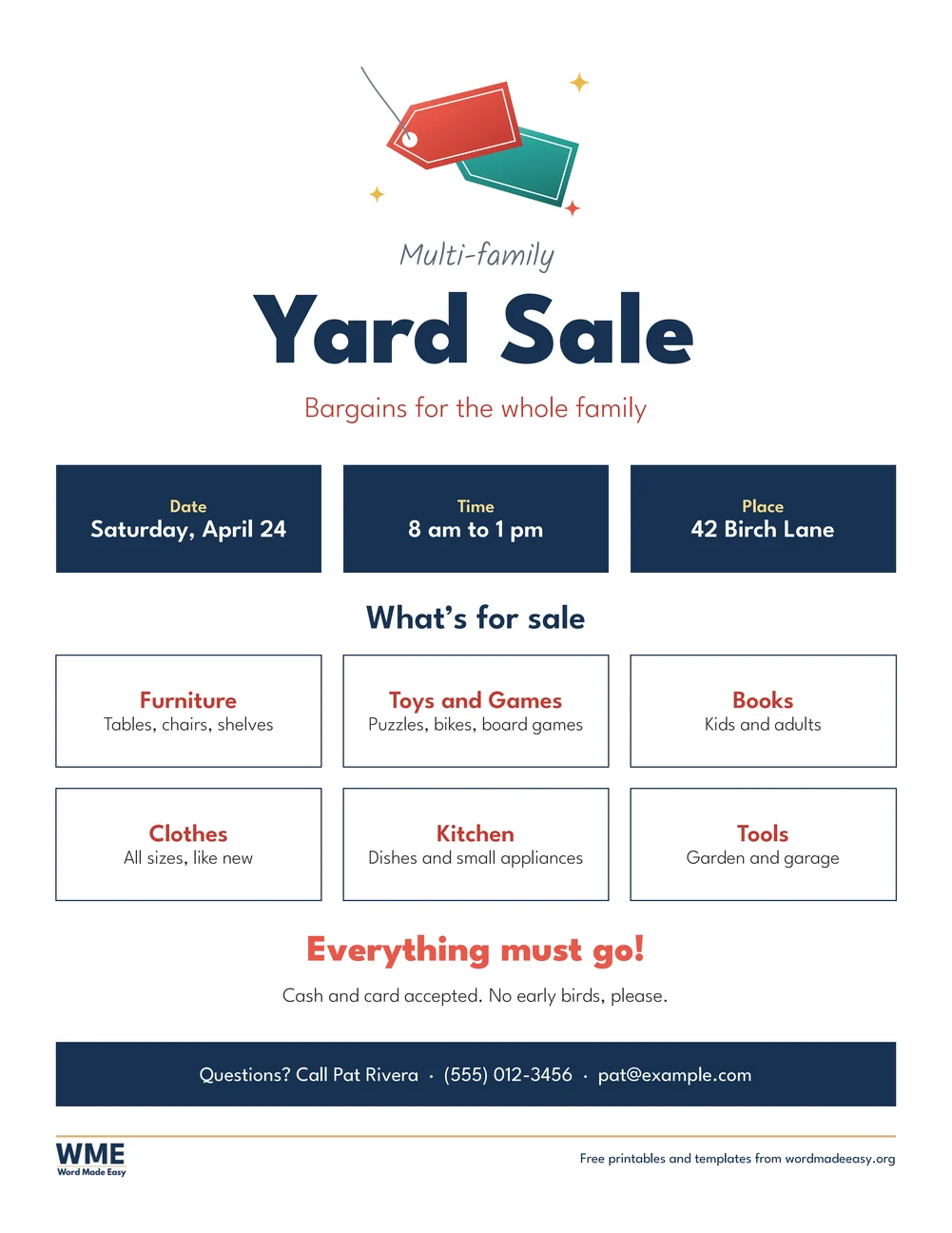
Flyer template for Word: Yard Sale (Garage Sale), US Letter
Yard Sale (Garage Sale) · Yard sale (US Letter) or garage sale (A4), with price tags. Click to enlarge.
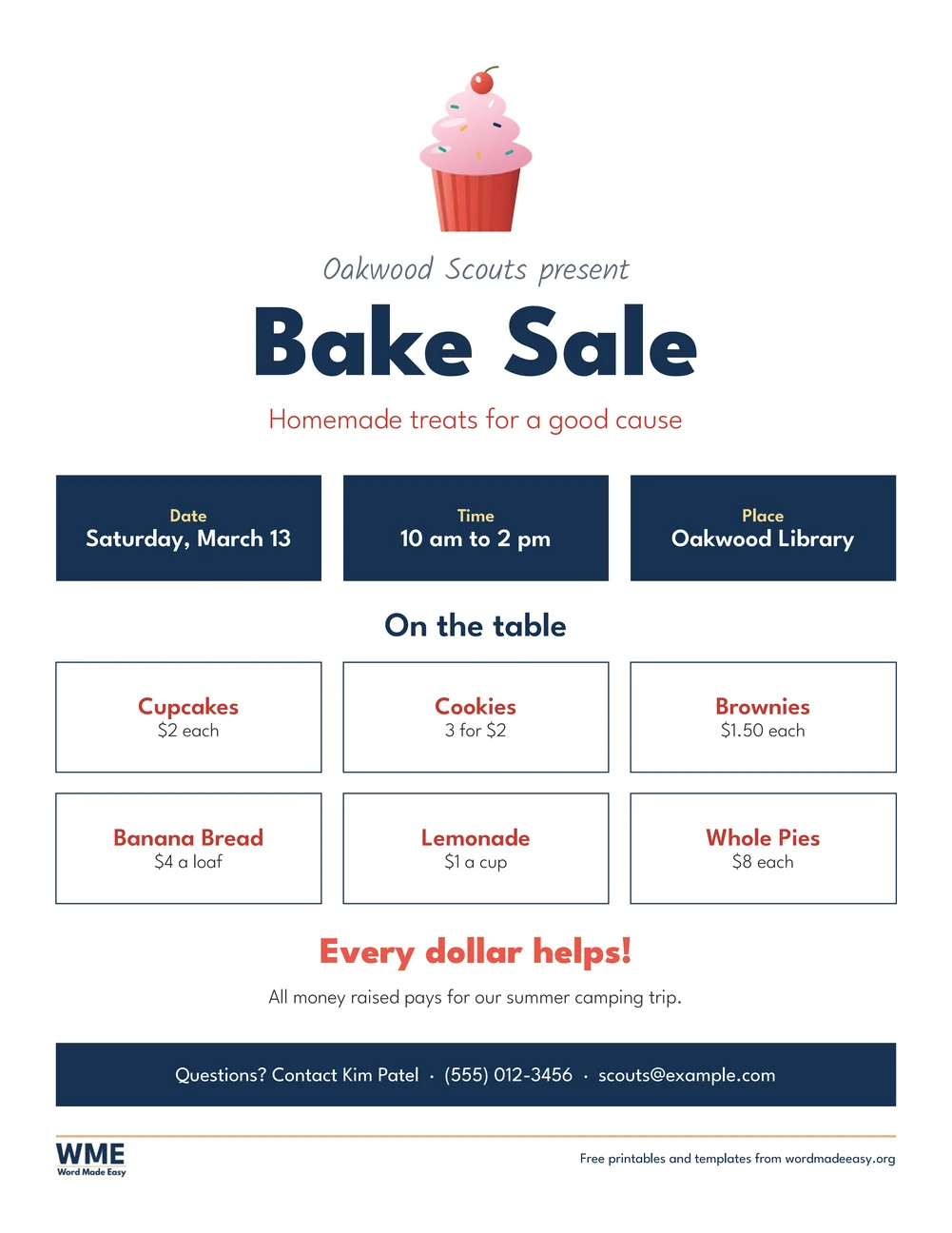
Flyer template for Word: Fundraiser Bake Sale, US Letter
Fundraiser Bake Sale · Bake sale price list for a school, club or charity. Click to enlarge.
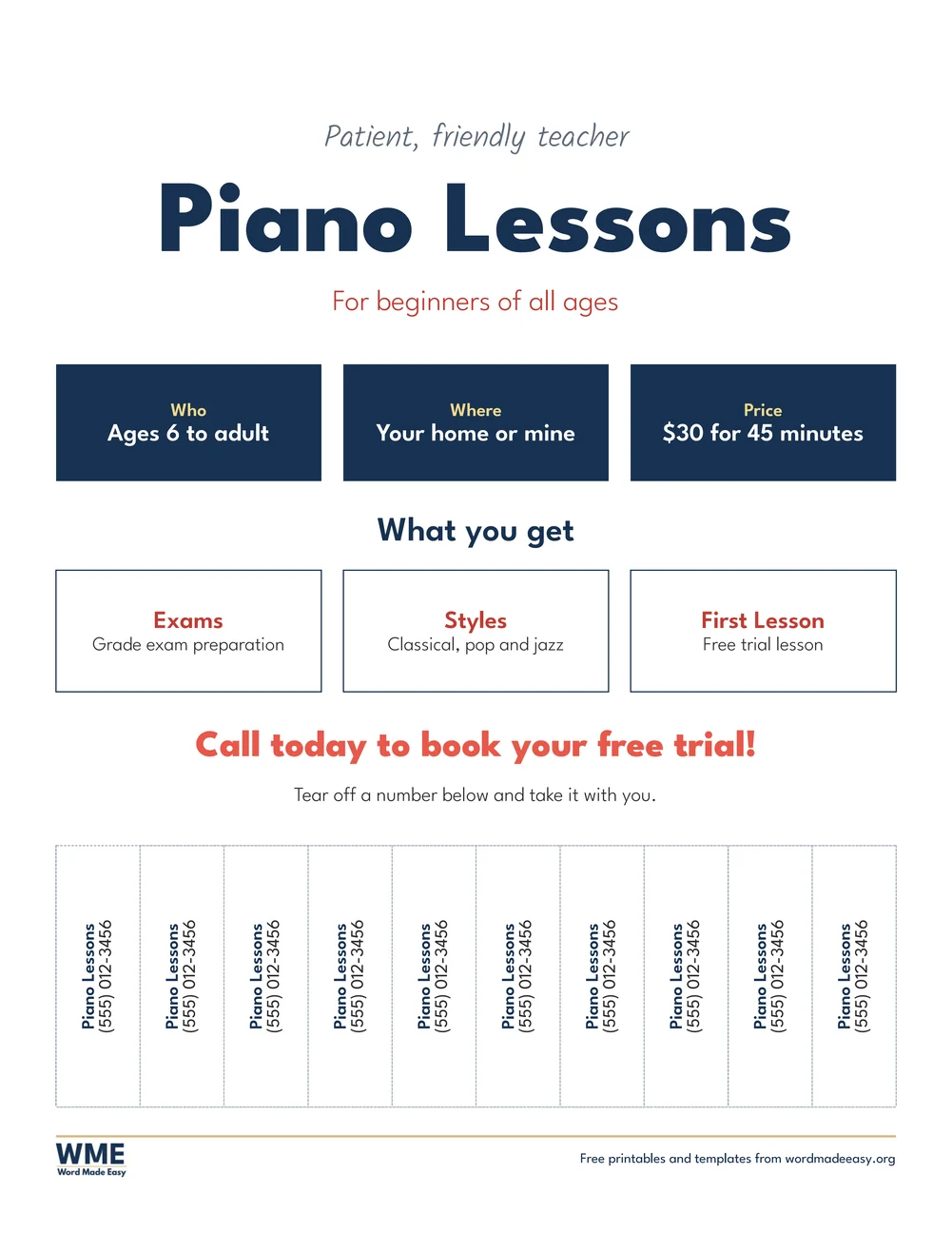
Flyer template for Word: Tear-off (Piano Lessons), US Letter
Tear-off (Piano Lessons) · Lessons or services, with ten tear-off phone number tabs. Click to enlarge.
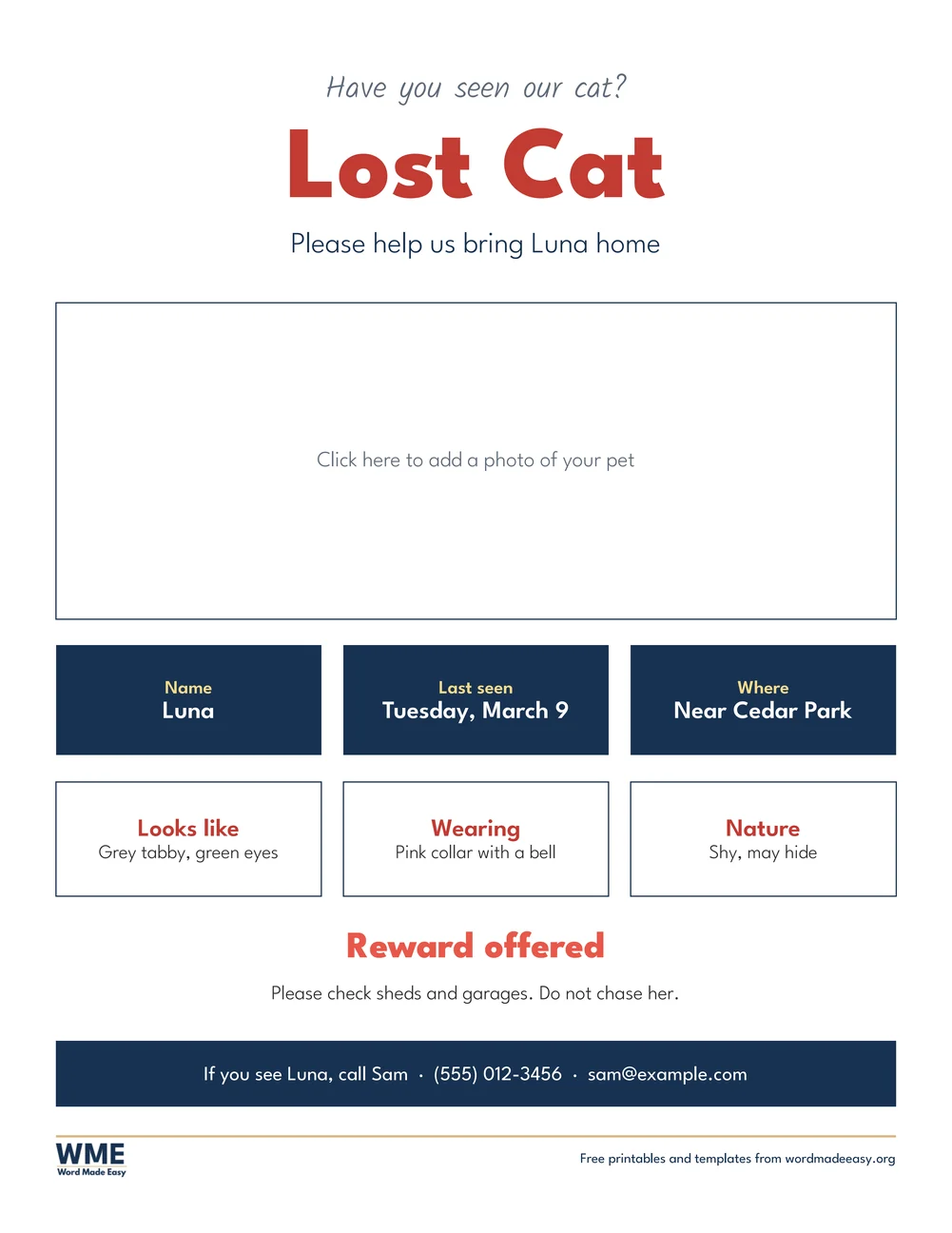
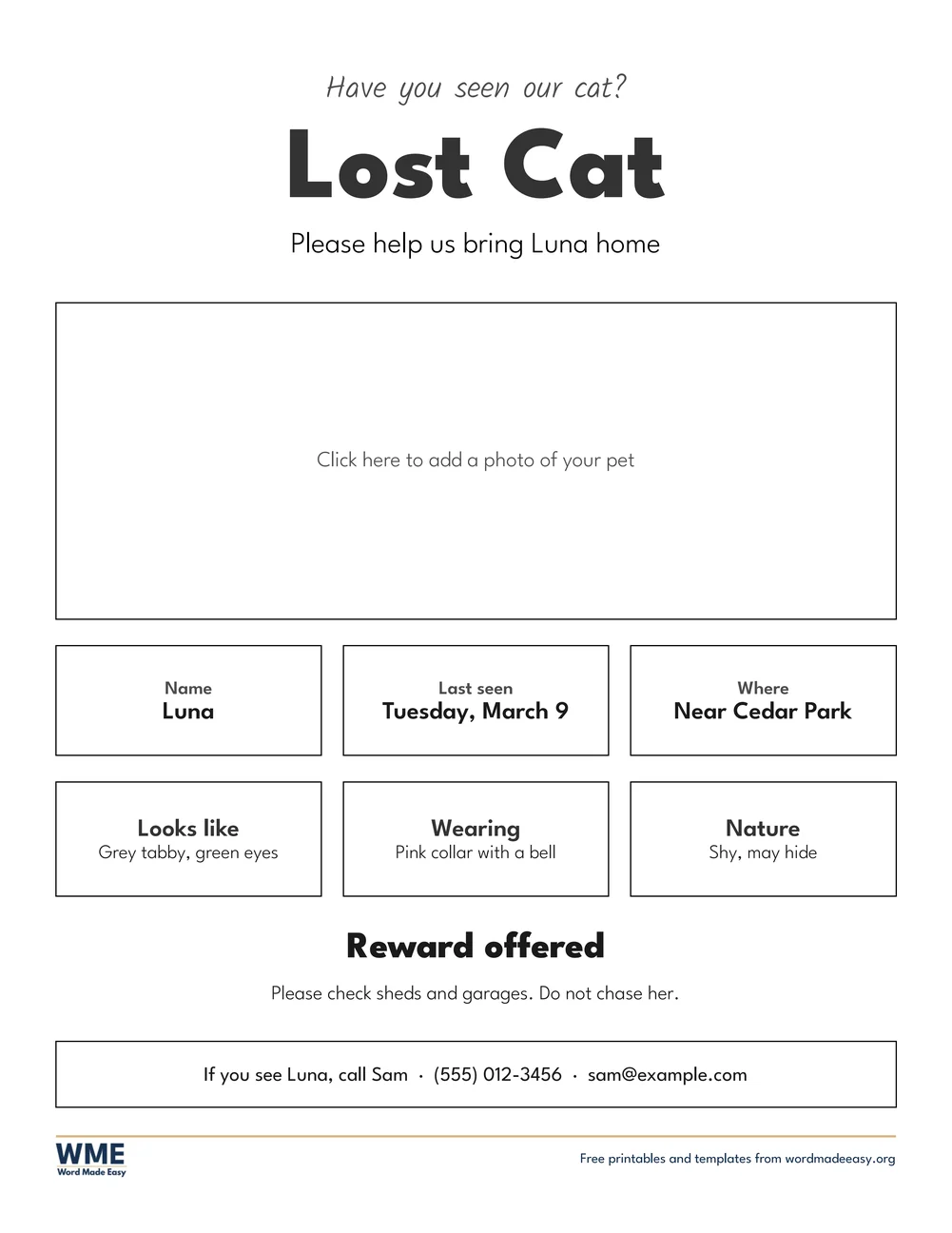
Flyer template for Word: Lost Pet (Lost Cat), US Letter
Lost Pet (Lost Cat) · Lost pet poster with a photo box, description and reward. Click to enlarge.
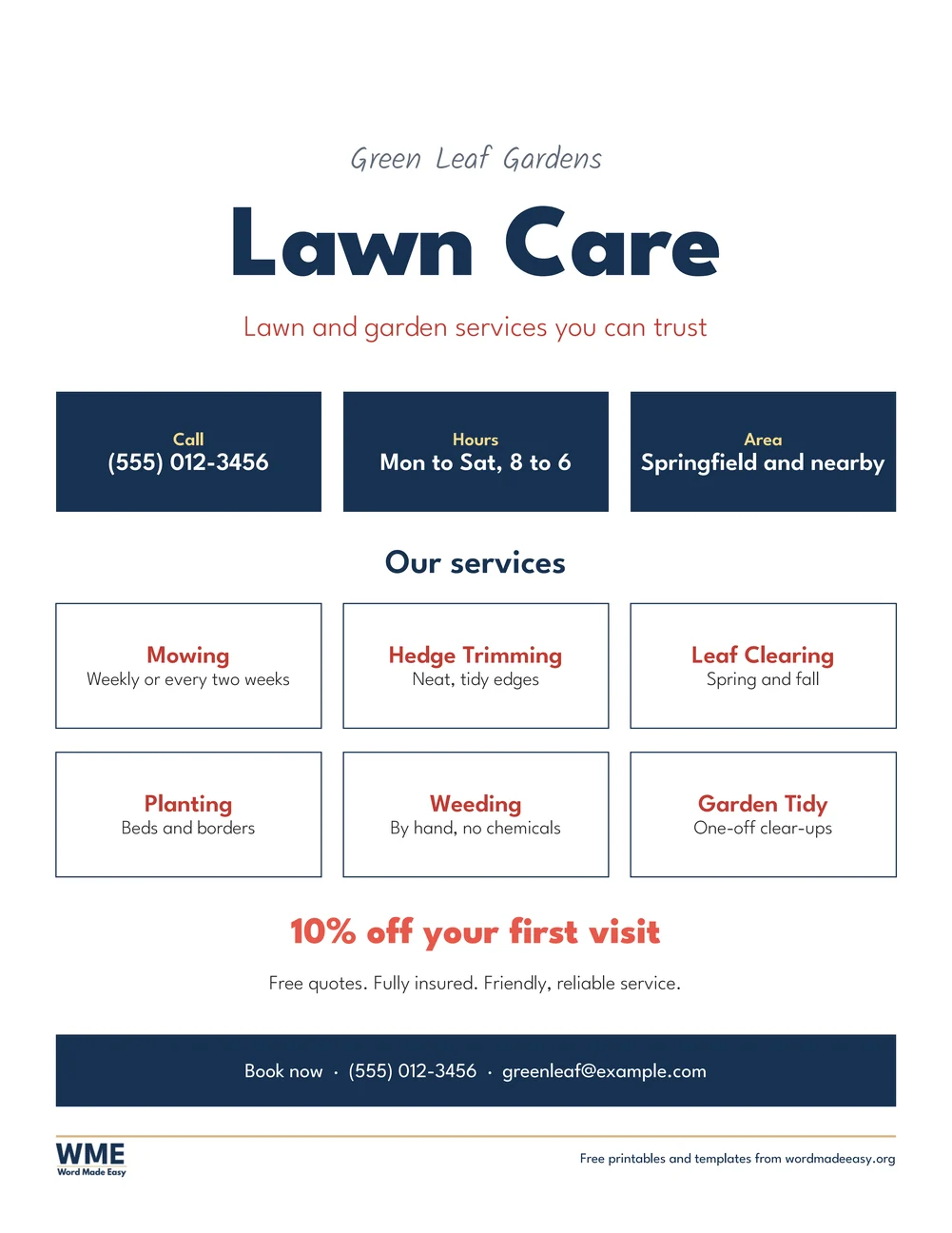
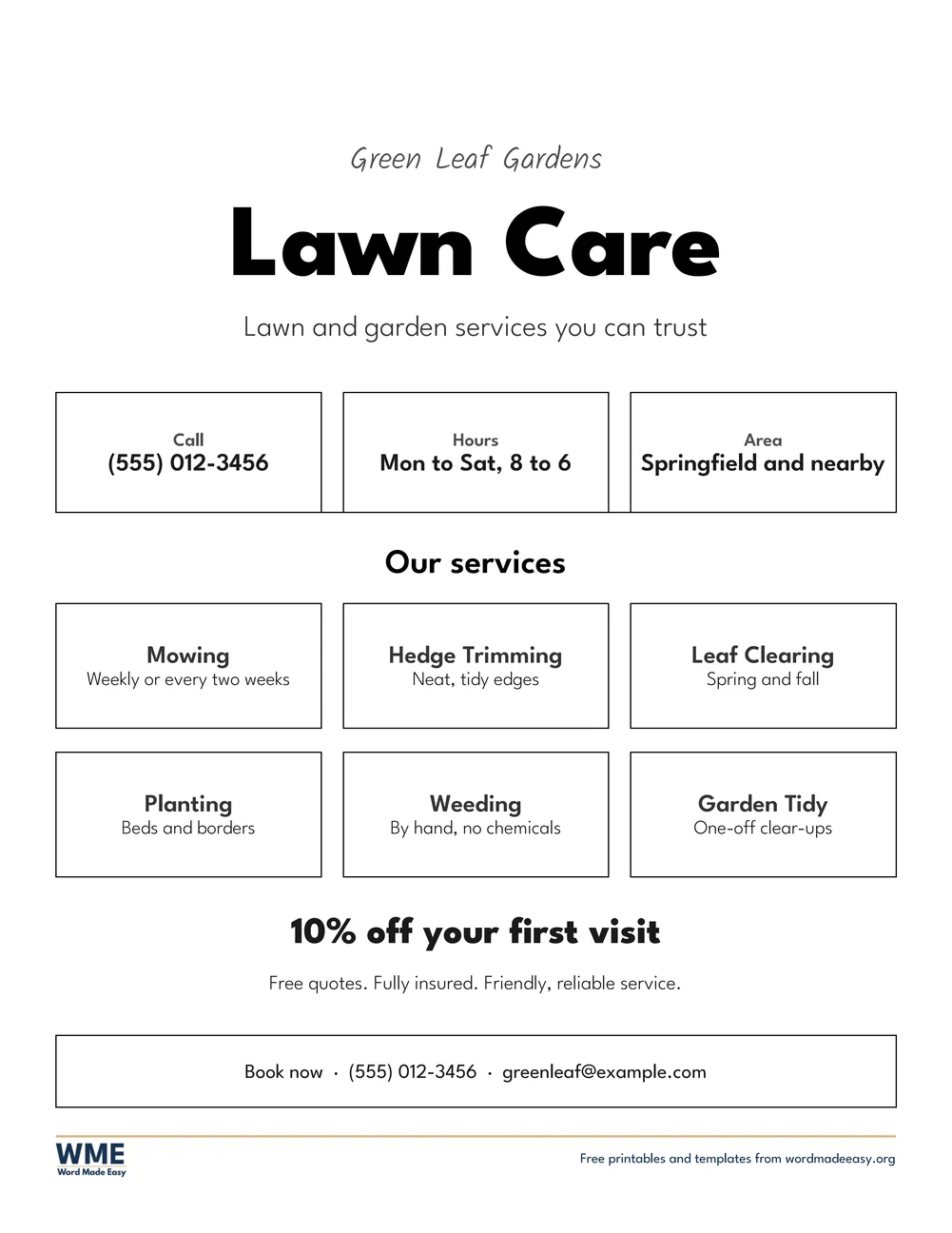
Flyer template for Word: Small Business (Lawn Care), US Letter
Small Business (Lawn Care) · Services, hours and an offer for a small business. Click to enlarge.
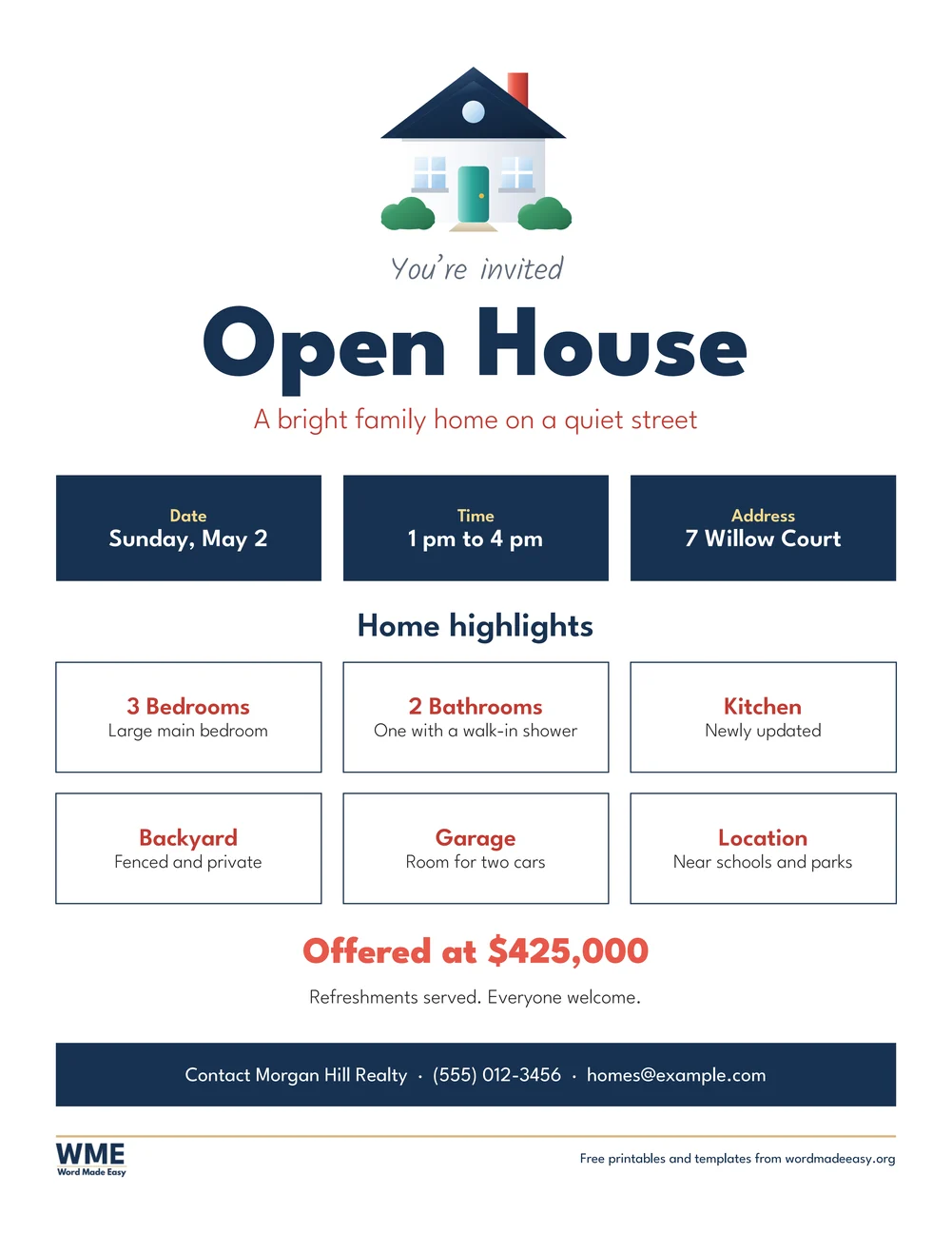
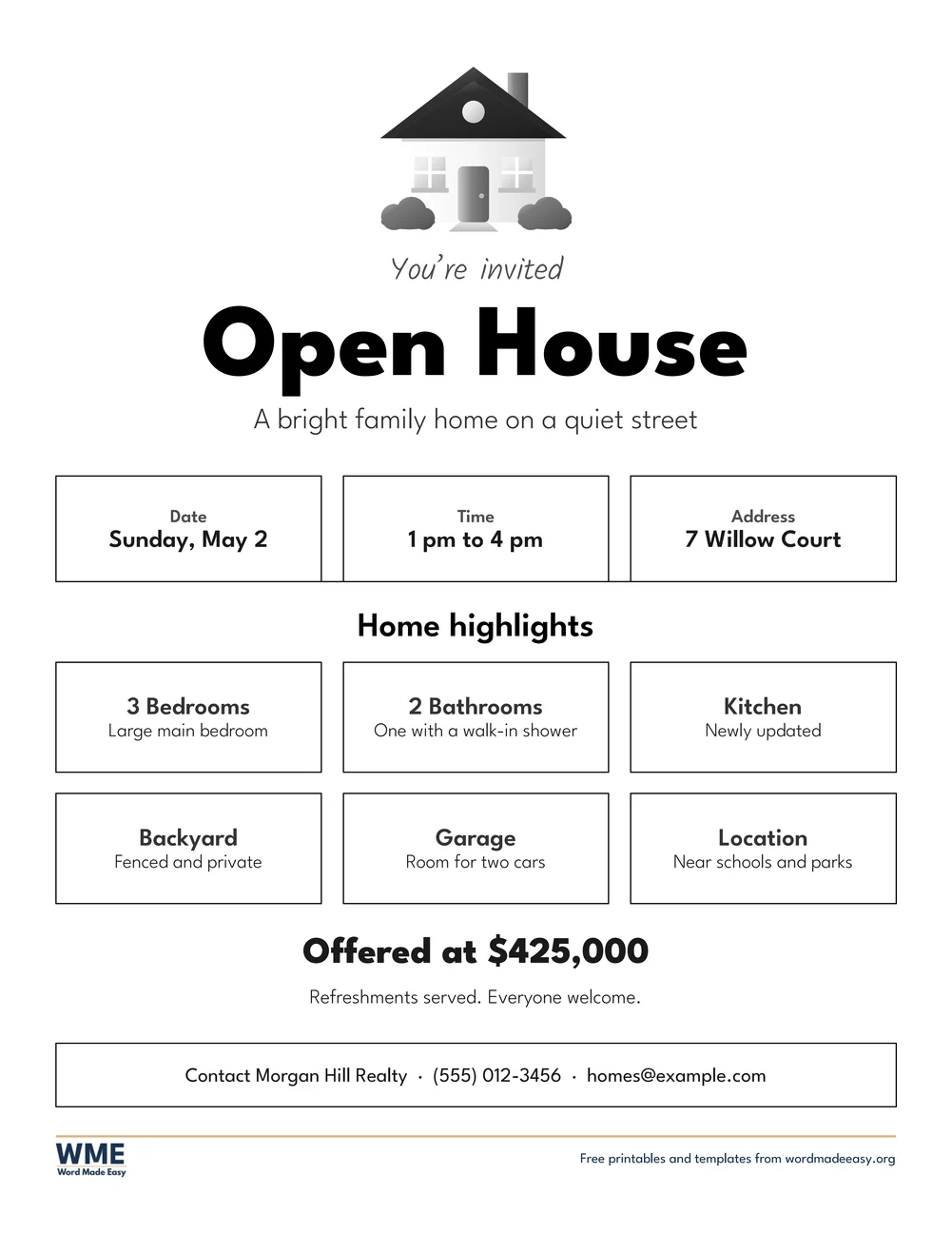
Flyer template for Word: Open House, US Letter
Open House · Open house for a home for sale, with a house picture. Click to enlarge.
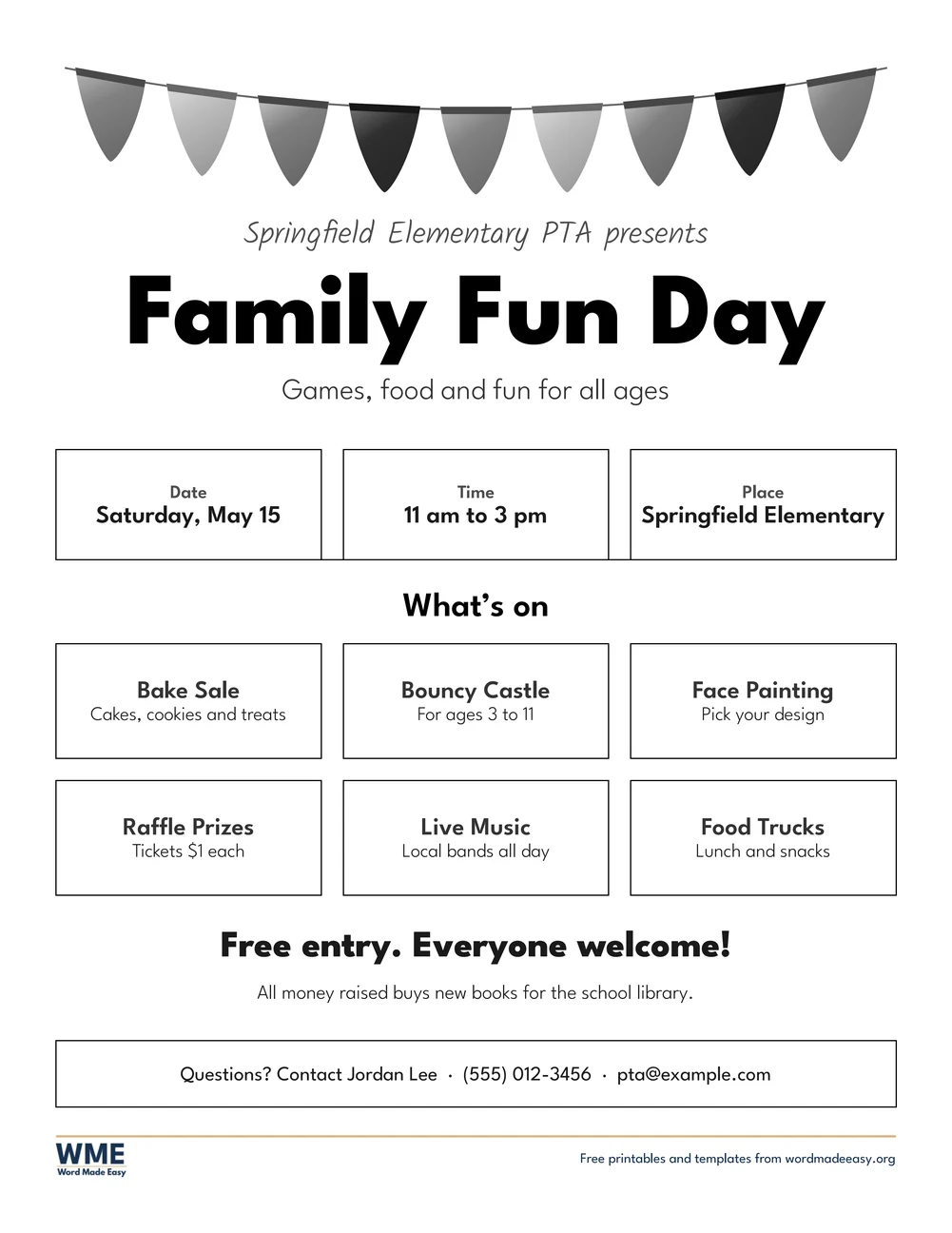
Flyer template for Word: Event (Family Fun Day), black and white, US Letter
Event (Family Fun Day), Black and White · School fair or community event, with bunting and a what’s on grid. Click to enlarge.
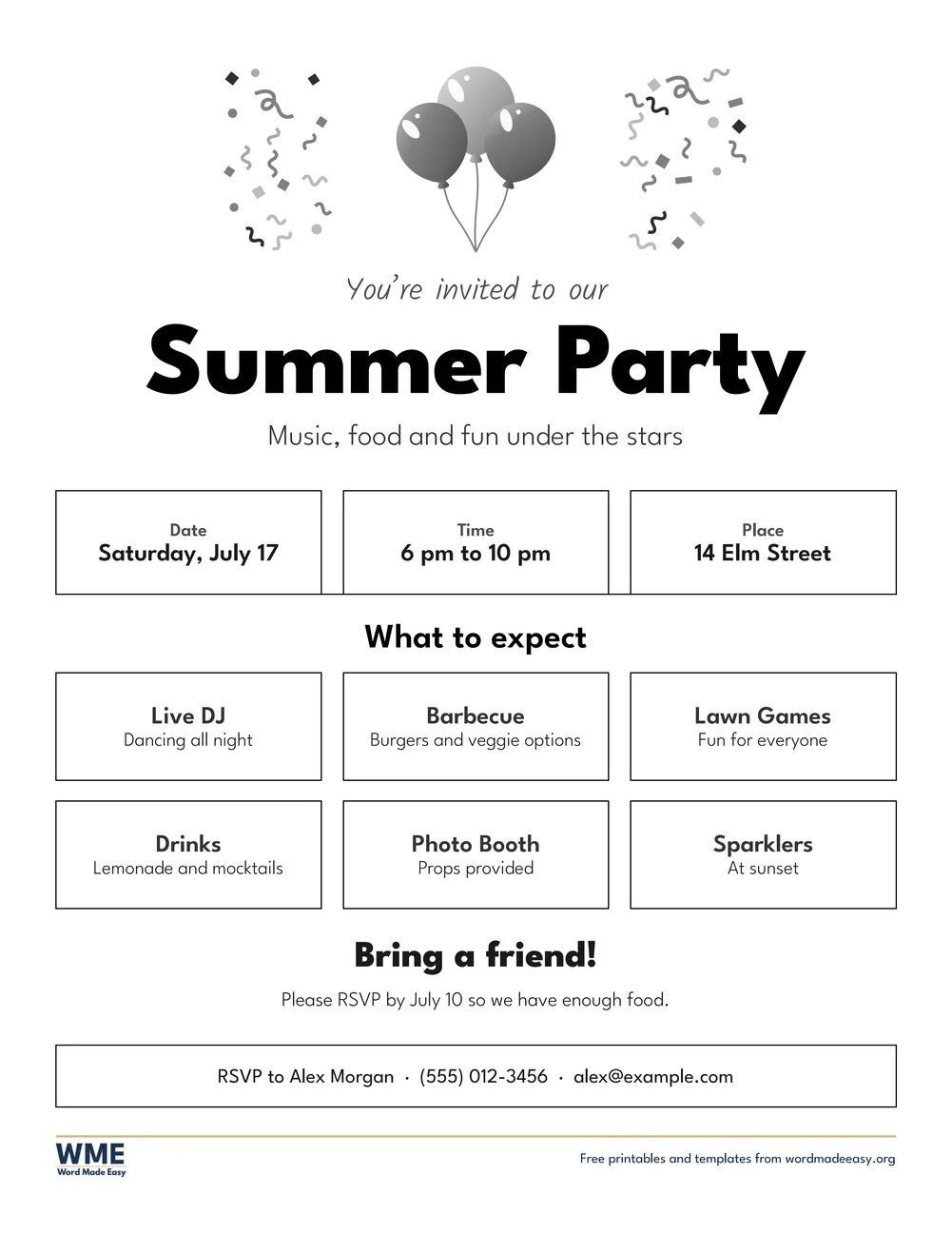
Flyer template for Word: Party, black and white, US Letter
Party, Black and White · Summer or birthday party, with balloons and confetti. Click to enlarge.
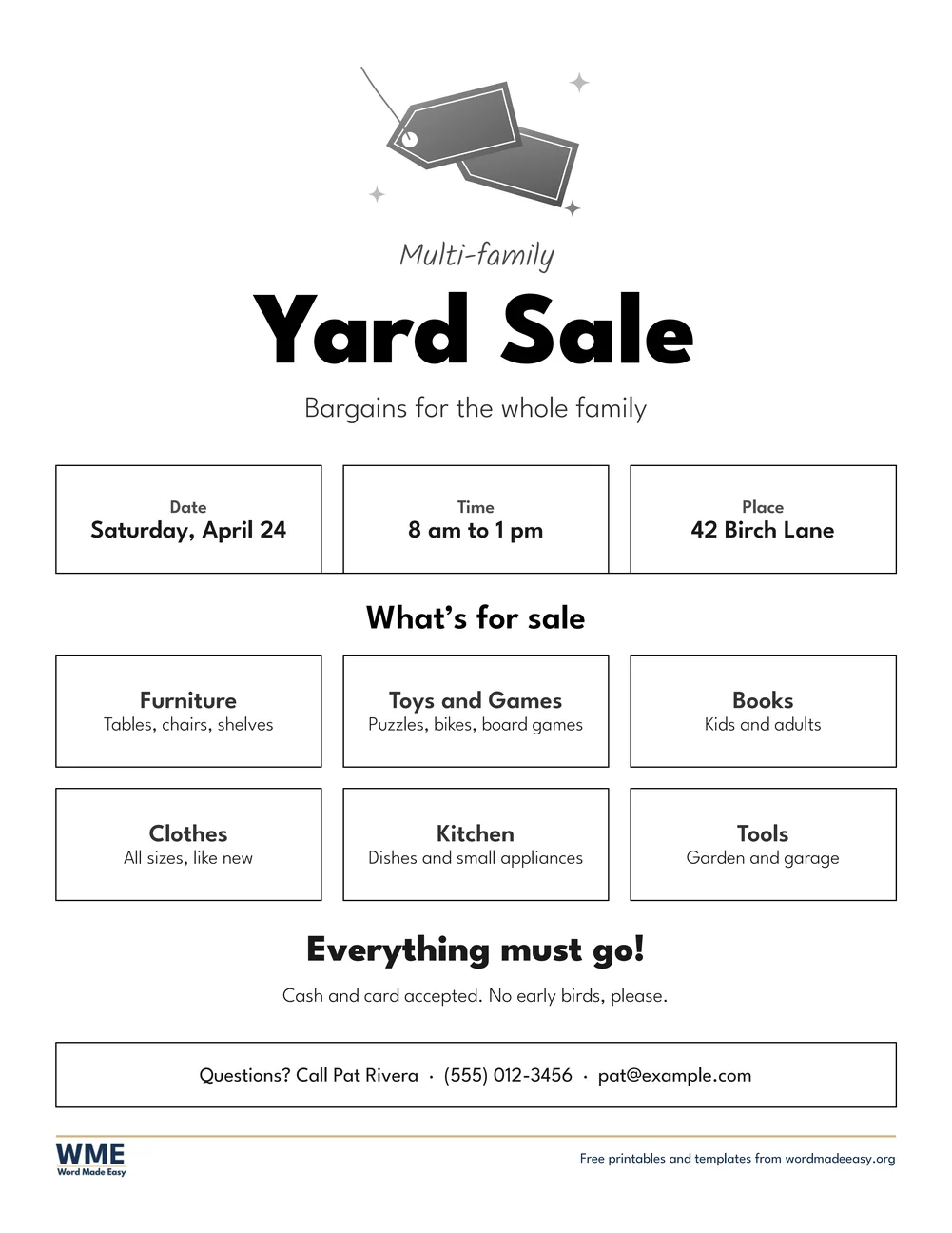
Flyer template for Word: Yard Sale (Garage Sale), black and white, US Letter
Yard Sale (Garage Sale), Black and White · Yard sale (US Letter) or garage sale (A4), with price tags. Click to enlarge.
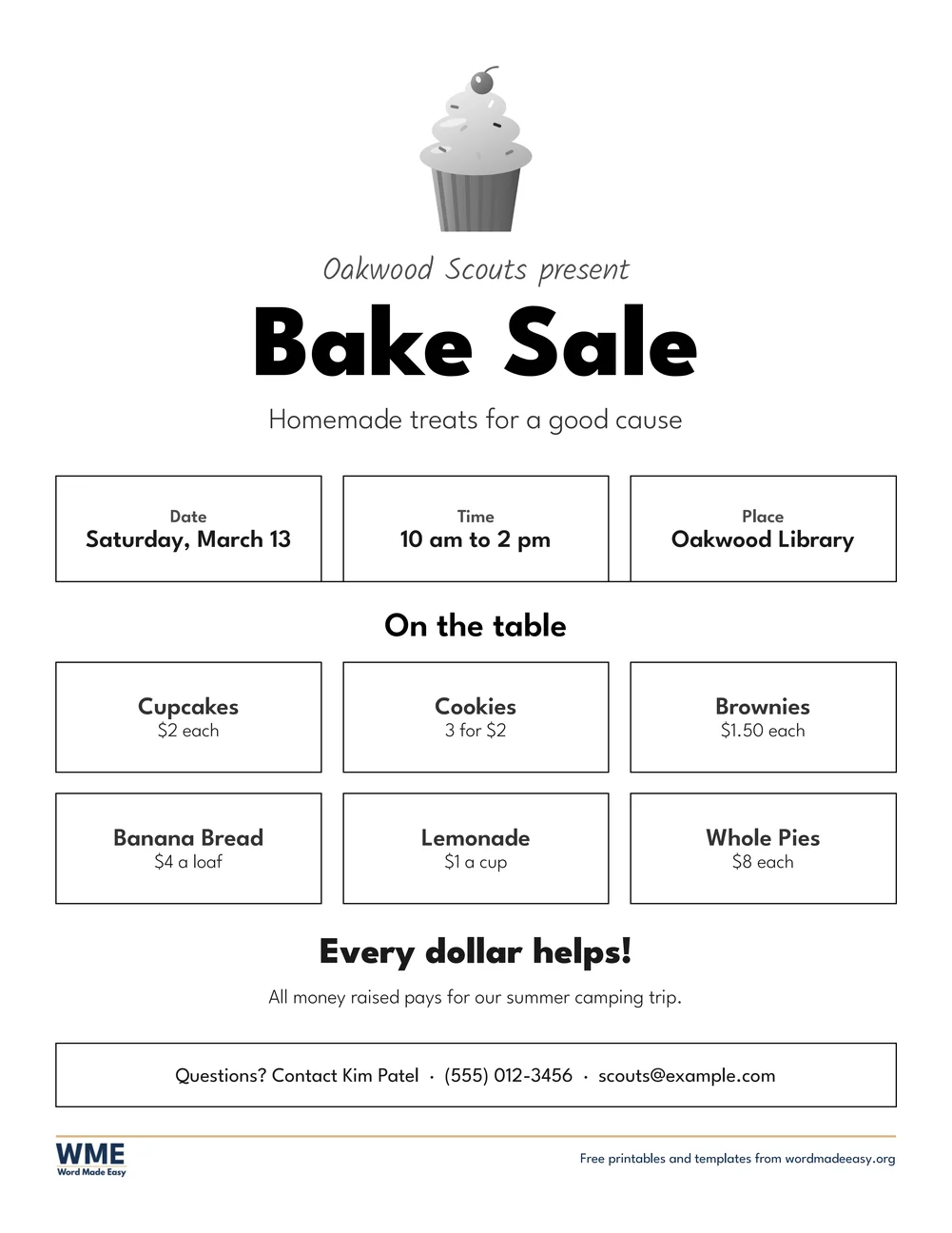
Flyer template for Word: Fundraiser Bake Sale, black and white, US Letter
Fundraiser Bake Sale, Black and White · Bake sale price list for a school, club or charity. Click to enlarge.
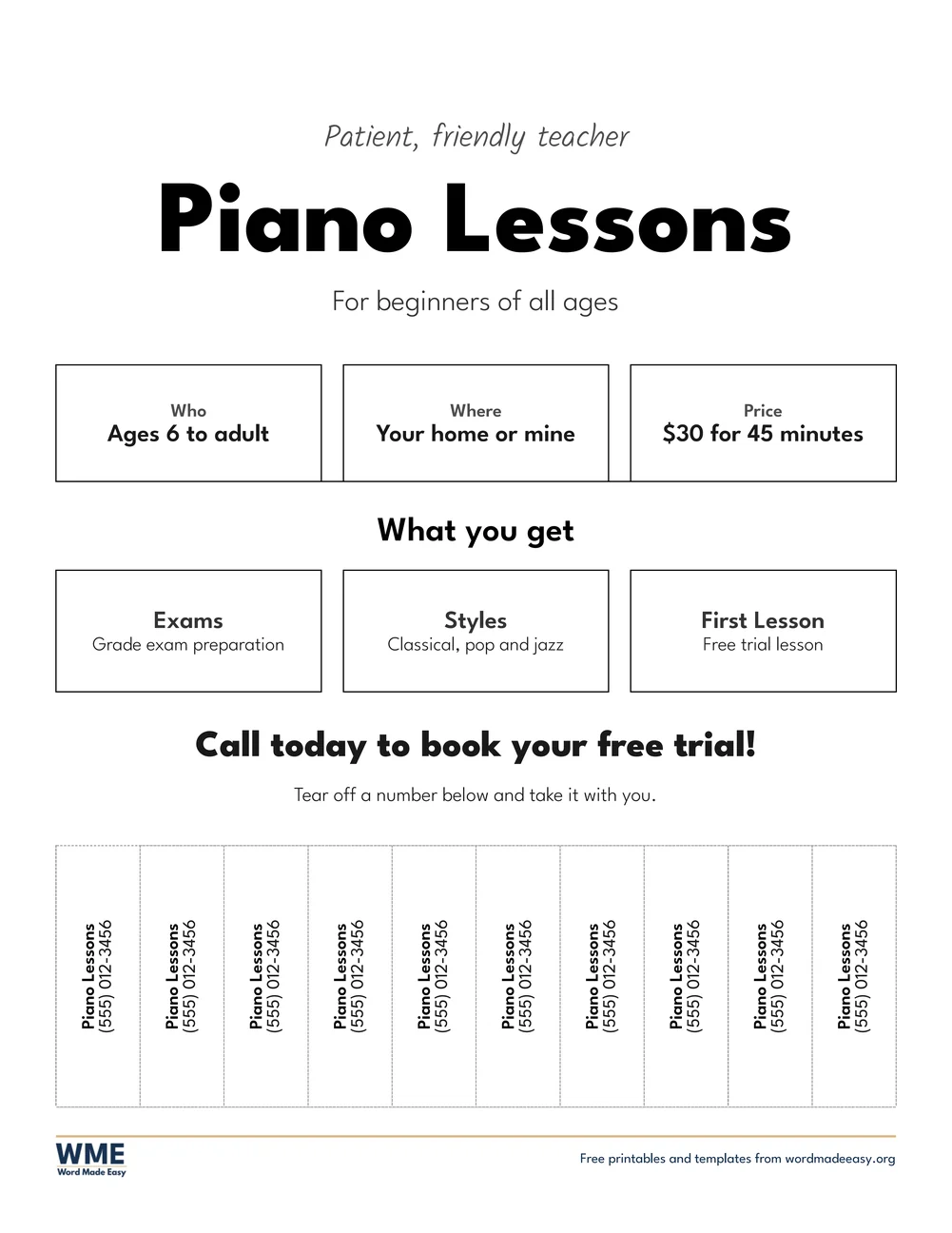
Flyer template for Word: Tear-off (Piano Lessons), black and white, US Letter
Tear-off (Piano Lessons), Black and White · Lessons or services, with ten tear-off phone number tabs. Click to enlarge.
Flyer template for Word: Lost Pet (Lost Cat), black and white, US Letter
Lost Pet (Lost Cat), Black and White · Lost pet poster with a photo box, description and reward. Click to enlarge.
Flyer template for Word: Small Business (Lawn Care), black and white, US Letter
Small Business (Lawn Care), Black and White · Services, hours and an offer for a small business. Click to enlarge.
Flyer template for Word: Open House, black and white, US Letter
Open House, Black and White · Open house for a home for sale, with a house picture. Click to enlarge.

More free templates

  • Google Docs Resume Templates: 4 Resumes to Copy and Edit for Word Google Docs Resume Templates: 4 Resumes to Copy and Edit Free Word files
  • Application Letter Templates for Word Application Letter Templates Free Word files
  • Daycare Forms for Word Daycare Forms Free Word files
  • Super Bowl Squares Templates for Word Super Bowl Squares Templates 5 Word files
  • Donation Receipt Templates for Word Donation Receipt Templates Free Word files
  • Potluck Sign-Up Sheet Templates for Word Potluck Sign-Up Sheet Templates Free Word files
  • Raffle Ticket Templates for Word Raffle Ticket Templates Free Word files
  • Gift Certificate Templates for Word Gift Certificate Templates Free Word files

Download your free Word templates

Enter your email address to download. We will also send you new free Word templates now and then, unless you choose to just download.

Choose colour or black and white
Choose your paper size

I agree that Word Made Easy may email me a weekly newsletter with new Word Templates and Word tips, and occasional offers of paid templates. I can unsubscribe at any time. Choose "No thanks, just download" if you do not want these emails.

Read the Privacy Policy for details about storage, retention and your rights.

Can’t find the template you need? Request a template and I’ll make it in Word, free.

Get new free printables first: follow Word Made Easy on Pinterest

Get eight editable flyer templates free for Microsoft Word: an event flyer, a party flyer, a yard sale flyer, a fundraiser bake sale flyer, a tear-off flyer, a lost cat poster, a small business flyer and an open house flyer, on US Letter or A4, in colour or in black and white. I’m Patrick Elliott, a teacher and Inclusion Lead. I designed every flyer in Microsoft Word and drew the bunting, balloons, price tags, cupcake and house in PowerPoint, using only shapes, then printed each one to check that the text sits in the middle of every tile. Every name, address and phone number in the samples is made up.

In this guide, you’ll find which flyer template suits your event or business, what makes a flyer easy to read from across a room, and how to change the words in Word and print copies.


Contents hide
1 What’s in the Flyer Templates
2 What Makes a Good Flyer?
3 Which Flyer Template Should You Use?
4 How to Make a Flyer in Word
5 Black and White Versions
6 How to Print the Flyers
7 FAQs
8 Conclusion
9 Related Tutorials
10 Word Templates

What’s in the Flyer Templates

FlyerBest forPaper
Event (Family Fun Day)School fair or community event, with bunting and a what’s on gridUS Letter and A4, colour and black and white
PartySummer or birthday party, with balloons and confettiUS Letter and A4, colour and black and white
Yard Sale (Garage Sale)Yard sale (US Letter) or garage sale (A4), with price tagsUS Letter and A4, colour and black and white
Fundraiser Bake SaleBake sale price list for a school, club or charityUS Letter and A4, colour and black and white
Tear-off (Piano Lessons)Lessons or services, with ten tear-off phone number tabsUS Letter and A4, colour and black and white
Lost Pet (Lost Cat)Lost pet poster with a photo box, description and rewardUS Letter and A4, colour and black and white
Small Business (Lawn Care)Services, hours and an offer for a small businessUS Letter and A4, colour and black and white
Open HouseOpen house for a home for sale, with a house pictureUS Letter and A4, colour and black and white
Flyer templates free for Word: the Event flyer, Family Fun Day with bunting, navy date, time and place tiles, a what’s on grid and a contact band, on US Letter

👉 Every piece of text is a click-and-type box: click the headline, a tile or the contact band and type, and the sample text disappears. The tiles stay the same size, so the layout keeps its shape while you edit.


What Makes a Good Flyer?

A flyer has a few seconds to catch someone walking past a noticeboard, so every design here follows the same plan: one big headline that says what it is, a short line under it, the three facts people need most (date, time and place, or price and contact) in bold navy tiles, then a grid of details and a clear call to action. The contact details sit in a band at the bottom where people look for them. Six of the designs have a picture at the top: bunting, balloons, price tags, a cupcake or a house. The pictures were drawn by Patrick Elliott in PowerPoint, using only shapes, so they print crisply.


Which Flyer Template Should You Use?

  • Event (Family Fun Day): an event flyer template with bunting and a six-box what’s on grid, for school fairs, fun days and community events.
  • Party: a party flyer with balloons and confetti, for a summer, block or birthday party.
  • Yard Sale (Garage Sale): a yard sale flyer with price tags and a what’s for sale grid; the A4 file says Garage Sale.
  • Fundraiser Bake Sale: a cupcake, a price list for six treats and a line saying what the money is for.
  • Tear-off (Piano Lessons): a tear off flyer template with ten phone number tabs along the bottom, for lessons, tutoring or any service.
  • Lost Pet (Lost Cat): a lost cat poster with a large photo box, the pet’s name, where it was last seen, a description and a reward line.
  • Small Business (Lawn Care): a business flyer template with hours, area, six services and a first-visit offer.
  • Open House: a house picture, the date, time and address, six home highlights and the asking price.
  • Having a party at home? The birthday party invitation templates match these flyers.

How to Make a Flyer in Word

  1. Choose colour or black and white and your paper size above, download the ZIP and open the flyer closest to your event.
  2. Select the headline and type your own, keeping it to two or three words so it reads from a distance.
  3. Click each navy tile and type your date, time and place, or your own labels such as Price or Area.
  4. Click the boxes in the grid and type up to six things people will find, then change the offer line and the contact band.
  5. On the lost cat poster, click the text in the photo box, delete it, then choose Insert > Pictures and pick a photo of your pet.
  6. Print one copy to check it, then print as many as you need.

Keep a flyer to one main message and leave white space around it: people should know what it is from two metres or six feet away. Put the date in the headline area for one-off events, and always add a phone number or email. For tear-off flyers, cut up each dotted line between the tabs before you pin the flyer up. Selling tickets at the event? The raffle ticket templates are numbered and ready to print.


Black and White Versions

Every flyer also comes in black and white with the same layout: the navy tiles and contact band become white with a black outline, and the pictures are grey, so a whole stack prints quickly on any printer without using colour ink. In the download box, choose Colour, Black and white or All, then your paper size: US Letter, A4 or both.


How to Print the Flyers

Print at 100% (Actual size) on the same paper as the file, US Letter or A4. Plain paper is fine for noticeboards; bright white paper makes the colours stand out. To print many copies, set the number of copies in the print box, or print one and photocopy it. The black and white versions are the best choice for photocopying.


FAQs

Are these flyer templates free?

Yes. Choose colour or black and white, US Letter or A4, and download all eight flyers in one ZIP file at no cost.

Who made these flyer templates?

Patrick Elliott, a teacher and Inclusion Lead, designed every flyer in Microsoft Word and drew the pictures in PowerPoint using only shapes.

Can I edit the flyers in Word?

Yes. Every word is a click-and-type box, so you can change the headline, the tiles, the grid and the contact band.

How do I add a photo to the lost cat poster?

Click the text in the photo box and delete it, then choose Insert > Pictures and pick your photo. You can use it for any pet, not just a cat.

How does the tear-off flyer work?

Type your name or service and phone number on each of the ten tabs, print, then cut up each dotted line between the tabs so people can tear one off.

Is there a black and white version?

Yes. Every flyer comes in black and white with the same layout: white tiles with a black outline and grey pictures, to save ink.

Is there a garage sale flyer?

Yes. The Yard Sale flyer says Garage Sale on the A4 file, with UK spelling, and you can type either headline on any paper.


Conclusion

These flyer templates give you a ready-made flyer for an event, a sale, a lost pet or a small business, easy to edit and print, made by a teacher in Microsoft Word.

Choose your paper size above and download the ZIP. For a party at home, see the birthday party invitation templates.


Related Tutorials

  • Free Birthday Party Invitation Templates for Word
  • Free Raffle Ticket Templates for Word
  • Free Business Card Templates for Word

Word Templates

Recently Added Word Templates

  • Free Spring Coordinate Graphing Mystery Pictures for Word: 10 Printables

    November 15, 2026
  • Free Easter Coordinate Graphing Mystery Pictures for Word: 10 Printables

    November 15, 2026
  • Free St Patrick’s Day Coordinate Graphing Mystery Pictures: 10 Printables

    November 15, 2026

Browse the complete collection of free printable Word templates for home and school, all made by a teacher.

View all Word templates
Watch on YouTube

New to Word? Our Word tutorials show you how to edit and print your templates.
← PreviousFree Birthday Party Invitation Templates for Word: 7 Invitations
Next →Free Valentine’s Coordinate Graphing Mystery Pictures for Word: 16 Printables

Leave a comment Cancel reply

Have a question about these templates, or an idea for a new one? Ask below.

Meet the Author

Patrick Elliott standing outdoors holding his dog.

I’m Patrick Elliott, the creator of Word Made Easy. I’ve worked in schools for over 10 years and I’m now an Inclusion Lead in the UAE. I use Microsoft Word and PowerPoint every day for planning, documentation and classroom resources.

Every guide is tested step by step before publishing (usually in Microsoft 365), and every free template is one I made myself in Word. You’ll also find practical walkthroughs on my YouTube channel.

Browse

  • Word TutorialsStep-by-step guides for every feature
  • Word Beginners HubFree 12-chapter Word course
  • Word TemplatesFree, editable downloads
  • Word Shortcut Cheat SheetsFree printable PDFs
  • Google Docs TutorialsStep-by-step Docs guides
  • PowerPoint TutorialsClear, simple slide guides
  • YouTube VideosWatch the video walkthroughs

Watch on YouTube

Prefer to watch? Most guides have a short video walkthrough on the Word Made Easy channel.

  • 147videos
  • 1.88Mviews
  • 8,000+subscribers
Subscribe on YouTube

Recently Added

  • Free Spring Coordinate Graphing Mystery Pictures for Word: 10 PrintablesNovember 15, 2026
  • Free Easter Coordinate Graphing Mystery Pictures for Word: 10 PrintablesNovember 15, 2026
  • Free St Patrick’s Day Coordinate Graphing Mystery Pictures: 10 PrintablesNovember 15, 2026
  • Free Valentine’s Coordinate Graphing Mystery Pictures for Word: 16 PrintablesNovember 15, 2026
  • Free Flyer Templates for Word: 8 Editable FlyersNovember 15, 2026

Most Downloaded

  • Free Microsoft Word Keyboard Shortcuts Bundle: 14 Cheat Sheets (PDF)65 downloads in the last 30 days
  • Microsoft Word for Beginners: Free Guide and PDF64 downloads in the last 30 days
  • Free Fillable Form Templates for Word: 4 Easy Forms62 downloads in the last 30 days
  • Free Printable Alphabet Charts for Word: 5 Easy Designs50 downloads in the last 30 days
  • Free ILAW Lesson Plan Templates for Word: English and Filipino (DO 16, s. 2026)37 downloads in the last 30 days
Word Made Easy

Free, step-by-step Microsoft Word tutorials, written and tested by teacher Patrick Elliott.

Subscribe on YouTube Follow on Facebook Follow on Pinterest

Explore

  • Home
  • Word Tutorials
  • Word Templates
  • Google Docs Tutorials
  • PowerPoint Tutorials
  • YouTube Videos
  • Shop

Microsoft Word

  • Page Layout & Sections
  • Tables, Images & Media
  • Formatting Basics
  • Productivity & Automation
  • Beginners Hub
  • Shortcut Cheat Sheets

Google Docs

  • All Google Docs Tutorials

About

  • About Me
  • Contact
Privacy Policy Cookie Policy Terms of Use
© 2012–2026 Word Made Easy. All rights reserved.
Manage your privacy

To provide the best experiences, we and our partners use technologies like cookies to store and/or access device information. Consenting to these technologies will allow us and our partners to process personal data such as browsing behavior or unique IDs on this site and show (non-) personalized ads. Not consenting or withdrawing consent, may adversely affect certain features and functions.

Click below to consent to the above or make granular choices. Your choices will be applied to this site only. You can change your settings at any time, including withdrawing your consent, by using the toggles on the Cookie Policy, or by clicking on the manage consent button at the bottom of the screen.

Functional Always active
The technical storage or access is strictly necessary for the legitimate purpose of enabling the use of a specific service explicitly requested by the subscriber or user, or for the sole purpose of carrying out the transmission of a communication over an electronic communications network.
Preferences
The technical storage or access is necessary for the legitimate purpose of storing preferences that are not requested by the subscriber or user.
Statistics
The technical storage or access that is used exclusively for statistical purposes. The technical storage or access that is used exclusively for anonymous statistical purposes. Without a subpoena, voluntary compliance on the part of your Internet Service Provider, or additional records from a third party, information stored or retrieved for this purpose alone cannot usually be used to identify you.
Marketing
The technical storage or access is required to create user profiles to send advertising, or to track the user on a website or across several websites for similar marketing purposes.
Statistics

Marketing

Features
Always active

Special features

Special purposes
Always active

  • Manage options
  • Manage services
  • Manage {vendor_count} vendors
  • Read more about these purposes
Manage options
  • {title}
  • {title}
  • {title}
Manage your privacy
To provide the best experiences, we use technologies like cookies to store and/or access device information. Consenting to these technologies will allow us to process data such as browsing behavior or unique IDs on this site. Not consenting or withdrawing consent, may adversely affect certain features and functions.
Functional Always active
The technical storage or access is strictly necessary for the legitimate purpose of enabling the use of a specific service explicitly requested by the subscriber or user, or for the sole purpose of carrying out the transmission of a communication over an electronic communications network.
Preferences
The technical storage or access is necessary for the legitimate purpose of storing preferences that are not requested by the subscriber or user.
Statistics
The technical storage or access that is used exclusively for statistical purposes. The technical storage or access that is used exclusively for anonymous statistical purposes. Without a subpoena, voluntary compliance on the part of your Internet Service Provider, or additional records from a third party, information stored or retrieved for this purpose alone cannot usually be used to identify you.
Marketing
The technical storage or access is required to create user profiles to send advertising, or to track the user on a website or across several websites for similar marketing purposes.
Statistics

Marketing

Features
Always active

Special features

Special purposes
Always active

  • Manage options
  • Manage services
  • Manage {vendor_count} vendors
  • Read more about these purposes
Manage options
  • {title}
  • {title}
  • {title}