
Ramadan Planner 2027: 8 Free Printable Templates for Word
Preview every template, choose colour or black and white and your paper size, then download your Word files in one small ZIP file.
A4 and US Letter8 templatesFree
Can’t find the template you need? Request a template and I’ll make it in Word, free.
Get new free printables first: follow Word Made Easy on Pinterest
A Ramadan planner keeps the month organised: fasting days, prayers, Quran reading, meals, giving and the goals you set for yourself. These eight templates for Ramadan 2027 (1448 AH) are one page each, so you can print the ones you need, and every box is a Word table you can type into before you print. One of them is a good deeds calendar for children. The dates for 1448 AH are projections from the Umm al-Qura calendar and are stated on the pages; no zakat amounts are given.
Below you’ll find what each planner page does, how the 2027 dates work and how to set the month up before it starts.
What’s in the Ramadan Planner 2027
| Planner page | What’s on it |
|---|---|
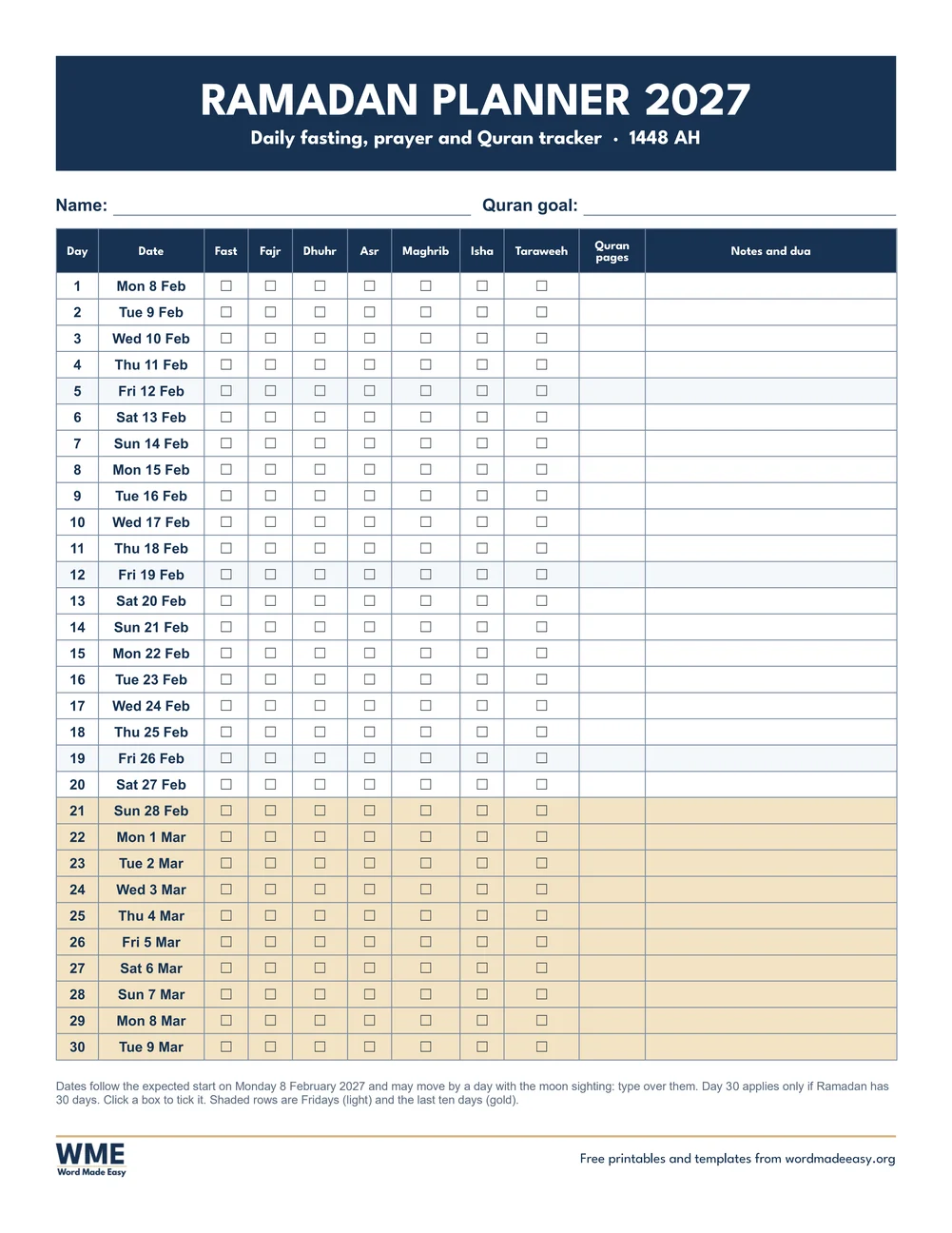
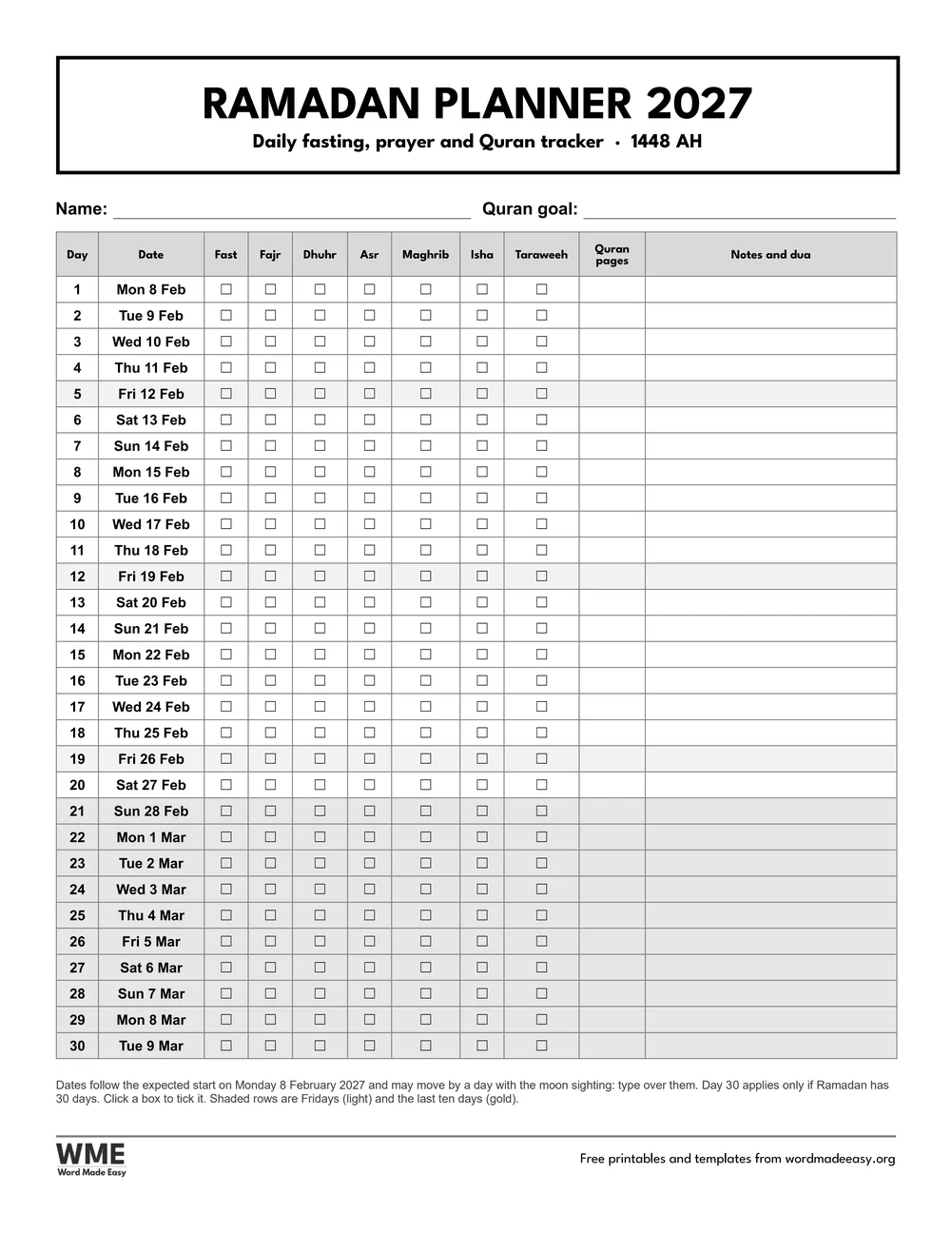
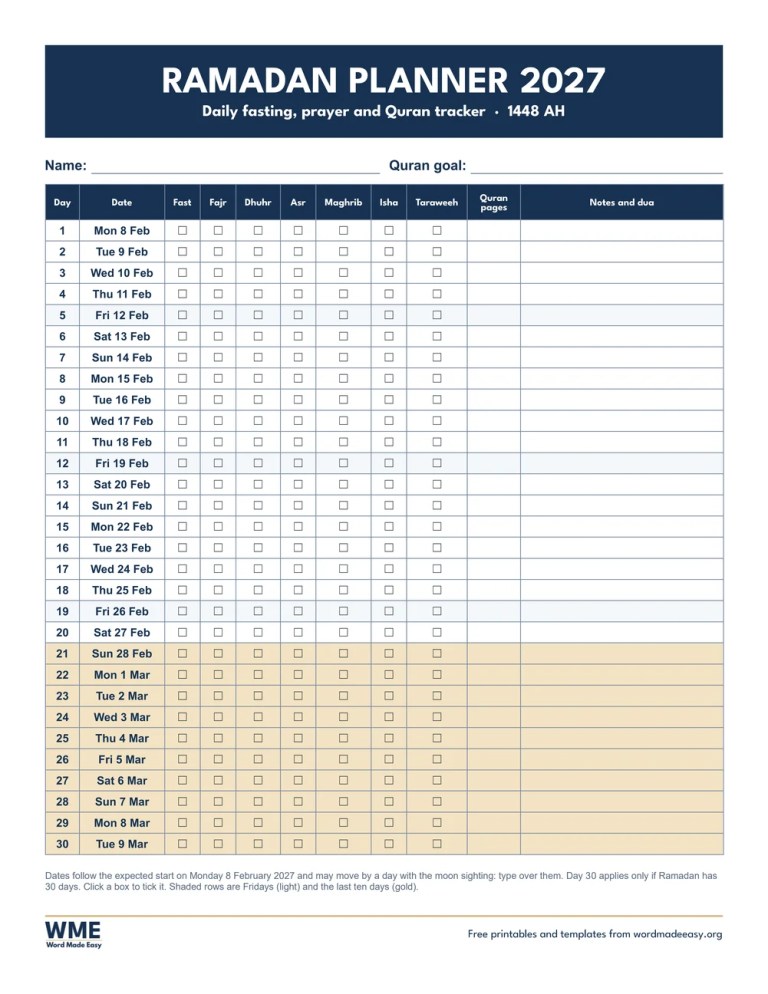
| Ramadan Prayer and Fasting Tracker | 30 days of fasting, five prayers |
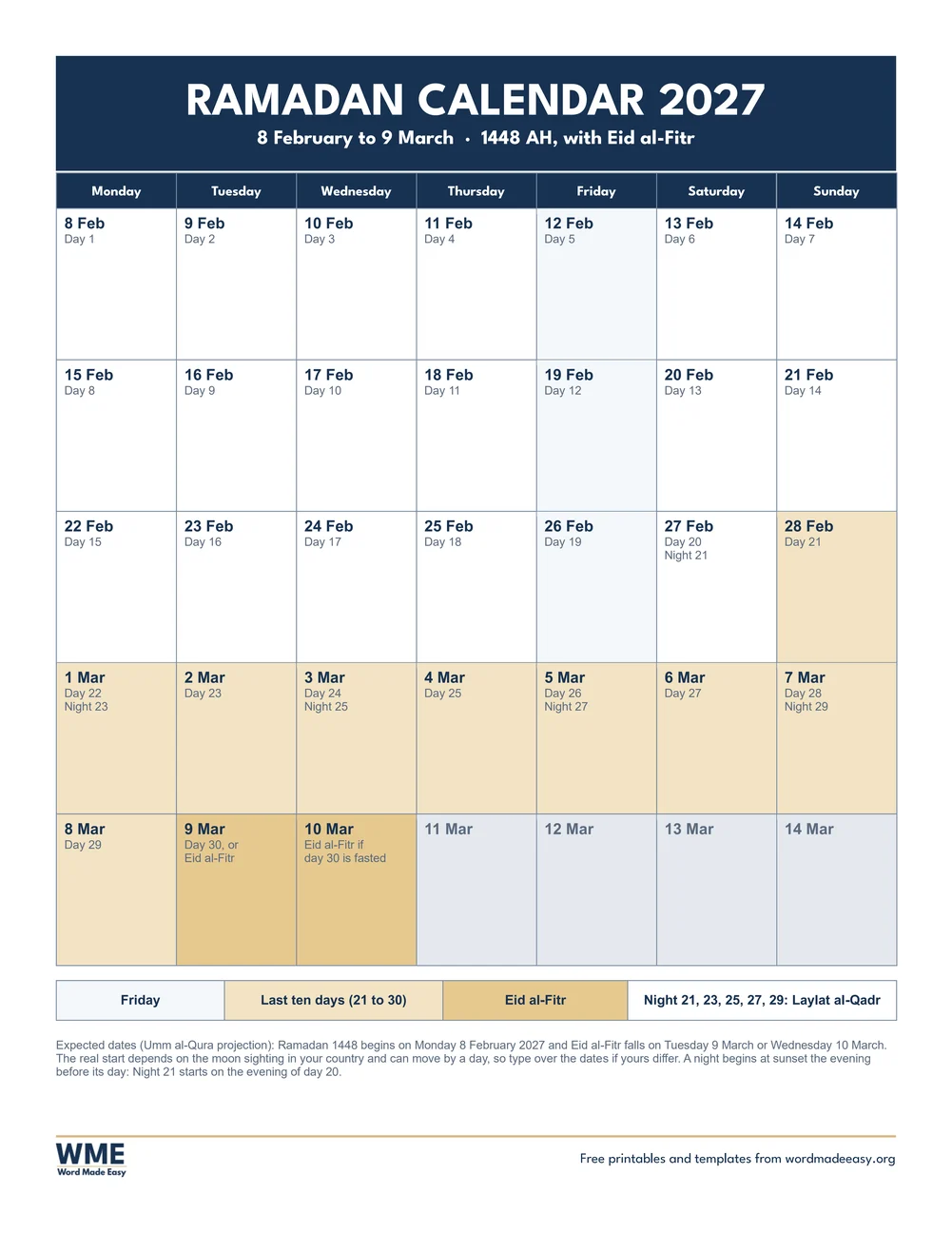
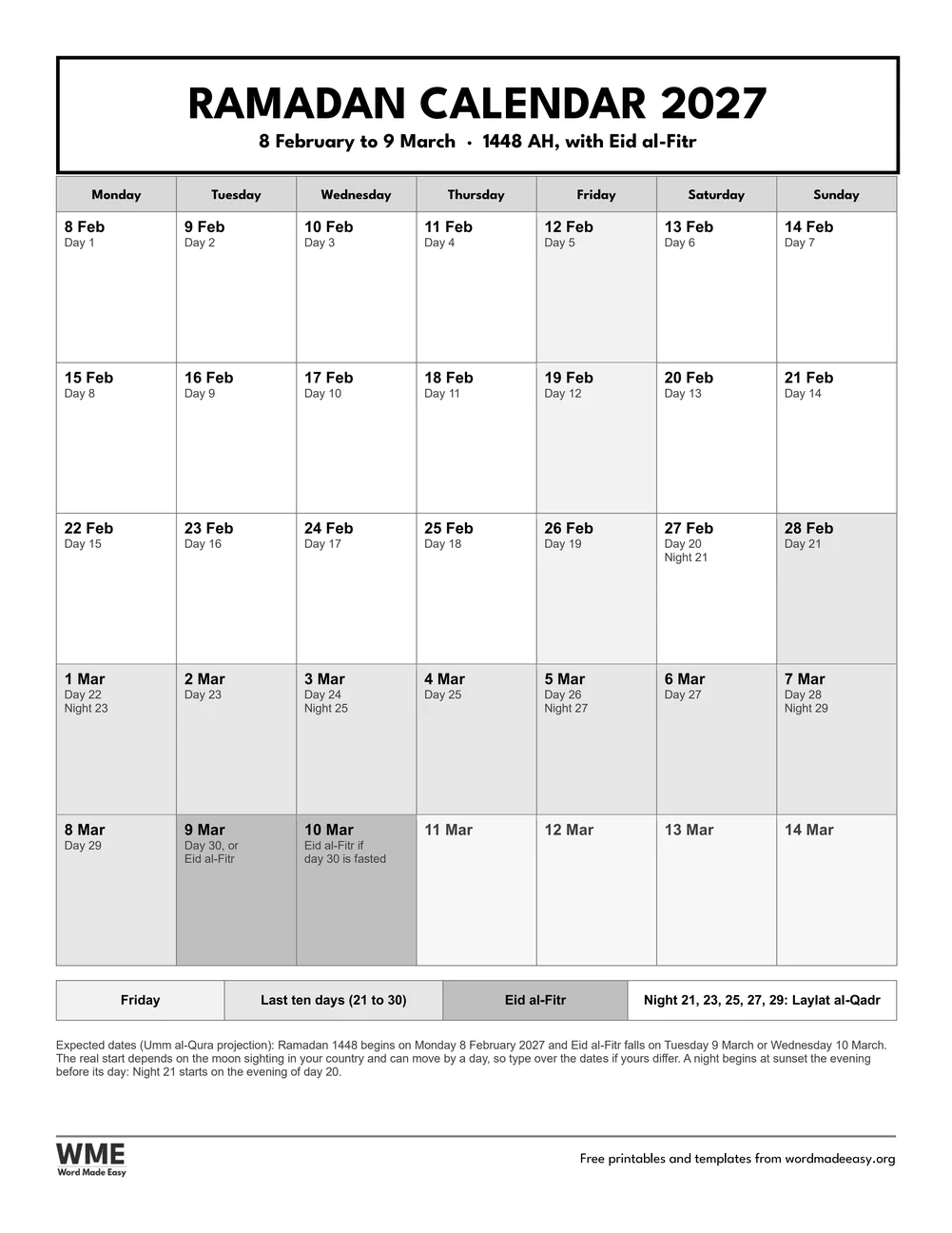
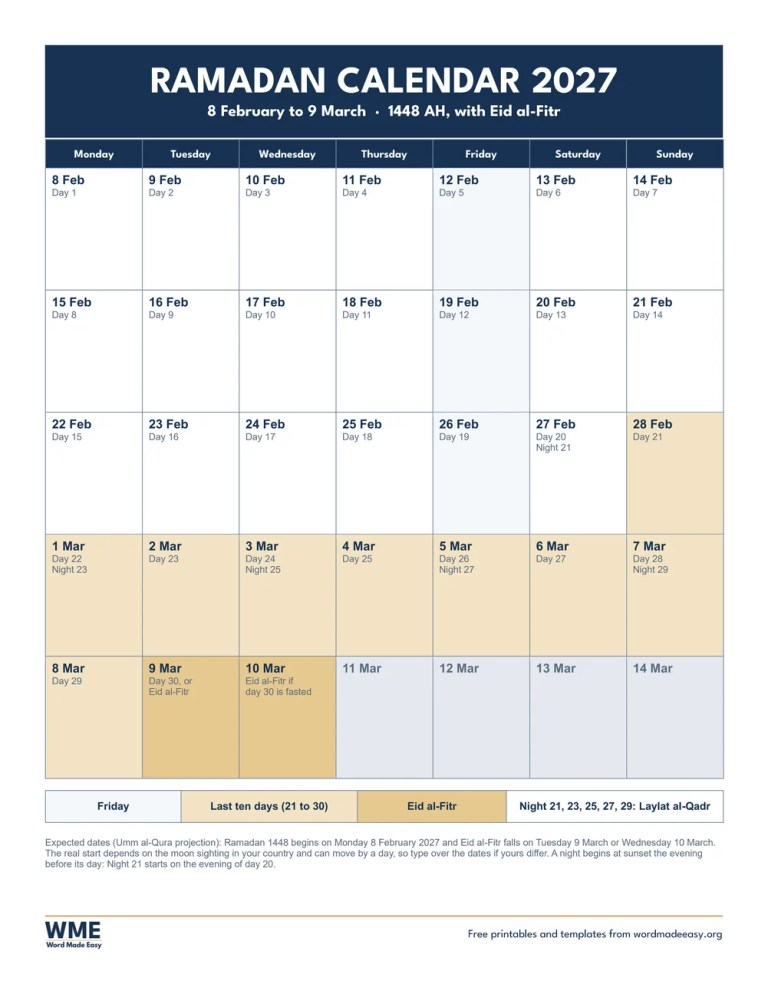
| Ramadan 2027 Calendar | 8 February to 9 March with Fridays |
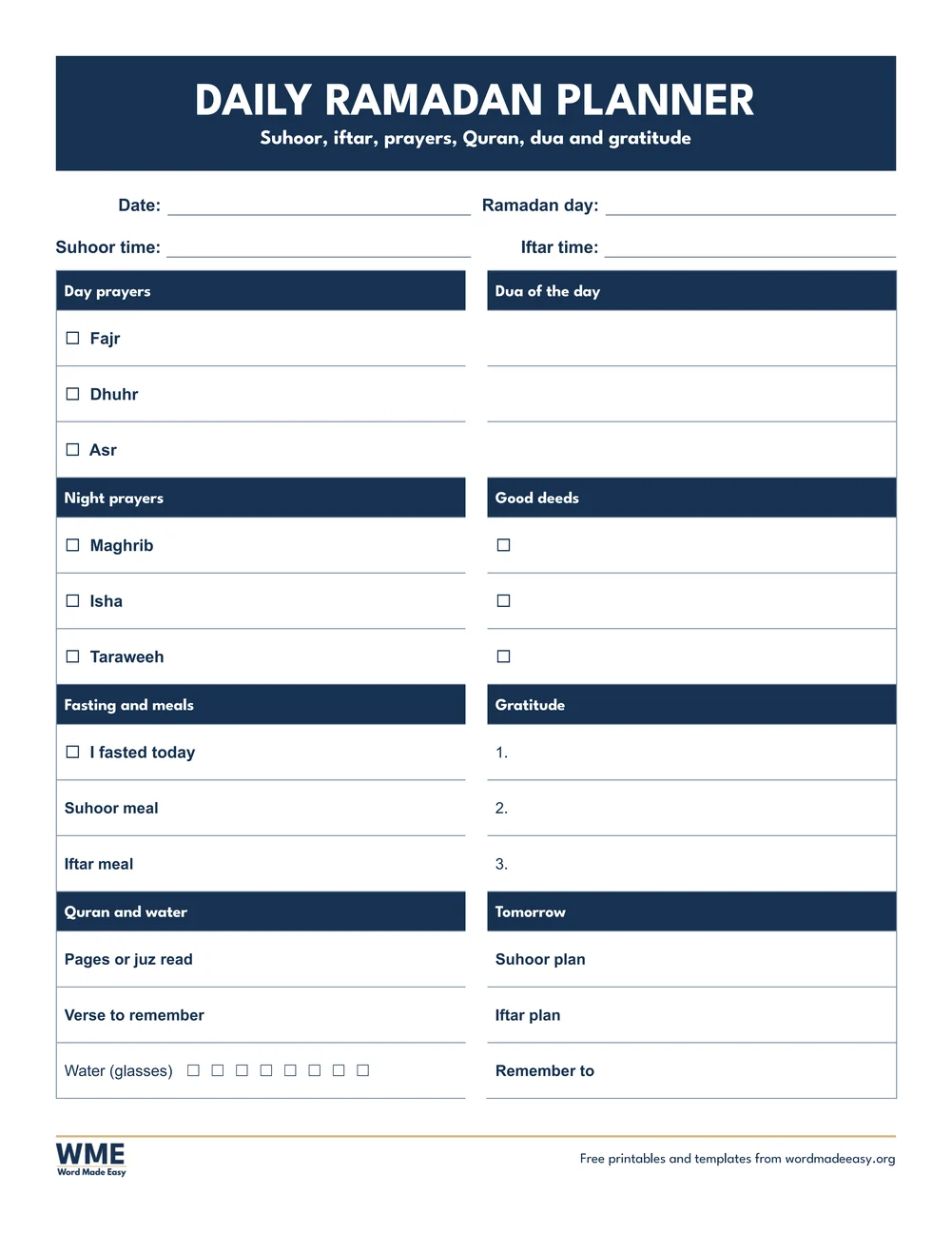
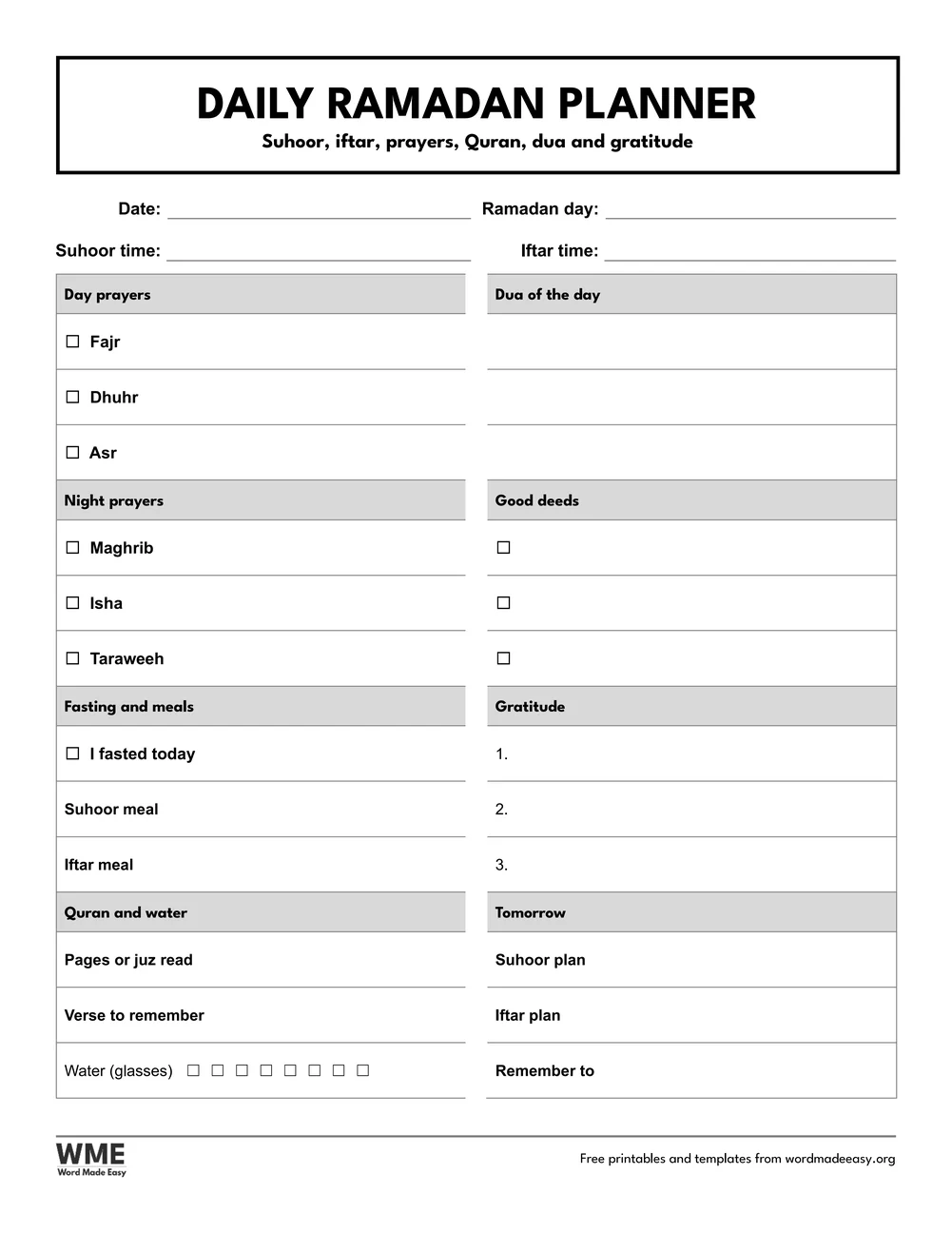
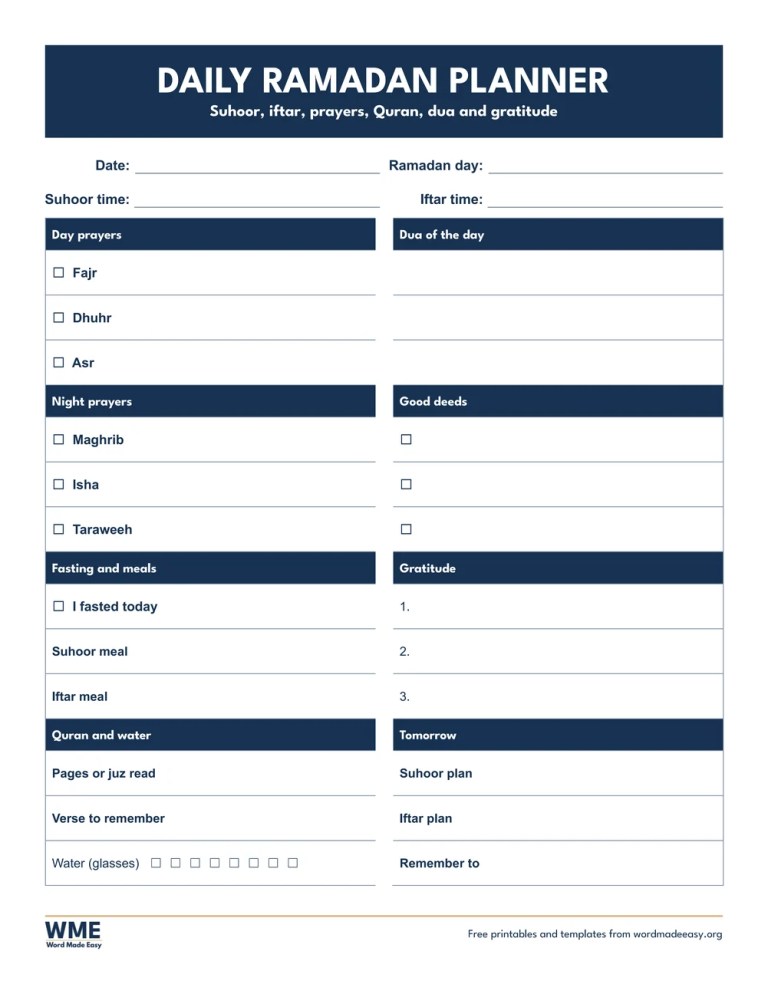
| Daily Ramadan Planner | Suhoor, iftar, prayers, Quran |
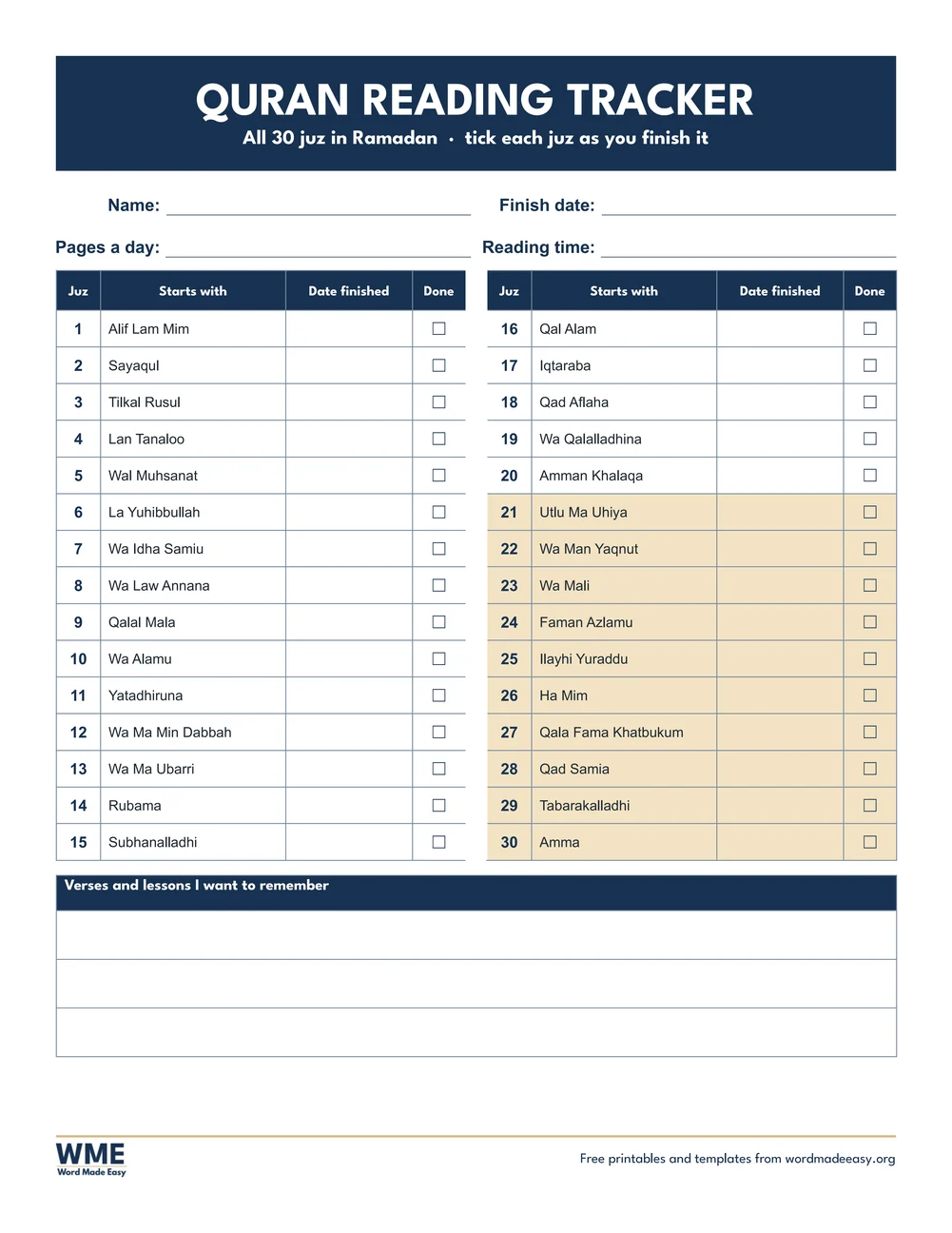
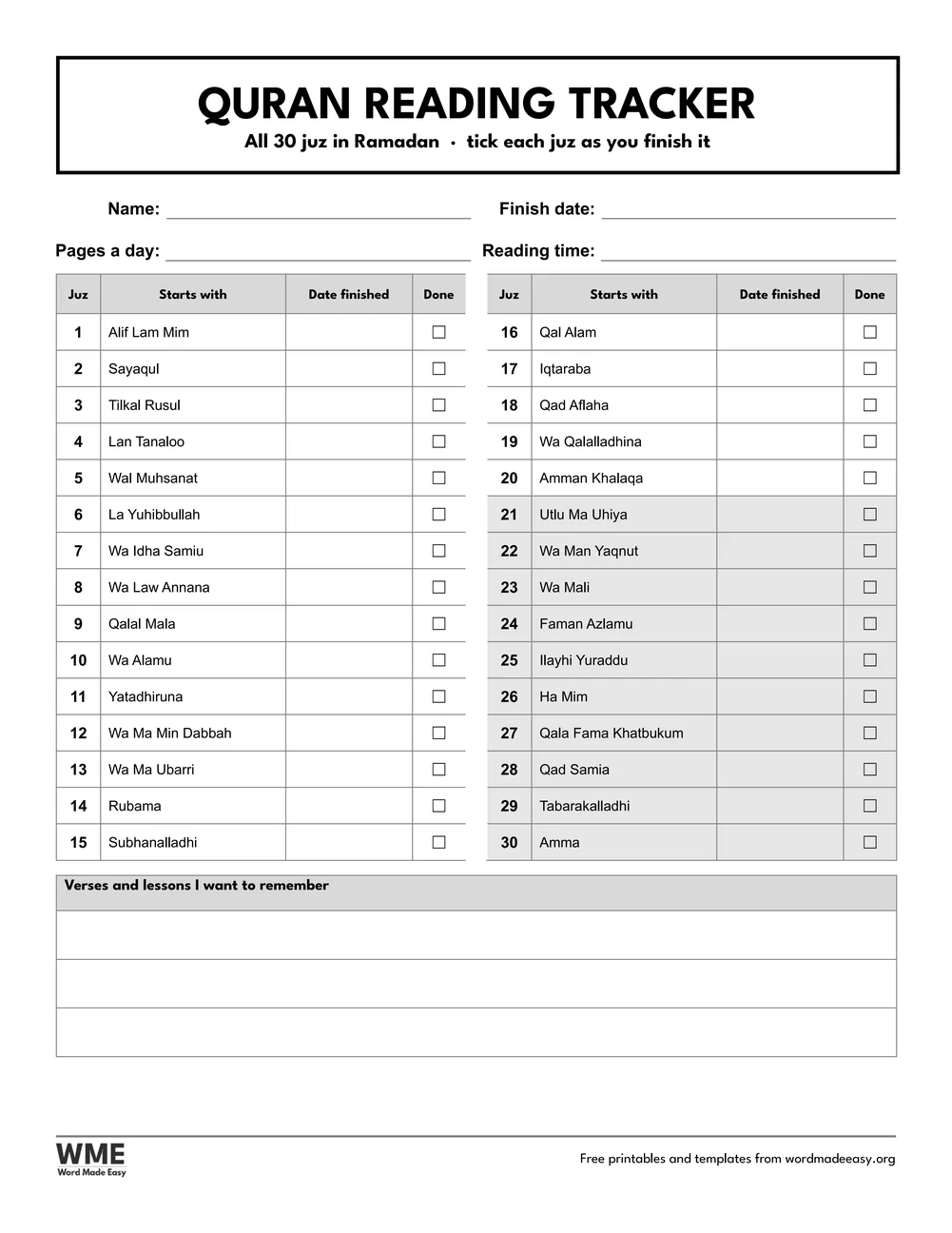
| Quran Reading Tracker | All 30 juz with a tick box |
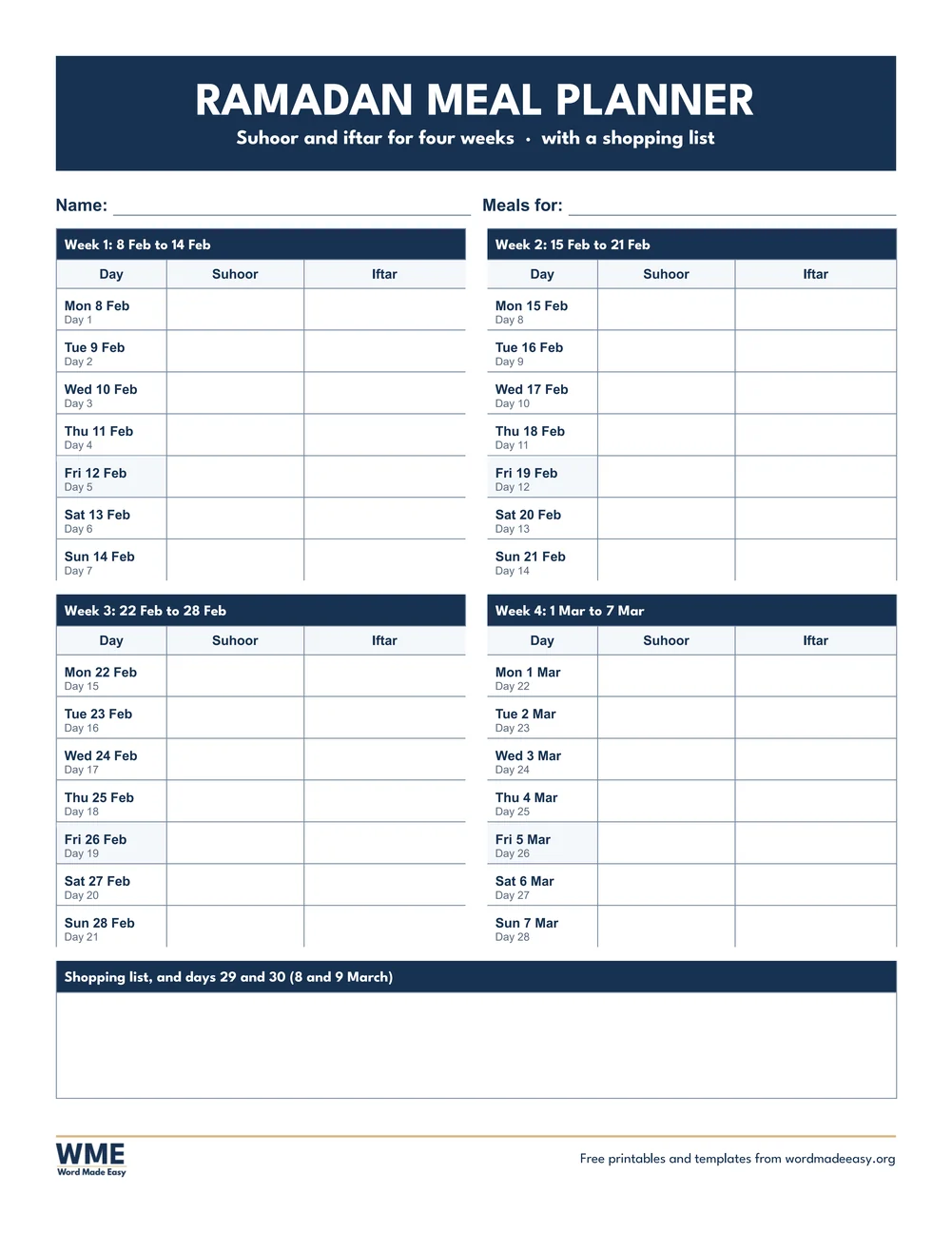
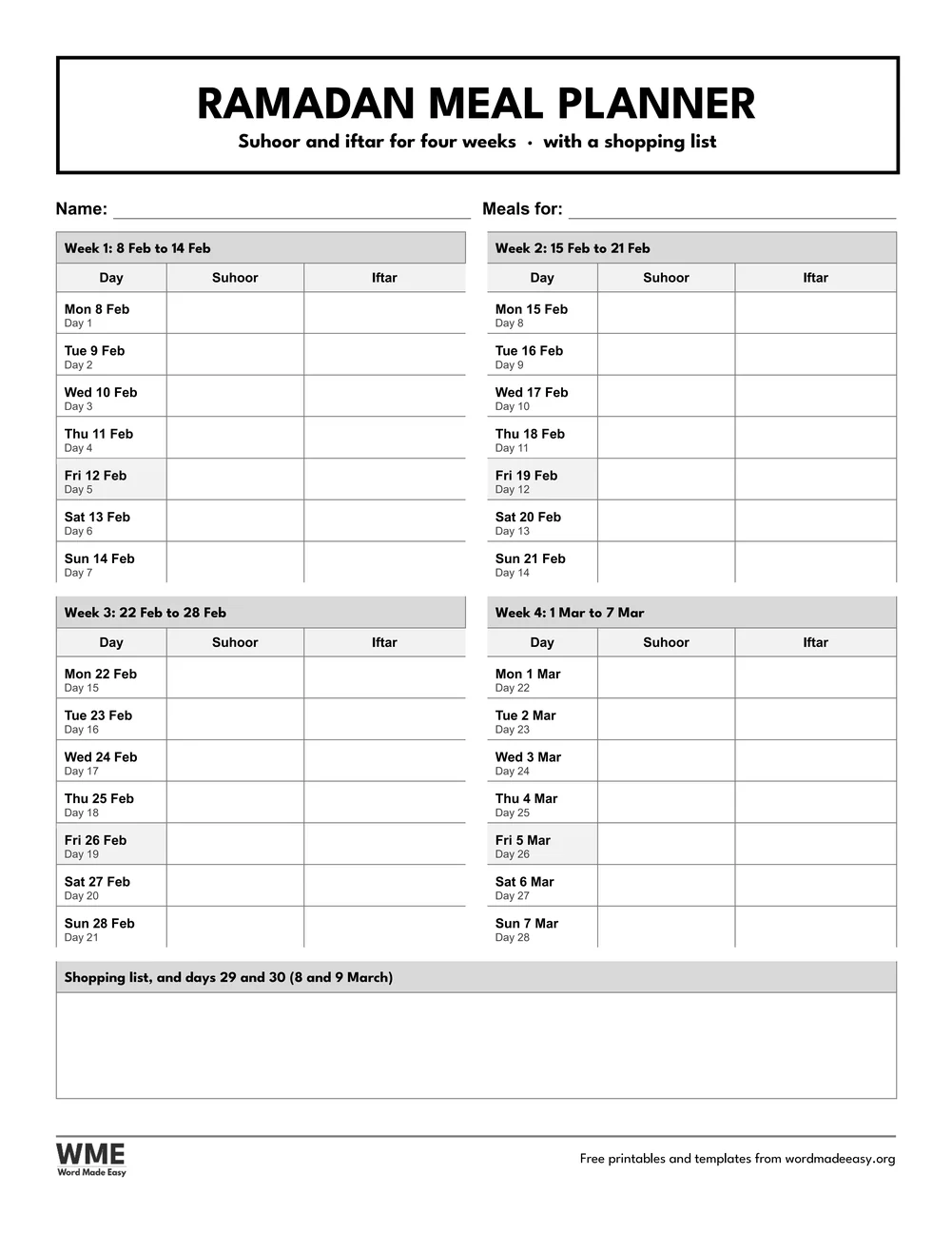
| Ramadan Meal Planner | Suhoor and iftar for four weeks |
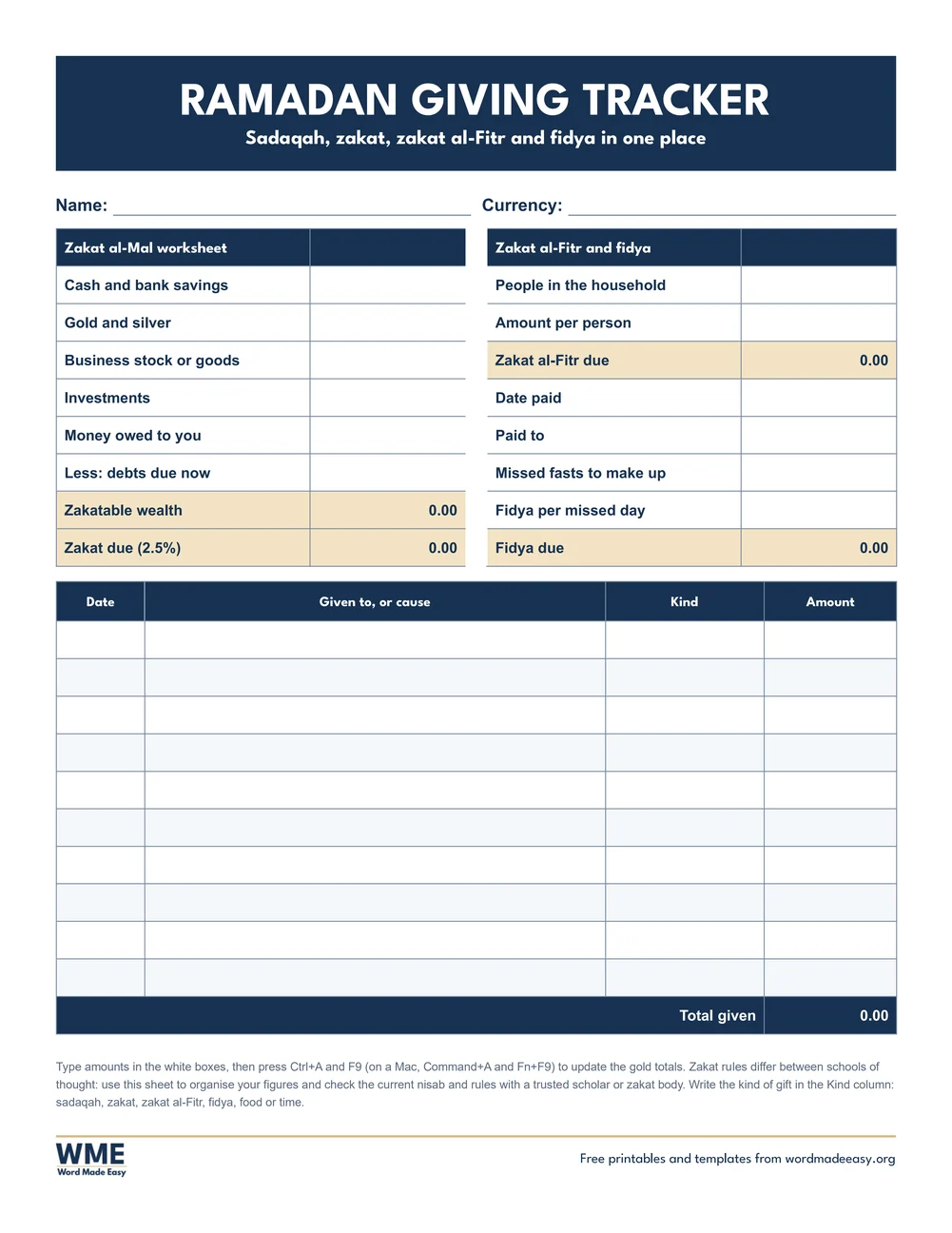
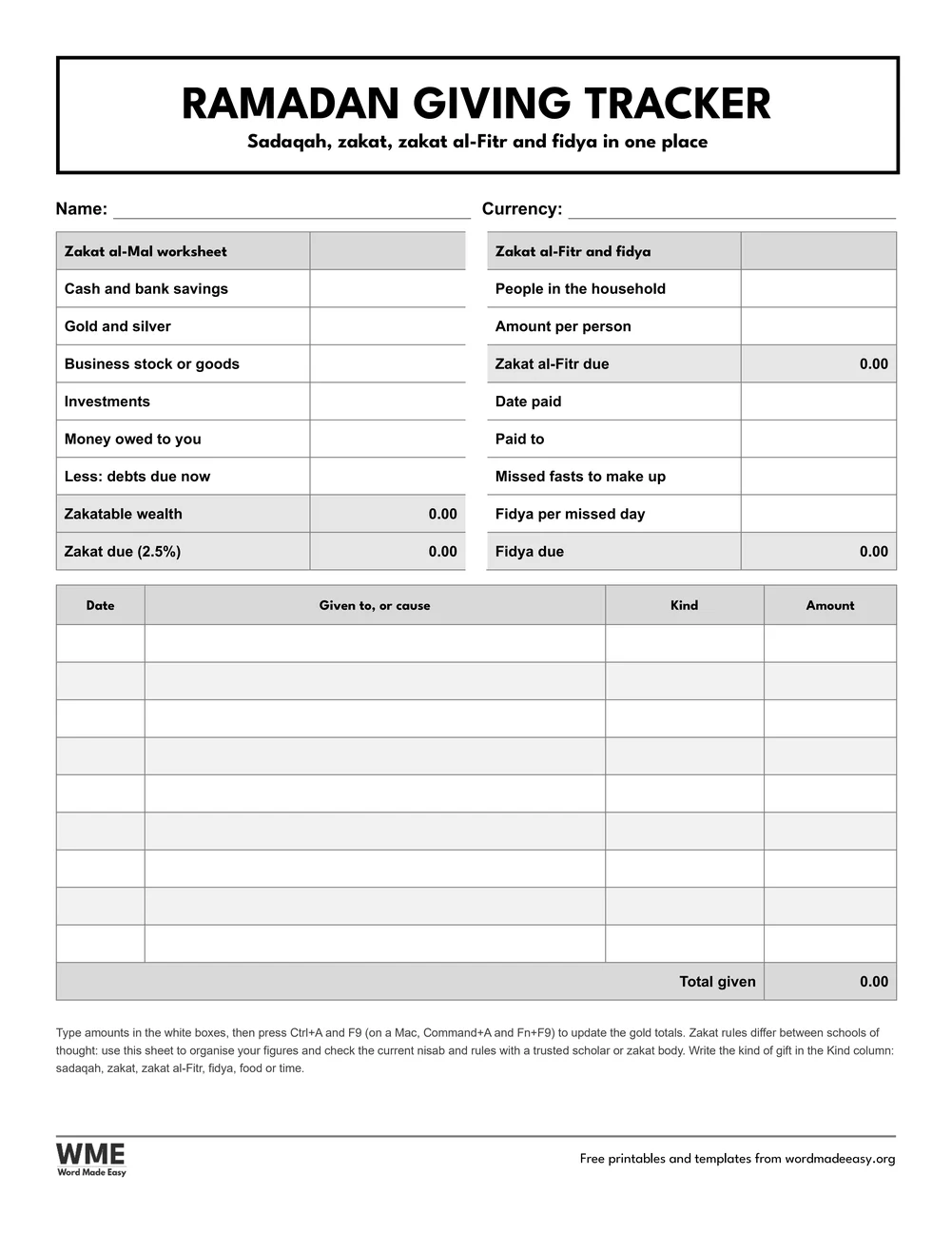
| Ramadan Giving Tracker | Sadaqah log, zakat worksheet, zakat al-Fitr and fidya |
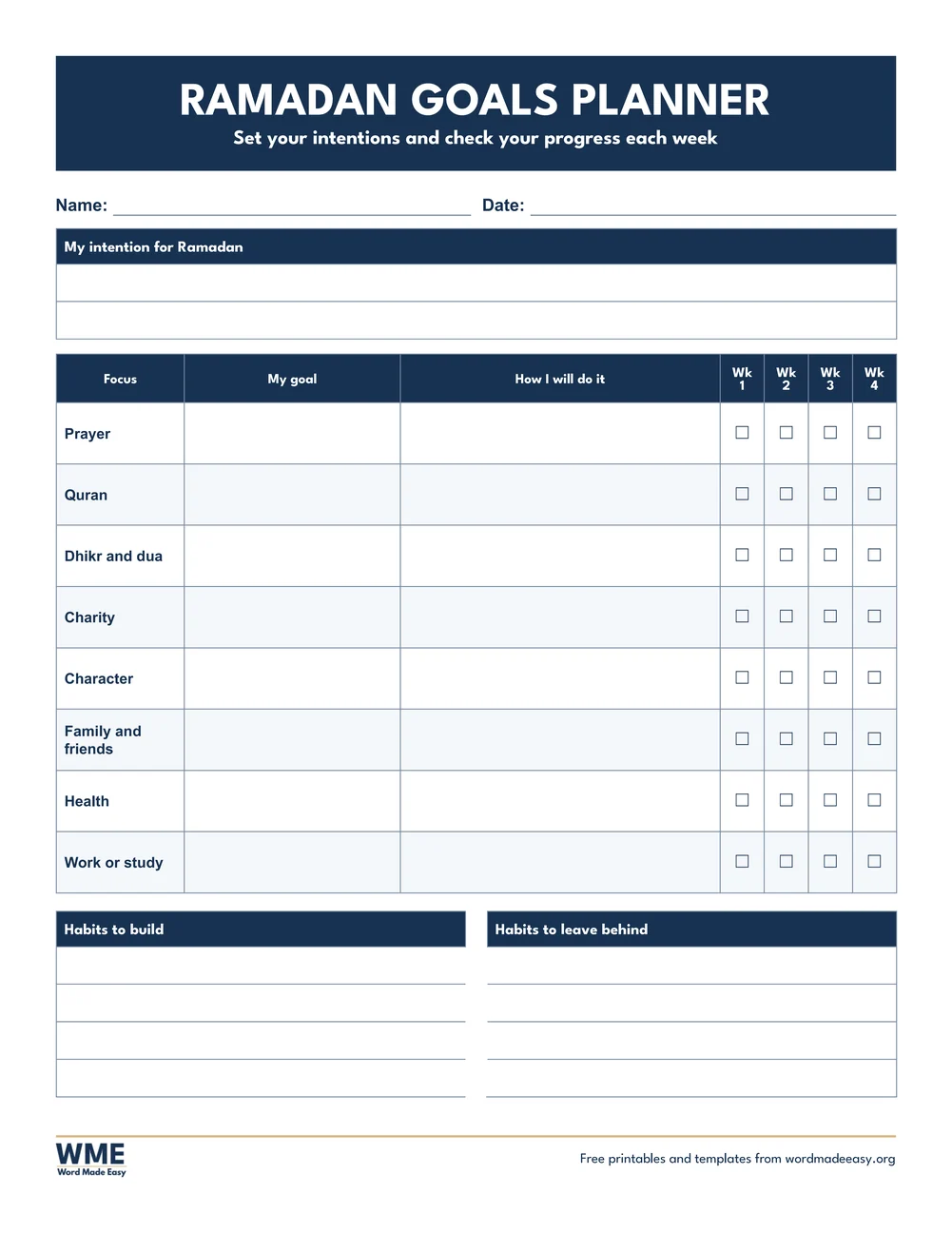
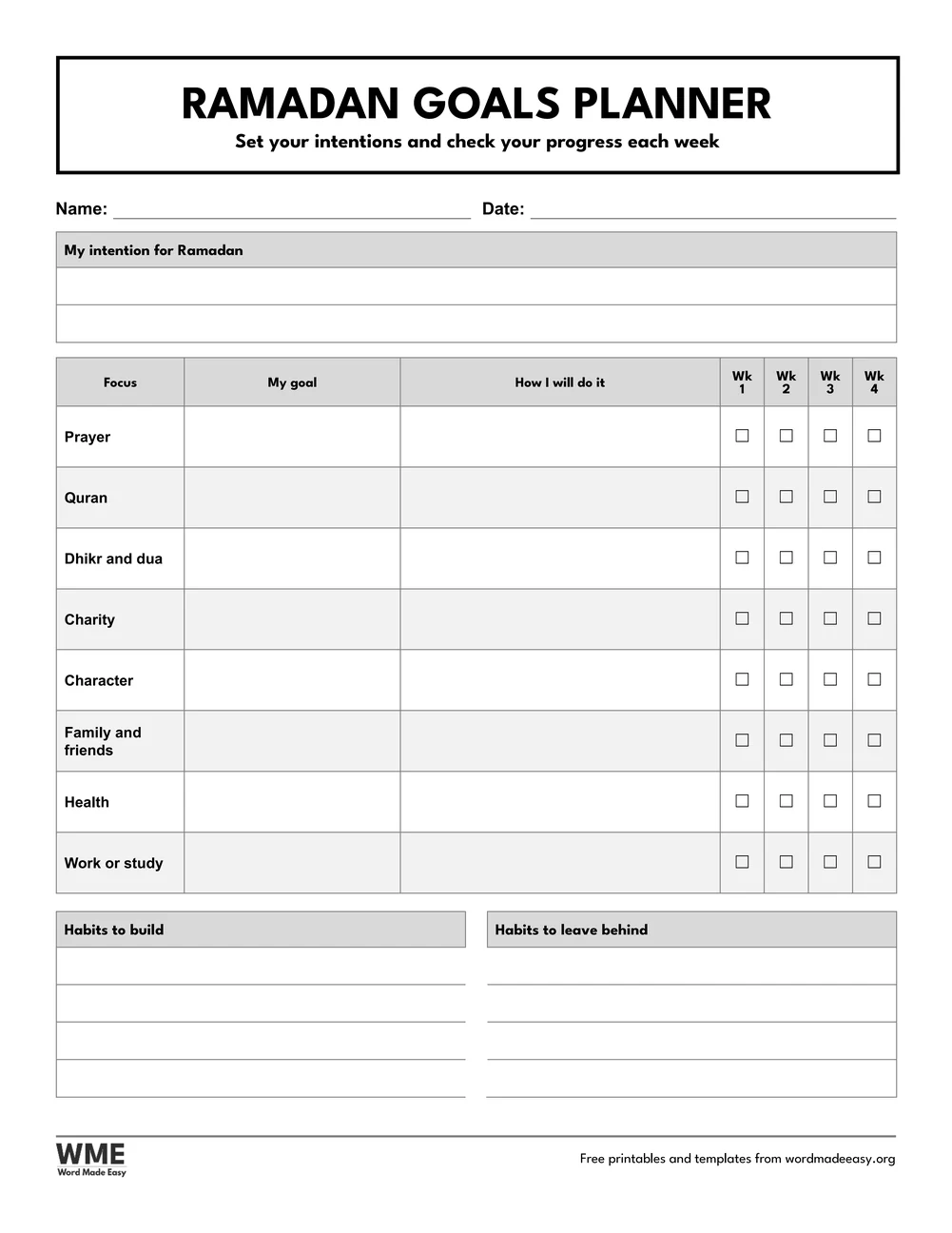
| Ramadan Goals Planner | Intentions, eight focus areas with weekly check boxes |
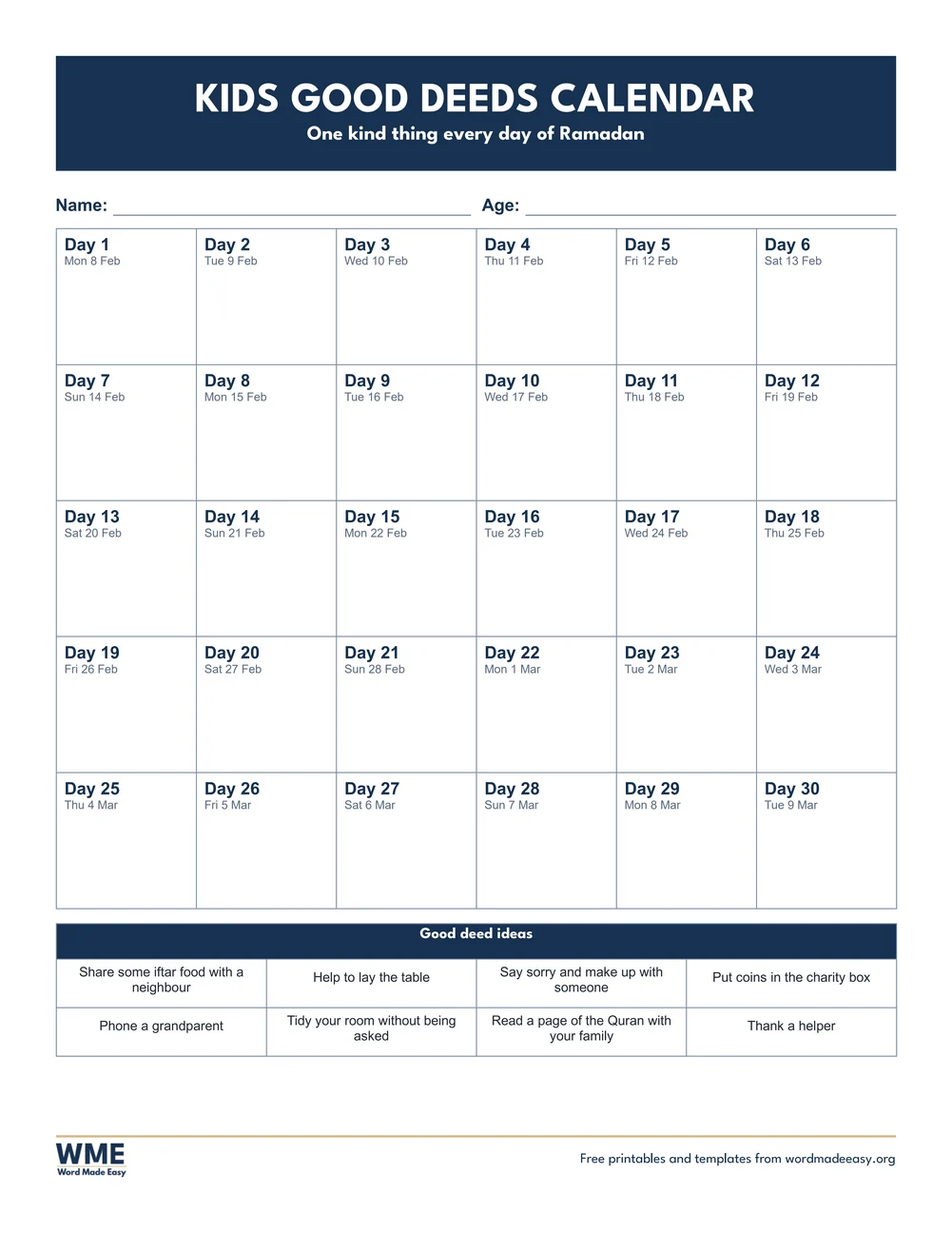
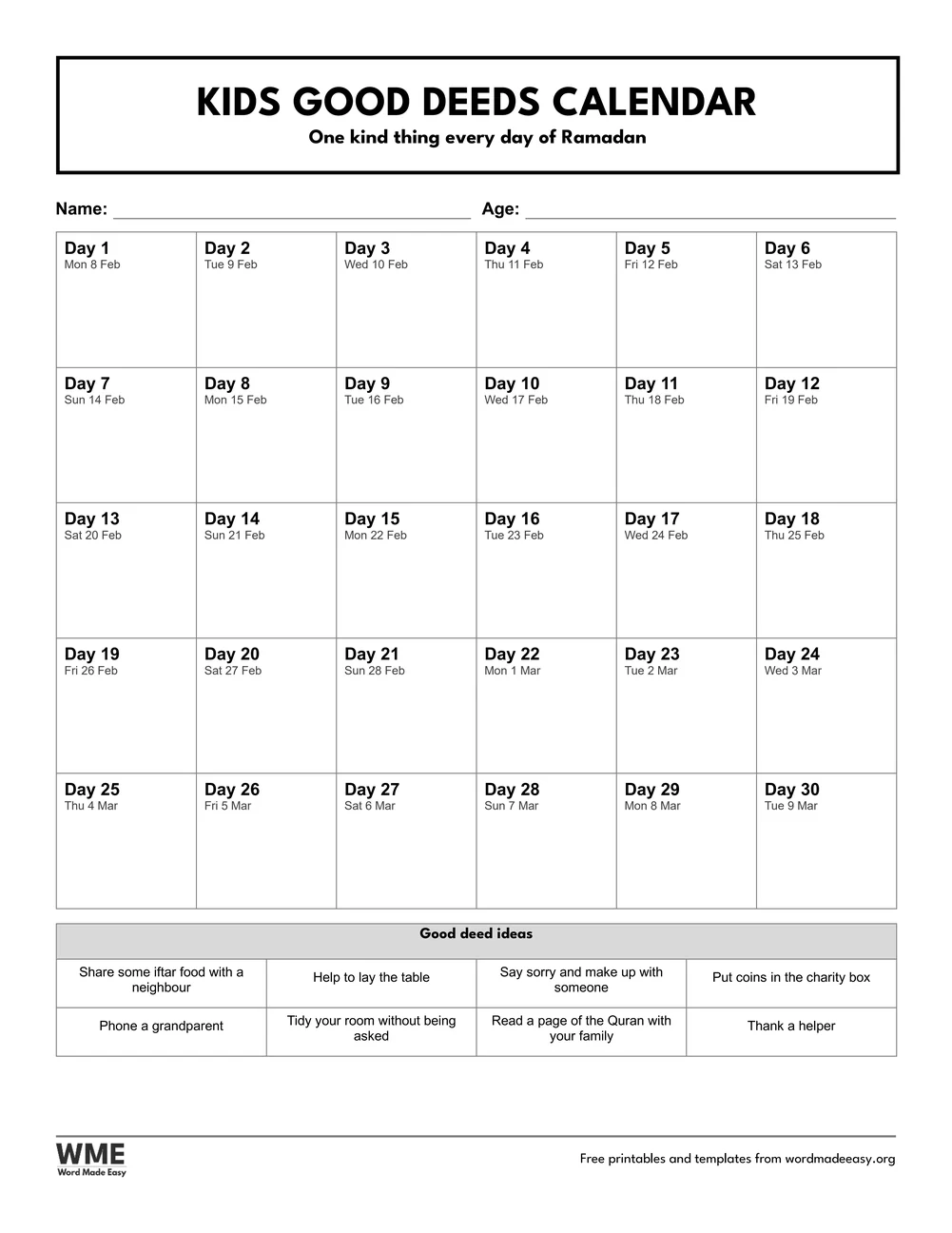
| Kids Good Deeds Calendar | A box for each of the 30 days |
👉 Type in the boxes before printing or print blank and tick by hand. On the giving tracker, press Ctrl + A then F9 to update the zakat sums. The dates are projections and can move by a day.
What Is in a Ramadan Planner?
Ramadan is a month for routine, so most planners track the same few things day by day: whether you fasted, which of the five daily prayers and Taraweeh you prayed and how many Quran pages you read. Around that sit planning pages for suhoor and iftar meals, a record of charity and a page for the personal goals you want the month to build. Ramadan 2027 is expected to begin on Monday 8 February, based on the Umm al-Qura calendar, with Eid al-Fitr on 9 or 10 March. The start depends on moon sighting, so the dates can move by a day; type over the dates if yours differ.
Which Ramadan Planner Page Should You Use?
- Prayer and Fasting Tracker: 30 days with tick boxes for fasting, the five prayers and Taraweeh, plus Quran pages and notes.
- Ramadan 2027 Calendar: 8 February to 9 March with Fridays, the last ten days and Eid marked.
- Daily Ramadan Planner: one day with suhoor, iftar, prayers, Quran, dua and gratitude.
- Quran Reading Tracker: all 30 juz with a tick box and a finish date for each.
- Meal Planner: suhoor and iftar for four weeks with a shopping list.
- Giving Tracker: a sadaqah log, a zakat worksheet, zakat al-Fitr and fidya. It gives no nisab figure: check the amount with a scholar.
- Goals Planner: your intentions, eight focus areas with weekly check boxes and habits to build.
- Kids Good Deeds Calendar: a box for each of the 30 days and eight good deed ideas for children to tick off.
- Planning the year beyond Ramadan? See the 2027 calendar templates.
How to Set Up Your Ramadan Planner
- Download the ZIP, choose the pages you need and open them in Word.
- Type your name and Quran goal on the tracker, and check the dates against your local moon sighting.
- Fill in the meal planner and shopping list before the first week.
- Print, then tick the boxes each day, or tick them on screen by clicking.
- Review the goals page after the first ten days and again before the last ten.
Print the tracker and the calendar together and keep them in one folder. Begin the Quran tracker with a realistic daily page count, and use the last ten days, shaded on the tracker, for your extra effort. For routines after the month, the checklist templates work well.
Black and White Versions
Every Ramadan planner page also comes in black and white: navy becomes black and the shading a light grey, so the pages print cheaply at home. In the download box, choose Colour, Black and white or All, then US Letter, A4 or both.
How to Print the Ramadan Planner
Want to print without editing? Every download has three folders: the editable Word files, the same sheets as PDFs, and every page as a print-ready image (JPEG), so you can print straight away without opening Word.
Print at 100% (Actual size) on the paper in the file name, US Letter or A4. If you will tick boxes on screen, click a box to tick it before printing.
FAQs
Are these Ramadan planner templates free?
Yes. All eight pages are free: choose US Letter or A4, colour or black and white, and download them in one ZIP file with Word, PDF and image versions.
When does Ramadan 2027 start?
It is expected to start on Monday 8 February 2027 (Umm al-Qura calendar), but moon sighting can move it by a day.
When is Eid al-Fitr 2027?
Expected on 9 or 10 March 2027, depending on the sighting of the moon.
Can I change the dates?
Yes. Every date is typed text in a Word table, so type over it if your country starts on a different day.
Does the zakat page tell me how much to give?
No. It gives a worksheet and leaves the figures to you; check the nisab and your amount with a scholar.
Can I print the planner without colour ink?
Yes. Each of the eight pages has a black and white twin; pick it in the download box.
Conclusion
Eight Ramadan planner pages for 2027, from a daily tracker to a good deeds calendar for children.
Choose your paper size above and download the ZIP. To plan the rest of the year, see the 2027 calendar templates.
Related Tutorials
- Free 2027 Calendar Templates for Word
- Free Checklist Templates for Word
- Free Student Planner Templates for Word
Word Templates
Recently Added Word Templates
Browse the complete collection of free printable Word templates for home and school, all made by a teacher.
New to Word? Our Word tutorials show you how to edit and print your templates.
Leave a comment
Have a question about these templates, or an idea for a new one? Ask below.