
Free APA Format Templates for Word: APA 7 Student and Professional Papers
Choose your country, preview every template, then download your Word templates in one small ZIP file.
Made by a teacherA4 and US Letter6 Word documentsFree


Can’t find the template you need? Request a template and I’ll make it in Word, free.
Get new free printables first: follow Word Made Easy on Pinterest
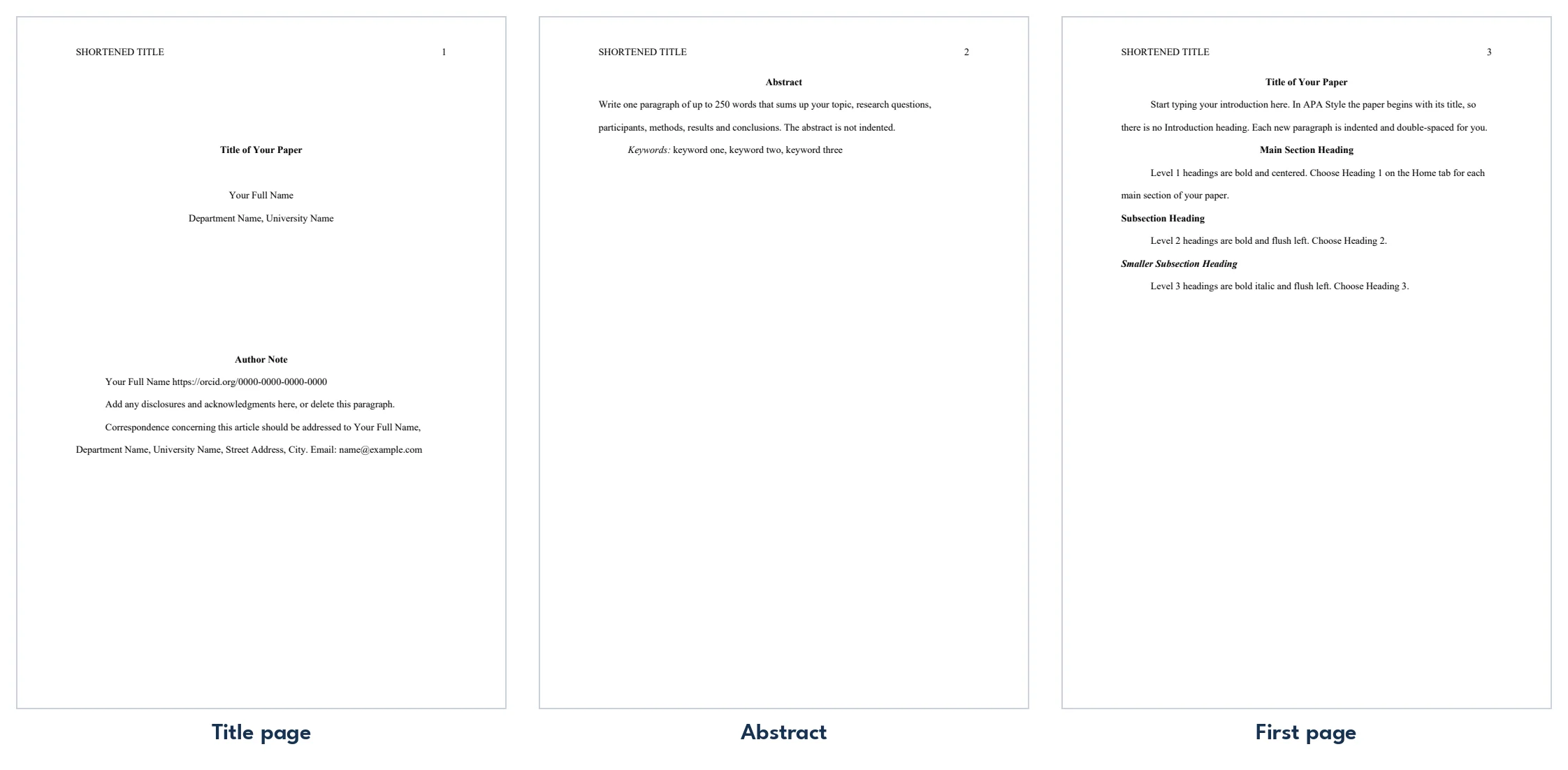
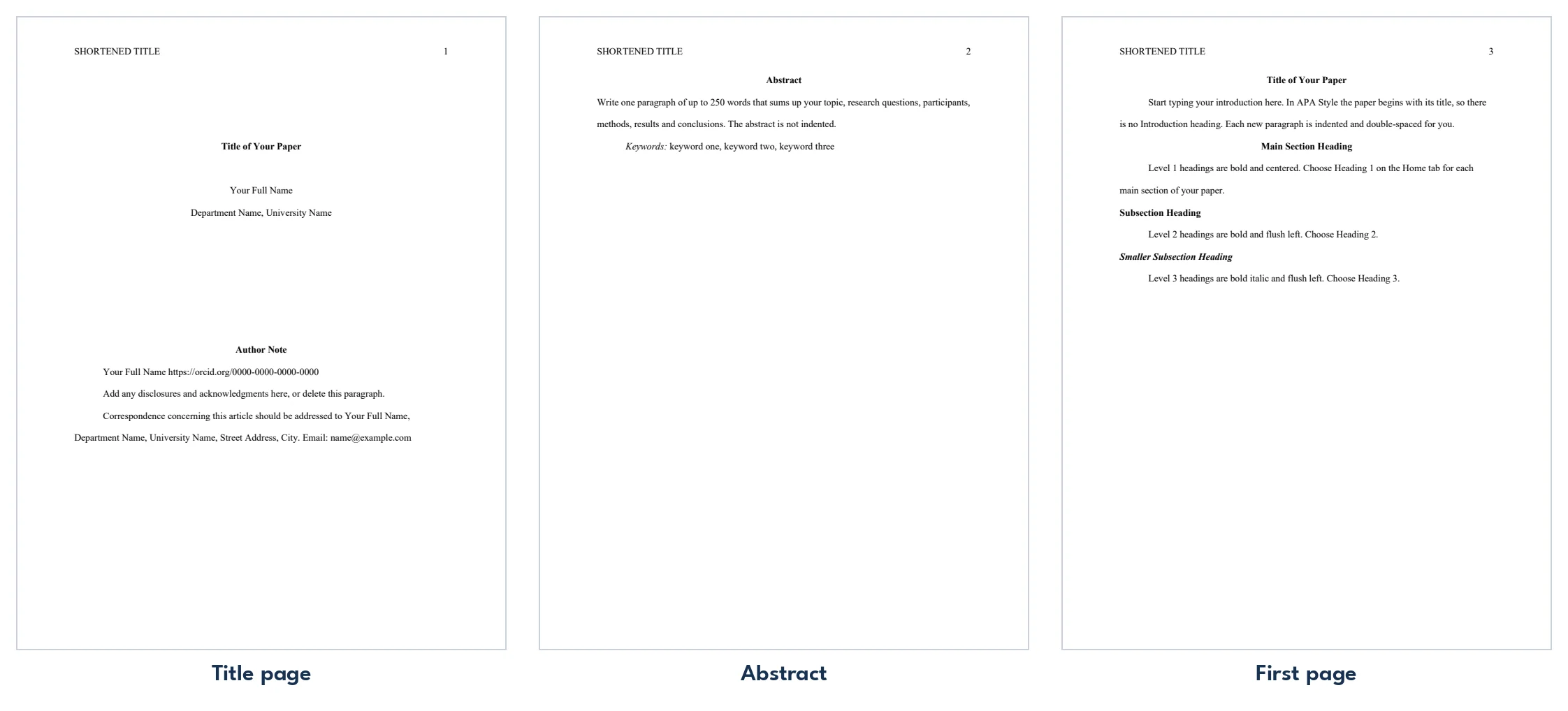
These free APA format templates give you 3 designs as Word documents on US Letter and A4: an APA 7 student paper, an APA 7 professional paper and a References page on its own, with the margins, font, double spacing, headings and page numbers already set. I’m Patrick Elliott, a teacher and Inclusion Lead. I built these so a student never has to fix margins, spacing or headings again: every setting is already in place, checked against APA’s own title page guide and sample student paper.
In this guide, you’ll find which APA template to choose, how to fill it in step by step, and how to add headings and references without breaking the formatting.
What’s in the APA Format Templates
| Paper | Template | What’s inside |
|---|---|---|
| A4 | APA 7 Student Paper | Title page, first page of text with headings, and a References page |
| A4 | APA 7 Professional Paper | Running head, title page with author note, abstract, text and References |
| A4 | APA 7 References Page | A References page on its own, with the hanging indent set |
| US Letter | APA 7 Student Paper | Title page, first page of text with headings, and a References page |
| US Letter | APA 7 Professional Paper | Running head, title page with author note, abstract, text and References |
| US Letter | APA 7 References Page | A References page on its own, with the hanging indent set |
👉 Click any line and type: your title fills the title page and the first page at once, and each box disappears as you type, so the paper you hand in is clean.
What Is APA Format?
APA format is the writing style of the American Psychological Association, used for papers in psychology, education, nursing, business and the social sciences. The 7th edition asks for 1 inch margins, a readable font such as 12 point Times New Roman, double spacing, a title page, a page number on every page and a References list with a hanging indent. These templates follow the APA 7 rules for student and professional papers, checked against APA’s own title page guide and sample student paper. For every setting explained one by one, see how to format APA in Word.
Which APA Template Should You Use?
- APA 7 student paper: for most class assignments. A title page with your name, university, course, instructor and due date, a page number on every page, a first page with headings and a References page.
- APA 7 professional paper: for a journal or thesis, or when your instructor asks for a running head and an abstract. It adds the shortened title in capitals at the top of every page, an author note and an abstract page.
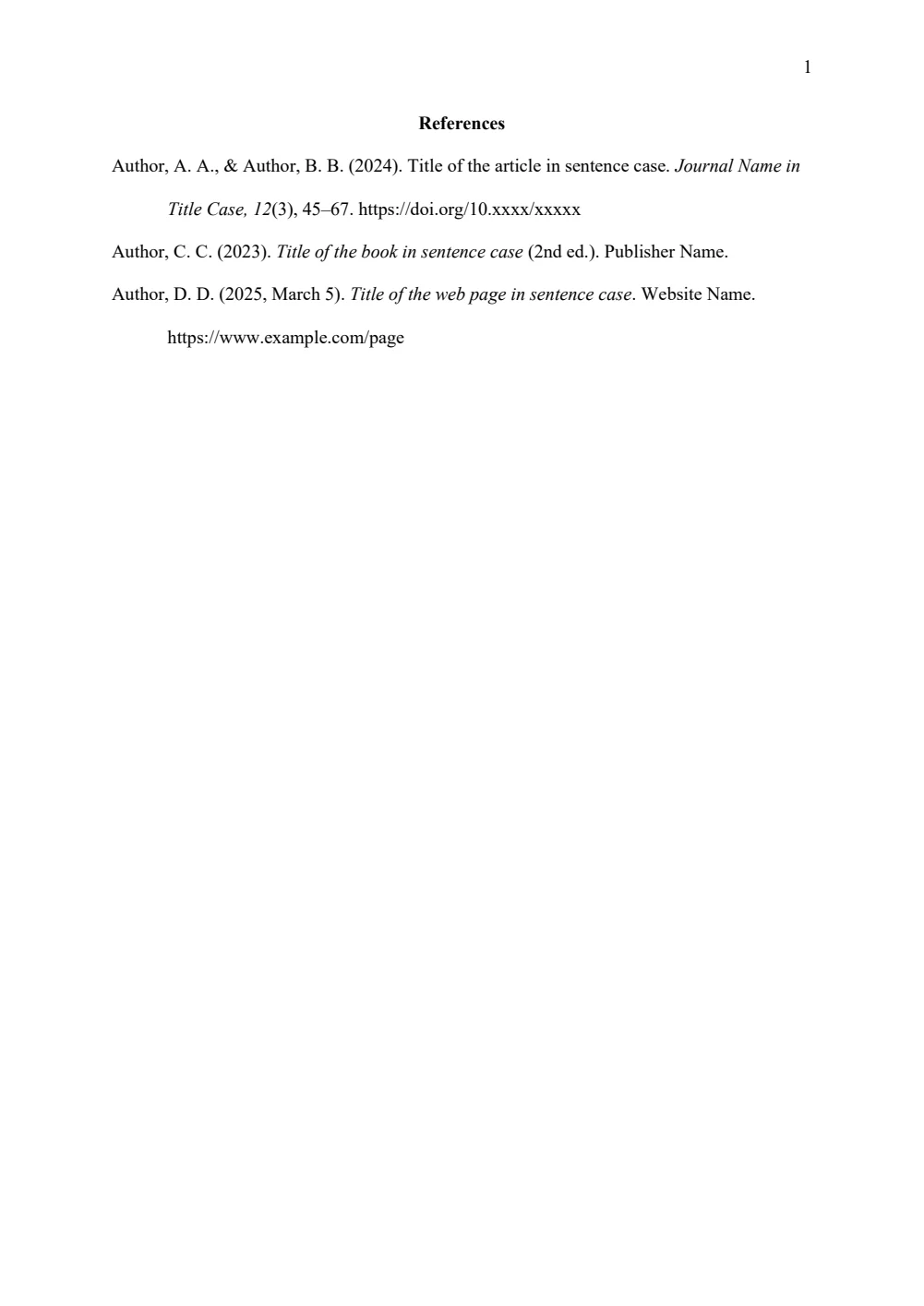
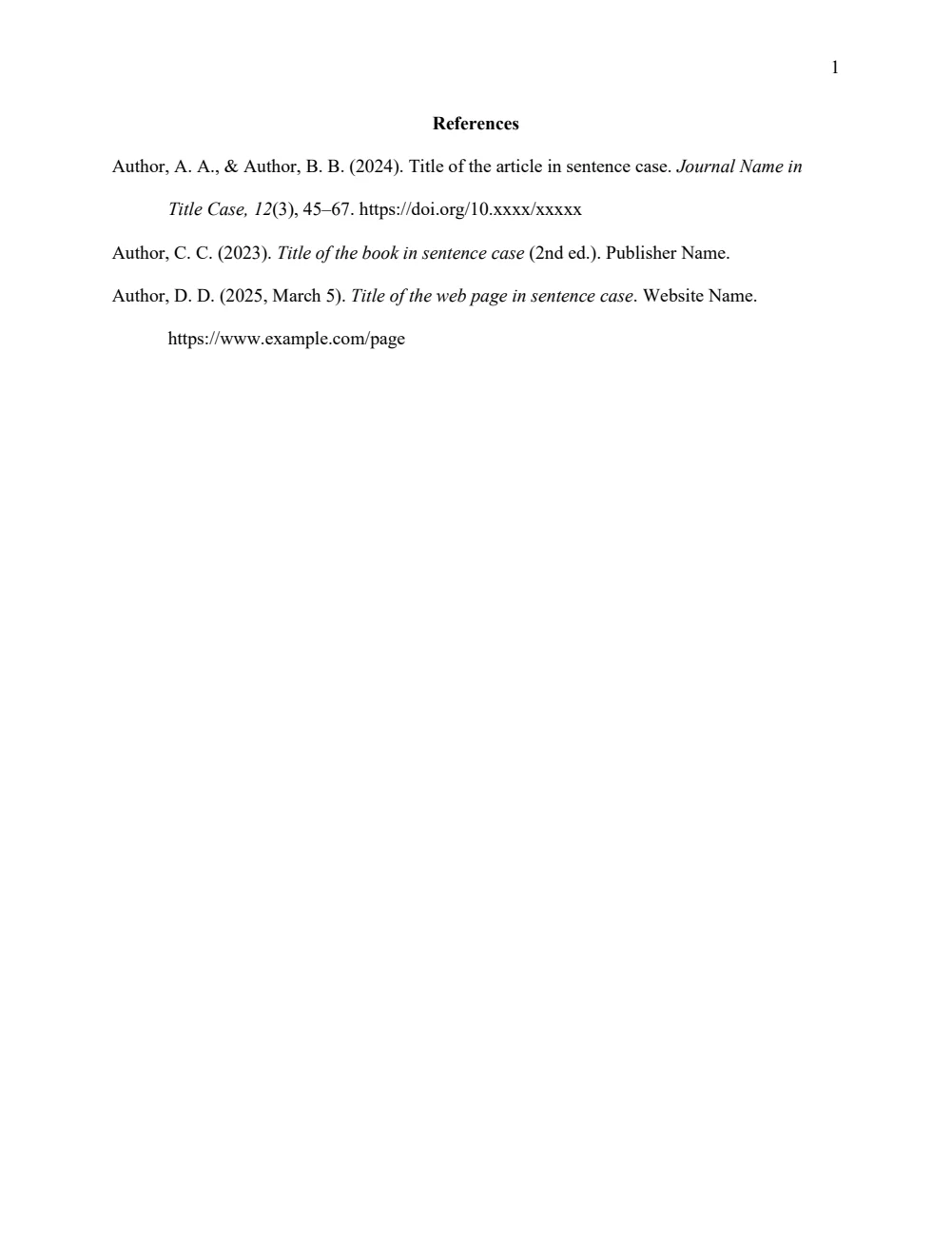
- APA 7 References page: when your paper is already written and you only need the reference list set out correctly.
- Not sure? Use the student paper. APA 7 says student papers need no running head or abstract unless your instructor asks for one.
How to Use the APA Template in Word
- Choose your paper size above, download the ZIP and open APA 7 Student Paper. Save a copy under your own name before you start.
- Click Title of Your Paper and type your title in title case. It appears on the title page and at the top of page 2 at the same time.
- Click each line under the title and type your full name, your department and university, the course number and name, and your instructor’s name.
- Click the due date, click the small arrow and pick the date from the calendar. Word writes it in APA style, for example November 20, 2026 (20 November 2026 on the A4 files).
- On page 2, click the first paragraph and start writing your introduction. Press Enter for each new paragraph: the indent and double spacing are already set.
- Replace the example headings with your own, or delete the ones you don’t need.
- On the References page, type over the example entries with your sources, then save and hand in the Word file.
Your instructor’s instructions always come first. If they ask for a running head and an abstract, use the professional paper. Every box disappears once you type in it, and Word’s spelling check works as normal.
Add a Heading
Type the heading on its own line, then click Heading 1, Heading 2 or Heading 3 in the Styles gallery on the Home tab. Level 1 is bold and centered, for main sections such as Method and Discussion. Level 2 is bold on the left, and level 3 is bold italic on the left. Press Enter after a heading and Word goes straight back to indented, double-spaced text. Don’t add an Introduction heading: in APA the paper begins with its title.
Add a Level 4 or Level 5 Heading
In APA, level 4 and 5 headings start the paragraph, end with a period, and the text carries on after them on the same line.
- Type the heading, ending with a period, and press Enter.
- Type the paragraph that goes with it.
- Click in the heading and choose Heading 4 (bold) or Heading 5 (bold italic).
- Click at the very end of the heading and press Ctrl + Alt + Enter.
👉 Word joins the two: the heading stays bold and the paragraph continues on the same line, indented half an inch.
Add Your References
Click an example entry on the References page and type your source over it, following the same pattern: author, year, title, then the journal or publisher and the DOI or web address. Press Enter after each one and the hanging indent and double spacing carry on. Put the entries in alphabetical order by the first author’s last name, and delete any examples you don’t use. To set a hanging indent anywhere else, see how to do a hanging indent in Word.
Quote a Long Passage
For a quotation of 40 words or more, start it on a new line and choose Block Quotation in the Styles gallery on the Home tab. Word indents the whole passage half an inch and keeps it double-spaced. Leave out the quotation marks and put the citation after the final punctuation mark.
Paste Text Without Breaking the Formatting
Text copied from a website or another document brings its own font and spacing with it. In Microsoft 365, press Ctrl + Shift + V to paste it as plain text, or go to Home > Paste > Keep Text Only in any version. The pasted text then takes on the paper’s font, spacing and indent.
Change the Font
The templates use 12 point Times New Roman. APA also accepts 11 point Calibri, 11 point Arial, 11 point Georgia and 10 point Lucida Sans Unicode. To switch, press Ctrl + A, choose the font and size on the Home tab, then double-click the page number at the top of the page and change it there too.
Check Before You Hand It In
- No example text is left: search for Author, A. and Level 1 headings with Ctrl + F.
- The references are in alphabetical order and every source you cite is on the list.
- The page number shows on every page, starting with 1 on the title page.
- Your file name includes your name, if your instructor asks for it.
How to Hand In or Print Your Paper
Most instructors want the Word file, so upload the .docx itself. To make a PDF, go to File > Save As and choose PDF. If you print, print single-sided at 100% on US Letter, or A4 if that is your school’s paper size.
FAQs
Are these APA templates free?
Yes. Choose A4 or US Letter and download all the Word templates in one ZIP file at no cost.
Who made these APA templates?
Patrick Elliott, a teacher and Inclusion Lead, built every APA template by hand in Microsoft Word.
Are these templates APA 7th edition?
Yes. They follow the APA 7 rules for student and professional papers: title page, fonts, 1 inch margins, double spacing, page numbers, the five heading levels and a References page with a hanging indent.
Do I need a running head in an APA student paper?
No. APA 7 student papers have only a page number at the top of each page. Use the professional paper if your instructor asks for a running head.
Will the template work in Google Docs or on a Mac?
The formatting is standard Word formatting, so the margins, spacing, styles and page numbers open in other versions of Word and in Google Docs. The click-and-type boxes work best in the Word app; elsewhere they may become ordinary text that you select and type over.
Why does my date not look right?
Pick the date from the calendar arrow rather than typing it. If you type it, write it out in full, for example November 20, 2026.
Conclusion
These APA format templates take care of every setting, human-made by a teacher in Microsoft Word, so you can spend your time on the writing.
Choose your paper size above, download the ZIP, and if your class uses MLA instead, try the MLA format templates.
Related Tutorials
- Free MLA Format Templates for Word
- How to Format APA in Word: Easy Step-by-Step Guide
- APA and MLA Shortcuts in Word: 26 Essential Keys (Free PDF)
Word Templates
Recently Added Word Templates
Browse the complete collection of free printable Word templates for home and school, all made by a teacher.
New to Word? Our Word tutorials show you how to edit and print your templates.


Leave a comment
Have a question about these templates, or an idea for a new one? Ask below.