
Free Item Analysis and MPS Templates for Word, With Automatic Remarks
Preview every template, choose colour or black and white and your paper size, then download your Word templates in one small ZIP file.
Made by a teacherLong bond and A412 Word documentsFree
Can’t find the template you need? Request a template and I’ll make it in Word, free.
Get new free printables first: follow Word Made Easy on Pinterest
These free item analysis templates give you 3 designs as Word documents on long bond (8.5 x 13 in) and A4: an item analysis for items 1 to 50, an MPS summary per section, and a least mastered competencies and intervention plan, each in colour and in black and white. Every template is human-made by a teacher: I’m Patrick Elliott, a teacher and Inclusion Lead, and I designed and built each one myself in Microsoft Word, then printed them to check they line up and fill the page as they should.
In this guide, you’ll find how item analysis and MPS work, which template to use, and how to make Word work out the results.
What’s in the Item Analysis and MPS Templates, With Automatic Remarks
| Paper | Template | Best for |
|---|---|---|
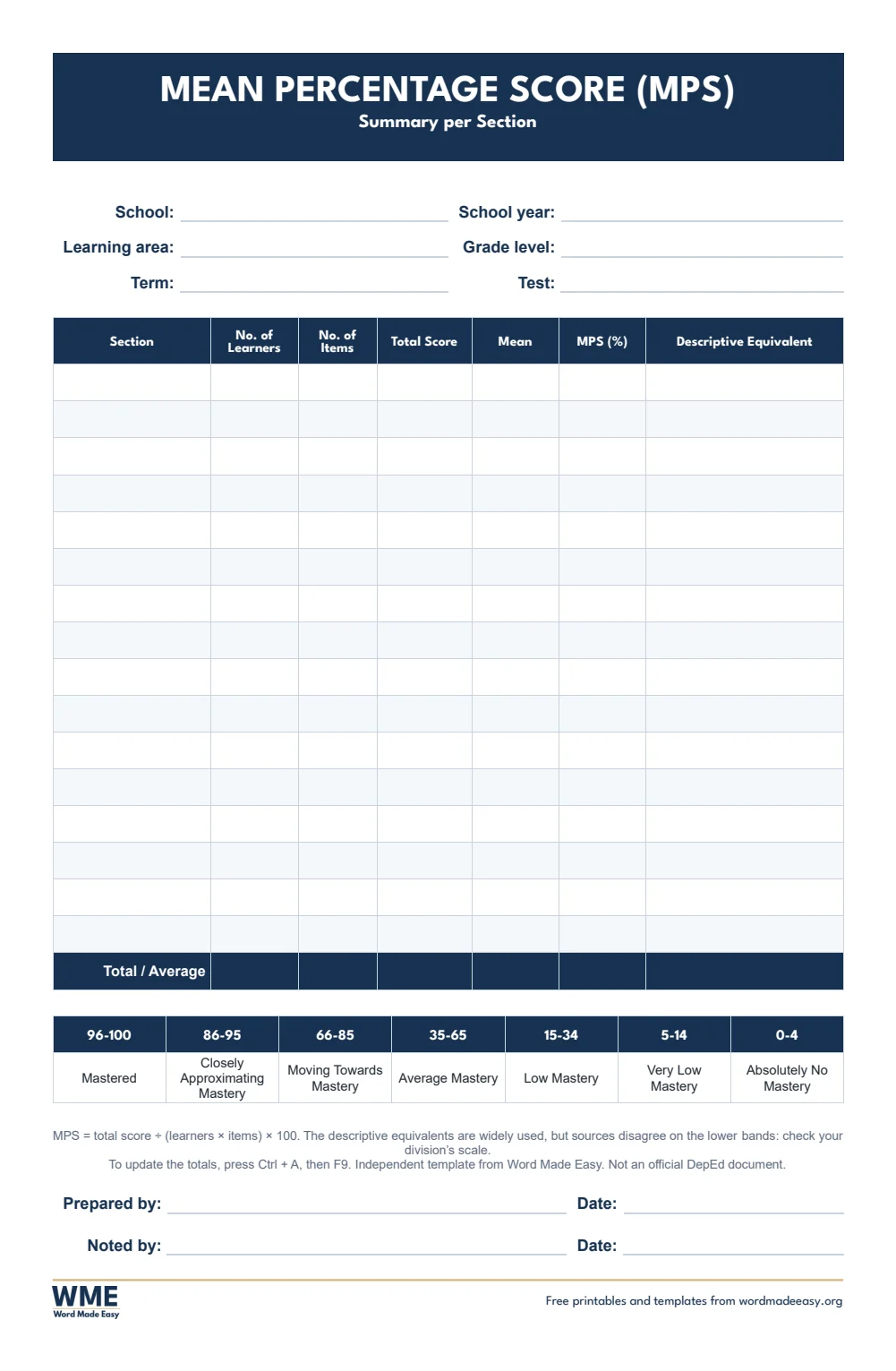
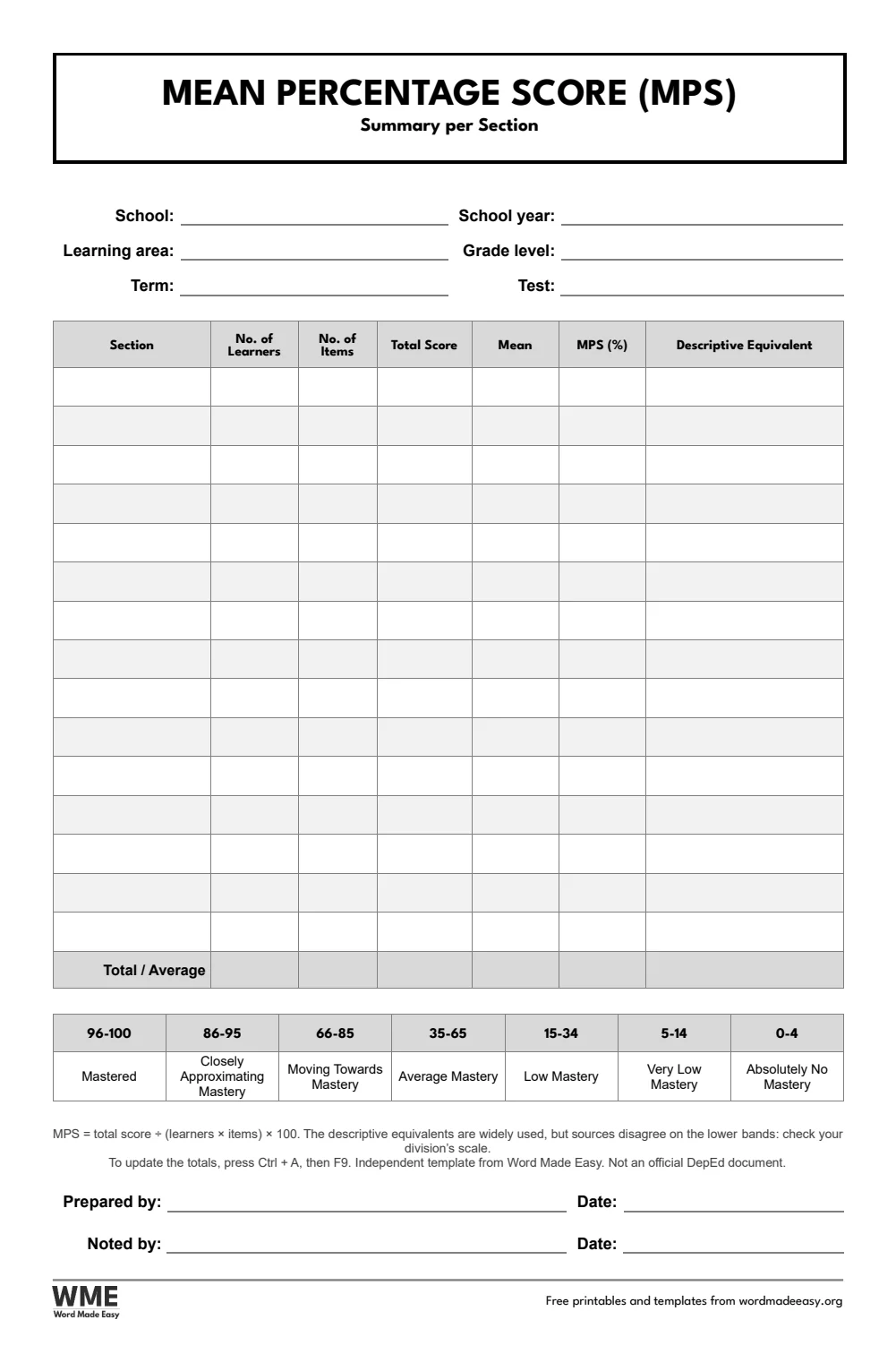
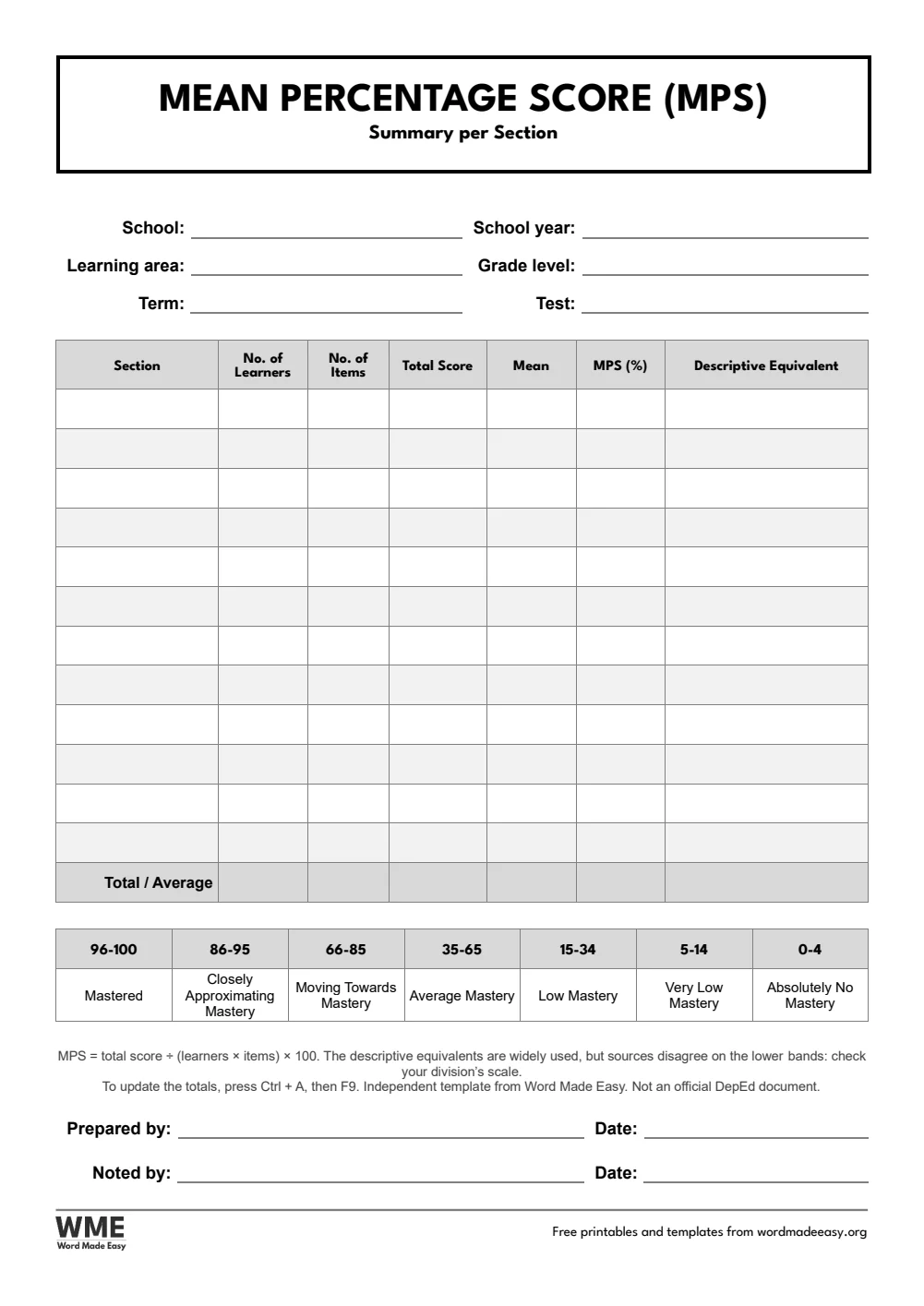
| Long bond (8.5 x 13) | MPS Summary per Section | Learners, items, total score, mean and MPS per section, with the descriptive equivalent |
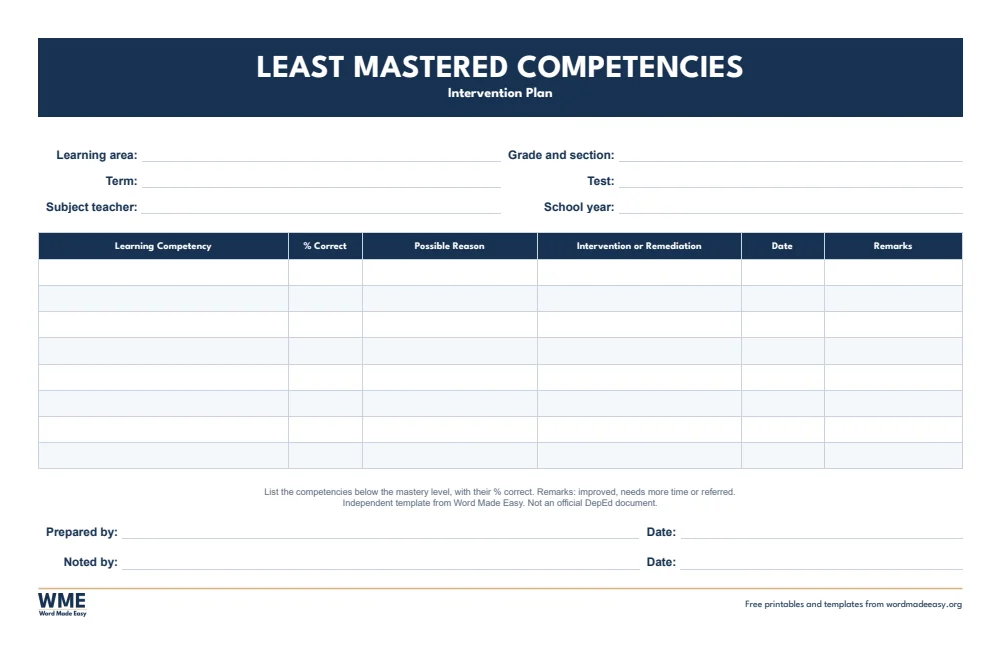
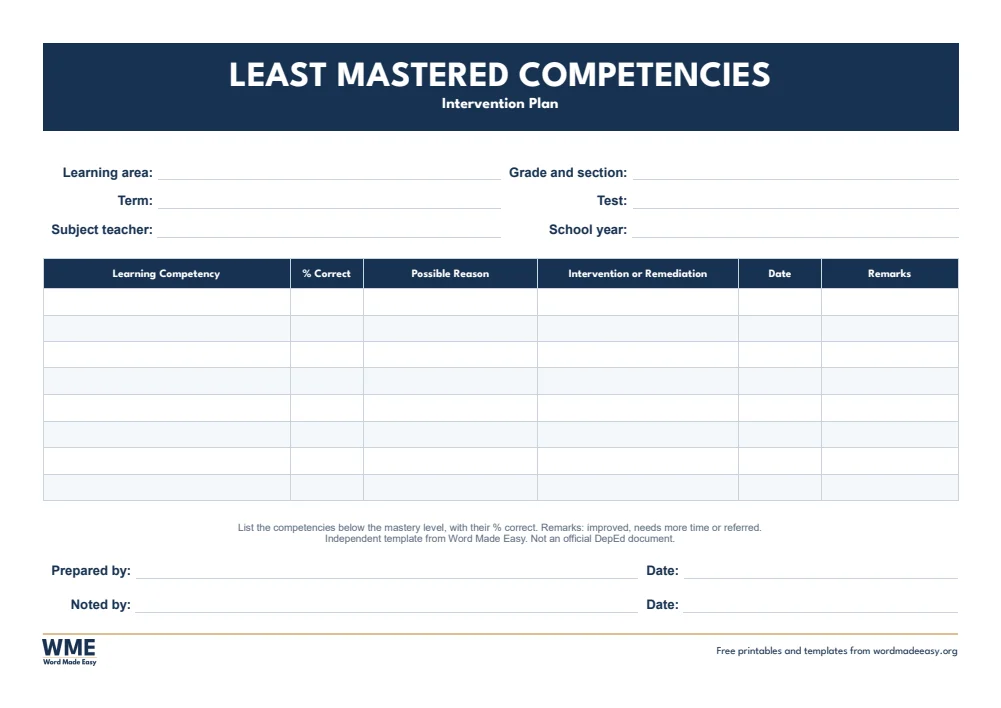
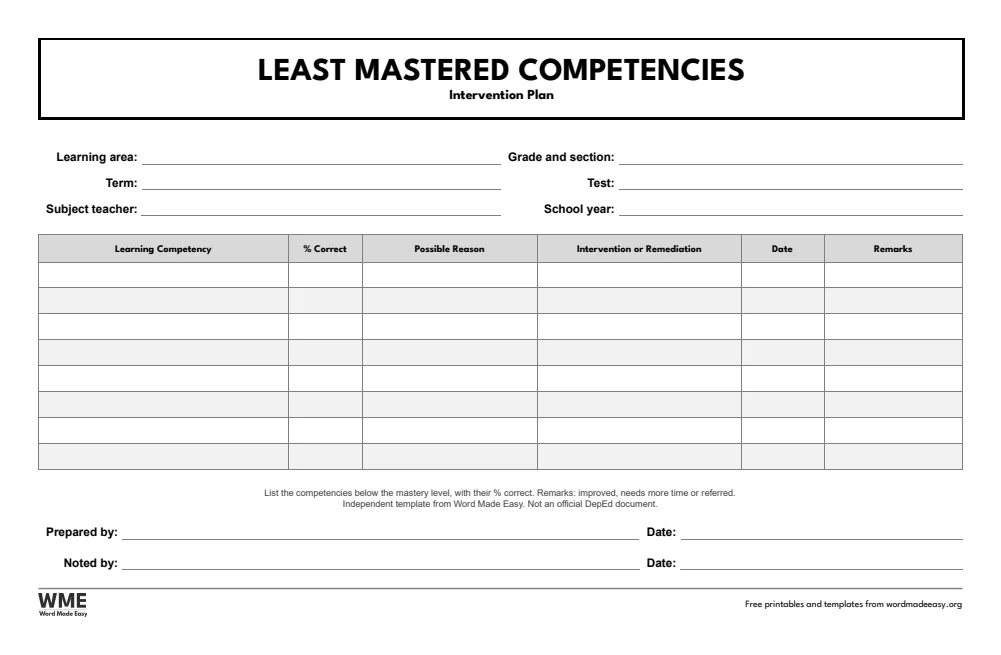
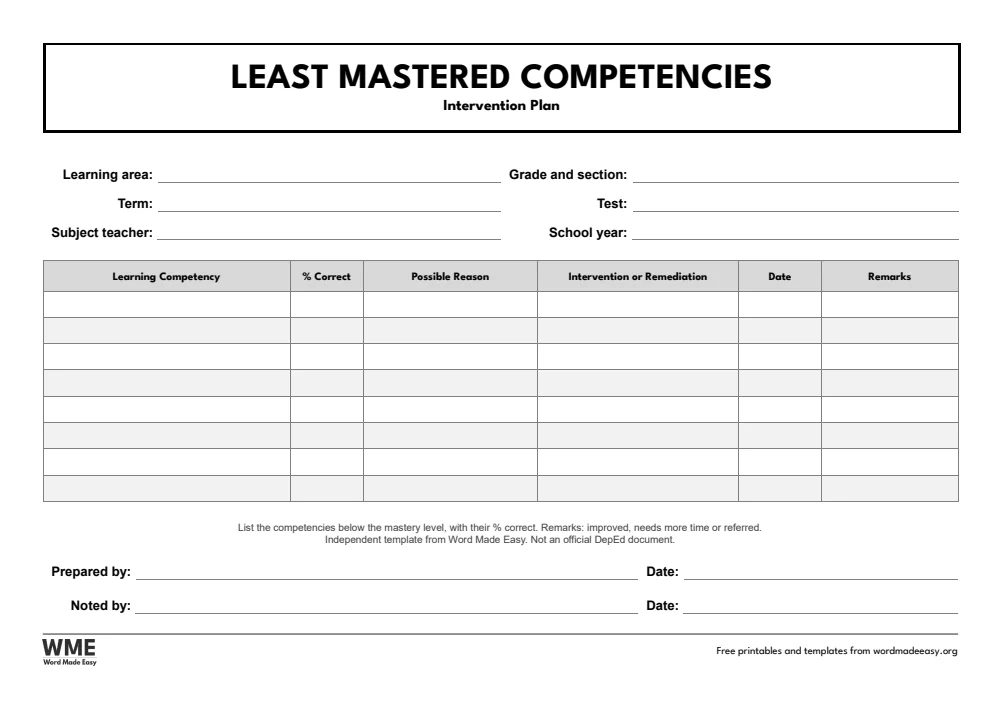
| Long bond (8.5 x 13) | Least Mastered Competencies and Intervention Plan | Competency, % correct, possible reason, intervention, date and remarks |
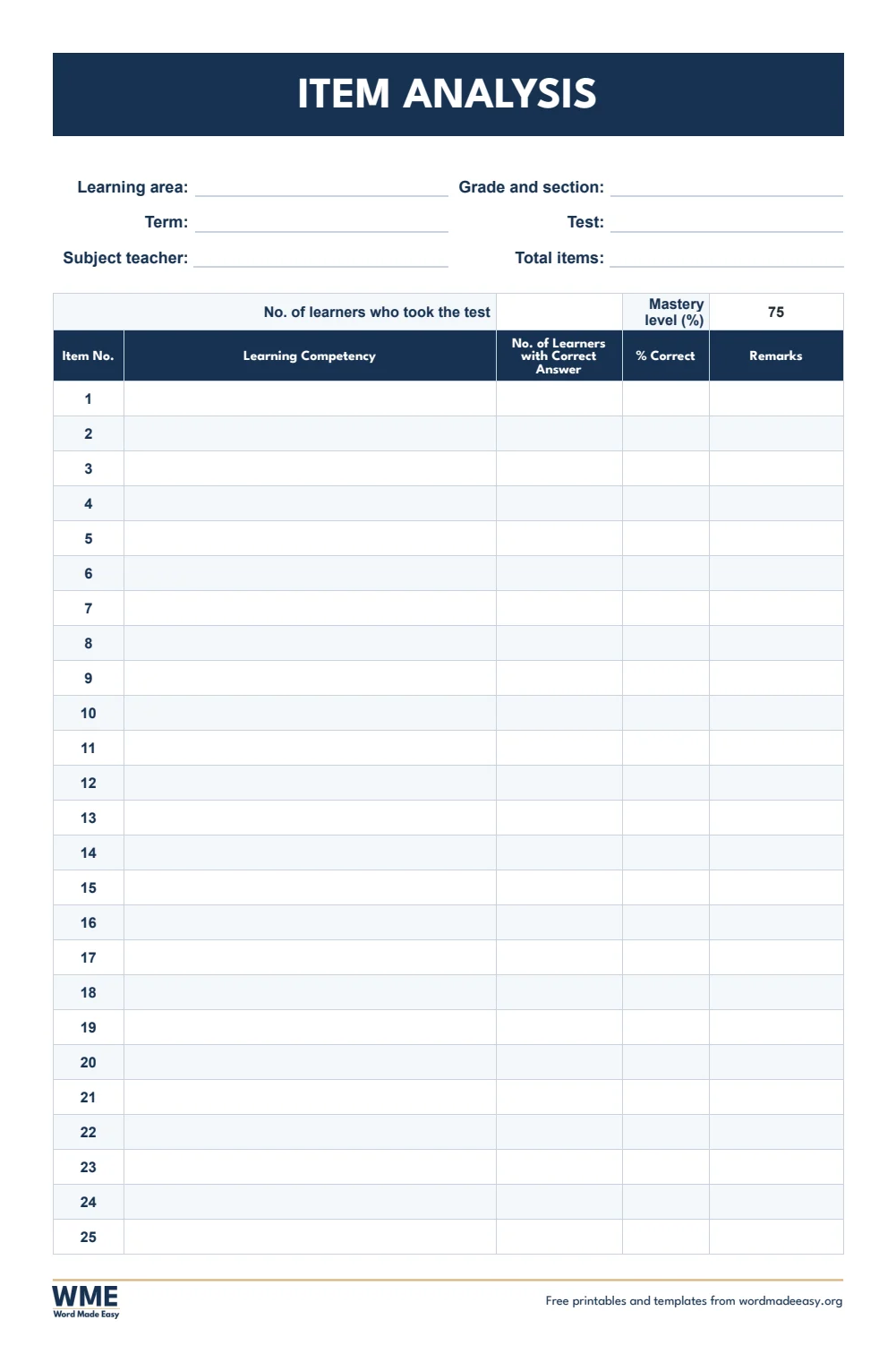
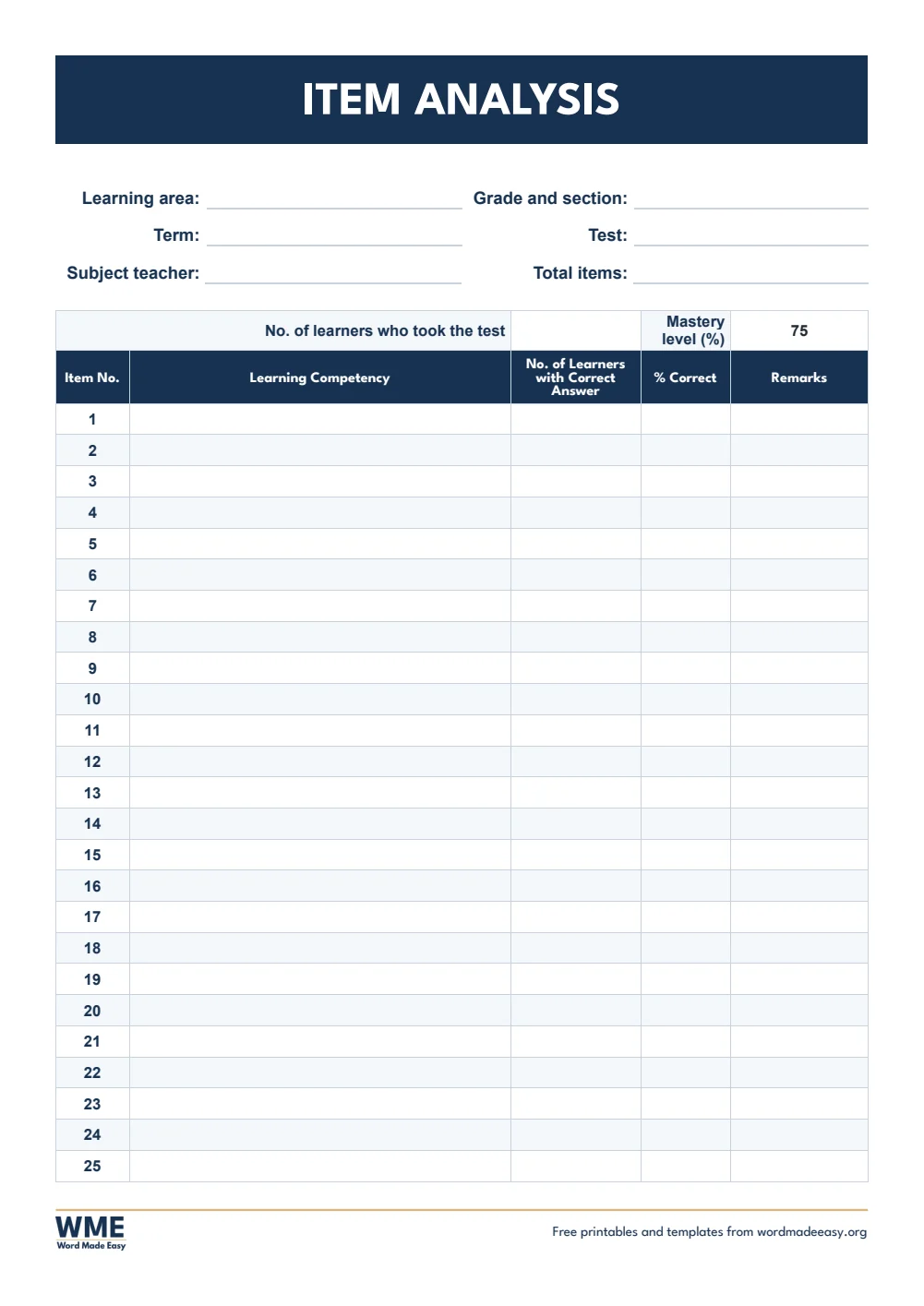
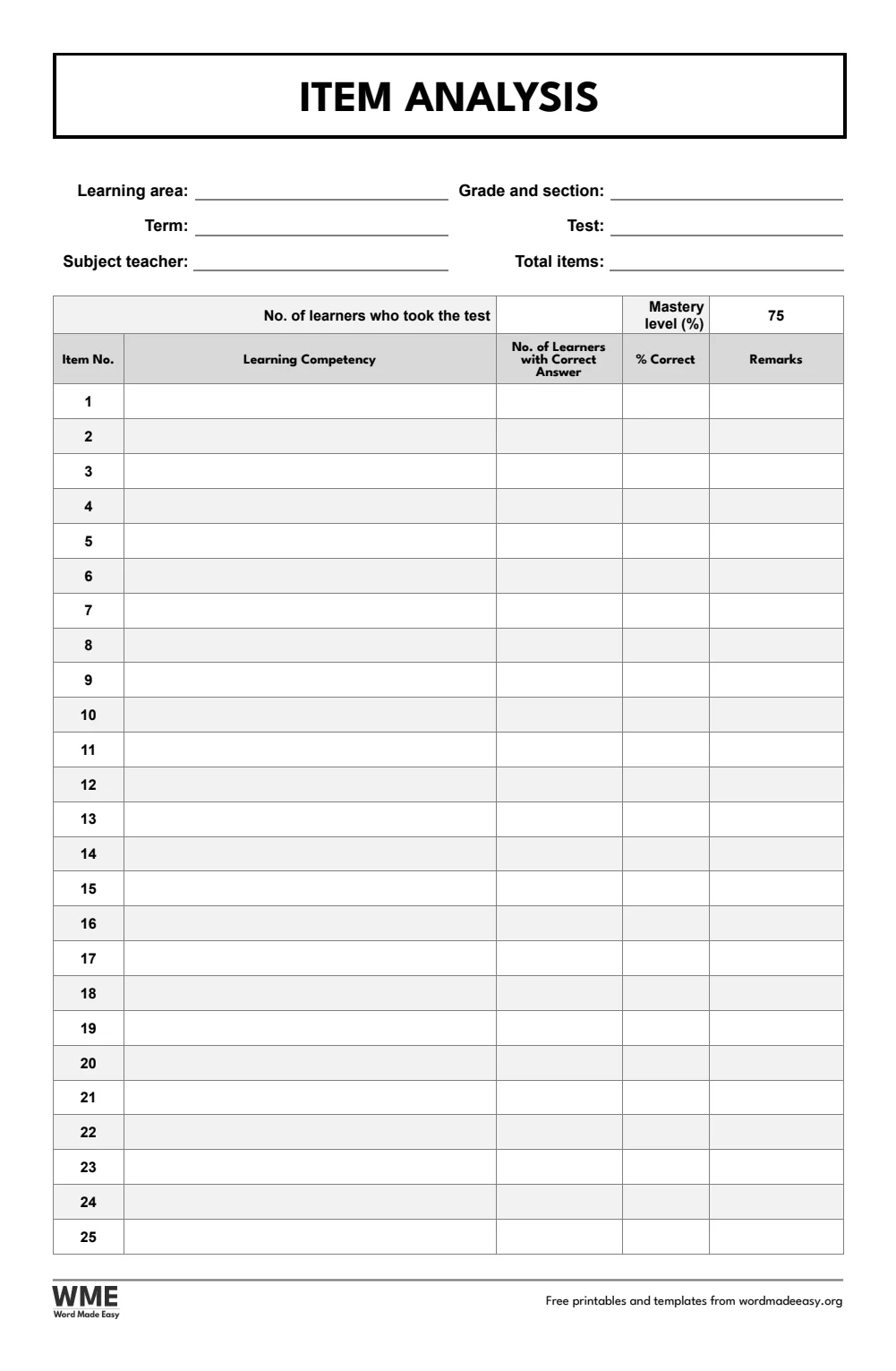
| Long bond (8.5 x 13) | Item Analysis | Items 1 to 50 on two pages: % correct and Mastered or Least Mastered work themselves out |
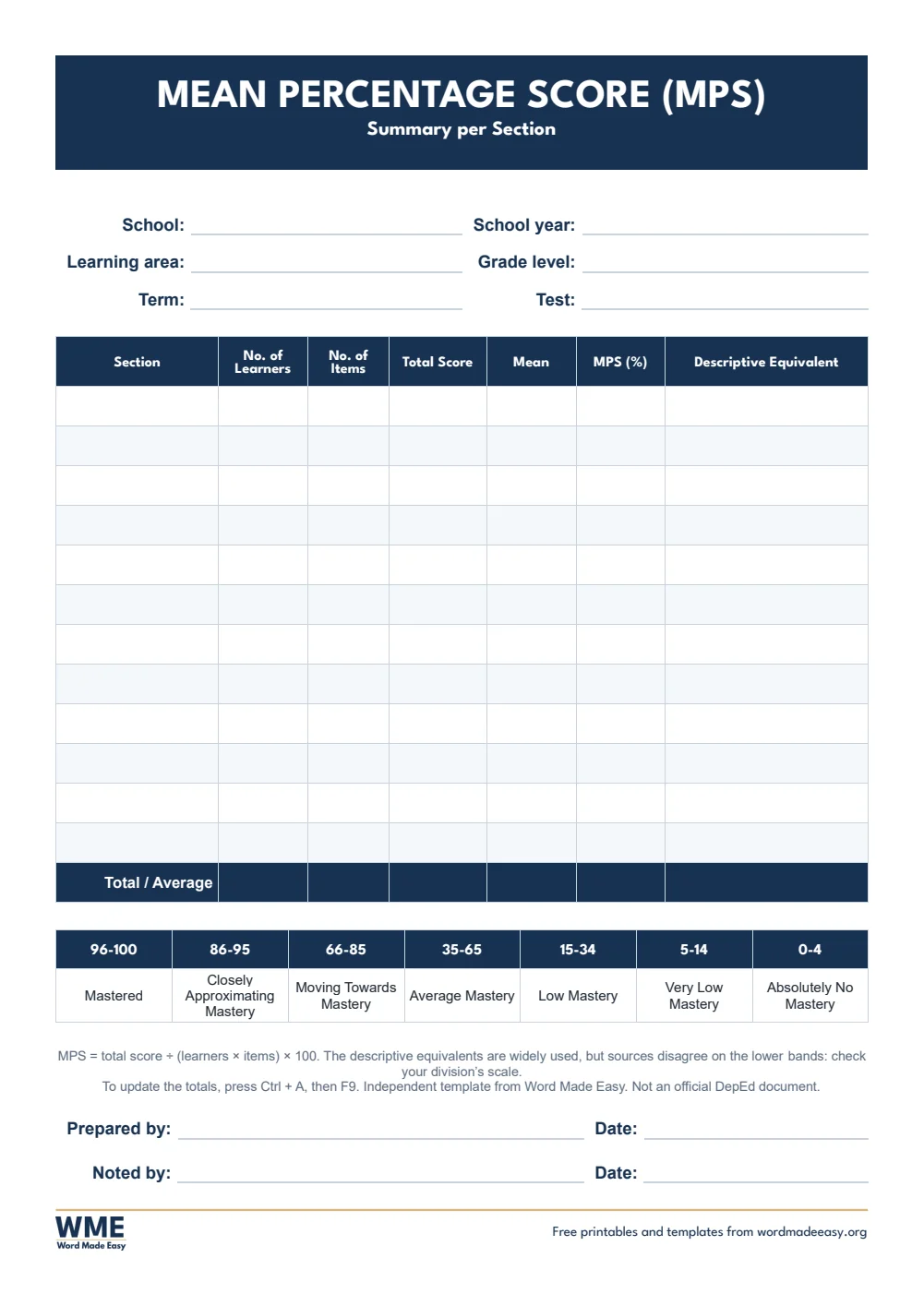
| A4 | MPS Summary per Section | Learners, items, total score, mean and MPS per section, with the descriptive equivalent |
| A4 | Least Mastered Competencies and Intervention Plan | Competency, % correct, possible reason, intervention, date and remarks |
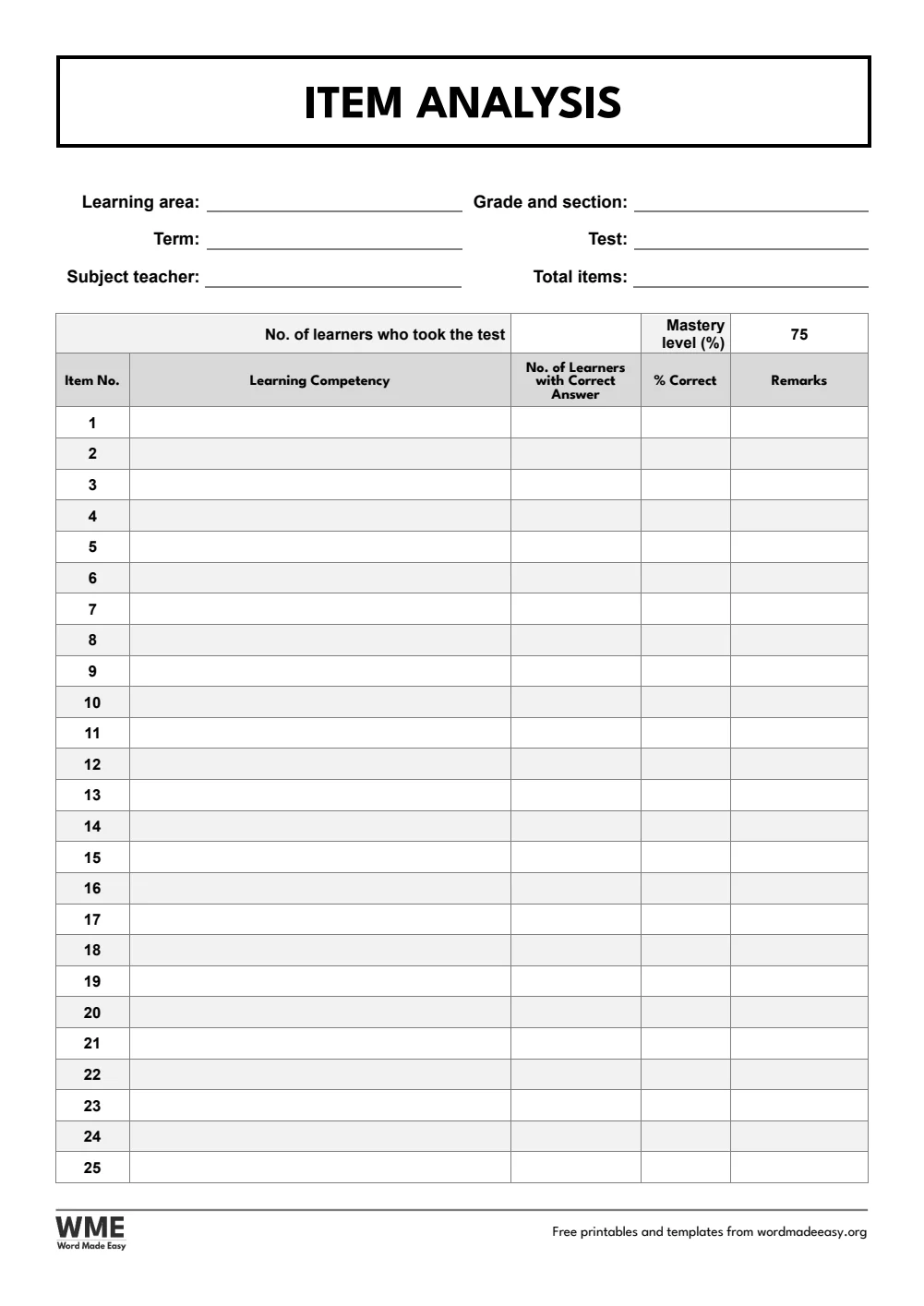
| A4 | Item Analysis | Items 1 to 50 on two pages: % correct and Mastered or Least Mastered work themselves out |
👉 Type the number of learners and how many got each item right, press Ctrl + A and F9, and % correct and the remarks fill in.
What Is Item Analysis and MPS?
Item analysis checks every test item: how many learners answered it correctly, and from that, the percentage correct. Items below the mastery level, 75% in most divisions, show the least mastered competencies that need reteaching. The mean percentage score (MPS) is the class result: total score ÷ (learners × items) × 100. Many schools describe it with a 7-band scale from Mastered (96 to 100) to Absolutely No Mastery (0 to 4), but divisions differ on the lower bands, so check yours. They are independent templates from Word Made Easy, not official DepEd documents, so they carry no DepEd seal: add your school’s name and logo if your division asks for them.
Which Item Analysis Template Should You Use?
- Item analysis: items 1 to 50 on two pages, with the learning competency, learners with the correct answer, % correct and a Mastered or Least Mastered remark.
- MPS summary per section: learners, items, total score, mean and MPS for each section, with the descriptive equivalent key.
- Least mastered competencies and intervention plan: each competency below the mastery level, the possible reason, the intervention, the date and remarks.
- Plan the test first with the table of specifications templates.
How to Do an Item Analysis in Word
- Choose your paper size above, download the ZIP and open the item analysis.
- In the top row, type the number of learners who took the test. Change the mastery level if your division uses another cut-off.
- For each item, type the learning competency and the number of learners who got it right.
- Press Ctrl + A, then F9. % Correct and the remarks fill in by themselves.
- Copy the least mastered competencies into the intervention plan, and the class total into the MPS summary.
If no learner got an item right, type Least Mastered in its remarks yourself: Word reads 0 as an empty cell. The totals also update when you print.
Black and White Versions
Every template on this page also comes in a black and white version with the same layout: grey headings and an outlined title, so it prints clearly on any printer and saves ink. In the download box, choose Long bond or A4 for the colour files, Black and white for the black and white files on both papers, or Everything for all of them.
How to Print at the Right Size
- Open the template in Word and press Ctrl + P (Cmd + P on a Mac).
- Choose the paper size in the file name: long bond (8.5 x 13 in) or A4.
- Set scaling to 100% or Actual size, not Fit to page.
- Print one sheet and measure a row with a ruler before you print a class set.
Every sheet keeps a 1/2 inch (12.7 mm) margin on all sides, so nothing is cut off on home inkjets, school laser printers or older printers with a wide edge.
FAQs
Are these item analysis templates free?
Yes. Choose long bond or A4 and download all the Word templates in one ZIP file at no cost.
Who made these item analysis templates?
Patrick Elliott, a teacher and Inclusion Lead, designed and built every item analysis by hand in Microsoft Word.
How do I compute MPS?
MPS = total score ÷ (number of learners × number of items) × 100. The MPS summary works it out for each section when you press Ctrl + A, then F9.
What is the mastery level for item analysis?
Most divisions use 75%. The item analysis has a mastery level box in the top row, so you can change it.
Why do the remarks not change?
Word updates formulas when you ask it to. Press Ctrl + A, then F9, or print the file: the results update before printing.
Is there a black and white version?
Yes. Every template comes in colour and in black and white, on long bond and A4. Choose Black and white, or Everything, in the download box.
Conclusion
These item analysis and MPS templates turn a stack of test papers into clear results, human-made by a teacher, with Word doing the sums.
Choose your paper size above, download the ZIP, and plan your next test with the table of specifications (TOS) templates.
Related Tutorials
- Free Table of Specifications (TOS) Templates for Word
- Free Test Paper Templates for Word
- Free Intervention Log Templates for Word
Word Templates
Recently Added Word Templates
Browse the complete collection of free printable Word templates for home and school, all made by a teacher.
New to Word? Our Word tutorials show you how to edit and print your templates.


Leave a comment
Have a question about these templates, or an idea for a new one? Ask below.