
Marriage Biodata Format in Word: 10 Free Editable Templates
Preview every biodata, choose colour or black and white and your paper size, then download your Word templates in one small ZIP file.
A4 and US Letter10 templatesFree
Can’t find the template you need? Request a template and I’ll make it in Word, free.
Get new free printables first: follow Word Made Easy on Pinterest
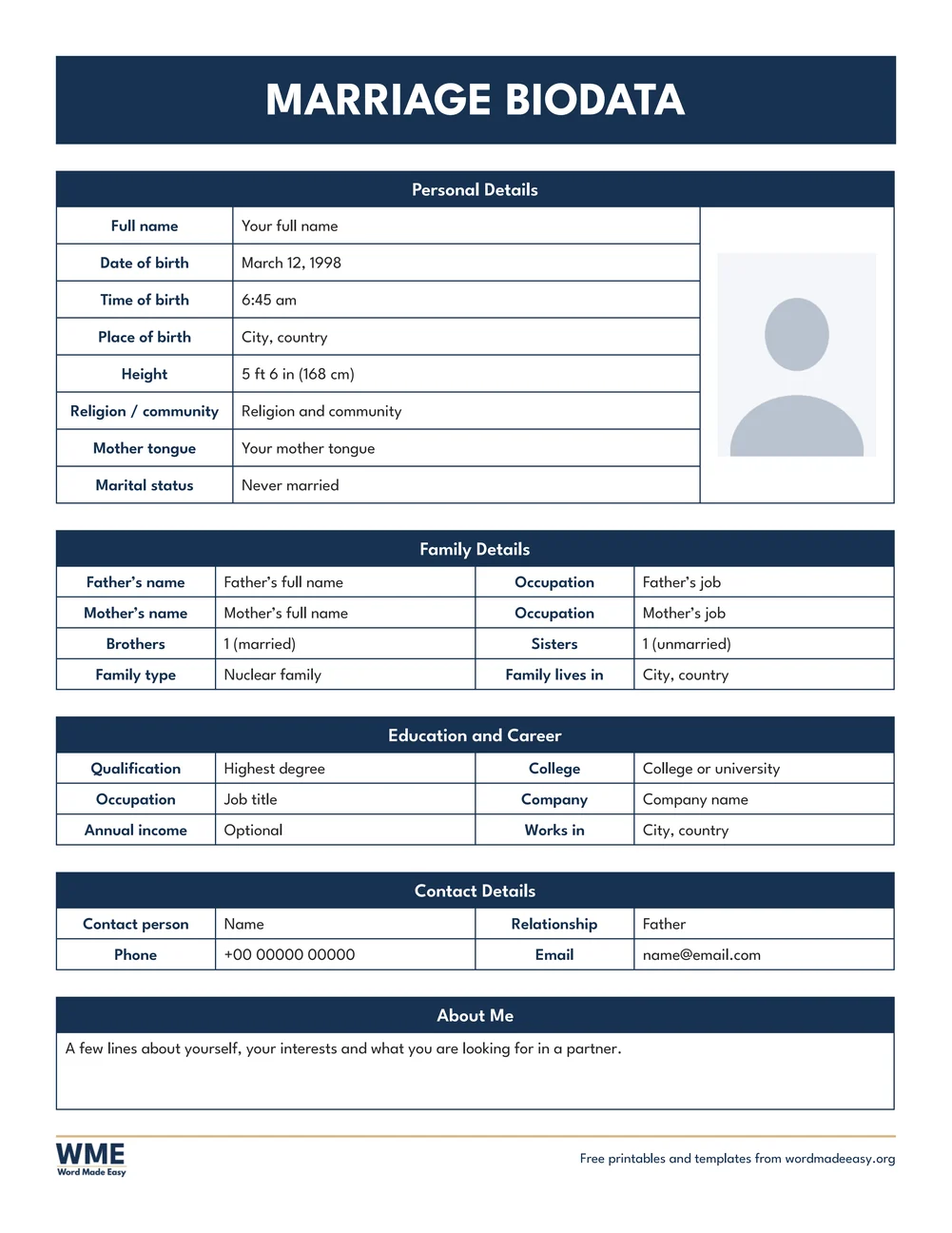
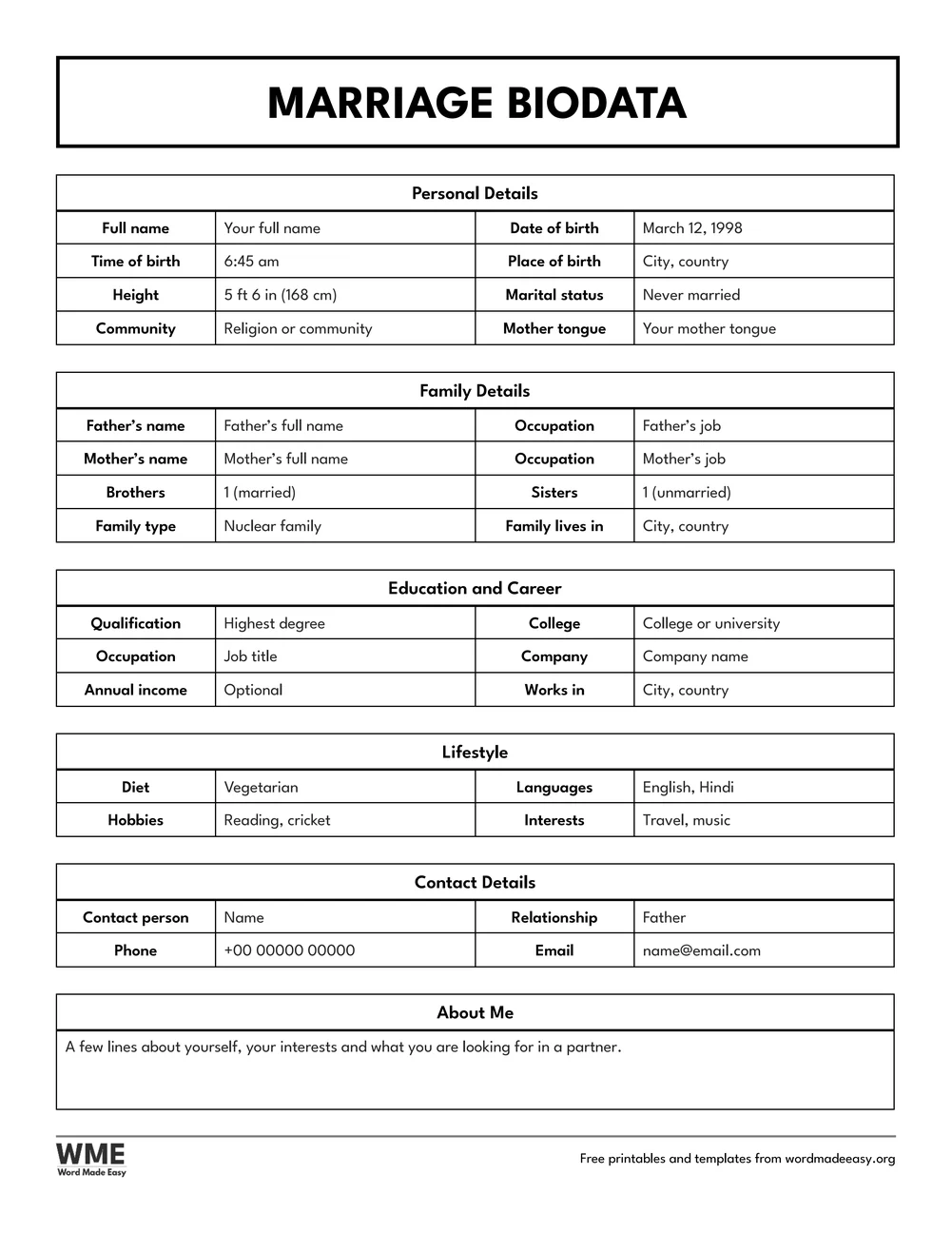
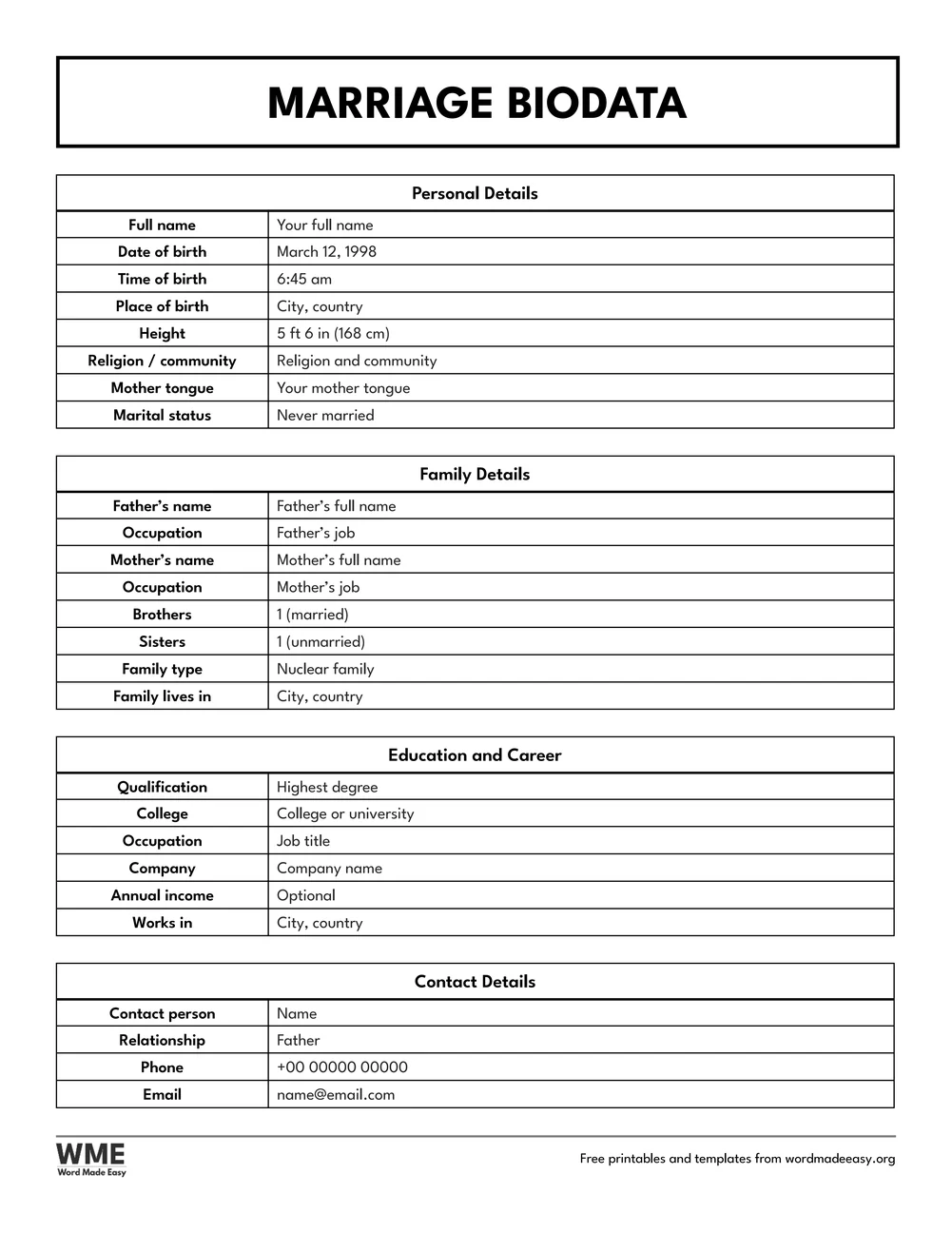
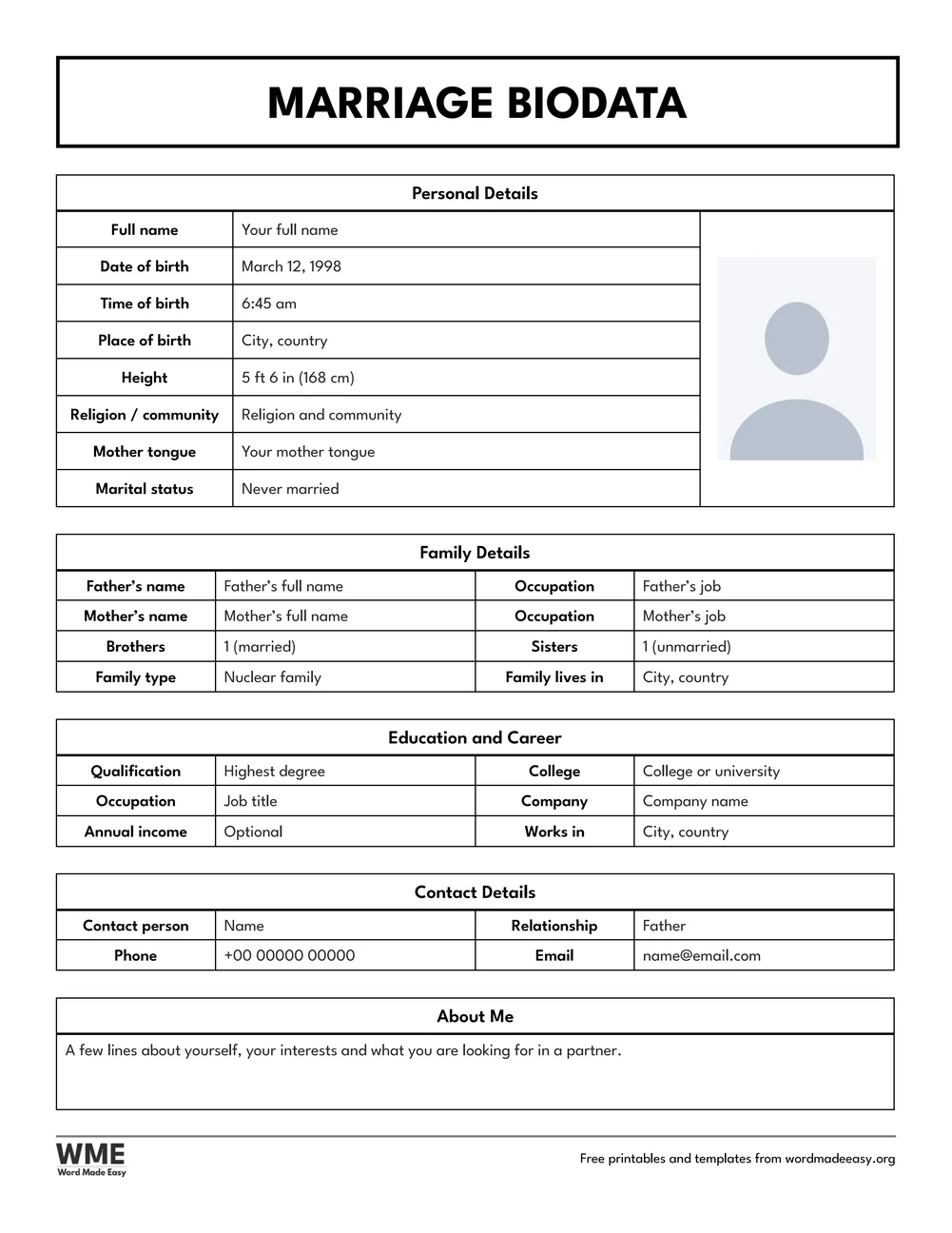
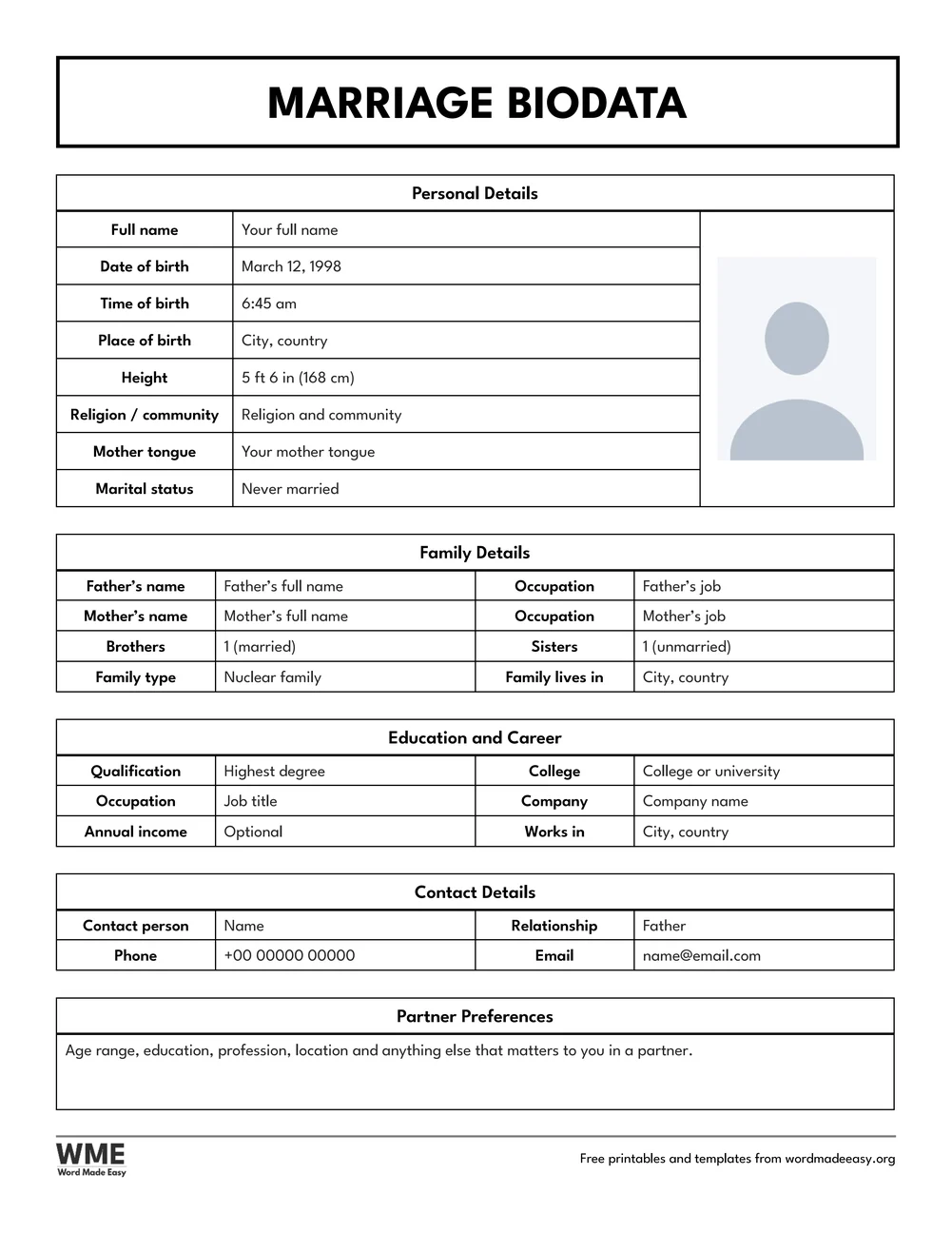
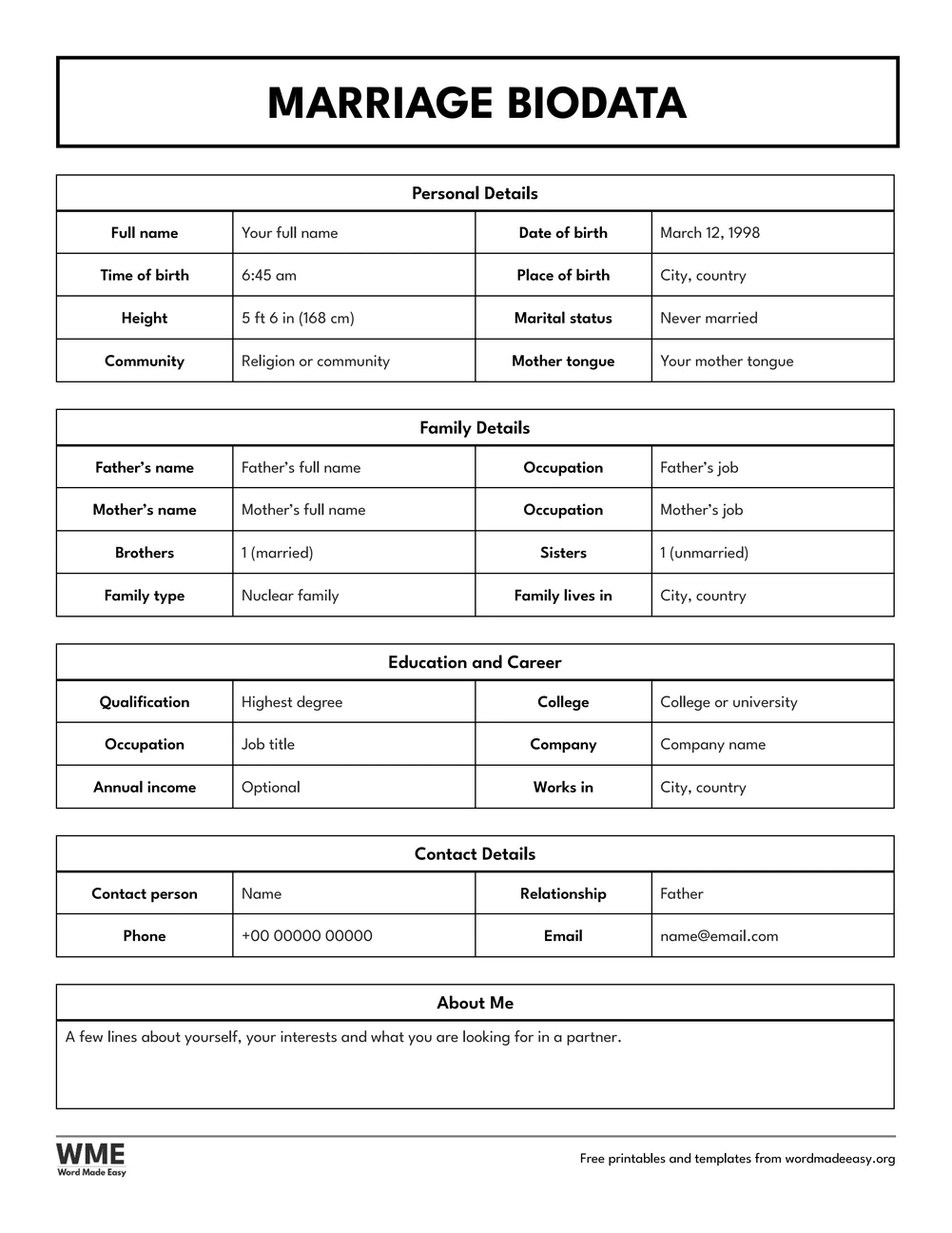
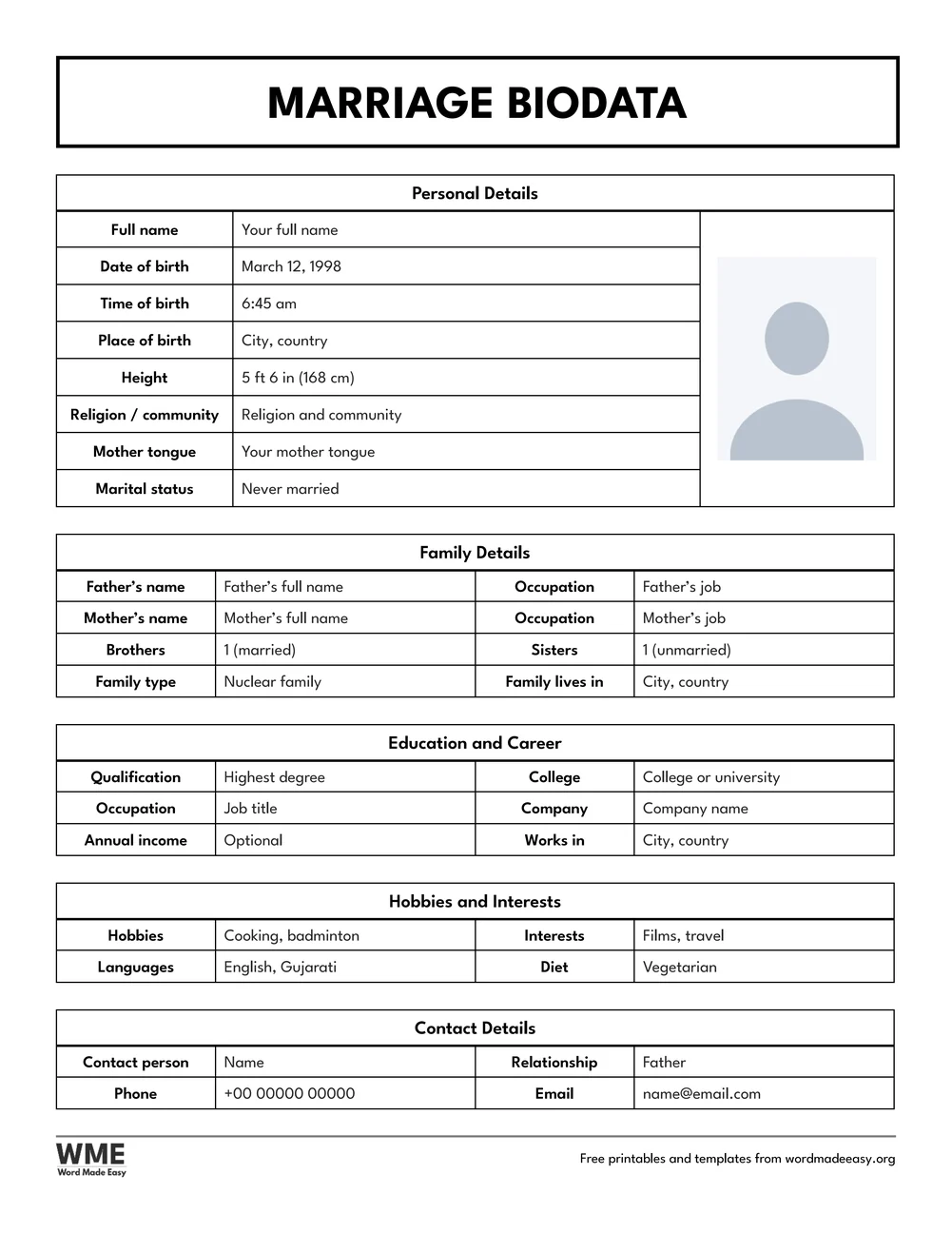
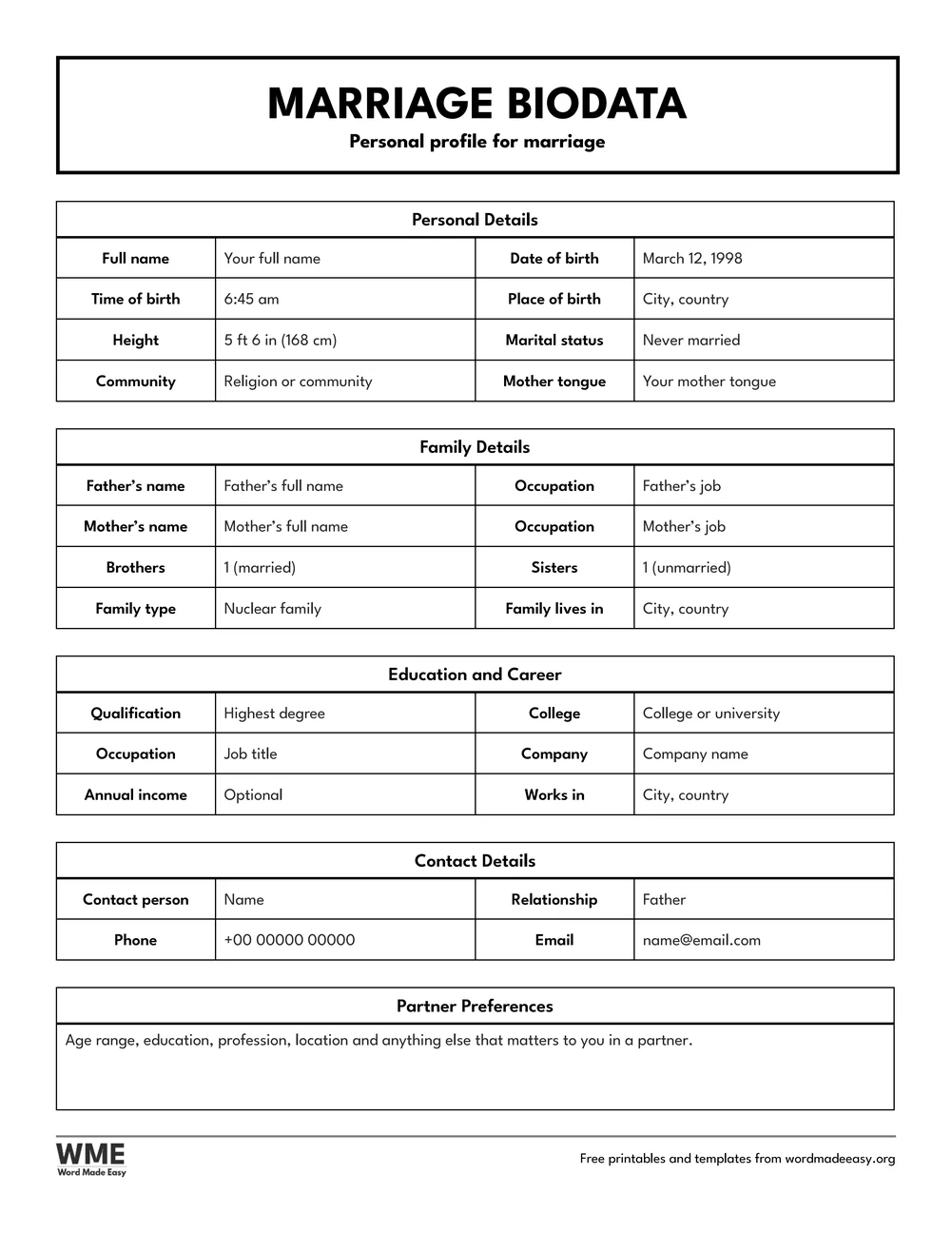
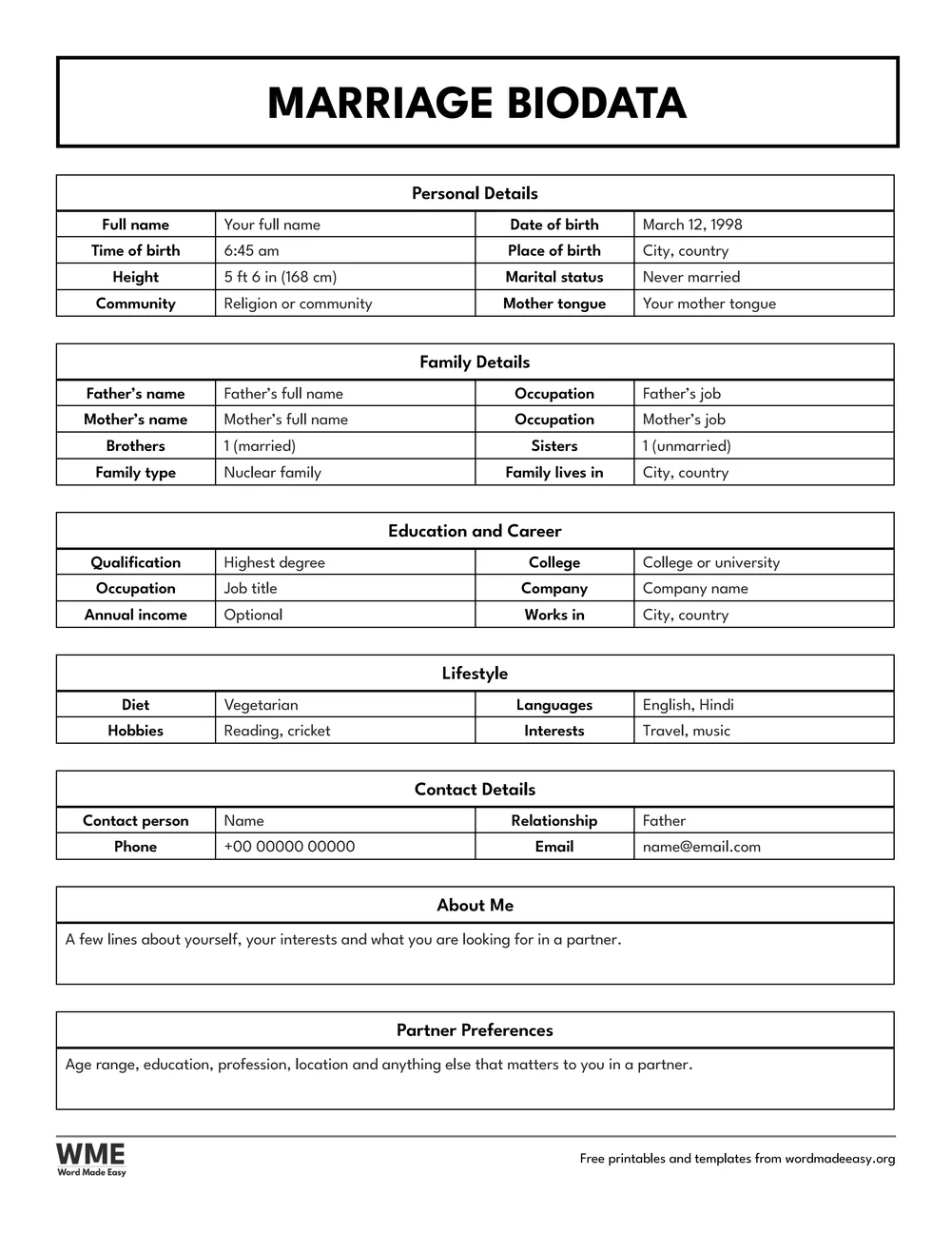
A marriage biodata format puts everything a family wants to know on one neat page: your personal details, your family, your education and work, and how to get in touch. These ten Word templates give you that page in different styles and colours, five with a photo box and five without, so you only have to type. Each biodata is a Word table: the labels are plain text and every answer is a click-and-type box, so the page stays aligned however much you type.
Below you’ll find what a biodata for marriage usually includes, which design suits you, and how to add your photo and send it as a PDF.
What’s in the Marriage Biodata Format in Word
| Biodata | Look | Paper |
|---|---|---|
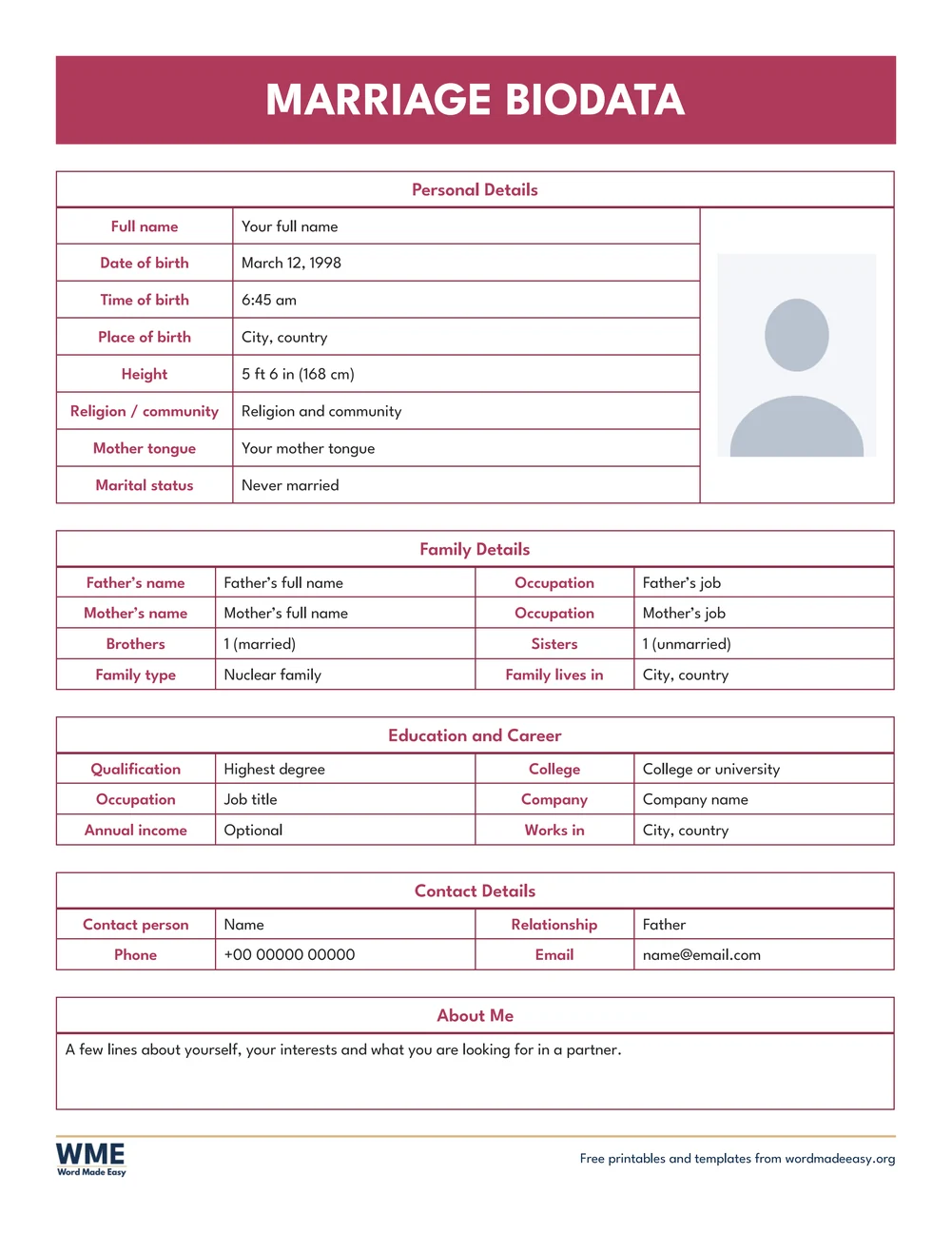
| Classic Navy | Navy bars with a photo box beside Personal Details | A4 and US Letter, colour and black and white |
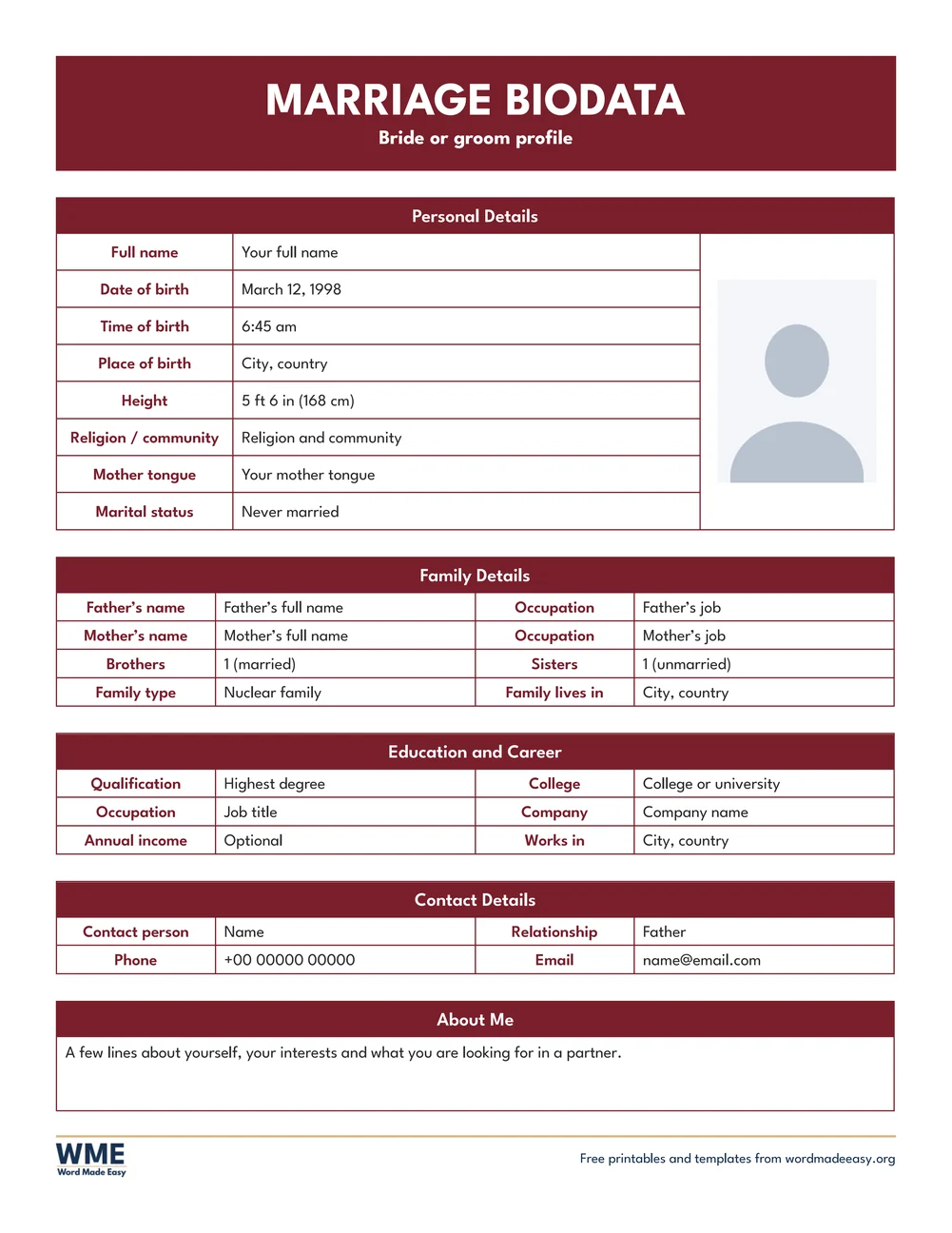
| Maroon and Gold | Maroon bars with a photo box | A4 and US Letter, colour and black and white |
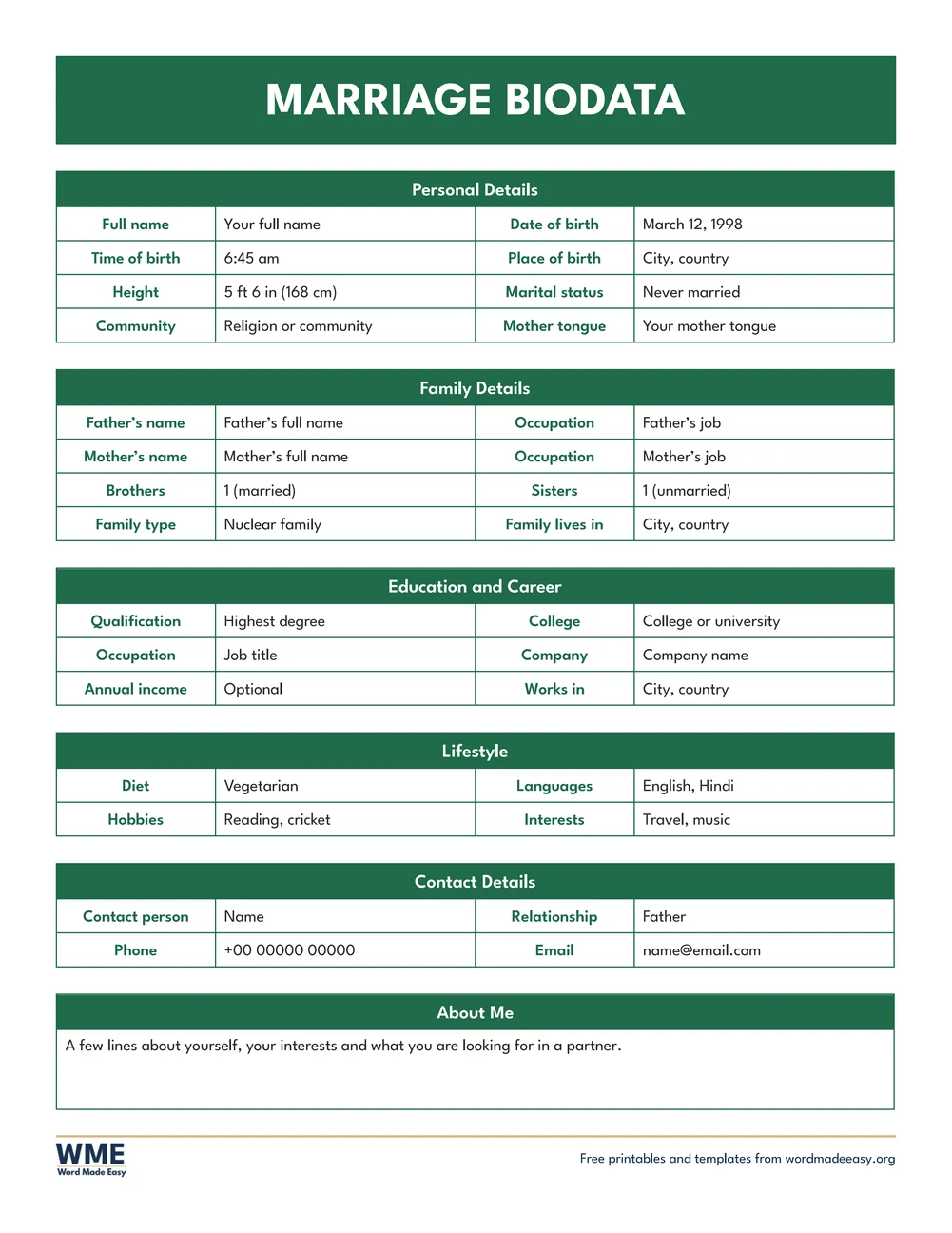
| Emerald | Green bars, no photo, with a Lifestyle section | A4 and US Letter, colour and black and white |
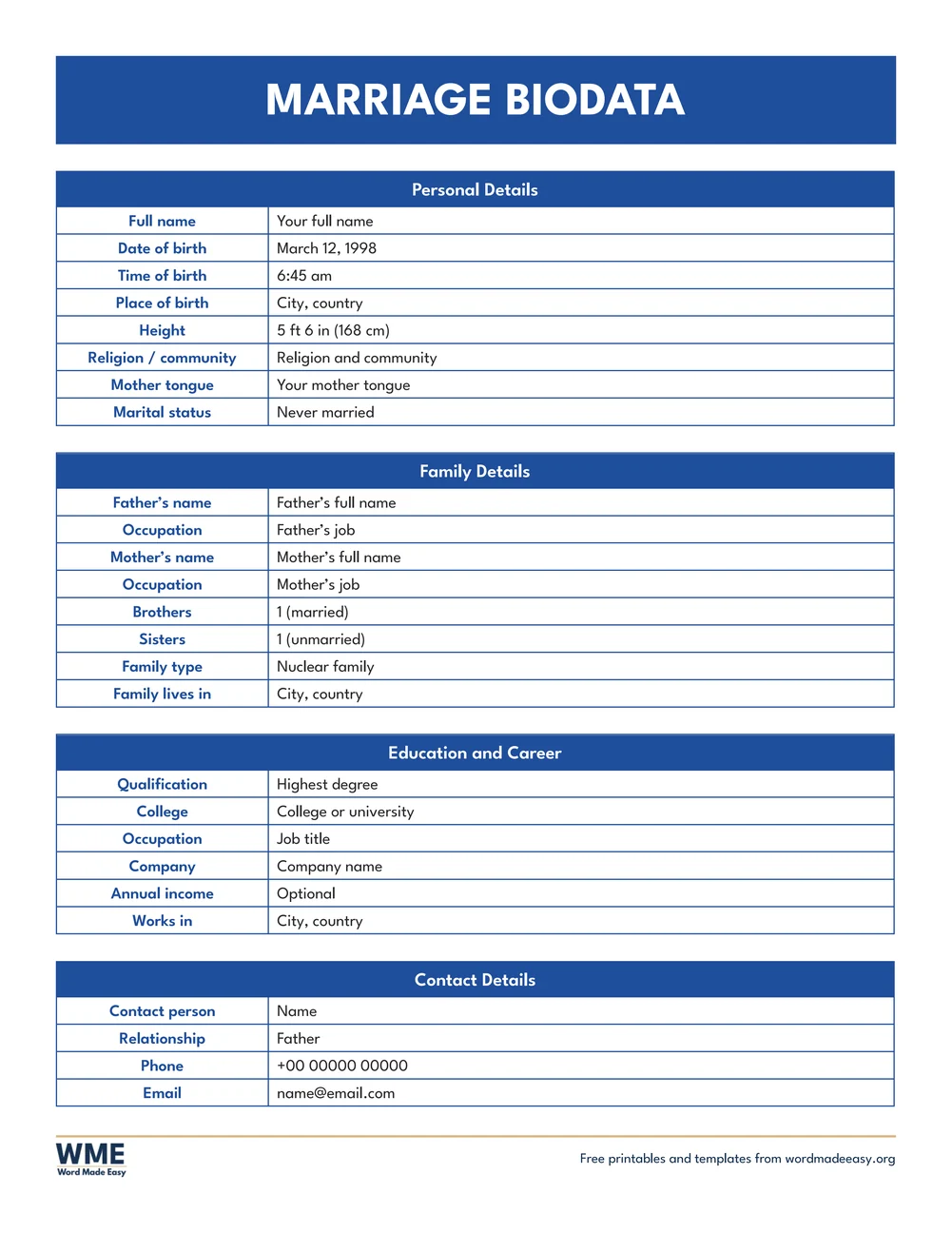
| Royal Blue | Blue bars, no photo, one long list per section | A4 and US Letter, colour and black and white |
| Rose | Rose ruled headings with a photo box | A4 and US Letter, colour and black and white |
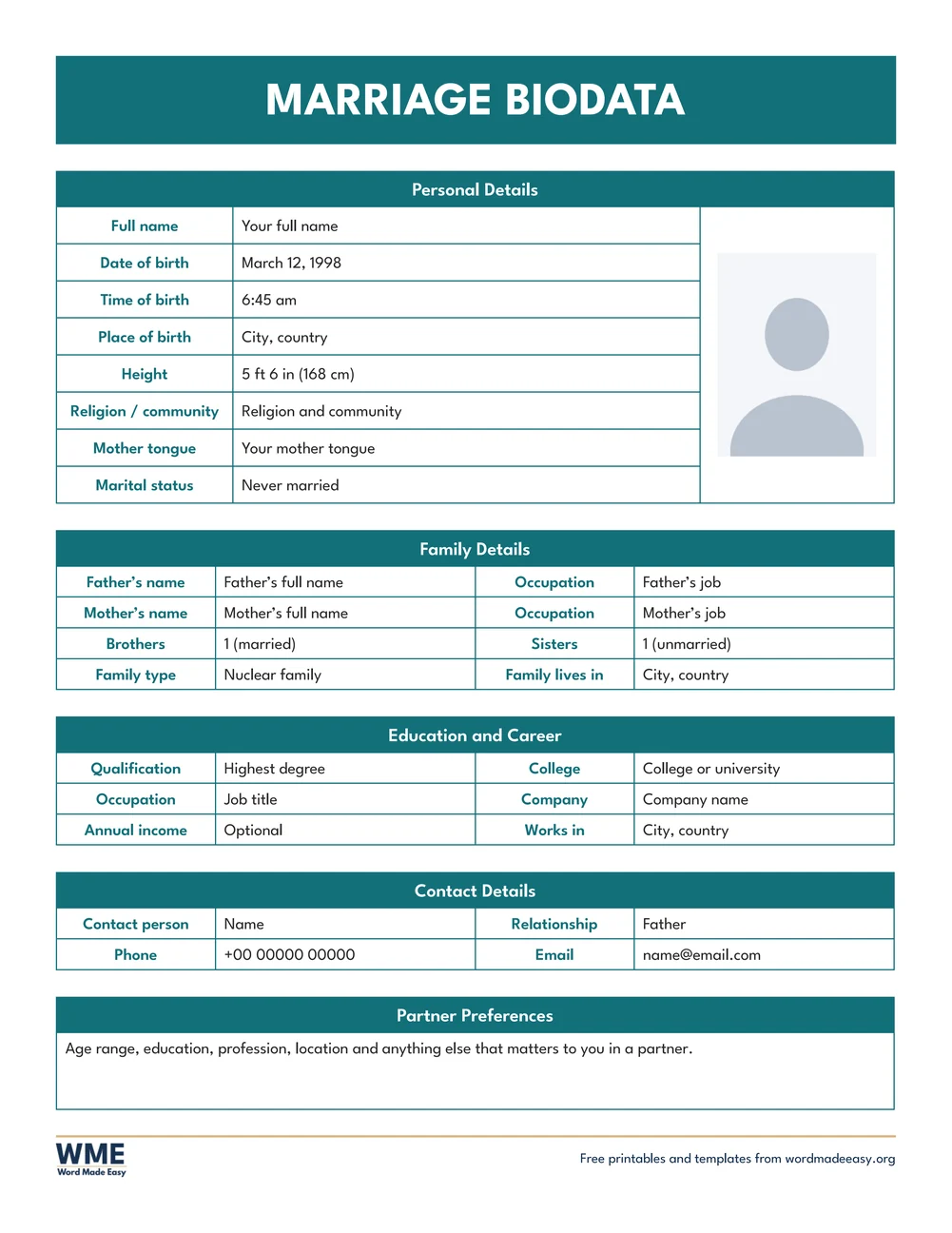
| Teal Modern | Teal bars with a photo box and Partner Preferences | A4 and US Letter, colour and black and white |
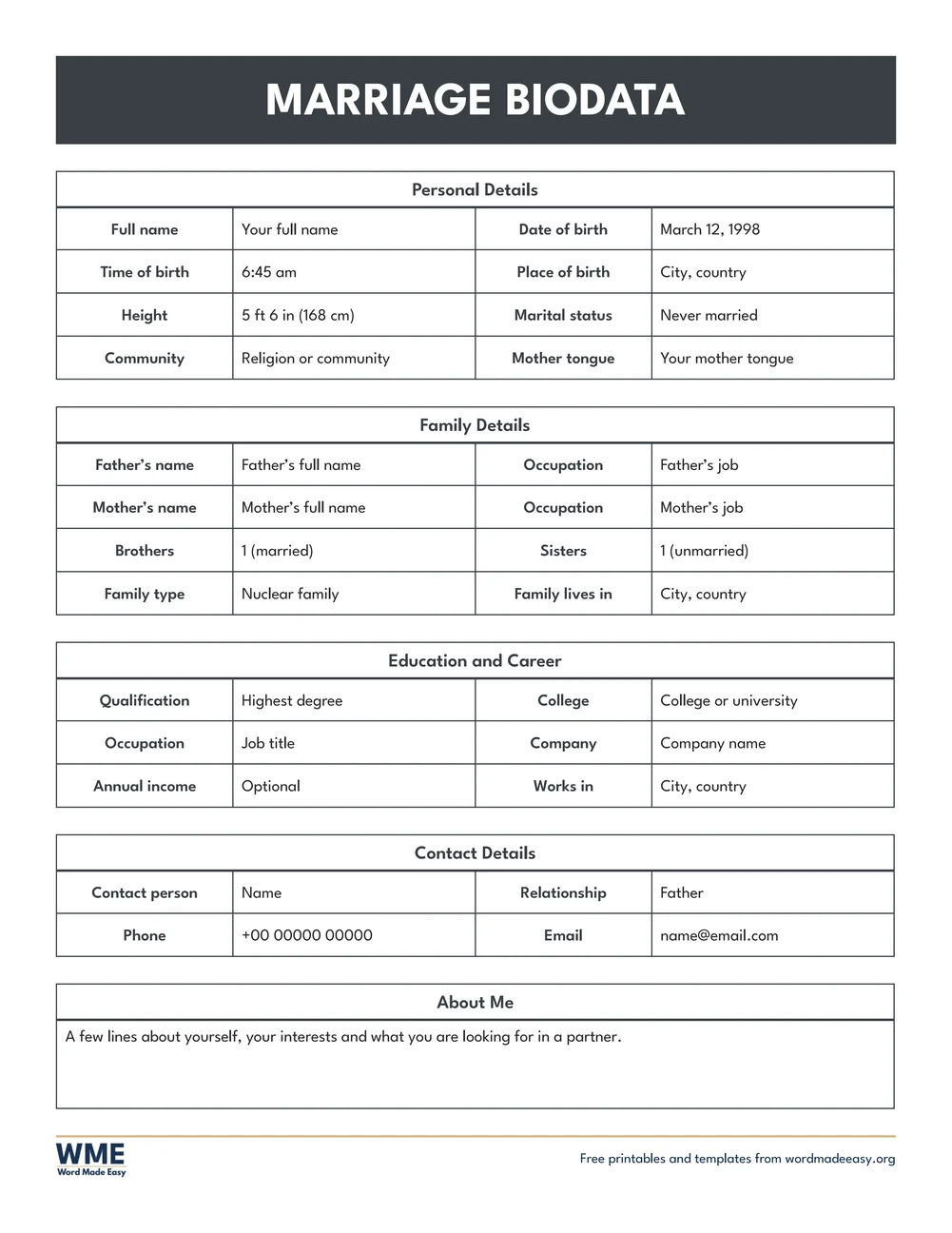
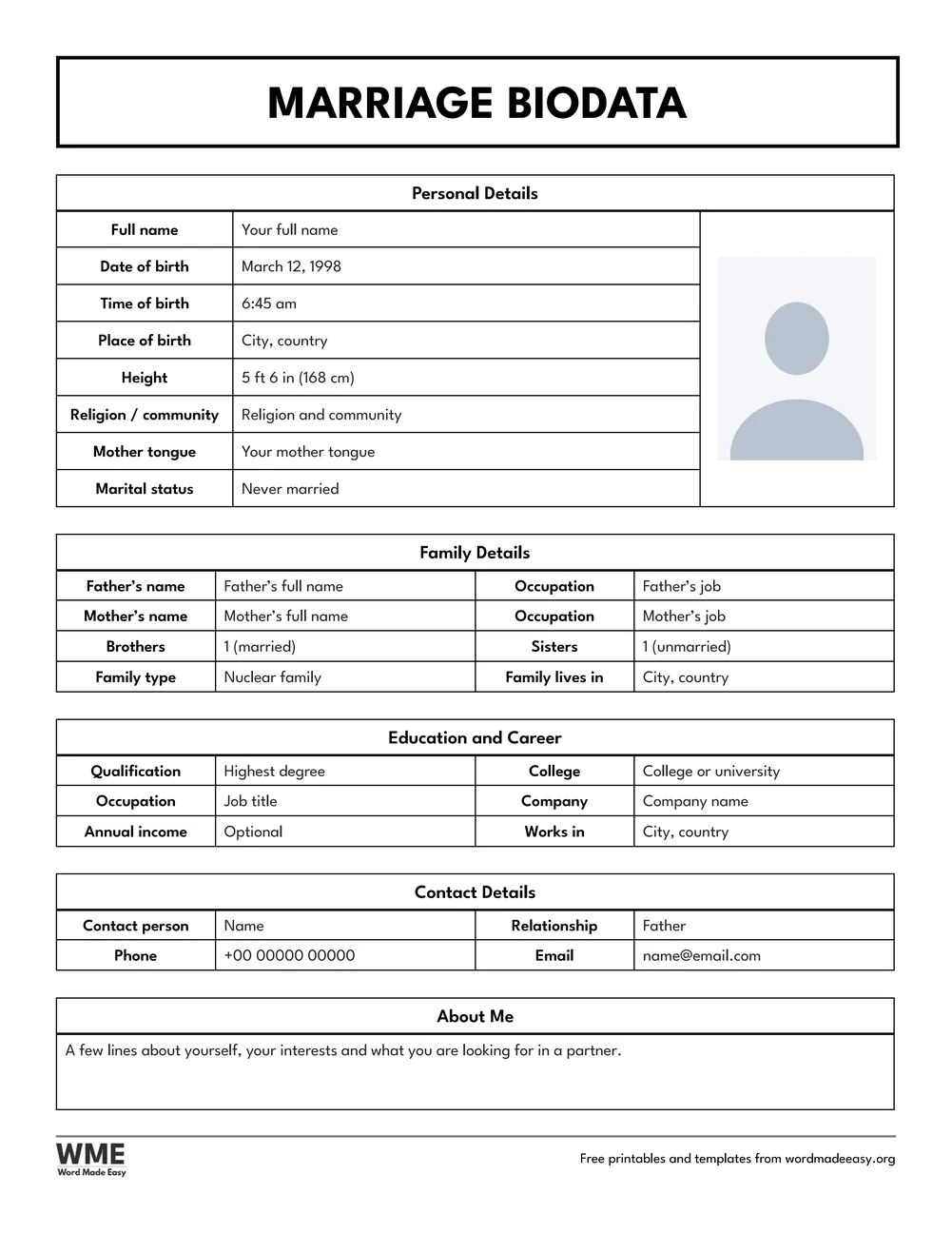
| Charcoal Minimal | Grey ruled headings, no photo, no fills | A4 and US Letter, colour and black and white |
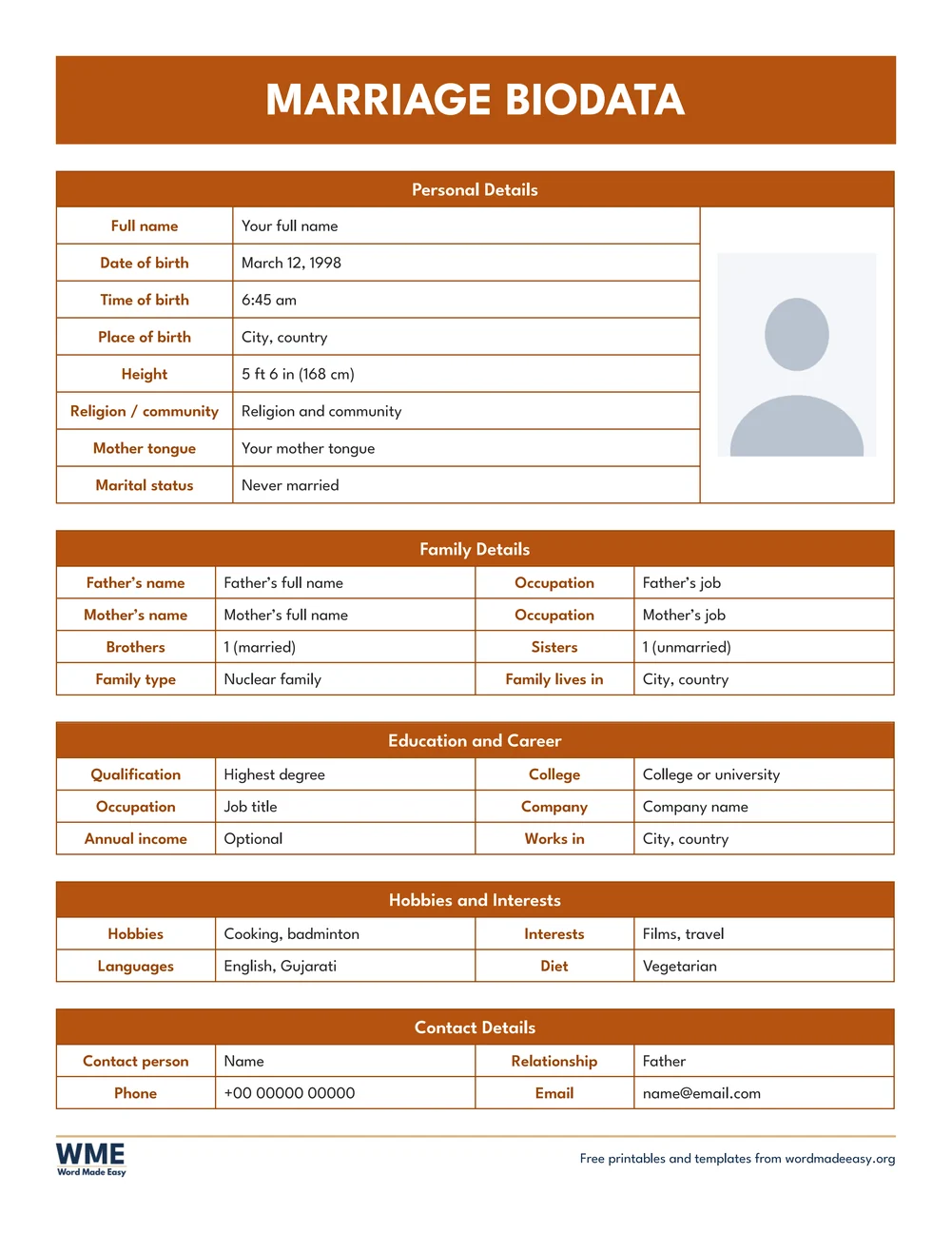
| Saffron | Deep orange bars with a photo box and Hobbies | A4 and US Letter, colour and black and white |
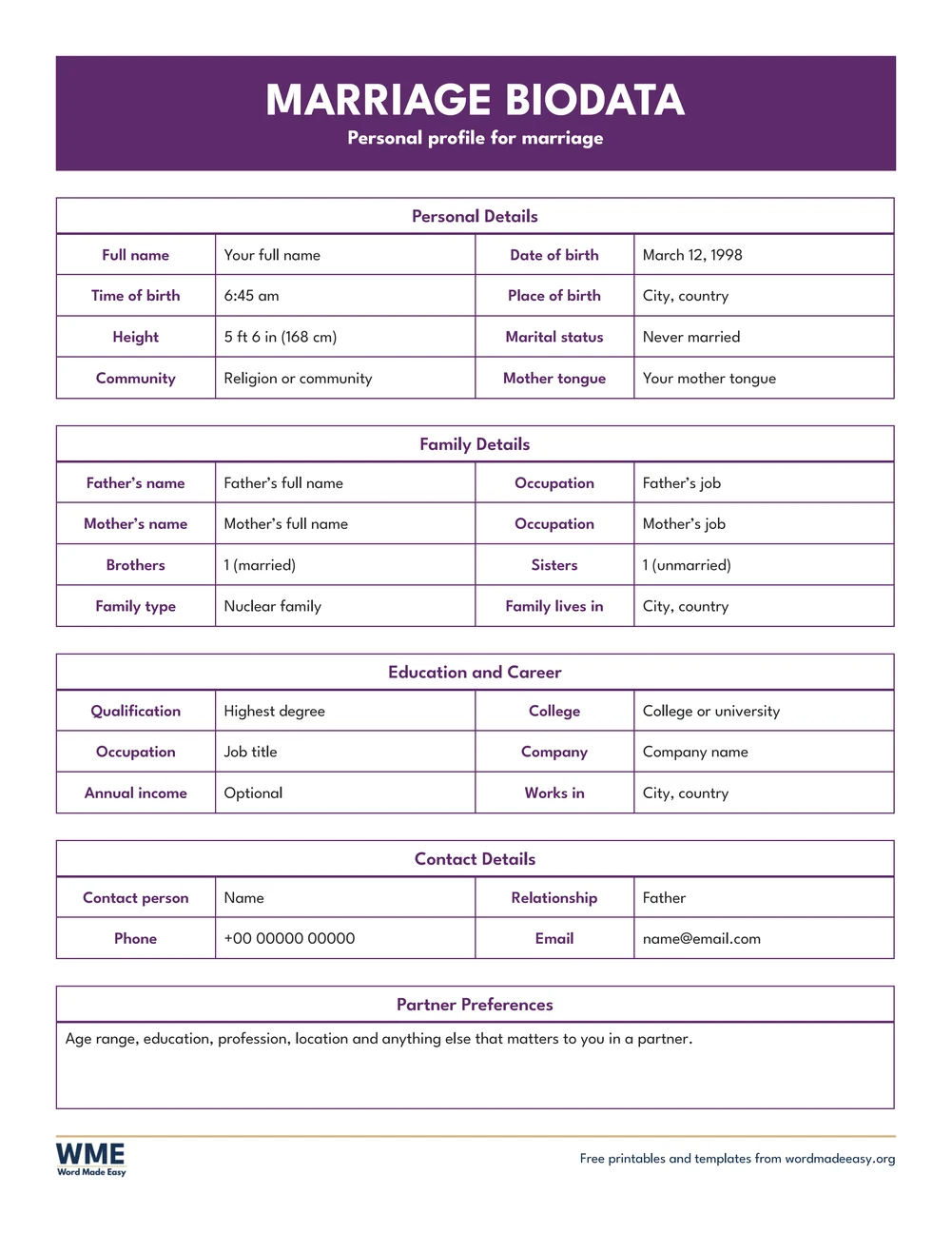
| Purple Elegant | Plum ruled headings, no photo, with Partner Preferences | A4 and US Letter, colour and black and white |
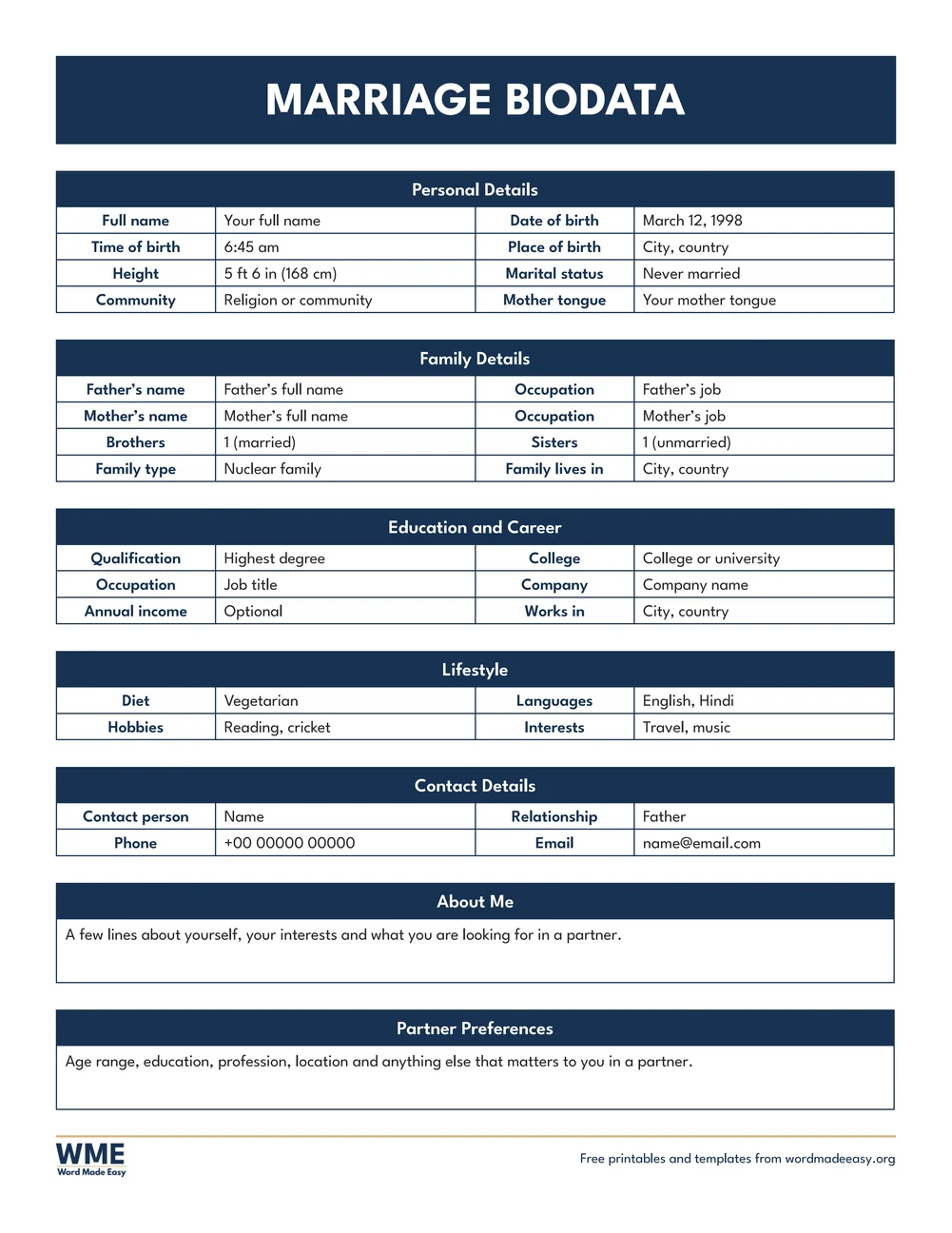
| Compact | Navy, no photo, every section plus About Me and Partner Preferences | A4 and US Letter, colour and black and white |
👉 Every answer is a click-and-type box with grey sample text: click it and type, and the alignment and font stay tidy. Labels are ordinary text too, so you can rename any row.
What Goes in a Biodata for Marriage?
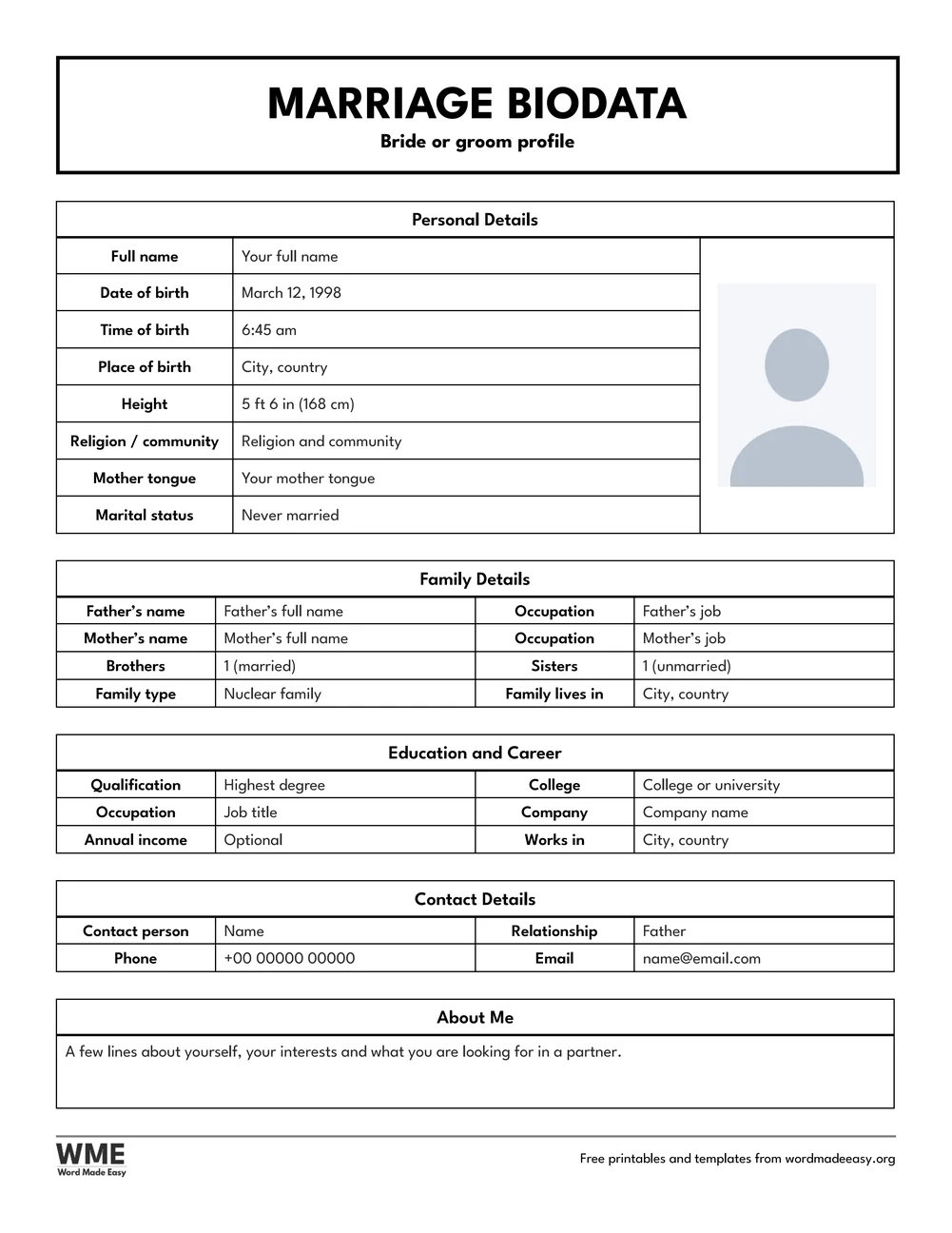
Most biodatas follow the same order. Personal details come first: full name, date, time and place of birth, height, religion or community if you wish to share it, mother tongue and marital status. Family details follow: parents and their work, brothers and sisters, the type of family and where it lives. Then education and career: qualifications, college, job, company and, if you choose, income. Contact details name the person to call, often a parent. Many end with a few lines about yourself or what you hope for in a partner. None of the templates has a symbol or blessing at the top, so you can add one in your own words or leave it out.
Which Biodata Template Should You Choose?
- With a photo box: Classic Navy, Maroon and Gold, Rose (ruled headings, no filled bars), Teal Modern (with Partner Preferences) and Saffron (with Hobbies and Interests).
- Without a photo: Emerald (with a Lifestyle section), Royal Blue (one long list per section), Charcoal Minimal (grey lines, no fills), Purple Elegant (with Partner Preferences) and Compact (every section on one page).
- Every design has Personal, Family, Education and Career, and Contact Details, in that order.
- For a job application rather than a match, the CV templates use the right headings.
How to Fill In a Marriage Biodata in Word
- Choose colour or black and white and your paper size above (A4 for India and the UK), download the ZIP and open a design.
- Click each grey sample, such as Your full name, and type your own details.
- On a design with a photo box, click the box and choose a recent, clear photo from your computer.
- Leave out anything you would rather not share: select the row and press Backspace, or type Not stated.
- Check the spelling of every name, then print or choose File > Save As > PDF to send it.
Use a plain, well-lit photo with your face clearly visible, and keep the About Me box to three or four honest sentences. Save a copy for each family member who will share it, so nobody edits the original by mistake.
Black and White Versions
Every biodata also comes in black and white: black headings with a rule under each, black table lines and no filled bars, so it prints sharply on any printer. In the download box, choose Colour, Black and white or All, then A4, US Letter or both.
Want to print without editing? Every download has three folders: the editable Word files, the same sheets as PDFs, and every page as a print-ready image (JPEG), so you can print straight away without opening Word.
Print at 100% (Actual size) on A4 or US Letter, the size in the file name. For sharing on a phone, save it as a PDF from Word; the ready-made PDF and image in the download are blank samples, so fill in the Word file first.
FAQs
Are these marriage biodata templates free?
Yes. All ten are free in Word on A4 and US Letter, in colour and black and white, with PDF and image versions in the ZIP.
Which templates have a photo box?
Five: Classic Navy, Maroon and Gold, Rose, Teal Modern and Saffron. Click the box in Word to insert your photo.
Can I add a religious symbol or heading?
Yes. The templates have no symbols so that anyone can use them; type your own heading above the title or replace the title text.
Should I include my income?
It is up to you. The Annual income box says Optional; type your figure, a range, or delete the row.
Can I send it as a PDF?
Yes. Choose File, Save As, PDF in Word, or use the ready PDF in the download and print it.
Is the format the same as in India?
Yes. The section order follows the biodatas used in India and by families in the UK, on A4 paper.
Conclusion
Ten marriage biodata templates in different styles, five with a photo box, ready to type into in Microsoft Word.
Choose your paper size above and download the ZIP. To print a passport-size photo for it, use the cv templates.
Related Tutorials
- Free CV Templates for Word
- Free 1×1 and 2×2 Picture Templates for Word
- Free Family Tree Templates for Word
Word Templates
Recently Added Word Templates
Browse the complete collection of free printable Word templates for home and school, all made by a teacher.
New to Word? Our Word tutorials show you how to edit and print your templates.
Leave a comment
Have a question about these templates, or an idea for a new one? Ask below.