
Payslip Templates: 7 Free Payslips and Pay Stubs for Word
Preview every template, choose colour or black and white and your paper size, then download your Word files in one small ZIP file.
A4 and US Letter7 templatesFree
Can’t find the template you need? Request a template and I’ll make it in Word, free.
Get new free printables first: follow Word Made Easy on Pinterest
A payslip template lets a small business, school or household employer give staff a clear record of every pay day: what was earned, what was deducted and what was paid. These seven templates cover monthly salaries, hourly wages, Philippine payroll with SSS, PhilHealth and Pag-IBIG, the 13th month pay, contractors and a whole team on one sheet. The totals and net pay are Word formulas, so you type the amounts and Word does the adding. No rates are printed: the Philippine designs ask you to check the current SSS, PhilHealth, Pag-IBIG and withholding tax tables.
Below you’ll find what a payslip must show, which template suits your payroll, and how to fill one in without mistakes.
What’s in the Payslip Templates
| Template | What’s on it | Paper |
|---|---|---|
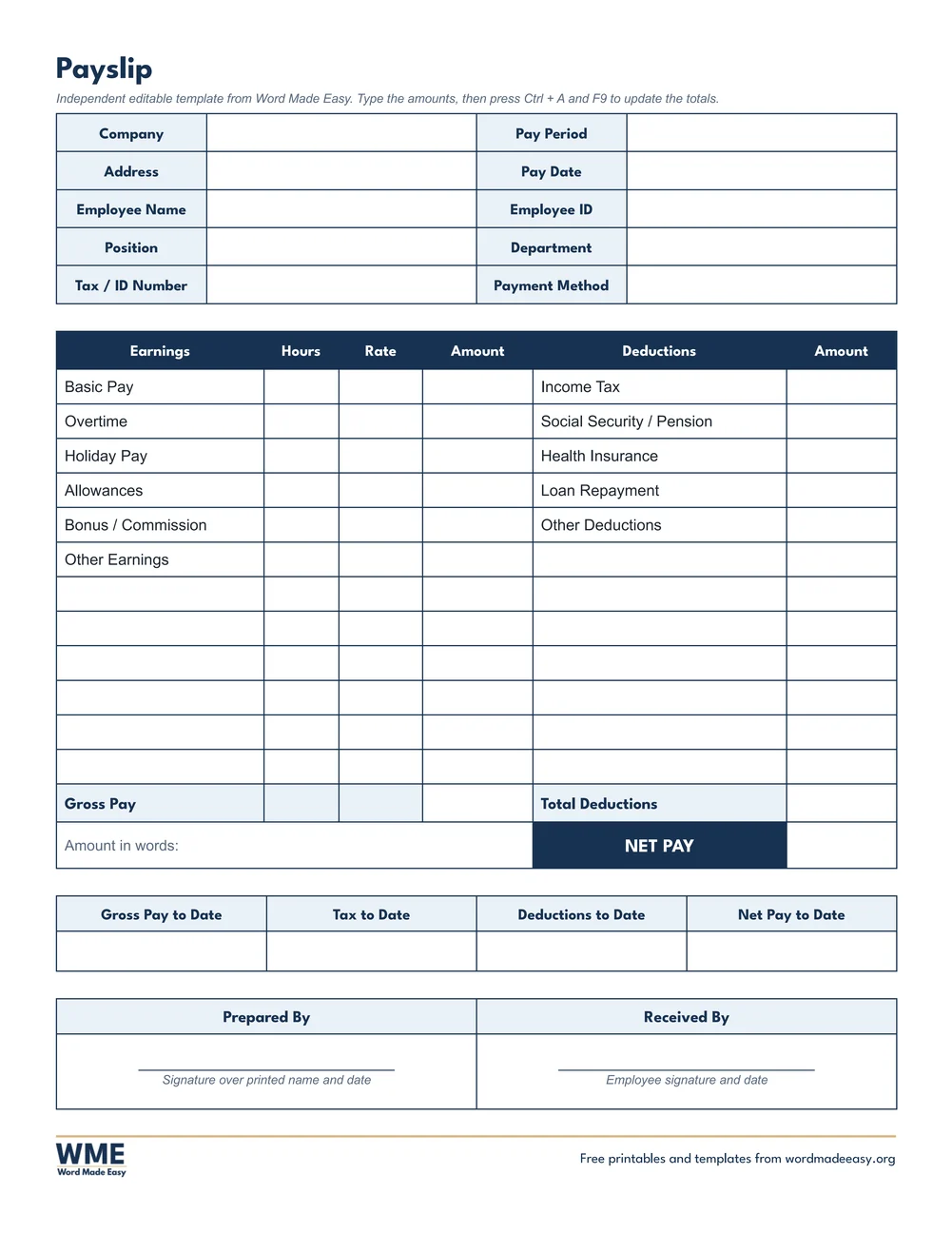
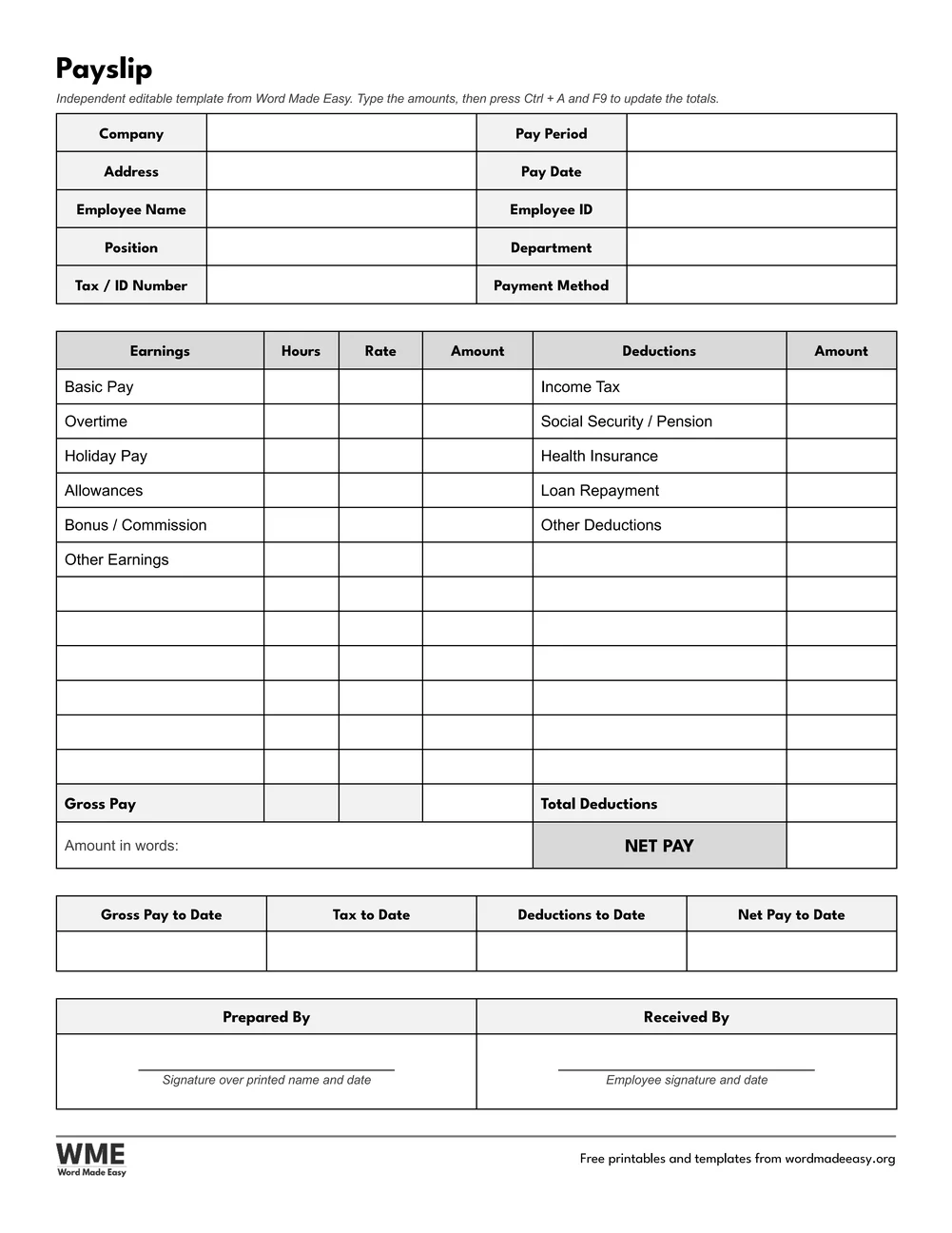
| Payslip | Monthly payslip: earnings beside deductions, net pay in words, year to date and signatures | US Letter and A4, colour and black and white |
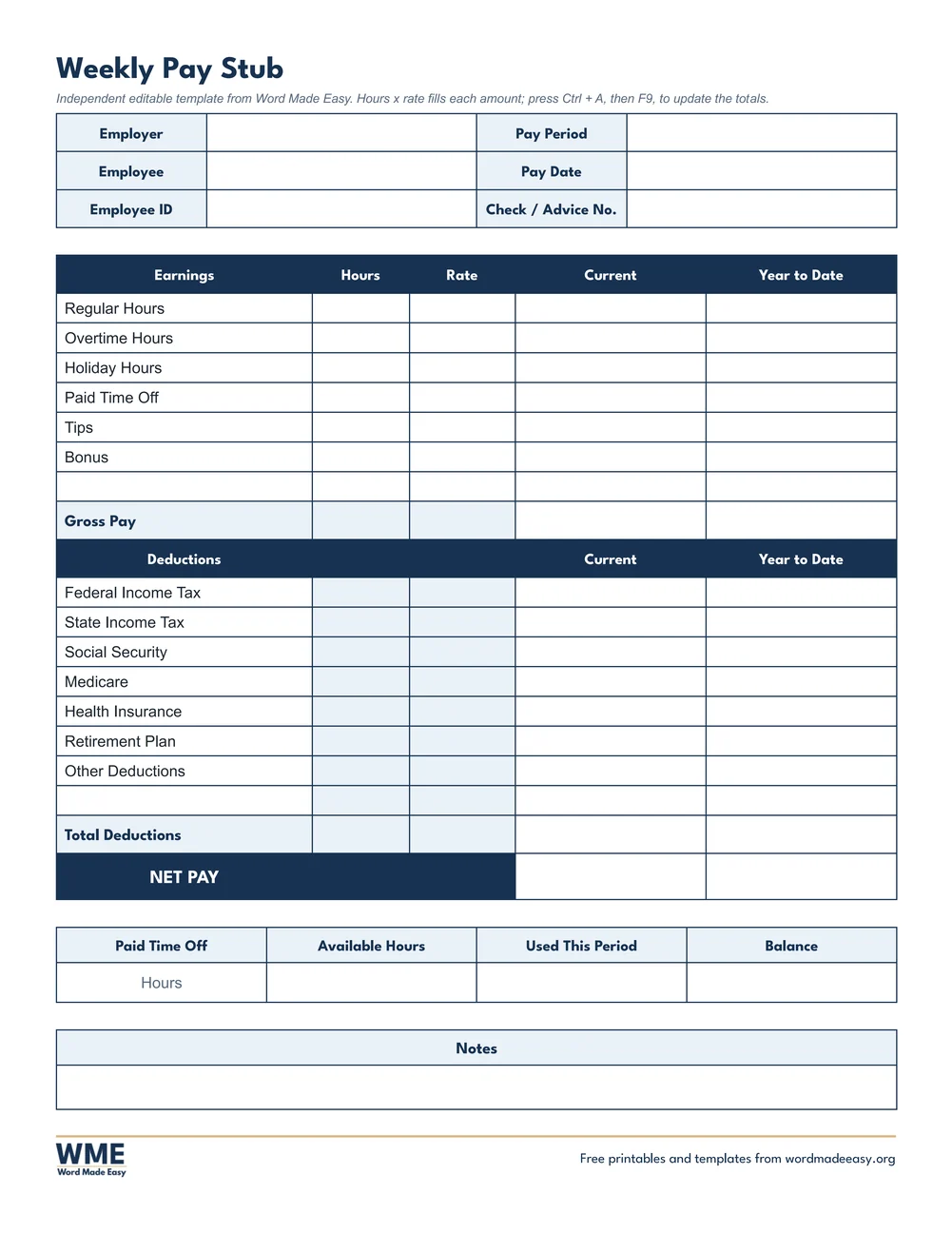
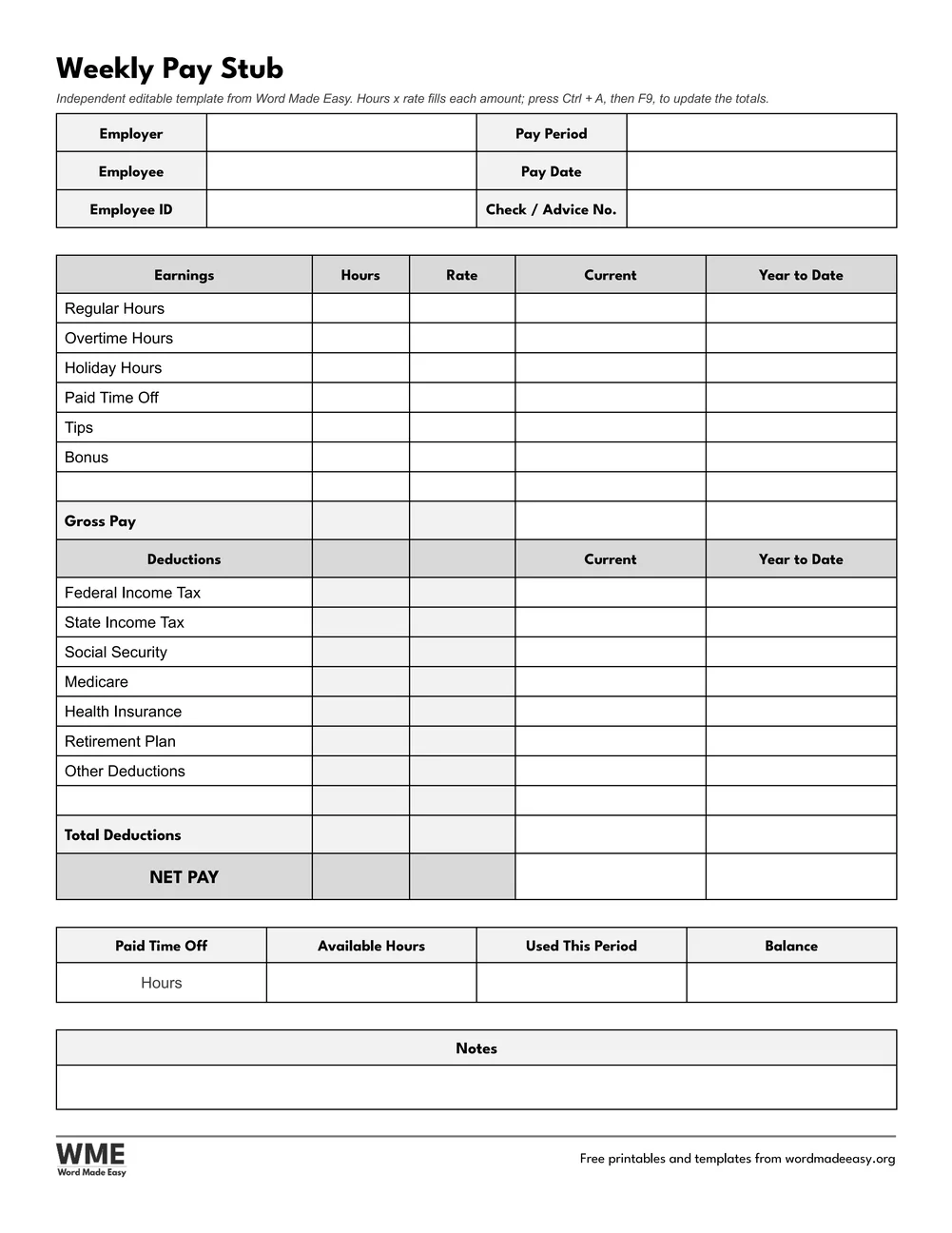
| Weekly Pay Stub | Hours x rate for each type of pay, current and year-to-date columns, deductions and paid time off | US Letter and A4, colour and black and white |
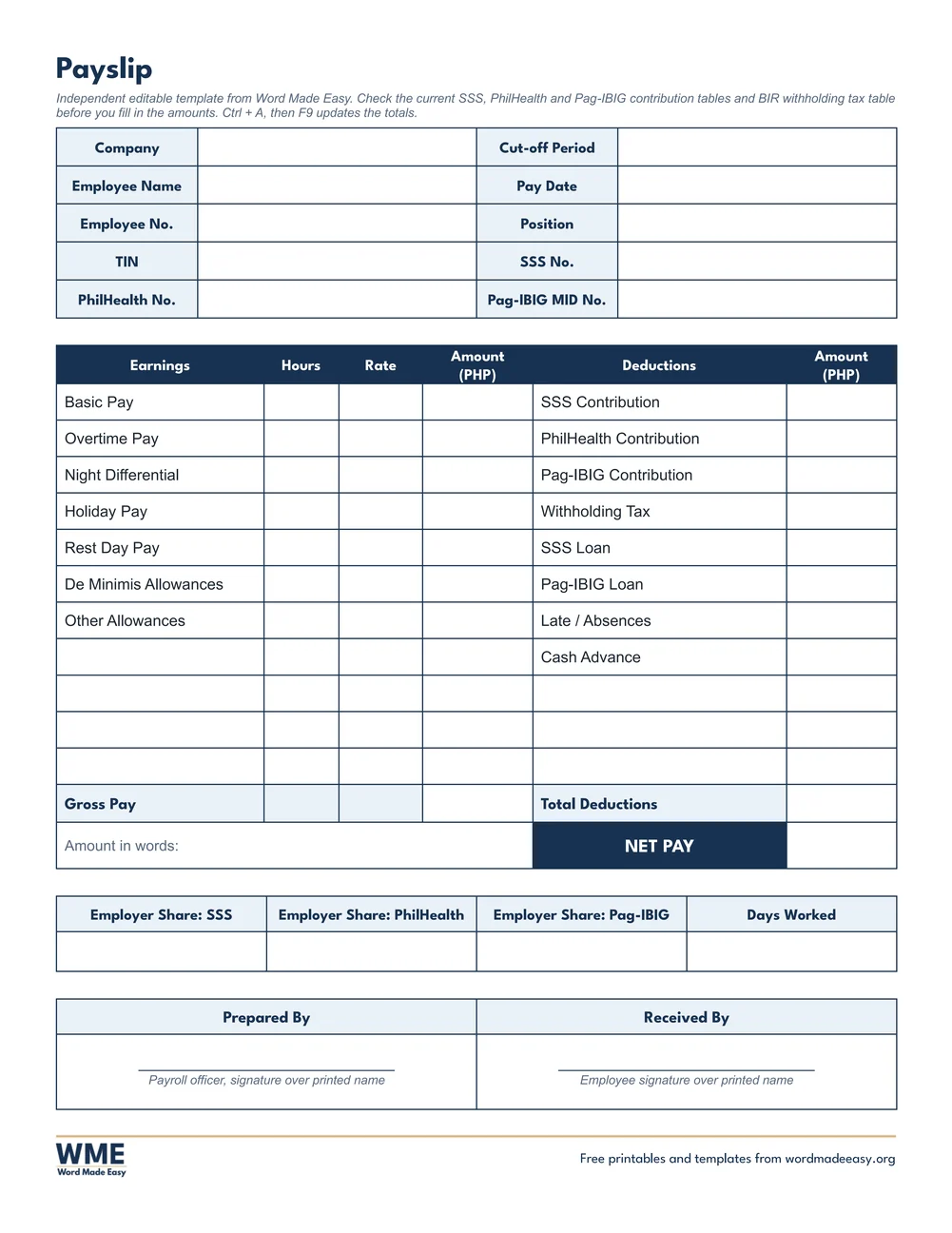
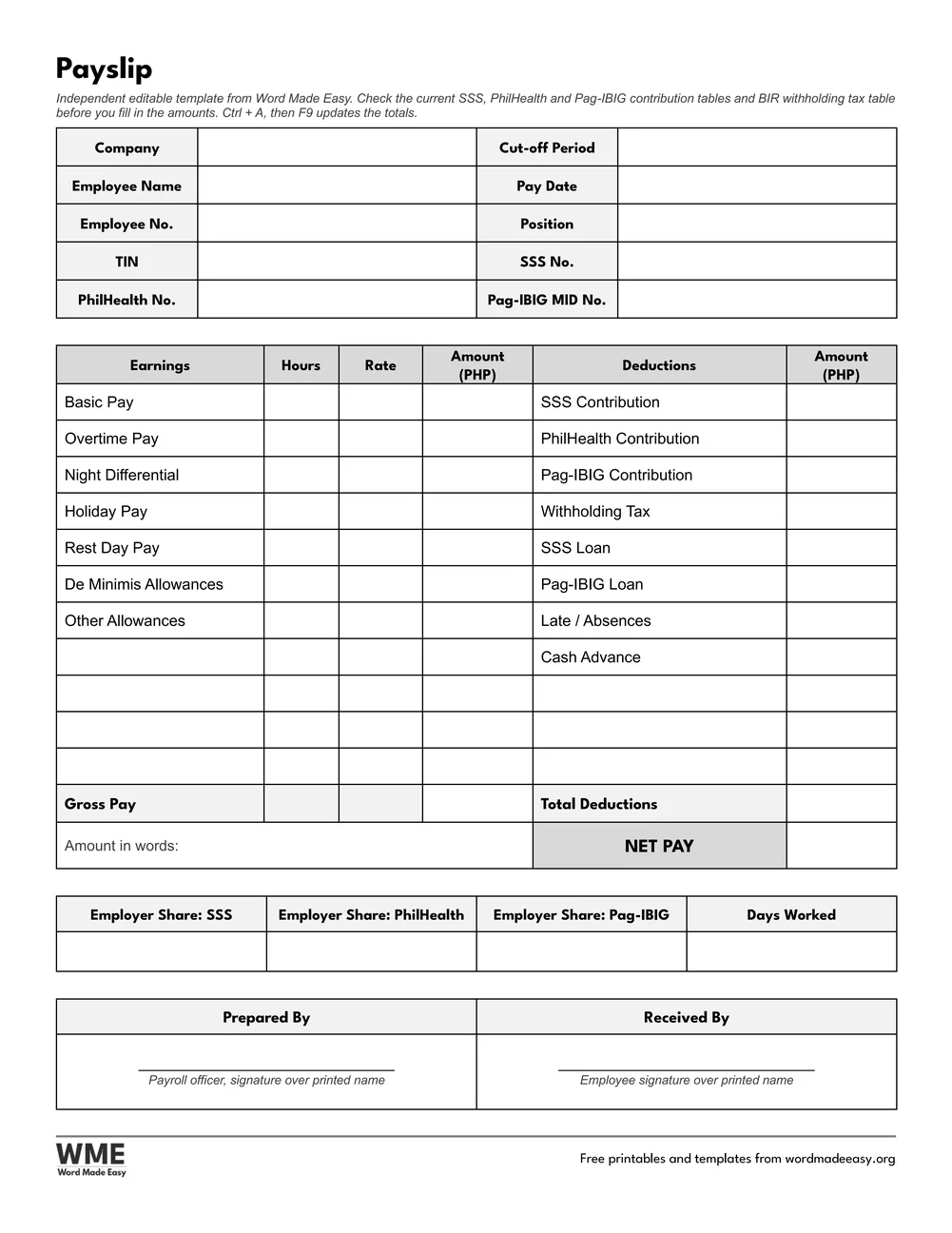
| Philippine Payslip | Semi-monthly cut-off, SSS, PhilHealth and Pag-IBIG contributions, withholding tax and loans | US Letter and A4, colour and black and white |
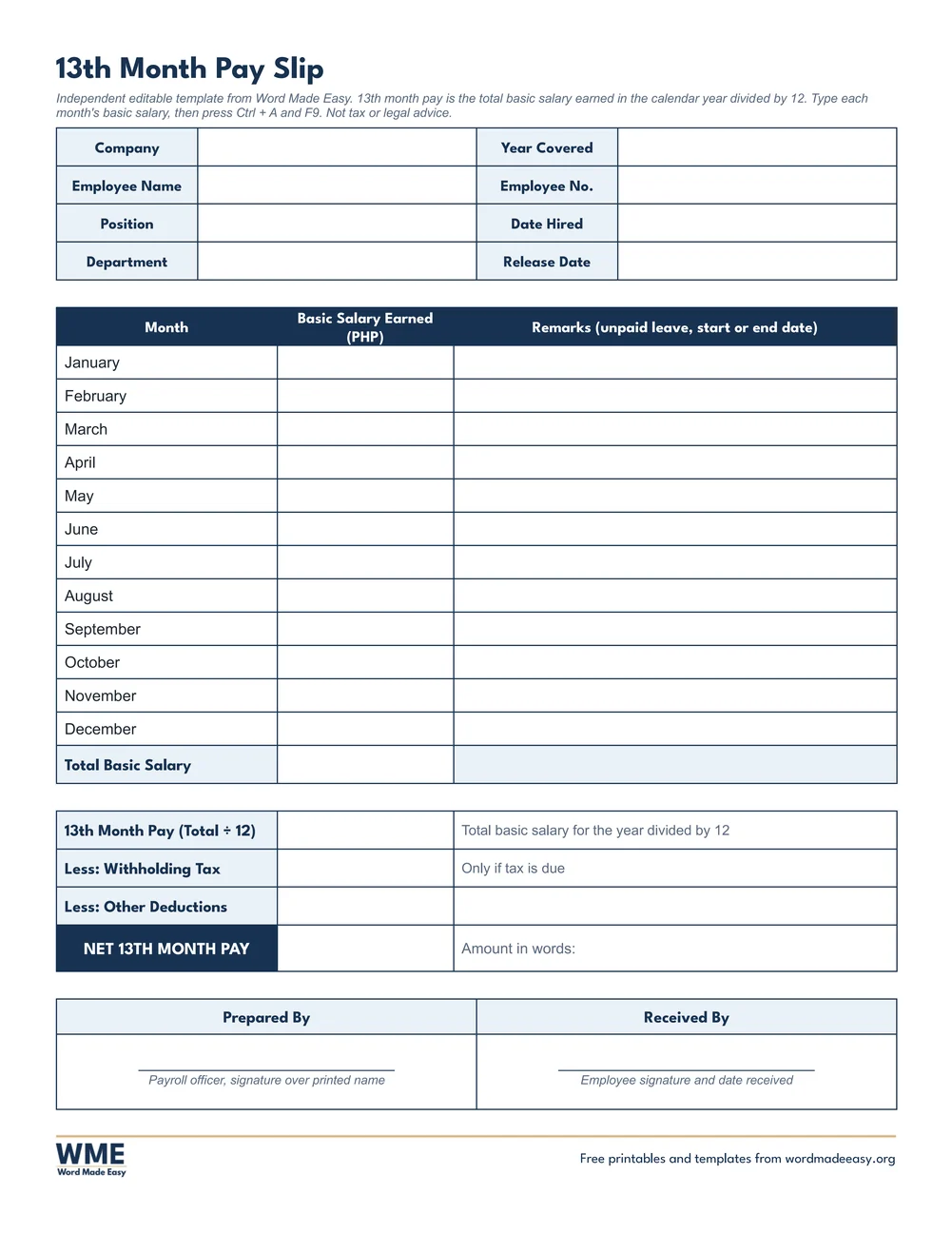
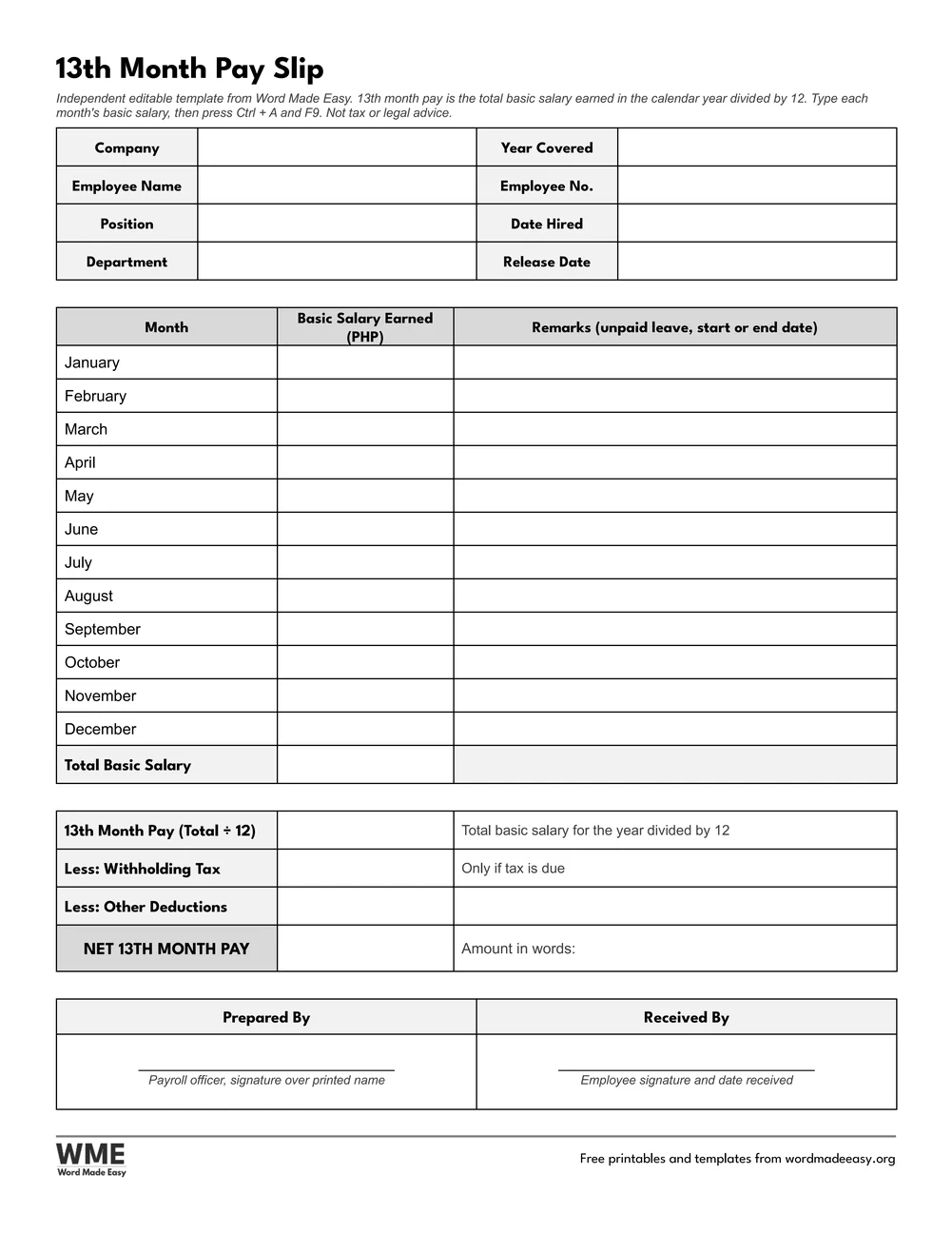
| 13th Month Pay Slip | Basic salary for each month, the total divided by 12, deductions and net 13th month pay | US Letter and A4, colour and black and white |
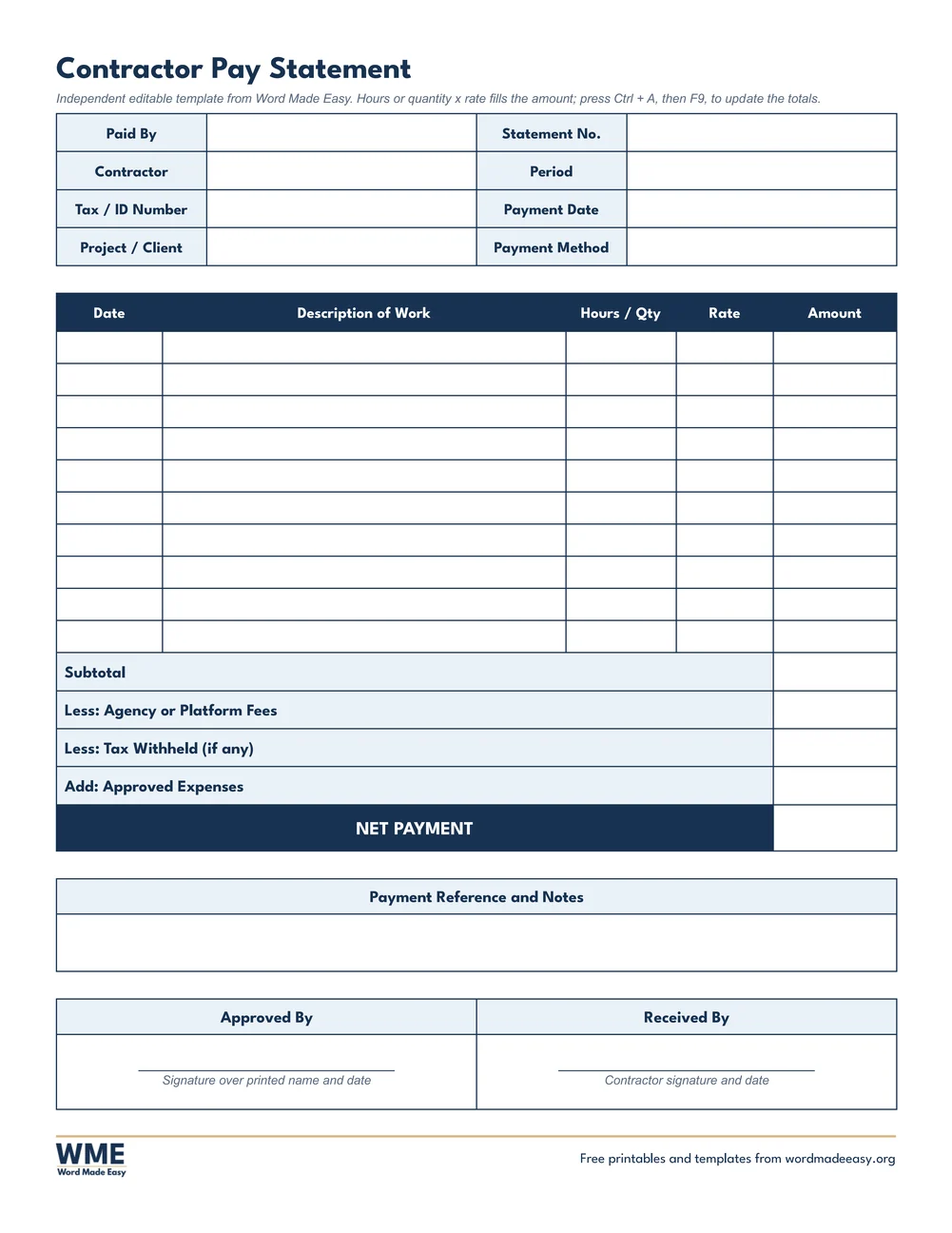
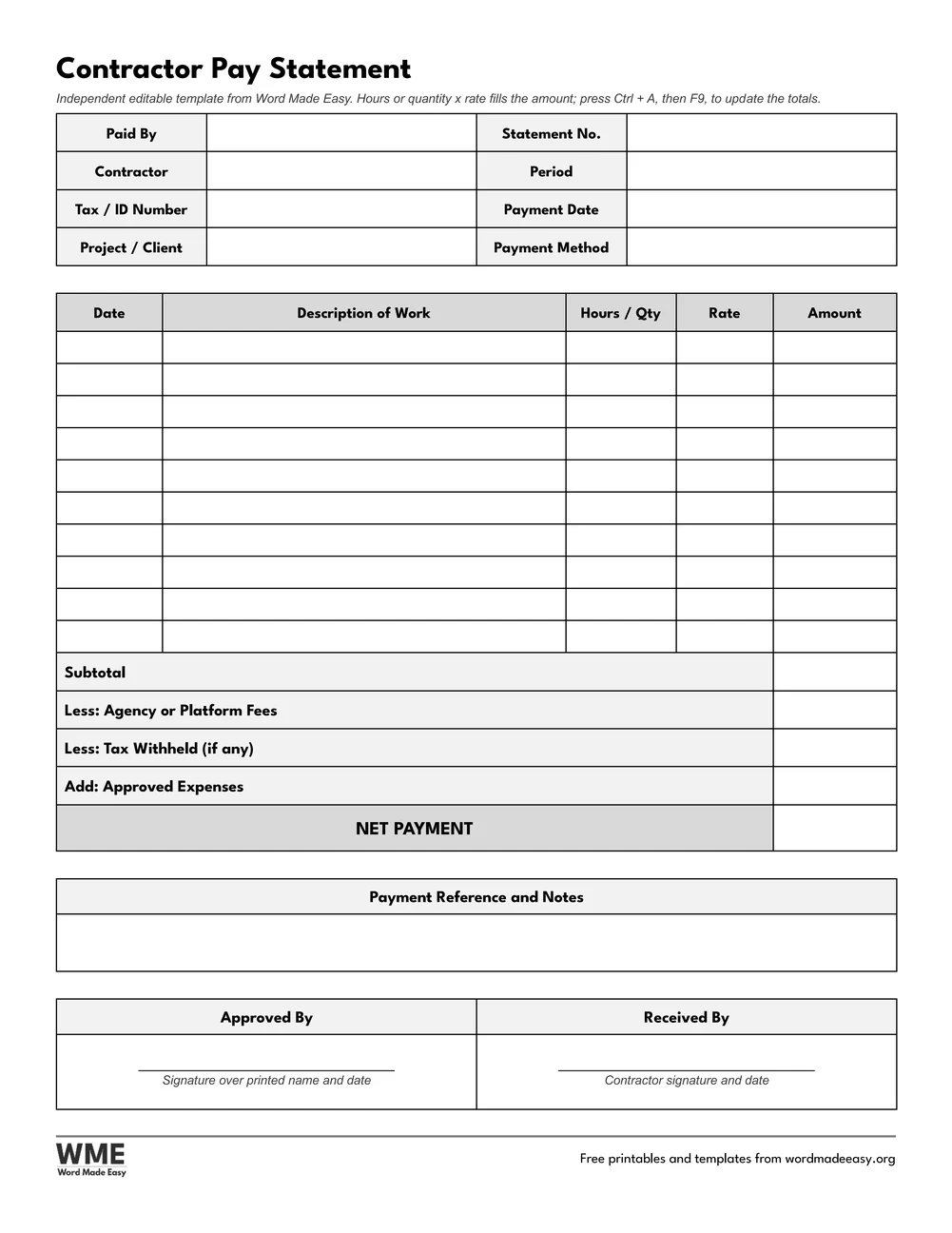
| Contractor Pay Statement | Work done with hours or quantity x rate, fees, tax withheld, expenses and net payment | US Letter and A4, colour and black and white |
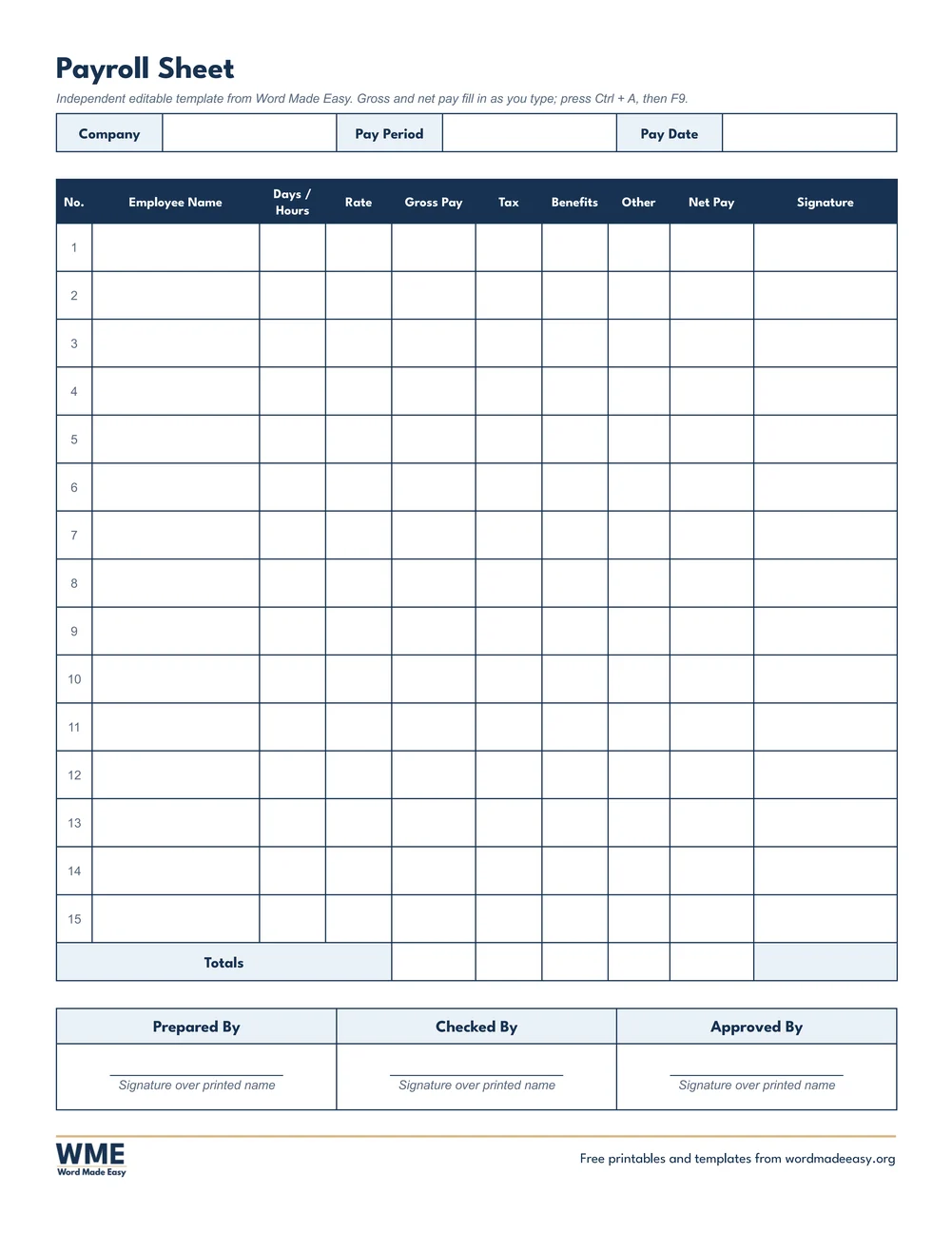
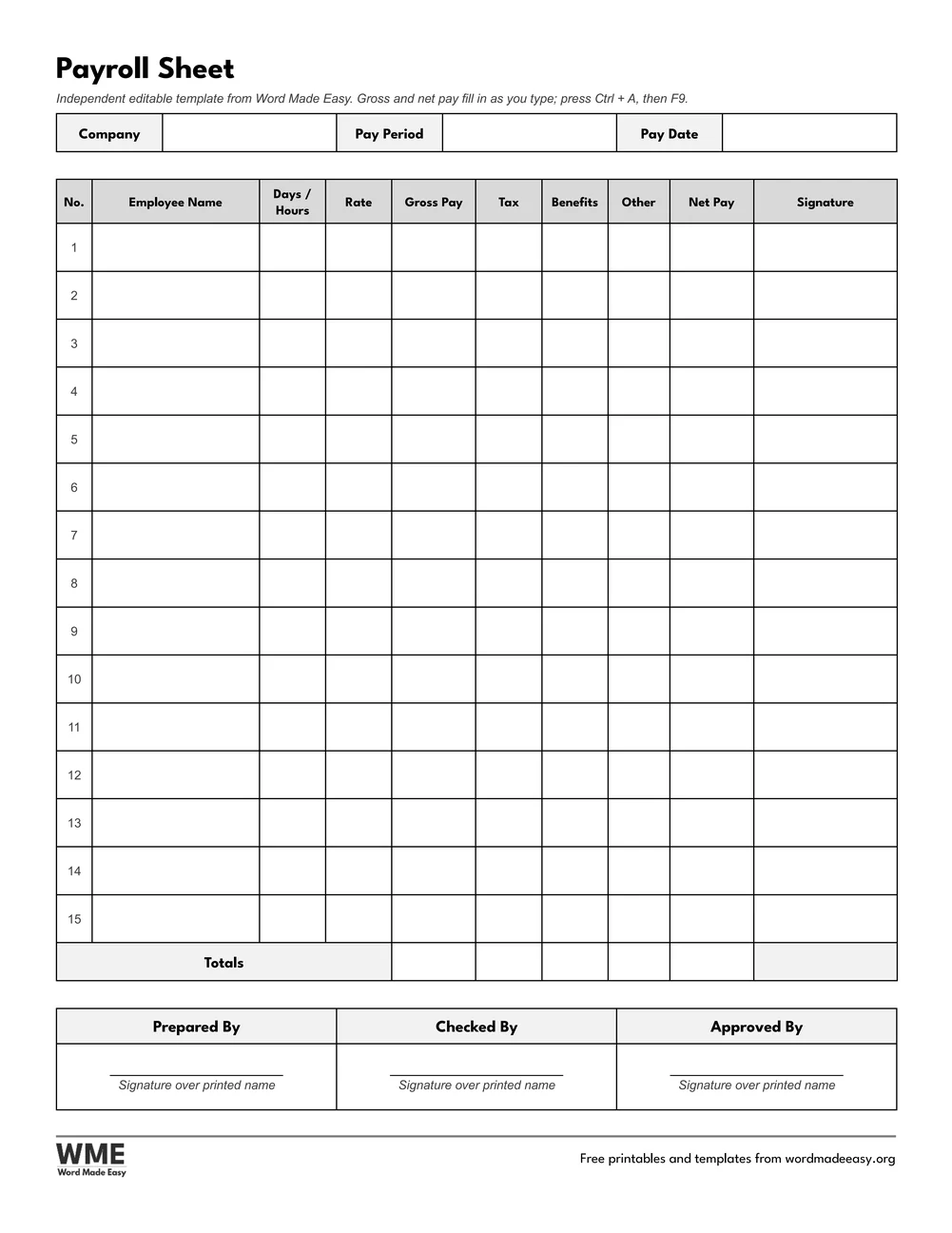
| Payroll Sheet | Fifteen employees on one sheet: gross pay, deductions, net pay, signatures and column totals | US Letter and A4, colour and black and white |
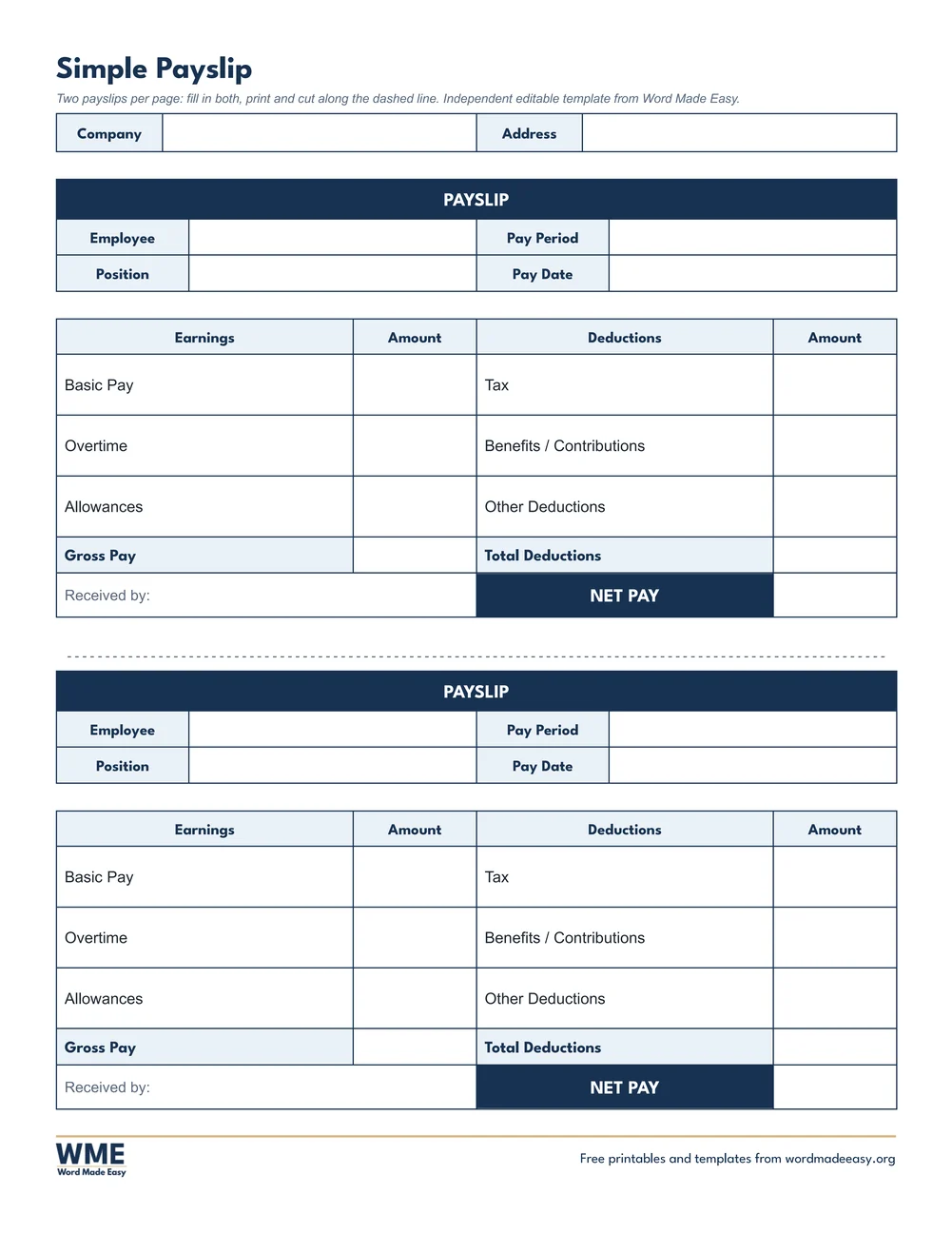
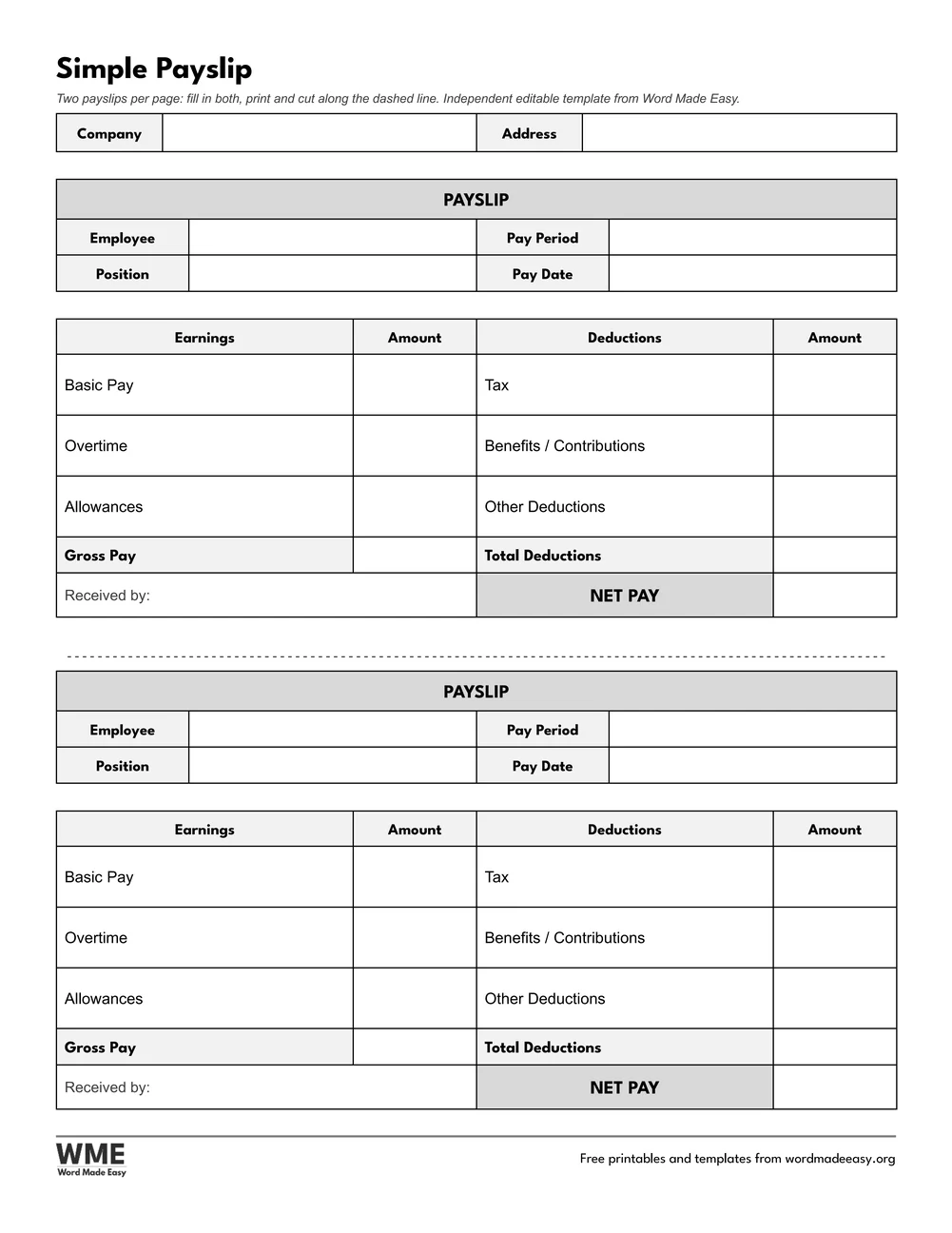
| Simple Payslip, Two per Page | Two short payslips on one page to cut apart: three earnings and three deductions | US Letter and A4, colour and black and white |
👉 Every amount box starts empty. Type the figures, then press Ctrl + A and F9: gross pay, deductions and net pay update together. The labels are ordinary Word text, so you can rename any row.
What Should a Payslip Include?
A payslip names the employer and the employee, the pay period and the pay date, and an employee number or tax number where one is used. It then lists the earnings, such as basic pay, overtime, holiday pay and allowances, and the deductions, such as income tax, social security or pension, health insurance and loan repayments. Gross pay less total deductions gives the net pay, the amount actually paid. Many payslips also show year-to-date totals and how the money was paid. What must appear by law, and which deductions apply, depends on your country, so check the current rules or ask an accountant.
Which Payslip Template Should You Use?
- Payslip: a monthly payslip with earnings beside deductions, net pay with an amount in words, year-to-date boxes and signatures for the person who prepared it and the employee.
- Weekly Pay Stub: for hourly staff: hours times rate fills each line, with current and year-to-date columns, US-style deductions and paid time off.
- Philippine Payslip: a semi-monthly cut-off, TIN, SSS, PhilHealth and Pag-IBIG numbers, the three contributions, withholding tax, SSS and Pag-IBIG loans and the employer’s share.
- 13th Month Pay Slip: the basic salary for each month from January to December, the total divided by 12, less any deductions, and the net 13th month pay.
- Contractor Pay Statement: for freelancers: the work done with hours or quantity times rate, agency fees, tax withheld, approved expenses and the net payment.
- Payroll Sheet: up to fifteen employees on one page, with gross pay, deductions, net pay, a signature column and totals for each column.
- Simple Payslip, Two per Page: two short payslips to fill in, print and cut apart.
- To confirm a job and salary in writing, the sister page of employment verification letters has ready letters.
How to Fill In a Payslip Template
- Choose colour or black and white and your paper size above, download the ZIP and open the template you need.
- Type the company and employee details, the pay period and the pay date.
- Enter each earning: for hourly lines type the hours and the rate, and the amount fills in.
- Enter each deduction using the current rates for your country, then press Ctrl + A and F9 to update the totals.
- Check the net pay against the payment, then print or save a copy for the employee and one for your records.
Save one blank copy as your master and use Save As for each pay day, so last month’s figures are never overwritten. Keep the year-to-date boxes up to date at every pay run. For freelancers who bill you, the invoice templates are the other side of the contractor statement, and the expense report templates help staff claim back costs.
Black and White Versions
Every payslip template also comes in black and white: grey headings and black lines, so payslips print cheaply and clearly on an office printer. In the download box, choose Colour, Black and white or All, then US Letter, A4 or both.
How to Print the Payslip Templates
Want to print without editing? Every download has three folders: the editable Word files, the same sheets as PDFs, and every page as a print-ready image (JPEG), so you can print straight away without opening Word.
Print at 100% (Actual size) on the paper in the file name, US Letter or A4. Update the totals with Ctrl + A and F9 before printing, and print the two-per-page payslip on one sheet, then cut along the dashed line.
FAQs
Are these payslip templates free?
Yes. All seven templates are free: choose US Letter or A4, colour or black and white, and download them in one ZIP file with Word, PDF and image versions.
Do the totals calculate automatically?
Yes. Gross pay, total deductions and net pay are Word formulas. Type the amounts, then press Ctrl + A and F9 to update them.
Is there a payslip with SSS, PhilHealth and Pag-IBIG?
Yes. The Philippine Payslip has rows for the SSS, PhilHealth and Pag-IBIG contributions, withholding tax and loans. Use the current contribution tables for the amounts.
How is 13th month pay worked out?
It is the total basic salary earned during the calendar year divided by 12. The 13th Month Pay Slip lists each month and divides the total for you.
What is the difference between a payslip and a pay stub?
They are the same record. Payslip is the usual word in the UK, the Philippines and many other countries, and pay stub is used in the US.
Do these templates give tax advice?
No. Every amount is left blank and no rates are included. Check the current tax and contribution rules for your country before you fill them in.
Conclusion
Seven payslip templates, from a monthly payslip to a whole payroll sheet, with the adding done for you in Word.
Choose your paper size above and download the ZIP. For staff letters, see the employment verification letters.
Related Tutorials
- Free Employment Verification Letters for Word
- Free Invoice Templates for Word
- Free Expense Report Templates for Word
Word Templates
Recently Added Word Templates
Browse the complete collection of free printable Word templates for home and school, all made by a teacher.
New to Word? Our Word tutorials show you how to edit and print your templates.
Leave a comment
Have a question about these templates, or an idea for a new one? Ask below.