
Bill of Sale Templates: 6 Free Forms for Word
Preview every design, choose colour or black and white and your paper size, then download your Word files in one small ZIP file.
A4 and US Letter6 templatesFree
Can’t find the template you need? Request a template and I’ll make it in Word, free.
Get new free printables first: follow Word Made Easy on Pinterest
A bill of sale template gives you a written record of a private sale: who sold what, to whom, for how much and on which day. These six free forms cover the sales people most often make by hand, from a sofa or a laptop to a car, a boat, workshop equipment or a puppy. Each is a Word document with the fields already laid out, so you only type the details and print. Every form is built in Microsoft Word with ordinary tables and typed text, and each was checked on US Letter and A4 so it fits one page. The templates are not legal advice.
Below you’ll find what a bill of sale needs to say, which of the six forms matches your sale, and what to do about the extra paperwork some items need.
What’s in the Bill of Sale Templates
| Template | What’s on it | Paper |
|---|---|---|
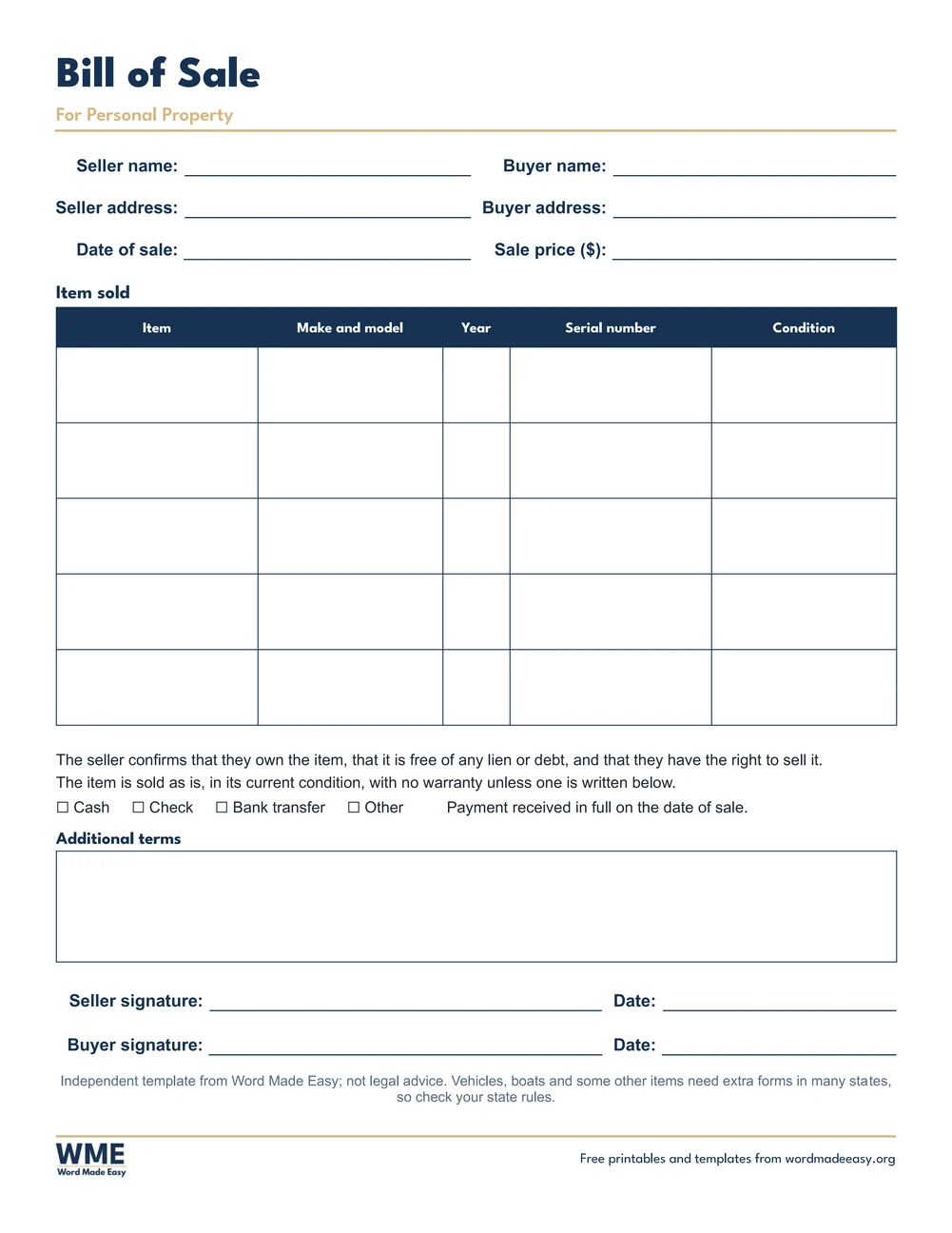
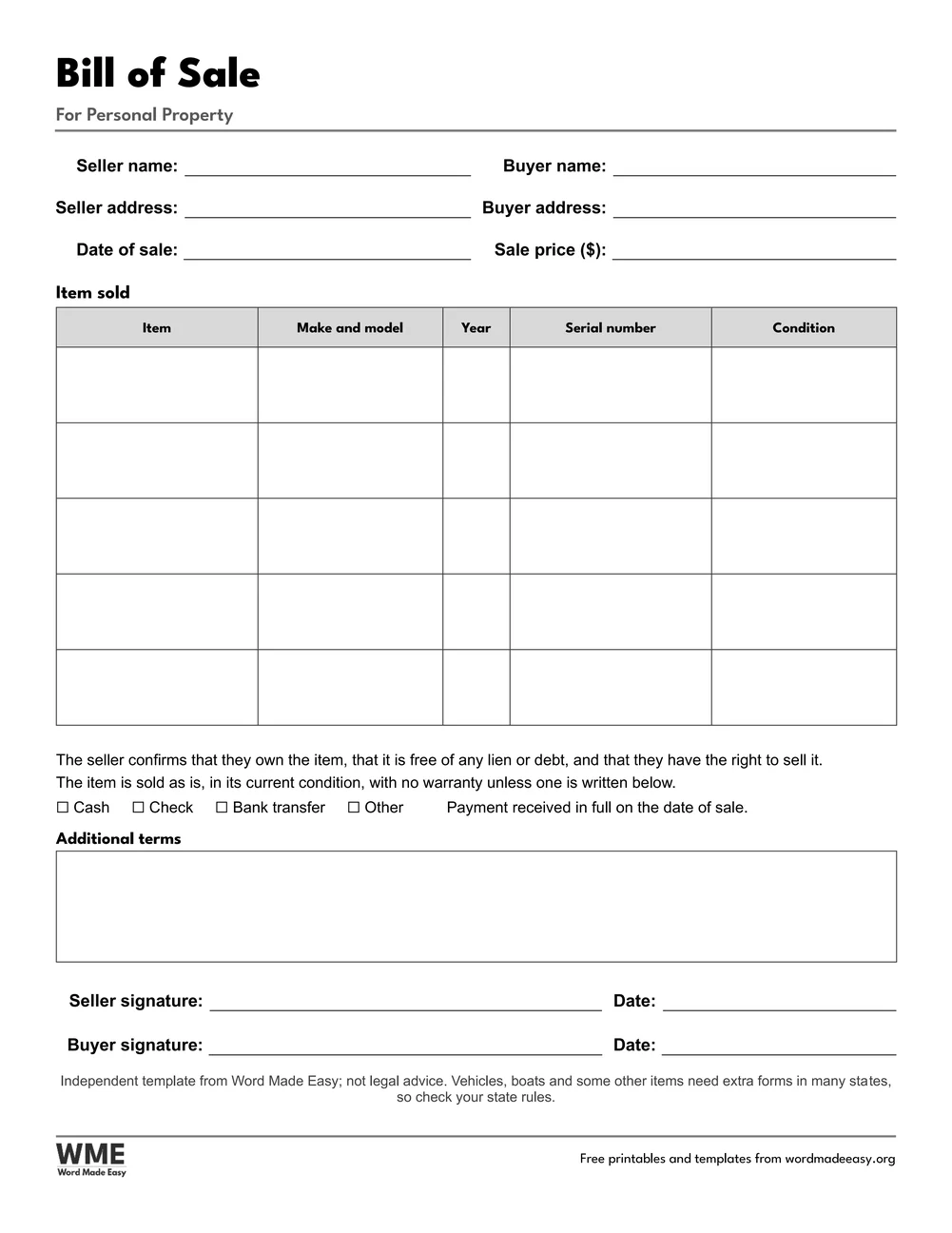
| General Bill of Sale | Personal property with an item table | US Letter and A4, colour and black and white |
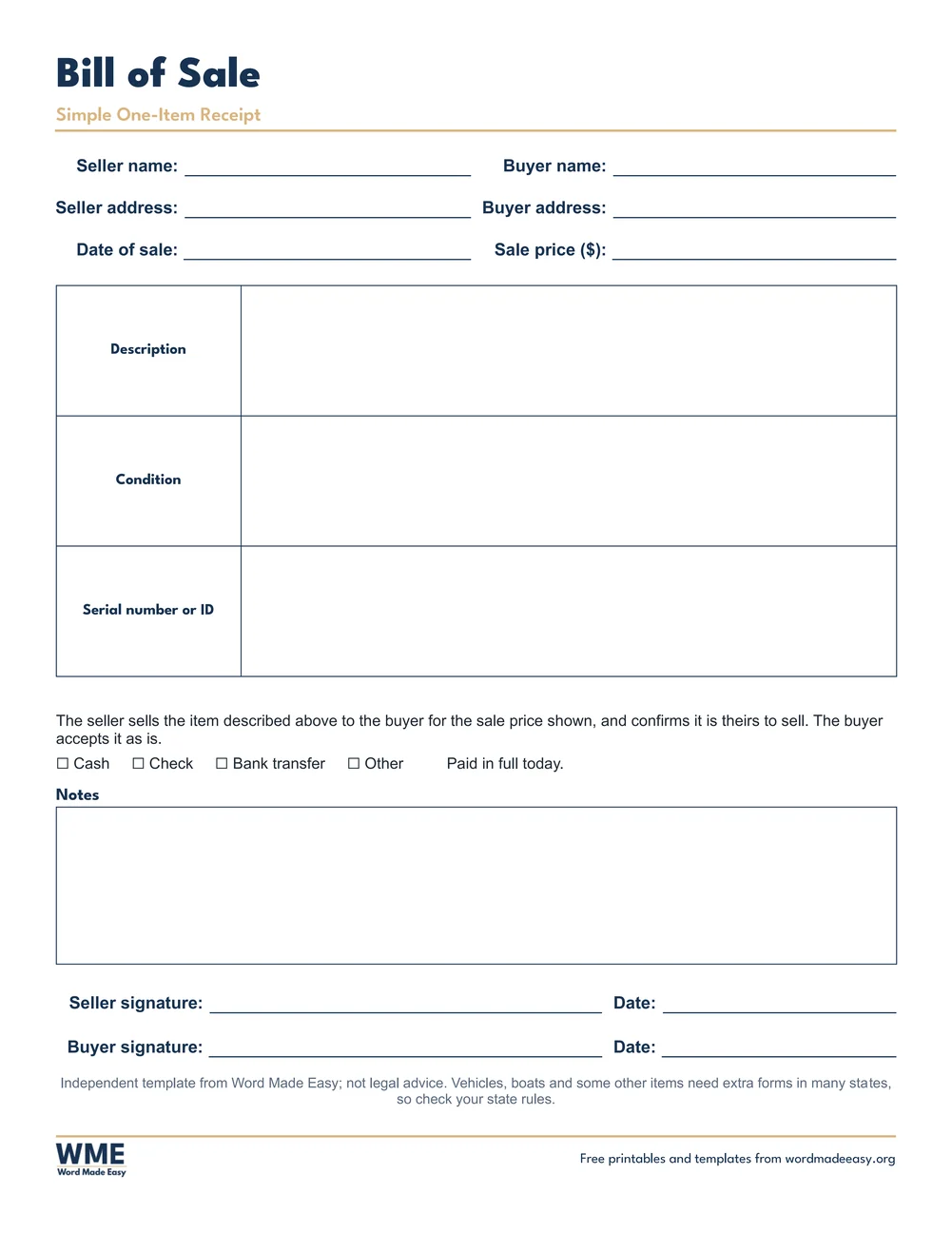
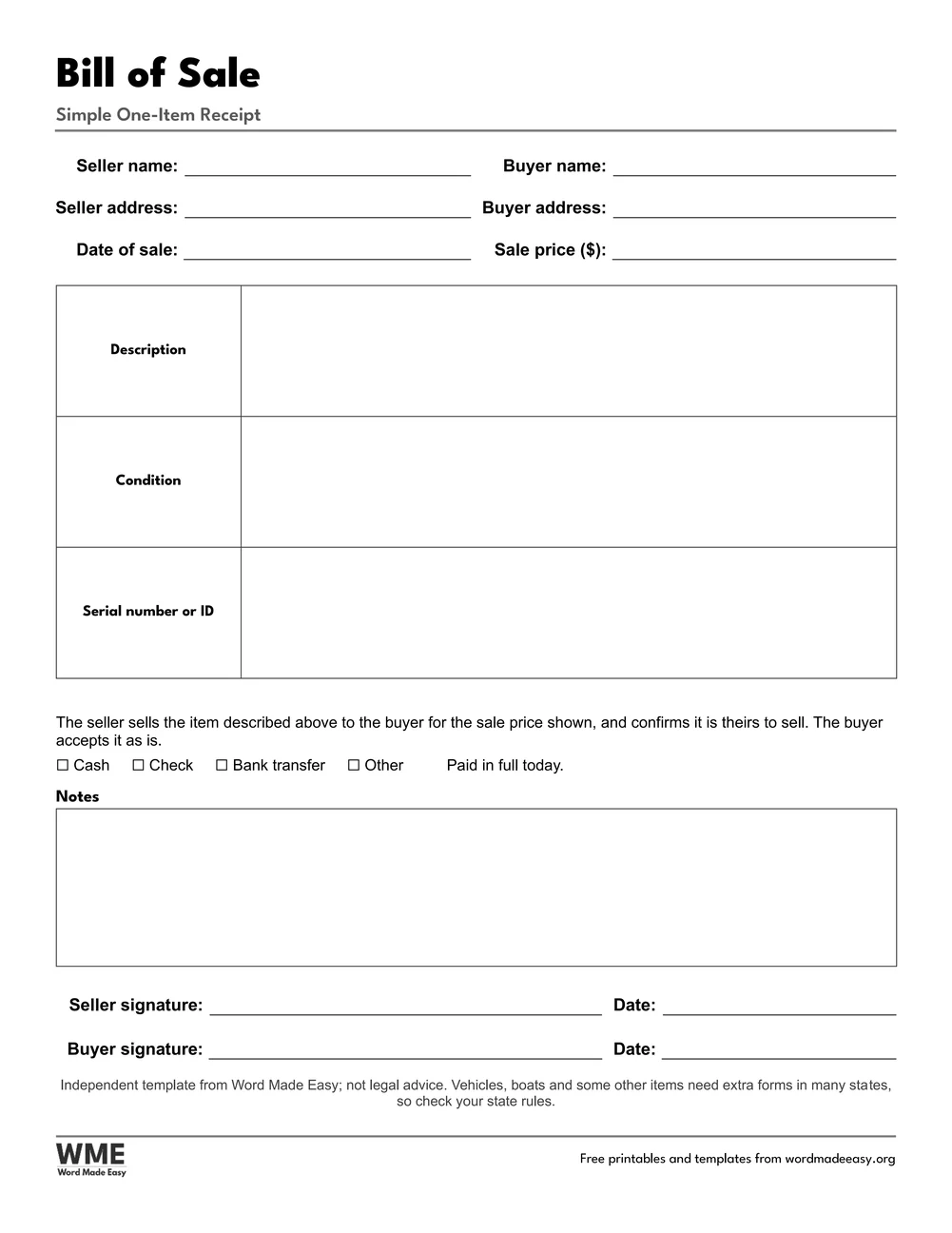
| Simple Bill of Sale | Short one-item receipt | US Letter and A4, colour and black and white |
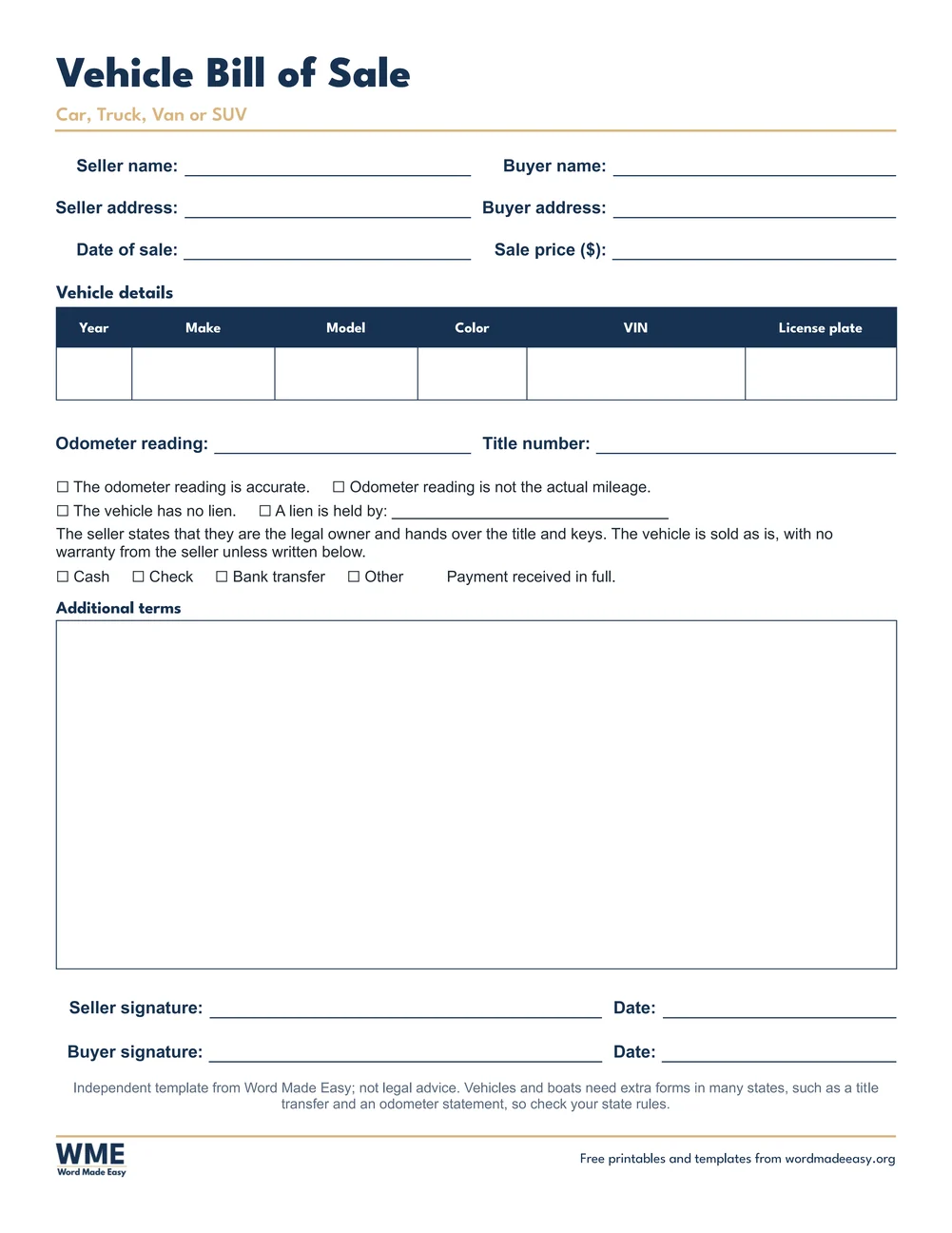
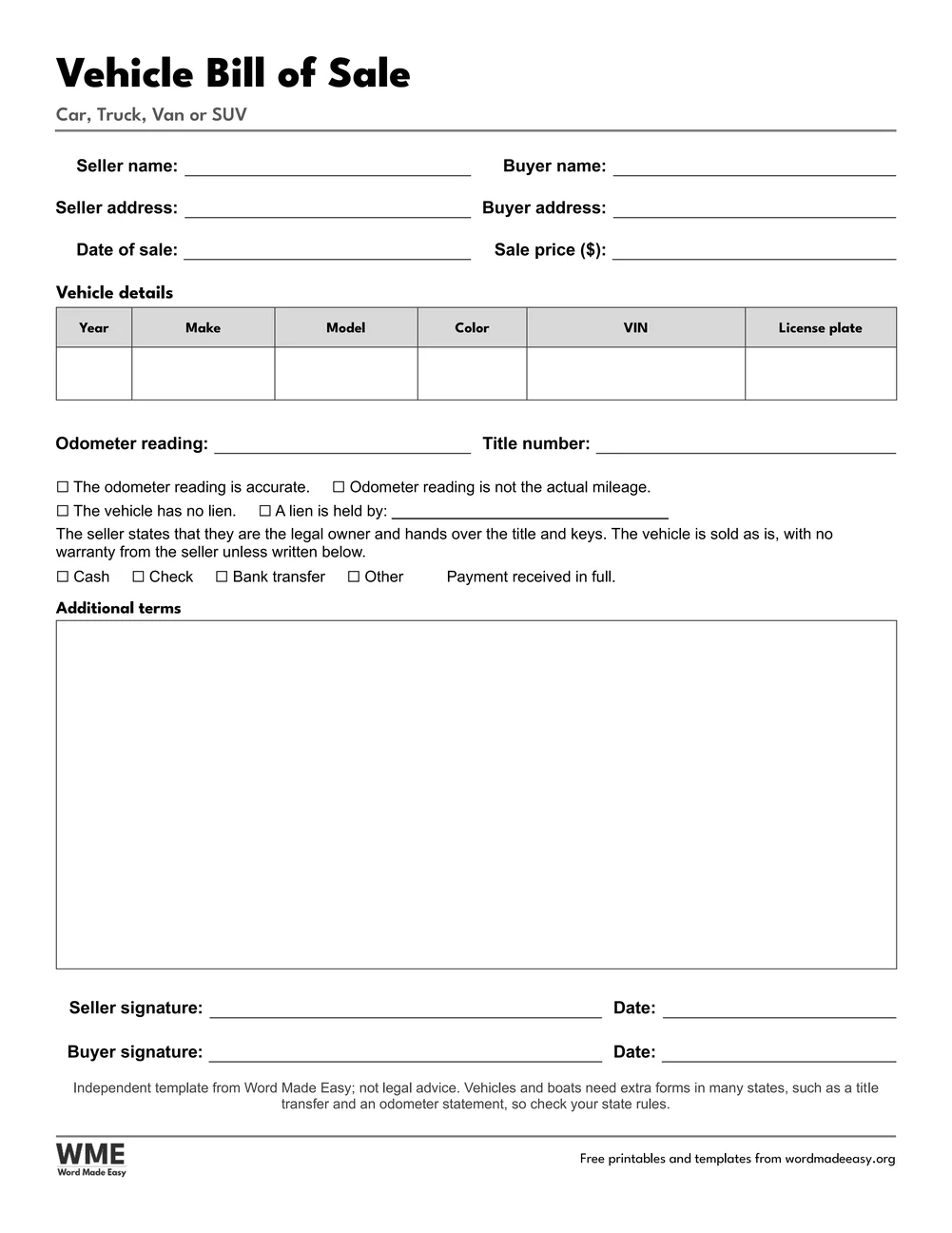
| Vehicle Bill of Sale | VIN, odometer, lien and title details | US Letter and A4, colour and black and white |
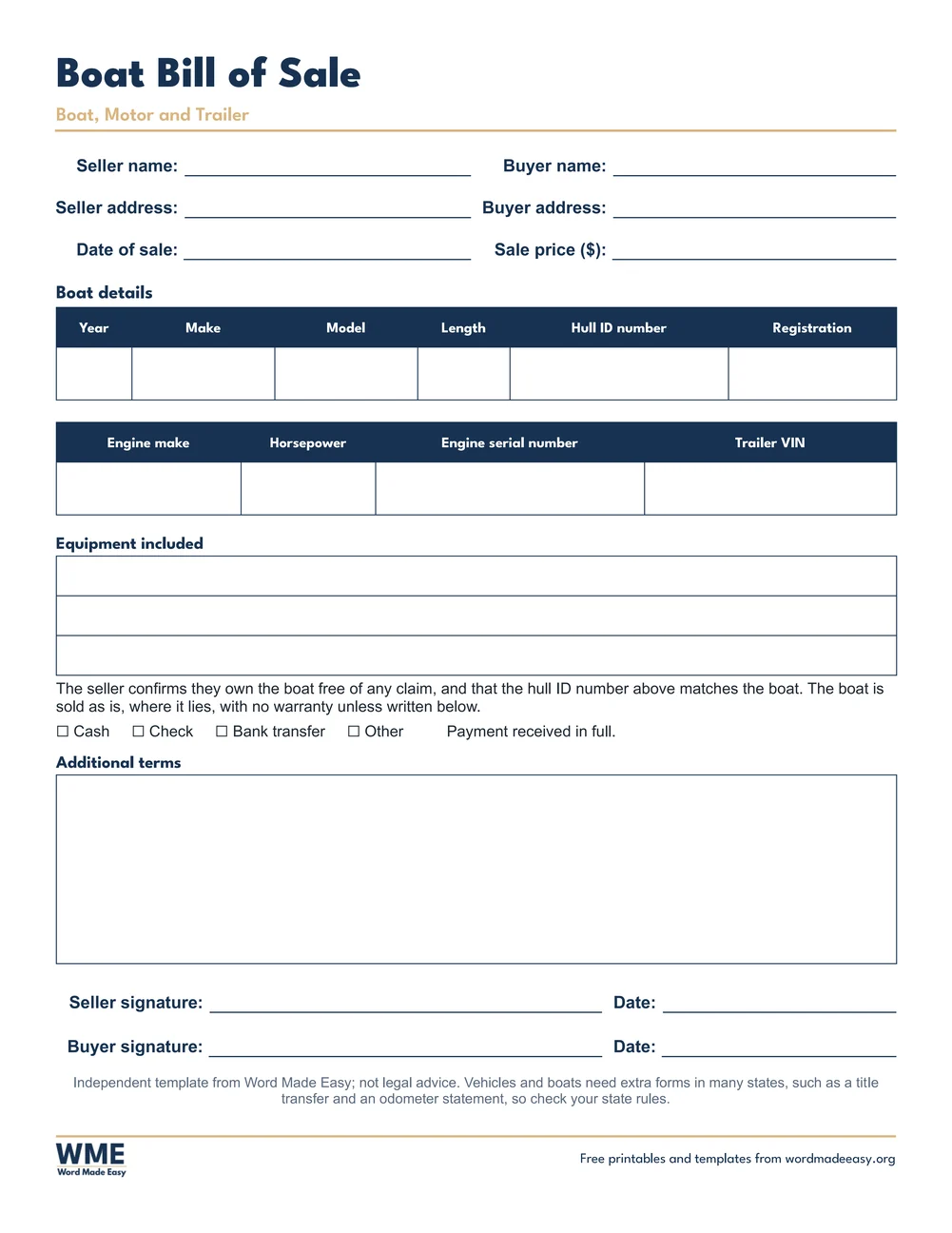
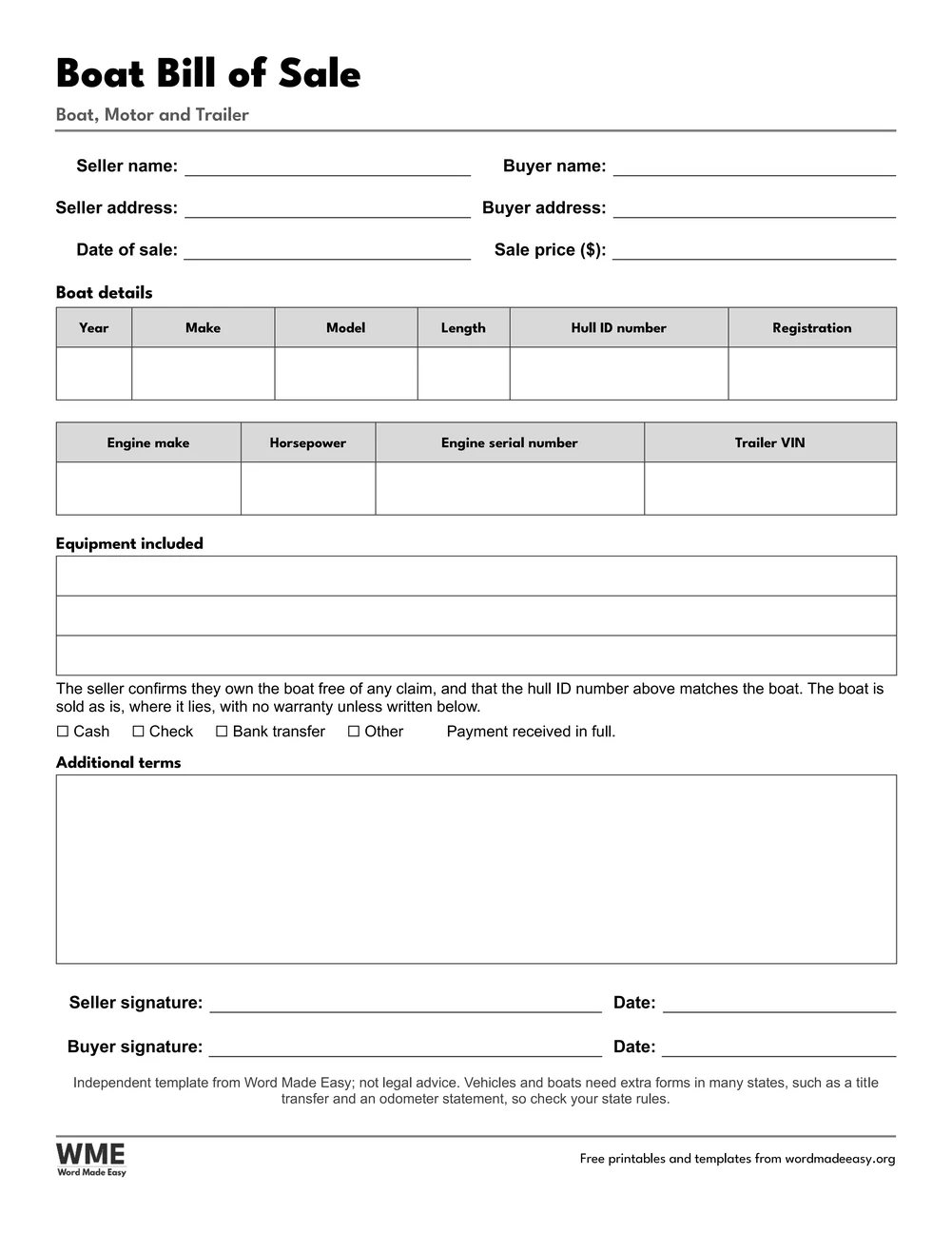
| Boat Bill of Sale | Hull ID, motor and trailer | US Letter and A4, colour and black and white |
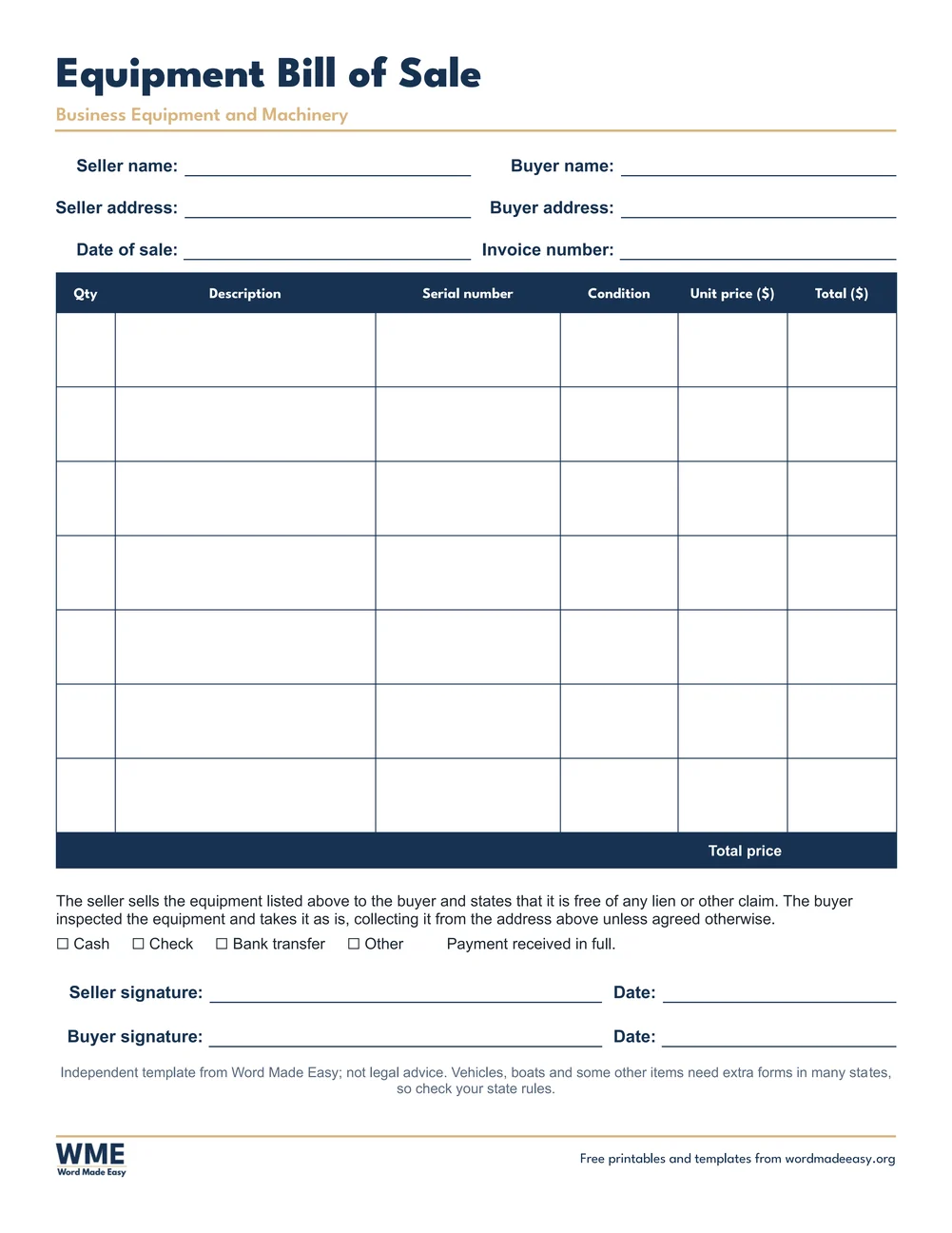
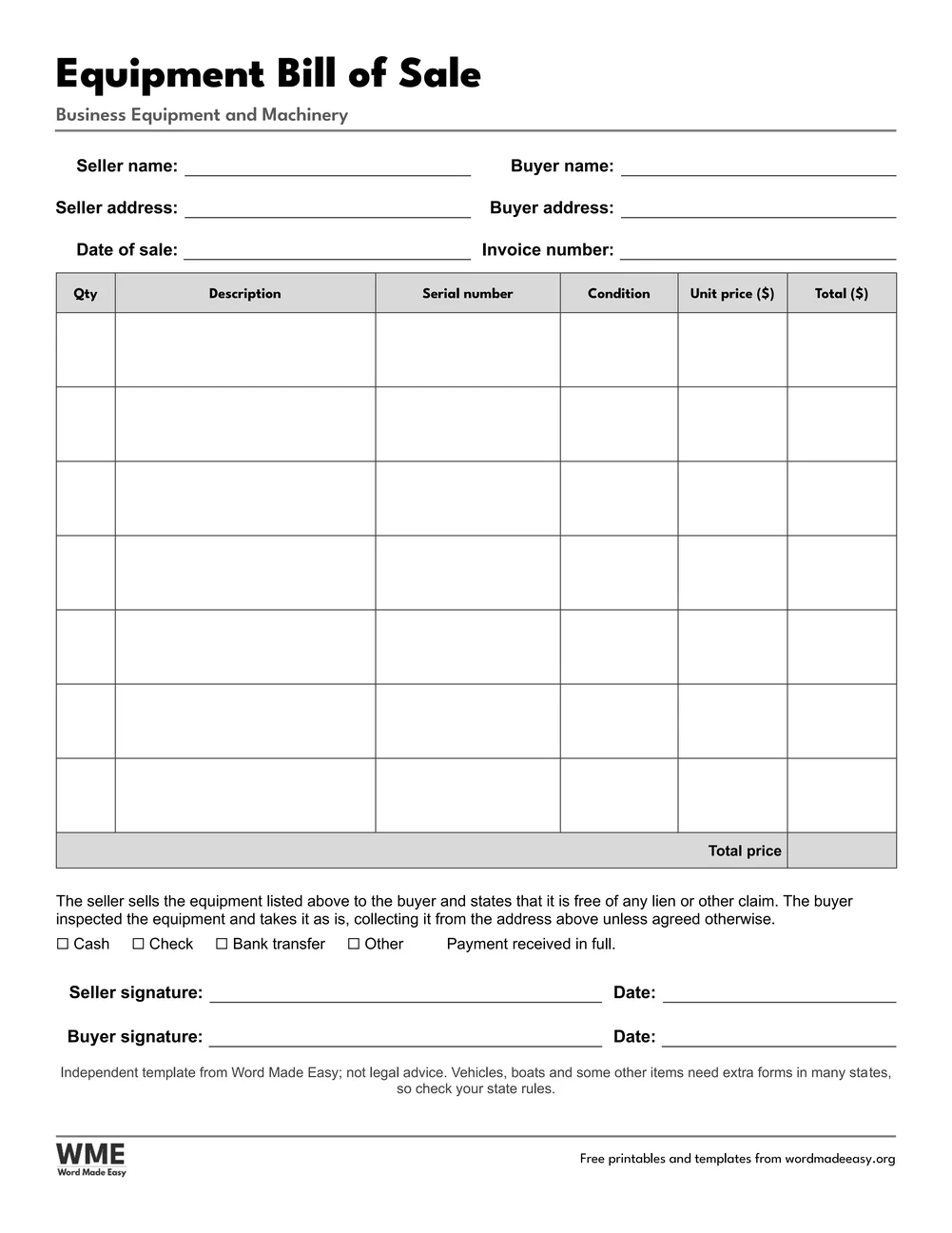
| Equipment Bill of Sale | Itemised tools with a total | US Letter and A4, colour and black and white |
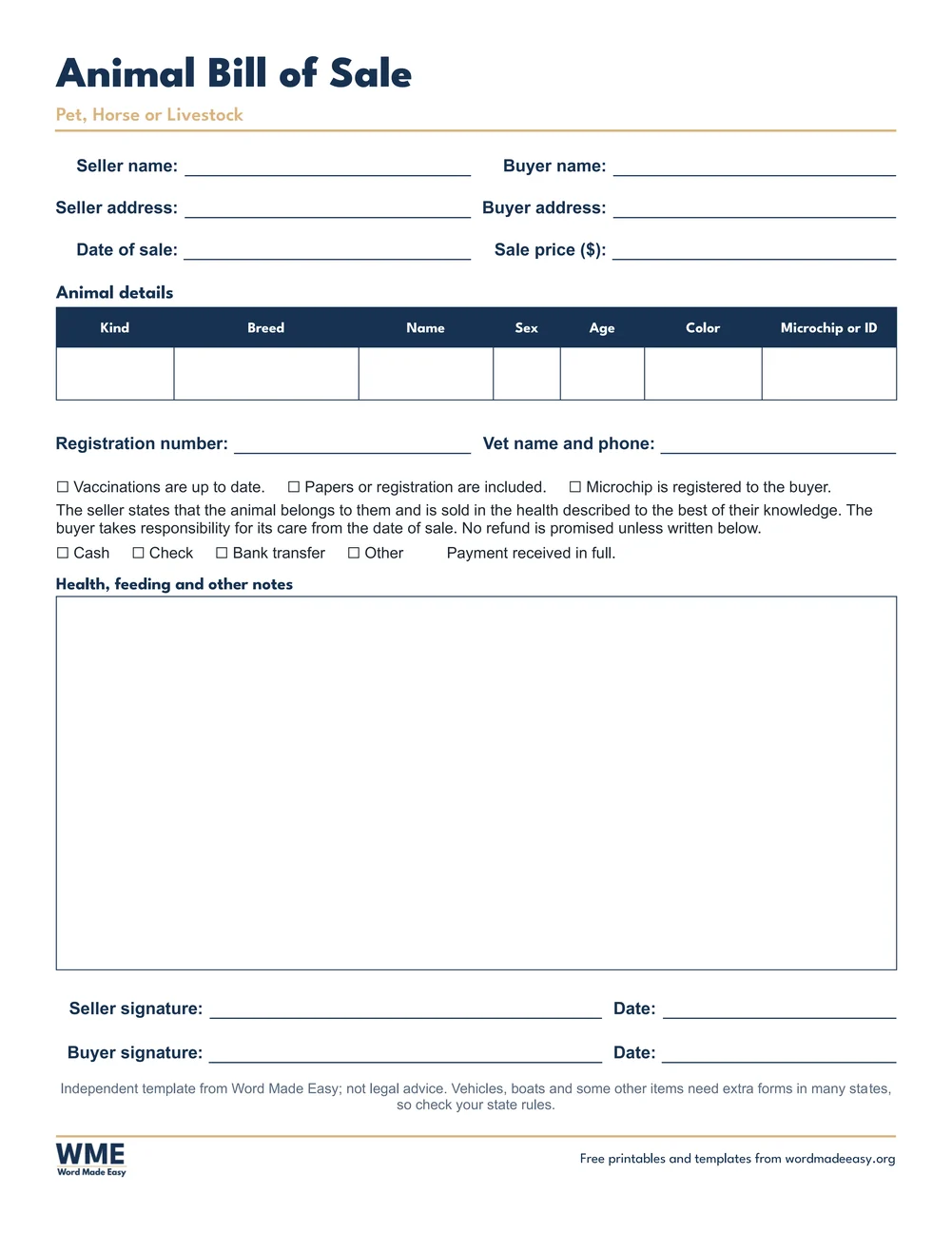
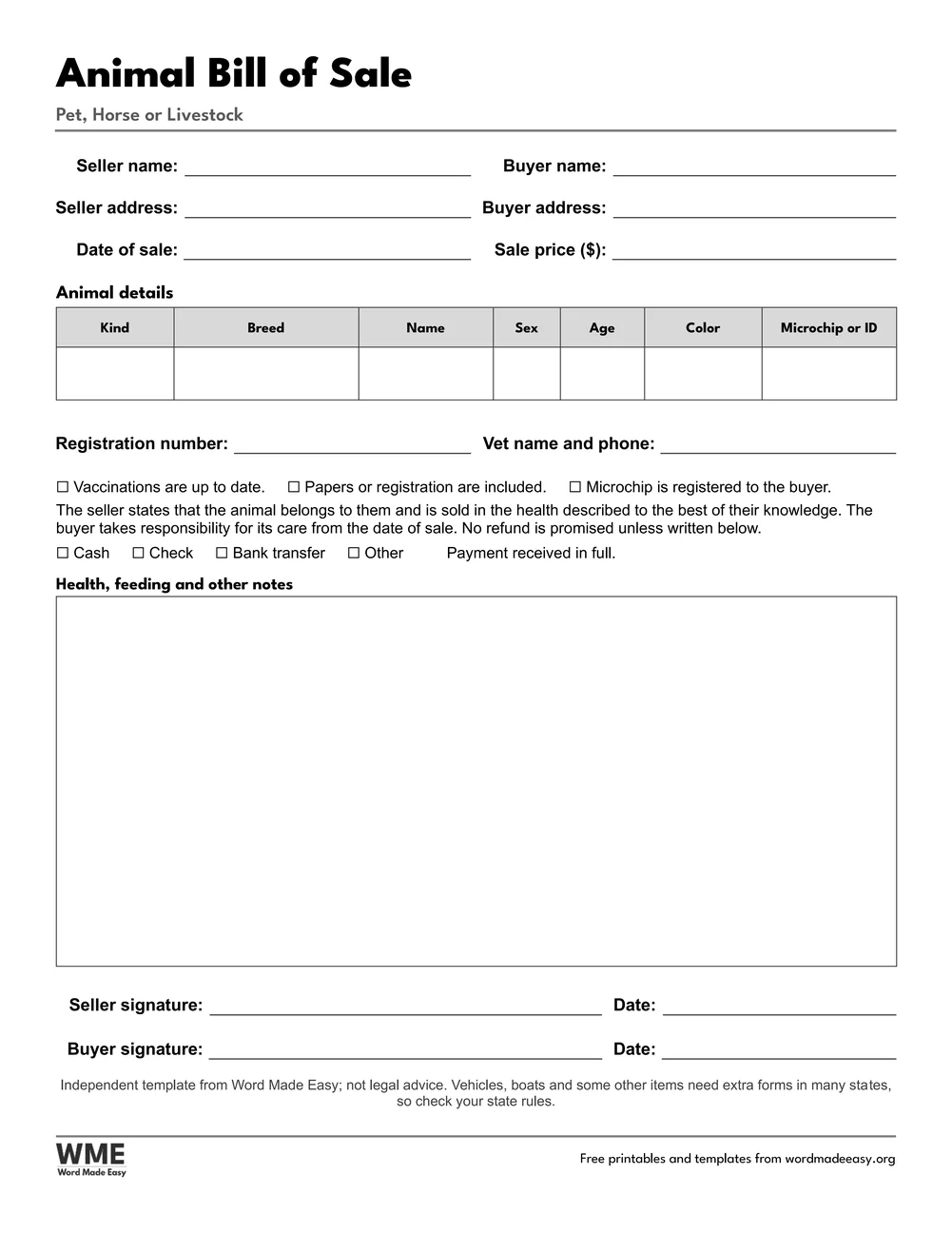
| Animal Bill of Sale | Pet or livestock, health notes | US Letter and A4, colour and black and white |
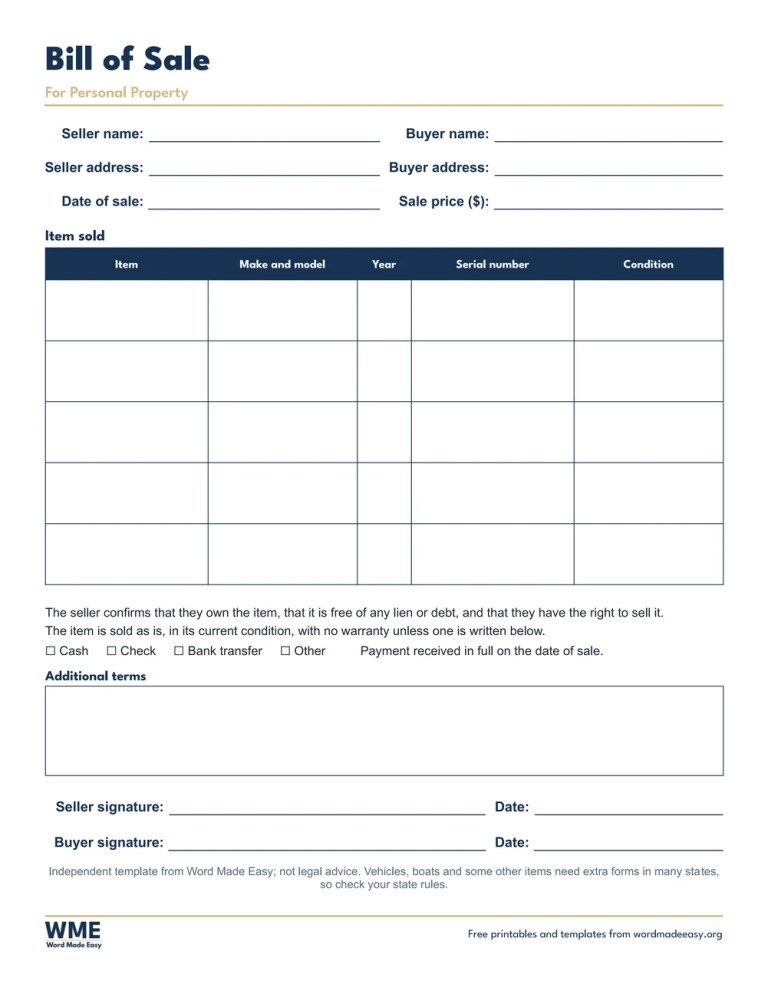
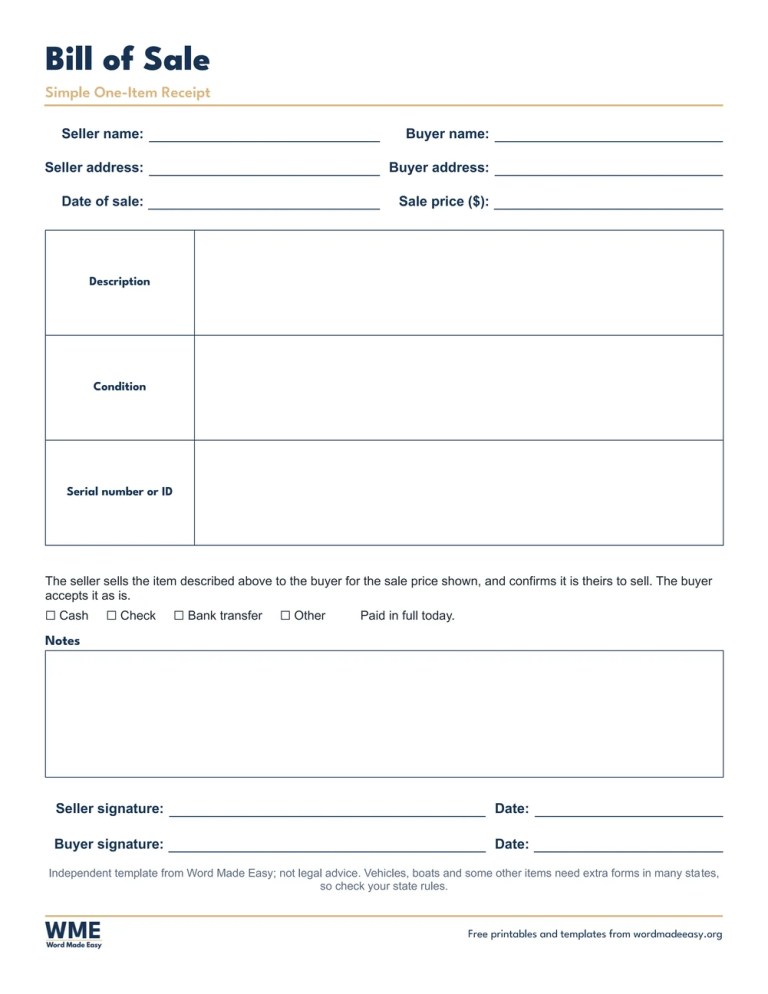
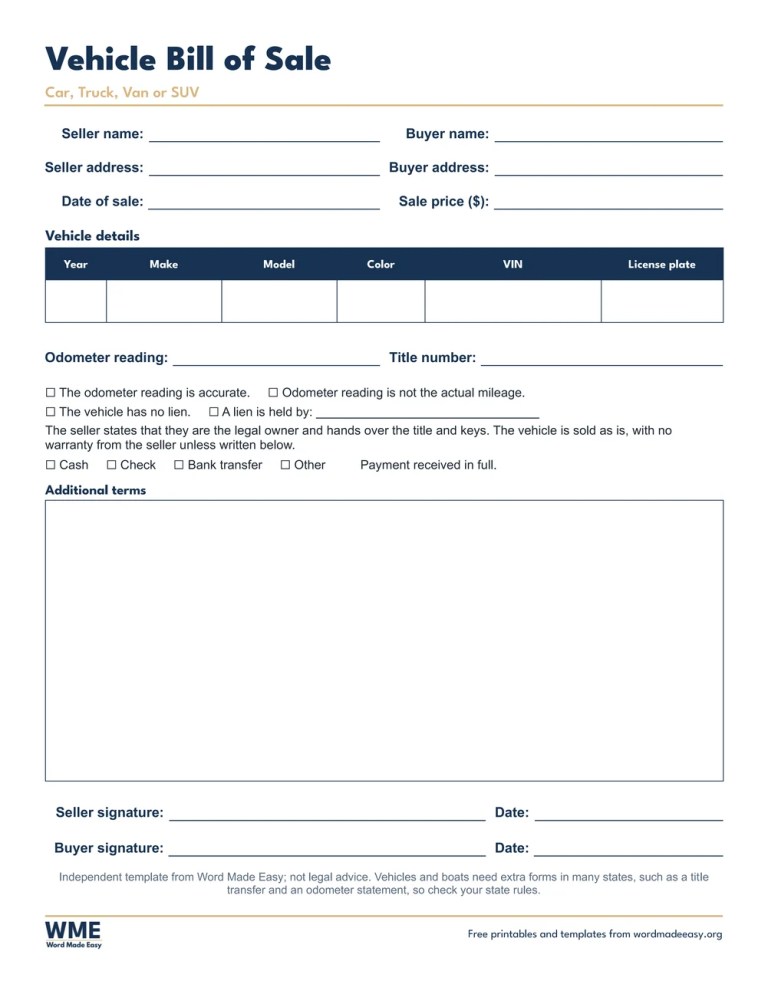
👉 Click any line, type the names and details, and tick the payment box that applies. The labels stay put, so the form keeps its shape however much you write.
What does a bill of sale need to say?
A bill of sale is a receipt with more detail. It names the seller and the buyer with their addresses, describes the item closely enough that nobody could confuse it with another, and states the price, the date and how it was paid. Most also say whether the item is sold as is, which means the buyer accepts its condition and the seller gives no warranty. Both people sign and keep a copy. This page offers templates only and is not legal advice: if the sale is large, or the item is registered, ask your state or local office what else it requires.
Which bill of sale should you use?
- General Bill of Sale: up to five items in a table, with make, serial number and condition, for furniture, electronics or tools.
- Simple Bill of Sale: a short receipt for one item, useful when the sale is small and quick.
- Vehicle Bill of Sale: year, make, model, color, VIN and plate, an odometer statement and a lien check for a car, truck or van.
- Boat Bill of Sale: hull ID number, registration, engine details, trailer VIN and a list of equipment that comes with the boat.
- Equipment Bill of Sale: a priced list with quantity, serial number and condition, totalled at the bottom, for business machinery.
- Animal Bill of Sale: breed, age, microchip number, vaccination and registration tick boxes for a pet, horse or livestock.
- Need proof of payment rather than a record of the sale? See the receipt templates.
How to fill in a bill of sale
- Choose the form that matches the item and open it in Word.
- Type the seller and buyer names and addresses, the date of sale and the price.
- Describe the item in full: make, model, year and any serial number or VIN.
- Tick how the buyer paid, and add any extra terms in the box, such as a delivery date.
- Print two copies, sign both in front of each other and give one to the buyer.
Take a photo of the item and the signed form on the day of the sale and keep it with your records. Cars, trucks and boats usually need separate forms from your state, such as a title transfer and an odometer statement, so treat this page as the sale record and check those forms first. For a sale that is also a debt or a rental, a different document is needed.
Black and white versions
Every bill of sale also comes in black and white: the table headings turn light grey with black text and the lines turn dark grey, so a form prints clearly on any office printer. In the download box, choose Colour, Black and white or All, then US Letter, A4 or both.
How to print a bill of sale
Want to print without editing? Every download has three folders: the editable Word files, the same sheets as PDFs, and every page as a print-ready image (JPEG), so you can print straight away without opening Word.
Print at 100% (Actual size) on the paper in the file name, US Letter or A4. Use plain white paper and a pen with dark ink, because a signed copy is the one that counts.
FAQs
Is this bill of sale template free?
Yes. Pick US Letter or A4 and colour or black and white, then download the six forms in one ZIP file with Word, PDF and image copies.
Is a bill of sale legal advice?
No. These are blank templates, not legal advice, and laws differ by state and country. Ask a local office or a lawyer if you are unsure.
Does a bill of sale need to be notarised?
Not always. Some states ask for it with certain vehicles or large sales, so check with your state before you sign.
Is a bill of sale enough to transfer a car?
Usually not by itself. Vehicles normally need the title or registration papers and an odometer statement from your state as well.
What does sold as is mean?
The buyer accepts the item in its current condition and the seller gives no promise about repairs or performance, unless one is written in the extra terms box.
Can I edit the wording?
Yes. Click into the terms, change or delete a sentence and add your own in Word. The labels and boxes keep their layout.
Conclusion
Six bill of sale forms for the things people really sell, from a single chair to a boat with its trailer.
Choose your paper size above and download the ZIP. To ask for payment before a sale, try the receipt templates.
Related Tutorials
- Free Receipt Templates for Word
- Free Invoice Templates for Word
- Free Expense Report Templates for Word
Word Templates
Recently Added Word Templates
Browse the complete collection of free printable Word templates for home and school, all made by a teacher.
New to Word? Our Word tutorials show you how to edit and print your templates.
Leave a comment
Have a question about these templates, or an idea for a new one? Ask below.