
Free Work Order Form Templates for Word: 16 Printable Forms
Preview every template, choose colour or black and white and your paper size, then download your Word templates in one small ZIP file.
Made by a teacherA4 and US Letter16 Word documentsFree



Can’t find the template you need? Request a template and I’ll make it in Word, free.
These free work order form templates give you 16 Word documents on US Letter and A4: a work order form, a maintenance request form, a change order form and a punch list, each in colour and in black and white. I’m Patrick Elliott, a teacher and Inclusion Lead. I built these so every job fits on one sheet: the work, the labor, the materials and a signed total, with the sums laid out in clear columns.
In this guide, you’ll find which form suits each kind of job, what to write in each section, and how to work out the totals.
What’s in the Work Order Form Templates
| Paper | Version | Best for |
|---|---|---|
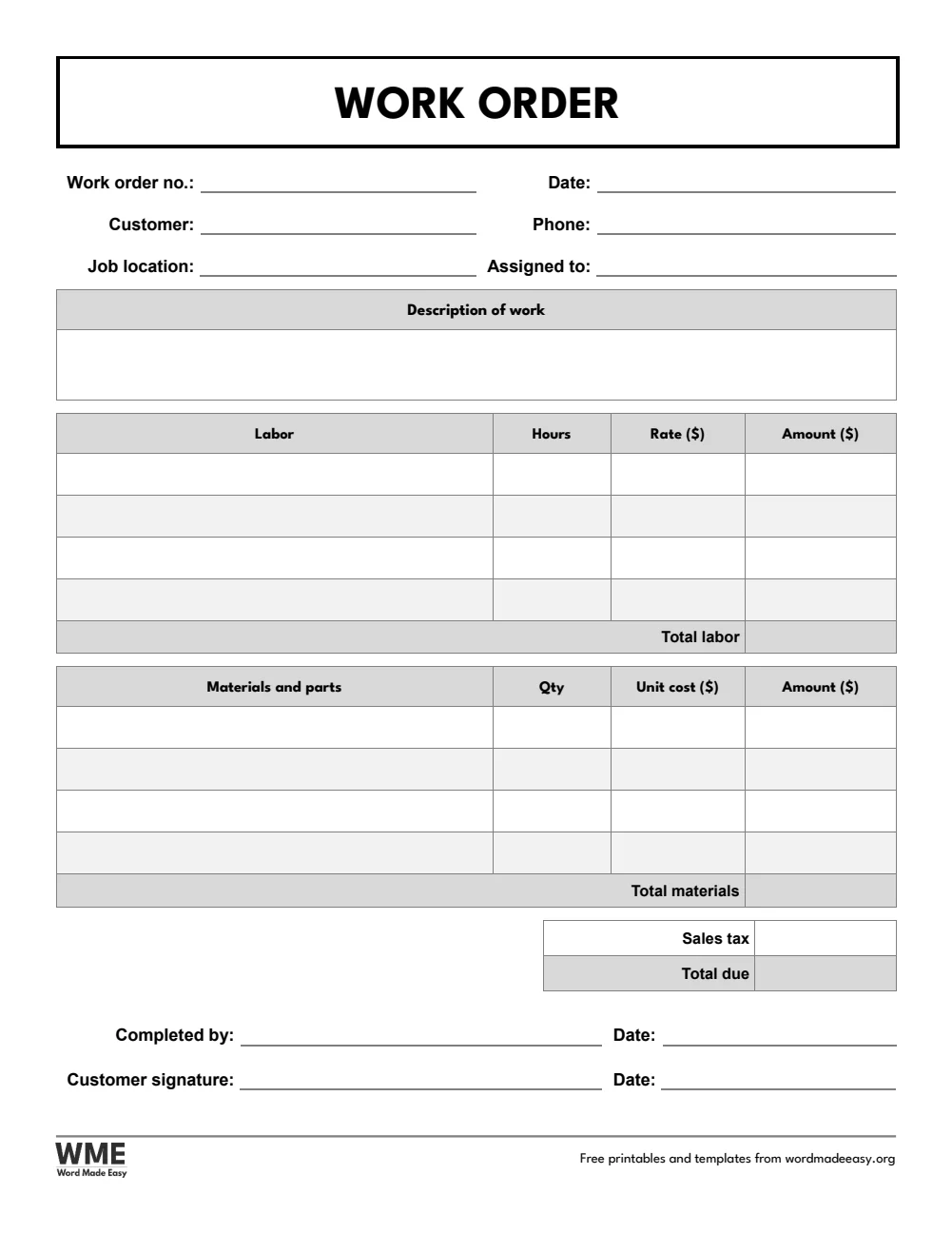
| A4 | Work Order Form | Job details, labor, materials, tax and total due, with sign–off |
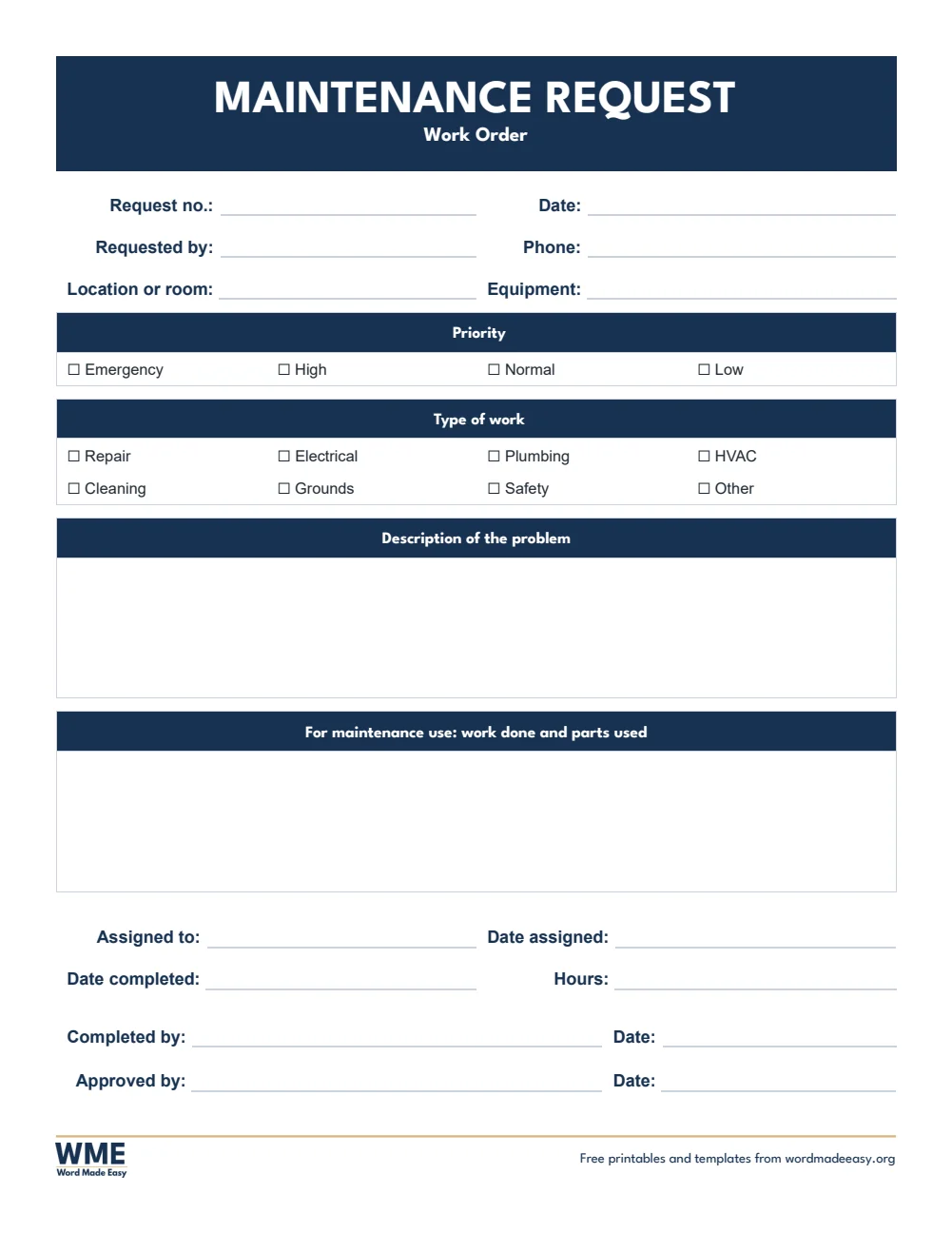
| A4 | Maintenance Request Form | Priority, type of work, the problem and work done |
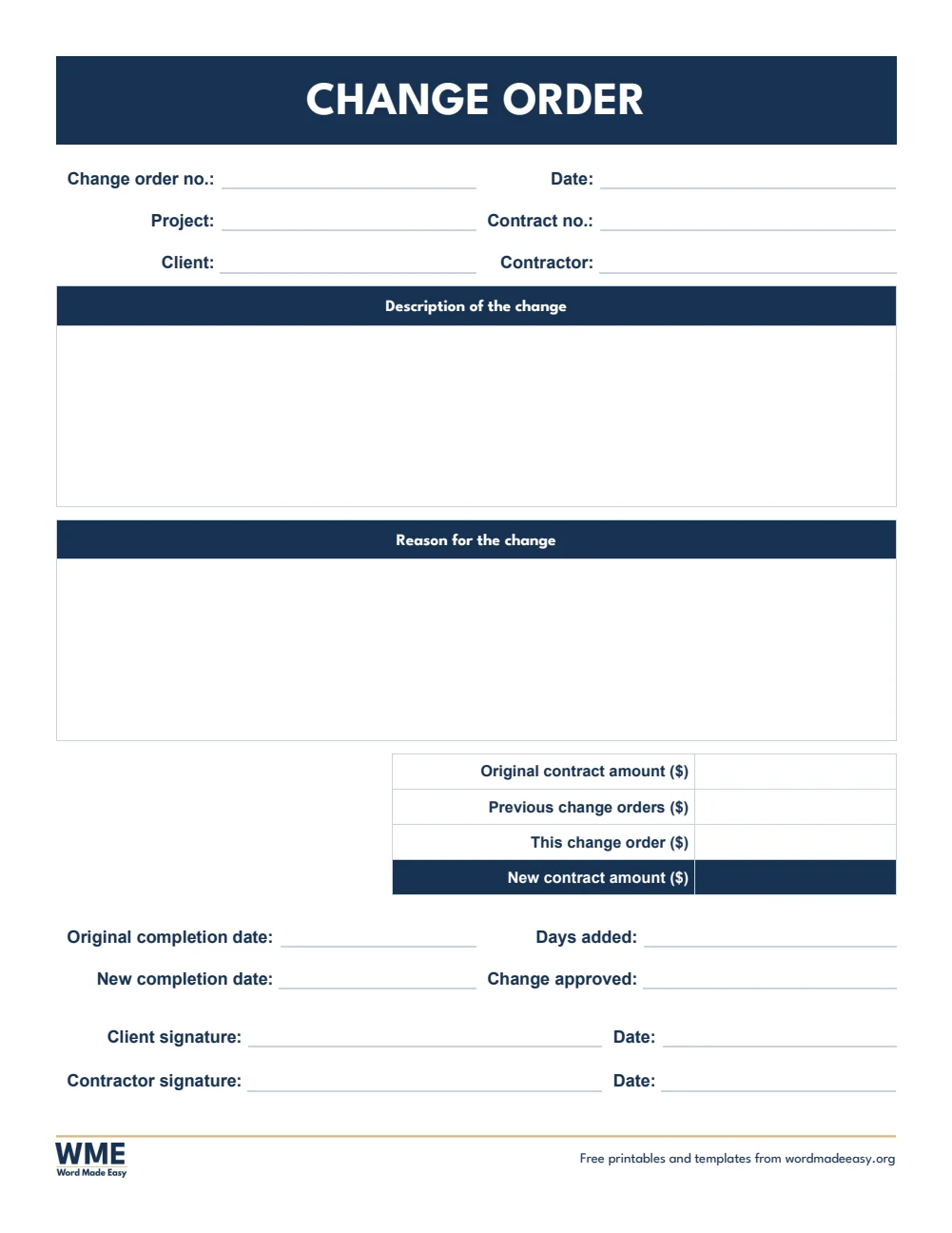
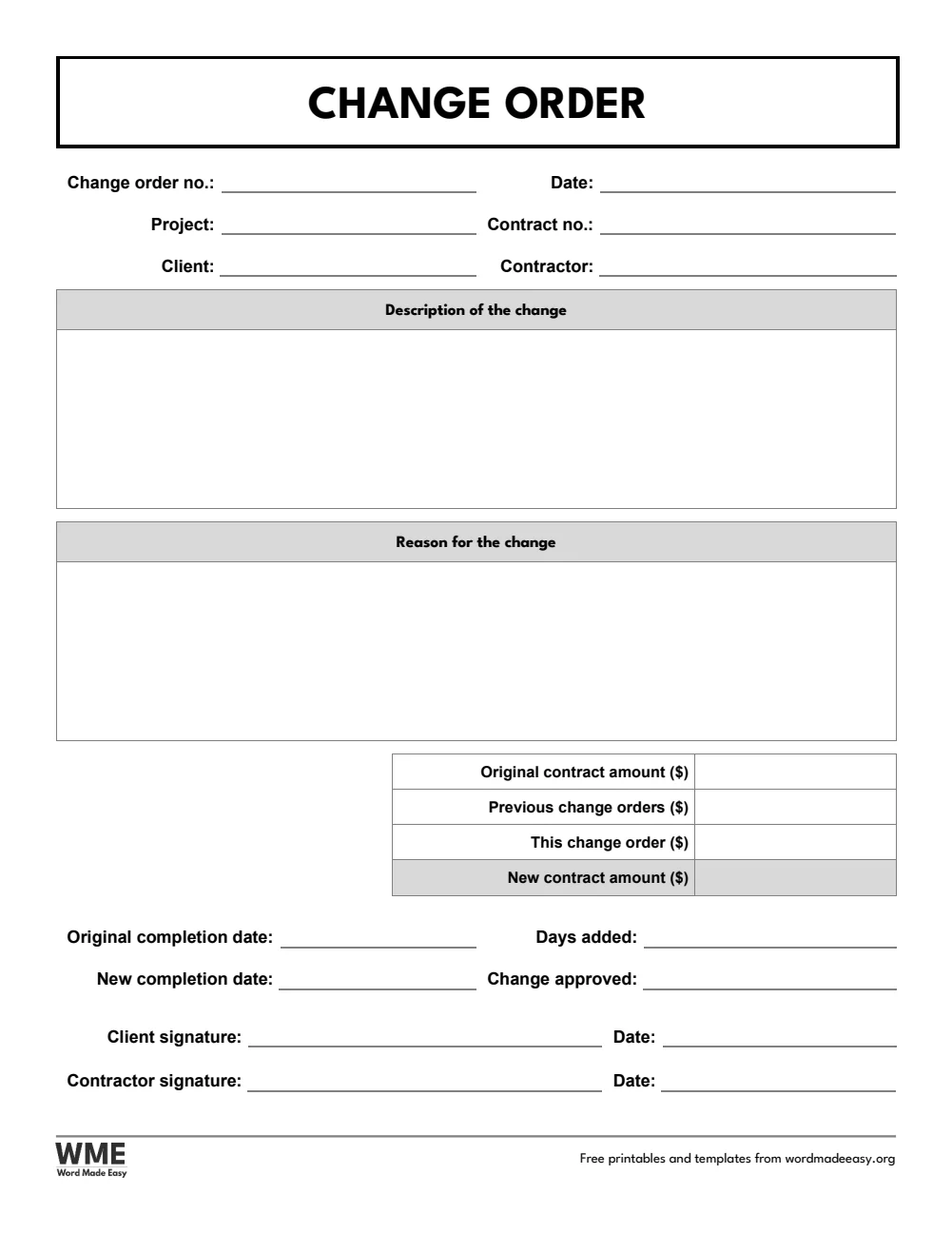
| A4 | Change Order Form | The change, its reason, the new contract amount and days added |
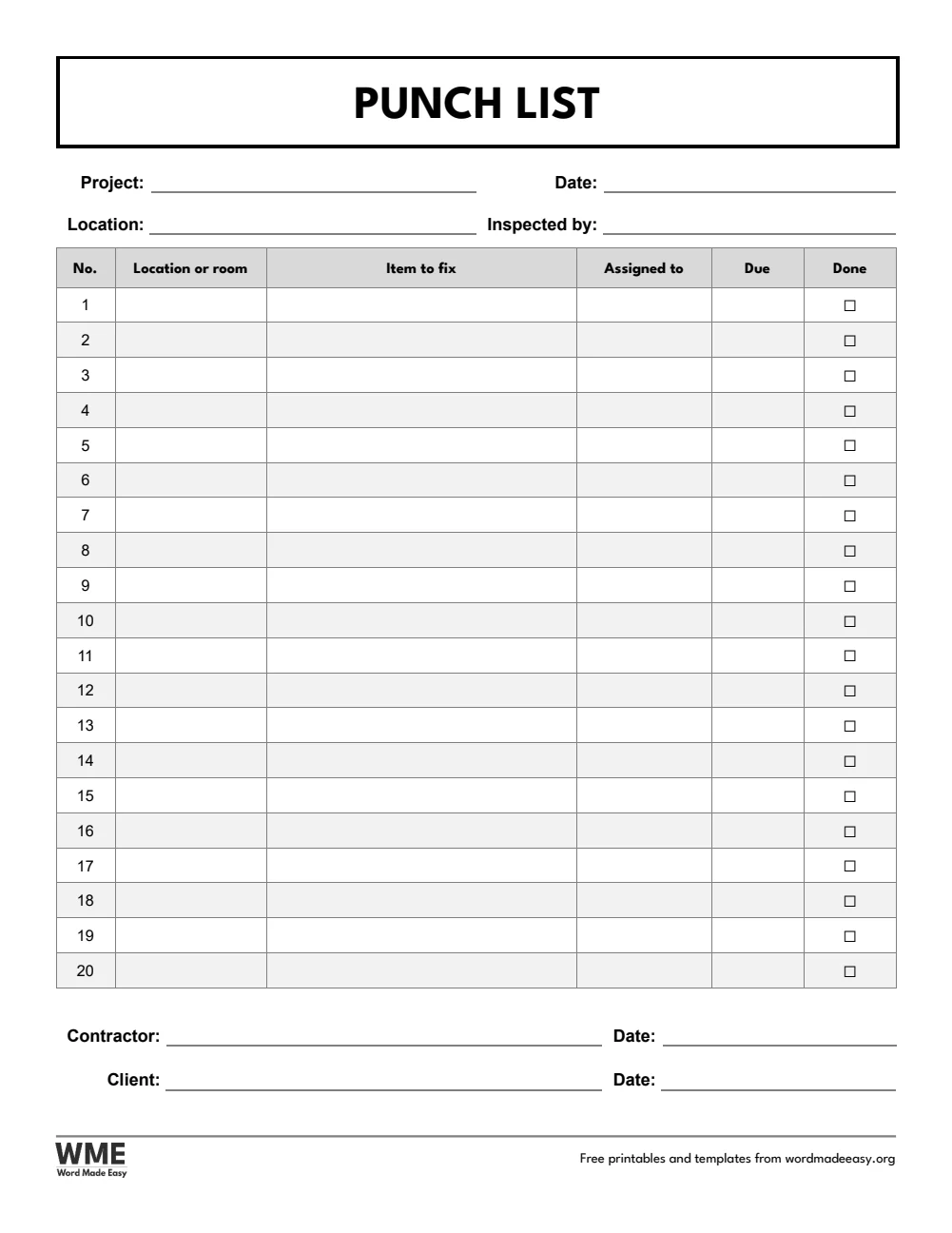
| A4 | Punch List | Numbered items to fix, with who, when and a done box |
| US Letter | Work Order Form | Job details, labor, materials, tax and total due, with sign–off |
| US Letter | Maintenance Request Form | Priority, type of work, the problem and work done |
| US Letter | Change Order Form | The change, its reason, the new contract amount and days added |
| US Letter | Punch List | Numbered items to fix, with who, when and a done box |
👉 Every answer is a click-and-type box and every option is a tick box, so you can fill the form in on screen or print a pad for the van.
What Is a Work Order Form?
A work order form records a job from request to sign-off: who asked for the work, where it is, what needs doing, who is doing it, the labor and materials used and the total cost. The customer signs when the job is done, so both sides have a record that matches the invoice.
Which Work Order Form Should You Use?
- Work order form: job details, a description of the work, four labor lines (hours times rate) and four materials lines (quantity times unit cost), with totals, tax and the total due.
- Maintenance request form: priority and type of work as tick boxes, the problem, and a section where maintenance staff record the work done.
- Change order form: the change and its reason, the original contract amount, previous change orders, this change and the new amount, with days added.
- Punch list: numbered items to fix by location, with who is assigned, a due date and a done box.
- Black and white versions: every template also comes in a printer-friendly black and white version with grey headings, to save ink.
How to Fill In a Work Order Form
- Give each work order its own number and write the date, customer and job location.
- Describe the work clearly enough for someone else to do it.
- Add each labor line as hours times the rate, and each material as the quantity times the unit cost.
- Add the totals and tax, then ask the customer to sign when the job is done.
Keep a copy of every work order under its number and match it to the invoice. For a change to a contract, agree and sign a change order before the extra work starts.
Black and White Versions
Every template on this page also comes in a black and white version with the same layout: grey headings and an outlined title, so it prints clearly on any printer and saves ink. In the download box, choose Colour, Black and white or All, then your paper size: A4, US Letter or both.
How to Print at the Right Size
Print at 100% on US Letter or A4. The black and white version prints clearly on any office printer.
FAQs
Are these work order templates free?
Yes. Choose A4 or US Letter and download all the Word templates in one ZIP file at no cost.
Who made these work order form templates?
Patrick Elliott, a teacher and Inclusion Lead, designed and built every work order form by hand in Microsoft Word.
What is the difference between a work order and a change order?
A work order describes a job to be done. A change order records an agreed change to an existing contract, with the new price and any extra days, signed by both sides before the change is made.
What is a punch list?
A list of small jobs still to finish or fix at the end of a project, usually made on a walk-through, with each item ticked off when it is done.
Is there a black and white version?
Yes. Every template comes in colour and in black and white, on US Letter and A4. Choose Black and white, or All, in the download box.
Can I remove the Word Made Easy footer?
Yes. Double-click the bottom of the page, click the logo and the web address, and press Delete.
Conclusion
These work order form templates keep every job, change and snag on record, human-made by a teacher and ready to type into or print from Word.
Choose your paper size above, download the ZIP, and to bill the job, try the invoice templates.
Related Tutorials
- Free Invoice Templates for Word
- Free Purchase Order Templates for Word
- Free Quotation Templates for Word
Word Templates
Recently Added Word Templates
Browse the complete collection of free printable Word templates for home and school, all made by a teacher.
New to Word? Our Word tutorials show you how to edit and print your templates.
Leave a Reply